



General contractors juggle dozens of responsibilities across every phase of a construction project, making it essential to use software that supports both office and field teams. In this blog we’ll review how good Buildertrend is for general contractors.
How Does Buildertrend Help General Contractors?
Buildertrend helps general contractors run their business from a single connected platform, combining sales and lead tracking, scheduling, financial management and client and subcontractor communication in one system. Buildertrend describes itself as solving every part of the puzzle that most construction software only partially addresses, positioning itself as a single source of truth rather than a stack of point solutions that all need to talk to each other.
That said, Buildertrend isn’t the right fit for every general contractor. It’s built primarily around home builders, remodelers and specialty contractors, with commercial general contractors called out specifically as a fit only when their projects mirror residential complexity, multi-phase scoping, RFIs, submittals and sophisticated financial workflows. Contractors running large, multi-trade commercial jobs with heavy CPM scheduling needs are a different conversation entirely.
Another important aspect to consider is that Buildertrend doesn’t offer a free trial. Instead, it relies on personalized demos and a custom quote based on your builder type and annual construction volume, which means you won’t see a self-serve price on the website before talking to a sales rep.
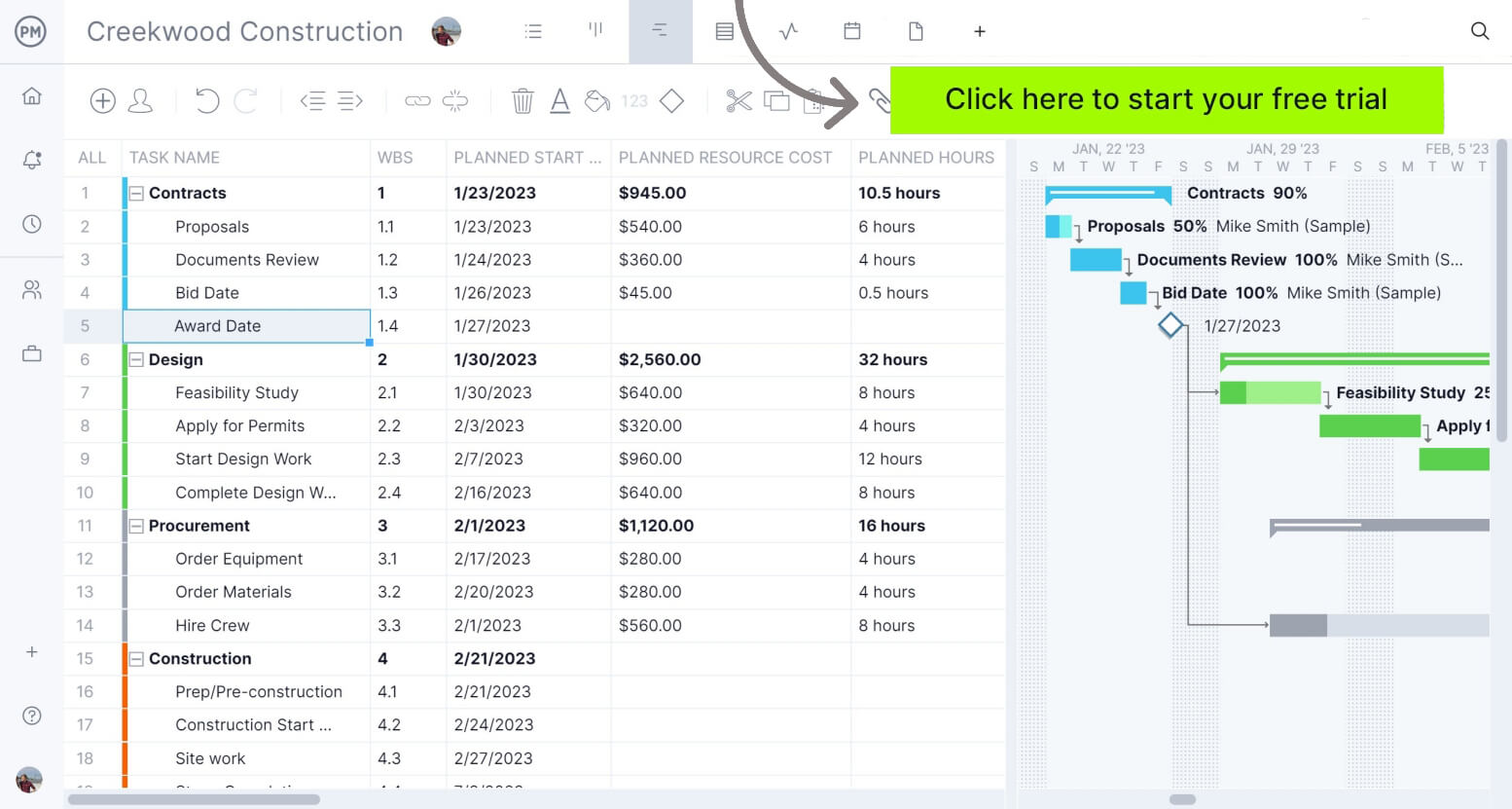
If you’re looking for software to plan, schedule and track construction projects from start to finish, with transparent scalability across residential and commercial work alike, try ProjectManager. ProjectManager is an award-winning project management solution that gives construction project managers the tools they need to ensure projects are completed on time, within budget and within scope. Create detailed construction schedules, estimate costs, allocate resources, set budgets, track progress and compare estimated versus actual project outcomes using real-time dashboards and reports to quickly identify delays or cost overruns. Get started with ProjectManager for free today and discover a scalable alternative to Buildertrend.
Before our in-depth analysis, where we’ll establish the challenges that construction general contractors face and how Buildertrend supports their efforts, here’s a table summarizing what we’ll cover.
| Area | Our Verdict | Summary |
| Project Scheduling | Fair | Solid, real-time scheduling with mobile adjustments, but not built for complex, multi-trade critical path work. |
| Financial Management | Good | A genuinely connected estimate-to-invoice workflow, which is where Buildertrend earns its keep. |
| Subcontractor & Client Communication | Good | Dedicated sub and client portals keep both groups looped in without extra phone calls. |
| Field Operations | Fair | Daily logs and time clock are practical day-to-day tools, though not a full safety/compliance suite. |
| Document Management & Selections | Fair | Selections and document storage work well for residential-style decision-making, less so for drawing control. |
| Punch Lists & Warranties | Good | One of the few platforms that carries a project all the way through post-completion warranty claims. |
| Sales & Lead Management | Fair | A genuine differentiator for a GC who wants CRM and construction management under one roof. |
| Ease of Use | Moderate | Purpose-built for contractors, but the breadth of connected features still takes real onboarding time. |
| Pricing | Custom Quote | No public self-serve pricing and no free trial; every plan includes the full feature set, but you’ll need a demo to get a number. |
| Implementation | Moderate | Two onboarding tiers let you choose self-guided setup or a fully hands-on, coached rollout. |
The sections below examine how Buildertrend performs across 7 critical operational areas, highlighting its key features, advantages and limitations so you can determine whether it fits your company’s workflows and project delivery needs.
1. Project Scheduling
Building a construction schedule is relatively straightforward compared to keeping it accurate. Once work begins, general contractors have to constantly adjust the sequence of activities as weather, inspections, permit approvals, material deliveries, design revisions and subcontractor availability change throughout the project.
Every adjustment creates a ripple effect because one trade can’t start until another finishes. A delayed concrete pour can postpone framing, electrical rough-ins, inspections and dozens of downstream activities. The challenge is knowing how every change affects the plan, communicating updates quickly and keeping every stakeholder working from the latest schedule before minor setbacks become costly delays.
Key Features
- Scheduling: Create and adjust project timelines in real time from the office or the field.
- Real-Time Notifications: Notify key parties automatically when schedule changes happen.
- Schedule Templates: Reuse proven schedule templates instead of building a new one from scratch on every project.
- Mobile Adjustments: Make schedule changes directly from a phone on the job site.
- Excel Import/Export: Bring in existing schedules or export data to keep teams working in familiar formats.
Pros
- Real-time notifications mean subs and clients find out about a schedule change the moment it happens, not at the next site visit.
- Making adjustments from a phone keeps the schedule current without waiting to get back to the office.
- Reusable templates save real setup time on repeat home builds or similar project types.
- Excel import/export gives some flexibility for teams that already have scheduling habits built around spreadsheets.
Cons
- There’s no critical path method engine calculating float the way a dedicated scheduling tool does.
- Templates work best for repeatable project types; one-off complex commercial jobs get less benefit from them.
- Scheduling accuracy still depends on subs and field staff actually acknowledging notifications and updating status.
Verdict
For the kind of job Buildertrend is actually built for, sequential residential or light commercial work, the scheduling tool does what a GC needs: keep the timeline current and keep everyone notified. If you’re running a multi-trade commercial job where you genuinely need critical path calculations, this isn’t the scheduling engine for that.
2. Financial Management
Controlling construction costs isn’t just about creating a budget at the beginning of the project. General contractors must deal with labor productivity changes, material prices fluctuate, subcontractors submit change requests and owners approve additional work throughout construction.
Those small financial changes quickly compound, making it easy for projects to exceed their original budget without anyone realizing it until it’s too late. General contractors need continuous visibility into estimates, bids, budgets, change orders and invoices so nothing falls through the cracks between winning the job and getting paid.
Key Features
- Estimating: Build detailed project estimates as the starting point for the budget.
- Bids: Manage bid requests and comparisons to improve subcontractor selection and pricing.
- Job Costing Budget: Track expenses and account for costs against the budget throughout the project.
- Takeoff: Calculate material quantities directly within the platform.
- Change Orders: Create and manage adjustments from a phone or the office with electronic signature approvals.
- Bills and Purchase Orders: Track committed costs and vendor purchase orders in one place.
- Invoices: Generate invoices and see real-time profit reporting.
- Accounting Integrations: Sync with QuickBooks and Xero to avoid double data entry.
Pros
- Estimating, bids, budget, change orders and invoicing all live in one connected workflow instead of separate tools.
- Electronic signature approvals speed up change order turnaround, which directly protects margin.
- QuickBooks and Xero integration keeps financial data accurate without re-entering it twice.
- Real-time profit reporting gives visibility into job performance while the project is still running, not after it’s closed out.
Cons
- Financial tooling is built around residential-style project structures, not the complex, multi-tier commitments of large commercial jobs.
- Accuracy still depends on estimates, bids and change orders being entered consistently by whoever’s running the job.
- Contractors running true enterprise-scale cost control may still want a dedicated accounting or ERP system alongside it.
Verdict
This is genuinely the strongest part of Buildertrend, and it’s not close. Watching a change order flow from field approval to invoice without re-entering anything is exactly the kind of thing that saves real money over a year of jobs. One builder’s own case study credits Change Orders specifically with saving them tens of thousands of dollars, and that tracks with what the tool is actually built to do.
3. Subcontractor and Client Communication
Most construction work is performed by subcontractors, so general contractors spend much of their time coordinating companies they don’t directly manage, while simultaneously keeping the homeowner or owner in the loop without fielding a phone call every time something changes. Every trade and every client has different expectations for how often they want an update and how they want to receive it.
A subcontractor arriving late or missing information, or a client blindsided by a change they didn’t know was coming, both create the same problem: someone finds out too late to react well. General contractors need a way to keep both groups informed automatically, without manually chasing every conversation.
Key Features
- Sub Portal: Let subcontractors submit bids, view schedules, track tasks and send in daily progress.
- Client Portal: Give clients real-time access to project schedules, budgets, selections and daily progress.
- AI Client Updates: Automatically turn job activity into clear, structured summaries sent directly to the homeowner.
- Permissions Control: Decide exactly what each team member, subcontractor or client can see or edit.
- Instant Messaging: Communicate with team members, subs and clients in real time from within the platform.
Pros
- The Sub Portal gets subcontractors submitting their own status updates instead of the GC chasing them down.
- AI Client Updates take a genuinely tedious task, manually summarizing job progress for the homeowner, off the project manager’s plate.
- Granular permissions mean you can be transparent with a client without exposing every internal detail.
- Builders using Buildertrend have reported meaningfully fewer daily phone calls as a result of this visibility.
Cons
- Value still depends on subcontractors actually logging into the Sub Portal rather than just texting the super directly.
- AI-generated client updates need spot-checking early on to make sure the tone and detail match how you want to communicate.
- Commercial GCs coordinating dozens of subs across multiple concurrent jobs may find the portal model built more for a handful of subs per job than an enterprise subcontractor roster.
Verdict
If you build custom homes or run remodels, the client-facing side of this is a real differentiator, homeowners genuinely like seeing their project’s status without calling you, and it shows in the fewer-phone-calls numbers Buildertrend reports. Just don’t expect the Sub Portal to fully replace the phone call habit your subs have had for twenty years overnight.
4. Field Operations
Construction projects generate constant activity in the field that the office needs visibility into: labor hours, daily progress, weather delays, photos of work in place. The challenge isn’t capturing any single piece of that, it’s capturing all of it consistently enough that the office always knows what actually happened on-site that day.
Without a reliable daily record, disputes over hours worked, progress claimed or conditions on a given day turn into he-said-she-said conversations. General contractors need field data that’s captured once, in the field, and instantly visible to the office.
Key Features
- Daily Logs: Document job site progress with notes, photos and videos for clear communication between team members, subs and clients.
- Time Clock: Let field crews clock in and out directly from their phone for accurate labor cost tracking.
- Weather Updates: Capture weather conditions as part of the daily record.
- Mobile App: Manage projects, approve change orders and track job progress from the field on iOS and Android.
Pros
- Daily Logs with photos create a clear, dated record that’s useful for both communication and covering yourself if a dispute comes up later.
- Time Clock tied directly to labor cost tracking means hours worked and job costing aren’t two separate systems that have to reconcile.
- The mobile app covers the core actions a superintendent actually needs on-site, not just a stripped-down viewer.
Cons
- There’s no dedicated safety observation or incident tracking module the way construction-specific field platforms build in.
- Daily Logs are only as useful as the discipline crews have in filling them out consistently.
- Photo and video-heavy logs on larger jobs can require real day-to-day management to stay organized.
Verdict
Daily Logs and Time Clock are the kind of unglamorous features that end up mattering the most on a day-to-day basis, and Buildertrend’s own customer example about needing precise hourly time tracking rings true. It’s solid, practical field documentation. It’s not a substitute for a dedicated safety compliance system if your jobs require one.
5. Document Management and Selections
Every construction project, especially custom home and remodel work, involves a stream of decisions and documents: finish selections, specs, contracts, warranty paperwork. The difficult part isn’t storing those files, it’s making sure the client’s decisions are locked in, priced correctly and visible to everyone who needs to act on them.
Without a clear system, selections get miscommunicated, pricing gets missed, and general contractors end up doing free work because a change wasn’t tracked or charged for. General contractors need a reliable way to capture client decisions and keep documentation organized around them.
Key Features
- Selections: Let clients choose finishes online and track the project’s running total as decisions are made.
- Document Storage: Centralize project documents so they’re accessible to the right people.
- Templates: Reuse Selections and Task templates across projects instead of rebuilding them each time.
- Sub Portal Document Access: Give subcontractors visibility into the documents relevant to their scope.
Pros
- Letting clients make selections online and see the running total in real time helps prevent the classic “I forgot to charge them for that” scope creep.
- Reusable templates make repeat home builds faster to set up on the documentation side.
- Centralized storage means fewer documents living in someone’s email inbox instead of the project record.
Cons
- There’s no dedicated drawing version control or markup tool the way construction-specific document platforms offer.
- Selections work best for residential-style finish decisions; it’s not built around large commercial submittal or spec workflows.
- Document organization still depends on someone consistently filing things in the right place.
Verdict
Selections is genuinely one of the smarter residential-specific features here, it directly protects margin by tying client decisions to running costs in real time. Document management overall is solid for a builder or remodeler’s needs, but it isn’t the tool for a GC who needs true drawing version control on a complex commercial set.
6. Punch Lists and Warranties
Every construction project ends with a punch list, and what happens after the client moves in matters just as much. Warranty claims, maintenance requests and lingering deficiencies keep coming in long after the crew has moved to the next job, and losing track of them damages the relationship you worked all project to build.
Without a system that carries through past substantial completion, closeout drags and warranty claims turn into a scramble to remember who’s responsible for what. General contractors need punch lists and warranty tracking that don’t just stop the day the client gets the keys.
Key Features
- Punch List Software: Manage tasks and ensure nothing falls through the cracks before project completion.
- Warranties: Manage claims, submit warranty issues and schedule maintenance appointments.
- Task Management: Assign responsibilities and track progress on outstanding items.
- Client Portal Continuity: Let clients submit and track warranty issues through the same portal they used during construction.
Pros
- Warranty tracking is a genuinely differentiated feature, most construction software stops caring about a project at handoff, and this doesn’t.
- Clients being able to submit warranty issues through a familiar portal reduces friction on both sides.
- Keeping punch list and warranty data in the same system as the original project record means context isn’t lost after handoff.
Cons
- Warranty management is only valuable if your team actually keeps using the platform after the project wraps, which requires a real internal habit.
- Punch list closeout speed still depends on subs responding promptly through their portal.
- Larger commercial punch lists with hundreds of line items may need more structure than a residential-oriented punch list tool provides.
Verdict
This is a real strength, and an underrated one. A lot of platforms treat the project as “done” at substantial completion; Buildertrend keeps the same system useful for warranty claims and maintenance long after that. For a residential builder fielding calls a year after handoff, that’s worth something.
7. Sales and Lead Management
Before a general contractor manages a project, they have to win it. Tracking leads, sending timely proposals and following up consistently is its own operational challenge, and it’s usually handled in a separate CRM that has nothing to do with the project management tool the job eventually lives in.
When the sales process and the project management process don’t talk to each other, information about what was promised to the client during the sale gets lost by the time the project team picks it up. General contractors need their pipeline and their project data connected, not living in two different systems.
Key Features
- Lead Tracking: Capture, create and track leads from initial inquiry through signed contract.
- Proposals: Build and deliver professional proposals directly from the platform.
- Email Marketing: Engage prospects with built-in email marketing tools.
- Lead-to-Project Handoff: Carry lead and proposal data directly into the project once a contract is signed.
Pros
- Having a built-in CRM means whatever was promised during the sales process is already sitting in the same system the project team will use.
- Proposal and email marketing tools reduce the need for a separate sales-specific platform for smaller contractors.
- One customer specifically cited the built-in CRM alongside project management capabilities as a reason for choosing Buildertrend.
Cons
- It’s not a full-featured, dedicated CRM the way a standalone sales platform is; larger sales teams may still want something more specialized.
- Email marketing tools are useful but basic compared to dedicated marketing automation software.
- This module matters most to residential builders and remodelers actively marketing for new leads, less to GCs who win work purely through bid relationships.
Verdict
For a builder or remodeler generating their own leads, having sales and project management under one roof is a genuine convenience most competitors don’t offer. If your work comes exclusively from invited commercial bids, this section of the platform won’t do much for you.
Finally, here’s a summary of all of Buildertrend’s features for general contractors for a quick reference.
| Area | Buildertrend Features for General Contractors |
| Project Scheduling | Scheduling, real-time notifications, schedule templates, mobile adjustments, Excel import/export |
| Financial Management | Estimating, bids, job costing budget, takeoff, change orders, bills/purchase orders, invoices |
| Subcontractor & Client Communication | Sub Portal, Client Portal, AI Client Updates, permissions control, instant messaging |
| Field Operations | Daily Logs, Time Clock, weather updates, mobile app |
| Document Management & Selections | Selections, document storage, reusable templates, sub portal document access |
| Punch Lists & Warranties | Punch list software, warranty claims and scheduling, task management, client portal continuity |
| Sales & Lead Management | Lead tracking, proposals, email marketing, lead-to-project handoff |
ProjectManager Is the Best Construction Project Management Solution
ProjectManager is a construction project management software that combines advanced scheduling, resource management, cost tracking and team collaboration in a single platform, without asking general contractors to piece together add-ons or bolt on a separate construction tool for document control. Construction managers can build Gantt charts, manage task dependencies, identify critical paths and monitor project performance in one place from day one.
ProjectManager also includes AI-powered project insights, workflow automation and live performance tracking that help teams identify delays, manage risks and make better decisions.
One of the biggest advantages of ProjectManager is that it is fully cloud-based and purpose-built for construction, giving office staff, project managers, superintendents and field teams access to the same live project data from anywhere. Schedule updates, resource changes, timesheet submissions and project status information are immediately available, helping construction teams improve coordination and reduce communication delays.
For general contractors who want real scheduling, resource planning, budget tracking and collaboration in one place, without discovering halfway through onboarding that the features they need are separate paid add-ons, ProjectManager is a strong alternative to Smartsheet.
The platform also supports an open API and more than 1,000 integrations, including Quickbooks, Microsoft Project, Acumatica and MYOB allowing construction companies to connect operational and project data across their existing systems.
ProjectManager is online construction project management software that empowers teams to plan, manage and track their projects in real time. We connect architects and engineers in the office with your work crew on the job site so they can share files and comments to foster better collaboration. Get started with ProjectManager today for free.
