



Construction companies often outgrow spreadsheets, email chains and disconnected apps as projects become more complex. Buildertrend is designed to bring project management, financial tracking, customer communication and scheduling into a single platform, helping builders manage work from preconstruction through project completion.
What Is Buildertrend?
Buildertrend is a cloud-based construction management software platform used to manage projects, finances, sales and customer communication. It is commonly used by home builders, remodelers and specialty contractors to coordinate teams, track project progress and manage the entire construction lifecycle.
Rather than relying on separate tools for scheduling, budgeting, client updates and document management, companies can centralize these workflows within a single system. Buildertrend also includes tools for project management, sales management, financial management, client collaboration, software integrations and business support services.
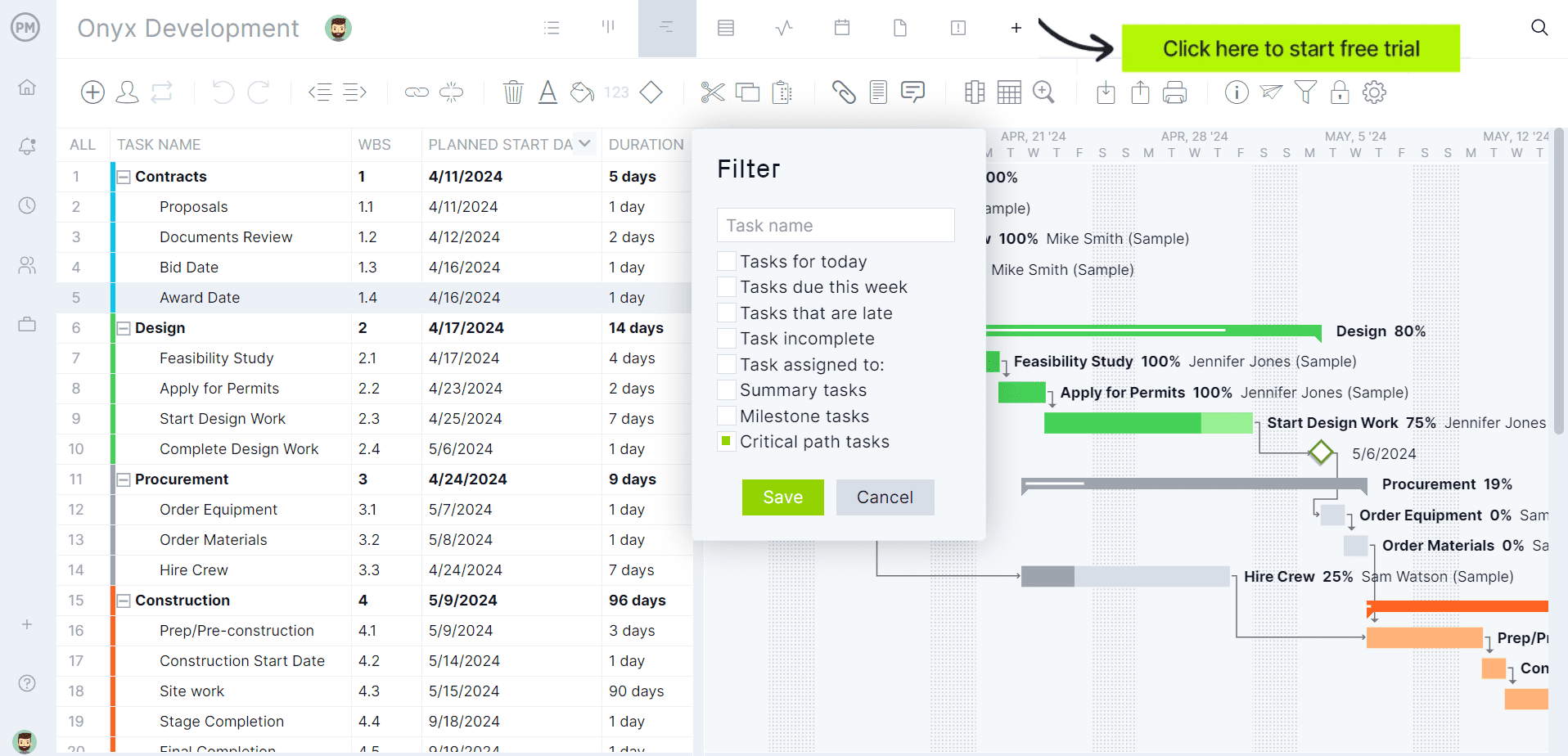
If you’re looking for software to plan, schedule and track construction projects from start to finish, try ProjectManager instead. ProjectManager is award-winning construction project management software that gives construction companies tools to ensure projects are completed on time, within budget and within scope. It allows project managers to create detailed construction schedules, estimate costs, allocate resources, set budgets, track progress and compare estimated versus actual project outcomes using real-time dashboards and reports to quickly identify delays or cost overruns. Get started with ProjectManager for free today.
Buildertrend Plans & Pricing
Buildertrend offers multiple subscription plans designed for different business sizes and operational needs. The company has historically offered Essential, Advanced and Complete plans, although pricing and feature availability may change over time. Because Buildertrend periodically updates its pricing structure, businesses should verify current costs directly with Buildertrend before making a purchasing decision.
| Pricing Plan | Monthly Price | What’s Included |
| Essential | Custom quote required* | Core construction management tools including scheduling, daily logs, tasks, document management, budgeting and team collaboration. |
| Advanced | Custom quote required* | Adds proposal management, contracts, selections, bid requests, change orders, purchase orders and expanded reporting capabilities. |
| Complete | Custom quote required* | Includes advanced financial management, time tracking, warranty management, customer portals, custom reporting and enterprise-level functionality. |
As of Buildertrend’s current pricing page, the company provides customized quotes rather than publishing standard plan pricing. Prospective customers must contact Buildertrend for plan-specific pricing information.
Buildertrend Views
Buildertrend provides several ways to view project schedules depending on whether users need a visual timeline, calendar-based planning tool or detailed task list. These views allow project managers, office staff and field teams to work with the same schedule data in the format that best supports their responsibilities.
- Gantt View: Buildertrend’s Gantt chart displays schedule items as timeline bars across a project schedule, making it easier to visualize task durations, sequencing, dependencies and overall project progress from start to finish.
- Calendar View: Organizes project activities within a calendar interface, allowing users to review upcoming work, milestones, deadlines and schedule commitments across daily, weekly or monthly time periods.
- List View: Presents schedule information in a structured list format that helps users quickly review assignments, due dates, task details and upcoming activities without navigating a graphical timeline.
- Agenda View: Arranges scheduled activities in chronological order, helping teams focus on upcoming tasks, priorities and project commitments that require immediate attention.
Buildertrend Key Features
Buildertrend combines project management, financial management, communication and sales tools within a single construction platform. Its feature set is designed to support residential builders, remodelers and contractors from lead generation through project closeout and warranty management.
- Scheduling: Creates construction schedules with task dependencies, critical path visibility, automated schedule adjustments and subcontractor notifications to keep projects moving forward.
- Change Orders: Allows teams to create, approve, distribute and track project changes while maintaining visibility into budget and schedule impacts.
- Daily Logs: Records jobsite activities, progress updates, weather conditions, photos and field notes to improve project documentation and communication.
- Task Management: Assigns responsibilities, tracks completion progress and improves accountability across office staff, field personnel and subcontractors.
- Time Clock: Tracks employee work hours directly within the platform, helping companies manage labor reporting and workforce accountability.
- Warranty Management: Organizes warranty requests, service items and post-construction support activities after project completion.
- Customer Portal: Gives homeowners access to schedules, updates, invoices, messages, selections and project information through a centralized client-facing portal.
- Subcontractor Portal: Provides subcontractors with access to assigned work, schedule updates, documents and communication tools from a single location.
- File Storage: Stores plans, permits, contracts, photos and supporting project documents in a shared environment accessible by authorized users.
- Bidding Management: Streamlines bid requests and bid collection processes to help contractors obtain pricing from vendors and subcontractors more efficiently.
- Budget Management: Tracks estimated costs versus actual costs throughout the project to improve financial visibility and profitability control.
- Estimating: Supports cost estimation workflows that help construction companies create more accurate project budgets and proposals.
- Invoices and Payments: Enables contractors to generate invoices, collect payments and manage project-related cash flow within the same platform.
- Takeoff: Allows users to upload digital plans, perform measurements and generate quantities that support estimating and budgeting activities.
- Lead Management: Tracks sales opportunities from initial inquiry through contract signing, helping builders manage their sales pipeline more effectively.
- Proposals: Creates detailed project proposals that can be shared with prospective clients during the sales process.
Pros and Cons of Buildertrend
No construction management platform is perfect for every company. Buildertrend offers a broad collection of tools that help builders manage projects, finances, communication and sales from a single system, but the platform may also introduce challenges depending on a company’s size, budget and operational requirements.
Pros
Buildertrend excels at bringing together construction scheduling, financial management, client communication and sales workflows within a single platform. For growing builders and remodelers, this centralized approach can reduce administrative work, improve visibility and help teams stay aligned throughout the project lifecycle.
- Combines project management, financial management and client communication within one connected platform.
- Provides dedicated customer and subcontractor portals that improve transparency and collaboration throughout construction projects.
- Includes preconstruction, project execution and post-construction tools without requiring multiple software systems.
- Offers integrated estimating, budgeting and takeoff capabilities that support financial planning workflows.
- Supports business growth by connecting lead management, proposals and project delivery processes.
Cons
Buildertrend’s greatest limitation is that its broad functionality can create complexity for smaller contractors with simpler workflows. Companies seeking lightweight project management tools may find the platform more extensive than necessary, while pricing requires direct consultation rather than transparent public rates.
- Custom quote pricing makes it difficult to compare costs before contacting sales representatives.
- The extensive feature set may require significant onboarding and user training efforts.
- Smaller contractors may not need every module included within the platform.
- Organizations already using specialized software may face migration and adoption challenges.
- Many advanced workflows depend on company-wide adoption to deliver maximum value.
- Scheduling tools are construction-focused but offer fewer advanced planning capabilities than dedicated scheduling software such as ProjectManager, Primavera P6 or Microsoft Project.
- Resource allocation features are limited compared to platforms that provide workload balancing, resource forecasting and capacity planning views.
- Portfolio-level project tracking receives less emphasis than individual project execution and job management workflows.
- Budget management focuses primarily on job costing and financial tracking rather than advanced earned value management or performance measurement techniques.
- Project reporting capabilities are geared toward construction operations and may not satisfy organizations requiring sophisticated project analytics, forecasting or executive portfolio dashboards.
Buildertrend FAQ
The questions below address some of the most common topics contractors, home builders and remodelers research when evaluating Buildertrend construction management software. These answers are based on information published directly by Buildertrend and its affiliated companies.
Does Buildertrend Offer a Free Trial?
No, Buildertrend does not currently offer a free trial. According to the company’s FAQ page, Buildertrend instead provides personalized product demonstrations where prospective customers can see how the software works for their specific business. The company states that a guided demo allows contractors to evaluate scheduling, financial management, client communication and project management workflows before purchasing a subscription.
Does Buildertrend Own Other Construction Project Management Software?
Yes. Buildertrend acquired Buildertrend in 2021 and later integrated its functionality into the Buildertrend platform. The company has also acquired Square Takeoff, a digital takeoff and estimating solution that is now offered as Buildertrend Takeoff. In addition, Buildertrend owns CBUSA, a purchasing network for residential builders that became part of the organization through the Buildertrend acquisition.
Today, these products and services operate within the broader Buildertrend ecosystem rather than as completely independent software platforms.
ProjectManager Is the Best Buildertrend Alternative for Construction Project Management
Although Buildertrend performs well for some construction-specific processes, its construction planning and scheduling functionality is more limited than what dedicated project management software such as ProjectManager.
ProjectManager offers a more comprehensive construction project management solution with advanced Gantt charts, critical path tracking, workload management, resource scheduling, portfolio roadmaps, real-time dashboards, kanban boards, timesheets and automated reports in a single platform.
In addition to traditional construction scheduling capabilities, ProjectManager includes AI-powered project insights, workflow automation and live performance tracking that help teams identify delays, manage risks and improve decision-making. The platform also supports an open API and more than 1,000 integrations with tools like Acumatica, QuickBooks, Microsoft Project, Slack and Google Workspace, allowing construction companies to connect operational and project data across their existing systems.
Watch the video below to learn more!
More Buildertrend Alternatives
If you’re interested in learning about other Buildertrend alternatives for construction project management, you can take a look at our Buildertrend alternatives blog, which compares the software below.
- ProjectManager
- Procore
- e-Builder
- Fieldwire
- Contractor Foreman
- Autodesk Build
- Buildxact
- Jobber
- Smartsheet
- InEight
Buildertrend Videos and Tutorials
If you’d like to see Buildertrend’s features in action before committing to the platform, these videos provide a useful introduction. We’ve gathered demonstrations and tutorials that showcase how construction companies use Buildertrend to manage schedules, budgets, communication, documents, daily logs and other key aspects of residential construction project management.
Buildertrend Platform Overview
This overview video introduces Buildertrend’s core functionality and demonstrates how builders, remodelers and contractors can use the software to manage projects from start to finish. It highlights tools for scheduling, project tracking, client communication and financial management, making it a helpful starting point for anyone evaluating the platform.
Buildertrend Product Demonstration
This demonstration takes a closer look at Buildertrend’s project management workflows and shows how construction teams can centralize project information in one platform. Viewers can explore features related to scheduling, daily logs, document management, budgeting, change orders and collaboration between office staff, field teams and clients.
Learn What People Says About Buildertrend
Feedback from peers helps builders choose the right tools. This section collects real‑world insights about Buildertrend from review websites and discussion forums to show how the software performs beyond marketing promises.
Buildertrend Software Reviews from Real Users
Formal review platforms reveal patterns in how Buildertrend helps and hinders construction teams. We distilled comments across G2, Capterra and TrustRadius to spotlight common praise and criticism.
Buildertrend Reviews from G2
G2 reviewers applaud Buildertrend’s scheduling, daily logs and integrated project management that centralize documents, payments and client communication. They appreciate its intuitive interface, quick photo uploads and responsive support. Criticisms focus on unpredictable updates, pricey subscriptions, clunky estimating and job switching, notorious intrusive notifications, poor data portability and unusable experiences.
Buildertrend Reviews from Capterra
Capterra reviewers say Buildertrend centralizes scheduling, budgeting, document sharing and communication, improving organization and workflow. They appreciate user‑friendly features, mobile apps and responsive support. Some warn of a steep learning curve, high costs, rigid contracts and poor data export, with smaller businesses hit hard by complex setups and inflexible policies.
Buildertrend Reviews from TrustRadius
TrustRadius feedback portrays Buildertrend as a powerful platform for builders, offering templates, scheduling, cost tracking, daily logs and homeowner portals that centralize communication and budgeting. Users report improved consistency and growth. Drawbacks include high pricing, long implementation times, limited sales and marketing tools, data export challenges and complex CRM features.
Buildertrend Discussion Forums from Real Users
Forum threads offer candid glimpses into implementation challenges and comparative experiences. We explore two discussions to see how professionals weigh Buildertrend against alternatives.
Buildertrend Reddit Forum: r/Construction
This Reddit thread debates whether Buildertrend justifies its high price. Commenters describe a learning curve and the need for dedicated staff to implement features, with some opting for cheaper alternatives like JobTread or Houzz Pro. Others find it essential for managing dozens of homes but acknowledge functionality and cumbersome interfaces.
Buildertrend Reddit Forum: r/ConstructionManagers
This Reddit discussion in r/ConstructionManagers questions Buildertrend’s workflow. Commenters criticize its slow scheduling and argue it’s best suited for residential projects, not complex commercial work. Many recommend alternatives like JobTread, Houzz Pro or Procore and highlight clunky interfaces, email issues, limited accounting integration and the need for specialized industry features.
ProjectManager is online construction project management software that empowers teams to plan, manage and track their projects in real time. We connect architects and engineers in the office with your work crew on the job site so they can share files and comments to foster better collaboration. Get started with ProjectManager today for free.
