



A work order is how organizations turn a request into a trackable, accountable piece of work. Without one, jobs get communicated verbally, details get lost between the request and the execution and there is no record to refer back to when questions arise about what was done, who did it or whether it was completed on time. A work order template formalizes that process: it captures the right information at the start, creates a traceable record through completion and gives managers the data they need to improve how work gets planned and resourced.
The challenge is that work orders take different forms depending on the context. A maintenance team needs a request form that captures the fault and the urgency. A construction site needs a change order that documents a scope modification and its cost impact. A procurement team needs a purchase order that authorizes a vendor to supply specific goods at a specific price. The format of a work order matters because the wrong template for the job captures the wrong information, and the gaps show up later as billing disputes, missed work or compliance problems.
We put together eight free work order templates for Excel and Word covering the most common work authorization and tracking needs across project management, maintenance, procurement and field operations. Each one is free to download and ready to adapt for your team or business.
1. Work Order Template
A work order is the formal document that authorizes a specific piece of work to begin. It defines what needs to be done, who is responsible for doing it, when it needs to be completed and what resources are required. For organizations that manage ongoing operations alongside project work, a work order is how ad hoc tasks get the same structure and accountability as planned project activities, without requiring a full project management process for every job.
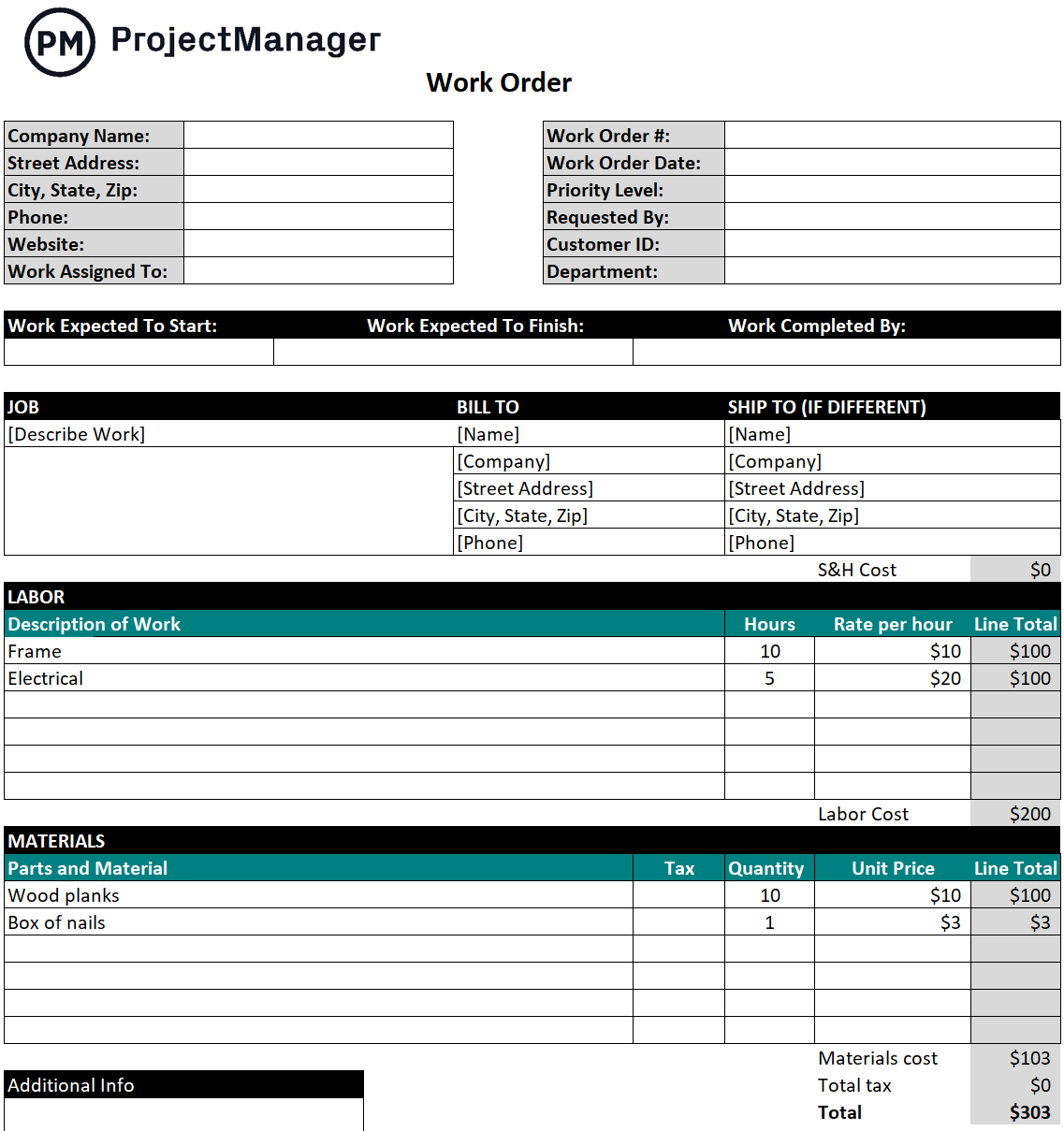
This template covers the standard work order fields: work order number, issue date, requestor, assigned to, priority level, description of work, estimated and actual hours, materials required, estimated and actual cost and a completion sign-off. The structured format creates a complete record of every work order from authorization through to close, which is the data organizations need to track labor costs, measure technician productivity and justify maintenance expenditures to management.
The right tool for facilities managers, operations teams, maintenance departments and service businesses that need a consistent, traceable process for authorizing and tracking work across a team or multiple locations.
2. Maintenance Request Form Template
A maintenance request is what sits upstream of a work order. Before maintenance can be authorized and scheduled, someone needs to report the problem: what is broken, where it is located, how urgent it is and what impact it is having on operations. A maintenance request form standardizes that report so the maintenance team receives consistent, actionable information rather than a vague verbal description that requires follow-up questions before anyone can act on it.
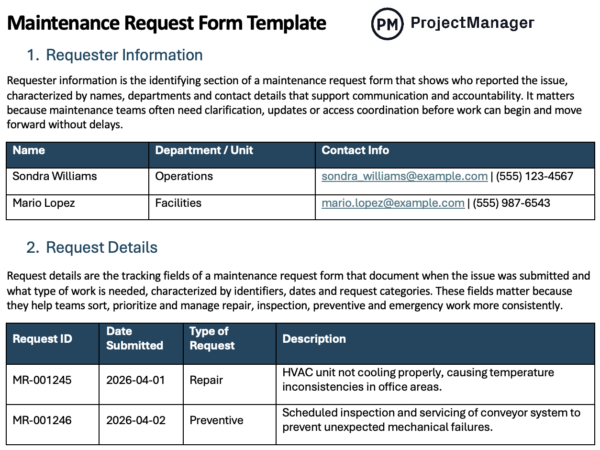
This Word template captures the request details that maintenance teams need to prioritize and plan the work: date submitted, requestor name and contact, location of the issue, equipment or asset affected, description of the problem, severity level and any safety implications. The severity field is particularly important for organizations managing a backlog of requests: it gives the maintenance manager the information needed to sequence jobs by urgency rather than by the order they were received.
Most useful for facilities teams, property managers, manufacturing operations and any organization where maintenance requests come from multiple sources and need to be logged, prioritized and assigned before work can begin.
Turn Work Orders Into Trackable Projects With ProjectManager
ProjectManager lets you assign work orders as tasks, track progress in real time as your team executes and monitor costs against budget automatically. No manual updates required. Try it free for 30 days.
3. Job Card Template
A job card is the field-level work order. Where a general work order authorizes a task and tracks its cost, a job card is the physical or digital document a technician or crew member carries through the job from start to finish. It specifies what needs to be done in enough detail to complete the work without additional instruction, and it captures what actually happened during the job so the record reflects reality rather than the original plan.
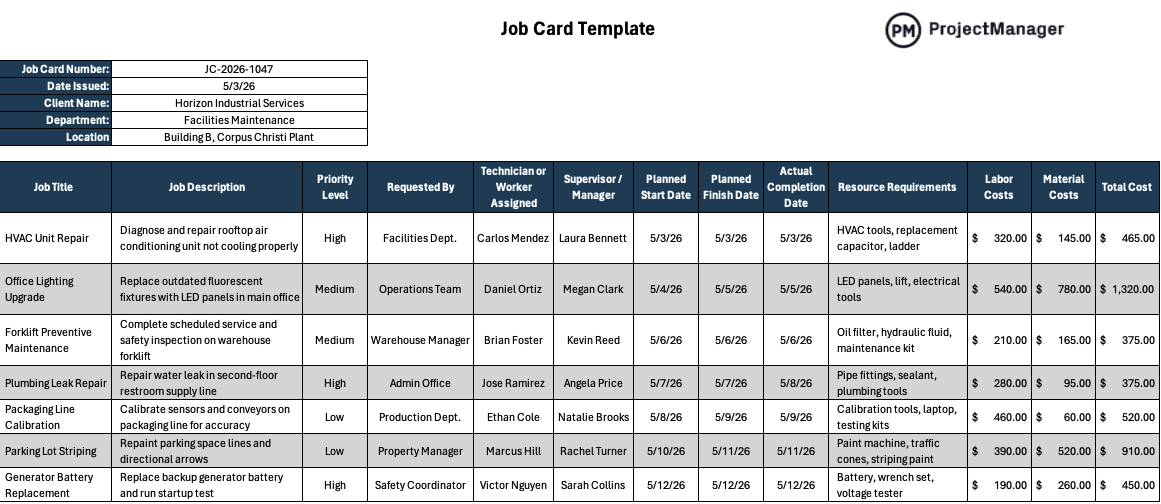
This Excel template includes fields for job number, issue date, requested by, assigned technician, priority, detailed work description, estimated and actual hours, parts and materials used and completion status. The before-and-after structure captures both the plan and the outcome, giving supervisors the data they need to review completed work, identify where estimates were accurate and flag jobs that took significantly longer or required more materials than anticipated.
Best used by maintenance teams, manufacturing operations, facilities departments and service businesses where work is issued as discrete jobs and each job needs a traceable record from assignment through to completion and sign-off.
4. Job Sheet Template
A job sheet is the site-level record of a completed job. Where a job card travels with the technician through the work, a job sheet is the document that gets filed when the job is done: a record of what was found, what was done, what materials were used and whether the work was completed to specification. For service businesses and contractors, it is often the document the client signs before an invoice is issued, making it both a work record and a billing confirmation.
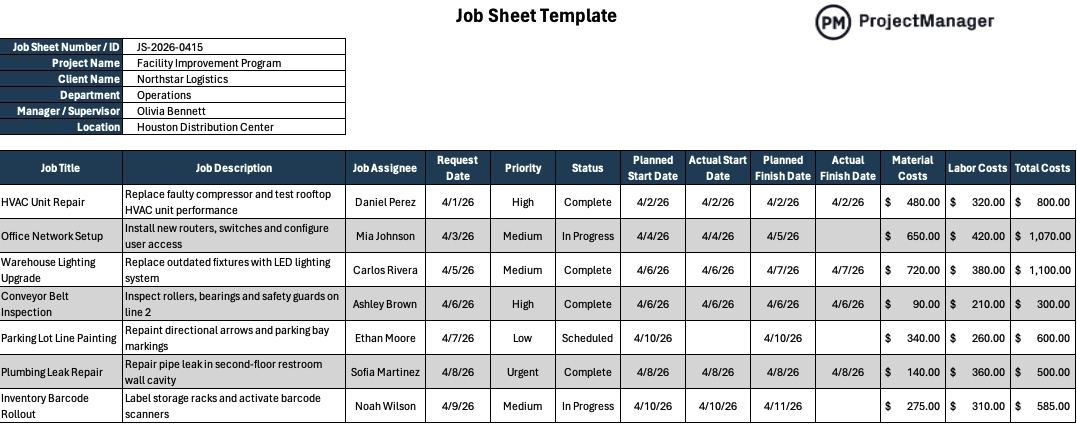
This Excel template covers the core job sheet fields: job number, client or site information, work requested, work carried out, materials and parts used, time on site, technician details and a client sign-off section. The client sign-off is the key field for service businesses: it creates a confirmed record that the work was completed to the client’s satisfaction before the billing conversation starts, which significantly reduces the number of disputes that require time to resolve after the fact.
Particularly useful for field service companies, contractors, HVAC and electrical businesses and facilities maintenance teams where a signed completion record is required for billing, warranty compliance or service level agreement reporting.
5. Purchase Order Template
A purchase order is the work order for procurement. It is the document that formally authorizes a vendor to supply specific goods or services at a specific price, creating a legal record of the agreement before delivery occurs. Without a purchase order, procurement happens informally: a phone call, an email, a verbal agreement. When the invoice arrives and the price or quantity does not match expectations, there is nothing to refer back to, which is how procurement disputes start and budget overruns accumulate quietly across a project.
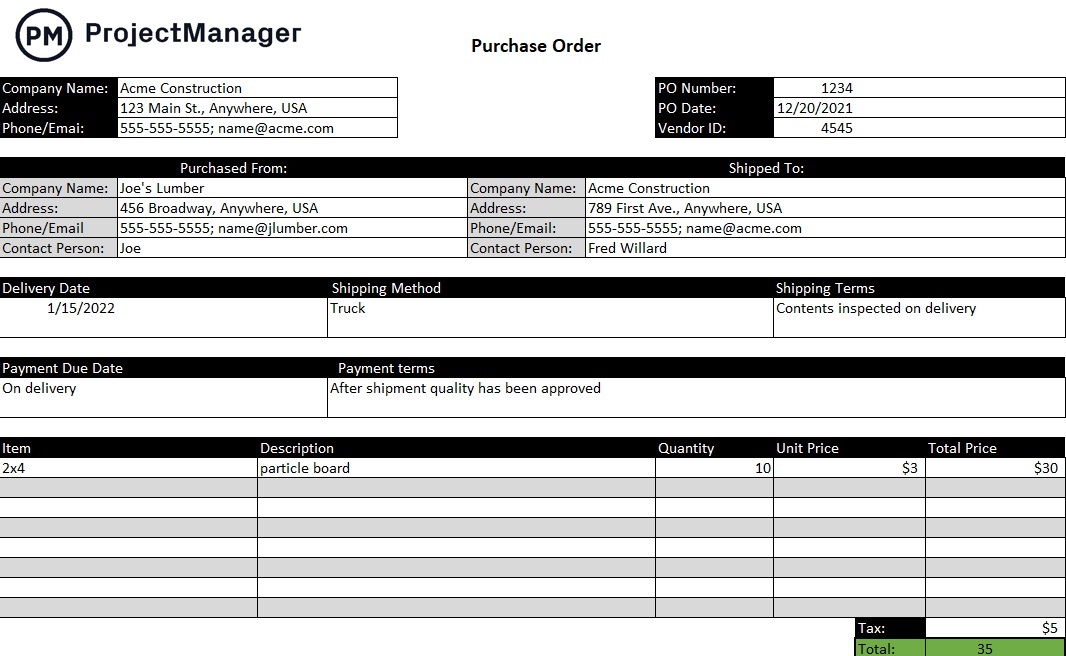
This template covers the standard PO fields: PO number, issue date, buyer and vendor details, delivery address, line-item breakdown of goods or services ordered with quantities and unit prices, subtotal, tax and total amount authorized. The line-item structure is important: it creates a clear reference for matching the invoice against the order at the time of payment, which is where most procurement discrepancies surface and where a well-structured PO saves significant time in accounts payable.
The right tool for project managers, procurement teams and operations managers who need to formalize supplier agreements, track committed spend against project budgets and create an auditable record of every purchase before goods are received or invoices are approved.
6. Construction Change Order Form Template
A change order is where construction projects either maintain control or lose it. The original contract covers the original scope. Everything that gets added, removed or modified after the contract is signed needs to be documented, priced, approved and incorporated into the record before work proceeds. Without a formal change order process, scope creep accumulates quietly, the contract price and the actual cost diverge and the dispute about who owes what happens after the work is done rather than before it starts.
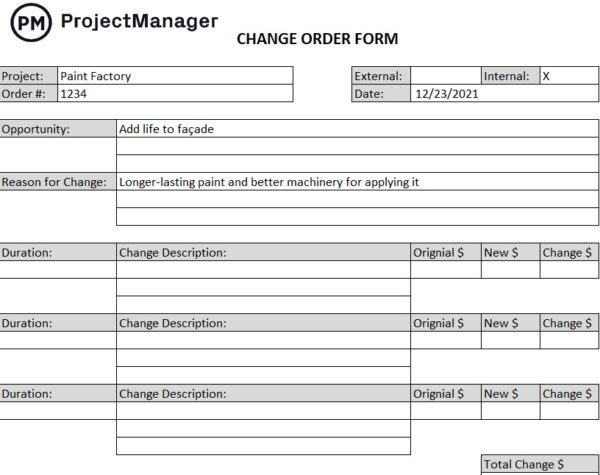
This template documents each change with fields for the original contract reference, a description of the scope change, the reason for the change, the cost impact broken down by labor and materials, the schedule impact in days added or removed and sign-off fields for the contractor and owner. The cost and schedule impact fields are the critical ones: they require both parties to agree on the financial and timeline implications of the change before work proceeds, which is the only way to keep the project budget and schedule meaningful as the scope evolves.
Essential for general contractors, subcontractors, construction project managers and owners on any project where the original scope is likely to change and every modification needs to be authorized, priced and signed before work begins.
7. Sales Order Template
A sales order confirms a customer’s purchase before it is fulfilled. It is the internal document that bridges the gap between a customer placing an order and the order being picked, packed, shipped or delivered: a record of what was ordered, in what quantity, at what price and when it needs to be fulfilled. Without a sales order, fulfillment teams work from informal requests and delivery commitments are tracked in someone’s memory rather than a shared document that everyone on the order fulfillment chain can reference.
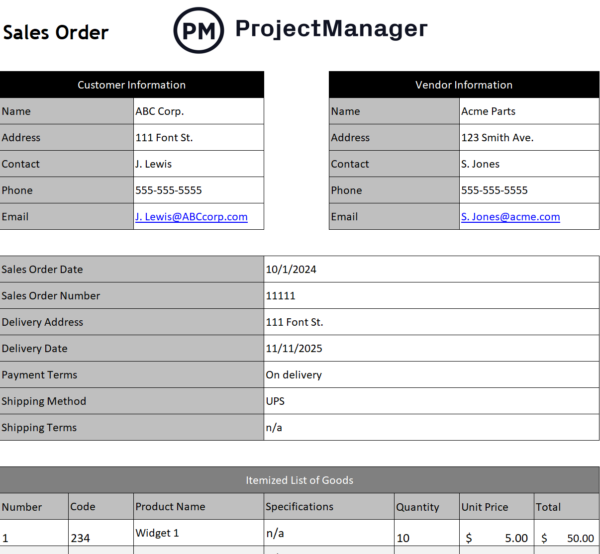
This template covers the standard sales order structure: order number, order date, customer details, billing and shipping addresses, line-item breakdown of products or services ordered with quantities, unit prices and totals, payment terms, requested delivery date and order status. The order number and status fields are particularly important for businesses managing multiple concurrent orders: they make it possible to track every order from placement through to delivery without relying on email threads or verbal updates to know where each one stands.
Most useful for product businesses, distributors and service companies that need to track customer orders from placement through to fulfillment and want a consistent document format that their sales and operations teams can both work from.
8. Material Requisition Form
A material requisition form is the internal work order for materials. Before a purchase order goes to a vendor, someone in the organization needs to formally request the materials: what is needed, in what quantity, for which project or department and when it is required. A material requisition form creates that internal authorization step, ensuring that materials are requested through a consistent process, approved by the right person and procured against a documented need rather than an informal request that bypasses budget controls.
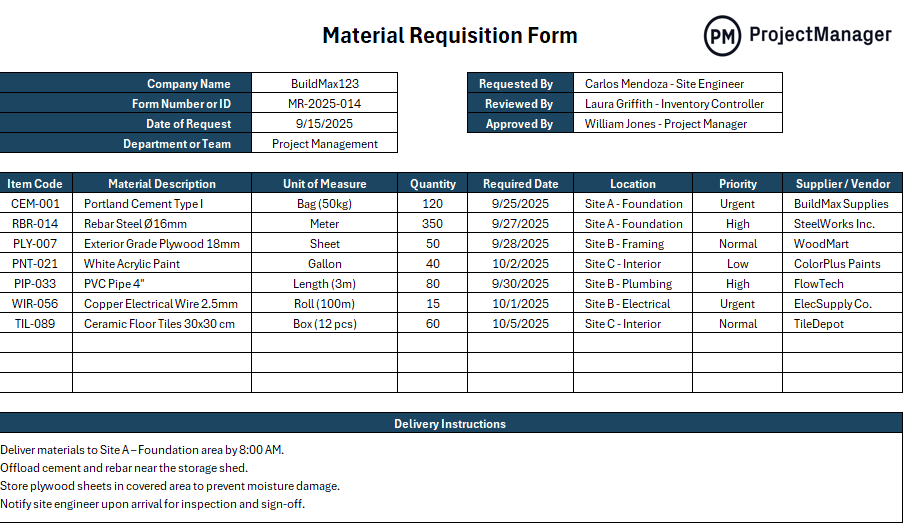
This template captures the requisition details that procurement teams need to source and approve materials: requisition number, date, requesting department or project, required delivery date, line-item breakdown of materials needed with quantity and unit of measure, estimated cost, purpose and authorization sign-off. The authorization field is the process step that separates a controlled procurement workflow from one where anyone can request materials without oversight, which is where unbudgeted spending tends to accumulate on construction and manufacturing projects.
Best used by construction project managers, manufacturing operations and procurement teams on projects where material costs are tracked against a budget and every requisition needs to be reviewed and approved before it becomes a purchase order.
Manage Work Orders and Projects With ProjectManager
Work order templates authorize and document the work. Managing that work, assigning it to team members, tracking progress against deadlines, monitoring costs against budget and keeping stakeholders informed, requires a system that updates in real time as work is executed. ProjectManager gives operations and project teams a live platform where work orders become trackable tasks, hours and costs update automatically and managers always have a current picture without having to compile a manual status report.
Schedule and Track Work Orders on a Gantt Chart
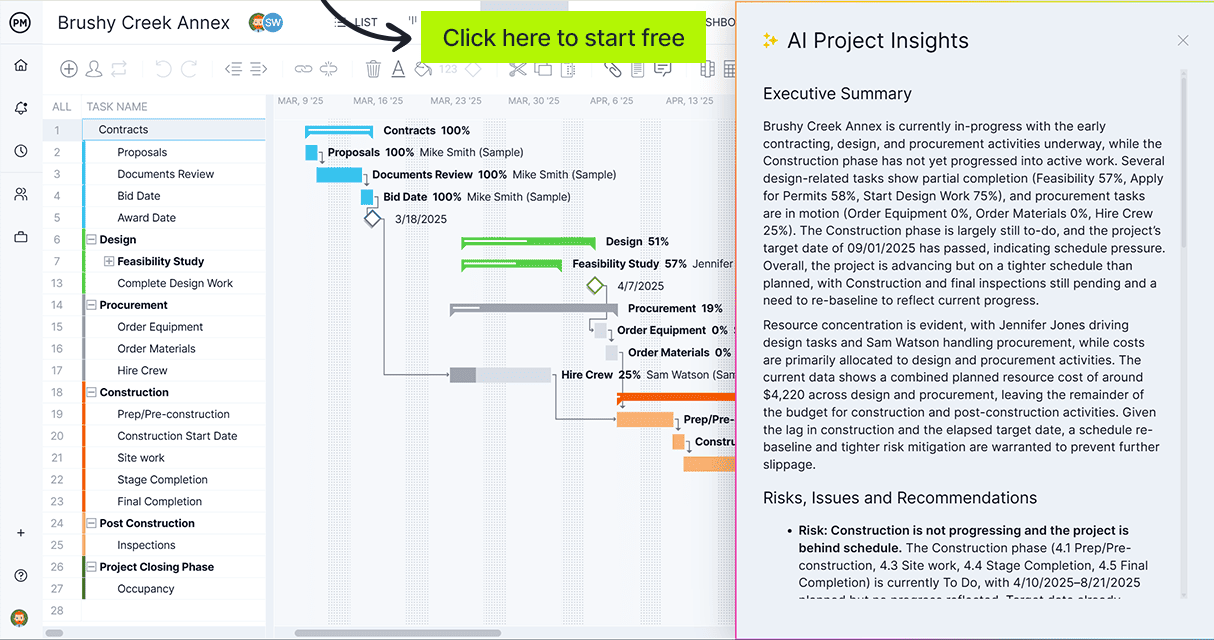
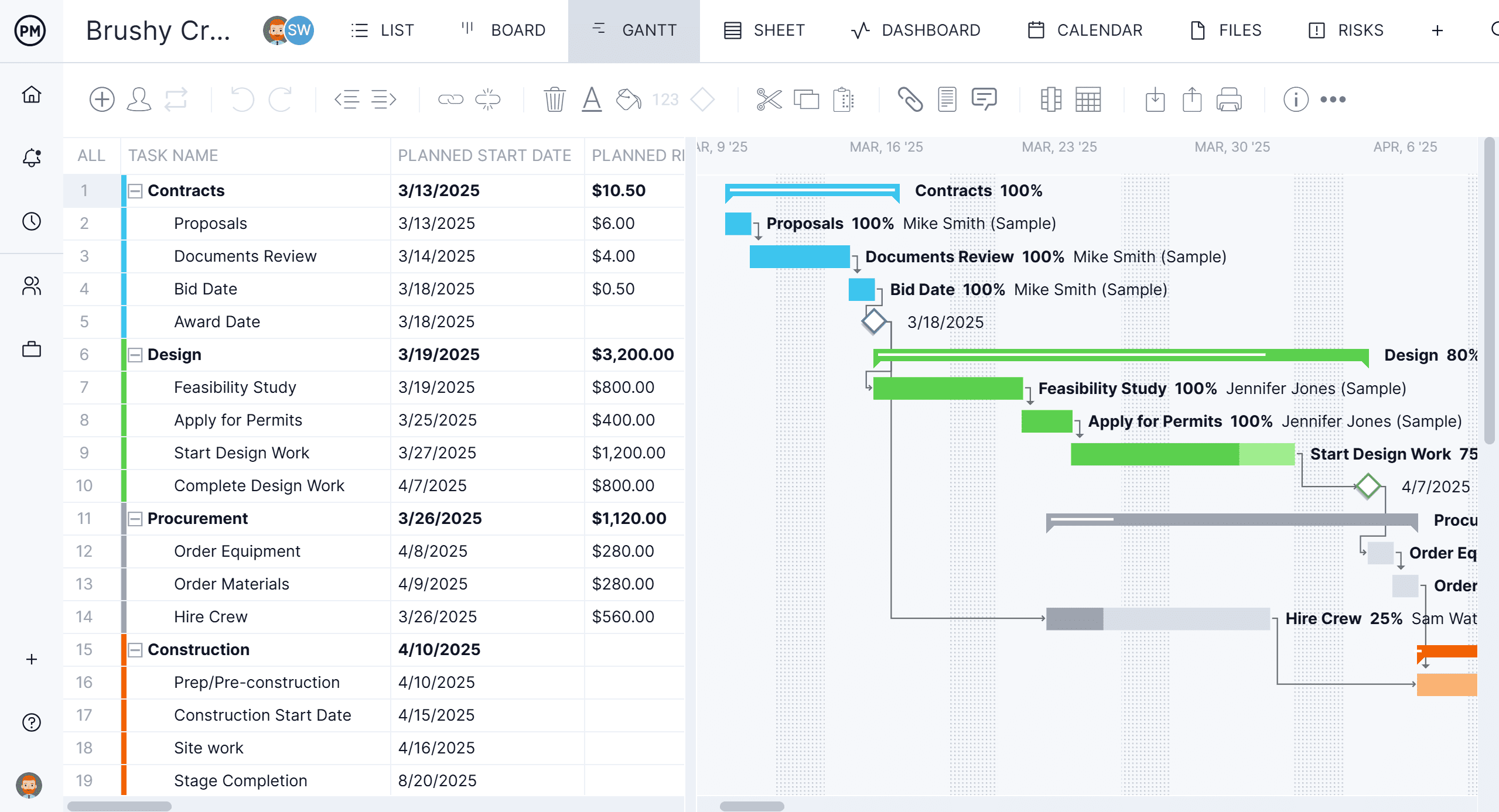
ProjectManager’s Gantt chart turns a backlog of work orders into a structured, visual schedule. Assign each work order as a task, set the duration, link dependencies where one job cannot start until another is complete and track progress as work is logged. When priorities shift or a job runs longer than planned, the impact on the rest of the schedule is visible immediately so managers can resequence rather than discovering the conflict when a crew shows up to start work that is not ready. The Gantt updates in real time as your team executes.
Balance Team Workload Across All Open Work Orders
ProjectManager’s workload view shows how many hours each team member or technician is assigned across all open work orders, making it straightforward to see who is at capacity and who has availability before assigning new jobs. When a rush priority comes in, managers can redistribute work based on actual availability rather than best guesses about who is busy. The workload view updates as tasks are completed so the capacity picture reflects what is actually happening, not what was planned at the start of the week.

