


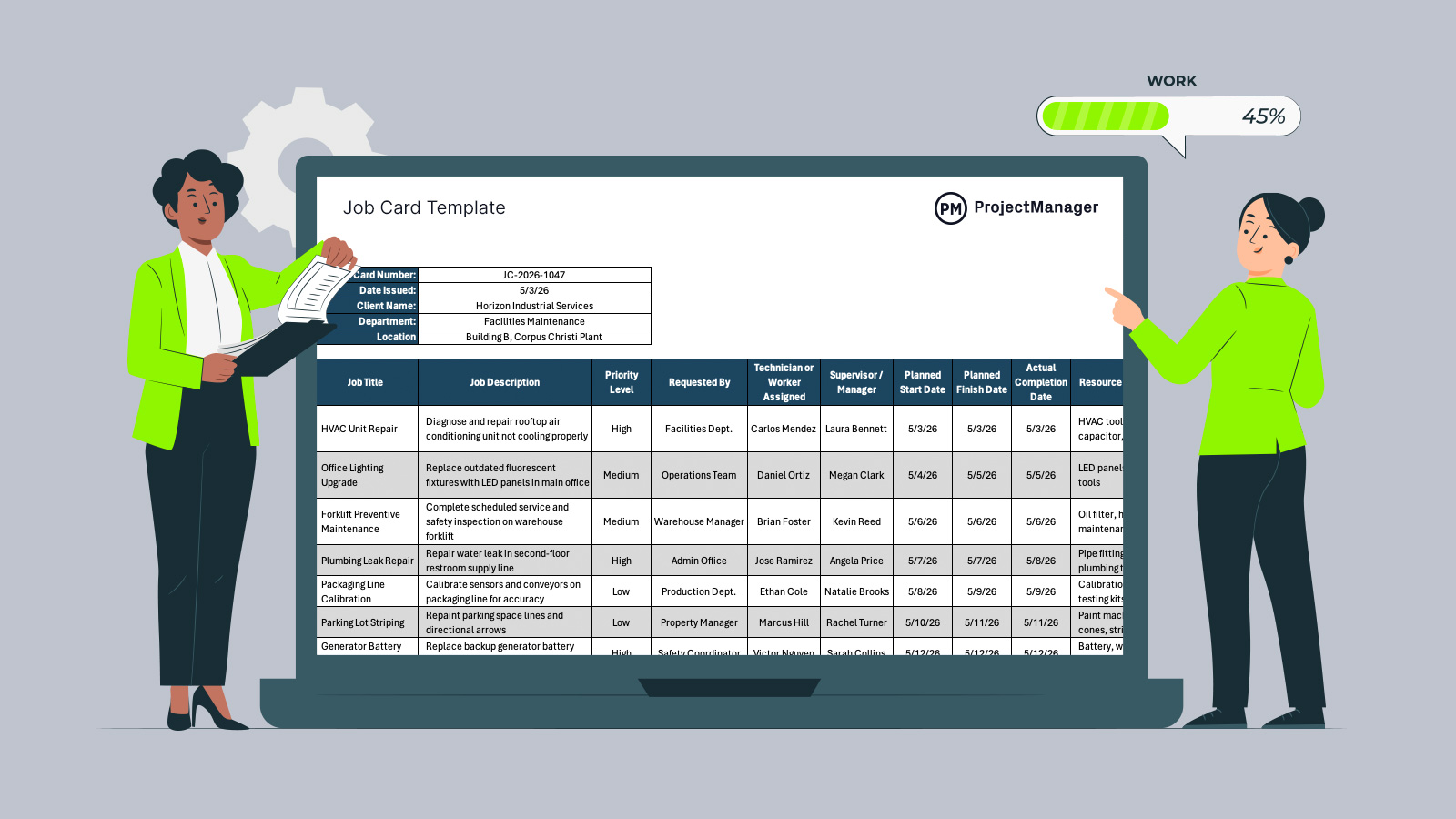
Keeping work organized gets harder as requests, deadlines and resource needs increase. A job card template gives teams a practical way to assign tasks, track progress and document completion, helping managers maintain control without building a system from scratch.
Why You Need a Job Card Template
As workloads grow, informal requests and scattered notes quickly create delays, confusion and missed priorities. A job card template helps organizations plan, schedule and control work through a single, consistent process. Teams can assign responsibilities, set target dates, track labor and materials, and monitor completion status in one place. Standardizing how jobs are issued also improves visibility for supervisors, reduces administrative effort and creates cleaner records for reporting, billing or future planning decisions.
When to Use a Job Card Template
Whenever work must be assigned, monitored and completed in a controlled way, a job card becomes useful. Organizations rely on it when tasks involve deadlines, labor time, materials or accountability. It works best when managers need clear ownership, progress updates and a documented record of completed activities.
- Construction teams use job cards when coordinating multiple trades, tracking site tasks and confirming work is finished on schedule.
- Manufacturing operations use job cards to release production work, assign operators and record materials consumed during each run.
- Facilities departments use job cards when maintenance requests need prioritization, technician assignment and visible completion status updates.
- Warehousing operations use job cards when equipment servicing, storage changes or internal improvement tasks must be controlled.
- Field service companies use job cards to dispatch technicians, outline required tools and confirm customer work completion.
When you’re ready to take control of your projects, try ProjectManager. This award-winning project management software helps teams plan, schedule and track work from start to finish. Create detailed schedules, manage resources, monitor costs and compare planned versus actual performance with a full suite of powerful tools. Get started for free today.
Who Should Use this Free Job Card Template?
Any professional responsible for assigning work, monitoring execution or maintaining service records can benefit from this template. It suits organizations that need better task control without adding complex software. Whether managing daily operations or occasional requests, it creates structure, accountability and clearer communication across teams.
- Operations Managers
- Maintenance Supervisors
- Project Coordinators
- Service Dispatchers
- Production Managers
How to Use ProjectManager’s Job Card Template for Excel
Using the template is straightforward, but the real value comes from completing each field with purpose. A few consistent habits can turn a simple spreadsheet into a reliable system for scheduling work, controlling costs and improving accountability across daily operations.
1. Set up the header details before assigning work
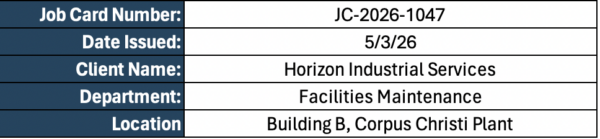
Begin with the top section of the template. Enter the job card number, issue date, client name, department and work location. Those fields help organize records, prevent duplicate requests and make it easier to search past jobs when audits, billing questions or repeat work arise later.
2. Describe the work clearly and set the right priority
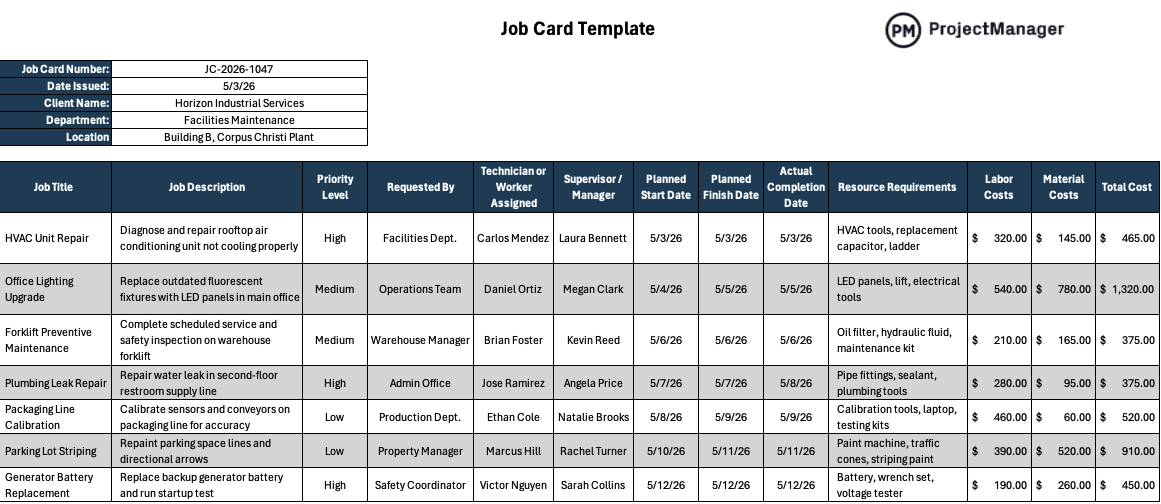
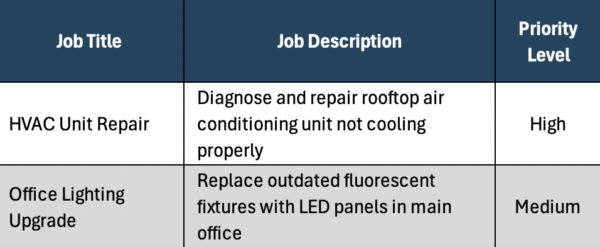
Move to the task table and add a concise job title followed by a useful description of the work required. State what needs to be fixed, installed or completed. Then choose a priority level so urgent jobs are handled quickly while lower-risk work is scheduled properly.
3. Assign ownership and management oversight
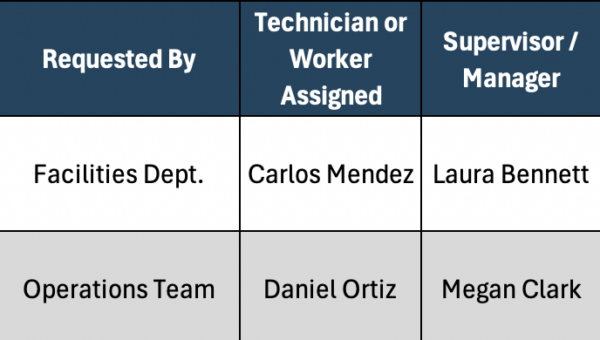
Once the scope is clear, enter the technician or worker responsible for execution. Add the supervisor or manager who will monitor progress, remove blockers and approve completion. Clear ownership reduces confusion because everyone knows who performs the work and who makes decisions.
4. Plan dates and monitor actual completion
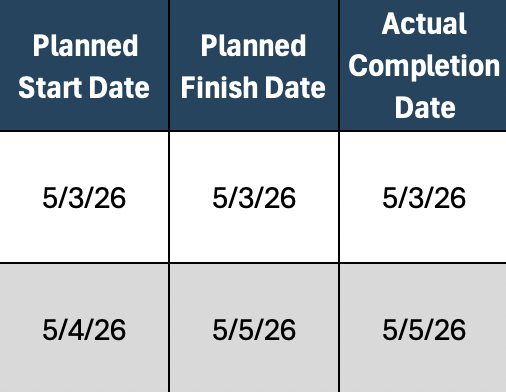
Use the planned start and planned finish columns to create realistic deadlines based on workload and resource availability. As tasks close, update the actual completion date. Comparing planned and actual timing helps identify delays, improve scheduling accuracy and strengthen future capacity planning.
5. List required resources before work begins
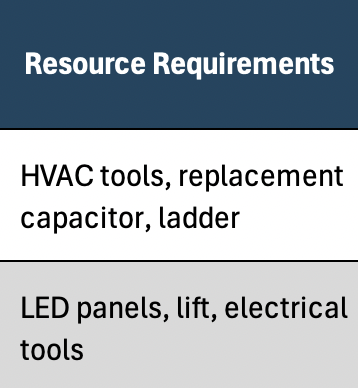
Before sending anyone into the field or onto the production floor, fill in the resource requirements column. Include tools, equipment, replacement parts or materials needed for the task. Preparing resources early prevents downtime caused by missing items or last-minute purchasing.
6. Capture costs and review performance
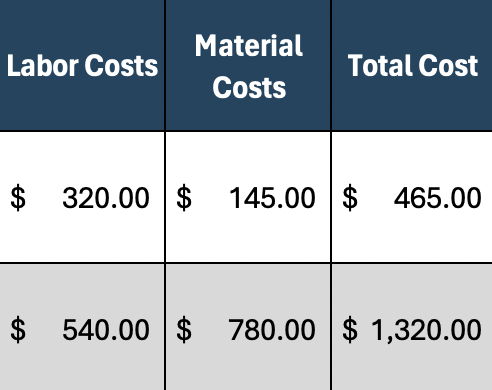
After the job is completed, enter labor costs, material costs and total cost for each line item. Accurate cost tracking supports invoicing, internal budgeting and profitability reviews. Over time, these records also help estimate future jobs with far better precision.
7. Use completed job cards as an operating record
Rather than filing the sheet away and forgetting it, store completed job cards in a shared folder or central system. Historical records reveal recurring failures, common delays, technician workloads and spending patterns that managers can use to improve operations.
How to Manage Work with ProjectManager
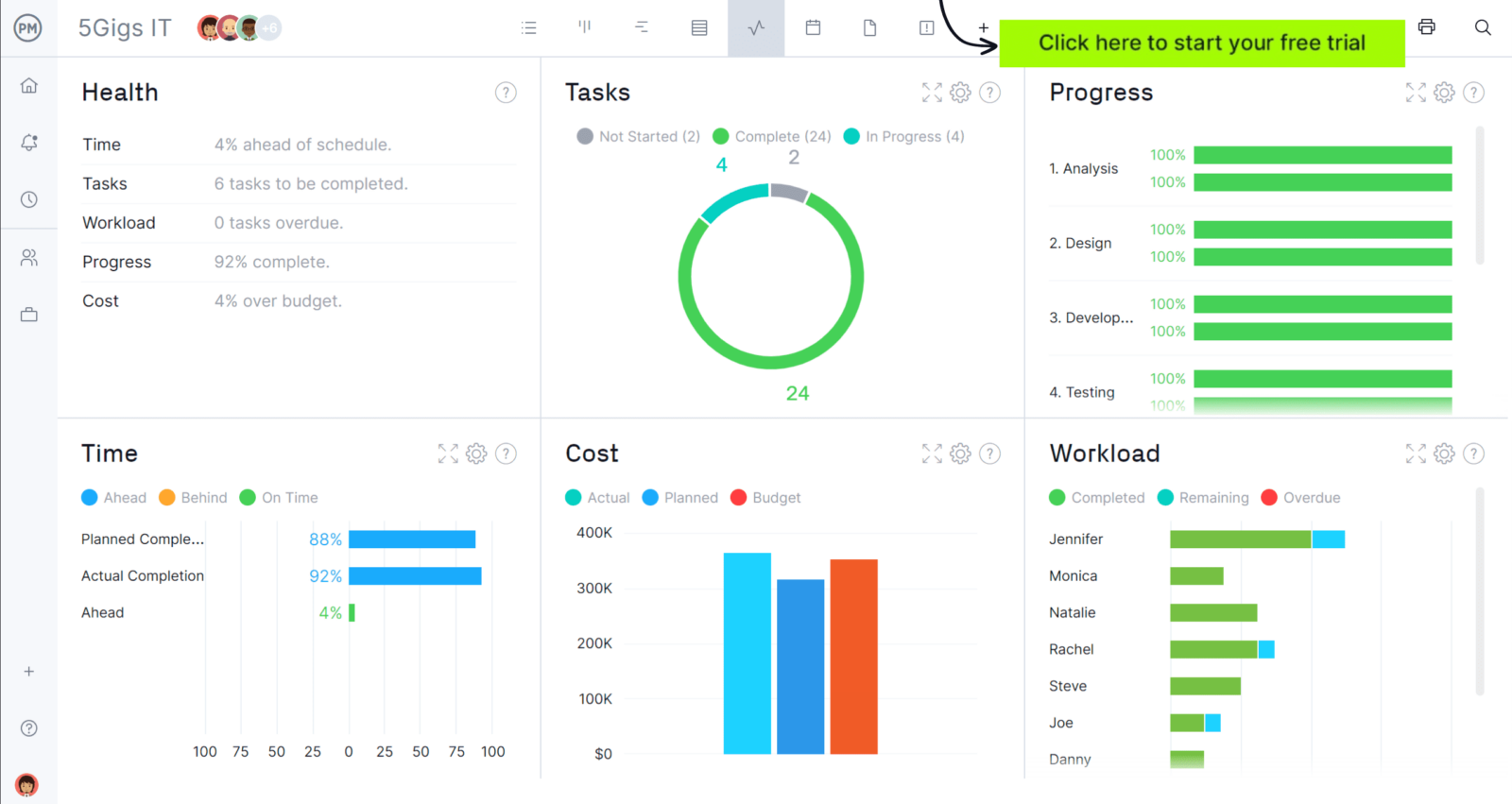
ProjectManager is an online project management solution that provides a complete set of work planning, scheduling and tracking tools, including Gantt charts, kanban boards, task lists and real-time dashboards and reports. With these features, teams across industries can build detailed schedules, assign resources and monitor progress, costs and timelines.
ProjectManager also delivers AI-powered project insights to support better decision-making and connects with over 100 tools like Microsoft Project, Acumatica and Power BI. With its open API and wide range of integrations, organizations can seamlessly link ProjectManager to their existing systems. Watch the video below to learn more!
What Other Templates Can Manage Work?
We’ve created dozens of free project management templates for construction and manufacturing teams covering scheduling, budgeting, maintenance, procurement, reporting and daily operations to help standardize work and improve control.
Job Estimate Template
Enter company and customer details, add estimate number and date, define project scope, list labor and materials, calculate taxes and totals, then finalize with notes and signatures.
Work Proposal Template
Summarize project goals, define scope and milestones, build a timeline, estimate labor and resource costs, then outline terms, responsibilities and approval conditions clearly.
Work Order Template
Record customer and job details, describe requested work, assign responsibilities, schedule dates, list required materials, track completion progress and confirm authorization with signatures.
If you need a tool to help you manage projects, then sign up for our software now at ProjectManager. Our online software helps teams across industries plan, track and oversee projects as they unfold. Sign up for a free 30-day trial today!