



Status reports are how project managers keep stakeholders informed, surface problems early and create accountability across teams. But building one from scratch every week pulls time away from the actual work of managing the project. The right template eliminates that overhead, giving you a consistent format that’s quick to fill in and easy for stakeholders to read.
In this guide, you’ll find free status report templates for Excel and Word that cover every reporting context, from weekly project updates to executive briefings to daily progress tracking. Download any of them and adapt them to your project environment.
Project Status Report Template for Excel
A status report template is the foundation of any project communication plan. It gives project managers a consistent format for reporting progress against scope, schedule and budget, and gives stakeholders a reliable signal on whether the project is on track, at risk or in trouble. Without a standard template, status updates vary in format and depth from week to week, making it harder for leadership to spot patterns or make informed decisions.
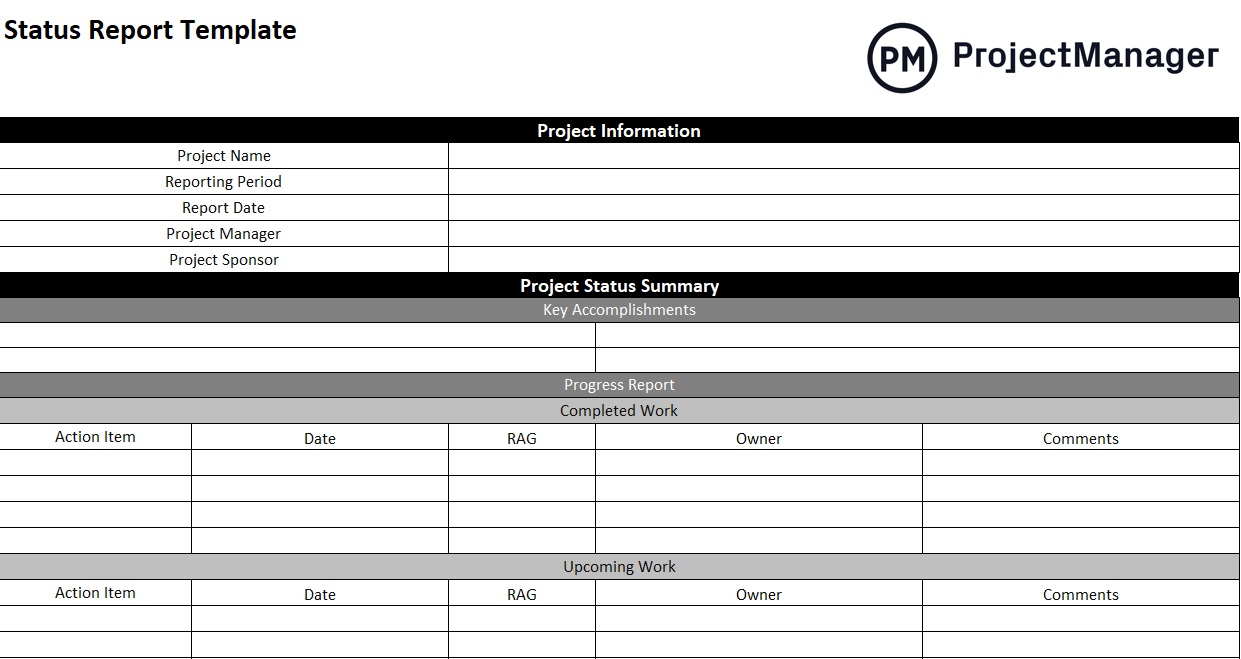
This free Excel status report template gives you a structured layout for capturing overall project health, milestone status, budget variance, risks and issues, everything a stakeholder needs in a single, scannable document. Fill it in at your regular reporting cadence and share it with your team or leadership without needing to reformat anything.
It’s the right starting point for any project manager who needs to establish a reporting rhythm quickly and keep communication consistent across the project lifecycle.
Executive Project Status Report Template for Excel
Executive audiences don’t need every detail. They need the right details. A standard status report built for the delivery team will often overwhelm an executive who is managing a portfolio of initiatives and needs to make decisions at the program level. An executive status report strips away operational granularity and surfaces the signals that matter most: overall health, budget position, key risks and strategic dependencies.
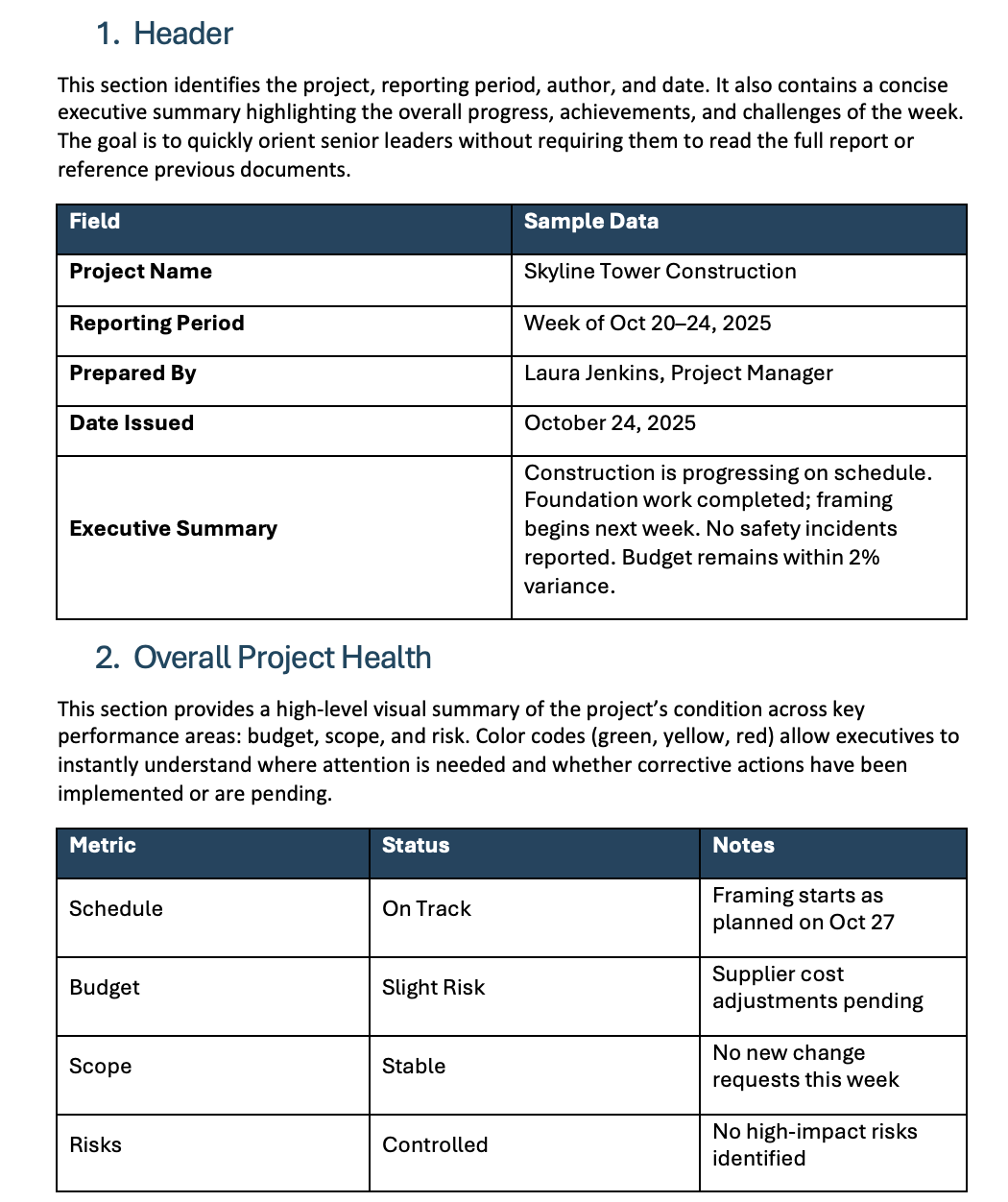
This executive project status report template for Excel gives you a format designed for leadership review, concise by design, with a clear RAG status, key milestone summary and headline risks that can be reviewed in under five minutes. Use it for steering committee meetings, portfolio reviews or any situation where the audience needs the big picture without the project-level detail.
Progress Report Template for Word
A progress report captures where a project stands at a specific point in time, covering what’s been completed, what’s currently in progress and what’s coming next. Where a status report tends to focus on health indicators and RAG ratings, a progress report is more narrative, making it better suited for client-facing communication or formal reporting to sponsors who want to understand the story behind the numbers.
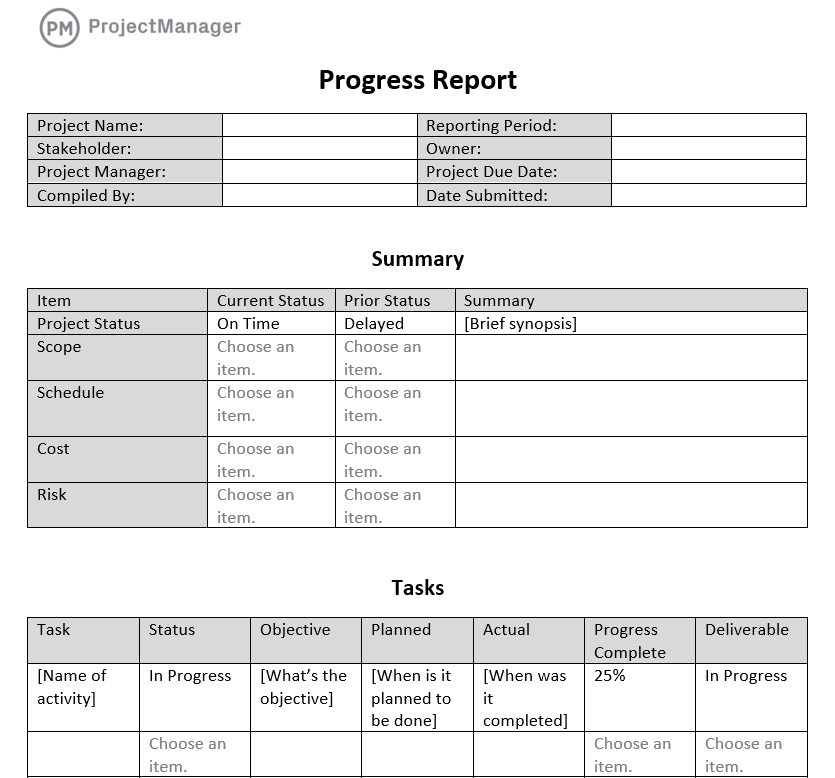
This free progress report template for Word gives you a structured format for documenting accomplishments, current workstreams and upcoming milestones. The narrative format makes it easy to provide context alongside the data, which is useful when your stakeholders need more than a RAG chart and a bullet list to understand where the project stands.
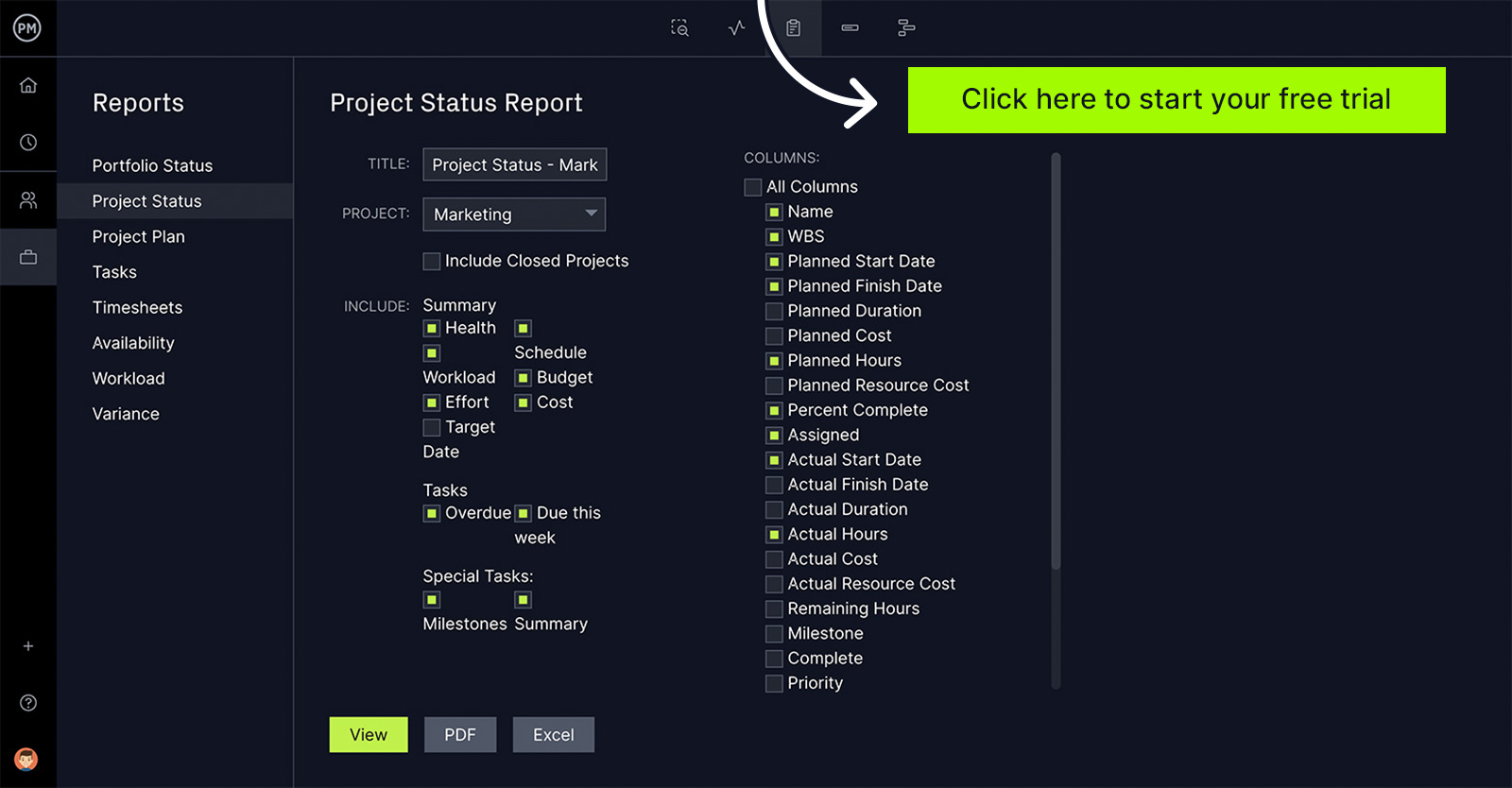
Stop rebuilding your status report every week. Try ProjectManager free for 30 days and generate live status reports with real project data, in one click, any time you need them.
Project Update Template for Word
A project update is a lighter-weight alternative to a full status report. It’s the right format for informal check-ins, weekly team communications or situations where a detailed report would be overkill. It keeps stakeholders in the loop without requiring a full reporting cycle, and it’s fast enough to produce consistently without taking the project manager off more important work.
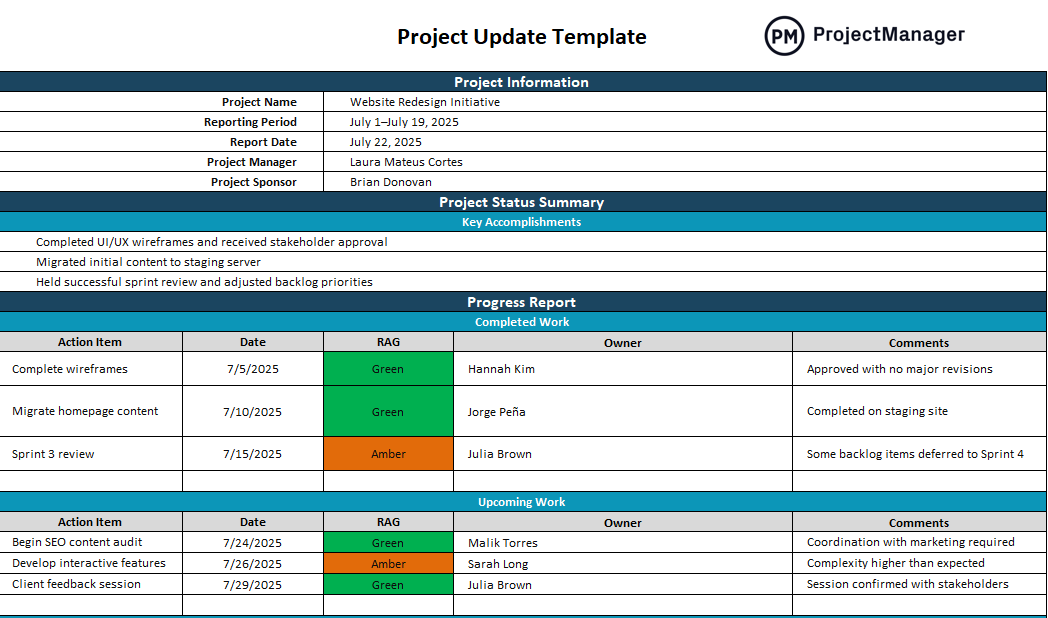
This project update template for Word gives teams a simple format for summarizing what happened since the last update, what’s happening now and what’s on deck for the coming period. It’s deliberately concise: structured enough to be useful, brief enough that people will actually read it and flexible enough to adapt to any project type or team size.
Daily Report Template for Excel
For projects with high-frequency deliverables like construction jobs, manufacturing runs or field operations, a weekly status report isn’t enough. Daily reporting captures what happened shift by shift, surfacing problems before they compound and giving supervisors the granular visibility they need to adjust resources and keep output on target.
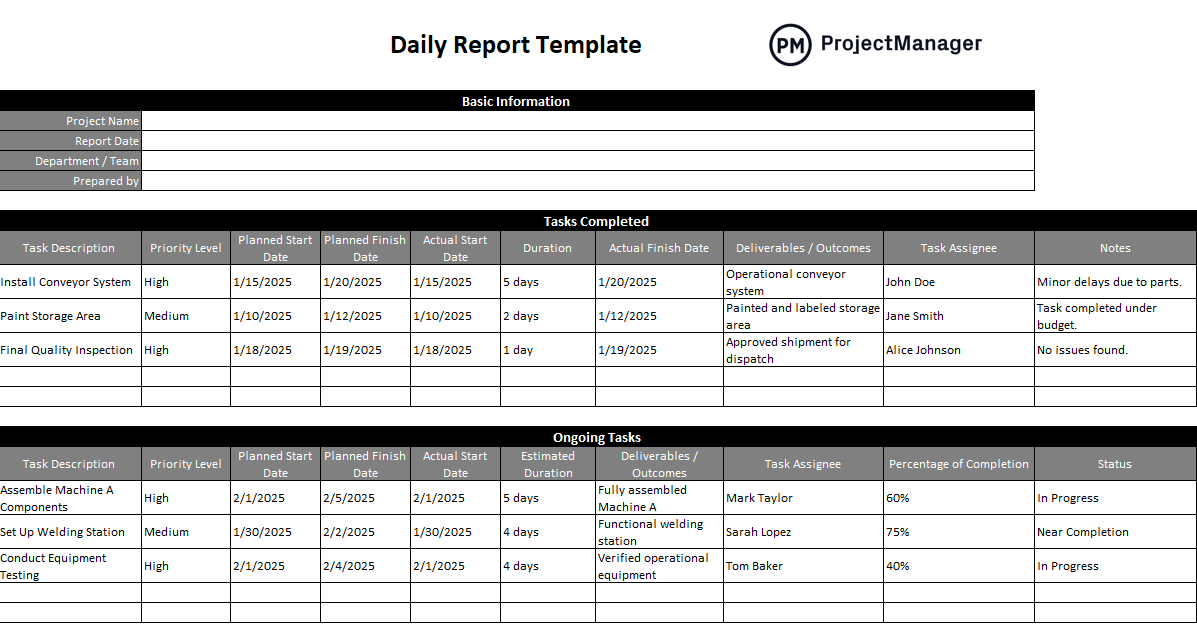
This daily report template for Excel gives teams a structured format for logging daily output, completed tasks, hours worked, issues encountered and plans for the following day. It’s quick to fill in at the end of a shift and gives project managers a clear paper trail they can use to review trends, resolve disputes and report up the chain when needed.
Highlight Report Template for Excel
Widely used in PRINCE2 environments, a highlight report is a concise status summary produced at regular intervals for the project board or senior stakeholders. It gives decision-makers a structured view of project health, including progress against plan, key accomplishments, upcoming milestones and any escalations that need attention, without requiring them to dig into the project’s day-to-day detail.
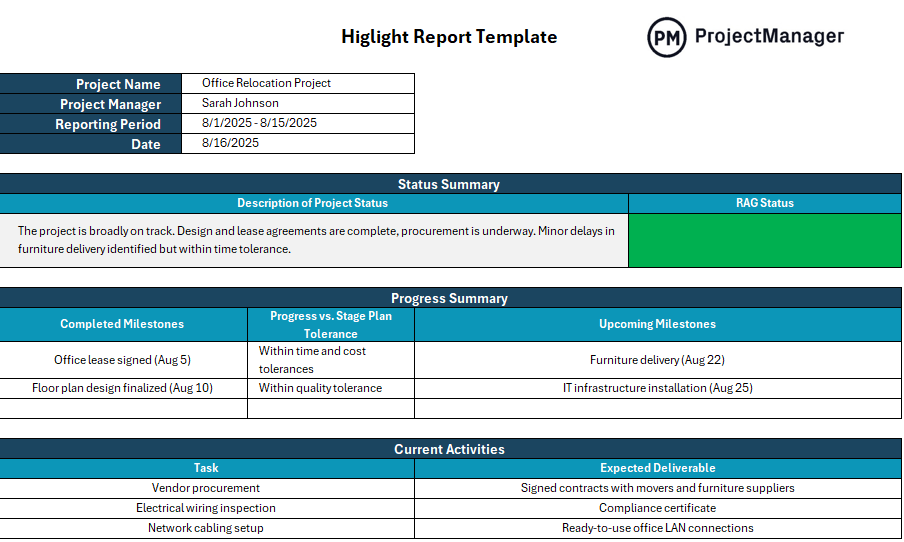
This Excel highlight report template gives you a structured format for preparing board-level project communications. Even if you’re not working in a formal PRINCE2 environment, the format works well for any project where leadership wants a regular briefing that’s predictable in structure and quick to review.
Project Dashboard Template for Excel
A project dashboard replaces the narrative of a status report with a visual summary of charts, gauges and tables that show project health at a glance. For stakeholders who prefer to see data rather than read prose, a well-built dashboard communicates more in less time than any written report.
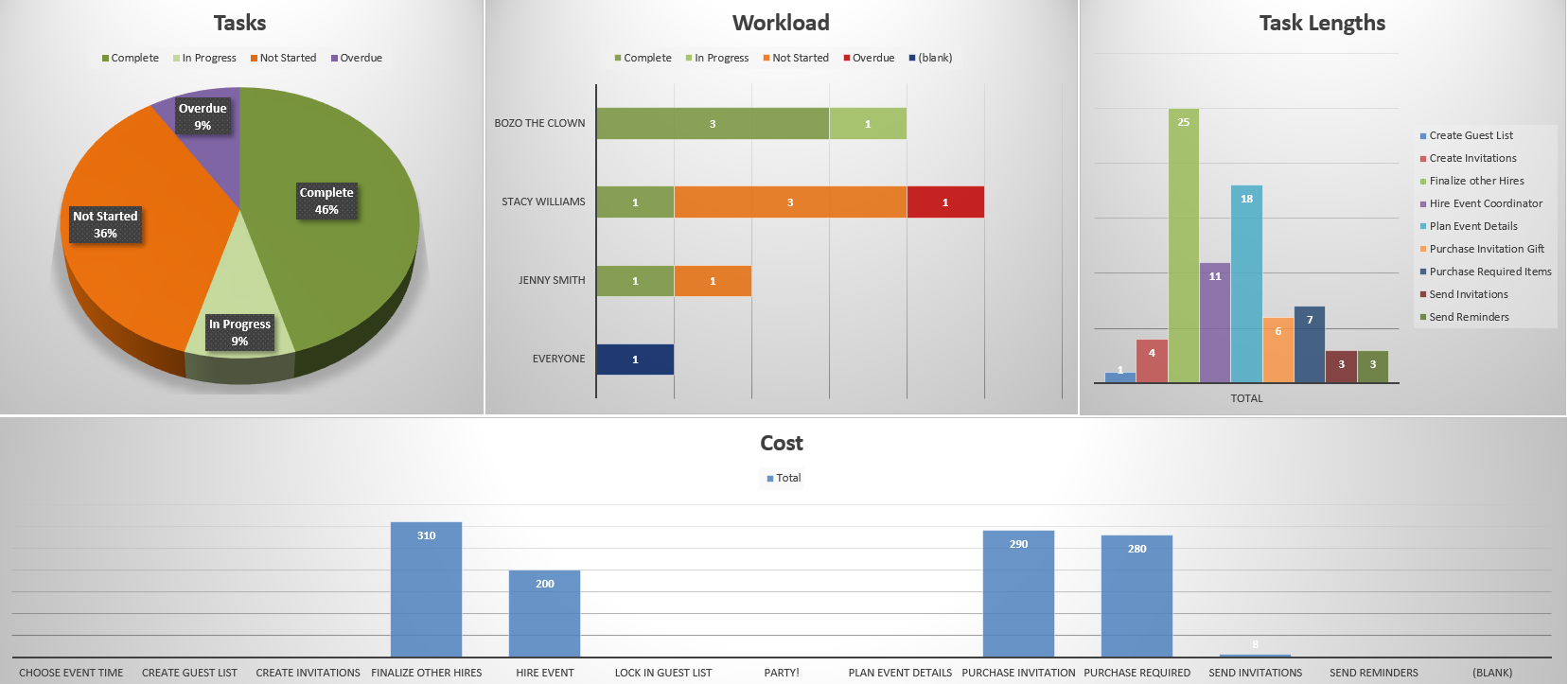
This Excel project dashboard template gives project managers a visual status overview covering tasks, budget, schedule and team workload in one consolidated view. Use it in stakeholder meetings to walk through project health quickly, or share it as a self-service view for sponsors who want to check in on the project without scheduling a status call.
It’s a practical complement to a written status report. The dashboard gives the visual summary while the status report provides the context and decisions that go with it.
KPI Dashboard Template for Excel
A status report tells you where the project stands. A KPI dashboard tells you whether the project is delivering what it was supposed to deliver. Tracking KPIs alongside project status gives teams and leadership a fuller picture, connecting delivery metrics to the outcomes the project is meant to produce.

This KPI dashboard template for Excel gives teams a structured format for defining, tracking and visualizing the key performance indicators that matter most to their project or program. Customize it with your own KPIs, set targets and track actuals over time, so your status reporting is grounded in measurable outcomes, not just task completion.
Generate Status Reports Automatically With ProjectManager
Status report templates solve part of the problem: they give you a consistent format. But filling them in still requires manually gathering data from multiple sources, chasing updates across the team and reformatting information that already exists somewhere else. For project managers reporting on a weekly or bi-weekly cadence, that overhead adds up fast.
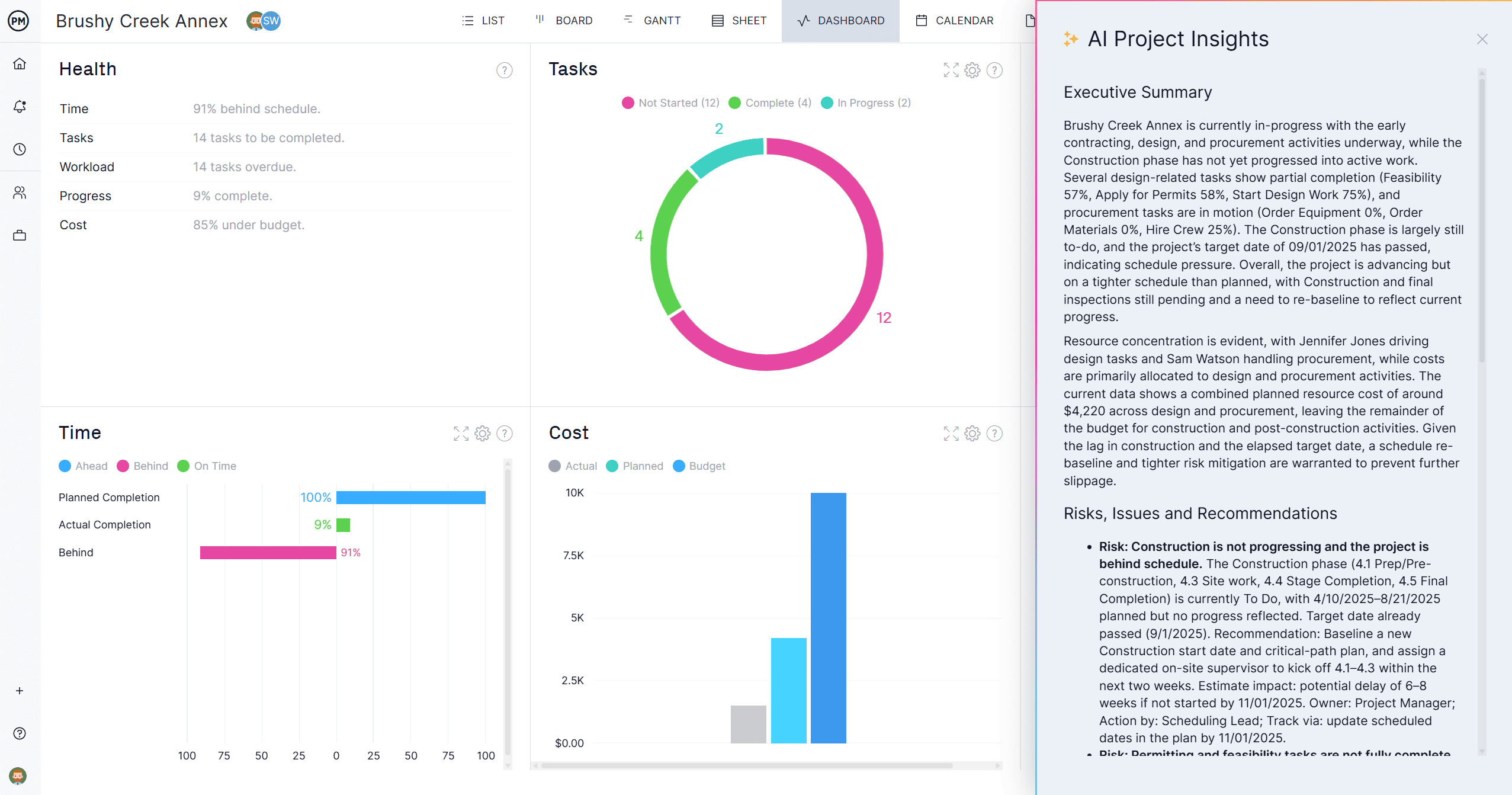
ProjectManager generates status reports directly from live project data. Tasks, milestones, budget actuals and risk status are tracked in real time, so when it’s time to report, you’re pulling from a single source of truth instead of assembling information from scratch.
One-Click Reports, Always Up to Date
ProjectManager’s built-in reporting suite lets you generate a status report, variance report, workload summary or portfolio overview in one click, pulling current data from your project plan, resource assignments and budget tracking automatically. Every report reflects what’s actually happening in the project right now, not what was true when you last updated a spreadsheet. Export to PDF for stakeholders who don’t need system access, or share a live link for those who do.

AI That Writes Your Status Update for You
Knowing what to put in a status report is half the work. ProjectManager’s AI Project Insights scans your project data and drafts the narrative for you, surfacing which tasks are at risk, where budget is trending off plan, which team members are overloaded and what dependencies could cause problems in the coming week. Instead of spending an hour pulling numbers together, you review what the AI flagged, adjust the framing and send. It’s the fastest way to produce a high-quality status update consistently, without the manual overhead that makes weekly reporting feel like a second job.
Related Status Reporting Content
- Project Status Report: How to Write One & Best Practices
- What Is a Project Report? Types, Uses & How to Write One
- Project Reporting: Process, Tips & Best Practices
- Project Communication Plan: How to Create One & Best Practices
- Project Tracking: How to Track a Project & Best Practices
- Project Performance: How to Measure & Improve It
