



Work schedules are where good intentions meet reality. A team meeting to talk through priorities is useful. A shared document that shows exactly who is doing what, when and for how long is better. Without a clear schedule, time gets allocated informally, conflicts go unresolved until they become problems and managers spend their days answering questions that a well-structured document would answer for them.
A work schedule template gives you a consistent format to work from rather than rebuilding the same structure every week. Once the layout is right for your team, the work becomes filling in the details rather than figuring out how to present them. Templates also make scheduling easier to delegate: a standard format means anyone on the team can take over without having to reinvent the process.
We collected eight free work schedule templates for Excel covering everything from daily task tracking to full staffing plans. Each one is free to download and ready to adapt for your team.
1. Work Schedule Template for Excel
A work schedule is the master document for who is working on what during a given period. Without one, assignments exist only in conversations and email threads, which means they get missed, duplicated or quietly dropped when things get busy. A clear schedule makes expectations visible to the whole team at once.
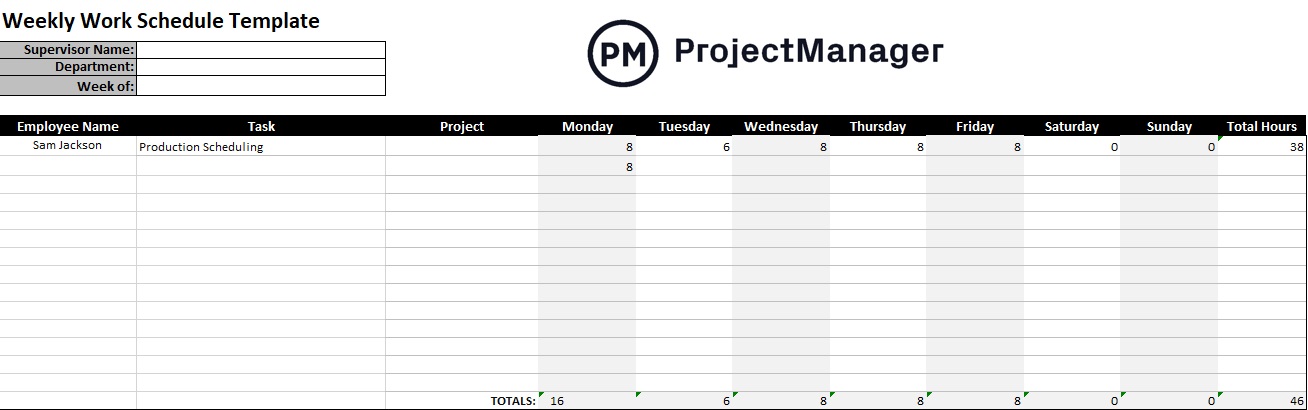
This Excel template gives you a weekly work schedule layout with rows for each team member and columns for each day, with space for task assignments, hours and notes. It is straightforward enough to fill out in a few minutes and clear enough that any team member can look at it and know what is expected of them for the week.
A good starting point for any team that needs a simple, shared view of who is doing what without the overhead of scheduling software.
2. Weekly Schedule Template for Excel
A weekly schedule breaks down the work week into time blocks so tasks are tied to specific days rather than floating due dates. The difference matters: a task that is due “this week” often gets pushed to Friday, while a task assigned to Tuesday morning actually happens on Tuesday morning.

This template gives you a seven-day grid in Excel with time slots for each day and rows for tasks, meetings and priorities. It works for individual use or can be scaled to a team view by duplicating the sheet for each person and keeping them in the same workbook.
Best for teams or individuals who need to plan the week in advance and want a structured view that shows where time is actually going rather than how the calendar looks.
Turn Your Work Schedule Into a Live Project Plan
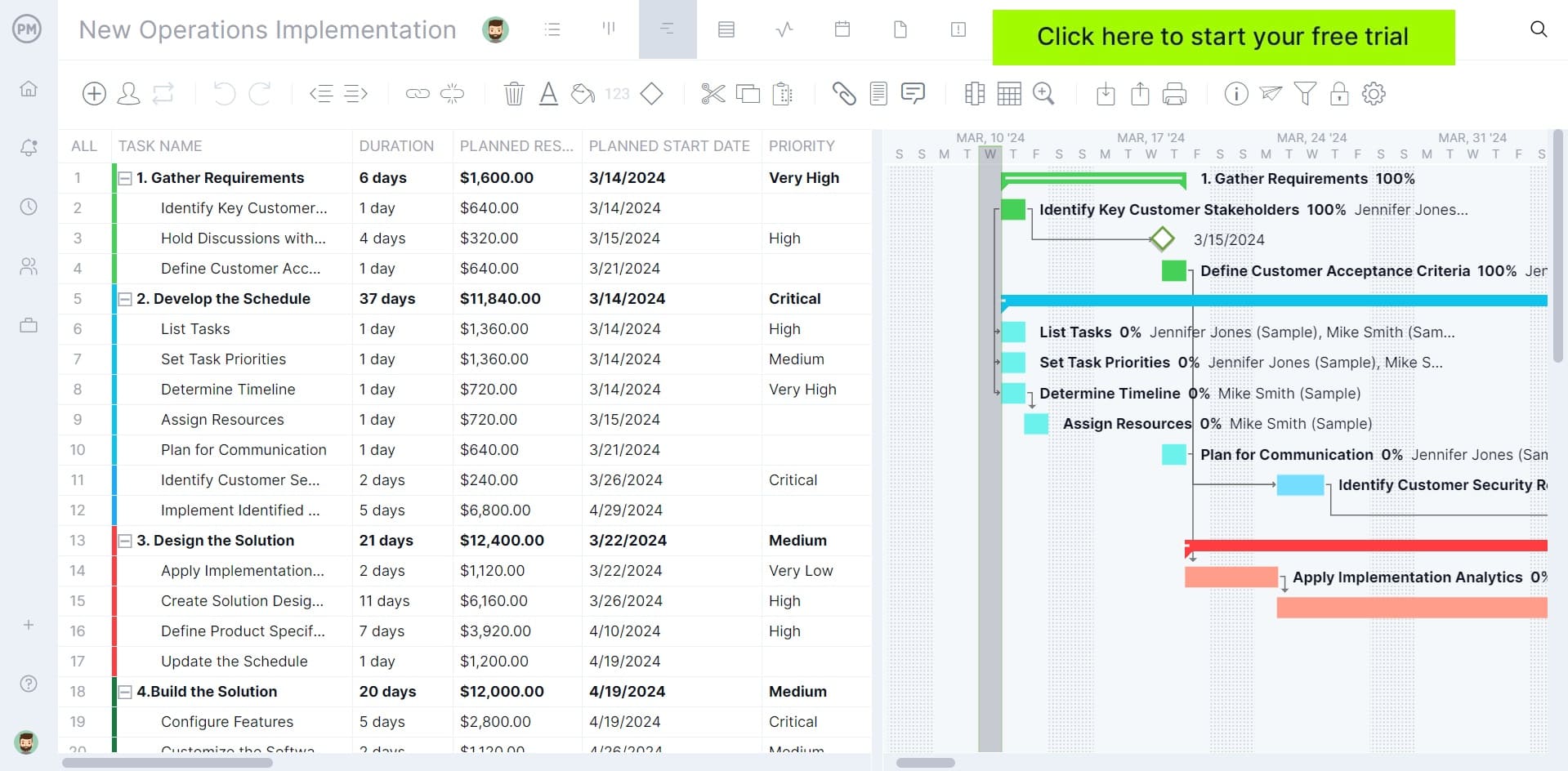
A schedule in Excel tells your team what to do. ProjectManager lets them actually do it. Build your plan on a real Gantt chart, assign tasks to team members and track progress in real time as work gets done. When priorities shift, update the schedule once and everyone sees the change immediately. Try it free for 30 days.
3. Daily Schedule Template for Excel
A daily schedule breaks the workday into time blocks so tasks are planned before the day starts rather than improvised as it goes. For anyone managing a heavy workload or a team with competing demands, starting the day without a plan means the most urgent things crowd out the most important ones.
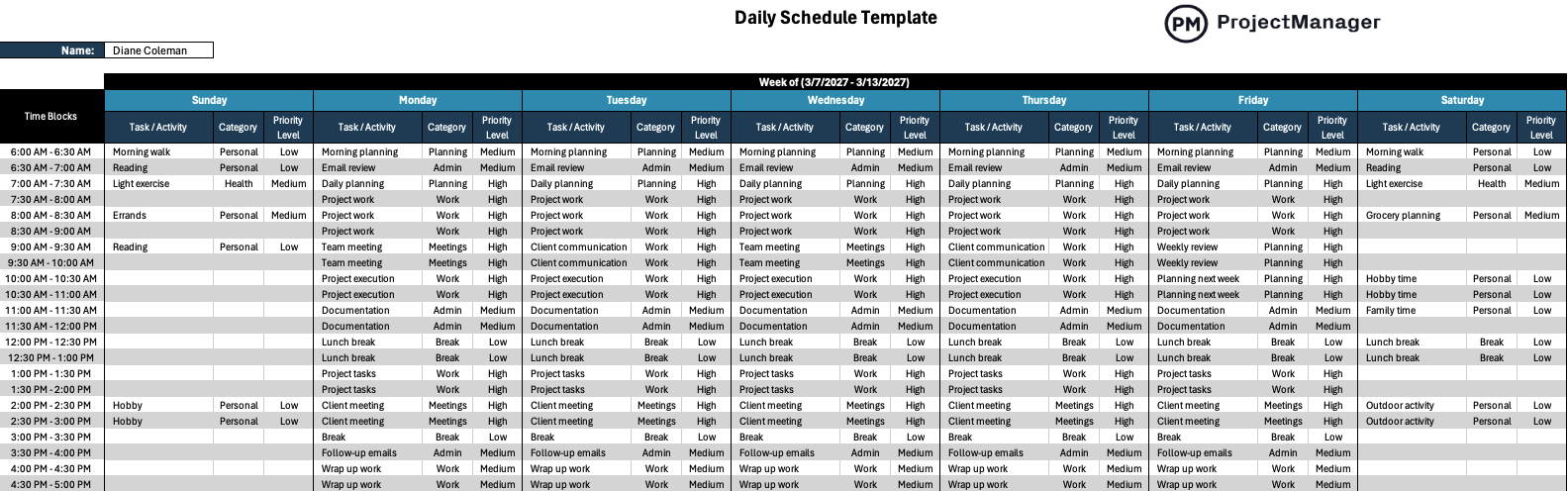
This Excel template provides an hour-by-hour daily planner with space for scheduled tasks, priorities and notes for each time block. It is designed for a single day at a time, making it easy to plan tomorrow’s work before the current day ends so you start each morning with a clear agenda rather than an empty inbox.
Works well for anyone in a high-interrupt environment, project managers coordinating multiple workstreams or team leads who need to structure their day before it gets away from them.
4. Employee Schedule Template for Excel
An employee schedule tracks who is working, when they are working and what they are responsible for across a team. For managers overseeing multiple people, keeping this in your head is not realistic: someone always ends up double-booked, unavailable or unaware they were supposed to cover something.

This template gives you a structured employee schedule in Excel with rows for each team member and columns for each day or shift. It includes space for hours, role assignments and availability notes so you can see coverage at a glance and spot gaps before they become problems on the floor or in the field.
Particularly useful for teams with variable schedules, shift-based work or project assignments that change week to week and need a single reference document to keep everyone aligned.
5. Timesheet Template for Excel
A timesheet records the hours each team member works across tasks, projects or clients during a given period. Without it, billing is guesswork, project cost tracking is unreliable and there is no clear record of where the team’s time actually went versus where it was supposed to go.
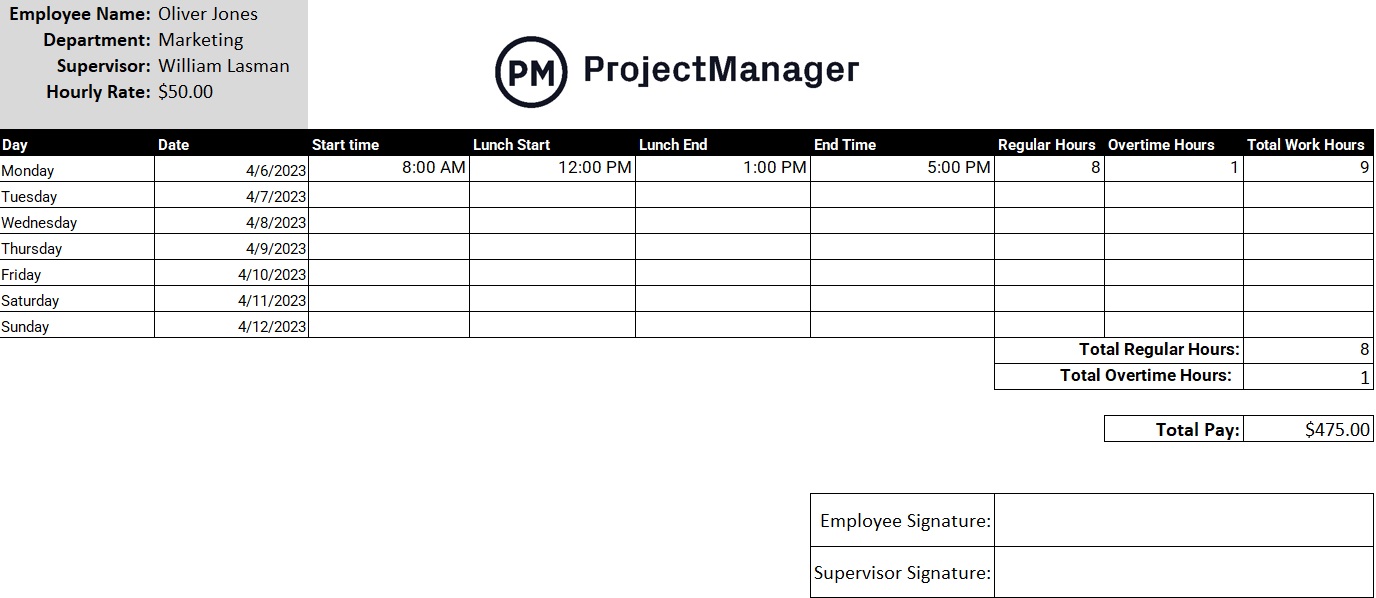
This Excel timesheet template includes rows for daily hours broken down by task or project, with auto-calculated totals for daily, weekly and total hours. It covers the standard timesheet format that most billing and payroll processes expect, so the data collected is ready to use without reformatting.
The right tool for any team that bills by the hour, tracks project costs against a budget or needs an audit trail of how time was allocated across a pay period or project phase.
6. Staffing Plan Template for Excel
A staffing plan documents the people a project or department needs: the roles, the headcount, the timing and the cost. It is the planning document that answers whether you have the right people in place before the project starts rather than discovering halfway through that a critical role was never filled.
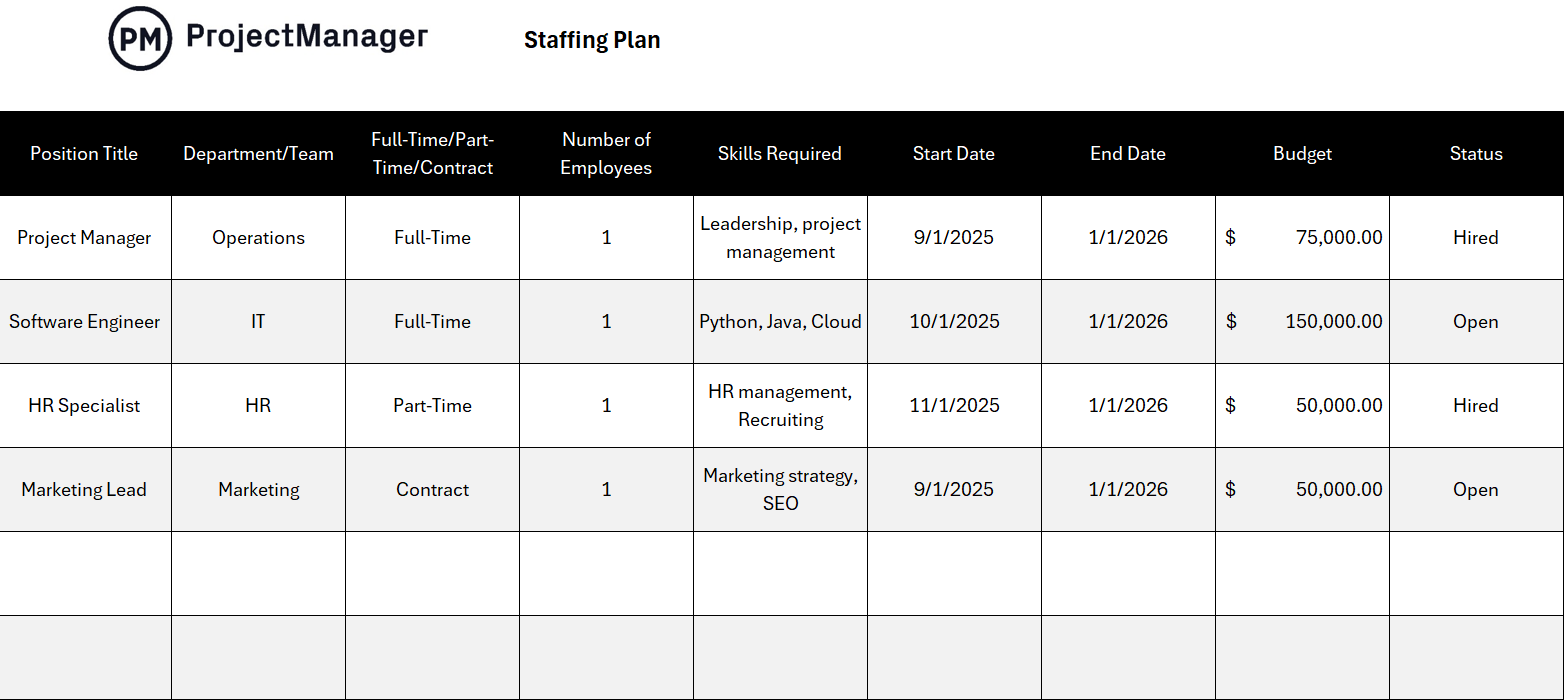
This template covers role identification, headcount requirements, start and end dates, utilization rates and budget estimates in a single Excel workbook. It gives managers and HR teams a shared reference for workforce planning that connects staffing decisions directly to project timelines and budget constraints.
Most useful at the start of a new project or planning cycle when resource needs are being finalized and leadership needs to see the full picture before approving headcount.
7. Workback Schedule Template for Excel
A workback schedule starts from the deadline and works backward to identify every task that needs to happen and when it needs to start. It is the planning approach that reveals whether a deadline is actually achievable before you commit to it, rather than realizing two weeks before launch that you are three weeks behind.
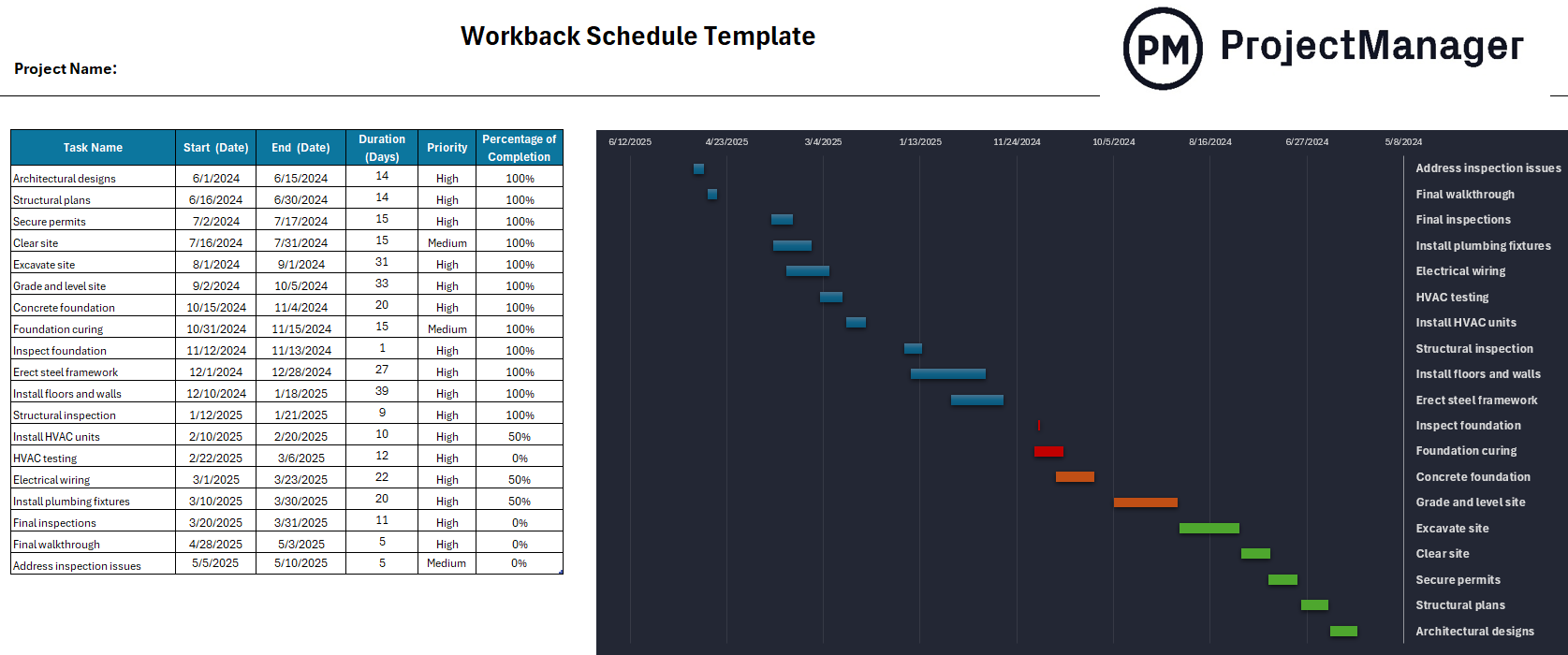
This Excel template maps tasks in reverse chronological order from the final deadline, with columns for task name, owner, duration and due date. As you fill it in from the end date backward, the template shows you the latest possible start date for each task and surfaces dependencies that are easy to miss when planning forward.
Particularly useful for fixed-deadline projects like product launches, events or regulatory submissions where the end date is non-negotiable and the only variable is how the work gets sequenced to hit it.
8. Project Calendar Template for Excel
A project calendar maps the full schedule of a project onto a calendar view so milestones, deadlines and key dates are visible in the context of real time rather than just as a list of tasks. It is often easier for stakeholders and sponsors to understand a calendar than a Gantt chart, which makes it a useful communication tool alongside the project plan.
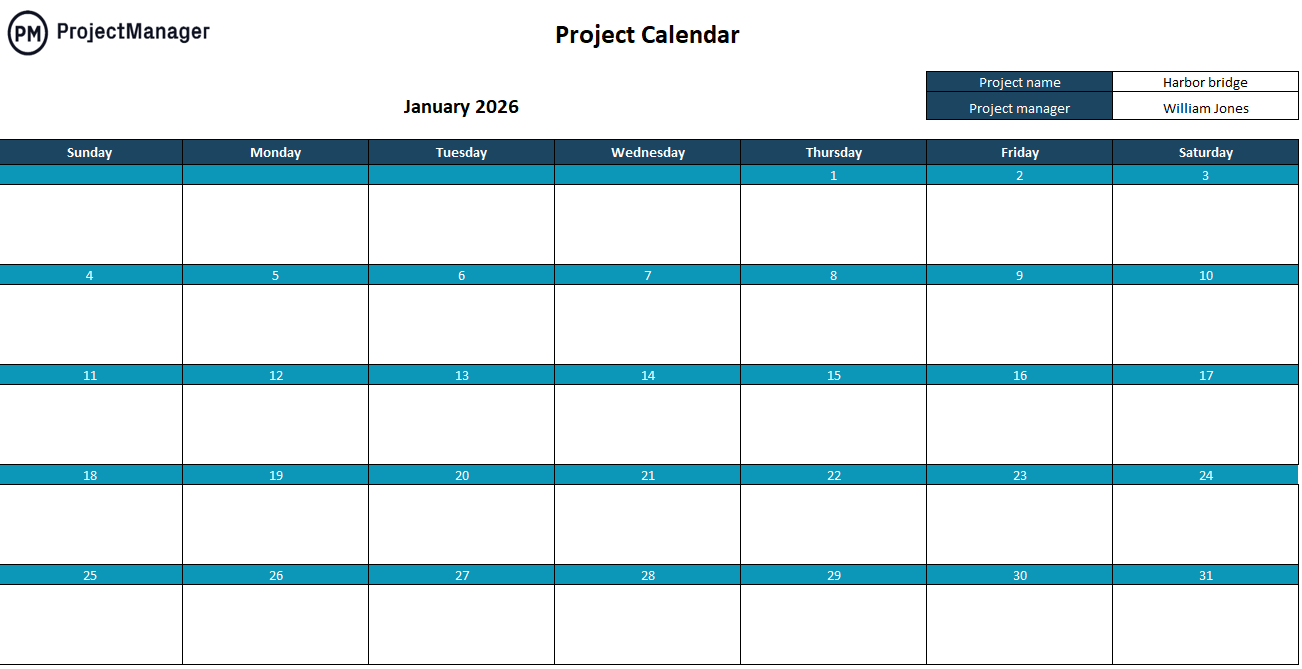
This Excel template provides a monthly calendar layout with space for task names, owners and milestone markers on each day. It is easy to update as the project progresses and simple enough to share with stakeholders who do not need the detail of a full project plan but do need to know what is happening and when.
Best used alongside a Gantt chart or project plan as a stakeholder-facing summary, or as a standalone scheduling tool for smaller projects where a calendar view is all the structure the team needs.
Manage Work Schedules With ProjectManager
A spreadsheet schedule works until things change. The moment a task slips, a team member goes on leave or a deadline moves, the Excel file is out of date and someone has to manually update it, notify the team and hope everyone sees the new version. ProjectManager keeps your schedule live so changes propagate automatically and your whole team is always working from the same current plan.
From Gantt charts to workload views, ProjectManager gives managers the tools to schedule work, track hours and monitor capacity in real time, without the overhead of managing a document.
Schedule Work on a Live Gantt Chart
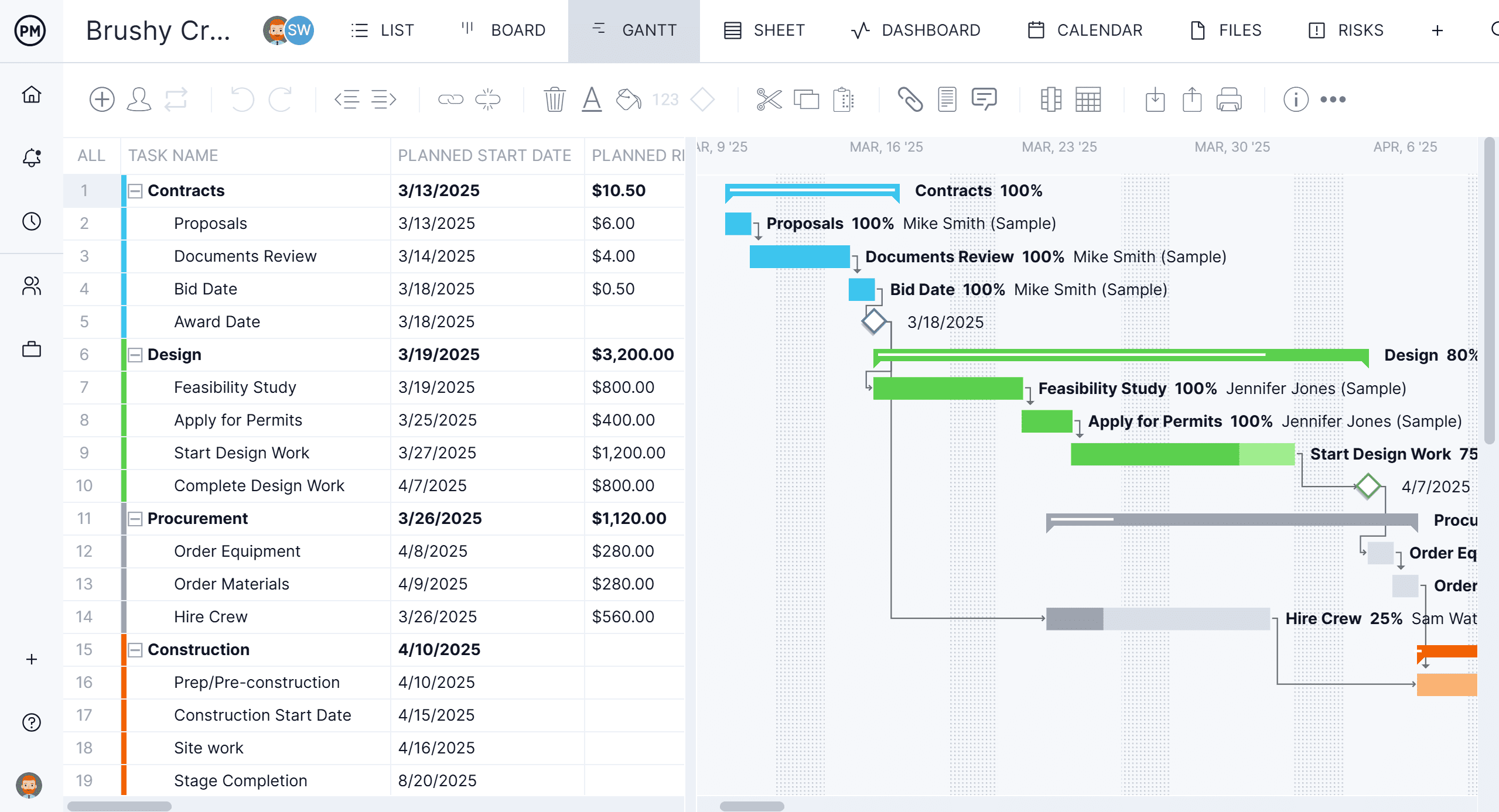
ProjectManager’s Gantt chart turns your work schedule into an interactive project timeline. Assign tasks to team members, set durations and link dependencies so the schedule reflects how the work actually flows. When something changes, drag the task to its new date and every downstream item adjusts automatically. No manual recalculation. No chasing people to update their copy of the file.
Balance Team Workload in Real Time
Scheduling work is only half the problem. The other half is making sure the people you are scheduling are not already at capacity. ProjectManager’s workload view shows each team member’s assigned hours against their available hours so you can spot who is overloaded and who has room before the schedule becomes unmanageable. Rebalance directly from the view by reassigning tasks without leaving the screen.

