



Freelancing gives you control over your work and your schedule. It does not automatically give you a system for getting paid on time. For most independent professionals, billing is the part of the business that gets the least attention and causes the most friction. Invoices that take too long to send, quotes that do not convert because they look improvised, payment terms that were never documented and clients who stretch 30-day terms to 60 because no one is actively tracking what is outstanding.
The fix is not complicated. A consistent set of billing templates removes the administrative drag from every step of the client relationship: you win the work with a professional proposal, formalize it with a statement of work, quote the price before you start, invoice promptly when the work is done, track what gets paid and follow up on what does not. Each step handled properly means fewer awkward conversations about money and faster, more predictable cash flow.
We put together eight free freelance invoice and billing templates for Excel and Word covering the full billing lifecycle from proposal to payment tracking. Each one is free to download and ready to adapt for your business.
1. Freelance Invoice Template for Excel
A freelance invoice is the document that turns completed work into a payment request. For independent contractors and freelancers, it is also one of the most visible touchpoints in the client relationship. A professional, clearly structured invoice signals that you run your business seriously, which matters when the client’s finance team is deciding whose invoice to process first and whose to put in the follow-up pile.
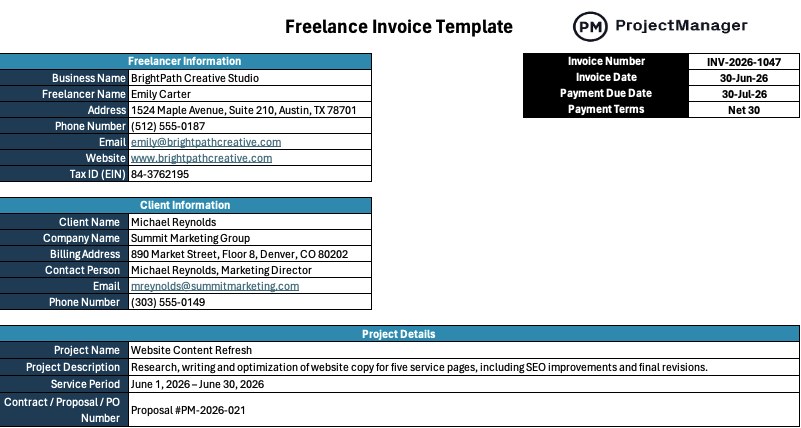
This Excel template includes all the fields a client’s accounts payable team needs to process payment without questions: your contact information, the client’s details, an invoice number, the invoice date, an itemized list of services with rates and quantities, a subtotal, tax fields and the total due with payment terms. Totals calculate automatically so the math is always right and the invoice is ready to send in minutes once the work is done.
The right starting point for any freelancer or independent contractor who bills clients for services and wants a professional invoice format they can reuse for every client without rebuilding it from scratch each time.
2. Service Invoice Template for Word
A service invoice is the broader version of a freelance invoice, suitable for any professional or service business billing a client for work delivered, whether that is consulting, design, legal services, marketing or any other expertise-based engagement. Where a freelance invoice is typically used by individuals billing directly, a service invoice works equally well for small agencies and professional service firms that need a consistent billing format across multiple clients and engagements.
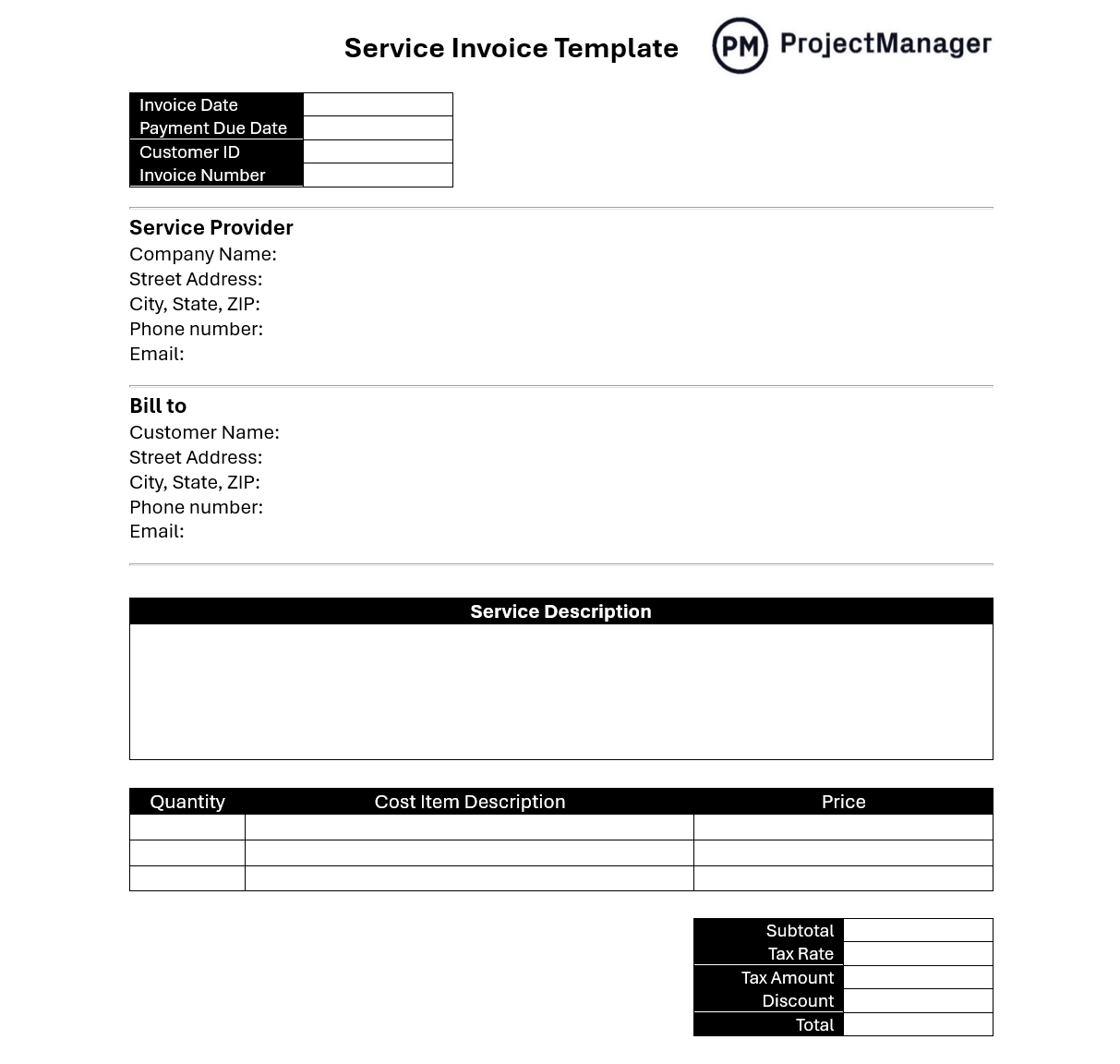
This Word template provides a polished service invoice structure with fields for service descriptions, quantities or hours, rate per unit and line totals, with a summary section for subtotal, taxes and amount due. It is formatted as a client-facing document rather than a spreadsheet, which makes it easy to brand with your logo and company colors and suitable for industries where the presentation of billing documents matters as much as the content.
Works for any service provider: consultant, agency, creative professional or independent specialist, who bills clients for defined deliverables and wants an invoice that looks consistent and professional every time it goes out.
3. Service Quote Template for Excel
A quote is what gets signed before the invoice is sent. For freelancers and service businesses, it is the document that sets financial expectations before work begins: what will be delivered, at what price and under what terms. A well-structured quote reduces the negotiation that happens after a client sees the invoice for the first time, because the numbers were reviewed and agreed to before any work started. It also gives you a reference point if a client tries to dispute the price after delivery.
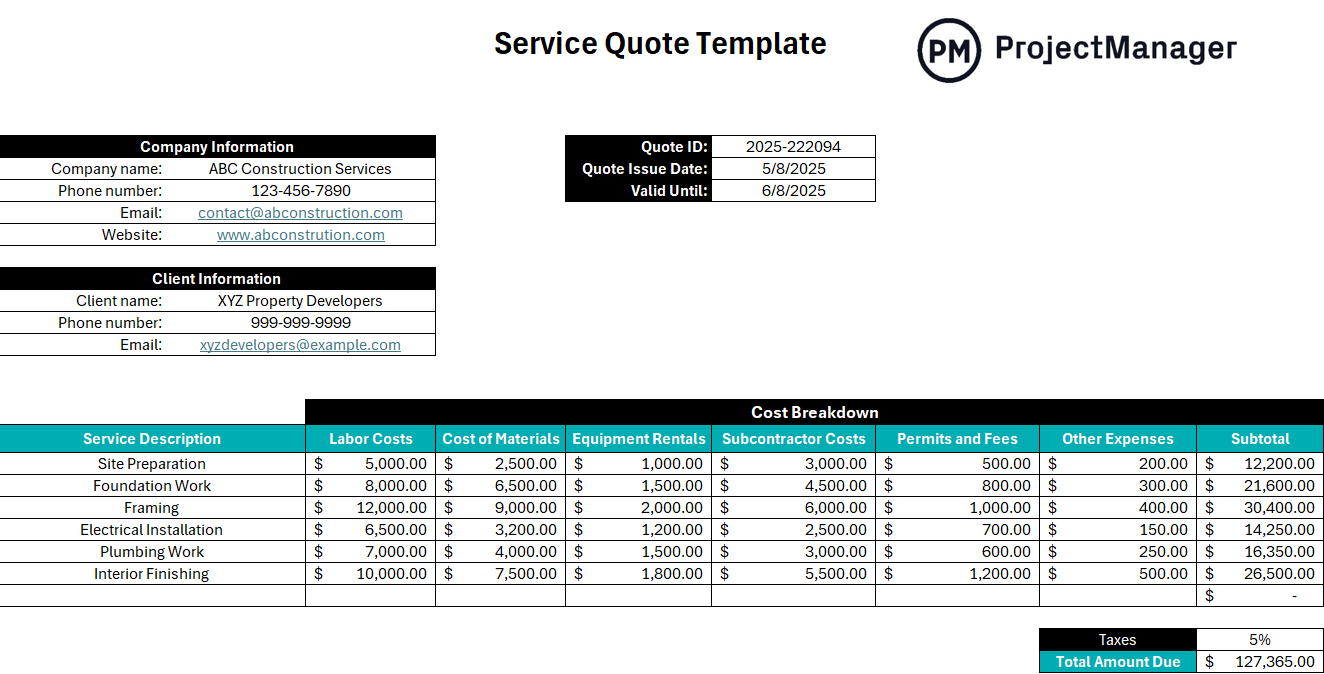
This Excel template covers the standard quote structure: your business details, the client’s information, a line-item breakdown of services with descriptions and pricing, a quote validity date and payment terms. It is formatted to match the kind of professional document a client can review, approve and file alongside the eventual invoice, which makes the invoice process smoother because the client already saw and accepted the numbers once before.
Best used any time a client asks for pricing before committing to a project, or when the scope of your services varies enough by engagement that you need a clear written document establishing what is and is not included before work begins.
Manage Client Projects and Billing in ProjectManager
Templates handle the invoicing. ProjectManager handles everything behind it. Track your hours, monitor project progress and keep client deliverables on schedule, so when it is time to invoice, the data is already there. Try it free for 30 days.
4. Weekly Billing Format for Word
For freelancers on retainer or billing by the hour against a weekly engagement, a weekly billing format structures the hours worked during a week into a document ready to send to the client. It bridges the gap between your internal time tracking and the client-facing invoice. You have the hours in your timesheet, and you need to present them in a format the client can review, approve and pass to accounts payable. A consistent weekly format also builds a billing cadence that clients come to expect, which makes payment more predictable.
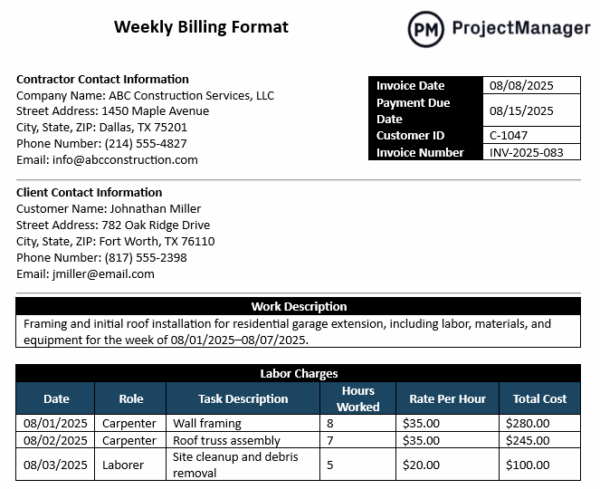
This Word template lays out the week’s billable hours by service or task, with columns for description, rate, hours and total. It is formatted as a client-facing document rather than an internal spreadsheet, so you can fill in the hours from your timesheet and send it directly without reformatting anything. The weekly structure makes it easy for clients to match your billing against their own records of what was delivered each week.
Best for freelancers and consultants on weekly retainers, hourly engagements or any arrangement where the client expects a regular billing document that shows hours worked and cost for the period.
5. Statement of Work Template for Word
A statement of work is the document that defines what you will deliver, by when and at what cost, in writing, before the work begins. For freelancers, it is the most important contract document in the client relationship: it is what you point to when a client asks for something that was never part of the original engagement, and it is what protects you when a project that was supposed to take two weeks turns into two months because the scope was never pinned down. A signed SOW is not just a formality. It is the foundation your invoices stand on.
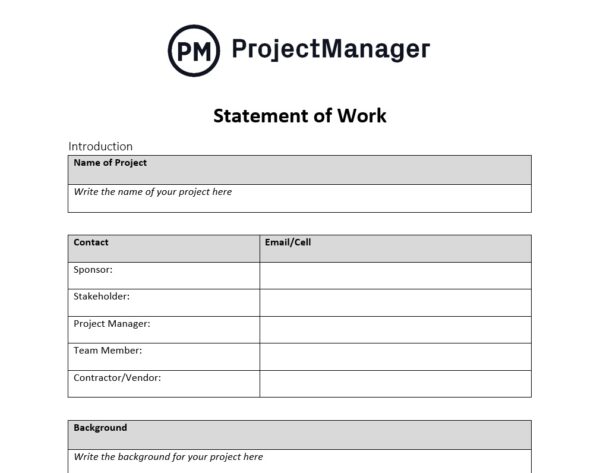
This Word template covers the key SOW components: project overview, scope of work, deliverables with acceptance criteria, timeline and milestones, payment terms and conditions and signature fields for both parties. The deliverables and acceptance criteria sections are the most important. They define exactly what “done” means for each item, which is what prevents the open-ended revision cycles that erode freelance profitability faster than almost anything else.
Essential for any freelancer or independent contractor who works on projects lasting more than a week, involves multiple deliverables or has had a client relationship go sideways because the scope was only defined in conversation rather than in writing.
6. Work Proposal Template for Word
A proposal is how you win the work before the billing conversation starts. For freelancers competing for client projects, the proposal is often the deciding factor, not just on price, but on whether the client believes you understand their problem and have a credible plan to solve it. A proposal that reads like it was assembled in twenty minutes loses to one that demonstrates preparation and professional judgment, even when the price is similar.
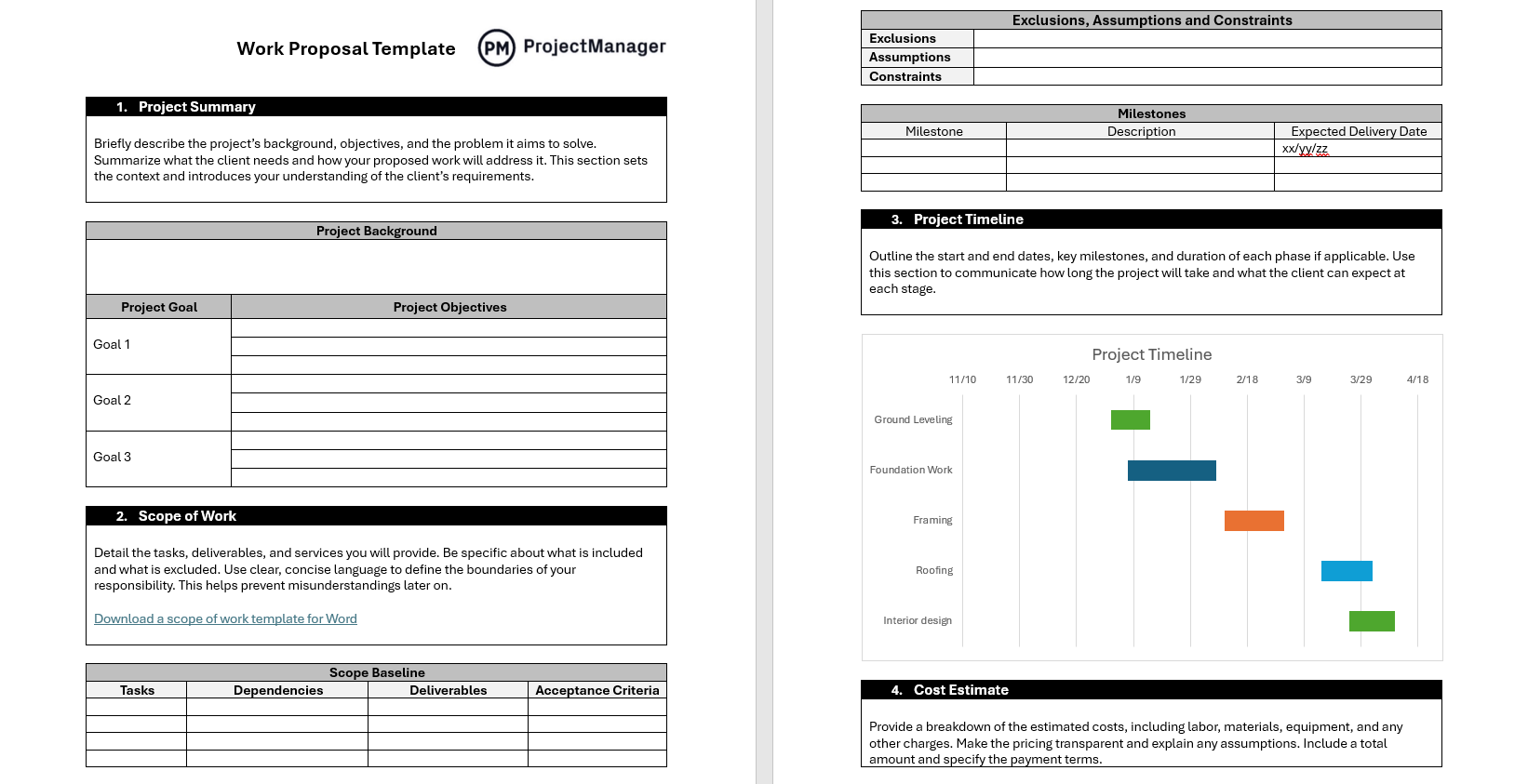
This Word template structures the proposal with sections for the client’s problem or objective, your proposed approach, the deliverables and timeline, your relevant experience, pricing and payment terms and next steps. The approach section is where proposals are won or lost. It is your opportunity to show that you have thought carefully about the client’s specific situation rather than just listing your services and a price. A well-written approach section answers the client’s real question: why you, and why this way.
Most useful for freelancers and consultants who respond to client briefs or RFPs and need a consistent proposal structure that can be adapted quickly for each opportunity without starting from scratch every time.
7. Payment Schedule Template for Excel
On projects that run longer than a few weeks, billing everything at the end is a cash flow problem waiting to happen. A payment schedule breaks the project fee into installments tied to milestones or time periods: a deposit upfront, payments at defined checkpoints and a final payment on delivery. It gives you steady income throughout the project and gives the client a clear picture of what they owe and when, which removes the ambiguity that leads to delayed payments at the end of a long engagement.

This Excel template maps each payment to a milestone or billing period with columns for the payment number, description of the trigger, amount due, due date and payment status. Agreed at the start of the project and signed alongside the statement of work, it gives both you and the client a shared reference for the entire payment timeline so every invoice that follows has a clear basis and a clear due date.
Best for freelancers working on longer projects, fixed-fee engagements or any arrangement where invoicing upfront in full is not realistic and a structured milestone billing plan keeps both parties aligned throughout the engagement.
8. Payment Tracker Template for Excel
Sending invoices is not the same as getting paid. For freelancers with multiple active clients, tracking which invoices have been paid, which are outstanding and which are overdue is a job in itself. Without a system, late payments get missed, follow-ups happen weeks after they should have and the cash flow picture is never entirely clear. A payment tracker gives you one place to see exactly where every invoice stands.
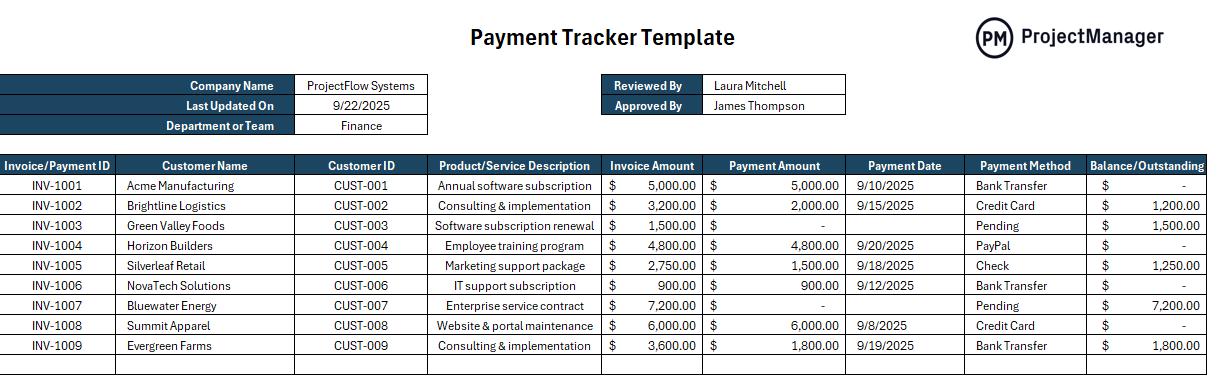
This Excel template logs each invoice with columns for client name, invoice number, amount, issue date, due date, payment status and date received. It gives you a running view of all outstanding invoices at a glance so you can see immediately who is overdue, how much is owed and which clients are consistently slow, which is the information you need to decide when to send a follow-up, when to adjust payment terms and when a client relationship is costing you more than it is worth.
The right tool for any freelancer or independent contractor who sends more invoices than they can track from memory and wants a simple, low-maintenance system to stay on top of what has and has not been paid.
Manage Freelance Projects and Client Work With ProjectManager
Billing templates keep your invoicing professional and consistent. The hours and deliverables that go into those invoices need their own system, one that tracks what was promised, what was delivered and how much time it actually took. ProjectManager gives freelancers and independent professionals the project management tools to stay organized across multiple clients without the overhead of enterprise software.
From the first task to the final invoice, ProjectManager keeps your client work on track and your billing data accurate.
Track Hours and Deliverables Across Every Client
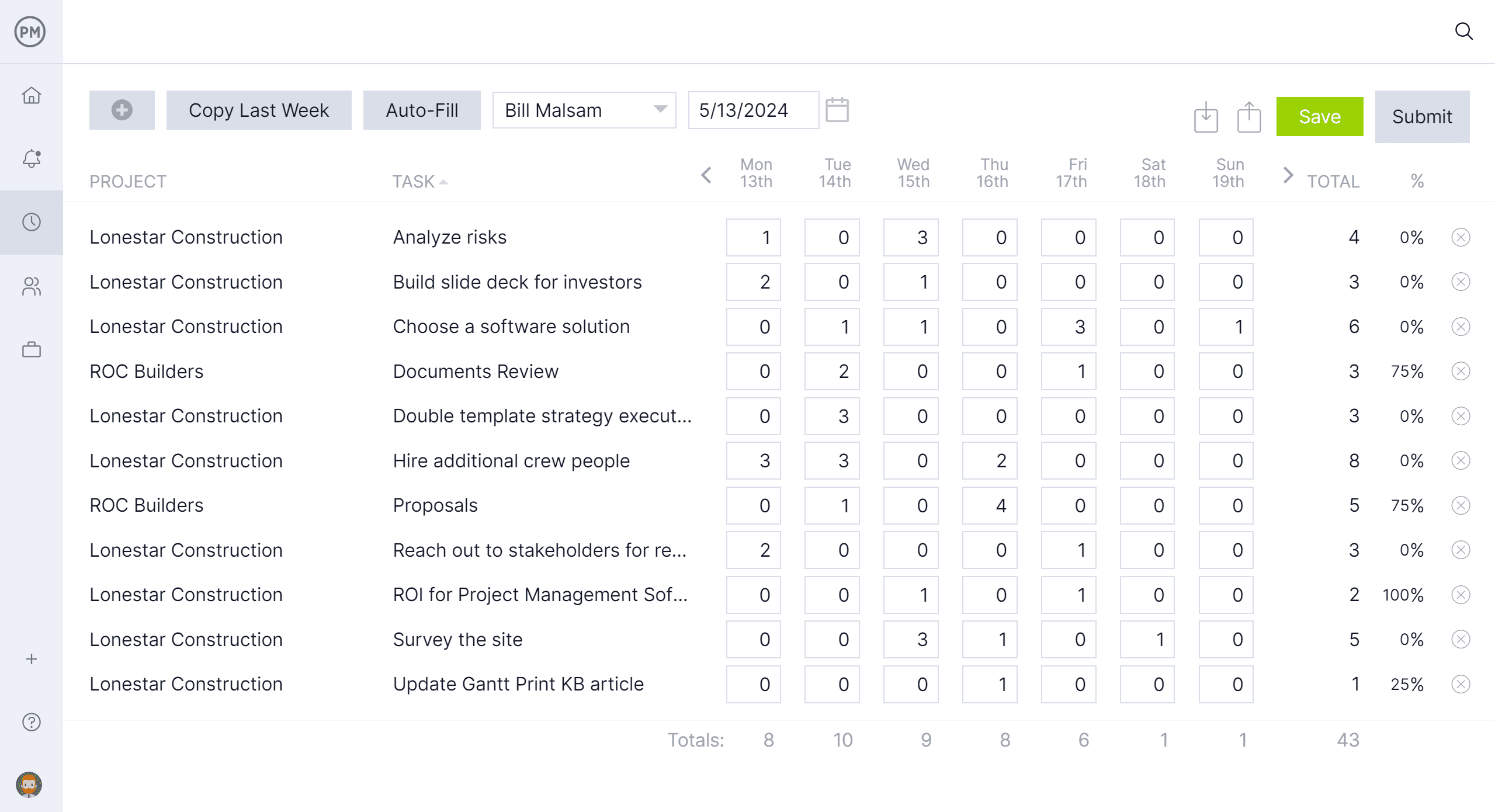
ProjectManager’s task management and timesheet tools let you log hours directly against client projects so you always know how much time you have spent on each engagement. When it is time to invoice, the hours are already recorded. No reconstruction from memory, no guessing whether you are over or under on a fixed-fee project. For hourly clients, the timesheet export gives you the detailed breakdown behind every line on the invoice.
Keep Every Client Project on Schedule
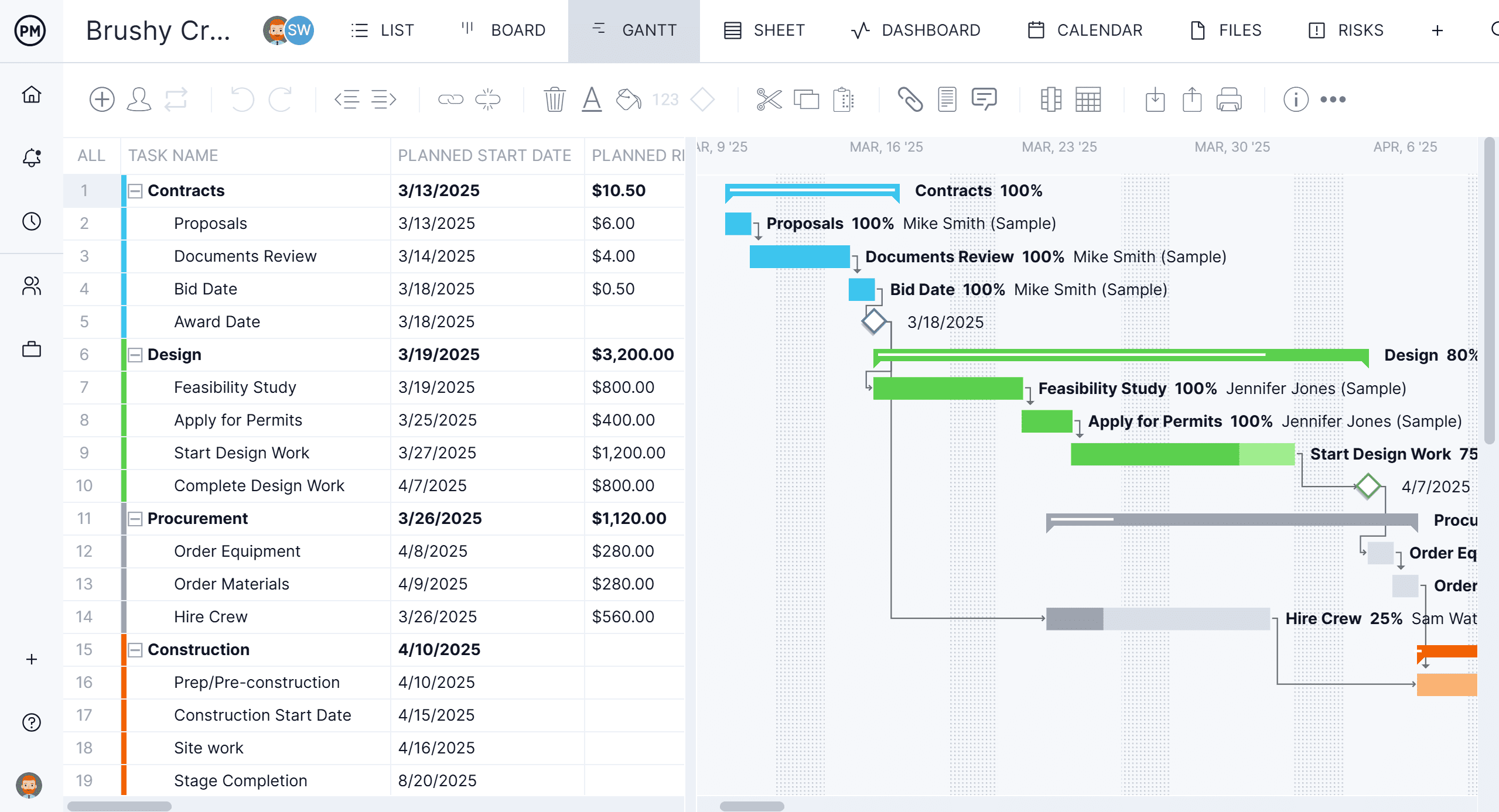
Delivering on time is how freelancers build the kind of client relationships that lead to repeat work and referrals. ProjectManager’s Gantt chart and task views let you plan each client project, set milestones and track progress so you can see early when a deadline is at risk, and communicate proactively rather than missing it without warning. When you are managing multiple clients simultaneously, having each project in one system makes it possible to stay on top of all of them without constant context-switching.
Related Content
- 6 Free Time Tracking Templates for Excel
- 9 Free Construction Invoice Templates for Excel and Word
- 25 Free Project Management Templates for Excel
- 10 Free Project Kickoff Templates for Excel and Word
- 10 Free Small Business Plan Templates for Excel and Word
- Business quotes
- Guide to deliverables
- Guide to stakeholder management
