


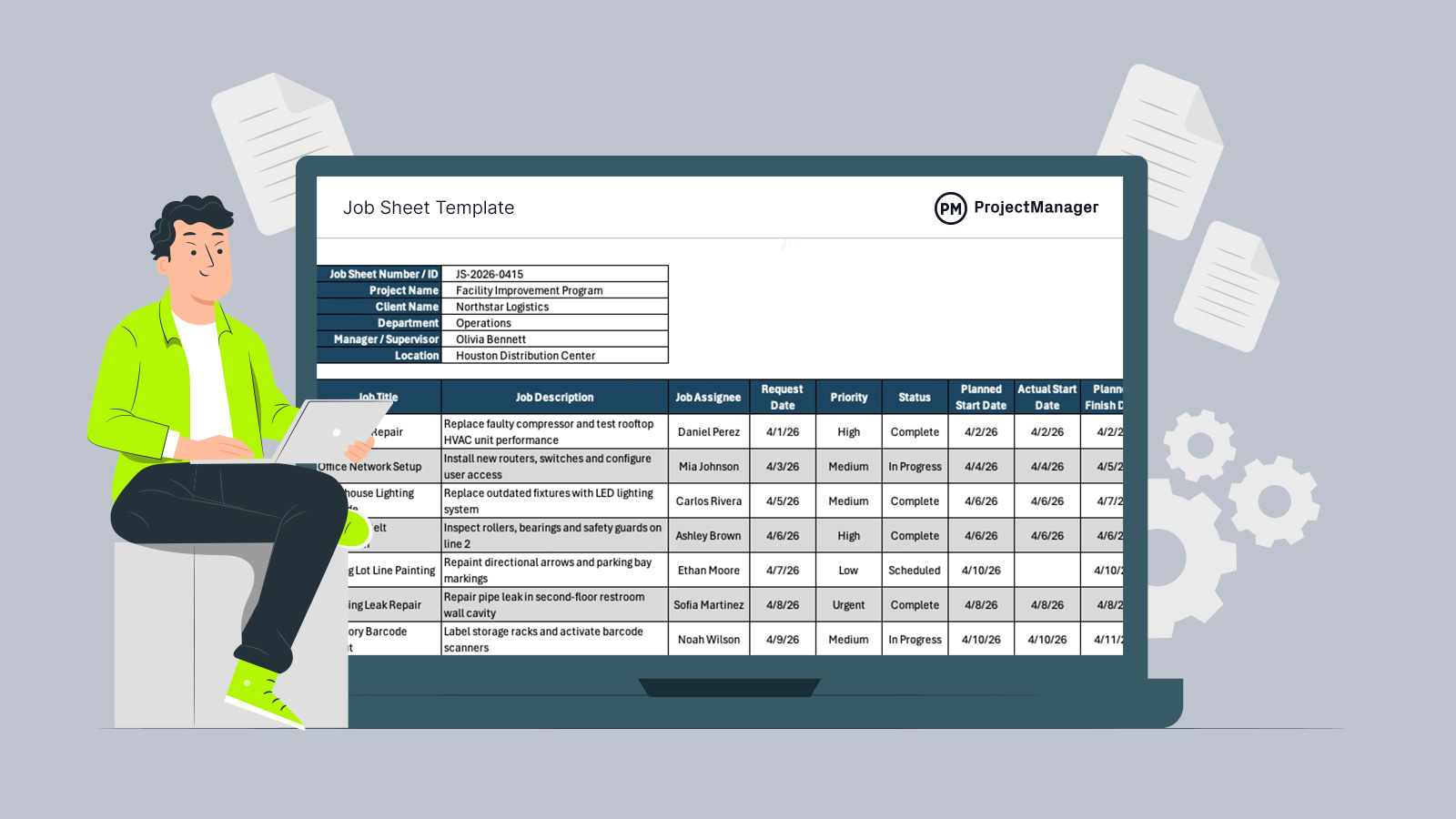
Managing multiple jobs gets messy when requests, dates, assignments and costs live in separate places. A job sheet template gives teams one organized place to plan work, track progress and document key job details from request to completion.
Why You Need a Job Sheet Template
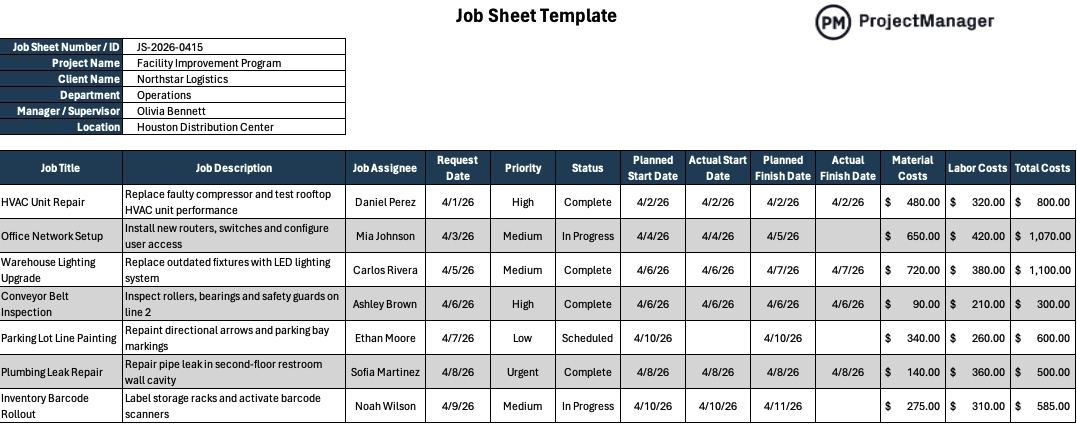
Our free job sheet template for Excel is customizable and easy to use, so teams can adapt it to different departments, clients, job types or operating procedures. For organizations that execute work on a job basis, it helps centralize assignments, dates, priorities, status updates and costs. By organizing this information in one spreadsheet, teams can plan work more clearly, schedule resources more effectively, monitor job progress and improve operational efficiency without building a tracking system from scratch.
When To Use a Job Sheet Template
Organizations that manage work as individual jobs, such as construction contractors, manufacturers, maintenance teams and service providers, can use this template whenever new work is requested or assigned. There is no perfect season or starting point. Use it throughout the year as jobs come in to keep operations organized, consistent and easier to monitor.
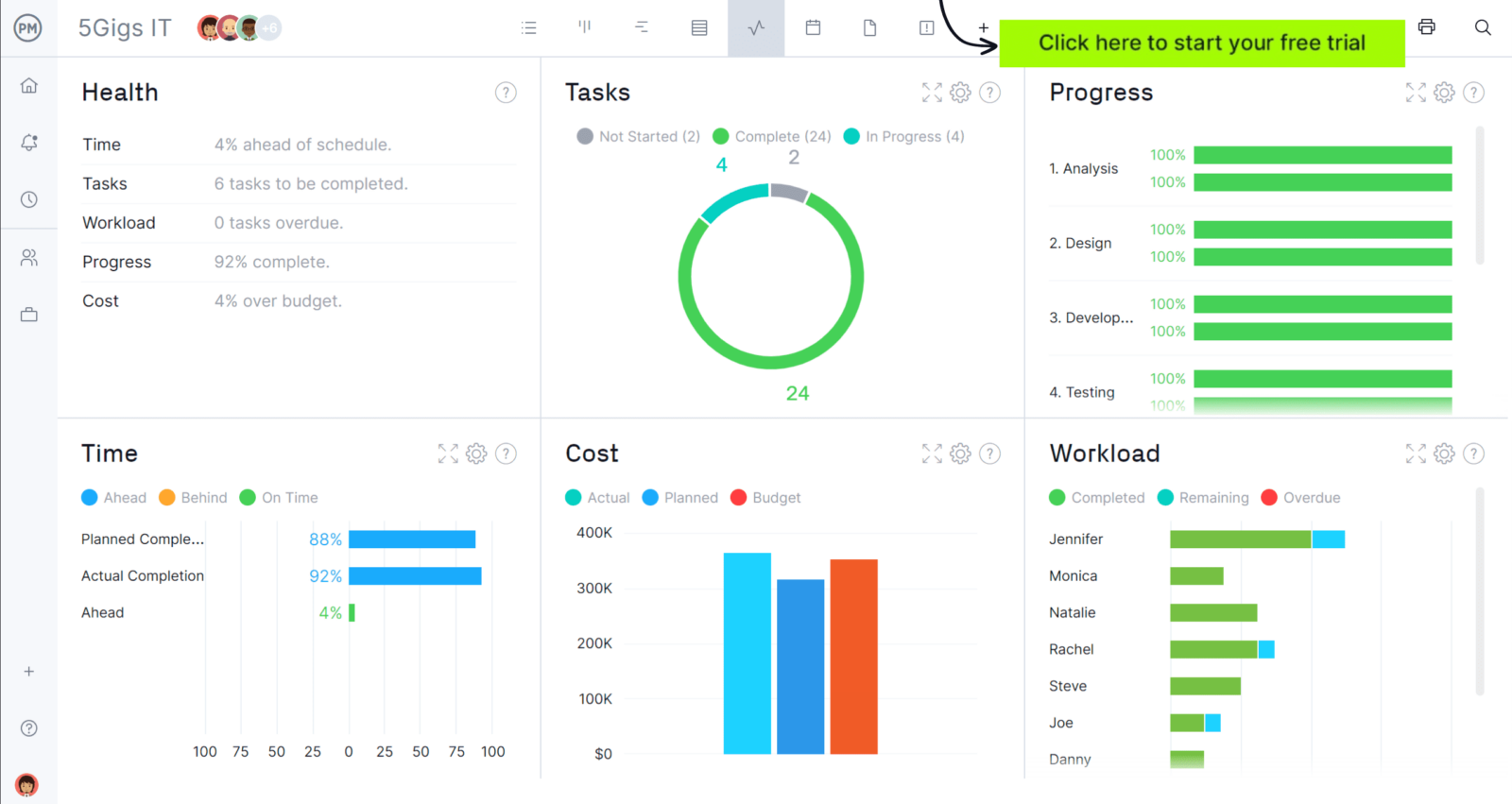
When you’re ready to take control of your projects, try ProjectManager. This award-winning project management software helps teams plan, schedule and track work from start to finish. Create detailed schedules, manage resources, monitor costs and compare planned versus actual performance with a full suite of powerful tools. Get started for free today.
Who Should Use This Free Job Sheet Template?
Any team responsible for assigning, performing or tracking job-based work can benefit from this job sheet template. It is especially useful for managers, supervisors and coordinators who need a simple way to capture job details, assign work, follow schedules, track costs and keep each job moving toward completion.
- Operations Manager: Uses the template to track active jobs across departments, compare workloads and spot delays before they affect daily output.
- Project Manager: Uses the job sheet to connect individual work items to broader project schedules, budgets and delivery expectations.
- Construction Supervisor: Records field jobs, assigns crews, monitors start and finish dates and tracks labor or material costs.
- Production Manager: Uses the template to organize manufacturing jobs, monitor production status and coordinate materials, labor and deadlines.
- Maintenance Manager: Tracks repair requests, preventive maintenance jobs, assigned technicians, completion dates and total job costs.
How to Use ProjectManager’s Job Sheet Template for Excel
Once downloaded, this free Excel template gives you a straightforward way to organize incoming work, assign responsibility, track schedules and monitor costs. Follow the steps below to keep each job controlled from request through completion.
1. Enter the job sheet details
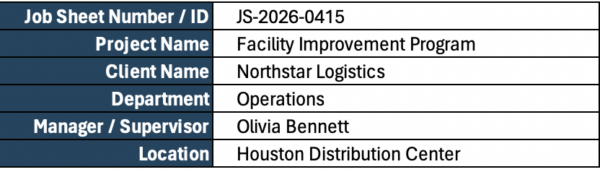
Begin by completing the header section with the job sheet number, project name, client name, department, supervisor and location. These details identify the work being tracked and make it easier to sort records, retrieve past jobs and maintain organized documentation.
2. Add each job and describe the required work
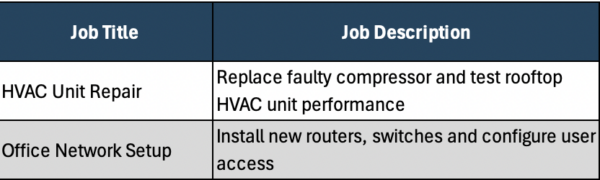
List every job in a separate row, then enter a clear job title and description. Keep descriptions specific enough for the assignee to understand expectations, required outcomes and the scope of work without needing repeated clarification.
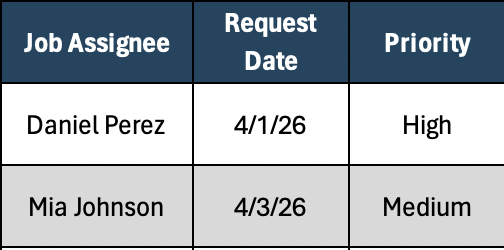
3. Assign responsibility and set priority levels
Enter the person responsible for completing each job, then mark the priority based on urgency and operational impact. This helps managers allocate labor effectively, address urgent requests first and avoid lower-value work delaying critical tasks.
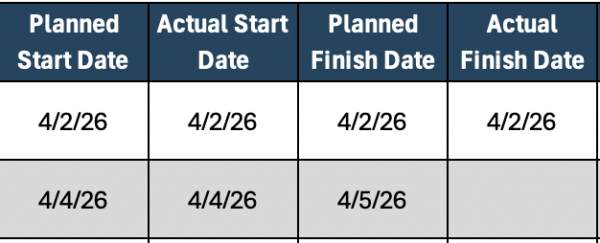
4. Plan dates and update progress as work moves
Use the request date, planned start date and planned finish date to build a realistic schedule. Once work begins, record actual dates and update status fields so everyone can see what is scheduled, active or complete.
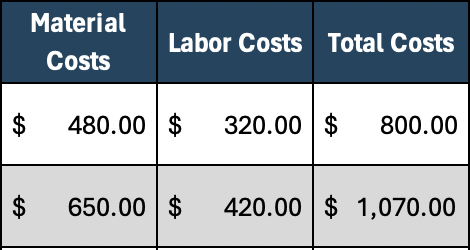
5. Track costs and review performance regularly
As jobs are completed, record material costs, labor costs and total costs for each line item. Reviewing this information regularly helps teams control spending, compare planned versus actual performance and improve future job estimates.
How to Manage Work with ProjectManager
ProjectManager is an online project management solution that provides a complete set of work planning, scheduling and tracking tools, including Gantt charts, kanban boards, task lists and real-time dashboards and reports. With these features, teams across industries can build detailed schedules, assign resources and monitor progress, costs and timelines.
ProjectManager also delivers AI-powered project insights to support better decision-making and connects with over 100 tools like Microsoft Project, Acumatica and Power BI. With its open API and wide range of integrations, organizations can seamlessly link ProjectManager to their existing systems. Watch the video below to learn more!
What Other Templates Can Help Manage Work?
Our library features dozens of free project management templates for construction and manufacturing teams that support scheduling, budgeting, reporting and day-to-day operations.
Job Estimate Template
Create clear, professional cost estimates by organizing customer details, projected labor, material expenses, taxes and final pricing before work begins. It helps businesses quote jobs accurately and set expectations early.
Work Proposal Template
Present a structured plan for upcoming work by outlining objectives, scope, milestones, timing, pricing and responsibilities. It helps clients understand what will be delivered and supports faster approval decisions.
Work Order Template
Control requested work with a document that captures job details, assigned personnel, required materials, target dates and completion status. It improves accountability while keeping field and office teams aligned.
If you need a tool to help you manage projects, then sign up for our software now at ProjectManager. Our online software helps teams across industries plan, track and oversee projects as they unfold. Sign up for a free 30-day trial today!