



What Is Job Scheduling?
Job scheduling is the process of planning, assigning and timing tasks so they are completed using available resources. It is commonly used in construction, manufacturing, maintenance and IT operations to organize work, coordinate labor and meet deadlines. Clear sequencing and resource allocation allow teams to execute work without delays or conflicts.
What Is a Job Schedule?
A job schedule is a structured plan that shows tasks, timelines and assigned resources for completing work. It is used to track when each task should start and finish, who is responsible and how activities are sequenced. By laying out dependencies and deadlines, it helps teams across industries coordinate execution and keep work moving without conflicts or delays.
ProjectManager is an award-winning project management software that helps teams across industries plan, schedule and track work from start to finish. Create detailed job schedules, manage resources, monitor costs and compare planned versus actual performance with a full suite of powerful tools including Gantt charts, kanban boards, real-time dashboards and much more. Get started for free today.
What Industries Use Job Scheduling?
Job scheduling is used anywhere work needs to be planned, sequenced and executed using limited resources. While the core principles remain the same, how schedules are built and managed varies depending on the type of work, the level of complexity and how resources are deployed.
Construction
On construction projects, job scheduling coordinates crews, equipment and subcontractors across multiple phases of work. Tasks must follow a strict sequence, as many activities depend on others being completed first. Delays in one area can impact the entire project, so schedules are continuously updated to reflect progress and keep work aligned with deadlines.
Manufacturing
Within manufacturing operations management, job scheduling organizes production tasks across machines, workstations and operators. Each job may follow a different process, requiring careful sequencing to avoid bottlenecks. Schedules must account for setup times, material availability and production capacity to ensure consistent output and prevent disruptions on the production line.
IT and Software Development
In IT projects, job scheduling is used to manage automated tasks, system processes and development workflows. Tasks such as data processing, system updates and deployments must run in a specific order to avoid conflicts. Schedules help teams coordinate dependencies, manage system loads and ensure that critical operations run at the right time.
Maintenance and Field Service
Maintenance planning teams rely on job scheduling to plan inspections, repairs and preventive work across multiple assets and locations. Schedules must balance urgent requests with routine service tasks while ensuring technicians and equipment are available. Effective scheduling reduces downtime, improves response times and helps maintain consistent asset performance.
Get your free
Gantt Chart Template
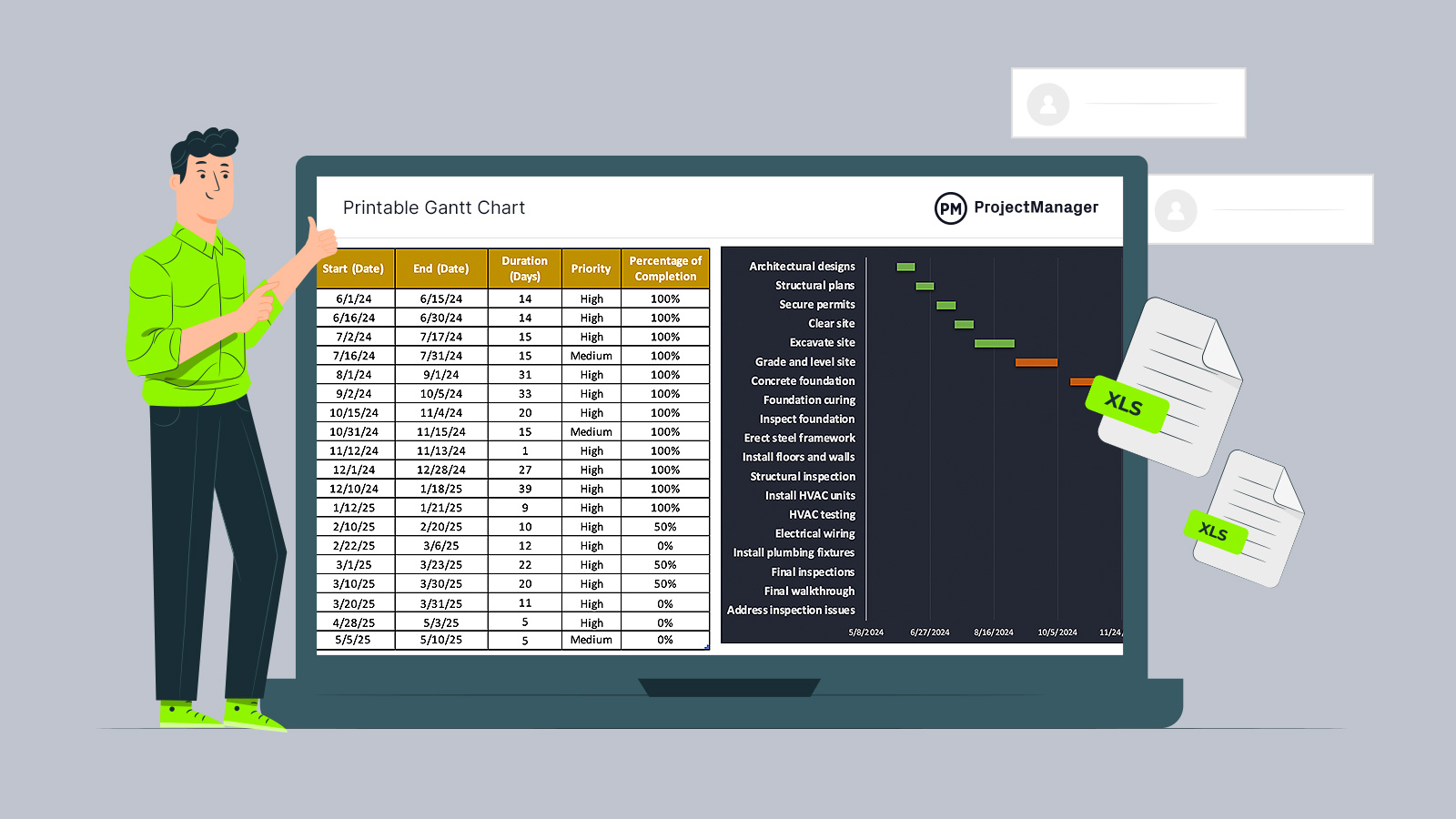
Use this free Gantt Chart Template for Excel to manage your projects better.
Why Job Scheduling Matters
Across construction sites, production floors and service operations, job scheduling determines how work actually gets done day to day. Poor coordination leads to idle crews, missed deadlines and wasted materials, while structured scheduling aligns resources with demand. Teams that actively manage schedules can respond faster to changes and maintain steady progress without constant disruption.
- Efficient job scheduling ensures that labor, equipment and materials are allocated at the right time, preventing costly downtime and improving overall productivity across projects.
- Clear scheduling structures help teams avoid task conflicts and overlapping responsibilities, reducing confusion and ensuring that work progresses in a logical and controlled sequence.
- Accurate job schedules make it easier to meet deadlines by aligning task durations with realistic timelines, helping teams avoid delays that can impact project budgets and client expectations.
- Well-managed schedules improve resource utilization by balancing workloads across teams, preventing overloading some workers while others remain underutilized or idle.
- Structured job scheduling provides better visibility into ongoing work, allowing managers to track progress, identify bottlenecks early and make adjustments before issues escalate.
- Consistent scheduling practices support better cost control by reducing inefficiencies, minimizing rework and ensuring that resources are used effectively throughout the project lifecycle.
- Reliable job schedules create a foundation for better decision-making by providing real-time insight into project status, enabling teams to adapt quickly to changes in scope or priorities.
What Should Be Included in a Job Schedule?
Before work begins, a job schedule needs to clearly show what will be done, when it will happen and who is responsible. A complete structure removes guesswork during execution and gives teams a reliable reference point to track progress, adjust priorities and keep work aligned with deadlines.
- Job or Task Name: Each activity must be clearly labeled so teams can quickly identify what work needs to be performed without confusion.
- Task Description: A short explanation provides context on what the task involves, helping ensure consistency in how the work is executed.
- Start Date and Time: Defines exactly when a task is scheduled to begin, allowing teams to plan resource availability and sequencing.
- End Date and Time: Establishes when the task should be completed, creating clear expectations for delivery and progress tracking.
- Task Duration: The estimated time required to complete the task, which supports realistic scheduling and workload balancing.
- Assigned Resources: Identifies the workers, teams or equipment responsible for completing the task, ensuring accountability and coordination.
- Task Dependencies: Shows relationships between tasks, indicating which activities must be completed before others can start.
- Priority Level: Highlights the importance or urgency of each task so teams can focus on critical work first when conflicts arise.
- Status: Tracks whether tasks are not started, in progress or completed, giving real-time visibility into execution.
- Work Hours or Effort: Captures the amount of labor required, helping managers distribute workloads and avoid overallocating resources.
- Location or Work Area: Specifies where the task takes place, which is essential for coordinating teams across multiple sites or departments.
- Materials and Equipment Needed: Lists required inputs so teams can prepare in advance and avoid delays caused by missing resources.
- Constraints or Restrictions: Identifies limitations such as deadlines, regulations or resource availability that may impact how the task is performed.
- Notes or Instructions: Provides additional guidance or special considerations that help teams execute the work correctly and consistently.
Job Schedule Example
Consider a small construction project involving site preparation, foundation work and structural framing. The team needs to coordinate labor, materials and equipment across sequential tasks. A clear job schedule ensures each activity is properly timed, resources are available when needed and work progresses without delays or conflicts.
| Job or Task Name | Task Description | Start Date and Time | End Date and Time | Task Duration | Assigned Resources | Task Dependencies | Priority Level | Work Hours or Effort | Materials and Equipment Needed |
| Site Clearing | Remove debris and prepare the site for construction activities | 06/01/26 07:00 | 06/01/26 12:00 | 5 hours | Ground crew, bulldozer | None | High | 10 labor hours | Bulldozer, safety gear |
| Excavation | Dig foundation trenches according to site plans | 06/01/26 13:00 | 06/02/26 12:00 | 1 day | Excavation crew, excavator | Site Clearing | High | 16 labor hours | Excavator, measuring tools |
| Foundation Pouring | Pour concrete into prepared trenches | 06/02/26 13:00 | 06/02/26 18:00 | 5 hours | Concrete crew, mixer | Excavation | High | 12 labor hours | Concrete, mixer, rebar |
| Curing Time | Allow concrete to set and reach required strength | 06/02/26 18:00 | 06/05/26 18:00 | 3 days | No active crew | Foundation Pouring | Medium | 0 labor hours | Curing blankets |
| Framing | Build structural framework of the building | 06/06/26 07:00 | 06/10/26 17:00 | 5 days | Carpenters, tools | Curing Time | High | 80 labor hours | Lumber, nails, power tools |
Job Scheduling Process
Getting from a vague scope of work to a clear, executable plan requires a structured approach. A well-defined job scheduling process helps teams organize tasks, sequence activities and align resources so work progresses in a controlled and predictable way.
1. Define the Job to Be Performed
Before anything is scheduled, the team must fully understand the job that will be performed. That means clarifying what work will be done, what goals and objectives need to be achieved and who the stakeholders are. Without this clarity, schedules become disconnected from reality and fail to support execution effectively.
2. Break Down the Job Into Individual Tasks
Once the job is clearly defined and understood by both leadership and the team responsible for execution, the next step is to divide the work into manageable tasks. Breaking down the scope of work allows each activity to be assigned, tracked and completed with clarity, reducing confusion and making the schedule easier to follow.
3. Identify Task Dependencies
Task dependencies determine the sequence in which work must be performed, giving the job schedule its logical structure. Some tasks cannot begin until others are completed, and recognizing these relationships is essential. There are four main types of task dependencies, and understanding them helps create a realistic and executable schedule.
4. Estimate the Duration of Tasks
Estimating task durations allows schedulers to build a realistic project timeline and understand how long the job will take overall. Methods such as expert judgment, historical data, CPM and PERT can be used. Since estimates rarely match actual results, comparing planned durations against real performance is critical during execution.
5. Create a Timeline for the Execution of the Job
With task durations defined, the next step is to assign start and end dates to each activity so the full timeline becomes visible. This timeline represents the job schedule that stakeholders will review and rely on. It also establishes a schedule baseline that allows teams to track progress and measure performance throughout execution.
6. Assign Resources for the Completion of Tasks
After the timeline is established, resources must be assigned to ensure each task can be completed as planned. This includes human resources such as workers and supervisors, as well as non-human resources like materials, equipment and components. Aligning these inputs with the schedule ensures that work can proceed without interruptions.
7. Estimate Resource Costs
Once resources are allocated, the next step is to estimate the costs associated with labor, materials and equipment. These projections provide a financial view of the job schedule and help guide decision-making. Because actual costs often vary from estimates, tracking real expenses is essential to maintain control over the budget.
8. Monitor Progress, Costs and Timelines
As work moves forward, performance must be tracked against the original plan to keep the job on course. Reviewing progress, timelines and costs together allows teams to identify deviations early and take corrective action. Continuous monitoring ensures that adjustments are based on real data rather than assumptions, keeping execution aligned with expectations.
What Tools Can Be Used for Making a Job Schedule?
Different tools can be used to build and manage a job schedule depending on the complexity of the work and the level of control required. The right tool helps teams visualize tasks, organize timelines and coordinate resources without losing track of dependencies or deadlines.
Gantt Charts
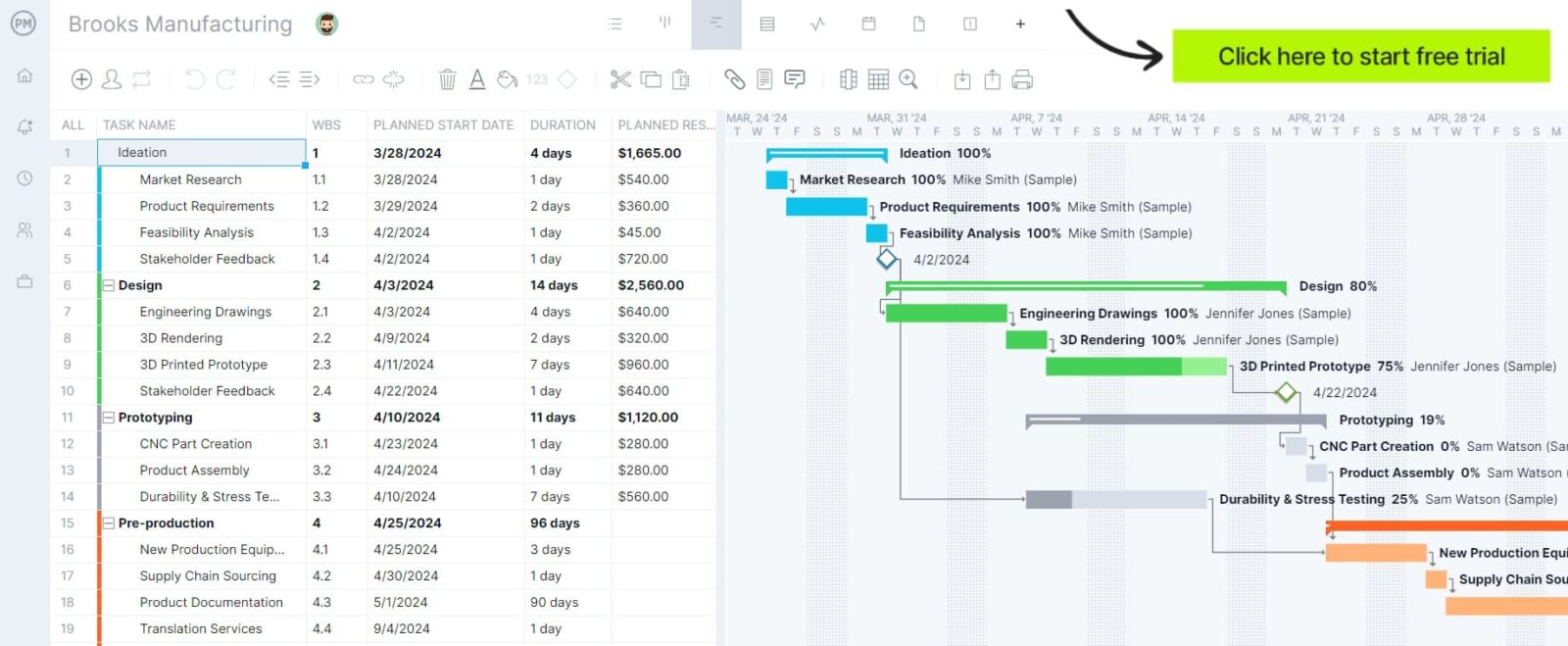
Gantt charts are one of the most effective tools for building a job schedule because they visually map tasks across a timeline. Teams can see start and end dates, task durations and dependencies in one place. This makes it easier to sequence work, adjust schedules and quickly understand how delays in one task affect the overall timeline.

Kanban Boards
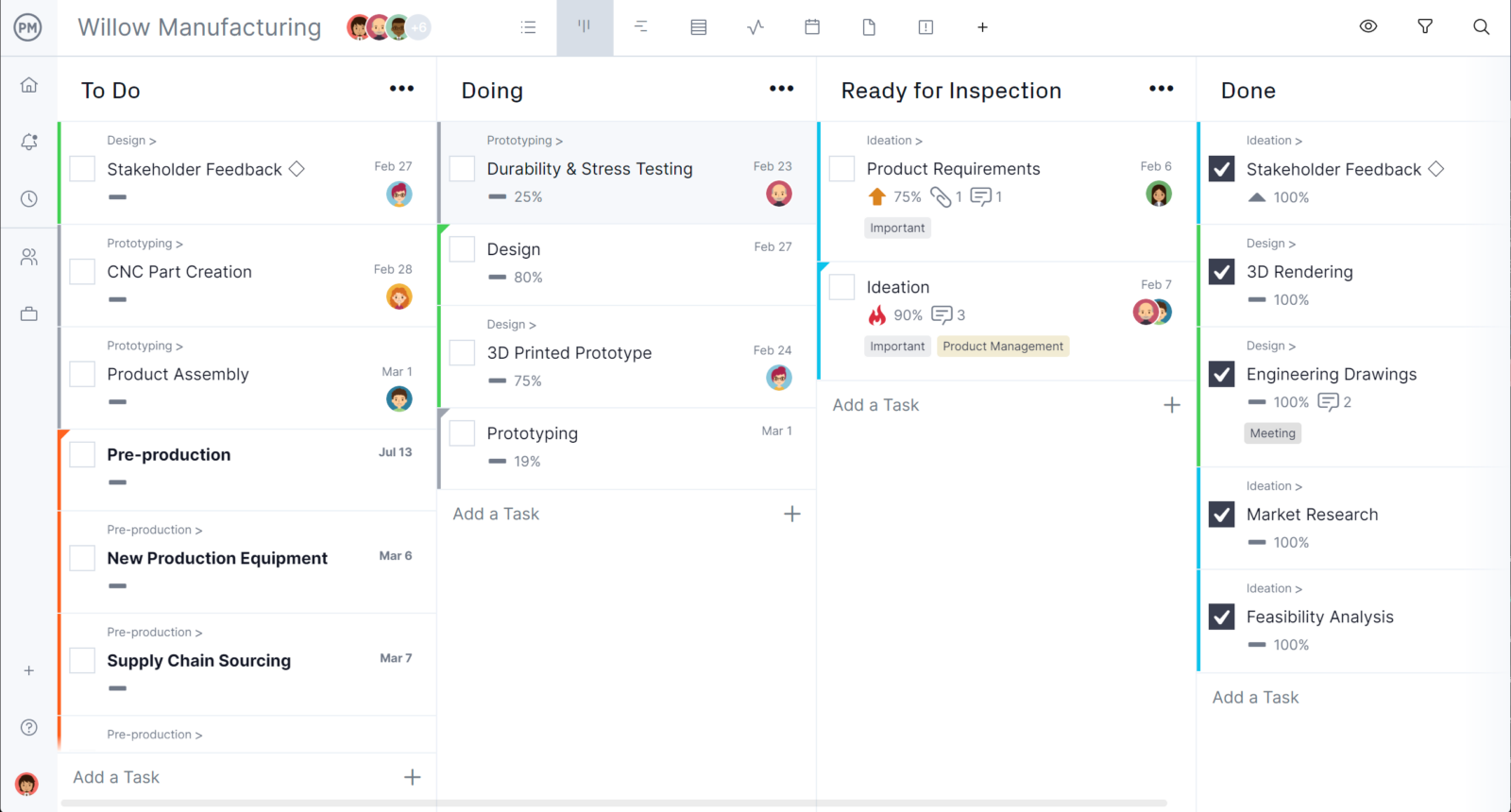
Kanban boards help teams manage a job schedule by organizing tasks into visual columns that represent different stages of work. As tasks move from one stage to another, teams can track progress in real time. This approach is especially useful for managing workflows that require flexibility and continuous updates rather than rigid timelines.
Task Lists
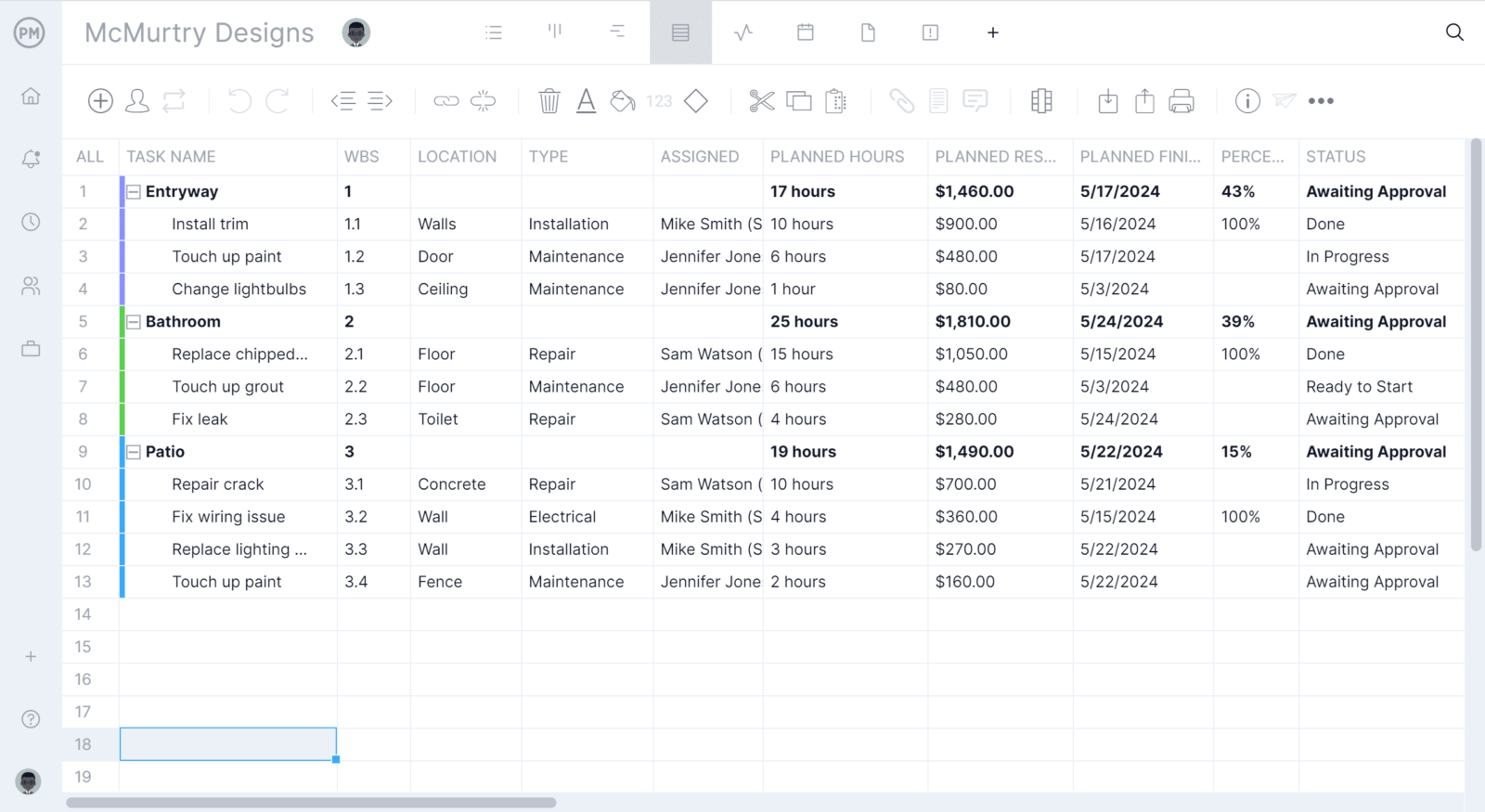
Task lists provide a simple way to create and manage a job schedule by outlining tasks, deadlines and assigned resources in a structured format. They are easy to update and ideal for smaller jobs or teams that do not need complex scheduling tools. With clear priorities and deadlines, task lists help keep work organized and on track.
Types of Job Scheduling
Different scheduling approaches are used depending on deadlines, resource availability and how work flows through an operation. Choosing the right method helps teams structure timelines, prioritize tasks and adapt to constraints without disrupting execution.
Forward Job Scheduling
Forward job scheduling is a scheduling method used to plan tasks from the present time into the future based on available resources. It is commonly used when work can begin immediately and the goal is to complete jobs as early as possible. Tasks are scheduled in sequence as resources become available, often resulting in earlier completion but potential idle time between activities.
Backward Job Scheduling
Backward job scheduling is a scheduling method used to plan tasks by starting from a fixed deadline and working backward. It is commonly used when delivery dates are predetermined and meeting them is the priority. Tasks are scheduled as late as possible without delaying completion, reducing idle time but requiring accurate duration estimates.
Job Shop Scheduling
Job shop scheduling is a scheduling method used to organize tasks across multiple jobs that follow different workflows and sequences. It is commonly used in environments where each job has unique requirements and must pass through shared resources. This approach requires careful coordination to manage resource conflicts and maintain efficient task sequencing.
Batch Job Scheduling
Batch job scheduling is a scheduling method used to group similar tasks and process them together within a defined time period. It is commonly used when tasks share the same requirements or resources and can be executed in cycles. Grouping work into batches improves efficiency by reducing setup time and optimizing resource usage.
Free Job Scheduling Templates
We’ve created over 100 free project management templates for Excel, Word and Google Sheets. Here are some that can help with job scheduling.
Gantt Chart Template
This Gantt chart template helps plan and visualize job schedules by mapping tasks, timelines and dependencies, making it easier to track progress, coordinate resources and keep work aligned with deadlines.
Critical Path Template
This critical path template identifies the sequence of tasks that directly impact completion time, helping teams prioritize critical activities, reduce delays and maintain control over project timelines and execution.
PERT Chart Template
This PERT chart template helps estimate task durations and visualize dependencies, allowing teams to analyze uncertainty, plan realistic schedules and improve decision-making when managing complex job scheduling scenarios.
ProjectManager Is a Robust Job Scheduling Software
ProjectManager is an online project management solution that provides a complete set of work planning, scheduling and tracking tools, including Gantt charts, kanban boards, task lists and real-time dashboards and reports. With these features, teams across industries can build detailed job schedules, assign resources and monitor progress, costs and timelines.
ProjectManager also delivers AI-powered project insights to support better decision-making and connects with over 100 tools like Microsoft Project, Acumatica and Power BI. With its open API and wide range of integrations, organizations can seamlessly link ProjectManager to their existing systems. Watch the video below to learn more!
Related Job Management Content
- How to Make a Job Cost Report for Construction
- What Is Job Costing? How to Make a Job Cost Sheet (Example Included)
- Job Management: Phases, Tools & Documentation
- Job Planning Explained: How to Make a Job Plan
- 10 Best Job Tracking Software of 2026 (Free & Paid)
- Job Card Template
- Job Estimate Template
If you need a tool to help you manage projects, then signup for our software now at ProjectManager. Our online software helps teams across industries plan, track and oversee projects as they unfold. Sign up for a free 30-day trial today!
