



Teams often outgrow spreadsheets and disconnected tools once projects become larger, deadlines begin shifting and multiple contributors start working simultaneously. That’s usually where jira enters the conversation. Jira has become a widely used platform for organizing work, planning releases and managing team workflows, but is Jira a project management software?. In this blog we’ll explore Jira’s features in depth to help you answer that question.
What Is Jira?
Jira is a project and work management software platform used to plan, organize, track and manage tasks across teams. It is commonly used in software development environments to manage agile workflows, coordinate releases and monitor work progress.
Originally designed for issue and bug tracking, Jira has expanded into a broader work management system that includes boards, timelines, reports, dashboards and planning tools. Teams can use it to create workflows, assign work items, monitor progress and visualize projects through multiple views depending on how work is being managed.
If you need a project management tool that integrates with Jira, try ProjectManager. ProjectManager is award-winning project management software that gives teams across industries the tools they need to ensure projects are completed on time, within budget and within scope. It allows project managers to create detailed project schedules, estimate costs, allocate resources, set budgets, track progress and compare estimated versus actual project outcomes using real-time dashboards and reports to identify delays or cost overruns quickly. Get started with ProjectManager for free today.
Is Jira Project Management Software?
Yes, Jira is project management software, and Atlassian describes it as a platform that allows teams to plan, track and manage work through boards, timelines, calendars and reporting tools. However, a closer look shows that Jira remains heavily oriented toward agile software development and product teams.
Jira’s core experience revolves around work items, backlogs, sprints and agile boards, which fit naturally into software delivery processes. While Jira does include timeline planning and dependency mapping, organizations outside software development may find some project scheduling and portfolio management capabilities less extensive than what certain dedicated project management platforms like Microsoft Project, Primavera P6 or ProjectManager provide.
Jira Project Management Features
From a broader project management perspective, Jira centers on organizing work through multiple planning views, configurable workflows and team collaboration tools. Rather than relying on a single interface, teams can switch between boards, timelines, calendars and dashboards to monitor activities, coordinate schedules, visualize dependencies and keep projects moving through each stage of execution.
- Jira Boards: Visualize work and track tasks through Scrum and kanban board workflows.
- Timeline View: Plan schedules, map dependencies and monitor project progress over time.
- Calendar View: Display due dates and schedule work across weeks or months.
- Dashboards: Create customizable reporting screens for project visibility and status tracking.
- Task Management: Create, assign and organize work items throughout project execution.
- Automation: Reduce repetitive work using no-code rules and workflow triggers.
- Workflows: Configure task statuses and approval processes for structured project execution.
- Forms: Standardize information collection and convert submissions directly into work items.
- Dependencies: Link related work items and identify scheduling relationships between tasks.
- Project Templates: Launch projects faster with prebuilt workflows and project structures.
Pros of Jira for Project Management
Jira performs best when teams need flexible workflows, agile planning and multiple ways to visualize work. Software, product and technology groups managing rapidly changing priorities can benefit from timeline planning, dependency mapping and configurable processes without constantly restructuring projects as requirements evolve.
- Jira’s timeline view provides a simple Gantt-style visualization for planning schedules and dates.
- Task dependencies can be linked directly between work items to coordinate related activities.
- Workflow automation rules eliminate repetitive actions like status updates and assignment changes.
- Multiple project views including boards, timelines and calendars improve work visibility.
- Workflow customization allows teams to create highly tailored project execution processes.
Cons of Jira for Project Management
Project teams using traditional planning methods may encounter limitations because Jira was originally built around agile software workflows instead of traditional project execution. Construction, manufacturing and operational teams frequently need stronger scheduling, resource and cost management capabilities that connect planning activities directly with project execution and performance tracking.
- Jira’s timeline tool mainly supports project visualization instead of complete scheduling functionality. It’s not a fully-featured Gantt chart for project management as it lacks capabilities such as baselines, cost tracking and percentage completion monitoring.
- Task dependency mapping features are more limited than traditional project scheduling systems that support all four dependency relationships between activities.
- Critical path analysis is not included as a standard native feature for identifying schedule-driving tasks.
- Resource allocation and workload balancing tools are less extensive than platforms designed specifically for project execution and resource planning.
- Many teams rely on Marketplace apps and integrations at an extra cost to add functionality such as expanded Gantt charts, project portfolio management and advanced planning controls.
Why ProjectManager Is Better for Project Management than Jira?
After comparing Jira and ProjectManager side by side, several differences became clear. Jira works well for agile software workflows, but ProjectManager provides deeper scheduling, resource management and project execution capabilities that support a wider range of industries and project management approaches.
- Four task dependency types: ProjectManager supports all four task dependency relationships used in project planning and scheduling (Finish-to-Start, Start-to-Start, Finish-to-Finish and Start-to-Finish). Jira supports linked dependencies, but its native planning experience focuses more on issue relationships than complete scheduling logic.
- Critical path analysis: ProjectManager automatically identifies and filters the critical path so managers instantly see tasks affecting completion dates. Jira does not provide native critical path analysis functionality.
- Project baselines: ProjectManager lets teams set project baselines and compare planned versus actual performance over time. Jira does not provide native baseline functionality for schedule variance tracking.
- Cost tracking inside Gantt charts: ProjectManager’s Gantt chart combines project scheduling with budget and cost tracking. Jira timeline and roadmap views primarily focus on work planning and schedule visualization.
- Resource allocation tools: ProjectManager allows managers to assign resources, monitor utilization and balance workloads directly from project schedules. Jira provides capacity planning features, but its native resource management capabilities are less extensive.
- Kanban boards built for project execution: ProjectManager Kanban cards include files, comments, priorities, due dates and detailed task information. Jira’s kanban cards don’t provide as much information.
- Traditional project management support: ProjectManager was built to support construction, manufacturing, operations and other project management environments, while Jira originally evolved from issue tracking and agile software workflows.
ProjectManager Integrates with Jira for a Better Project Management Experience
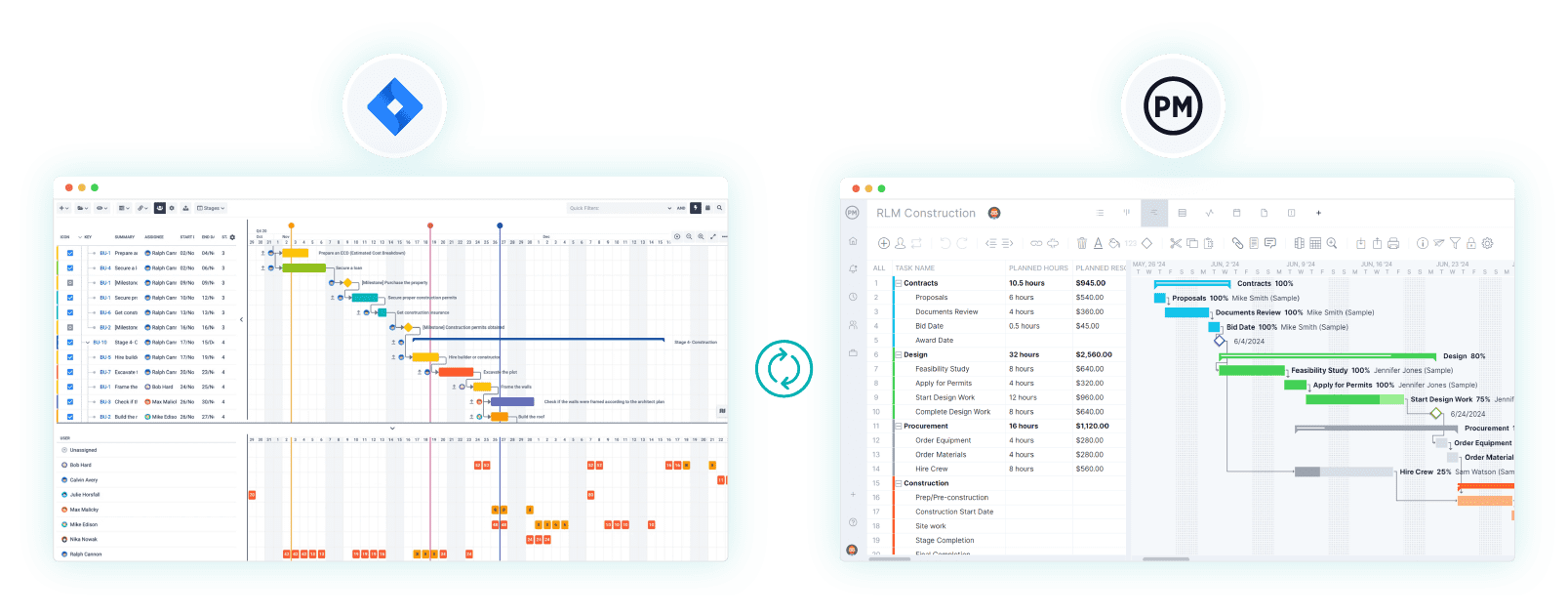
If you still want to use Jira for project management, consider ProjectManager and Jira’s integration to extend Jira’s planning and execution capabilities. Together, they create a stronger system by combining Jira’s agile workflows and issue tracking with ProjectManager’s Gantt charts, critical path analysis, workload management, resource allocation, timesheets and real-time dashboards. ProjectManager also adds AI-powered insights and broader project controls, allowing teams to connect software development work with traditional project planning and execution in one connected workflow.

ProjectManager Is a Robust Project Management Software
ProjectManager is an online project management solution that provides a complete set of work planning, scheduling and tracking tools, including Gantt charts, kanban boards, task lists and real-time dashboards and reports. With these features, teams across industries can build detailed schedules, assign resources and monitor progress, costs and timelines.
ProjectManager also delivers AI-powered project insights to support better decision-making and connects with over 100 tools like Microsoft Project, Acumatica and Power BI. With its open API and wide range of integrations, organizations can seamlessly link ProjectManager to their existing systems.
Watch the video below to learn more!
If you need a tool to help you manage projects, then sign up for our software now at ProjectManager. Our online software helps teams across industries plan, track and oversee projects as they unfold. Sign up for a free 30-day trial today!
