



Last updated: October 23, 2026
For construction projects, Primavera P6 is the better choice when the contract requires a P6 or XER schedule, the project has thousands of activities, or you may need to defend a delay claim with detailed float analysis. ProjectManager is the better choice for general contractors, subcontractors and builders who need critical path schedules their superintendents and foremen can actually update, plus a view of crews and equipment across every job, at a fraction of P6’s cost.
On most construction projects, the schedule breaks down in the same place: between the office and the jobsite. A scheduler builds a solid CPM schedule in P6, prints it or sends a PDF, and by the time the superintendent has it, the concrete pour has moved, the inspector has rescheduled and two subs are fighting over the same week. The question isn’t only which tool calculates the critical path better. It’s which tool keeps the schedule current when the work changes every day.
This guide compares ProjectManager and P6 on the situations construction teams deal with most: owner schedule requirements, delay documentation, field updates, crews and equipment across jobs, lookahead schedules and cost.
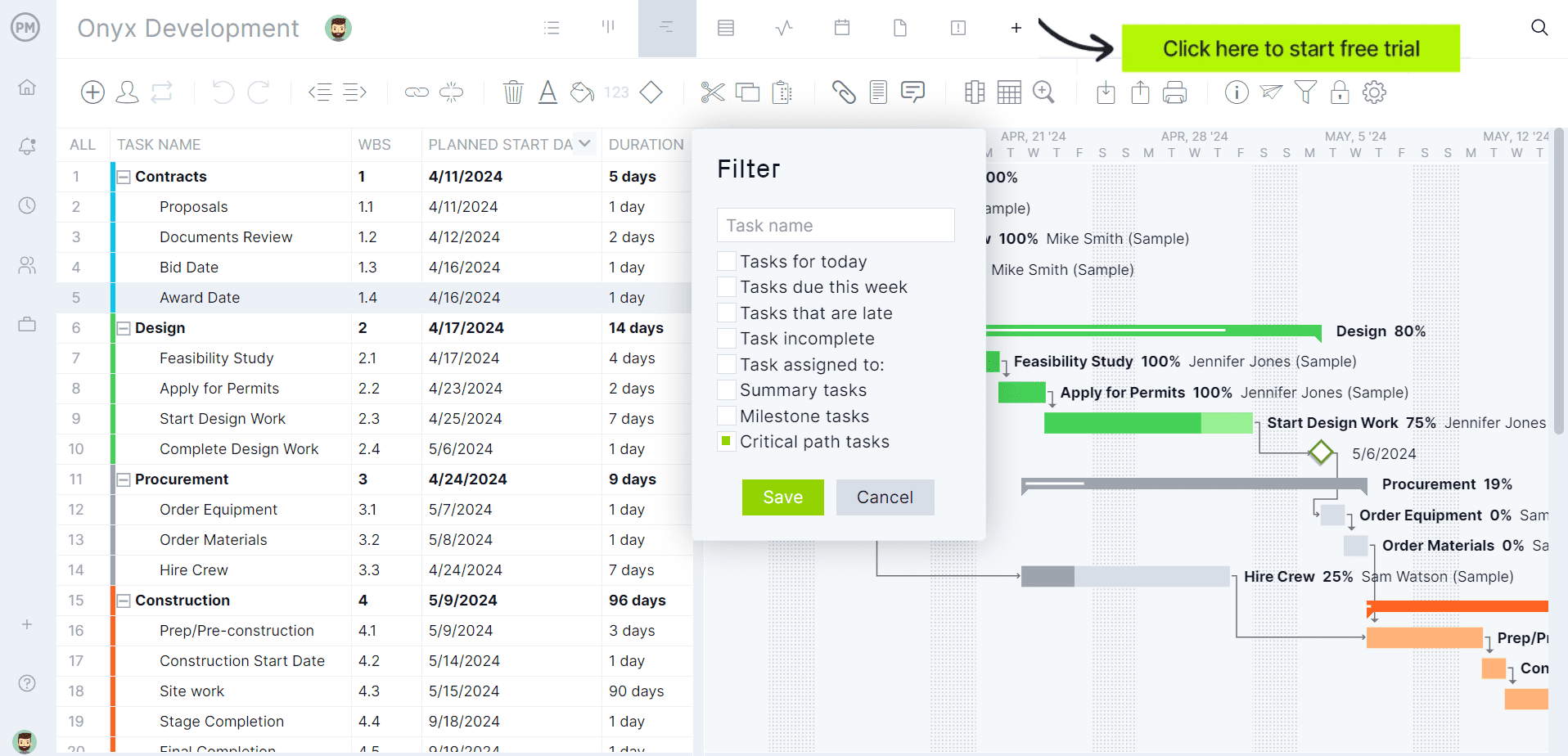
See how ProjectManager handles a real construction schedule. Get started with ProjectManager today for free.
ProjectManager vs. Primavera P6 for Construction at a Glance
| ProjectManager | Primavera P6 | |
|---|---|---|
| Best for | GCs, subcontractors and builders running several jobs at once | Large commercial, public and infrastructure projects with a dedicated scheduler |
| Owner XER submittals | Not supported | Native XER and P6 XML |
| Critical path | Critical path filter on the Gantt chart | Full CPM with total float and multiple float paths |
| Dependencies and lag | All four types, with lag for cure times and inspections | All four types, with lag |
| Delay documentation | Baselines and variance reports | Multiple baselines, detailed float analysis and earned value, the standard for claims work |
| Jobsite updates | Supers and foremen update progress from a phone or browser | Updates usually go through the scheduler in the office |
| Crews across jobs | Workload page shows every crew member’s hours across all projects | Resource loading and automatic leveling within the P6 database |
| Equipment and subs | Add as resources with no license cost | Add as resources |
| Learning curve | Days for supers and PMs | Weeks to months, usually with formal training |
| Price for 10 users | About $3,360 a year (Business plan) | About $25,000 in licenses plus about $5,500 a year in support (P6 Professional) |
Prices are list prices and change often. P6 pricing varies by region, license type and discount.
How Each Tool Fits a Construction Company
In a construction company, P6 usually lives with one person or a small scheduling team. The scheduler builds the baseline schedule for the owner, updates it monthly with progress from the field and produces the reports the contract calls for. Project managers and superintendents see the result as a printout, a PDF or a filtered layout, and most of them never open P6 themselves.
ProjectManager is built to be used by everyone on the job. The project manager builds the schedule on a Gantt chart, the superintendent updates percent complete from the jobsite, foremen see their tasks on their phones, and the office sees workload and progress across every project on one dashboard. The schedule is less detailed than a P6 schedule for a hospital or a highway interchange, but it stays current because the people doing the work are the ones updating it.
ProjectManager vs. Primavera P6 in Common Construction Situations
Owner Schedule Requirements
If the contract requires a P6 schedule or XER submittals, P6 is the safer choice. Many public agencies, large owners and construction managers specify P6 in the general conditions, and ProjectManager can’t produce XER files. Read the scheduling specification before you choose. Many private commercial, residential and tenant improvement contracts only ask for a CPM schedule in a readable format, such as PDF, which ProjectManager can produce.
Verdict: P6 when XER is required. Either tool when it isn’t.
Building the CPM Schedule
Both tools build CPM schedules with finish-to-start, start-to-start, finish-to-finish and start-to-finish dependencies and lag. P6 adds detail that matters on large jobs, such as multiple float paths, activity codes for sorting by area or trade, and multiple calendars for different crews.
In ProjectManager, a typical sequence looks like this: link footings to foundation walls as finish-to-start, add seven days of lag for cure time before backfill, link framing to rough-in, and add a two-day lag for the framing inspection before insulation. Then apply the critical path filter on the Gantt chart to see the tasks with zero float.
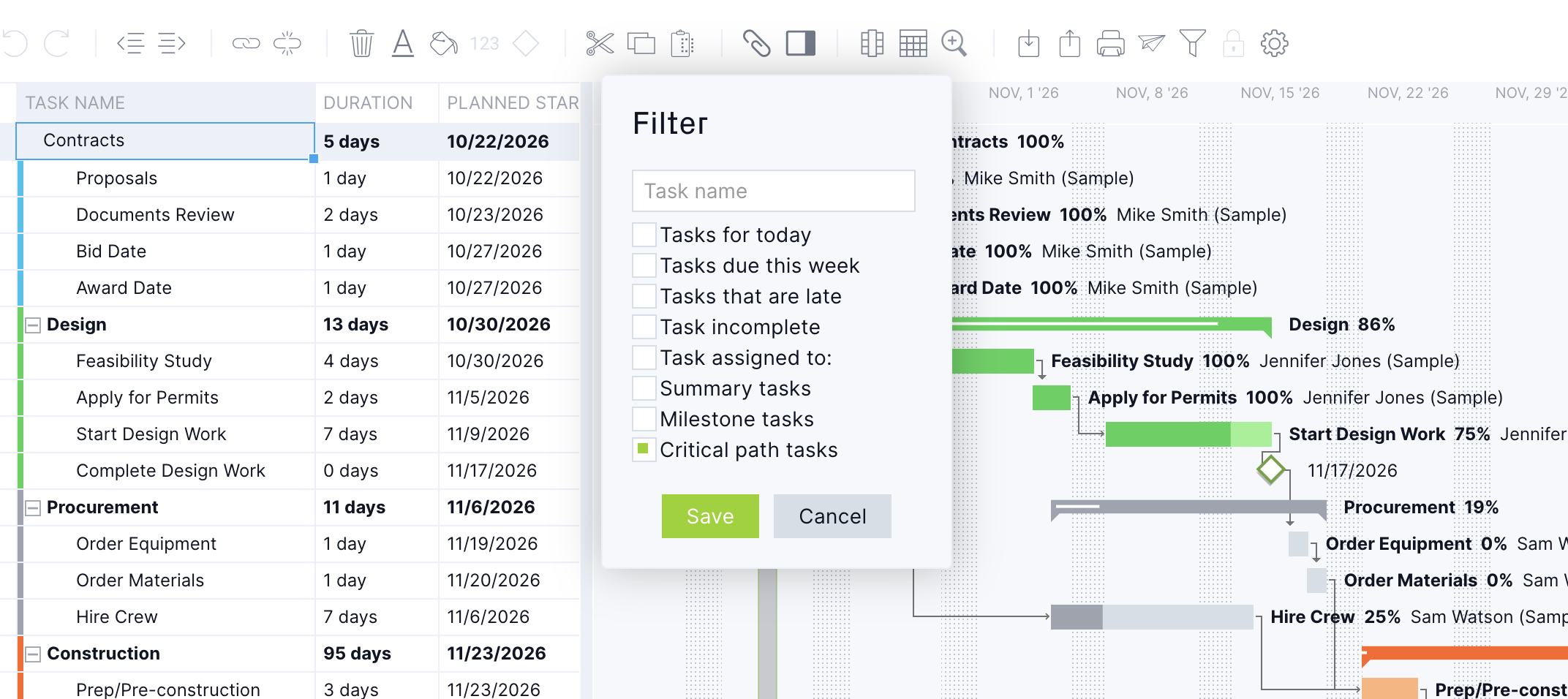
Verdict: P6 for very large schedules with complex coding. ProjectManager for most building projects.
Weather and Other Delays
When rain pushes a slab pour by three days, both tools move the linked work and update the critical path. The difference is how fast that change reaches the field. In ProjectManager, the superintendent can move the pour from the jobsite, the framing, rough-in and inspection tasks shift with it, and everyone sees the new dates right away. In P6, the change usually waits for the scheduler’s next update.
Verdict: ProjectManager for day-to-day changes. P6 for formal time impact analysis.
Delay Documentation and Claims
If you expect a dispute, P6 is the standard. Claims consultants and forensic schedulers work in P6, and its multiple baselines, float analysis and earned value support time impact analysis. ProjectManager supports a baseline with variance reporting, which is enough to show what slipped and by how much on most projects, but it isn’t built for formal claims work.
Verdict: P6.
Field Updates
This is where ProjectManager has the clearest advantage. Superintendents and foremen can open the schedule on a phone, update percent complete, log hours and comment on a task from the jobsite. With P6, field progress usually reaches the schedule through a weekly or monthly update meeting, so the schedule is often weeks behind what’s happening on site.

Verdict: ProjectManager.
Crews, Equipment and Subcontractors Across Jobs
Most GCs share crews and equipment between jobs, and conflicts are easy to miss. ProjectManager’s workload page shows every resource’s assigned hours by day across all your projects, with over-assigned days in red. Add a skid steer, a crane or a drywall sub as a resource with no license cost, and a double booking on two sites shows up the same way an overbooked framing lead does.
P6 handles resources in detail, including automatic leveling, but it works best when every project lives in the same P6 database and someone maintains the resource data.
Verdict: ProjectManager for a fast view across jobs. P6 for detailed resource-loaded schedules.
Lookahead Schedules
Superintendents run the job from a two- or three-week lookahead, not the master schedule. In P6, the scheduler builds lookaheads with filters and layouts, then sends them to the field. In ProjectManager, the superintendent can filter the Gantt chart to the next few weeks themselves and update it as work happens.
Verdict: ProjectManager, because the people using the lookahead can maintain it.
Cost
For a contractor with 10 people who need schedule access, P6 Professional costs about $25,000 in licenses up front plus about $5,500 a year in support, based on Oracle list pricing of about $2,500 per license and $550 a year in support. Ten users on ProjectManager’s Business plan cost about $3,360 a year, depending on whether you pay monthly or annually. Most contractors don’t buy P6 for every PM and superintendent, which is one reason the field rarely works in it.
Verdict: ProjectManager, especially when the whole project team needs access.
Which Should Your Construction Company Choose?
The right tool depends mostly on your contracts and who needs to work in the schedule.
| Company type | Better fit | Why |
|---|---|---|
| Large GC on public or infrastructure work | Primavera P6 | Contracts often require XER submittals, and schedules can have thousands of activities |
| Mid-size commercial GC | ProjectManager, or both | Most private contracts don’t require XER, and supers need to update the schedule from the field |
| Specialty subcontractor | ProjectManager | Crews and equipment move between several jobs each week, and the GC usually owns the master schedule |
| Residential or multifamily builder | ProjectManager | Repeatable schedules across many homes or units, with field updates and per-user pricing |
| Owner’s rep or construction manager | Primavera P6 | Reviewing contractor XER submittals usually needs P6 |
Using Primavera P6 and ProjectManager Together
Some GCs keep P6 for the contract schedule and use ProjectManager to run the work. The scheduler maintains the P6 master schedule and submits XER updates to the owner. The project team uses ProjectManager for lookaheads, crew and equipment scheduling across jobs, field progress updates and timesheets.
This works when one schedule is clearly the source of truth. The two tools don’t sync automatically, so decide who carries field progress back into P6 and how often, such as before each monthly update. To start a project in ProjectManager from the P6 schedule, export it from P6 in Microsoft Project, Excel or CSV format and import it, since ProjectManager doesn’t read XER files.
ProjectManager vs. Primavera P6 for Construction FAQ
Can a general contractor use ProjectManager instead of P6?
Yes, on projects where the contract doesn’t require P6 or XER submittals. ProjectManager supports CPM scheduling with all four dependency types, lag, a critical path filter and baselines, and superintendents can update the schedule from the jobsite. Check your scheduling specification first, because many public and large private contracts require P6.
Do construction owners require Primavera P6?
Some do. Many public agencies, large owners and construction managers require P6 schedules or XER submittals. Many private commercial and residential contracts only require a CPM schedule in a readable format, such as PDF.
Can ProjectManager produce an XER file?
No. ProjectManager imports and exports Microsoft Project (MPP and XML), Excel and CSV files, but not XER. If XER is required, keep the contract schedule in P6.
Can superintendents update a P6 schedule from the field?
Usually not directly. Most P6 schedules are updated by a scheduler in the office using progress from the field. In ProjectManager, superintendents and foremen update percent complete from a phone or browser.
Which is better for subcontractors, P6 or ProjectManager?
ProjectManager is usually the better fit. Subcontractors need to schedule crews and equipment across several jobs, and the GC typically owns the master P6 schedule. ProjectManager’s workload page shows every crew’s hours across all projects.
Is Primavera P6 better for delay claims?
Yes. Claims consultants and forensic schedulers usually work in P6, and its float analysis and multiple baselines support time impact analysis. ProjectManager’s baselines and variance reports show what slipped, but they aren’t built for formal claims work.
