



The best Primavera P6 alternatives for construction projects are Asta Powerproject, ProjectManager, Microsoft Project, Smartsheet and Procore. Asta Powerproject is the closest match to P6, with comparable CPM depth and direct XER import, which makes it the best choice for professional schedulers. ProjectManager is the better fit for general contractors and subcontractors who want critical path scheduling, resource management and field access without P6’s cost and learning curve.
Primavera P6 has been the standard for large construction schedules for decades, and for good reason. It handles schedules with tens of thousands of activities, detailed resource loading and the kind of documentation owners and claims consultants expect. But most construction teams don’t run megaprojects. A general contractor building a medical office, a subcontractor juggling six job sites or a home builder running 20 houses at once needs a schedule that’s accurate, easy to update and visible to the people in the field. For those teams, P6 is often more tool than they need, at a price and complexity they’d rather avoid.
That’s why so many construction teams look for alternatives. Some are tired of paying for licenses only one or two trained schedulers can use. Others need superintendents and foremen to see and update the schedule from the job site, not wait for a PDF from the office. And some simply want to stop rebuilding the same schedule in a spreadsheet because nobody outside the scheduling team can open the P6 file.
This guide explains what to look for in a P6 replacement and compares five alternatives on scheduling depth, P6 file compatibility, field access and price, with an honest note on where each one falls short.
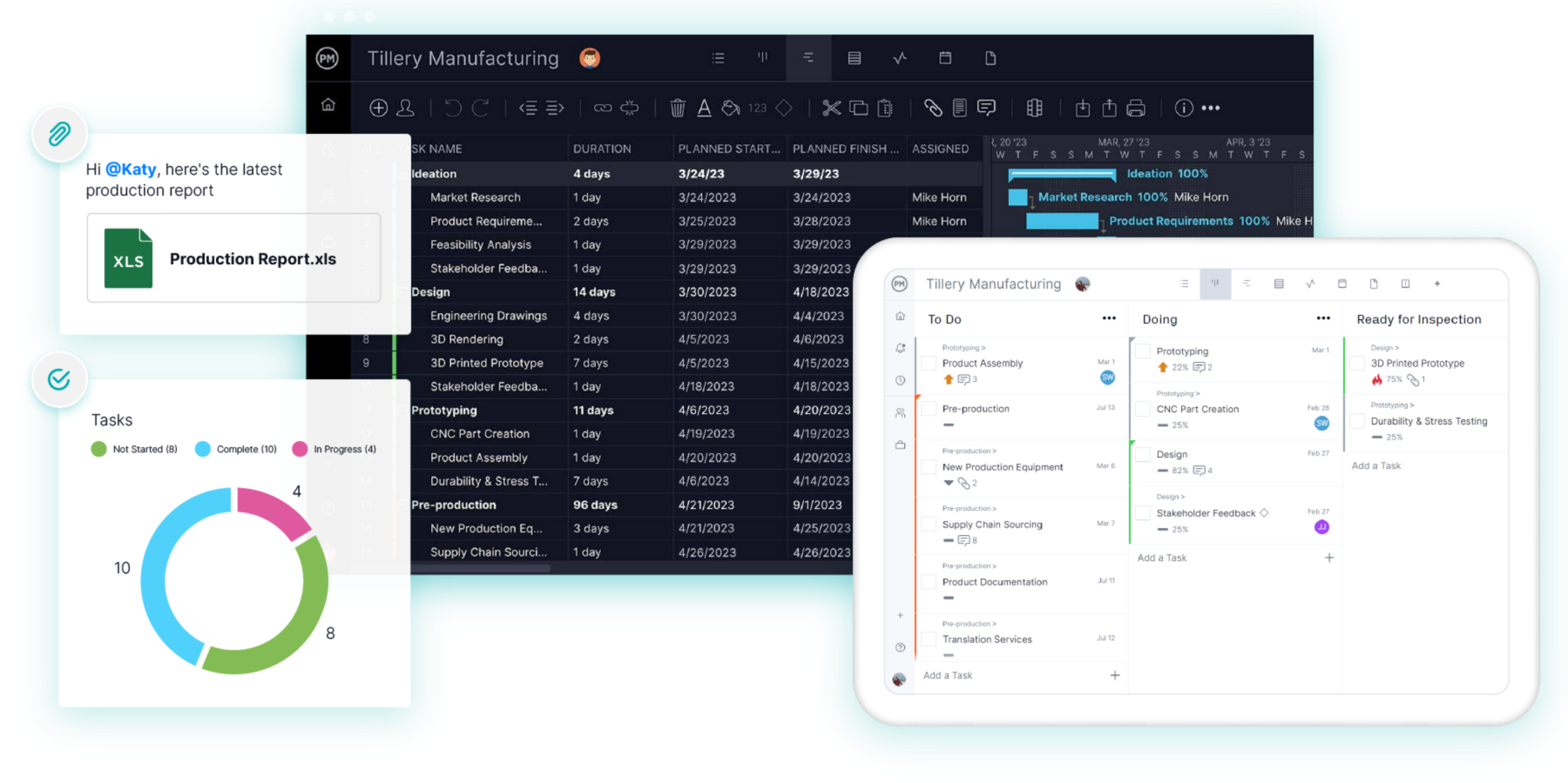
ProjectManager is online project management software for construction scheduling. Build CPM schedules on Gantt charts with all four dependency types, filter for the critical path, set baselines and see every crew’s workload across all your jobs in one place, from the office or the job site. Get started with ProjectManager today for free.
What Is Primavera P6?
Primavera P6 is Oracle’s enterprise project scheduling software, used mainly on large construction, engineering, energy and infrastructure projects. It uses the critical path method (CPM) to calculate schedules, and it’s built for very large, resource-loaded schedules managed by trained schedulers. P6 comes in two main versions: P6 Professional, a Windows desktop application, and P6 EPPM, a web-based version for managing portfolios of projects across an organization. Schedules are shared in Oracle’s XER or XML file formats, which many owners and government agencies require for submittals.
Why Construction Teams Look for Primavera P6 Alternatives
P6 is powerful, but most construction teams don’t need everything it does. These are the most common reasons teams switch:
- Cost. P6 is licensed per user, usually with annual support fees on top, and the web-based version adds hosting or cloud subscription costs. Oracle doesn’t publish a simple price list, so most teams get a quote through Oracle or a reseller. For a small or mid-size contractor, paying for several P6 seats is hard to justify when only one person builds the schedule.
- Steep learning curve. P6 is designed for professional schedulers. New users often need months of regular use, and usually formal training, before they can build and maintain a reliable CPM schedule. Project managers and superintendents rarely get to that point.
- Limited field access. P6 Professional runs on a Windows PC, and most field staff never open it. The schedule ends up exported to PDF and emailed out, so it’s out of date as soon as it’s sent.
- Weak collaboration. Updates usually flow through the scheduler. A foreman can’t mark a task complete or flag a delay directly in the schedule, so progress gets reported by phone, email or a markup on a printout.
- More than most projects need. Features like enterprise portfolio structures, detailed resource leveling across thousands of activities and complex code libraries matter on a $500 million project. On a $5 million building, they mostly add setup time.
If your contract requires an XER submittal, you may still need P6 or a tool that can read and write XER files. If it doesn’t, you have more options.
What to Look for in a Primavera P6 Alternative
A good P6 alternative keeps the scheduling logic construction depends on while making the schedule easier to build, update and share. Look for these features:
- Critical path scheduling. The tool should calculate the critical path from task durations and dependencies, not just draw bars on a timeline. If framing slips three days, you need to see right away whether drywall, electrical and the inspection move with it.
- All four dependency types and lag. Finish-to-start, start-to-start, finish-to-finish and start-to-finish, plus lag for waits like concrete cure time or inspection holds.
- Baselines. You need to save the original plan and compare it with actual progress, both to manage the job and to document delays if there’s a dispute.
- Resource management. Look for a way to see crew and equipment hours across all your projects, not one job at a time.
- Import from P6 and Microsoft Project. Check how the tool handles your existing schedules. Some read XER files directly, while others need you to export from P6 to Excel, CSV or another format first. Test with a real schedule before you commit.
- Field access. Superintendents and foremen should be able to view the schedule and update progress from a phone or tablet.
- Pricing you can predict. Compare per-user pricing with volume-based pricing, and count everyone who needs access, not just the scheduler.
Primavera P6 Alternatives Compared
| Tool | Best for | Critical path | P6 file import | Starting price |
|---|---|---|---|---|
| Asta Powerproject | Professional schedulers who need P6-level CPM depth | Yes | Yes, XER and XML | Quote only |
| ProjectManager | General contractors and subcontractors scheduling several jobs at once | Yes, critical path filter on the Gantt | No direct XER; imports MPP, XML, Excel and CSV | $15/user/month (Team), $28/user/month (Business) |
| Microsoft Project | Teams already on Microsoft 365 | Yes | No direct XER | $30/user/month (Plan 3), $25 billed annually |
| Smartsheet | Teams that want spreadsheet-style scheduling | Yes, highlighted on the Gantt | No direct XER | $12/member/month (Pro), $9 billed annually |
| Procore | General contractors who want scheduling inside a full construction management platform | View only for imported master schedules | Yes, XER and MPP, read-only | Quote only, based on annual construction volume |
Prices are list prices as of October 2026 and change often. Check each vendor’s site before buying.
5 Best Primavera P6 Alternatives for Construction Projects
1. Asta Powerproject
Asta Powerproject, from Elecosoft, is the alternative closest to P6 in scheduling depth. It’s built for professional construction planners and supports detailed CPM logic, multiple calendars, constraints, resource loading and earned value. It also imports Primavera XER and XML files, which makes it a practical choice for firms that still trade schedules with owners or partners who use P6.
The tradeoff is that Powerproject is still a scheduler’s tool. It’s mainly a Windows desktop application, and like P6, it works best in the hands of someone trained to use it.
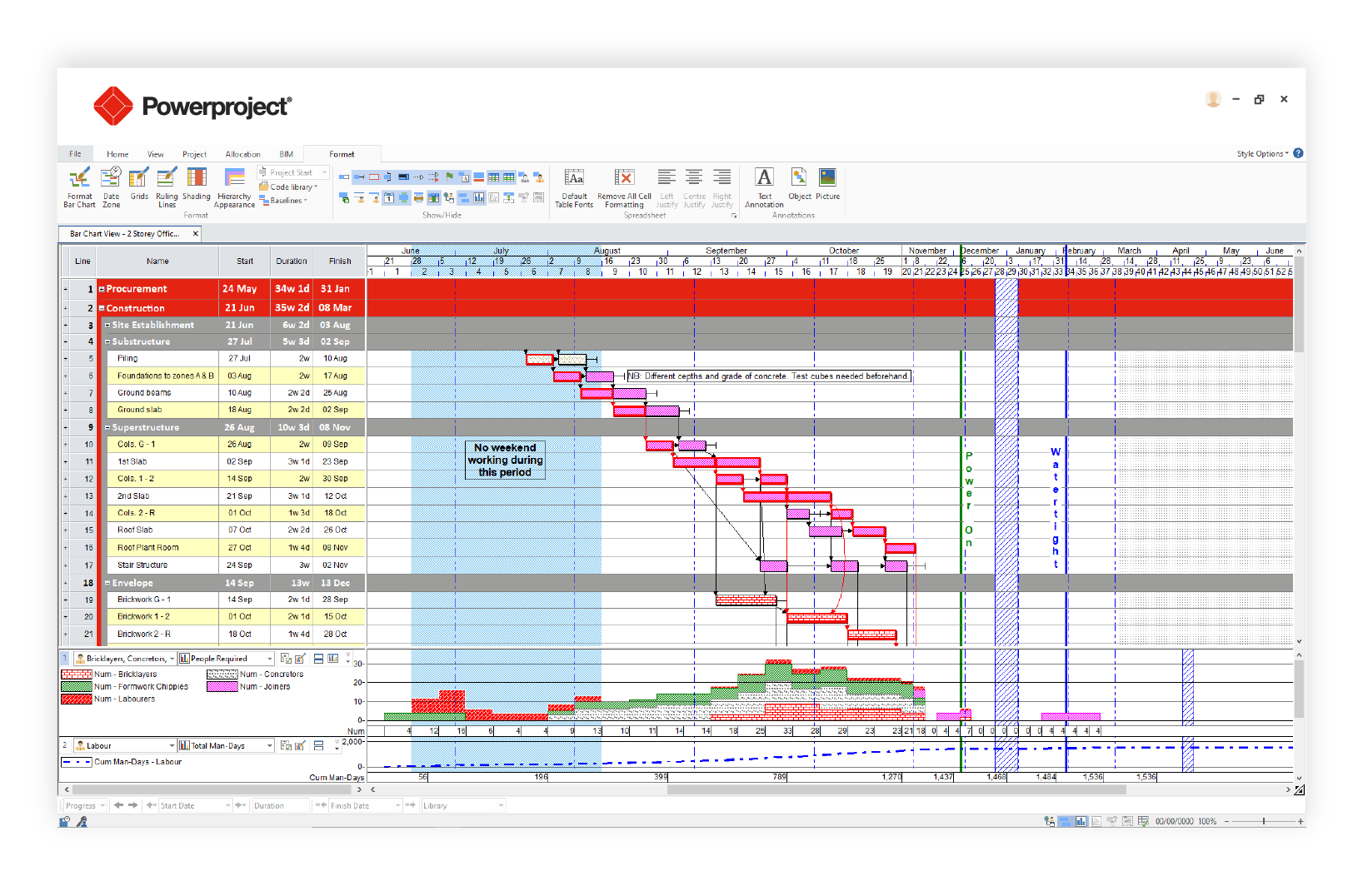
Best for: Professional schedulers and larger contractors who need P6-level CPM depth and XER compatibility at a lower cost.
Key features
- Detailed CPM scheduling with multiple calendars and constraints
- Import of Primavera XER and XML files
- Resource loading and earned value analysis
- Desktop, concurrent and cloud licensing options
Pros
- Closest feature match to P6 for construction scheduling
- Reads P6 files directly, which helps with owner submittals
- Generally considered easier to learn than P6
Cons
- Still a specialist tool, with a learning curve for non-schedulers
- Primarily Windows desktop software, with less field access than browser-based tools
- Some P6 data may be changed or lost on import, per Elecosoft’s own documentation
- Pricing isn’t published
Pricing: Single-user, concurrent and cloud licenses by quote. Free trial available.
2. ProjectManager
ProjectManager is online project management software that gives construction teams CPM scheduling without P6’s learning curve. Schedules are built on a Gantt chart with all four dependency types and lag, and a critical path filter shows the longest chain of linked tasks, so you can see which delays will push the finish date. Because it runs in a browser and on mobile, superintendents and foremen can view the schedule and update progress from the job site instead of waiting on the office.
Where ProjectManager stands out from P6 is in managing several jobs at once. The workload page shows every crew member’s assigned hours across all your projects on one chart, with over-assigned days in red, and timesheets track actual hours against the plan. Baselines and variance reports cover delay documentation.
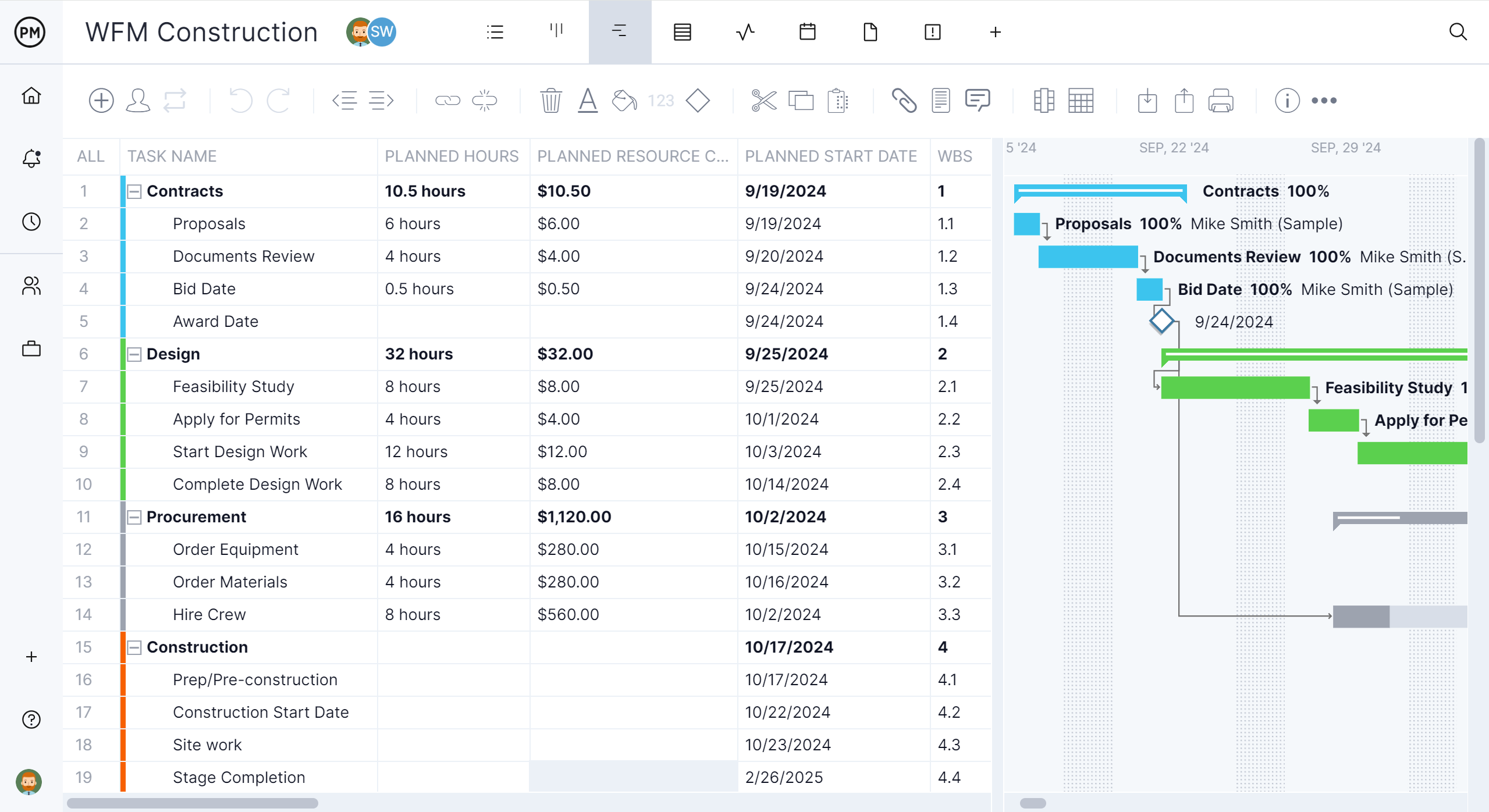
Best for: General contractors and subcontractors who need critical path scheduling across several jobs, with field access and resource management, at a per-user price.
Key features
- Gantt charts with finish-to-start, start-to-start, finish-to-finish and start-to-finish dependencies, plus lag
- Critical path filter and baselines with variance reporting
- Workload page showing resource hours across all projects
- Equipment and subcontractors as resources with no license cost
- Import from Microsoft Project (MPP), XML, Excel and CSV
- Timesheets, dashboards and mobile apps for field updates
Pros
- Much shorter learning curve than P6, so project managers and supers can work in the schedule
- Scheduling, resources, time tracking and reporting in one tool
- Per-user pricing with a free trial
Cons
- No direct XER import or export, so schedules move from P6 through Excel or another format
- Resource management and the workload page need the Business plan or above
- Very large programs with enterprise-level code structures and tens of thousands of activities may still need P6
Pricing: Team $15/user/month, Business $28/user/month, Enterprise by quote. 30-day free trial.
Related: What Is Oracle Primavera P6? Uses, Features & Pricing
3. Microsoft Project
Microsoft Project is a familiar choice for teams that already work in Microsoft 365. It supports CPM scheduling with dependencies, baselines and resource management, and many construction schedules already exist as MPP files. Microsoft is moving its project tools into Planner, and Project Online, the older cloud version, was retired on September 30, 2026, so check which version you’re buying.
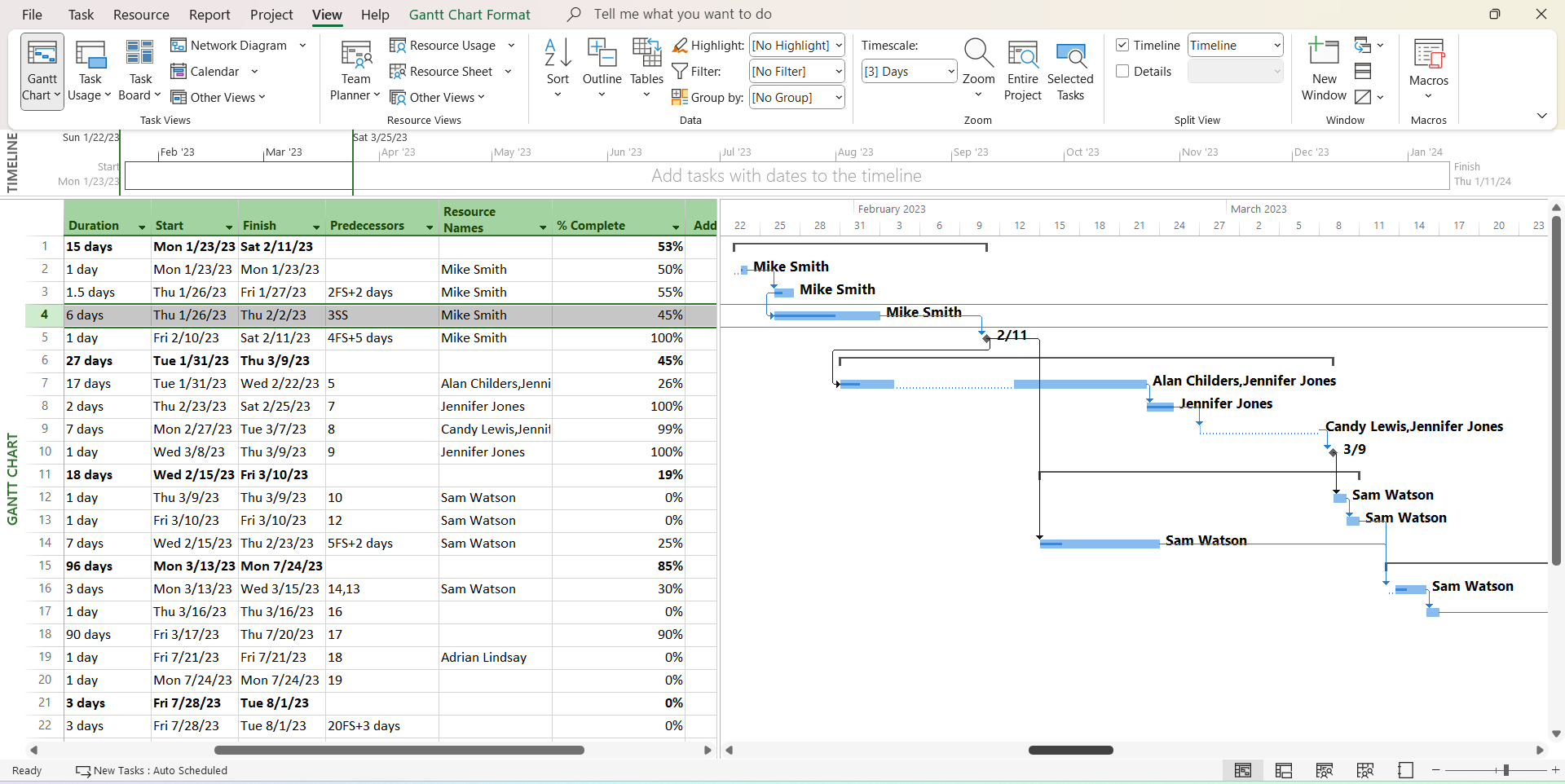
Best for: Teams already on Microsoft 365 that want a mainstream CPM scheduling tool.
Key features
- Gantt scheduling with dependencies and critical path
- Baselines and resource management in Planner and Project Plan 3
- Portfolio management in Plan 5
- Desktop client included with Plan 3 and Plan 5
Pros
- Widely known, so many schedulers and partners can already use it
- MPP is a common exchange format in construction
- Works with other Microsoft 365 apps
Cons
- No direct XER import
- Licensing has changed several times, which makes plans confusing to compare
- Field crews often need extra tools to view and update the schedule on site
Pricing: Planner Plan 1 $10/user/month, Planner and Project Plan 3 $30/user/month ($25 billed annually), Plan 5 $55/user/month ($45.83 billed annually).
4. Smartsheet
Smartsheet combines a spreadsheet-style grid with Gantt charts, dependencies and critical path highlighting. Teams that already run schedules in Excel often find it easy to pick up, and it’s flexible enough for submittal logs, punch lists and other trackers alongside the schedule.

Best for: Teams moving from spreadsheets who want light scheduling and flexible trackers in one tool.
Key features
- Grid, Gantt, card and calendar views
- Dependencies and critical path highlighting on the Gantt
- Forms, automations and dashboards
Pros
- Easy for spreadsheet users to learn
- Flexible enough for many kinds of construction trackers
- Per-member pricing with a free trial
Cons
- No direct XER import
- Scheduling is lighter than in dedicated CPM tools, with less control over complex logic
- Large schedules can become hard to manage as sheets grow
Pricing: Pro $12/member/month ($9 billed annually), Business $24/member/month ($19 billed annually), Enterprise by quote. 30-day free trial.
5. Procore
Procore is a full construction management platform covering documents, RFIs, submittals, budgets, quality and safety. For scheduling, it can import a master schedule from P6 (XER) or Microsoft Project (MPP) as a read-only file, and field teams can build day-to-day lookahead plans from it. That makes Procore a strong hub for sharing the schedule, but not a replacement for the tool that builds it. Most Procore users still maintain the master schedule in P6 or another CPM tool.
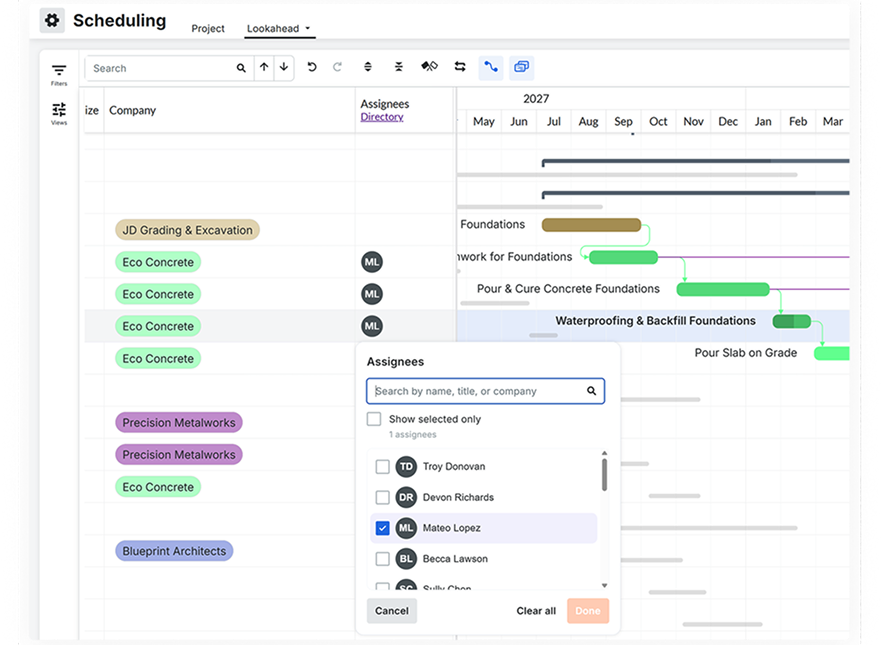
Best for: General contractors who want the schedule inside a full construction management platform and are willing to keep a separate scheduling tool.
Key features
- Read-only import of P6 XER and Microsoft Project MPP schedules
- Editable lookahead schedules for field teams
- Documents, RFIs, submittals, budgets, quality and safety tools
Pros
- Brings the schedule together with the rest of the project record
- Unlimited users on the contract
- Widely used by general contractors and owners
Cons
- Imported master schedules can’t be edited in Procore, so it doesn’t replace P6 for building CPM schedules
- Pricing is based on annual construction volume and can be high for smaller contractors
- More platform than you need if scheduling is the main problem
Pricing: By quote, based on the products you choose and your annual construction volume.
How to Move a Primavera P6 Schedule Into ProjectManager
To move a P6 schedule into ProjectManager, export it from P6 in a format ProjectManager can import, then import it into a new project and check the logic. ProjectManager imports Microsoft Project files (MPP, or XML exported from Microsoft Project), Excel and CSV. It doesn’t read Primavera XER or P6 XML files, so the export step decides how much of your schedule carries over.
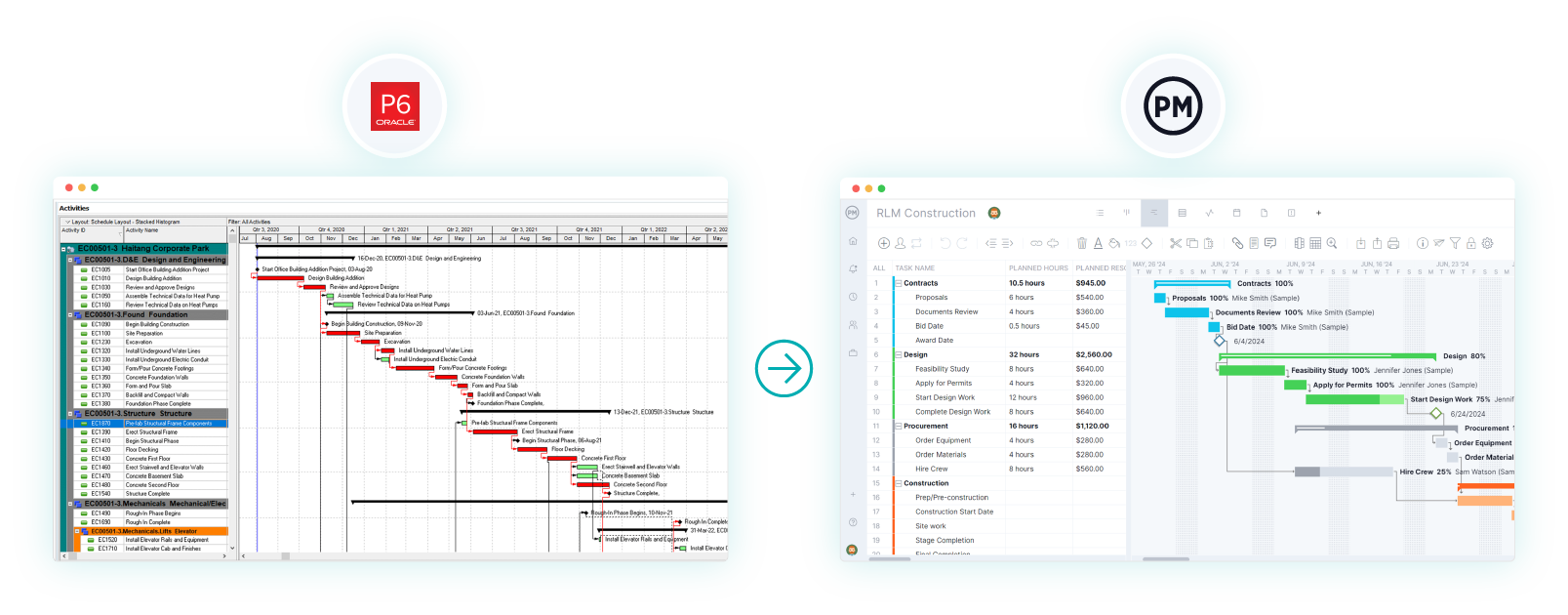
- Choose your export route. A Microsoft Project file is the better route, because ProjectManager imports tasks, assignees, dependencies and planned dates from MPP and Microsoft Project XML files. If you can get the schedule into Microsoft Project format, from P6 or through Microsoft Project, use that. Otherwise, export the activities from P6 to a spreadsheet and save it as an Excel or CSV file, with activity names, durations, start and finish dates, and predecessors.
- Set working days first. In ProjectManager, click the + button and choose Project, then set your working days to match your P6 calendar. Working days are hard to change once the project exists. Add any global holidays now too, since they can’t be added to existing projects.
- Import the file. Choose Import File when creating the project, or click the import icon on the Gantt ribbon of an existing project. Click select file, upload the file and click next. If you’re importing into an existing project, choose Keep and append with the imported data or Replace with the imported data. Replace removes everything already in the project.
- Map columns or choose what to import. For an Excel or CSV file, map your columns to the Gantt columns and click import. For an MPP or XML file, choose whether to import the task list only or all data.
- Check the logic. Compare durations and dependencies with the P6 schedule. Re-link any tasks that came through without predecessors, and add lag where the P6 schedule had it. Imported actual hours don’t go into timesheets, so add those separately if you need them.
- Filter for the critical path and set a baseline. Turn on the critical path filter and check that it matches P6. If it doesn’t, look for missing links or constraints that didn’t carry over. Once the schedule matches, set a baseline in Gantt settings.
Keep the original XER file. If an owner later asks for an XER submittal, you’ll have the P6 version on record.
Want to see how your schedule looks in ProjectManager? Start a free 30-day trial, import a Microsoft Project file and turn on the critical path filter to compare it with P6. Get started with ProjectManager today for free.
Primavera P6 Alternatives FAQ
What is the closest alternative to Primavera P6?
Asta Powerproject is the closest match in scheduling depth, and it imports P6 XER and XML files. For most general contractors and subcontractors who don’t need that depth, ProjectManager offers critical path scheduling, baselines and resource management with a much shorter learning curve.
Is there a free alternative to Primavera P6?
Most P6 alternatives are paid, but several offer free trials, including ProjectManager and Smartsheet, which both offer 30 days. Free tools rarely include critical path scheduling and baselines, which construction schedules depend on.
Can I open an XER file without Primavera P6?
Yes. Asta Powerproject imports XER files, and Procore can import an XER file as a read-only master schedule. ProjectManager and Microsoft Project don’t read XER files directly, so you’d export from P6 to another format first.
Is Microsoft Project a good replacement for P6 in construction?
It can be for small and mid-size projects, especially for teams already on Microsoft 365. It supports CPM scheduling and baselines, but it doesn’t import XER files directly, and field access usually needs other tools.
Do owners require Primavera P6 schedules?
Some do. Many public agencies and large owners specify P6 or an XER submittal in their contracts. Check your contract before switching. If XER is required, choose a tool that can produce it, or keep a P6 license for submittals only.
