



General contractors juggle dozens of responsibilities across every phase of a construction project, making it essential to use software that supports both office and field teams. In this blog we’ll review how good Primavera P6 is for general contractors.
How Does Primavera P6 Help General Contractors?
Primavera P6 helps general contractors plan, schedule and control construction projects by bringing critical path scheduling, resource management, risk management, cost and schedule integration, collaboration and portfolio oversight into a single enterprise platform. Oracle positions Primavera P6 as the standard for planning and scheduling, built to prioritize, plan, manage and execute projects, programs and portfolios of any size. By giving project teams anytime, anywhere access to schedule and resource data through web, mobile and email interfaces, Primavera P6 gives general contractors better visibility into schedule performance while improving coordination between project managers, schedulers and field personnel.
The platform is also built for organizations managing complex, multi-project portfolios, so Oracle’s own onboarding resources point to a robust onboarding and implementation program to get organizations up and running, along with dedicated fundamentals training, video courses and documentation.
That said, Primavera P6 isn’t the right fit for every general contractor. Primavera P6 is primarily a project scheduling, resource and portfolio management tool rather than an all-in-one construction project management suite. Oracle’s own datasheet notes that cost and schedule integration is delivered through a connection to Primavera Unifier rather than built natively into P6, so general contractors who want tight budget-to-schedule tracking may need to adopt more than one Primavera product. This is also the case for many other features that require integrations or add-ons at an extra cost.
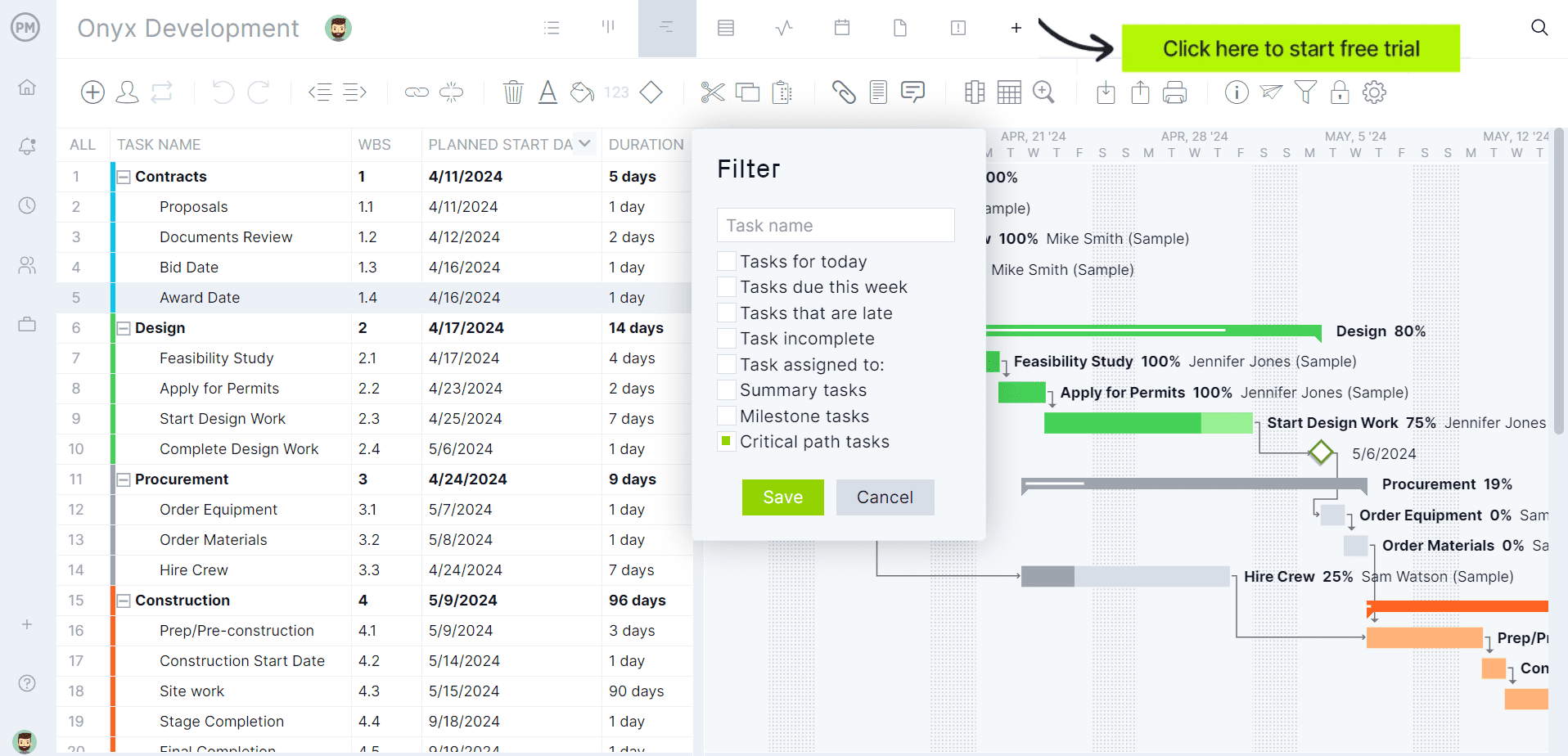
If you’re looking for software to plan, schedule and track construction projects from start to finish, at a fraction of the cost and complexity of Primavera P6, try ProjectManager. ProjectManager is an award-winning project management solution that gives construction project managers the tools they need to ensure projects are completed on time, within budget and within scope. Create detailed construction schedules, estimate costs, allocate resources, set budgets, track progress and compare estimated versus actual project outcomes using real-time dashboards and reports to quickly identify delays or cost overruns. Get started with ProjectManager for free today and discover a simpler, cost-effective alternative to Primavera P6.
Before our in-depth analysis, where we’ll establish the challenges that construction general contractors face and how Primavera P6 supports their efforts, here’s a table summarizing what we’ll cover.
| Area | Our Verdict | Summary |
| Project Scheduling | Very Good | Oracle’s own flagship strength: CPM scheduling built to handle large-scale, highly complex programs. |
| Resource Management | Good | Strong role and resource optimization, demand and capacity planning across a full portfolio. |
| Risk Management | Good | Integrated, industry-standard risk management built directly into planning and scheduling. |
| Cost & Schedule Integration | Ok | Effective, but delivered through Primavera Unifier rather than native to P6 itself. |
| Collaboration & Field Communication | Ok | Team member mobile, web and email interfaces keep schedule status flowing from the field. |
| Reporting & Analytics | Good | More than 70 standardized reports plus optional Primavera Analytics for deeper BI. |
| Portfolio & Program Management | Good | Purpose-built for organizations managing hundreds or thousands of projects at once. |
| Ease of Use | Difficult | Enterprise-grade depth designed for sophisticated, multifaceted projects comes with real complexity. |
| Pricing | Custom Quote | No published self-serve pricing; cost is determined through Oracle sales conversations. |
| Implementation | Difficult | Oracle itself points new customers toward a dedicated onboarding and implementation program. |
The sections below examine how Primavera P6 performs across 7 critical operational areas, highlighting its key features, advantages and limitations so you can determine whether it fits your company’s workflows and project delivery needs.
1. Project Scheduling
Building a construction schedule is relatively straightforward compared to keeping it accurate. Once work begins, general contractors have to constantly adjust the sequence of activities as weather, inspections, permit approvals, material deliveries, design revisions and subcontractor availability change throughout the project.
Every adjustment creates a ripple effect because one trade can’t start until another finishes. A delayed concrete pour can postpone framing, electrical rough-ins, inspections and dozens of downstream activities. The challenge is knowing how every change affects the critical path, communicating updates quickly and keeping every project stakeholder working from the latest schedule before minor setbacks become costly delays.
Key Features
- CPM Scheduling: Plan, schedule and control large-scale programs and individual projects using critical path method scheduling.
- Secure Multiuser Access: Give schedulers and project managers secure, simultaneous access to the same schedules.
- Multiproject Scheduling: Open and schedule multiple projects at the same time.
- Adaptable Views: Customize schedule views for different roles and reporting needs.
- Interactive Gantt Charts: Communicate a graphical representation of the project’s schedule and progress.
- Activity Network and Calendar Views: Give team members an intuitive view of their assignments.
- Team Member Interfaces: Gather schedule status updates from the field through P6 Team Member for iOS, Android, web and email.
Pros
- Built specifically to handle large-scale, highly sophisticated and multifaceted projects.
- Supports up to 100,000 activities in a single project in P6 Professional.
- Provides unlimited resources and an unlimited number of target plans.
- Secure multiuser access keeps large scheduling teams working from one source of truth.
- Multiple team member interfaces make it easier to collect field status updates without pulling schedulers away from the desktop.
Cons
- The depth built for megaprojects can be more than smaller general contractors need.
- Two distinct product lines, P6 Professional and P6 EPPM, mean organizations must choose the right fit upfront.
- Full value depends on schedulers who are trained in CPM methodology.
- Large, activity-dense schedules require disciplined WBS structuring to stay usable.
- Scheduling power is most valuable when every stakeholder is actively updating status.
Verdict
Scheduling is where Primavera P6 earns its reputation. Oracle built this product to be the standard for construction planning and scheduling on large, complex programs, and it shows. Smaller contractors running simple, single-trade jobs may find more schedule than they actually need.
2. Resource Management
Most general contractors don’t just staff one project. They have to balance labor and equipment across several active jobs at once, forecast future staffing needs and react quickly when priorities shift. A delayed project can leave crews sitting idle, while another job may suddenly need more hands to hit a milestone. Without a centralized view of who’s assigned where, resource conflicts stay invisible until they’ve already caused a delay. General contractors need a way to see resource demand and capacity across every project at the same time.
Key Features
- Resource and Role Optimization: Match people and roles to project demand across the portfolio.
- Demand and Capacity Planning: See where resources are being used across all programs and projects.
- Top-Down and Bottom-Up Staffing: Support both centralized resourcing decisions and individual project requests.
- What-If Analysis: Explore alternative resourcing scenarios before committing.
- Graphical Utilization Views: Analyze resource and role utilization visually.
- Time and Progress Tracking: Capture project time, nonproject time and status directly from assigned team members.
Pros
- Centralizes resource visibility across an entire portfolio instead of project by project.
- What-if analysis helps resource managers test scenarios before reassigning crews.
- Forecasted future use helps prevent resource conflicts before they cause delays.
- Time tracking interfaces are automatically populated with each team member’s assignments.
- Supports both centralized and project-level resourcing decisions.
Cons
- Portfolio-wide resource visibility is most valuable for contractors running several projects simultaneously.
- Requires consistent data entry across every project to stay accurate.
- Smaller general contractors with one or two active jobs may not need full resource optimization tooling.
- Getting full value requires all project and resource managers to adopt the same process.
Verdict
Resource management is a genuine strength for contractors juggling multiple active projects, since it centralizes what’s usually scattered across spreadsheets and phone calls. It’s less essential for contractors with only one job running at a time.
3. Risk Management
Every construction project carries risk, from weather delays to design changes to material shortages. The hard part isn’t recognizing that risk exists, it’s building it into the plan early enough to actually change the outcome.
Without a structured way to identify, quantify and monitor risk, general contractors end up reacting to problems instead of planning around them. That usually means schedule surprises and budget contingencies that are guessed at rather than calculated. General contractors need risk management built into the same system as their schedule, not tracked separately.
Key Features
- Integrated Risk Management: Manage project risk directly within the planning and scheduling environment.
- Industry-Standard Risk Functionality: Apply recognized risk management practices to schedule-driven decisions.
- Risk-Adjusted Planning: Build achievable, resource-optimized plans that account for identified risk.
- Reporting and Analytics on Risk: Surface risk trends through the same reporting and analytics tools used for schedule and resource data.
Pros
- Risk management lives inside the same platform as the schedule instead of a separate tool.
- Supports industry-standard risk practices rather than a proprietary, unfamiliar methodology.
- Helps organizations create risk-adjusted, resource-optimized plans rather than best-case-only schedules.
- Reduces the chance of being surprised by unexpected issues or downward trends across a portfolio.
Cons
- Getting real value out of risk management requires schedulers trained in risk methodology.
- Risk-adjusted planning is most useful on complex, high-stakes projects rather than simple jobs.
- Requires disciplined, ongoing schedule updates to keep risk data meaningful.
Verdict
Built-in, industry-standard risk management is one of the more differentiated pieces of Primavera P6. It rewards organizations delivering complex, high-value work far more than it rewards a contractor running straightforward, single-trade jobs.
4. Cost and Schedule Integration
A schedule on its own doesn’t tell a general contractor whether a project is still profitable. Costs shift constantly as change orders get approved, labor productivity changes and material prices move, and those changes need to be visible against the schedule in real time, not discovered at the next billing cycle.
The challenge is connecting cost data to the actual work breakdown structure so that a schedule slip and a budget overrun can be traced back to the same root cause. Without that connection, cost and schedule conversations happen in two disconnected systems instead of one.
Key Features
- Integrated Cost Codes: Tie cost codes in Primavera Unifier to the cost and work breakdown structures in Primavera scheduling solutions.
- Schedule-Based Cash Flow: Feed a cash flow curve from both the Unifier cost sheet and the P6 schedule.
- Integrated Change Management: See the potential cost and schedule impact of a proposed change before approving it.
- Cost and Schedule Informed Forecasts: Measure forecast cost against a time-phased baseline fed directly by Primavera P6.
- Progress Measurement: Feed P6 schedule and progress data into the Unifier activity sheet so teams don’t have to access P6 directly for updates.
Pros
- Connects cost codes directly to the work breakdown structure instead of tracking them separately.
- Surfaces the cost and schedule impact of a change before it’s approved, not after.
- Cash flow visibility is fed from both cost and schedule data for a fuller financial picture.
- Project managers and team members can track progress without needing direct access to P6.
Cons
- This level of cost and schedule integration is delivered through Primavera Unifier, a separate Oracle product, rather than being native to P6.
- Contractors who only license P6 won’t get this integrated financial view out of the box.
- Adding Unifier means another system, another rollout and another layer of training.
- Full value depends on both cost and schedule data being kept current at the same time.
Verdict
The cost and schedule integration itself is genuinely strong, tying budget impact directly to the work breakdown structure. The catch is that it isn’t a native P6 feature, it’s a Primavera Unifier capability, so contractors evaluating P6 on its own should know this isn’t included by default.
5. Collaboration and Field Communication
Construction projects generate constant back-and-forth between schedulers, project managers, superintendents and field crews. The challenge isn’t getting information out, it’s making sure schedule status flows back in from the field just as quickly.
When status updates live in someone’s inbox or get relayed by phone, the master schedule falls out of date fast. General contractors need a way for field personnel to report progress from wherever they’re working, and for that update to reach the schedule without a scheduler having to chase it down.
Key Features
- P6 Team Member Interfaces: Gather status updates through P6 Team Member for iOS, Android, Team Member Web and email.
- Business Process Automation: Use graphical workflow modeling and interactive configurable forms to build collaboration into daily work.
- Email and Mobile Integration: Improve communication between project managers, schedulers and field personnel on a per-activity basis.
- Enterprise Content Management Leverage: Connect existing enterprise content management systems to meet project documentation demands.
Pros
- Multiple interface options mean field personnel can update status however best fits their role.
- Per-activity communication keeps updates tied directly to the schedule instead of a separate thread.
- Workflow automation moves collaboration into the normal course of work instead of requiring a separate step.
- Can extend existing enterprise content management investments rather than replacing them.
Cons
- Value depends on field personnel consistently using one of the team member interfaces.
- Configuring workflow automation and forms requires upfront setup.
- Enterprise content management integration assumes an organization already has, or is willing to build, that infrastructure.
- Adoption across dozens of subcontractors and field staff isn’t guaranteed just because the tools exist.
Verdict
Primavera P6 gives field teams real options for reporting status, which is meaningfully better than chasing updates by phone. It still depends entirely on getting field personnel to actually use one of those interfaces consistently.
6. Reporting and Analytics
General contractors need to communicate project status to very different audiences: field superintendents who need a task list, project managers who need a schedule variance, and executives or owners who need a short summary of whether the project is on track.
One-size-fits-all reporting rarely satisfies all three, and manually rebuilding reports for each audience wastes time that could go toward actually managing the work. General contractors need a system that can generate role-specific reporting without a scheduler rebuilding it by hand every time.
Key Features
- Standardized Reports: Choose from more than 70 standardized reports built into the platform.
- Custom Reports: Produce custom reports in formats including PDF, CSV and XML.
- Scheduled Delivery: Deliver reports through email, content repository, file share or printer on a schedule.
- Primavera Analytics: Add operational reporting and business intelligence on projects and programs as an add-on.
- Primavera P6 Visualizer: Graphically monitor project performance against plan with rich, time-phased views.
Pros
- More than 70 pre-built reports reduce the need to build common reports from scratch.
- Scheduled delivery means stakeholders get reports automatically instead of requesting them.
- Primavera Analytics extends reporting into deeper business intelligence for organizations that need it.
- Visualizer makes even large, complex schedules easier to communicate visually.
- Multiple export formats make it easier to share reporting outside the platform.
Cons
- Primavera Analytics is a separate add-on, not included in the base reporting toolset.
- Custom report building still requires someone comfortable configuring the reporting system.
- The volume of available reports can be overwhelming for teams that just need a handful of standard views.
- Report quality still depends on how consistently the underlying schedule and cost data are maintained.
Verdict
Reporting and analytics is a strong area for Primavera P6, particularly with more than 70 built-in reports and scheduled delivery. Contractors who want deeper business intelligence should budget for Primavera Analytics separately rather than assuming it’s bundled in.
7. Portfolio and Program Management
As a general contracting business grows past a handful of jobs, leadership can no longer manage one project schedule at a time. They need to understand how every active project is performing so they can make decisions across the whole organization, not just the one job in front of them.
A single struggling project can pull resources and attention away from the rest of the portfolio if leadership doesn’t catch it early. Portfolio and program management tools help general contractors prioritize incoming project demand, keep resources from being overextended and communicate performance across the entire organization, not just a single site.
Key Features
- Portfolio and Program Management Module: Provide a consistent overview and analysis of the portfolio or program as projects are added and removed.
- Multiuser, Multiproject Functionality: Support simultaneous management of multiple projects across the organization.
- Multitiered Project Hierarchies: Organize projects, programs and portfolios in a structure that mirrors the business.
- Enterprise Scalability: Scale from a single user on a small project to tens of thousands of users across hundreds of projects.
- Strategic Alignment Tools: Confirm that active projects and programs stay aligned with company strategic objectives.
Pros
- Gives leadership a consistent view across the full portfolio instead of project-by-project snapshots.
- Helps manage incoming project demand so resources aren’t overextended.
- Scales from a single small project up to hundreds of projects and tens of thousands of users.
- Multitiered hierarchies let large organizations mirror their actual business structure in the platform.
- Built on an architecture designed for high performance, tight security and real-time reporting at scale.
Cons
- This level of portfolio functionality is built for organizations running many concurrent projects, not a handful.
- Smaller general contractors may only ever use a fraction of the available portfolio tooling.
- Getting clean portfolio-level insight depends entirely on clean data at the individual project level first.
- Setting up multitiered hierarchies and organizational breakdown structures takes real planning time upfront.
Verdict
Portfolio and program management is where Primavera P6’s enterprise roots really show, scaling to hundreds of projects and thousands of users. For a general contractor with only a few active jobs, this is likely more portfolio horsepower than the business currently needs.
Finally, here’s a summary of all of Primavera P6’s features for general contractors for a quick reference.
| Area | Primavera P6 Features for General Contractors |
| Project Scheduling | CPM scheduling, secure multiuser access, multiproject scheduling, interactive Gantt charts, team member interfaces |
| Resource Management | Resource and role optimization, demand/capacity planning, what-if analysis, graphical utilization views |
| Risk Management | Integrated risk management, industry-standard risk practices, risk-adjusted planning |
| Cost & Schedule Integration | Integrated cost codes (via Unifier), schedule-based cash flow, integrated change management, informed forecasts |
| Collaboration & Field Communication | P6 Team Member (iOS, Android, Web, email), workflow automation, per-activity communication |
| Reporting & Analytics | 70+ standardized reports, custom PDF/CSV/XML reports, Primavera Analytics, P6 Visualizer |
| Portfolio & Program Management | Portfolio and program management module, multitiered hierarchies, enterprise scalability |
ProjectManager Is the Best Construction Project Management Solution
ProjectManager is a construction project management software that combines advanced scheduling, resource management, cost tracking and team collaboration in a single platform. Construction managers can build Gantt charts, manage task dependencies, identify critical paths and monitor project performance at a much lower cost than Microsoft Project.
ProjectManager also includes AI-powered project insights, workflow automation and live performance tracking that help teams identify delays, manage risks and make better decisions.
One of the biggest advantages of ProjectManager is that it is fully cloud-based. ProjectManager gives office staff, project managers, superintendents and field teams access to the same live project data from anywhere. Schedule updates, resource changes, timesheet submissions and project status information are immediately available, helping construction teams improve coordination and reduce communication delays.
For organizations looking for a modern construction project management platform that combines construction scheduling, resource planning, budget tracking, collaboration and ERP connectivity, ProjectManager is the best alternative to Microsoft Project.
Watch the video below to learn more!
The platform also supports an open API and more than 1,000 integrations with tools like Acumatica, QuickBooks, Microsoft Project, Slack and Google Workspace, allowing construction companies to connect operational and project data across their existing systems. The Acumatica integration is particularly valuable for construction businesses because it connects project management workflows with ERP capabilities such as accounting, financial management and operational reporting.
ProjectManager is online construction project management software that empowers teams to plan, manage and track their projects in real time. We connect architects and engineers in the office with your work crew on the job site so they can share files and comments to foster better collaboration. Get started with ProjectManager today for free.
