


Amid the chaos of a construction project, tracking daily site activity can quickly become an afterthought. A structured work log template for Excel brings order to this process by providing a consistent space to record what happened during each shift without adding extra paperwork.
Instead of trying to remember who poured concrete or when electrical rough‑ins were done, a clear spreadsheet makes it easy to capture the date, crew, hours worked, materials delivered and any safety concerns in one place. Having this information available in real time helps managers address issues promptly and keeps stakeholders informed.
Construction templates for Excel can be very helpful, as teams don’t need to learn new software. They can open the document, fill in the day’s details and share it with colleagues, making it a practical choice for busy construction crews who need a reliable method to document daily progress.
Why You Need a Work Log Template
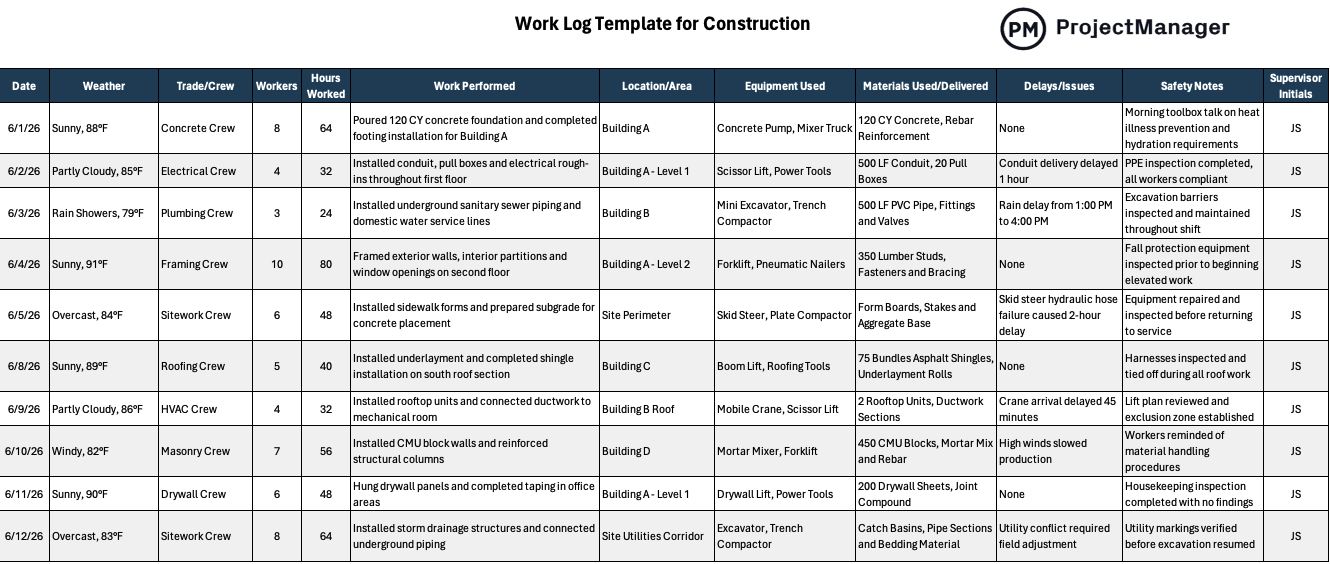
This work log template is an easy-to-use spreadsheet that records the conditions and activities at a jobsite each day. In practice, it tracks the weather, trade or crew on site, the number of workers present, total hours worked and a clear description of the work performed. Additional columns capture the location or area of the site, the equipment and materials used, any delays or issues encountered, safety notes and the supervisor’s initials. Because every field has its own column, anyone reviewing the document can quickly understand what happened that day.
Related: 8 free work log templates
However, if you need software to plan, schedule and track construction projects from start to finish, try ProjectManager. ProjectManager is a cloud-based award-winning construction project management software that gives construction businesses the tools they need to ensure projects are completed on time, within budget and within scope. It allows project managers to create detailed project schedules, estimate costs, allocate resources, set budgets, track progress and compare estimated versus actual project outcomes using real-time dashboards and reports to quickly identify delays or cost overruns. Get started with ProjectManager for free today.
When To Use a Work Log Template
At the start of a construction project, you should establish a work log system as soon as crews arrive on site. From that point onward, the template should be filled out at the end of each working day or shift to document what was done and who was involved. Maintaining this daily cadence builds a detailed history of the project, which is invaluable for reporting, resolving disputes and improving future planning.
Who Should Use this Free Work Log Template?
While any project stakeholder can benefit from consistent documentation, certain roles will rely on the work log template more than others because it provides granular insight into daily activities.
- Site supervisors can use the work log to verify that daily tasks were completed, monitor hours worked and identify potential issues before they become bigger problems.
- Project managers rely on detailed logs to compare planned versus actual progress, update schedules and communicate status to owners or general contractors without guessing.
- Safety officers check the safety notes and equipment sections to ensure that hazards were identified, proper gear was used and any incidents are properly documented for compliance.
- Subcontractor foremen reference the log to track their crew’s productivity, materials delivered and equipment usage, which helps them plan resources and invoice accurately.
- Owners’ representatives review the collected logs to gain transparency into what happened on site each day, making it easier to approve payments and address any disputes.
How to Use ProjectManager’s Work Log Template for Excel
Start by downloading the free work log template file and opening it in Microsoft Excel so you can edit the fields.
1. Enter basic project information
At the top of the sheet, input the project name and any general notes so the log is tied to the correct job.
2. Record daily site conditions
Fill in the date, weather conditions and crew or trade working that day, then note how many workers were on site and their total hours.
3. Describe the work performed and location
Use the central columns to briefly explain the tasks completed, such as pouring concrete or installing conduit, and specify where on the site those tasks occurred.
4. List equipment and materials
Document the equipment used and materials delivered, including quantities when appropriate, so there’s a record of what was consumed.
5. Note delays, issues and safety observations
If there were delays, equipment failures or weather‑related interruptions, capture them here along with any safety meetings or incidents.
6. Add supervisor initials and save
Have the supervisor or foreman initial the entry to confirm accuracy, then save and share the file with stakeholders to keep everyone informed.
ProjectManager Is an Award-Winning Construction Project Management Software
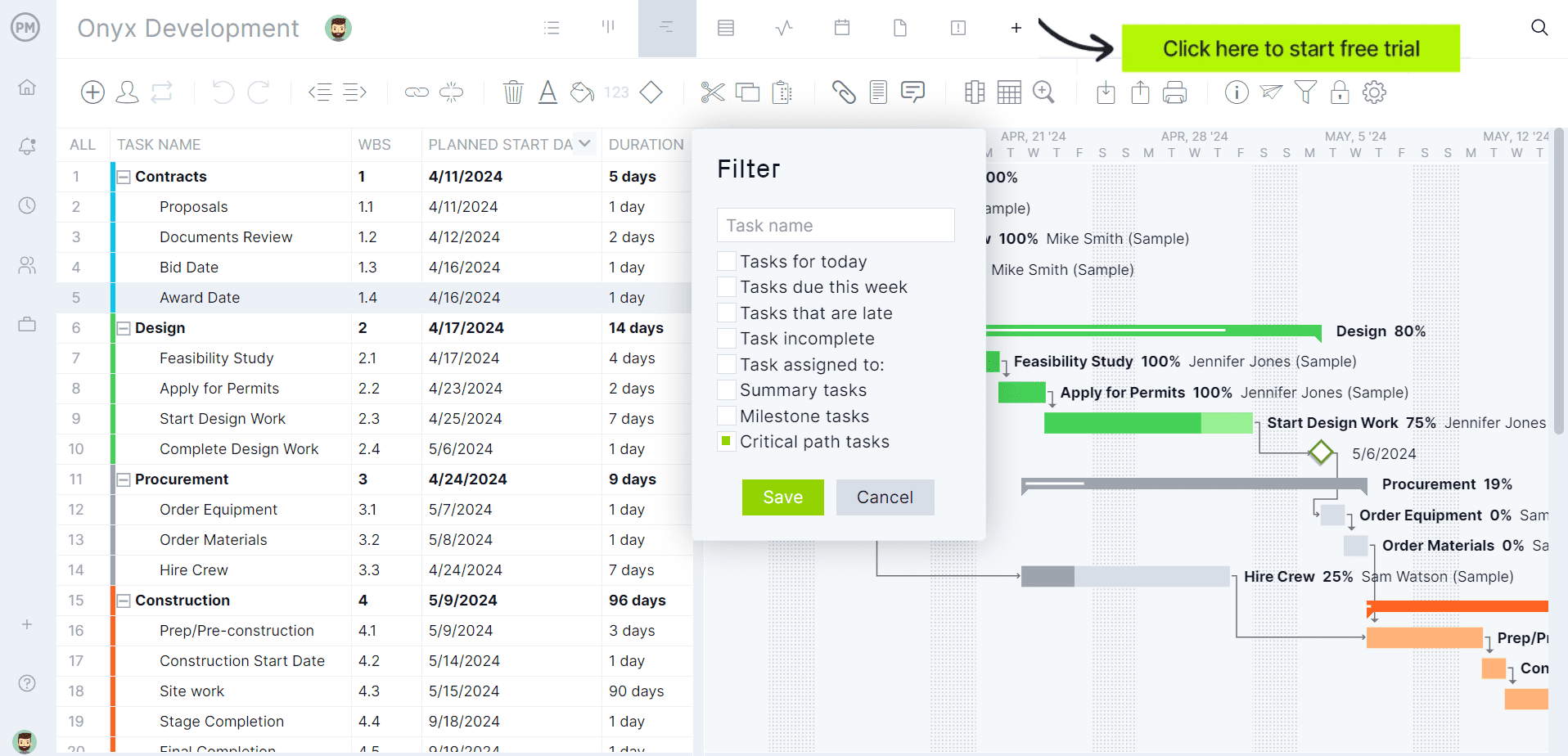
ProjectManager offers a more comprehensive construction project management solution with advanced Gantt charts, critical path tracking, workload management, resource scheduling, portfolio roadmaps, real-time dashboards, kanban boards, timesheets and automated reports in a single platform.
In addition to traditional construction scheduling capabilities, ProjectManager includes AI-powered project insights, workflow automation and live performance tracking that help teams identify delays, manage risks and improve decision-making. The platform also supports an open API and more than 1,000 integrations with tools like Acumatica, QuickBooks, Microsoft Project, Slack and Google Workspace, allowing construction companies to connect operational and project data across their existing systems.
Watch the video below to learn more!
Free Related Construction Project Management Templates
ProjectManager offers a library of over 100 free project management templates covering every phase of construction, from planning to closeout. To complement your work log, consider these related templates that help with scheduling, daily reporting and tracking submittals.
Gantt Chart Template
This free Gantt chart template lets you schedule tasks in Excel or ProjectManager so you can visually track your project timeline, assign durations and monitor progress.
Construction Daily Report Template
The construction daily report template records all work performed, whether it was completed on schedule, the crew members and equipment used, visitors and weather conditions for the day. Filling it out daily ensures a thorough record and makes it easy to share information with the project team.
Construction Submittal Log Template
A construction submittal log template organizes shop drawings, product data and approval cycles so you stay ahead of required‑by dates rather than reacting to delays. It’s an essential document that helps manage subcontractor submittals and provides visibility into the approval process.
ProjectManager is online construction project management software that empowers teams to plan, manage and track their projects in real time. We connect architects and engineers in the office with your work crew on the job site so they can share files and comments to foster better collaboration. Get started with ProjectManager today for free.