


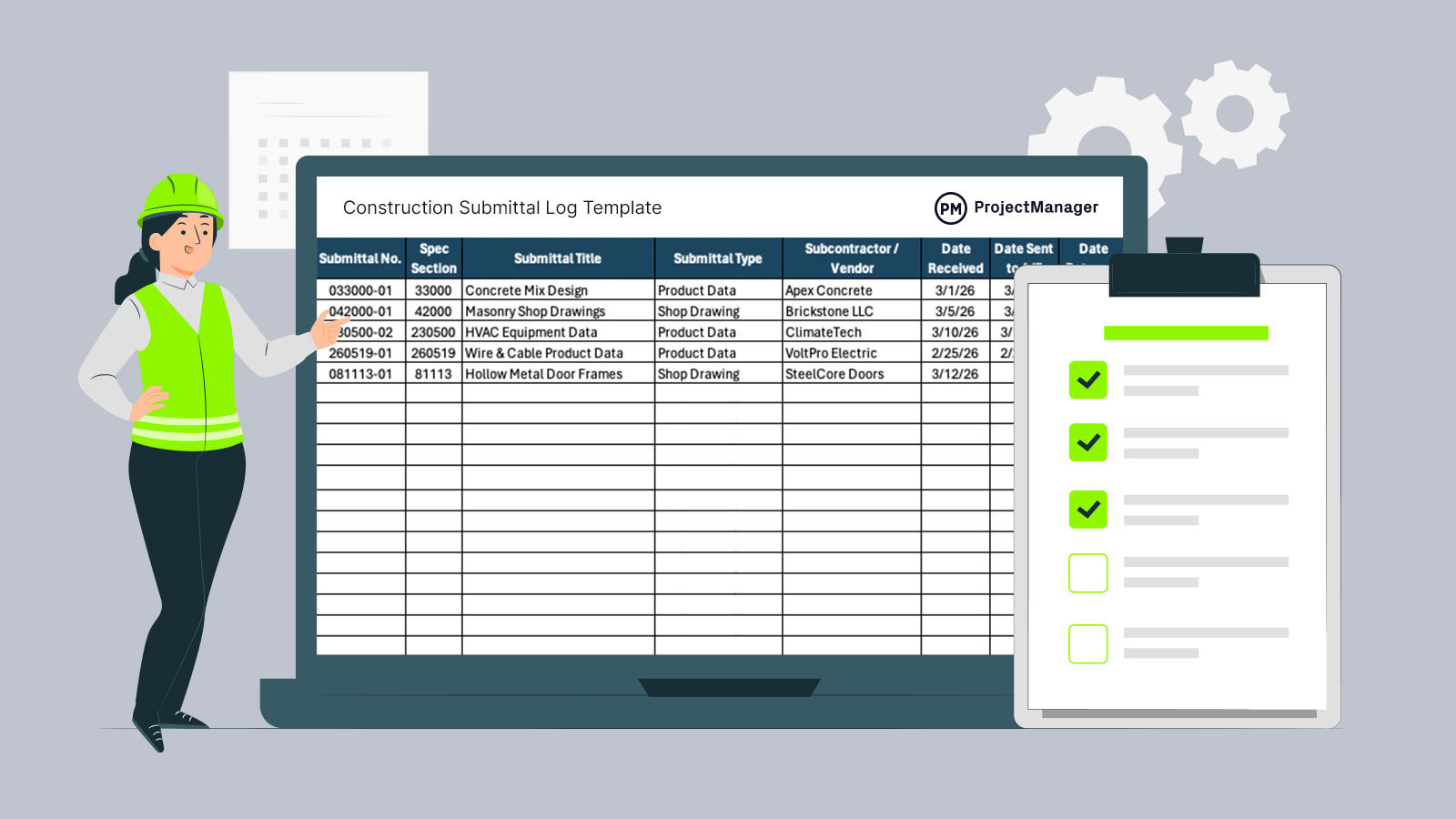
Keeping construction submittals organized can quietly make or break a project timeline. A well-structured submittal log template gives you visibility into shop drawings, product data and approval cycles without turning document control into a full-time job. If you’re juggling subcontractors, design reviews and required-by dates, this construction submittal log template for Excel helps you stay ahead instead of reacting to delays.

Why You Need a Submittal Log Template
Construction teams deal with dozens, sometimes hundreds, of submittals tied directly to the project schedule. This submittal log template for Excel keeps everything in one place, tracking spec sections, vendors, review cycles, status updates and required-by dates in a clean, easy-to-read format. It’s simple enough for field teams to update daily, yet detailed enough to support real-world approval workflows. Because it’s built in Excel, you can customize columns, add filters or adjust statuses, then reuse the structure across every project your organization executes.
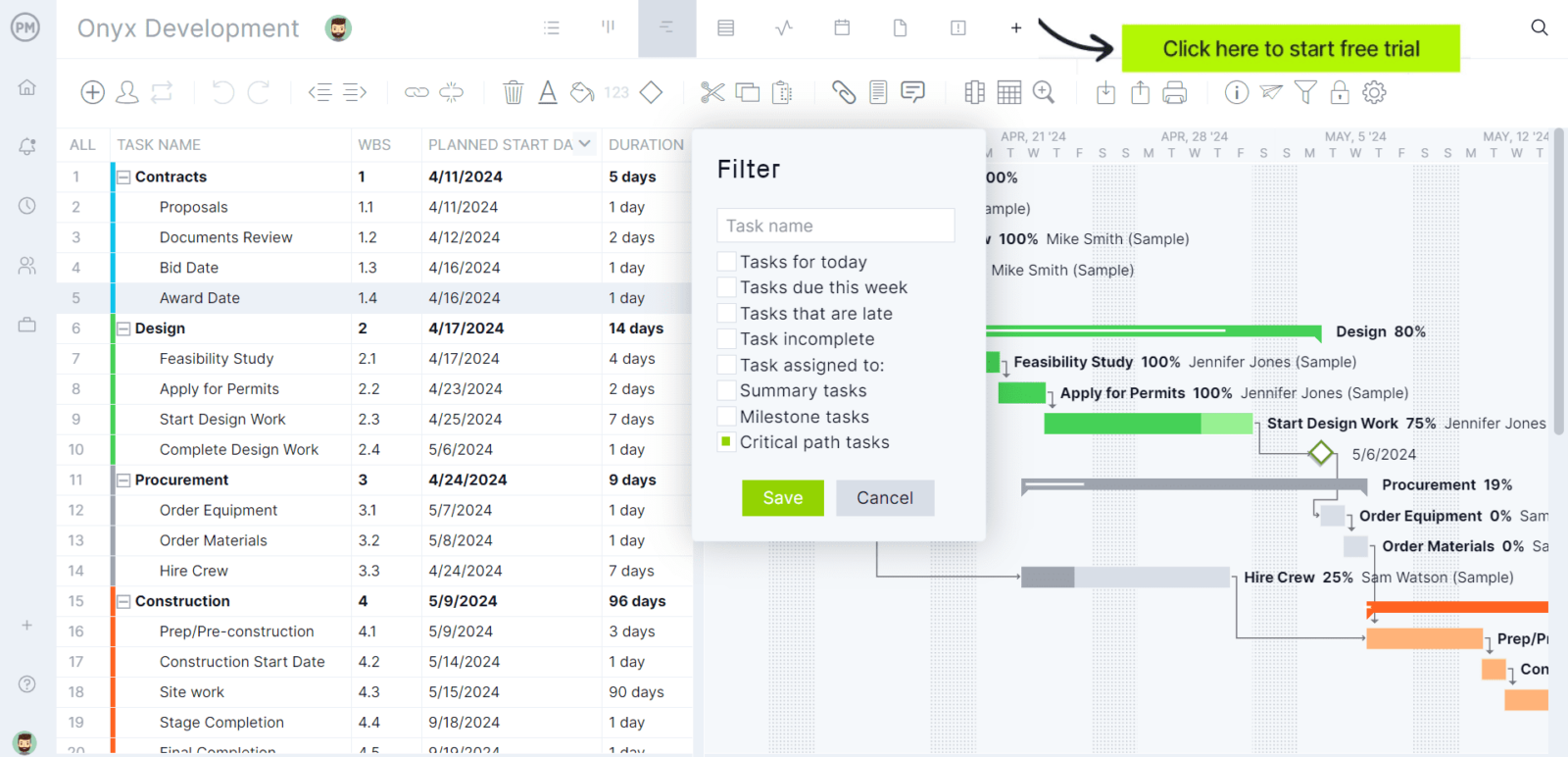
A submittal log is an essential construction document, but it’s only a small part of managing a project. If you’re looking for a tool that can help manage projects from start to finish, try ProjectManager. ProjectManager is an award-winning construction project management software built to support projects from preconstruction through closeout. It includes powerful tools such as Gantt charts, digital timesheets, workload management views and real-time dashboards and reports. Beyond its core planning, scheduling and cost tracking capabilities, the platform provides unlimited cloud-based document storage and AI-driven project insights to help teams stay organized and avoid missed details. Watch the video below to see it in action.
When To Use a Submittal Log Template
Start using a construction submittal log template for Excel as soon as contract documents are finalized and procurement planning begins. The earlier you log anticipated shop drawings, product data and material approvals, the easier it is to align submittals with the construction schedule. Throughout project execution, update it continuously as items are received, sent to the architect or engineer and returned. By reviewing it during coordination meetings, you can spot bottlenecks, prevent schedule slippage and keep responsible parties accountable.
Who Should Use this Free Submittal Log Template?
On most construction projects, the project manager or project engineer becomes the primary owner of the submittal log template. They’re the ones coordinating subcontractors, tracking approval status and protecting the project timeline. This free construction submittal log template for Excel gives them a centralized view of every shop drawing, product data sheet and review cycle without relying on scattered emails or memory.
- Superintendents: Field leaders can reference the construction submittal log template to confirm which materials and shop drawings are approved before installation begins, reducing rework and preventing unauthorized products from reaching the construction site.
- Subcontractors: Trade contractors can use the log to monitor their required-by dates, track revise and resubmit cycles and ensure their product data aligns with the project schedule and contract specifications.
- Architects and Engineers: Design professionals can review the log to understand submission flow, prioritize reviews and maintain visibility into outstanding items affecting design coordination and construction progress.
- Document Control Specialists: Teams responsible for document management can rely on the Excel-based submittal register to maintain organized records of dates received, returned and closed.
- Owners or Owner’s Representatives: Stakeholders overseeing project performance can use the submittal tracking log to gain transparency into approval workflows and ensure critical materials are progressing on time.
How to Use ProjectManager’s Submittal Log Template for Excel
Now let’s walk through exactly how to use ProjectManager’s submittal log template for Excel on a real construction project. Follow the steps below to set it up correctly, keep approvals moving and make sure every shop drawing and product data submittal stays aligned with your project timeline.
1. Set Up the Submittal Log Template for Excel at Project Kickoff
Begin by opening the submittal log template for Excel as soon as your contract documents and specification manual are finalized. Enter anticipated submittals by assigning a unique Submittal No. tied to each Spec Section. Populate the Submittal Title, Submittal Type and Subcontractor / Vendor based on your procurement plan. Doing this early aligns your construction submittal log template with the project schedule and prevents late approvals from disrupting critical path activities.
2. Log Every Submittal as Soon as It’s Received
Once a subcontractor submits product data or shop drawings, immediately record the Date Received in the construction submittal log template for Excel. Confirm that the Submittal Type and Responsible Party are accurate before forwarding documents for review. Treat this step as part of your document management workflow, not an afterthought. Keeping the log updated in real time ensures visibility into what is pending and what is ready for design review.
3. Track the Review Cycle and Approval Status
After sending documents to the architect or engineer, enter the Date Sent to A/E and monitor the Review Cycle column closely. When documents are returned, update the Date Returned and adjust the Status to Approved, Approved as Noted, Revise & Resubmit or In Review. Managing these fields inside the submittal log template for Excel gives you a clear snapshot of approval workflows and helps you prevent installation of unapproved materials.
4. Monitor Required By Dates Against the Project Timeline
Review the Required By Date column during weekly coordination meetings and compare it to your construction schedule. If a submittal tied to long-lead equipment, such as HVAC or specialty doors, is still marked In Review or Not Submitted, escalate immediately. Using the construction submittal log template this way protects procurement milestones and reduces the risk of schedule slippage caused by delayed approvals.
5. Close Out and Archive Completed Submittals
When a submittal reaches final approval and the material is installed, update the Status to Closed and confirm the Responsible Party field reflects completion. Before project closeout, filter the submittal log template for Excel to verify that no outstanding items remain. Maintaining a clean, finalized submittal register supports project documentation requirements and strengthens your turnover package for the owner.
ProjectManager Is Ideal for Managing Construction Projects
ProjectManager is an award-winning construction project management software built to support projects from preconstruction through closeout. It includes powerful tools such as Gantt charts, digital timesheets, workload management views and real-time dashboards and reports. Beyond its core planning, scheduling and cost tracking capabilities, the platform provides unlimited cloud-based document storage and AI-driven project insights to help teams stay organized and avoid missed details. Watch the video below to see it in action.
What Other Project Management Templates Can Keep My Project on Track?
ProjectManager offers dozens of free construction project management templates designed to help teams track progress, control costs, manage documentation and stay aligned with the project schedule from preconstruction through closeout.
Construction Daily Report Template
Track daily jobsite activity with this construction daily report template, which captures labor hours, equipment usage, weather conditions and completed work in a consistent format. Maintaining these records supports accurate progress tracking, improves communication between field and office teams and provides documentation if disputes or delay claims arise later in the project.
Request for Information (RFI) Template
Manage drawing clarifications and scope questions using this RFI template, designed to standardize how requests are submitted, reviewed and answered. By organizing responses tied to plans and specifications, it helps reduce confusion, limit miscommunication and keep the construction schedule moving without unnecessary rework.
Change Log Template
Keep a clear record of scope modifications with this change log template, which documents design revisions, change directives and approved change orders in one place. Having a centralized log allows project managers to monitor cost impacts, evaluate schedule adjustments and maintain a complete decision trail from project kickoff through closeout.
Related Construction Project Management Content
Our content library features over 100 construction blogs, templates, ebooks and other types of content to help construction project managers better understand the many moving parts that must be managed to deliver successful construction projects. Here are some of them.
- 48 Construction Documents (Templates Included)
- Construction Reporting: Types of Construction Reports
- What Are Construction Submittals and Why Are They So Important?
- Construction Document Management: A Quick Guide
ProjectManager is online project management software with the tools you need for construction project management. Our features make planning, monitoring and reporting on your project more efficient and effective. Being online means our software is accessible everywhere and at any time. Plus, the data you get is more accurate because it’s updated immediately. Try ProjectManager for free today.