


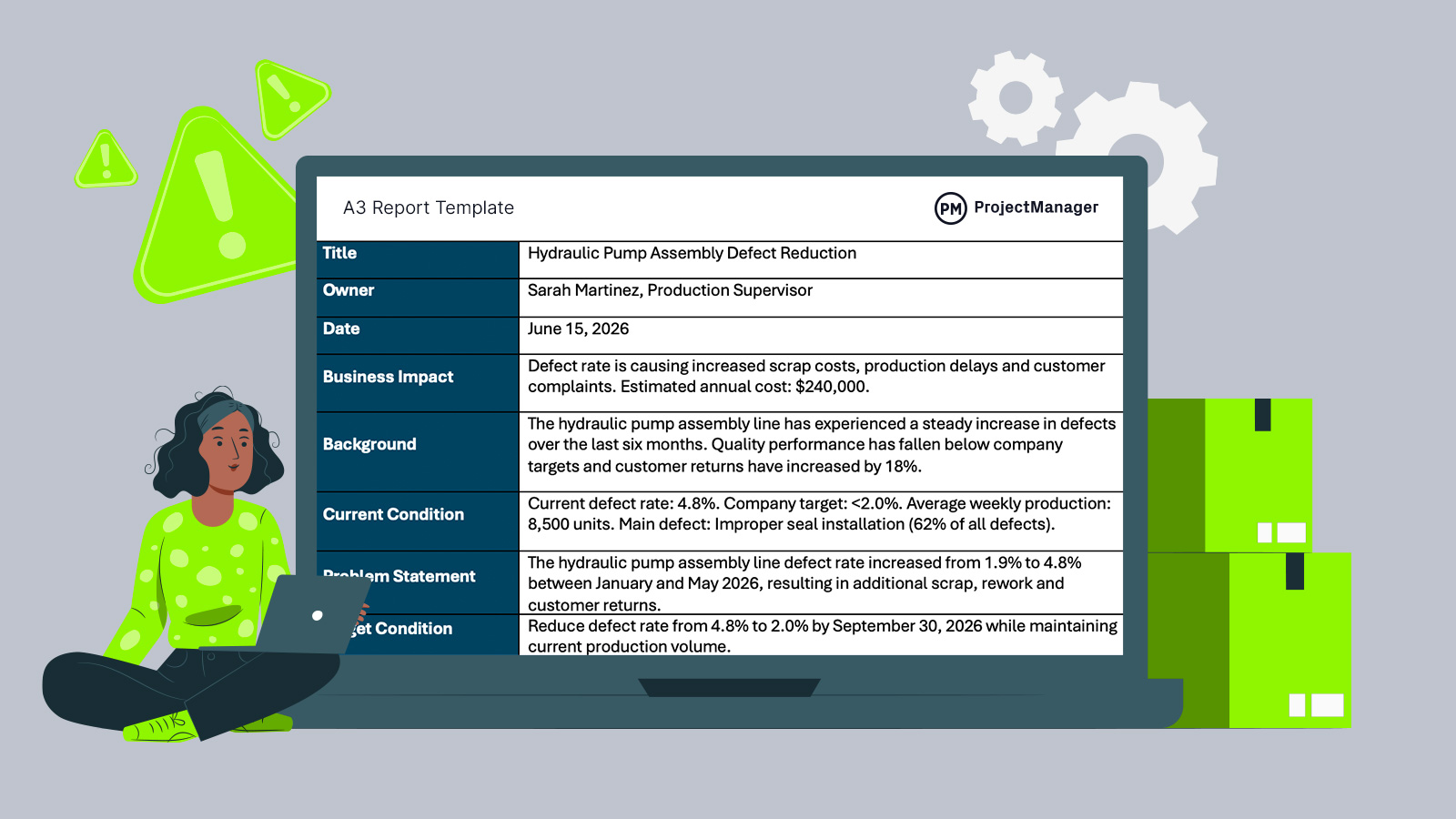
Manufacturers constantly face production issues, quality defects and process inefficiencies that require structured problem-solving. An A3 report template provides a standardized way to document issues, analyze root causes, communicate corrective actions and track results, making it easier for teams to align around improvement initiatives and operational goals.
What Is an A3 Report Template?
An A3 report template is a standardized problem-solving document used to identify issues, analyze root causes, develop solutions and track improvement efforts. It is commonly used in manufacturing and continuous improvement programs to document complex problems on a single page and create clear action plans.
The template originated from the Toyota Production System, where teams documented problem-solving activities on A3-sized paper. Over time, the A3 report became a core Lean manufacturing tool for organizing information, supporting data-driven decision-making and creating a consistent approach to process improvement.
If you need project management software for manufacturing projects, try ProjectManager. ProjectManager is award-winning project management software that gives manufacturers the tools they need to ensure projects are completed on time, within budget and within scope. It allows project managers to make detailed project schedules, estimate costs, allocate resources, set budgets, track progress and compare planned versus actual project outcomes using real-time dashboards and reports to identify delays or cost overruns quickly. Get started with ProjectManager for free today.
Why You Need an A3 Report Template
Manufacturing teams often solve similar types of operational problems, but inconsistent documentation can make it difficult to communicate findings and track improvements. An A3 report template provides a repeatable format that standardizes how issues, root causes, corrective actions and results are documented.
As a result, teams can improve communication, create more accurate records, support continuous improvement efforts and ensure everyone follows the same structured problem-solving process when addressing production, quality or workflow challenges.
When To Use an A3 Report Template
Whether addressing quality concerns, reducing waste, improving production performance or investigating recurring operational issues, an A3 report template provides a structured framework for documenting findings and developing solutions.
Manufacturers can use it for continuous improvement initiatives, corrective actions, process optimization efforts and cross-functional problem-solving projects that require clear communication and accountability.
- When product defects increase and the team must identify root causes and corrective actions.
- When production delays are affecting schedules and operational performance targets.
- When implementing Lean manufacturing initiatives designed to reduce waste and improve efficiency.
- When recurring equipment failures require investigation and a structured improvement plan.
- When multiple departments need a shared document to coordinate problem-solving activities.
Who Should Use This Free A3 Report Template?
Manufacturers of all sizes can use an A3 report template to standardize problem-solving across production, quality, maintenance and operations teams. It is especially useful for discrete manufacturing, automotive, electronics, machinery, aerospace, medical device and industrial equipment companies that need repeatable methods for reducing defects, delays, waste and process variation.
- Production managers can use the template to document line issues and assign corrective actions.
- Quality managers can track defects, root causes, audits and customer complaint trends.
- Maintenance supervisors can investigate recurring equipment failures and plan preventive actions.
- Lean coordinators can organize kaizen events and continuous improvement projects.
- Plant managers can review business impact, expected results and follow-up metrics.
How to Use ProjectManager’s A3 Report Template
Follow the steps below to complete each section of this A3 report template and create a structured record of a manufacturing problem, its root causes and the actions required to resolve it. By documenting the issue, analysis and improvement plan in a single place, teams can improve communication, maintain accountability and track progress toward measurable operational goals.
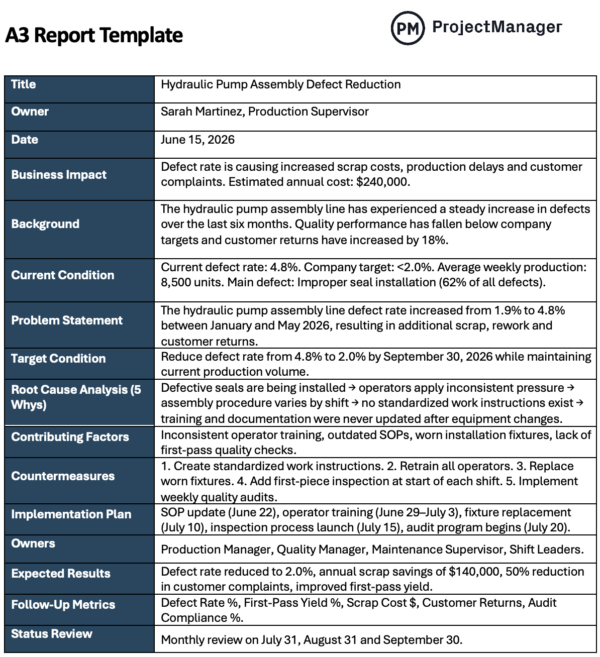
1. Enter the Basic Report Information
Start by filling in the title, owner and date fields at the top of the A3 report template. The title should clearly describe the manufacturing issue being investigated, such as defect reduction, downtime improvement or scrap cost control. Then assign one owner who is responsible for keeping the report updated and driving the improvement process forward.
2. Define the Problem and Current Condition
Next, complete the business impact, background, current condition and problem statement sections. Use real production data whenever possible, including defect rates, scrap costs, customer returns, downtime hours, missed production targets or first-pass yield. A strong problem statement should explain what changed, when it happened and how it affects operations.
3. Document Root Causes, Actions and Follow-Up Metrics
After the issue is clearly defined, use the remaining sections to connect causes with corrective actions. Add the 5 Whys analysis, contributing factors, countermeasures, implementation plan, owners, expected results and follow-up metrics. This turns the A3 report from a static document into a practical action plan that manufacturing teams can review, update and measure over time.
How ProjectManager Helps Manufacturing Businesses
Keeping production on schedule while managing resources, costs and changing priorities requires more than spreadsheets or disconnected tools. Manufacturing project management becomes easier when teams can plan, track and adjust work in one centralized system. ProjectManager brings together production scheduling, resource planning and performance tracking so production teams can stay aligned and make faster decisions on the shop floor.
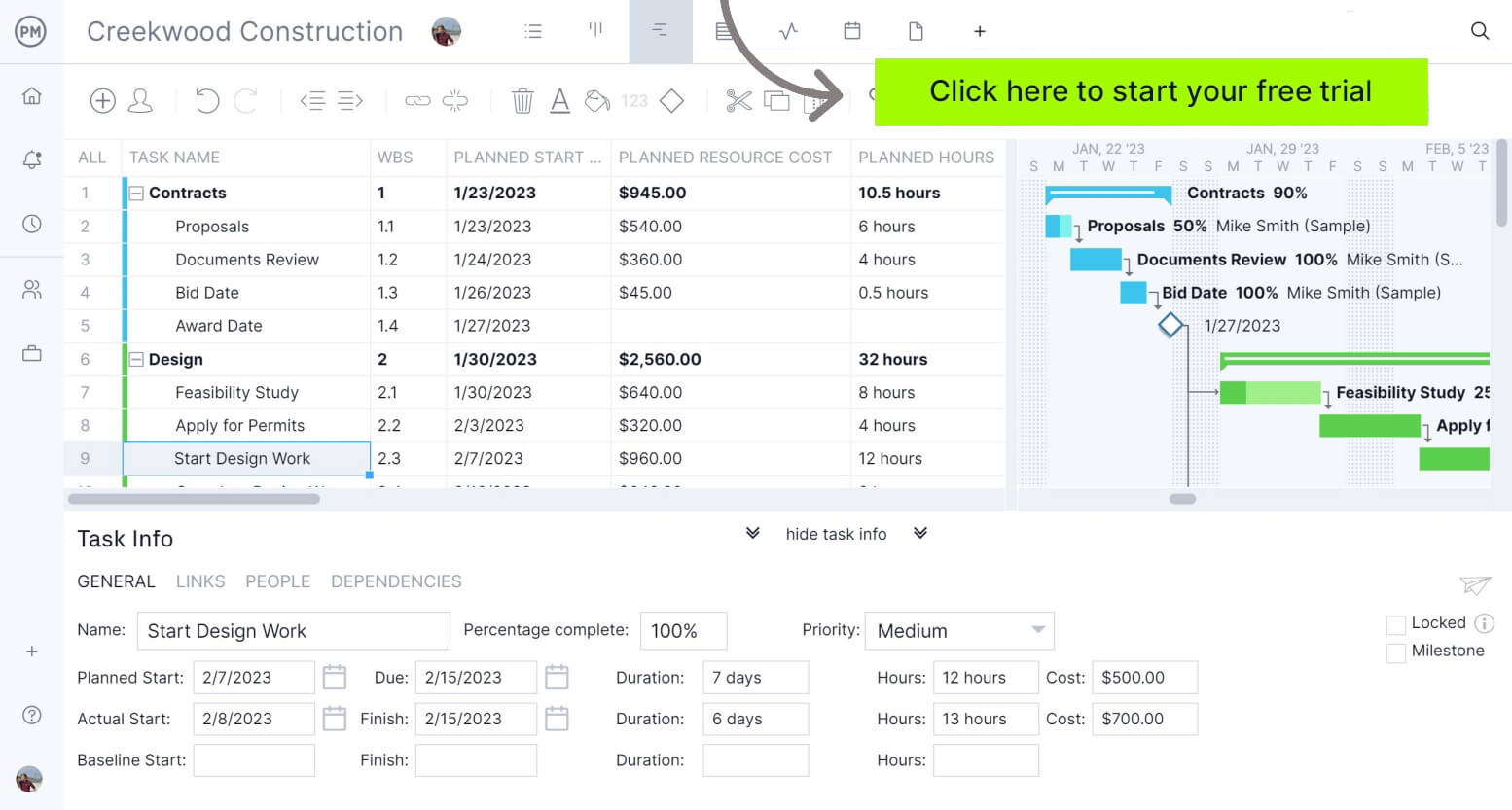
With interactive Gantt charts, manufacturing teams can build detailed production schedules, map task dependencies, identify milestones and adjust timelines as conditions change. Resource management tools allow managers to assign labor, equipment and materials efficiently, while monitoring resource availability and avoiding bottlenecks. Real-time dashboards and reports provide instant visibility into progress, costs and workload, helping teams identify issues early and maintain control over production performance.
Teams can also collaborate more effectively using kanban boards and task lists that track work at every stage of the manufacturing process. Thanks to these and other tools and features, ProjectManager helps manufacturing businesses improve efficiency, reduce delays and deliver consistent results. Watch the video below to learn more!
More Free Manufacturing Templates
ProjectManager offers dozens of free manufacturing templates for Excel, Word and Google Sheets that help teams manage quality, production, maintenance, process improvement and operational planning. Standardize workflows, improve visibility and keep manufacturing projects organized with templates designed for real-world industrial environments.
CAPA Report Template
Use this CAPA report template to document quality issues, investigate root causes, assign corrective and preventive actions and measure results. Track ownership, approvals, verification methods, cost impacts and lessons learned to ensure problems are resolved effectively and prevented from recurring.
8D Report Template
This 8D report template guides teams through a structured problem-solving process, from planning and team formation to root cause analysis, corrective actions and prevention. It helps manufacturers resolve complex quality issues while improving accountability, documentation and continuous improvement efforts.
Non-Conformance Report Template
Capture, investigate and resolve quality issues with this non-conformance report template. Document affected products, containment actions, disposition decisions, root causes, corrective actions and verification results while maintaining traceability, compliance and clear accountability throughout the resolution process.
If you need a tool to help you manage projects, then sign up for our software now at ProjectManager. Our online software helps teams across industries plan, track and oversee projects as they unfold. Sign up for a free 30-day trial today!