


 Trusted by 35,000+ users worldwide
The Best Microsoft Project Alternative
While Microsoft Project is expensive and requires integrations and add-ons, ProjectManager offers a robust feature set that allows teams to keep projects moving forward for a fraction of the cost.
- Import, edit and export Microsoft Project files (MPP file format)
- Plan, schedule and track projects with Gantt charts, kanban boards, task lists, project sheets and other tools
- Use it across industries such as construction, manufacturing and IT
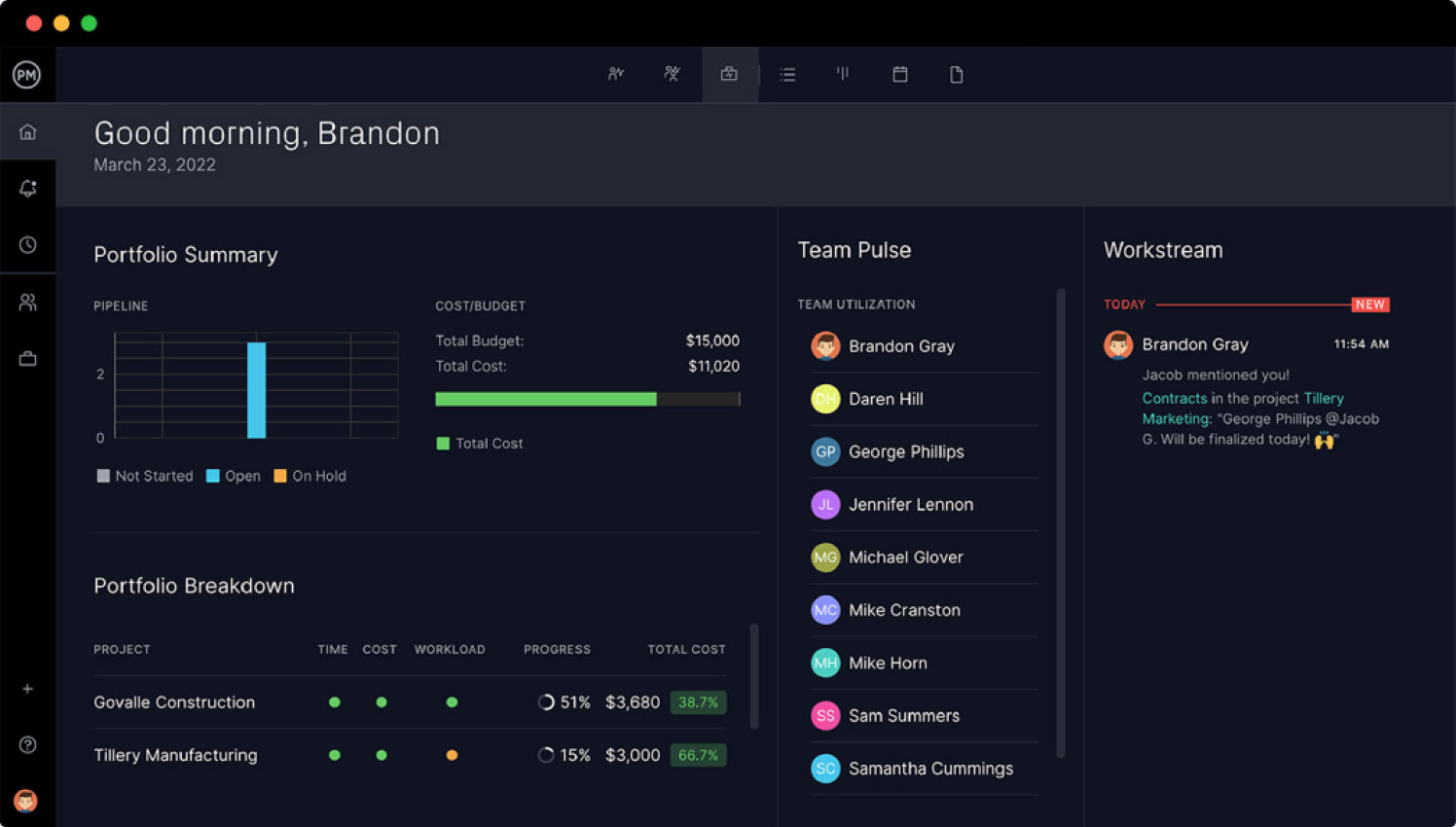
- Get project portfolio management (PPM) dashboards, roadmaps and reports

Cloud-Based Project Management Tools
Unlike Microsoft Project, ProjectManager is an online project management solution that offers real-time project management data and collaboration features.
- Work across Windows, Mac and Linux devices
- Monitor project progress, costs and timelines with real-time dashboards and reports
- Communicate with team members, share files and documents with unlimited, cloud-based file storage
- Manage resources and track costs with online workload charts and timesheets
Advanced Project Management Tools and Features
ProjectManager is designed for managing projects from start to finish thanks to its project planning, scheduling and tracking tools and features.
- Use powerful tools for creating project schedules, allocating resources and tracking costs in one place
- Establish project cost and schedule baselines and compare planned vs. actual project performance
- Use AI-powered insights to identify project delays, cost overruns and other issues
- Use ProjectManager’s API to integrate with ERP, productivity, accounting and other business solutions
- Automate workflows and recurring tasks

See how our features compare to Microsoft Project
Get started faster with ProjectManager’s more intuitive features that allow for real-time collaboration that supports complex projects to ensure project success. ProjectManager offers nearly everything Microsoft Project does plus built-in collaboration tools at a fraction of the cost.
|
|
|
|
|---|---|---|
| Integrations |  |
|
| Financial management tools | |
|
| PC and MacOs compatibility | |
 |
| Built-in collaboration features | |
|
| Gantt chart concurrency for live edits | |
|
| Mobile app | |
|
| Real-time dashboards that automatically compile live data | |
|
| Built-in automation and workflow features | |
|
| Customer support for all plans | |
|
| Unlimited file storage | |
|
| 2,000+ business integration apps | |
|


How real users compare ProjectManager
vs. Microsoft Project


Start your free 30-day trial
“The implementation of ProjectManager, from day one, was the easiest implementation I’ve ever dealt with. That includes Oracle, Microsoft, Adobe, pick a name. It was the simplest product I ever worked with with robust capabilities.”
Mark Klady
Director of Operations at Lightenco

Deliver faster and manage complex projects with our features
ProjectManager offers nearly everything Microsoft Project does plus built-in collaboration tools at a fraction of the cost.
|
|
|
|---|---|
| Integrations | |
| Financial management tools | |
| PC and MacOs compatibility | |
| Built-in collaboration features | |
| Gantt chart concurrency for live edits | |
| Mobile app | |
| Real-time dashboards that automatically compile live data | |
| Built-in automation and workflow features | |
| Customer support for all plans | |
| Unlimited file storage | |
| 2,000+ business integration apps | |
How real users compare ProjectManager
vs. Microsoft Project on

Start your free 30-day trial
“The implementation of ProjectManager, from day one, was the easiest implementation I’ve ever dealt with. That includes Oracle, Microsoft, Adobe, pick a name. It was the simplest product I ever worked with with robust capabilities.”
Mark Klady
Director of Operations at Lightenco

Features that enticed teams to choose ProjectManager over MS Project

 Project timelines
 Collaboration
 Business value
Create Gantt charts to stay on track
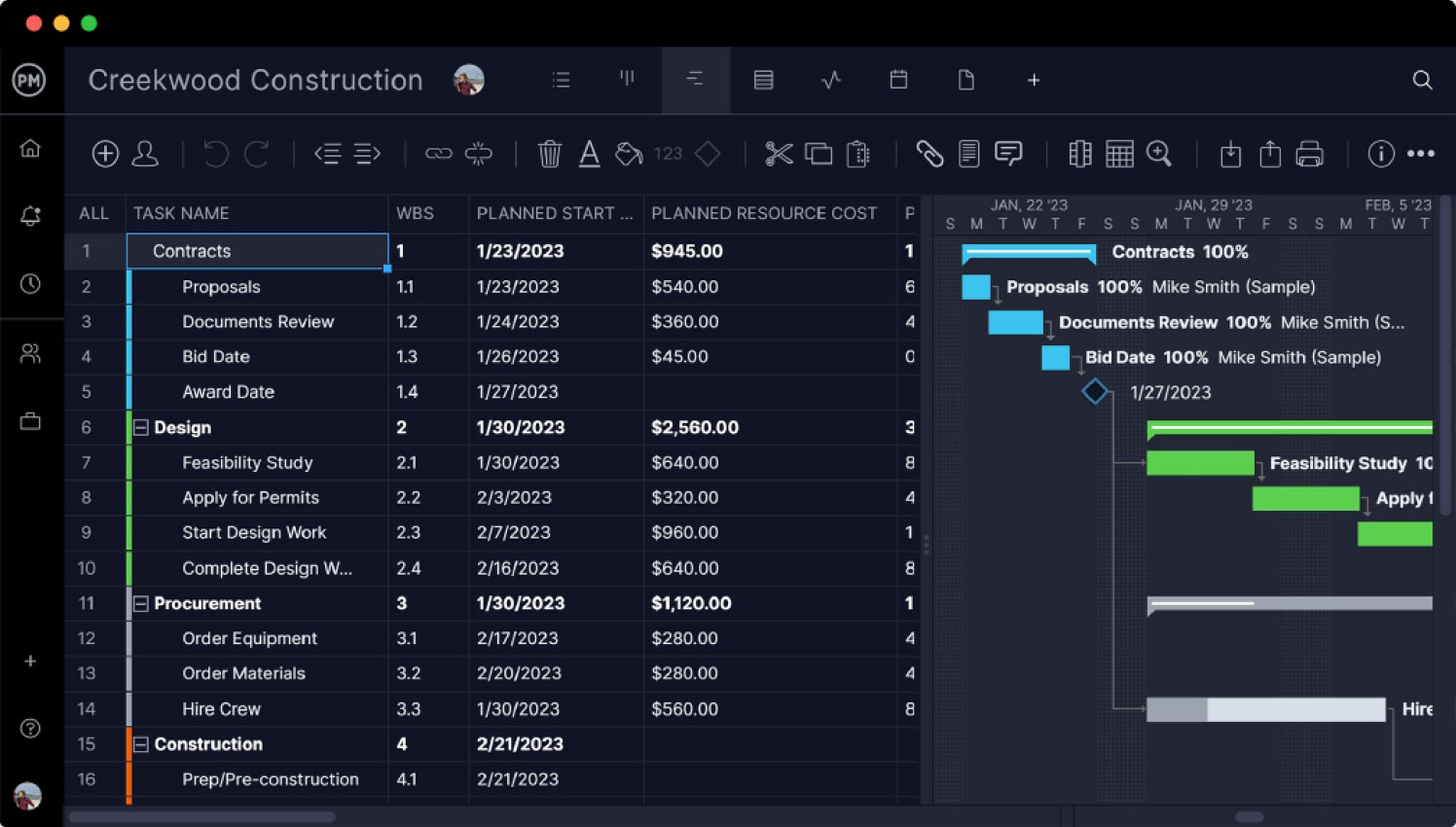
ProjectManager has an award-winning online Gantt chart that’s viewable and editable by the entire team at all times. Unlike Microsoft Project, you don’t have to worry about multiple versions floating around that contain outdated information.
- Create detailed project plans with project phases, tasks and subtasks
- Identify the critical path of your project schedules automatically
- Link task dependencies and identify milestones in the Gantt chart timeline
- View the percentage of completion of each task in color-coded bars
Work with anyone, anywhere
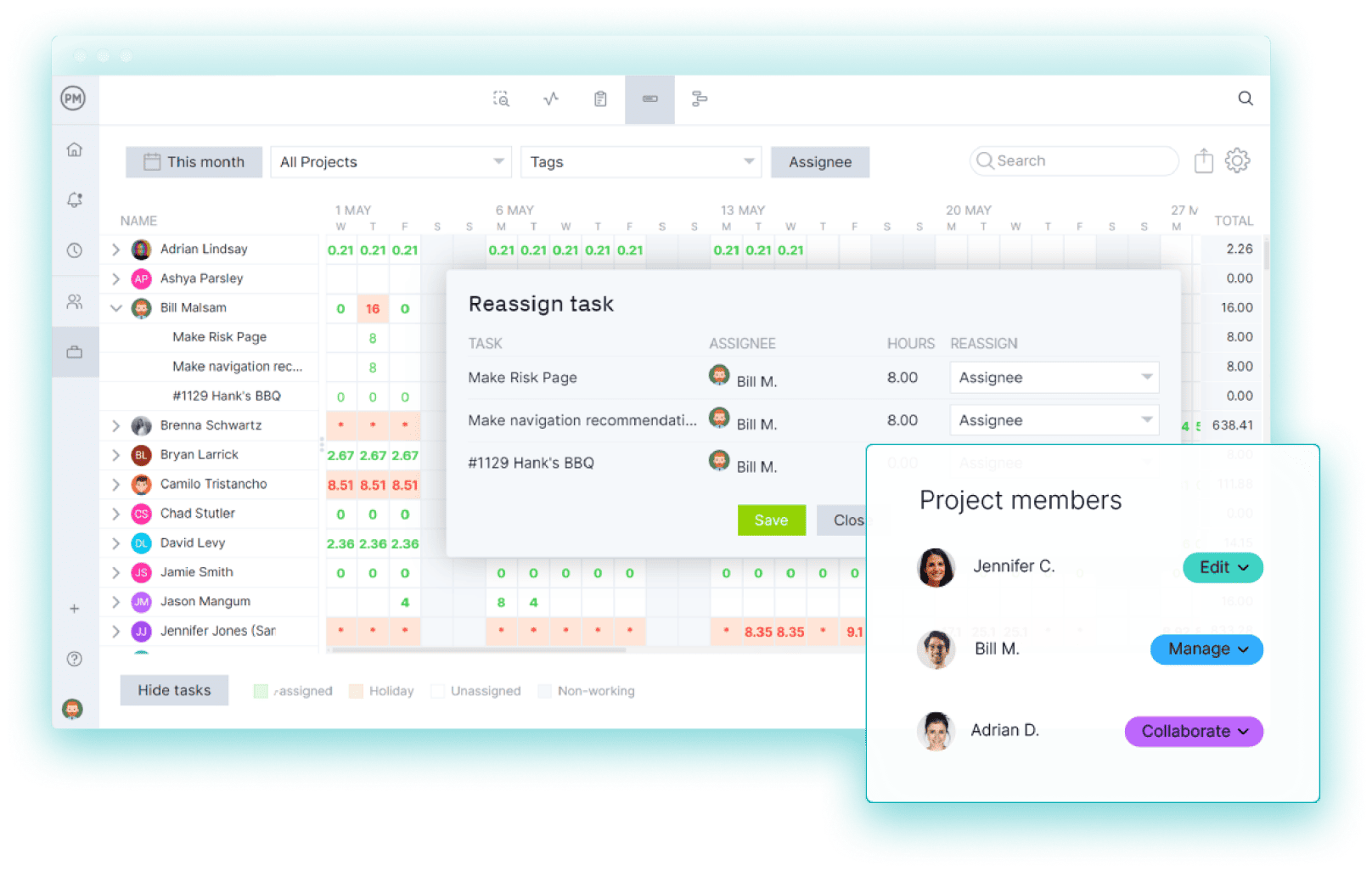
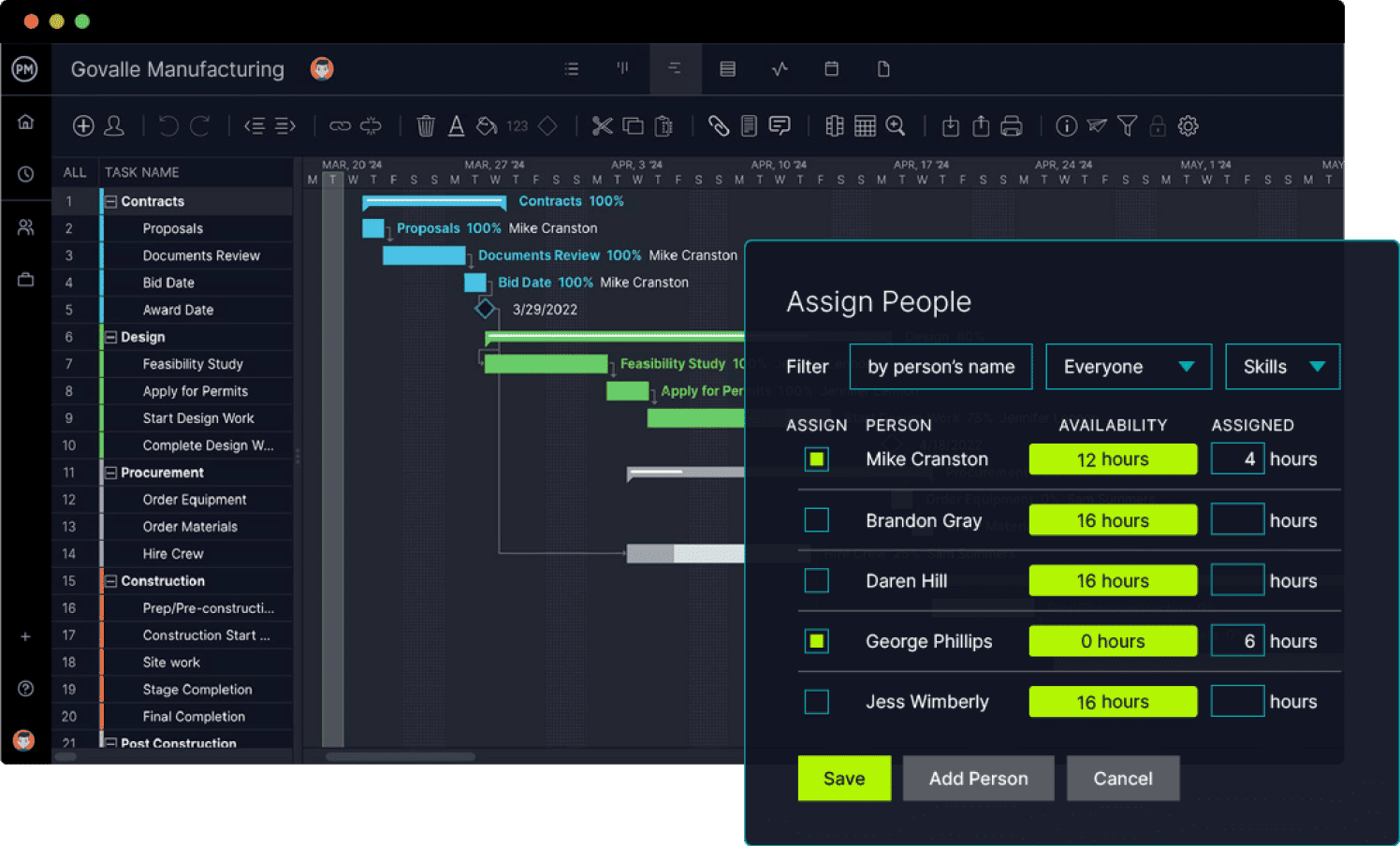
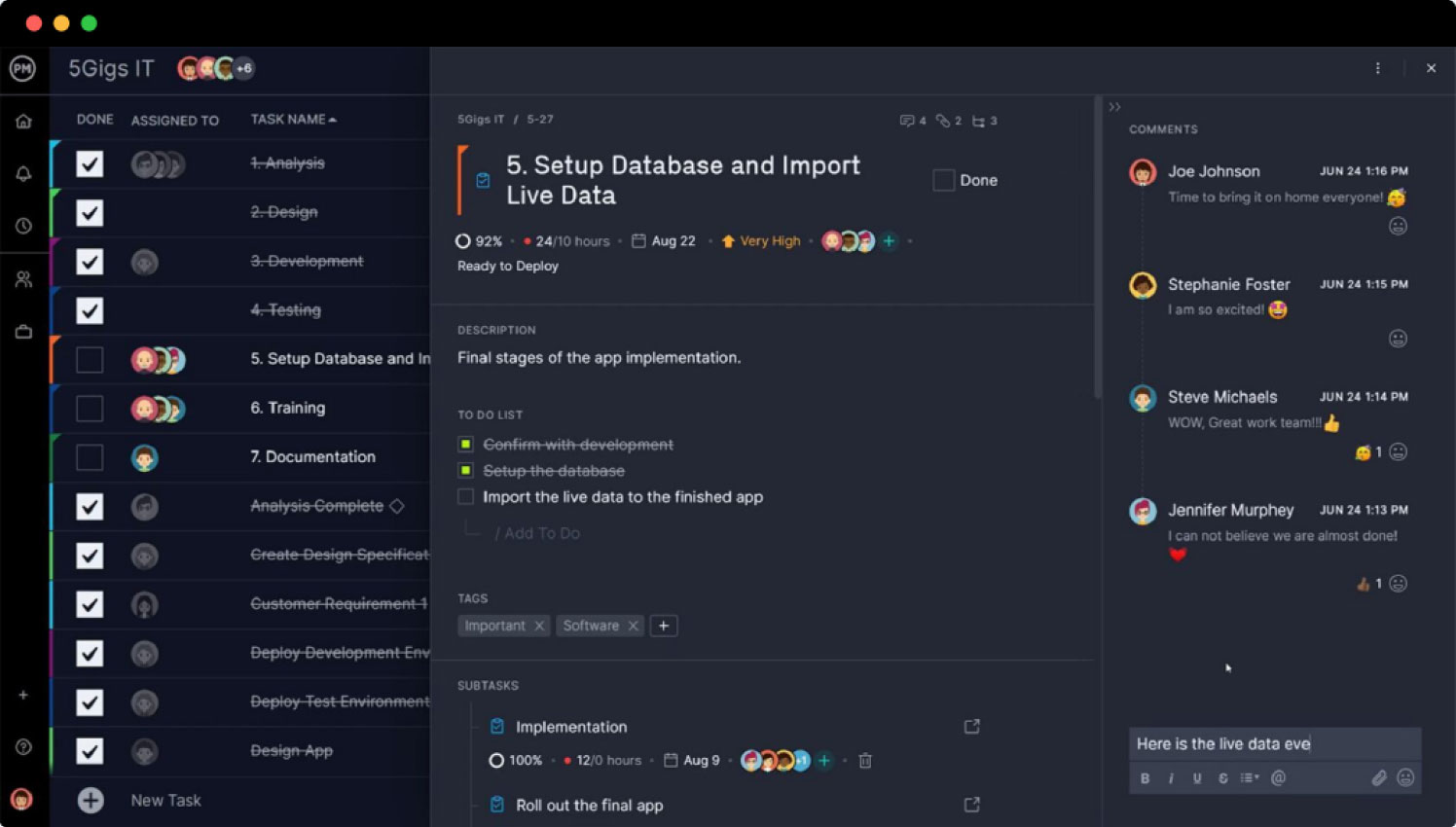
It’s easy to collaborate in real time with your team on ProjectManager regardless of where they’re located or what device they’re using. Microsoft Project requires manual data entry, costly on-premise solutions and proprietary software to stay connected, making it hard for teams to stay updated.
- Set working days, hourly rates and track resource availability in real time
- Monitor team and resource availability to manage workloads
- See the amount of time your team spends on tasks
- Data remains consistent across project views
- Mobile app to stay connected on the go
More features for your money
ProjectManager offers significantly more project management features at much lower price than Microsoft Project. Full Microsoft Project functionality requires other expensive subscriptions and add-ons.
- Integrate with over 1,000 other business applications
- Priority technical support and dedicated account manager
- Straightforward pricing with transparent features and free templates
Integrate with over 1,000 business & project management apps

Add Google links to tasks for easy collaboration. Plus, sync to Google Drive & Google Calendars via Zapier.

Microsoft
Seamless importing and round-tripping of Microsoft Project plans, Excel files and CSV files.

Zapier
Keep the data flowing when you connect with Salesforce via our Zapier integration.





Powerful for managers. Flexible for teams.
Trusted by 35,000+ users worldwide.

“The reporting feature is outstanding – lets you personalize the reporting, and export it.”

“It has an excellent price if we think about all the functions that ProjectManager has.”

“I feel good about recommending ProjectManager because of the people you have in support.”


Join 35,000+ teams that have switched from Microsoft Project to ProjectManager to plan, schedule and track projects in real time.
“ProjectManager has improved our work quality by 50 percent. We could never tackle the amount of projects we have if we didn’t have ProjectManager.”
– Stacy Kerns
Operations Manager at Texas HHS