



Running a small business means making decisions constantly with incomplete information. Is the business profitable this month? Which expenses are running over budget? Is the team keeping up with the work? Are the numbers moving in the right direction? For most small business owners, answering those questions requires opening multiple spreadsheets, checking the bank account, asking the team for updates and piecing together a picture that should already be visible at a glance.
A dashboard template gives you that picture. It pulls the metrics that matter most into a single view you can update quickly and check in minutes: revenue against target, costs against budget, task status and asset inventory. It does not replace your accounting software or your CRM. It replaces the time you spend hunting through them to answer a question that should have an obvious answer: how is the business doing right now?
We put together five free small business dashboard templates for Excel covering the operational and financial visibility that small business owners and managers need most. Each one is free to download and ready to adapt for your business.
1. Small Business Budget Dashboard for Excel
Cash flow and budget discipline are how small businesses survive. A cost that runs over plan in a large enterprise is a line item to investigate. The same overrun in a small business can affect payroll, delay an investment or force a decision about which supplier to pay first. The earlier you see a variance developing, the more options you have to address it. That means a budget dashboard that shows you the picture weekly is worth far more than a monthly financial report that tells you what already happened.
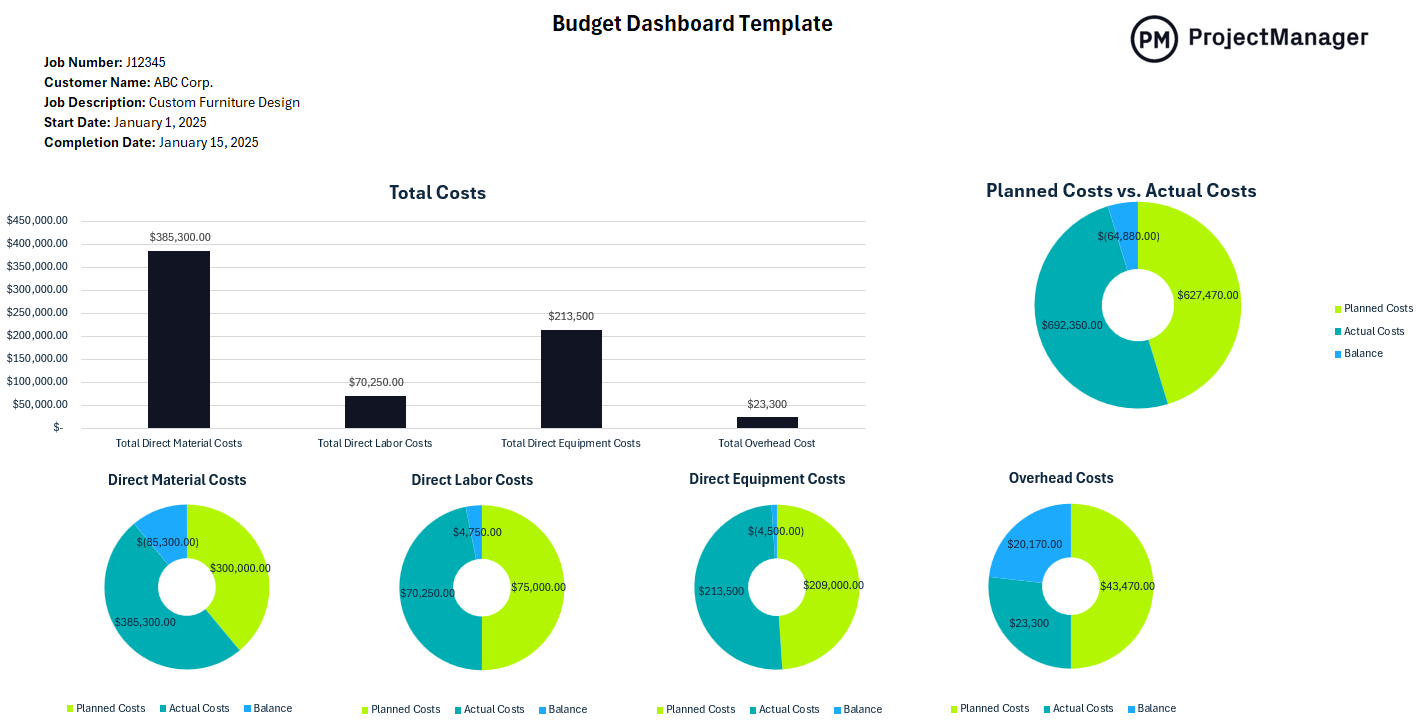
This Excel dashboard tracks planned versus actual spending across your business categories: payroll, rent, supplies, marketing, software, contractors and any other cost center relevant to your operation, with variance calculations that immediately show where you are running ahead or behind plan. Summary charts give you a visual read on budget health for the period without requiring accounting expertise to interpret, while the line-item breakdown lets you drill into any category where a variance needs investigating.
The right tool for small business owners and managers who want to stay on top of spending without waiting for month-end financials, and who need a format they can update themselves without a bookkeeper or financial analyst to compile it for them.
2. Small Business Project Dashboard for Excel
Small businesses run projects alongside daily operations constantly: a new service offering being developed, a location expansion being planned, a website being redesigned, a process being overhauled. These initiatives matter as much as the day-to-day work, but they rarely get the same structure. Without a dashboard tracking schedule, budget and milestone progress, business projects tend to drift: the deadline moves, the budget expands quietly and the owner discovers three months in that a six-week project is still not done.
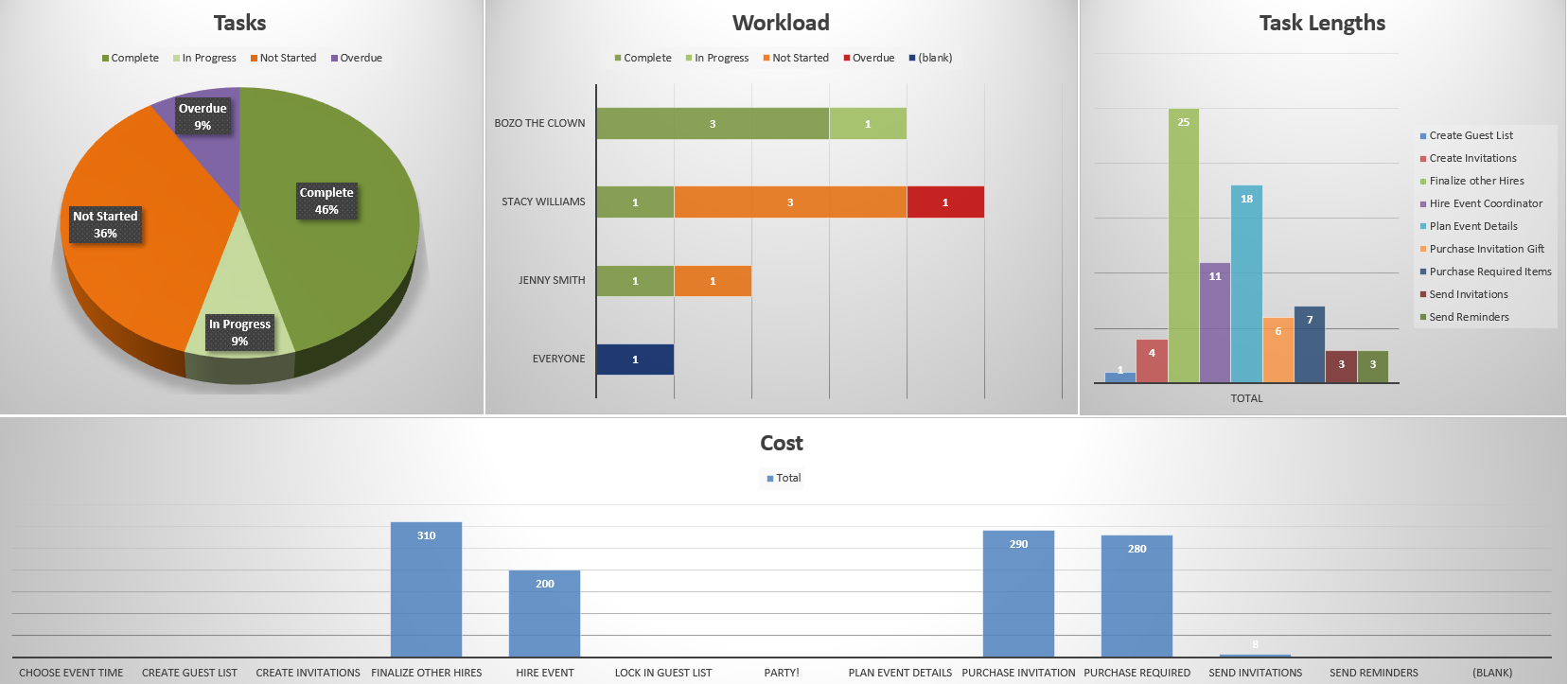
This Excel dashboard covers the key dimensions of project health: timeline progress against the plan, budget consumption, milestone status, deliverable completion and an open issues summary. Updated weekly and reviewed at a short check-in, it gives the business owner and anyone else involved a shared, current picture of where the project stands. That is usually enough to catch problems early and keep the initiative from quietly stalling while everyone stays busy with operations.
Most useful for small business owners managing a meaningful initiative alongside day-to-day responsibilities, or for small teams running a project with external contractors or vendors where everyone needs to be working from the same plan and timeline.
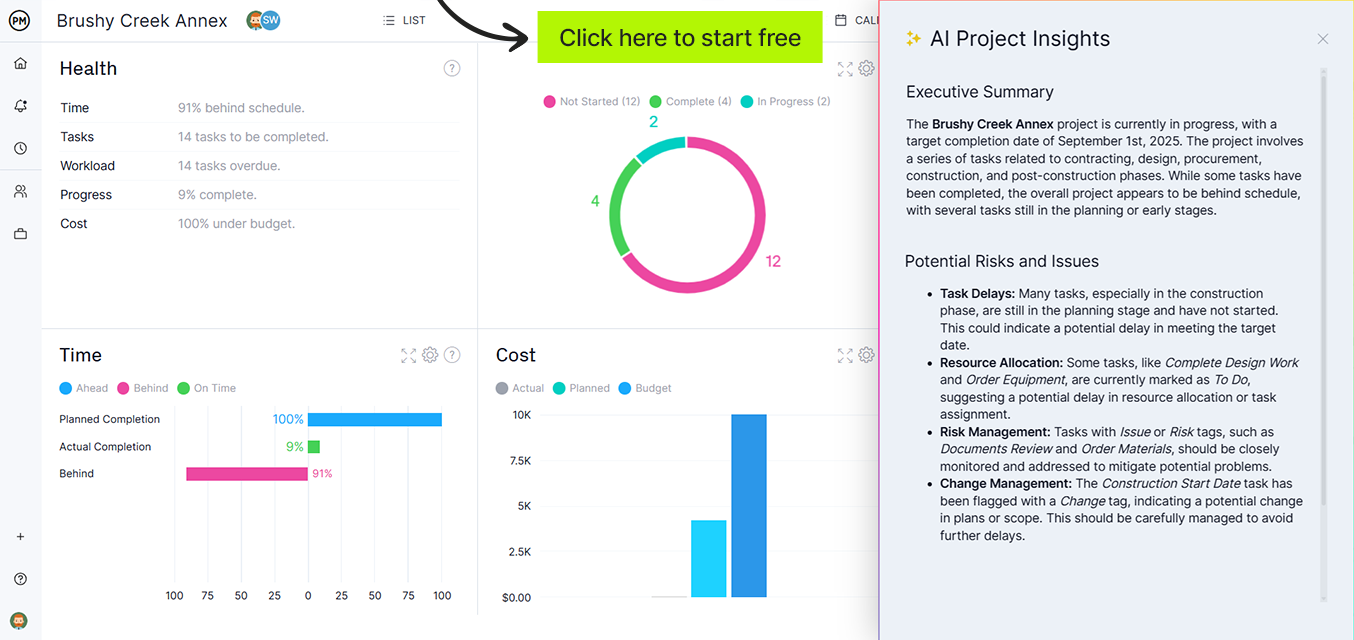
Get AI-Powered Business Dashboards: No Manual Updates Required
ProjectManager‘s dashboards update in real time as your team works: tasks completed, hours logged and costs recorded, with no manual updates required. AI-powered insights give you a live picture of every project and initiative so you can run the business on current data, not a spreadsheet someone updated last Tuesday. Try it free for 30 days.
3. Small Business KPI Dashboard for Excel
Every small business has metrics that tell the real story of how the business is performing: not just whether it is busy, but whether it is growing, profitable and sustainable. Revenue against target, gross margin, new customers acquired, customer retention rate, average order value, leads in the pipeline. These numbers, tracked consistently and compared to targets, tell you whether the business is heading in the right direction before the bank account confirms it. A KPI dashboard makes those numbers impossible to ignore.

This Excel dashboard tracks your selected business KPIs against target values with visual indicators that immediately show which metrics are hitting target, which are close and which need attention. You define the KPIs that matter for your business: revenue, margins, sales, customer metrics and operational efficiency, and the dashboard surfaces performance against those targets at whatever cadence you need, weekly or monthly. The trend view shows whether each metric is improving over time, which is the signal that management decisions are working.
Particularly useful for small business owners who want to move from managing by feel to managing by data, or for any business where the owner is the only one with a complete picture and needs a way to share the key numbers with a partner, manager or accountant without pulling a report from scratch every time.
4. Small Business Task Tracker Dashboard for Excel
In a small business, tasks do not always have obvious owners and deadlines do not always have obvious consequences until they are missed. A customer follow-up that was supposed to happen Tuesday gets pushed to Thursday, then next week. A deliverable that was promised by the end of the month is still in progress. A supplier was supposed to be called two days ago. When the team is small and communication is informal, these things fall through the cracks regularly, not because anyone is careless, but because there is no visible system holding anyone accountable.
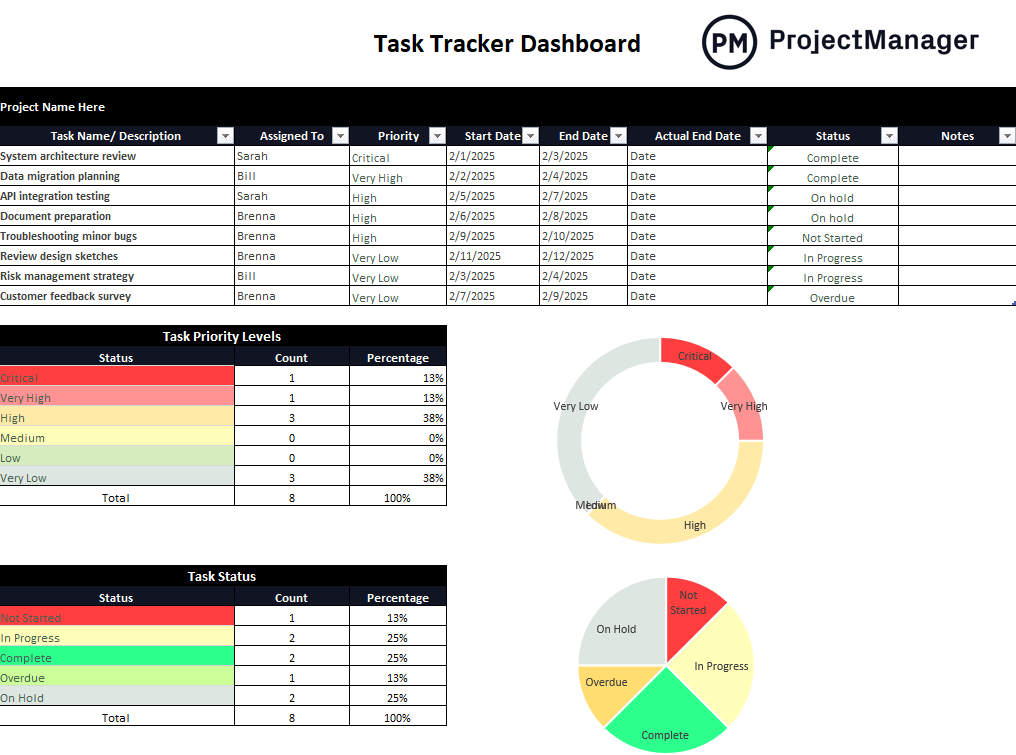
This Excel dashboard logs tasks across the business with columns for owner, due date, status and completion percentage. Summary charts show overall task progress and surface overdue items so nothing stays invisible. Reviewed at a short weekly team meeting, it replaces the status conversation (“where does everything stand?”) with a shared document that answers that question before anyone has to ask, which makes the meeting about decisions rather than updates.
The right tool for any small business owner who wants a visible system for team accountability without the overhead of project management software, or for any small team where tasks are currently tracked informally and things being dropped or delayed is a recurring problem.
5. Small Business Asset Management Dashboard for Excel
Small businesses carry more assets than they often realize: vehicles, equipment, computers, furniture, tools, machinery, inventory and leased property. Managing those assets informally means maintenance gets deferred until something breaks, the depreciation schedule exists only in the accountant’s files, equipment is misplaced or underutilized and the business does not have a clear picture of what it owns, what it is worth or what needs to be replaced. For a business where every dollar of capital matters, that lack of visibility is expensive.
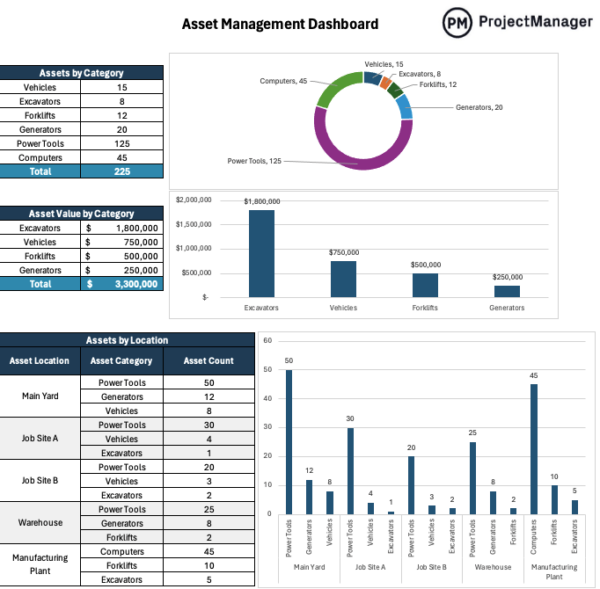
This Excel dashboard tracks your business assets with fields for asset name, type, location, assigned employee or department, current status, purchase date, value and maintenance or renewal schedule. The summary view shows what the business owns, where each asset is deployed and what is coming up for maintenance or replacement, giving the owner and office manager the visibility to plan capital expenditures, stay on top of maintenance and avoid the cost of replacing equipment that broke because no one was tracking its service schedule.
Best used by small business owners and operations managers who want a simple, centralized record of business assets that does not require dedicated asset management software, and who have been caught off guard by equipment failures, expired leases or missing inventory often enough to want a system that prevents it.
Run Your Business Projects With ProjectManager
Dashboard templates give you visibility into the numbers. The work those numbers reflect (projects being executed, tasks being completed, budgets being managed) needs a system of its own. ProjectManager gives small business owners and their teams a straightforward way to plan initiatives, assign work and track progress without the complexity or cost of enterprise project management software.
Assign and Track Work Across Your Whole Team
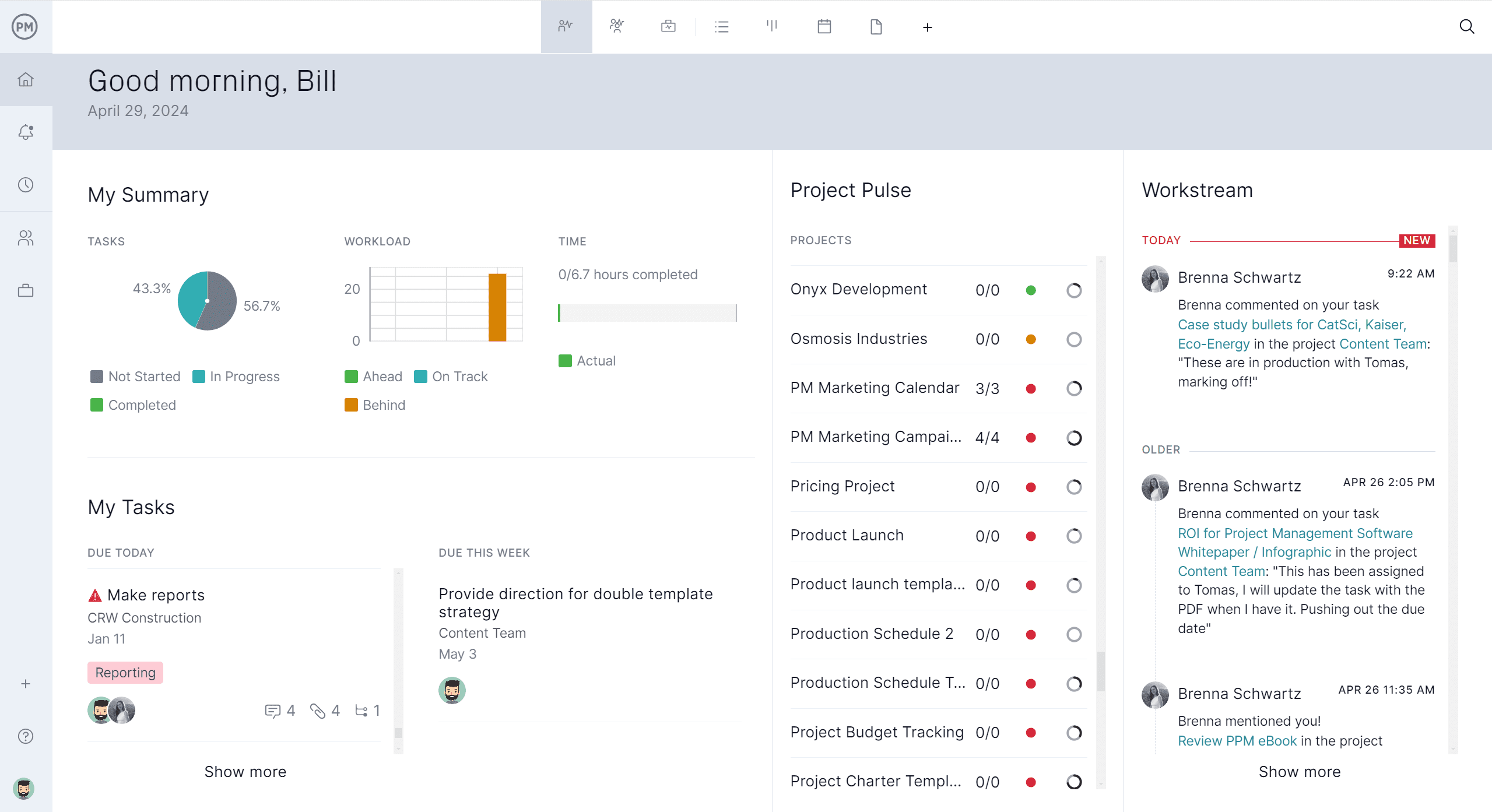
ProjectManager’s task management tools let you assign work to team members, set due dates and track completion in one shared view. Everyone on the team knows what they are responsible for and when it is due. The business owner can see the status of every open task without having to ask. When priorities shift, tasks can be reassigned and deadlines updated in seconds so the team is always working from the current plan rather than one that went stale after the last conversation.
Keep Projects on Budget Without a Finance Team
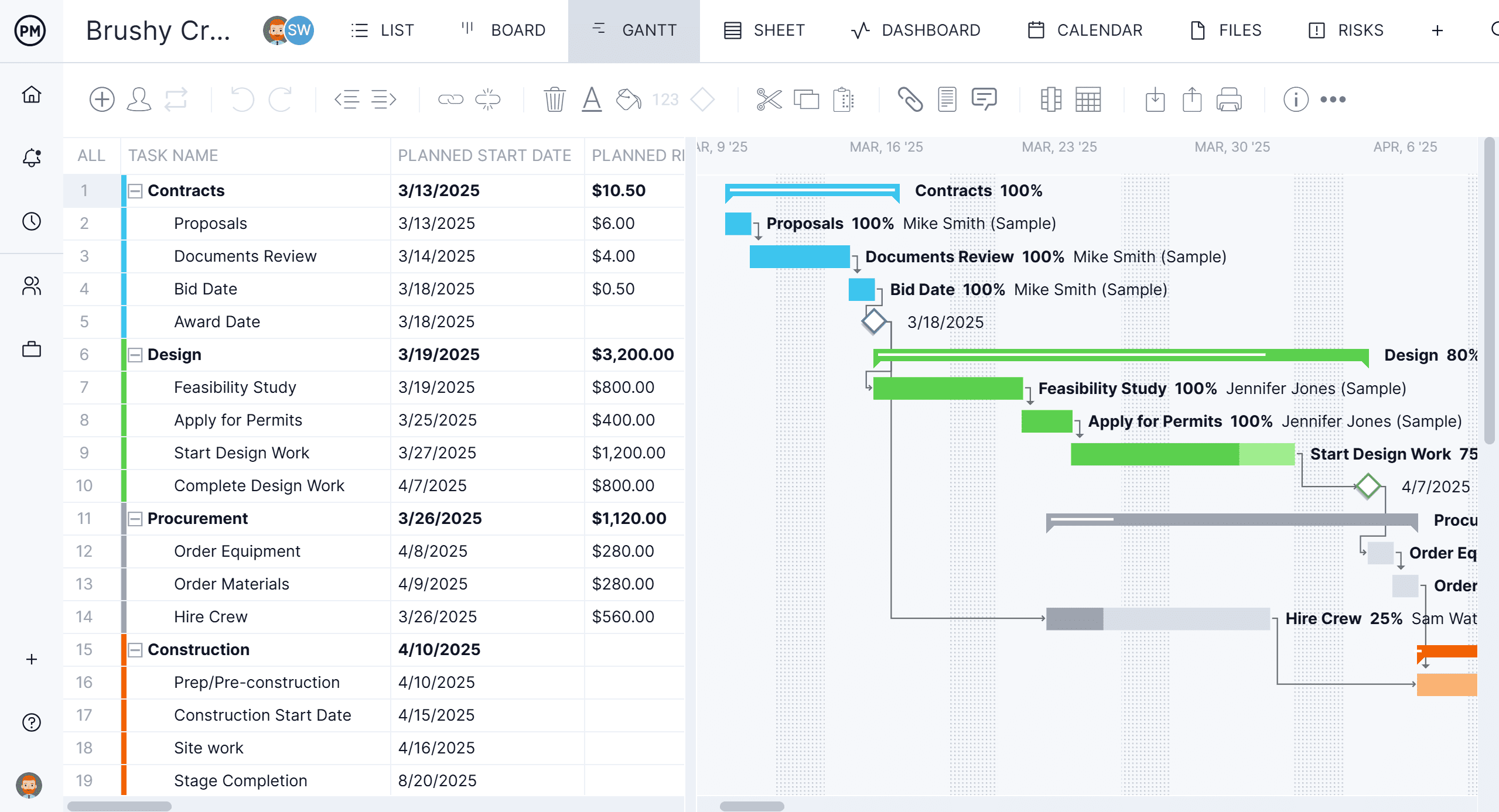
ProjectManager’s budget tracking tools let you set a project budget, log costs as they occur and see planned versus actual spending at any point. No accountant required to compile the report. For small business owners managing a renovation, a product launch or any initiative with a defined budget, that real-time cost visibility is the difference between finishing within budget and discovering the overrun after the fact. The numbers are always current and always in the same place as the project plan.
Related Content
- 5 Free Construction Dashboard Templates for Excel
- 5 Free Manufacturing Dashboard Templates for Excel
- 5 Free Marketing Dashboard Templates for Excel
- 10 Free Small Business Plan Templates for Excel and Word
- 25 Free Project Management Templates for Excel
- 6 Free Invoice Templates for Excel and Word
- 6 Free Time Tracking Templates for Excel
- 18 Budget Templates for Business and Project Budgeting
- 8 Free Work Schedule Templates for Excel
