



Many teams already rely on QuickBooks to manage invoices, expenses and payroll, which naturally raises questions about quickbooks for project management. Before trying to run projects inside the platform, it helps to understand what it does well, where it supports project teams and where dedicated project management tools provide stronger capabilities.
What Is Quickbooks?
QuickBooks is a business and accounting software platform used to manage financial activities and business operations. It is commonly used by small businesses, contractors, consultants and service teams to track income, manage expenses, create invoices, process payroll and monitor cash flow.
Beyond bookkeeping functions, the software also includes features tied to jobs and customer work, such as project cost tracking, estimates and billable time management. Teams often use it to connect financial data with operational activities so they can understand project profitability and maintain visibility into spending across multiple jobs.
Is Quickbooks a Project Management Software?
QuickBooks is not a project management software platform. It is primarily an accounting and financial management system designed to organize business finances, track expenses and manage billing activities.
If you need a project management tool that integrates with Quickbooks, try ProjectManager. ProjectManager is award-winning project management software that gives teams across industries the tools they need to ensure projects are completed on time, within budget and within scope. It allows project managers to create detailed project schedules, estimate costs, allocate resources, set budgets, track progress and compare estimated versus actual project outcomes using real-time dashboards and reports to identify delays or cost overruns quickly. Get started with ProjectManager for free today.
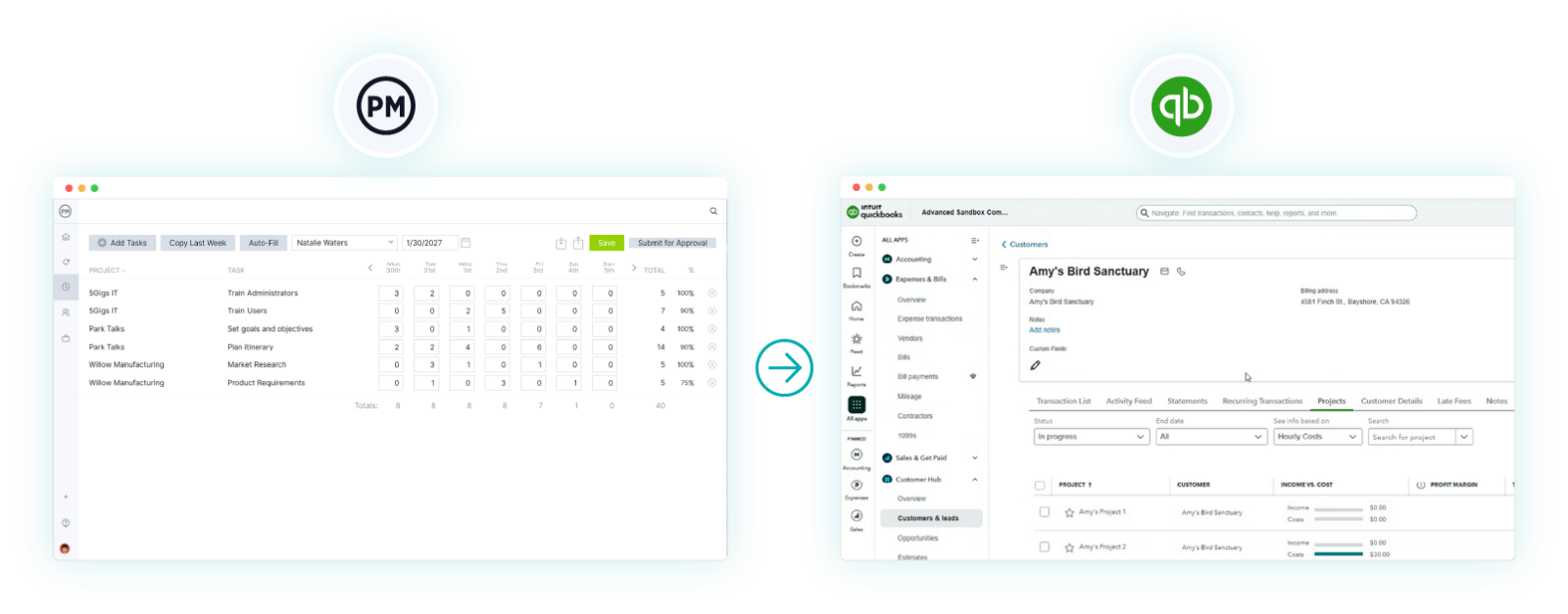
Still, quickbooks can provide value for project management teams in specific situations. Teams can use it to track project expenses, compare estimates against actual costs, record billable hours and monitor job profitability.
Those capabilities are useful for construction firms, agencies, consultants and service organizations that need financial visibility across projects. However, it lacks core project management functions such as Gantt charts, resource planning, workload balancing, task dependencies and project scheduling, which usually require dedicated project management software.
Quickbooks Project Costing Features
Project costs can become difficult to control when labor, materials and vendor expenses are tracked in separate places. QuickBooks helps teams connect financial activity to individual jobs so managers can monitor spending patterns, compare estimated and actual costs and maintain visibility into where project budgets are being consumed.
- Project Profitability Tracking – Displays project income, costs and margins within a centralized project view.
- Time Tracking – Records employee hours and assigns labor costs directly to project work.
- Expense Tracking – Captures project-related purchases and organizes costs under specific jobs.
- Estimate Creation – Builds cost estimates before work begins to support budgeting decisions.
- Cost-to-Income Comparison – Compares project spending against generated revenue to measure performance.
- Billable Expense Tracking – Marks project expenses that can later be charged to customers.
Quickbooks Project Accounting Features
Financial oversight often becomes more complex as projects add invoices, labor costs and customer billing requirements. QuickBooks supports project accounting by connecting accounting activities with individual jobs, allowing teams to organize financial records, track revenue and maintain a clearer picture of project-level financial performance.
- Invoicing – Generates customer invoices linked directly to project work and billable activities.
- Progress Invoicing – Bills customers in stages based on completed project milestones or phases.
- Payroll Integration – Connects employee pay data with labor costs assigned to projects.
- Accounts Receivable Tracking – Monitors outstanding customer payments and overdue invoice balances.
- Financial Reporting – Produces reports showing project revenue, expenses and overall financial results.
- Estimate-to-Invoice Conversion – Converts approved estimates into invoices without recreating financial information.
Quickbooks Project Profitability Features
Profitability problems often appear gradually as labor costs increase, expenses accumulate or invoices fail to match original expectations. QuickBooks helps teams evaluate project financial performance by connecting costs and revenue to specific jobs so managers can identify trends, monitor margins and make decisions before profitability declines further.
- Project Profitability Dashboard – Displays project revenue, costs and margins in a centralized view.
- Income and Expense Tracking – Connects financial activity directly to specific projects and jobs.
- Labor Cost Tracking – Assigns employee time and payroll costs to project work.
- Job Cost Reporting – Breaks down spending categories to identify cost overruns and trends.
- Estimate Versus Actual Analysis – Compares planned costs against real project spending patterns.
- Project-Level Financial Reports – Provides detailed reports for evaluating project financial performance and margins.
Quickbooks Construction Project Management Features
Construction teams need visibility into labor expenses, subcontractor costs and job profitability while work continues in the field. QuickBooks supports parts of construction project management by organizing financial data around projects, giving contractors a way to monitor spending and maintain stronger control over job-related financial activities.
- Job Cost Tracking – Monitors labor, materials and overhead costs across construction projects.
- Progress Invoicing – Creates invoices tied to completed phases or construction milestones.
- Estimates – Builds project cost estimates before construction work begins.
- Time Tracking – Records employee and subcontractor hours connected to project activities.
- Change Order Tracking – Helps document project changes that affect budgets and billing.
- Project Profitability Reporting – Evaluates project financial performance and identifies profitable construction jobs.
Pros of Using Quickbooks for Project Management
Financial visibility becomes easier when project expenses, labor costs and customer billing activities exist in the same system. QuickBooks can support project teams that prioritize cost control and financial oversight by bringing project-related accounting information together, making it easier to monitor budgets, track profitability and evaluate project performance.
- Strong Project Cost Visibility – Tracks labor, materials and expenses connected to individual projects.
- Built-In Financial Management – Combines accounting functions with project-related financial tracking activities.
- Project Profitability Insights – Helps managers evaluate margins and identify financially successful projects.
- Time and Expense Tracking – Captures billable hours and project spending in one place.
- Useful for Service and Construction Teams – Supports businesses that manage customer jobs and project costs.
Cons of Using Quickbooks for Project Management
Running projects requires more than financial tracking because teams also need scheduling, resource planning and day-to-day work management capabilities. QuickBooks supports project finances effectively, but organizations managing complex workflows, multiple teams or detailed project schedules may encounter limitations that affect execution and coordination activities.
- No Gantt Charts – Does not provide timeline scheduling or task dependency management features.
- Limited Task Management – Lacks detailed task assignment and work tracking functionality.
- No Resource Planning Tools – Cannot balance workloads or allocate resources across projects.
- Limited Collaboration Features – Provides fewer team communication and workflow management capabilities.
- Weak Multi-Project Management – Managing large project portfolios becomes difficult without dedicated planning tools.
ProjectManager Integrates with Quickbooks
While QuickBooks gives teams visibility into project finances, ProjectManager adds the planning and execution tools needed to run projects effectively. Together, they create a stronger system for project management teams by combining budgeting, cost tracking and profitability data with Gantt charts, kanban boards, task lists, resource management and real-time dashboards. ProjectManager also delivers AI-powered insights and integrates with hundreds of business tools, allowing organizations to connect project execution with financial oversight in one connected workflow.
ProjectManager Is a Robust Project Management Software
ProjectManager is an online project management solution that provides a complete set of work planning, scheduling and tracking tools, including Gantt charts, kanban boards, task lists and real-time dashboards and reports. With these features, teams across industries can build detailed schedules, assign resources and monitor progress, costs and timelines.
ProjectManager also delivers AI-powered project insights to support better decision-making and connects with over 100 tools like Microsoft Project, Acumatica and Power BI. With its open API and wide range of integrations, organizations can seamlessly link ProjectManager to their existing systems.
Watch the video below to learn more!
If you need a tool to help you manage projects, then sign up for our software now at ProjectManager. Our online software helps teams across industries plan, track and oversee projects as they unfold. Sign up for a free 30-day trial today!
