



Teams that manage machinery or tools often struggle to keep track of what’s been serviced, what needs attention and which assets are falling behind on routine care. An equipment maintenance log brings clarity to that chaos by giving everyone a single place to reference past work and upcoming needs. It becomes a practical companion for anyone responsible for keeping equipment in steady rotation.
Get your free
Equipment Maintenance Log Template
Use this free Equipment Maintenance Log Template for Word to manage your projects better.
What Is an Equipment Maintenance Log?
An equipment maintenance log is a structured record used to track the upkeep of machinery, tools and other operational assets. It captures essential information such as service dates, completed work, parts replaced, technician notes and any issues found during inspections. Keeping these details together helps teams understand an asset’s history and identify patterns that may signal upcoming maintenance needs. By documenting each activity as it happens, organizations maintain a clear reference that supports safer operations, reduces costly breakdowns and extends equipment lifespan.
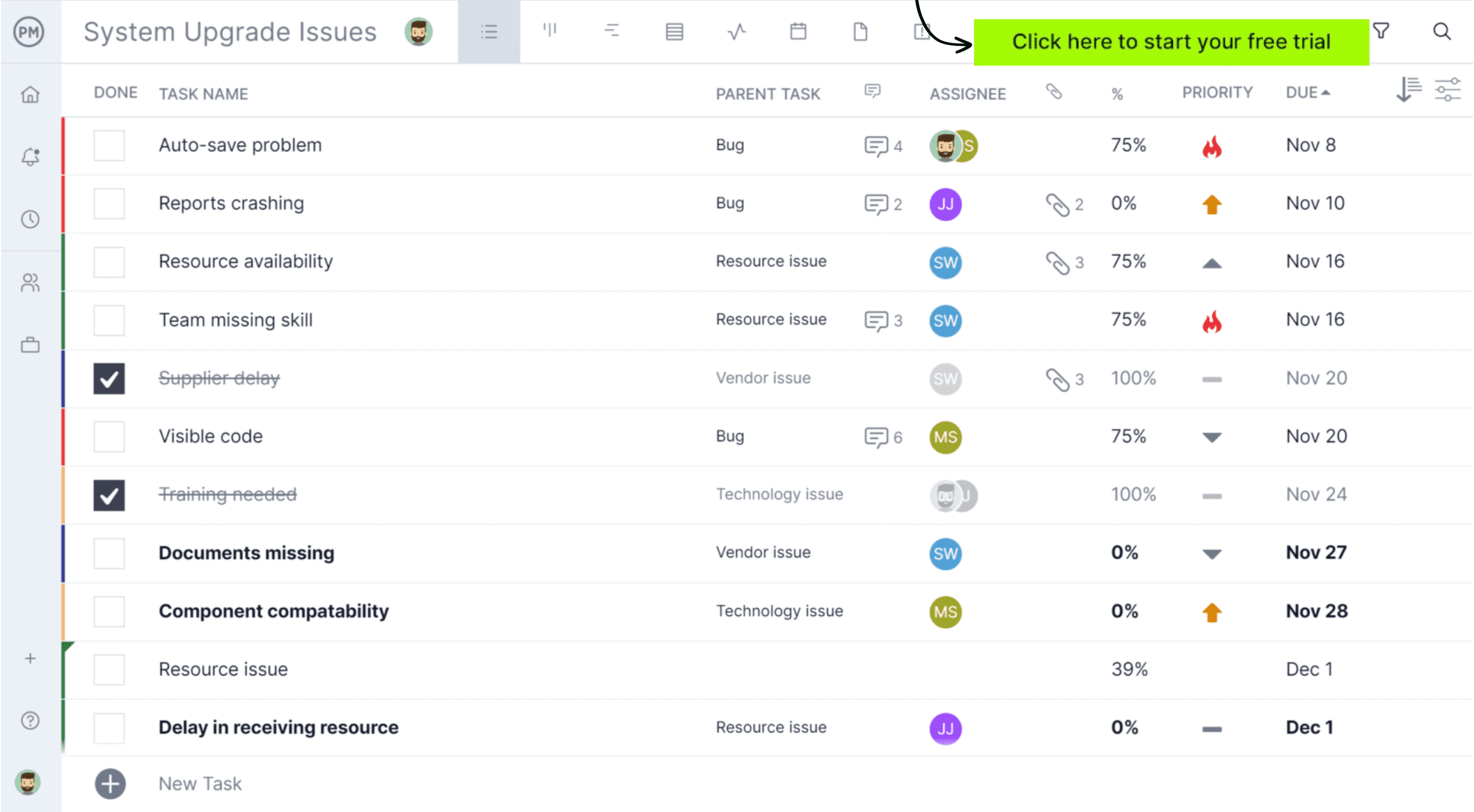
It’s much easier to keep track of equipment maintenance using project management software. ProjectManager has various project views, including the project list, to help keep track of equipment maintenance. It provides a simple, structured table where teams can enter equipment IDs, maintenance tasks, due dates, assigned technicians, status and more. The kanban board is great for tracking equipment maintenance in daily operations, while the Gantt chart can closely track overlapping tasks, recurrence, scheduled maintenance and more. Get started for free by taking a 30-day trial, no credit card required.
Why Is It Important to Use an Equipment Maintenance Log?
Organizations rely on maintenance logs because they support consistent, proactive asset management. When technicians document each inspection or repair, managers gain visibility into equipment performance and can schedule future maintenance before problems escalate. This level of planning reduces downtime, which directly improves productivity and operational continuity.
Accurate records also help teams justify maintenance budgets, forecast replacement needs and ensure compliance with internal policies or industry regulations. For companies in manufacturing, construction, transportation and many other fields, an equipment maintenance log serves as a foundation for safer work, longer asset life and better overall resource utilization.
Top Use Cases for an Equipment Maintenance Log
This log is useful whenever equipment requires routine service, periodic inspections or repair documentation. It’s especially valuable for assets that impact safety, productivity or regulatory compliance.
Manufacturing
In manufacturing environments, an equipment maintenance log helps teams manage complex machinery that operates under continuous, high-intensity conditions. Production lines rely on precise calibration, so documenting adjustments, lubrication intervals and component wear is essential to prevent quality deviations. A detailed log also supports predictive maintenance programs by capturing trends tied to cycle counts, temperature exposure or vibration changes. Because many machines run in coordinated sequences, accurate records ensure each unit stays aligned with the technical requirements of the broader system.

Construction
Construction crews use equipment maintenance logs to track the condition of mobile assets that move from site to site and operate in shifting environmental conditions. Heavy machinery often faces dust, uneven terrain and variable loads, making documentation vital for identifying field-related wear that wouldn’t appear in controlled settings. Logging inspections for hydraulic systems, lift components or ground-engaging tools helps prevent on-site hazards and ensures machines remain certified for use. These records also support compliance during audits, especially when projects require strict adherence to safety codes.
Related: 32 Construction Documents (Templates Included)
Energy and Utilities
In the energy and utilities sector, maintenance logs serve as evidence of regulatory compliance and operational safety. Many assets, such as transformers, turbines, meters and pressure systems, must be inspected at defined intervals, and the log provides a traceable history that aligns with industry standards. Outages can have a wide community impact, so documenting each test, calibration and repair helps utilities maintain grid reliability.
Transportation and Logistics
Transportation and logistics operations depend on equipment maintenance logs to monitor assets that accumulate wear through constant movement, mileage and loading cycles. Fleet managers use logs to document brake checks, tire replacements, engine diagnostics and regulatory inspections to ensure vehicles remain roadworthy. Warehousing teams track forklifts, conveyor systems and loading equipment to maintain safe handling conditions. Because delays can disrupt entire supply chains, these logs help organizations anticipate service needs, reduce the risk of breakdowns during transit and maintain compliance with transportation safety standards.
Related: 18 Free Manufacturing Excel Templates
What Should Be Included in an Equipment Maintenance Log?
When putting together an equipment maintenance log, be sure to include the following information.
Equipment Identification Details
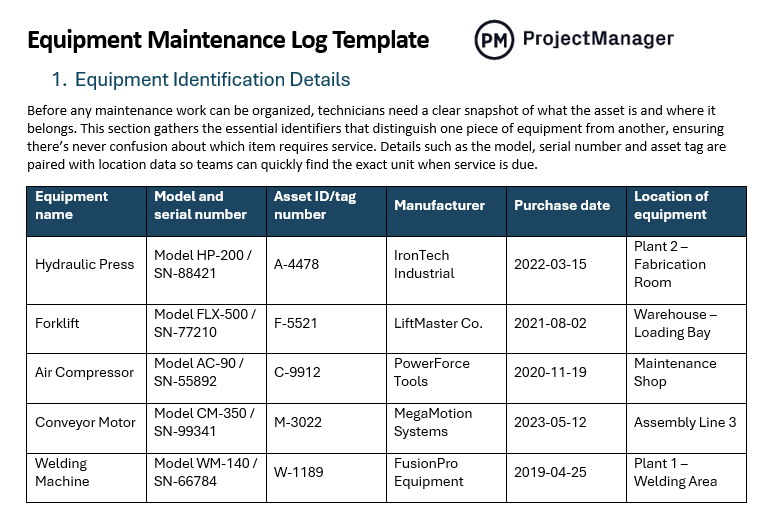
Before any maintenance work can be organized, technicians need a clear snapshot of what the asset is and where it belongs. This section gathers the essential identifiers that distinguish one piece of equipment from another, ensuring there’s never confusion about which item requires service. Details such as the model, serial number and asset tag are paired with location data so teams can quickly find the exact unit when service is due.
- Equipment name
- Model and serial number
- Asset ID/tag number
- Manufacturer
- Purchase date
- Location of equipment
Maintenance Schedule
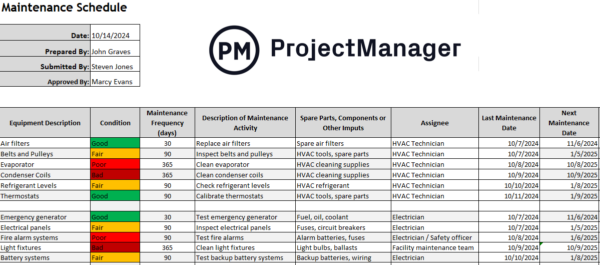
Service timing becomes much easier to manage when it’s laid out in a structured schedule. Instead of guessing when a machine might need attention, teams can consult predefined intervals tied to usage hours, mileage or seasonal requirements. This section helps planners stay ahead of wear and tear by flagging the next maintenance date and clarifying the frequency of each asset’s service.
- Frequency (daily, weekly, monthly, annual, based on hours of use)
- Next scheduled maintenance date
- Service intervals (e.g., every 250 hours)
Usage Information
Understanding how equipment is actually being operated allows maintenance teams to align service needs with real-world demands. Heavy use, extended shifts or frequent operator changes can influence maintenance timing and highlight potential issues. Recording hour-meter readings, mileage and operator names gives organizations a clearer picture of wear patterns and helps them trace how certain usage behaviors impact performance.
- Current hours of operation (for hour-metered assets)
- Mileage (for vehicles)
- Operator name(s)
Related: 12 Best Production Scheduling Software for Manufacturing Projects in 2025
Completed Maintenance Activities
As maintenance tasks are completed, this section builds a detailed record of the asset’s service history. Each entry explains what was done, which parts were replaced and whether any adjustments or calibrations were carried out. Including technician names and dates ensures accountability and provides a reliable reference for diagnosing recurring issues or validating warranty claims in the future.
- Description of the work done
- Parts replaced
- Lubrication steps
- Adjustments or calibrations performed
- Software/firmware updates (for digital equipment)
- Name of technician or mechanic
- Date maintenance was performed
Condition Assessment
Instead of waiting for a failure to occur, technicians can use this section to flag early warning signs. Assessing the equipment’s current condition helps determine whether minor issues are developing into larger concerns. By noting the overall status and recommending follow-up actions, teams gain direction on what repairs to prioritize and whether future refurbishment or replacement should be considered.
- Equipment status (good, fair, poor)
- Identified issues or defects
- Recommended corrective actions
Cost Tracking Information
Financial visibility is crucial when managing long-term equipment performance. This part of the log captures the labor hours invested, the cost of replacement parts and the total expense associated with each service event. Warranty status is recorded as well to prevent unnecessary spending. By reviewing this data, organizations can evaluate cost trends, make informed budgeting decisions and weigh the value of repairing versus replacing an asset.
- Labor hours and cost
- Parts cost
- Total maintenance cost
- Warranty coverage noted
Equipment Maintenance Log Template
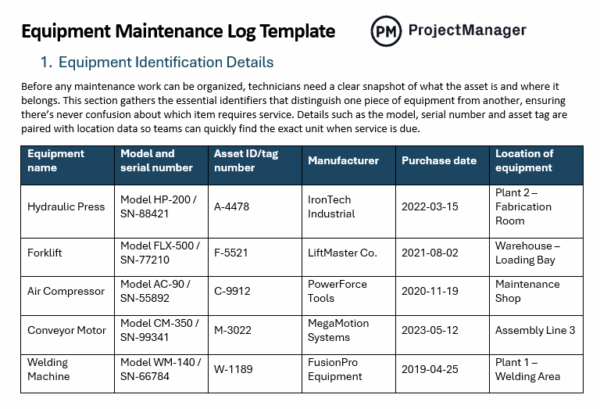
This equipment maintenance log template gives teams a structured, easy-to-follow way to track every detail needed to keep assets running reliably. It includes dedicated sections for identification, service schedules, usage data, completed maintenance activities, condition assessments and cost tracking. Simply click on the image below to download the free template.
Equipment Maintenance Log Example
Imagine a manufacturing plant preparing for its busiest season. Downtime is not an option, so the maintenance supervisor pulls together detailed records for every machine on the floor. To avoid unexpected failures, she reviews identification data, checks upcoming service intervals and verifies usage levels across operators. By organizing all this information into structured tables, the team can spot risks early, plan repairs around production schedules and keep every asset running safely and reliably.
The following tables break down the essential data fields organizations should record to maintain accurate equipment histories, support preventive maintenance and improve operational reliability. By documenting identification details, schedules, usage, completed maintenance activities, condition assessments and costs, teams gain a complete, structured view of equipment performance and long-term maintenance needs.
Equipment Identification Details
| Equipment name | Model and serial number | Asset ID/tag number | Manufacturer | Purchase date | Location of equipment |
| Hydraulic Press | Model HP-200 / SN-88421 | A-4478 | IronTech Industrial | 2022-03-15 | Plant 2 – Fabrication Room |
| Forklift | Model FLX-500 / SN-77210 | F-5521 | LiftMaster Co. | 2021-08-02 | Warehouse – Loading Bay |
| Air Compressor | Model AC-90 / SN-55892 | C-9912 | PowerForce Tools | 2020-11-19 | Maintenance Shop |
| Conveyor Motor | Model CM-350 / SN-99341 | M-3022 | MegaMotion Systems | 2023-05-12 | Assembly Line 3 |
| Welding Machine | Model WM-140 / SN-66784 | W-1189 | FusionPro Equipment | 2019-04-25 | Plant 1 – Welding Area |
Maintenance Schedule
| Frequency (daily, weekly, monthly, annual, based on hours of use) | Next scheduled maintenance date | Service intervals (e.g., every 250 hours) |
| Monthly | 2025-02-15 | Every 250 hours |
| Weekly | 2025-01-22 | Every 50 hours |
| Quarterly | 2025-03-30 | Every 500 hours |
| Daily | 2025-01-21 | Every 8 hours |
| Annual | 2025-12-10 | Every 2,000 hours |
Usage Information
| Current hours of operation (for hour-metered assets) | Mileage (for vehicles) | Operator name(s) |
| 1,482 hours | N/A | Juan Rivera |
| 2,910 hours | 42,300 miles | Sarah Thompson |
| 530 hours | N/A | Luis Gómez |
| 3,221 hours | 88,100 miles | Kevin Wright |
| 724 hours | N/A | Ana Martínez |
Completed Maintenance Activities
| Description of the work done | Parts replaced | Lubrication steps | Adjustments or calibrations performed | Software/firmware updates (for digital equipment) | Name of technician or mechanic | Date maintenance was performed |
| Replaced worn belt and cleaned internal components | Drive belt | Applied lithium grease to bearings | Recalibrated pressure sensor | Firmware updated to v2.4 | M. Santos | 2025-01-10 |
| Cleaned air intake and replaced filter | Air filter | Lubricated piston chamber | Adjusted RPM settings | N/A | C. Herrera | 2024-12-05 |
| Replaced hydraulic hose and topped off fluid | Hydraulic hose | Greased joints and brackets | Reset pressure regulator | N/A | L. Chen | 2025-01-02 |
| Updated software and recalibrated display unit | N/A | N/A | Screen calibration completed | Firmware updated to v3.1 | T. Walker | 2025-01-18 |
| Changed spark plugs and inspected ignition | Spark plugs | Oiled motor shaft | Tuned ignition timing | N/A | P. Alvarez | 2024-11-27 |
Condition Assessment
| Equipment status (good, fair, poor) | Identified issues or defects | Recommended corrective actions |
| Fair | Minor oil seepage near pump housing | Replace seal during next service |
| Good | No issues detected | Continue with routine maintenance |
| Poor | Overheating under heavy load | Replace cooling fan assembly |
| Fair | Belt showing early wear | Monitor and replace next cycle |
| Poor | Faulty pressure gauge reading | Install new gauge immediately |
Cost Tracking Information
| Labor hours and cost | Parts cost | Total maintenance cost | Warranty coverage noted |
| 2.5 hours – $175 | $60 | $235 | Yes – parts covered |
| 1 hour – $70 | $25 | $95 | No |
| 3 hours – $210 | $140 | $350 | Yes – partial coverage |
| 0.5 hours – $35 | $0 | $35 | No |
| 4 hours – $280 | $90 | $370 | Yes – labor excluded |
More Free Related Templates
Equipment Inventory Template
This free equipment inventory template for Excel helps organizations keep track of their equipment purchases, initial value, condition, among other important details.
Maintenance Schedule Template
Our free maintenance schedule template allows maintenance teams to coordinate their preventive and corrective maintenance activities.
How ProjectManager Helps Manufacturing Companies
Manufacturing teams around the world trust ProjectManager to help manage all aspects of their projects. From tracking equipment maintenance to coordinating resources and keeping everything organized across teams, our software is designed to improve project outcomes and ensure quality. Watch our brief video below to learn more about how our software supports manufacturing teams.
Map Production Workflows on Various Project Views
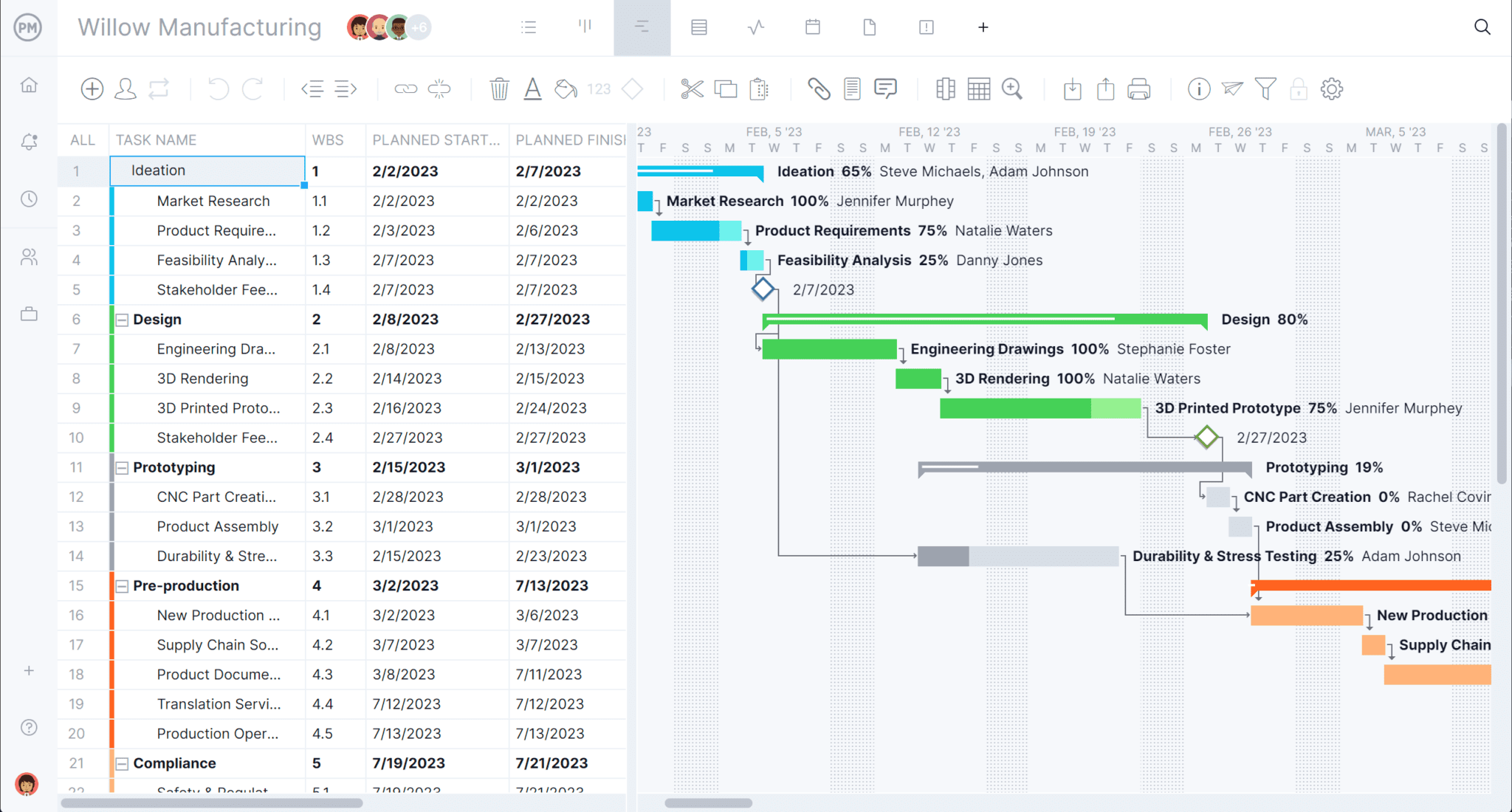
Production planning is one of the most integral parts of a manufacturing project. Tools like Gantt charts with in-depth timelines, tasks, dependencies and milestones make it easy to plan every phase of your manufacturing project. Leverage it to handle overlapping tasks and see the project’s critical path.
Track Resources in Real Time
Equipment maintenance is only one piece of the puzzle; manufacturing teams also need to keep track of team workload. Our built-in resource management tools, like workload charts, timesheets and the team page, ensure each production job has what it needs. Use these tools to avoid overcommitment and keep track of who is working on what.

Related Content
For those interested in reading more about our manufacturing content, explore the links below.
- How to Make a Maintenance Schedule (Example & Template Included)
- Total Productive Maintenance Essentials: 8 Things You Need to Know About TPM
- The Project Management eBook for Manufacturers
- 12 Tips to Increase and Improve Manufacturing Productivity
- Maintenance Planning in Manufacturing & Other Industries
ProjectManager is online project and portfolio management software that connects teams, whether they’re in the office or out in the field. They can share files, comment on tasks and stay updated with email and in-app notifications. Get started with ProjectManager today for free.
