



Construction billing is more complicated than sending an invoice at the end of a job. A typical construction project involves estimates before the work begins, quotes sent to the client for approval, purchase orders to vendors, work orders to subcontractors, change orders when scope shifts, progress invoices tied to a payment schedule and a tracker to stay on top of what has and has not been paid. Each document plays a specific role in the billing cycle, and gaps between them are where disputes, delays and unpaid work tend to accumulate.
Getting the paperwork right is not just about looking professional. In construction, a well-documented billing trail is protection. It establishes what was agreed, what was delivered and what is owed, which matters when a client disputes a charge, a subcontractor misses a payment or a lender needs documentation to release funds. The right construction invoice templates make that documentation consistent and complete without adding hours of administrative work to every project.
We put together nine free construction invoice and billing templates for Excel and Word covering the full billing lifecycle, from the first estimate through final payment tracking. Each one is free to download and ready to adapt for your projects.
1. Construction Invoice Template for Excel
A construction invoice is the formal payment request sent to the client after work is completed or at a defined billing milestone. Unlike a simple service invoice, a construction invoice needs to account for labor, materials and equipment separately, tie back to the original contract or change orders and provide enough detail that the client’s accounts payable team can verify and approve it without a back-and-forth. An invoice that raises questions delays payment; one that answers them upfront gets processed first.
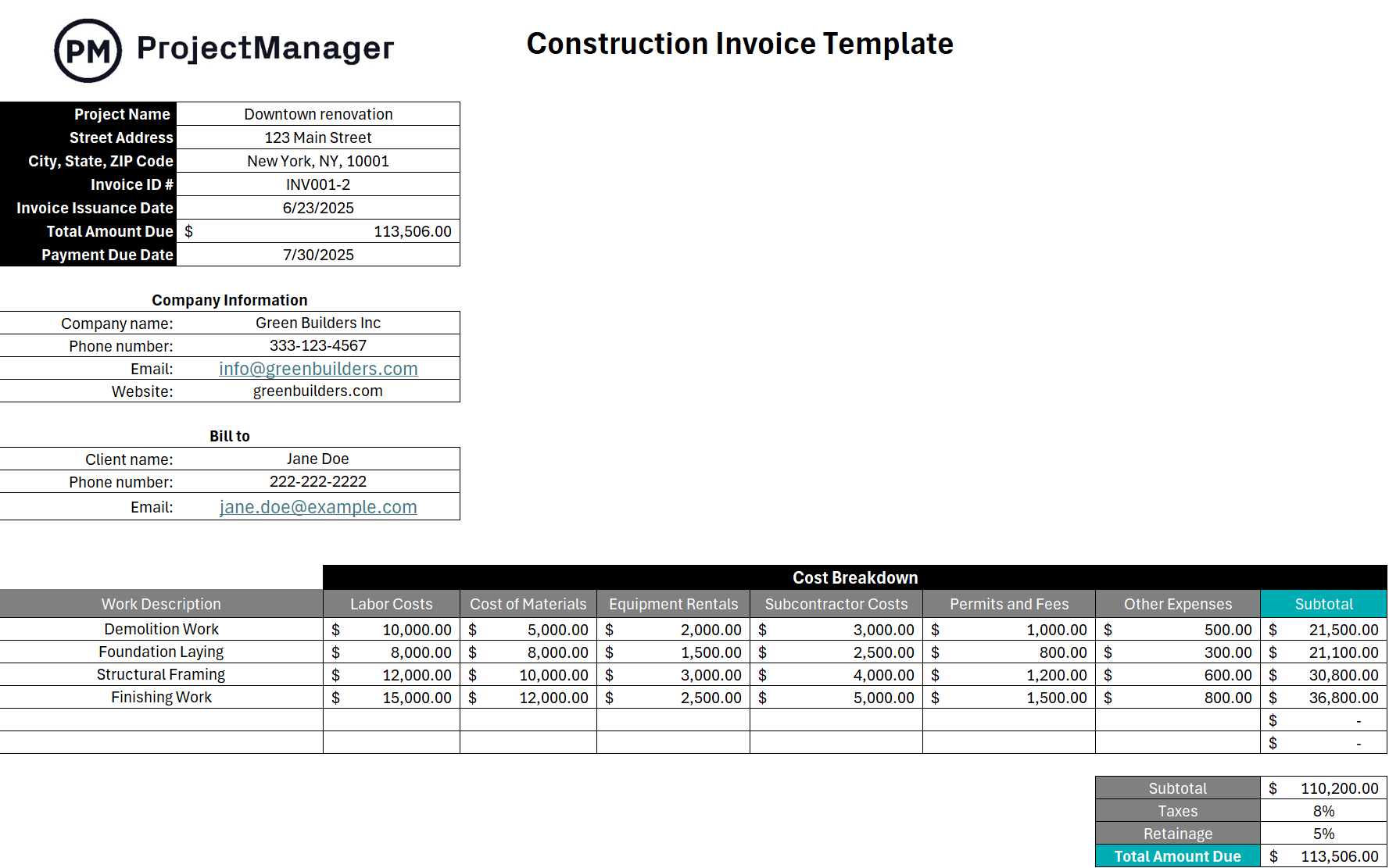
This Excel template breaks the invoice into line items for labor, materials and equipment with columns for description, quantity, unit cost and total. It includes fields for the project name, contract number, billing period and payment terms so the invoice ties directly back to the contract and the work performed. Totals calculate automatically so the math is always accurate and the invoice is ready to send without manual checking.
The right starting point for general contractors, subcontractors and construction firms that bill clients on a progress or milestone basis and need a professional invoice format that holds up to scrutiny from an owner, lender or project accountant.
2. Construction Estimate Template for Excel
A construction estimate is the first financial document in any project relationship. It tells the client what the work will cost before any commitment is made, and it tells you whether the project is worth taking on. An estimate that is too rough gets you into a project you cannot profitably complete. One that is too detailed before you have enough information creates false precision that comes back to haunt you when actual costs diverge. Getting the estimate right is where project profitability begins.
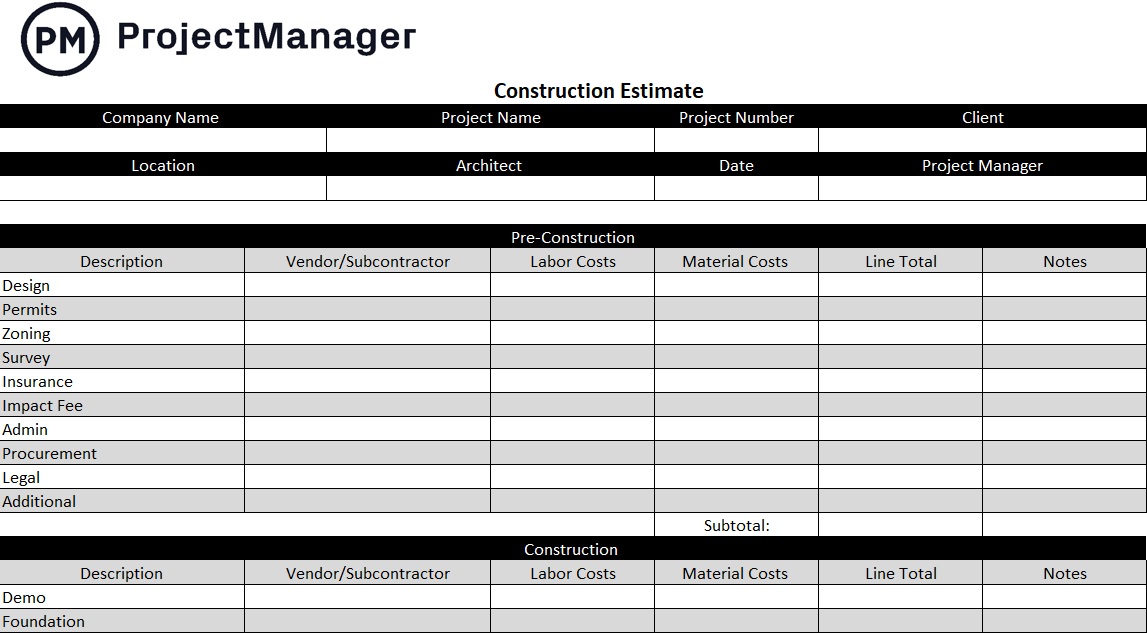
This Excel template structures the estimate by work category: site preparation, foundation, framing, mechanical, electrical, finishes, with line items for labor hours, labor rate, materials and equipment under each category. Subtotals roll up to a project total with fields for contingency, overhead and profit margin. The breakdown by category makes it straightforward to update individual sections as the scope becomes clearer without rebuilding the whole estimate from scratch.
Most useful during pre-construction when you are pricing a project for a client and need a structured, professional document that can be reviewed, revised and eventually turned into a formal quote or contract.
3. Construction Quote Template for Excel
A construction quote is the client-facing version of the estimate: a formal pricing document that the client can review, approve and use as the basis for a contract. Where an estimate is a working document you use internally to price the job, a quote is the commitment you send to the client. It needs to be clear, complete and professionally formatted because it sets the expectations the entire project will be measured against.
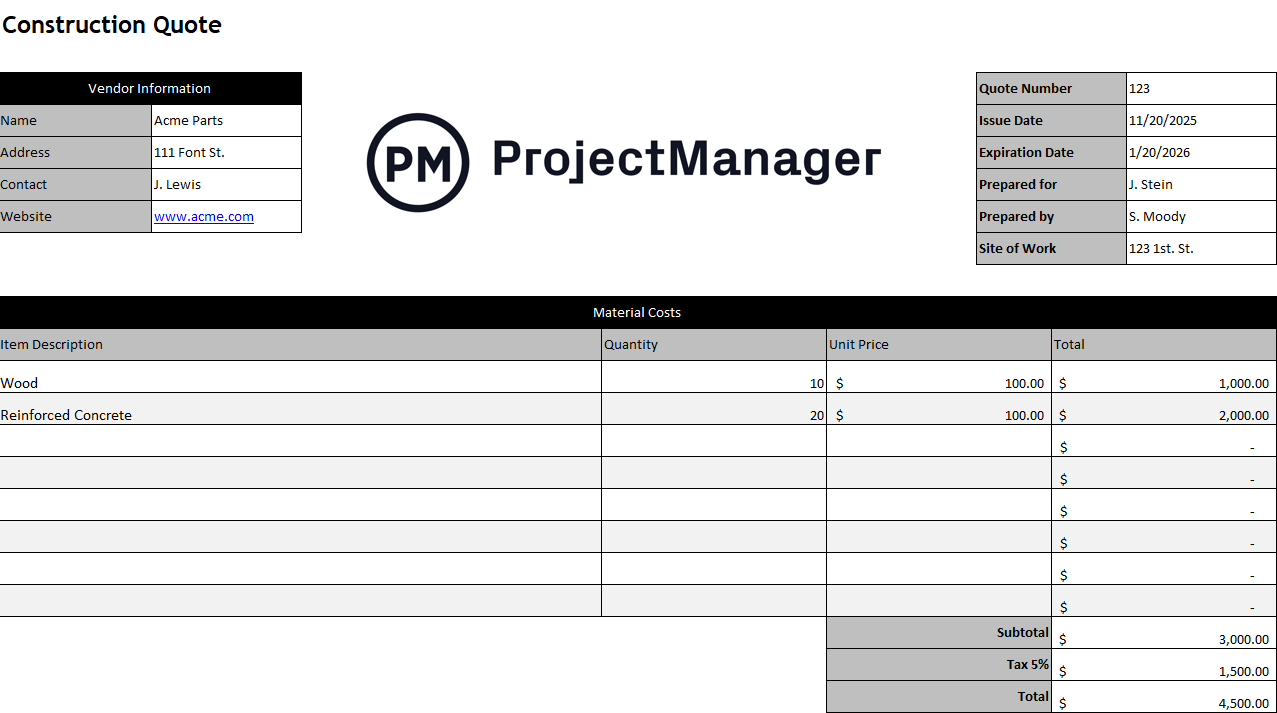
This Excel template covers the standard quote structure: your company details, the client’s information, project description, a line-item breakdown of labor and materials with costs, a validity date, payment terms and signature fields for both parties. It is formatted as a document the client can sign off on and file, which creates a paper trail connecting the approved quote to every invoice that follows throughout the project.
Particularly useful for contractors who need a consistent, professional quote format that can be used for every bid without recreating the structure each time, and for projects where the client’s procurement process requires a formal written quote before authorizing work.
Manage Construction Billing and Budgets in ProjectManager
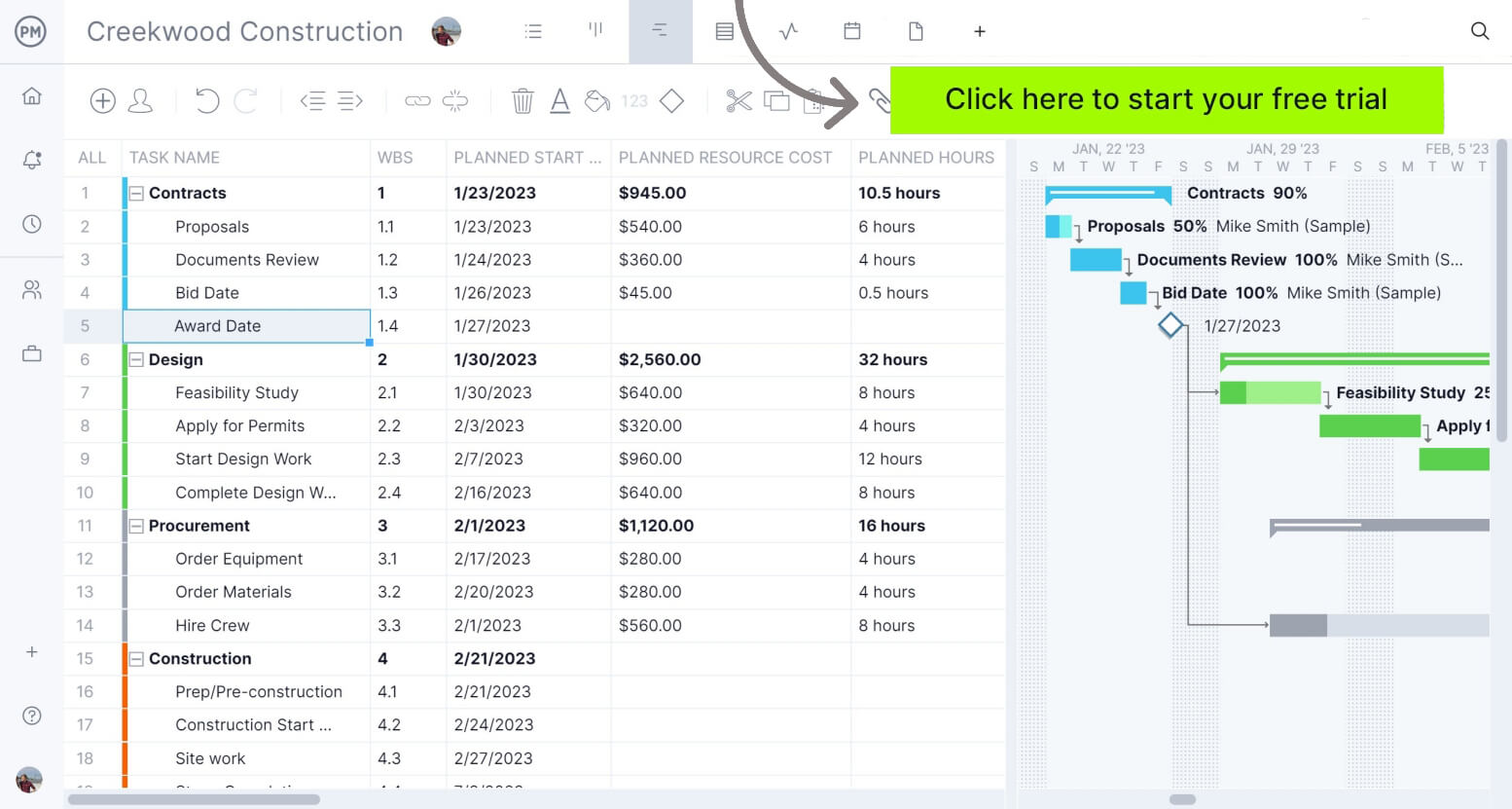
Templates handle the paperwork. ProjectManager handles the project behind it. Track labor hours, log costs against your budget and monitor progress across every phase, so when it is time to invoice, the data is already there. Try it free for 30 days.
4. Contractor Estimate Template for Excel
A contractor estimate is the pricing document a subcontractor or specialty contractor submits to a general contractor for a specific scope of work. It is narrower than a full project estimate, focused on a single trade or work package rather than the complete project, and it needs to be detailed enough that the GC can evaluate it against other bids and roll it into their overall project pricing without having to chase down additional information.
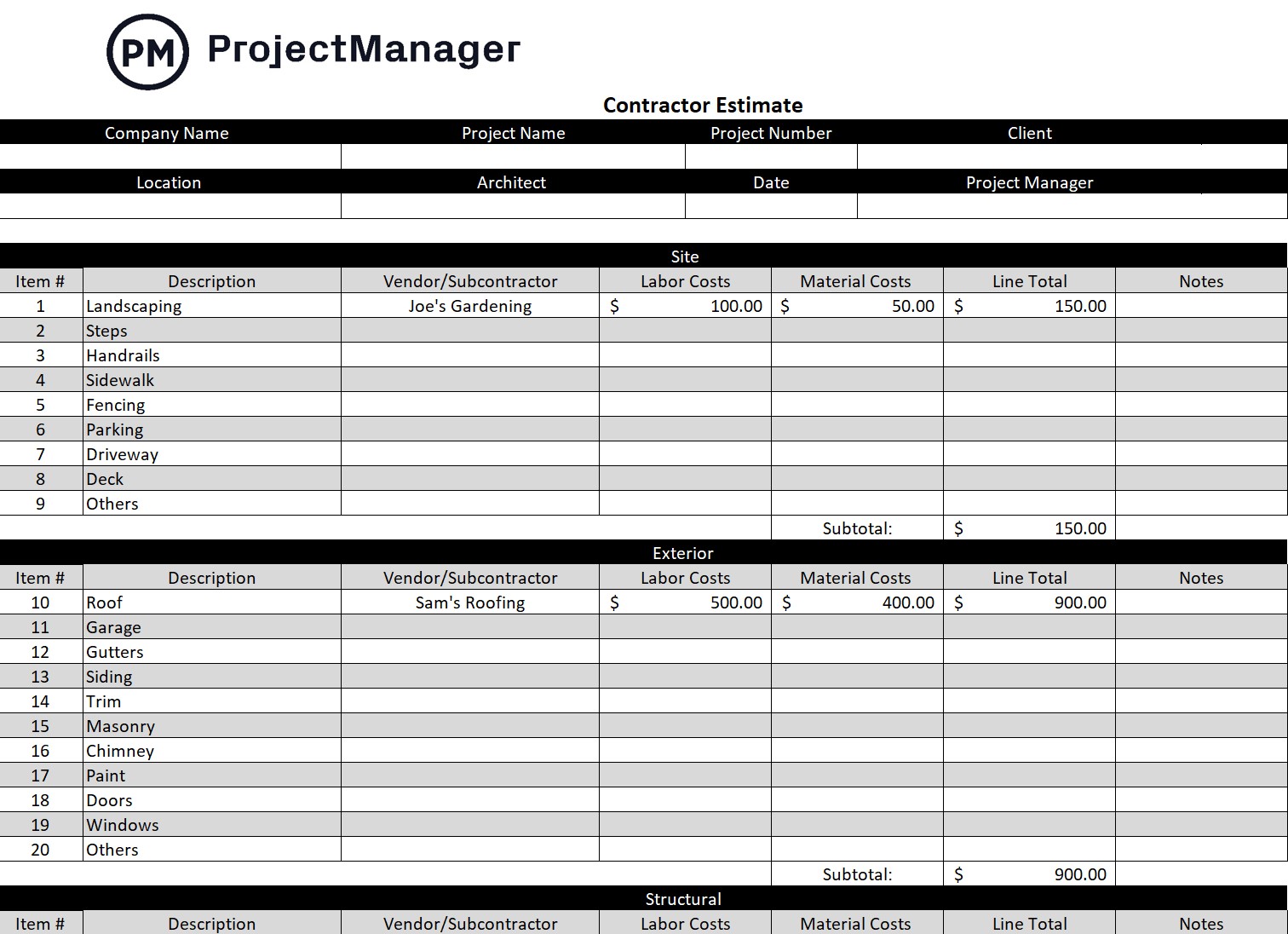
This Excel template provides a trade-specific estimate structure with line items for labor, materials and equipment, space for unit costs and quantities and a total that rolls up to a lump sum or unit price depending on the contract type. It includes fields for exclusions and clarifications: a critical section that defines what is and is not included in the price, which protects the contractor from being held responsible for work that was never priced into the estimate.
Designed for subcontractors and specialty contractors who bid work to general contractors and need a clean, professional estimate format that presents their pricing clearly and holds up to comparison against competing bids.
5. Work Order Template for Excel
A work order is the document that authorizes a specific piece of work to begin. In construction, it is the internal or external directive that says: here is the scope, here is who is doing it, here is the deadline and here is what it will cost. It precedes the invoice. You cannot invoice for work that was never formally authorized, and it creates the paper trail that ties completed work back to an approved scope, which is essential when billing disputes arise.
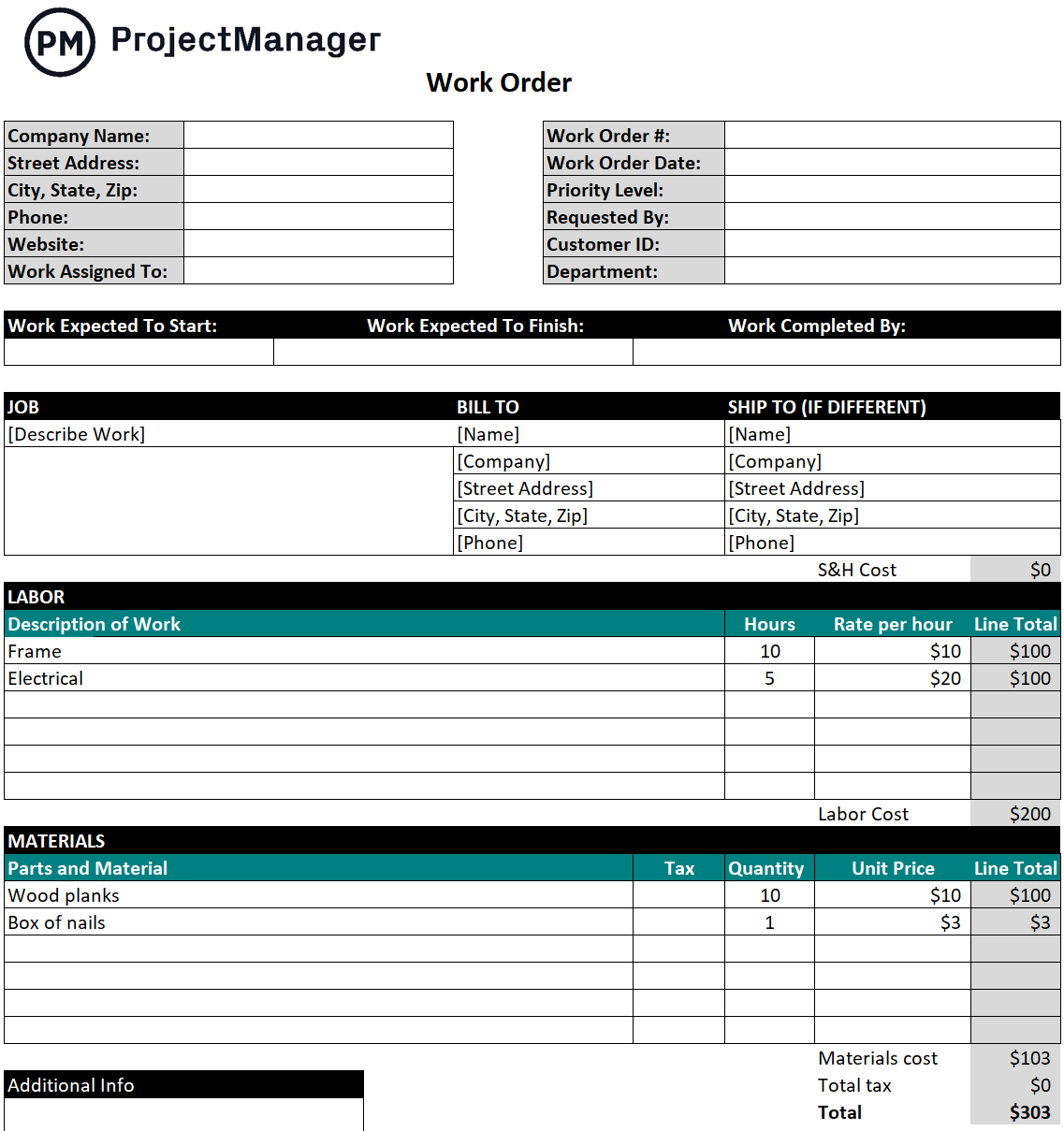
This Excel template covers the standard work order fields: work order number, issue date, project name, description of work, assigned contractor or crew, estimated labor and materials cost, start and completion dates and authorization signatures. It is structured to flow directly into the invoice process. The work order number and scope description carry over to the invoice, creating a traceable link between the authorization and the payment request.
Essential for construction managers and general contractors who need a consistent authorization process before work begins, particularly on projects with multiple subcontractors where an informal verbal authorization is not sufficient to support the billing and closeout process.
6. Construction Change Order Form Template for Excel
Change orders are where construction billing gets complicated. The original contract covers the original scope. Everything that gets added, modified or removed after the contract is signed needs its own authorization, and that authorization needs to be in writing before the work happens, not after. A change order that is documented after the fact is a change order the client can dispute. One that is signed before the work begins is a billing event that is almost impossible to contest.
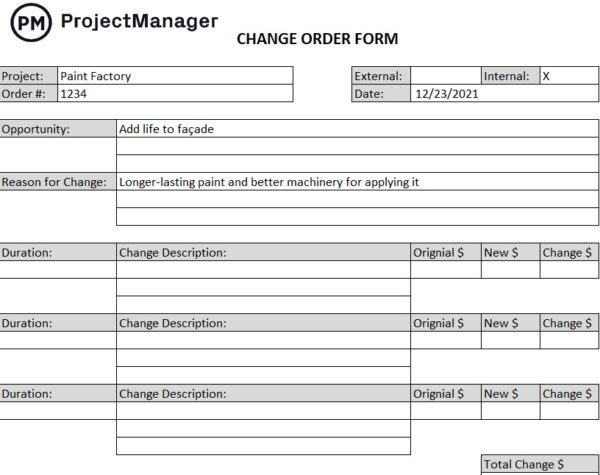
This Excel template documents the change with fields for the original contract reference, a description of the change in scope, the reason for the change, the cost impact broken down by labor and materials, the schedule impact and signature lines for both the contractor and the client. The cost and schedule impact fields are the ones that matter most. A change order that captures both is a complete record of what changed and what it cost, which is exactly what you need if the project ends up in a payment dispute.
Used by general contractors, subcontractors and construction managers on any project where scope changes are expected and formal written authorization is required before additional work begins or additional charges can be invoiced.
7. Purchase Order Template for Excel
A purchase order is the buyer’s authorization for a vendor to deliver materials, equipment or services at a specified price. In construction, it is the document that controls procurement spending: every significant purchase goes through a PO, which connects the spend to an approved budget and creates the paper trail that accounts payable needs to process the vendor’s invoice. Without POs, procurement happens informally and costs accumulate without clear authorization or documentation.
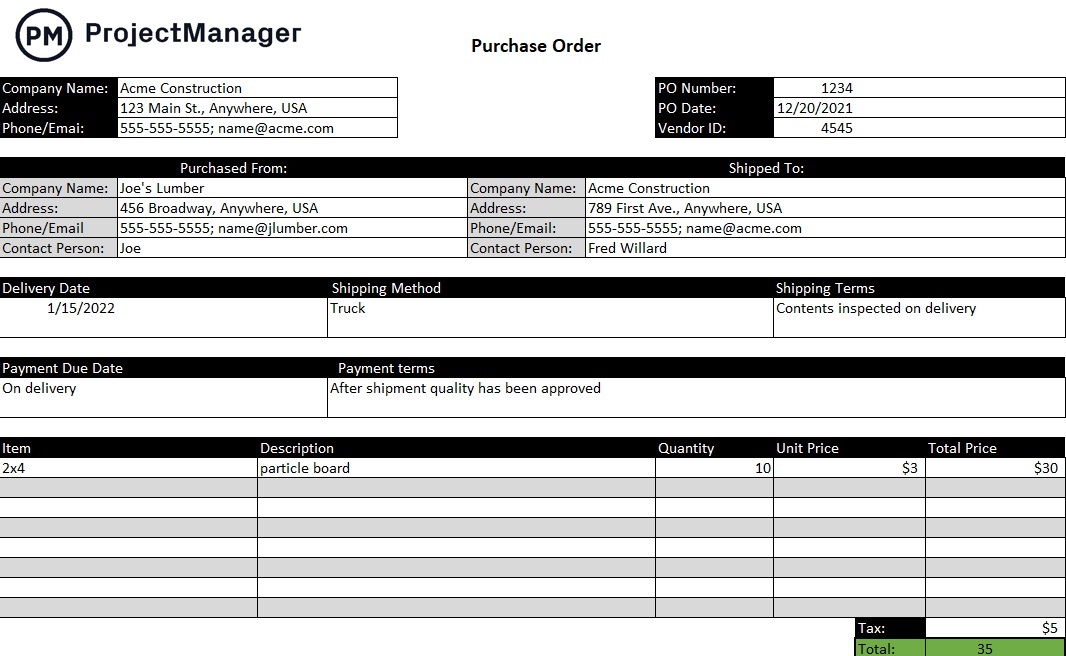
This Excel template includes the standard PO fields: PO number, issue date, vendor details, project name, a line-item breakdown of items ordered with quantities and unit prices, the delivery date and the authorized total. The PO number is the critical link. When the vendor’s invoice arrives, the PO number connects it to the original authorization so the AP team can match and approve it without having to verify the purchase from scratch.
Useful for construction managers, project owners and GCs that purchase materials or hire subcontractors on a regular basis and need a consistent procurement authorization process that keeps spending controlled and vendor invoices easy to reconcile.
8. Payment Schedule Template for Excel
A payment schedule defines when payments are due throughout a construction project and what triggers each one. On larger projects, clients do not pay a single lump sum at the end. They pay in installments tied to milestones, phases or billing periods. Without a payment schedule agreed upfront, every invoice becomes a negotiation about how much is due and when, which creates cash flow uncertainty for the contractor and administrative friction for the client.

This Excel template maps each payment to a milestone or billing period with columns for the payment number, description of the trigger event, amount due, due date and payment status. It gives both the contractor and the client a shared reference for the entire payment timeline from contract signing to final payment, which reduces the back-and-forth around each invoice and makes cash flow easier to plan on both sides.
Best used at contract execution when the payment terms are being finalized, and maintained throughout the project as a shared record of what has been paid and what is still outstanding.
9. Payment Tracker Template for Excel
Sending invoices is only half of getting paid. The other half is tracking which invoices have been paid, which are outstanding, which are overdue and which clients are consistently slow. On a project with multiple billing milestones and multiple subcontractors to pay, keeping that information in your head is not realistic. A payment tracker gives you a single view of your accounts receivable and payable so you can follow up on late payments before they become a cash flow crisis.
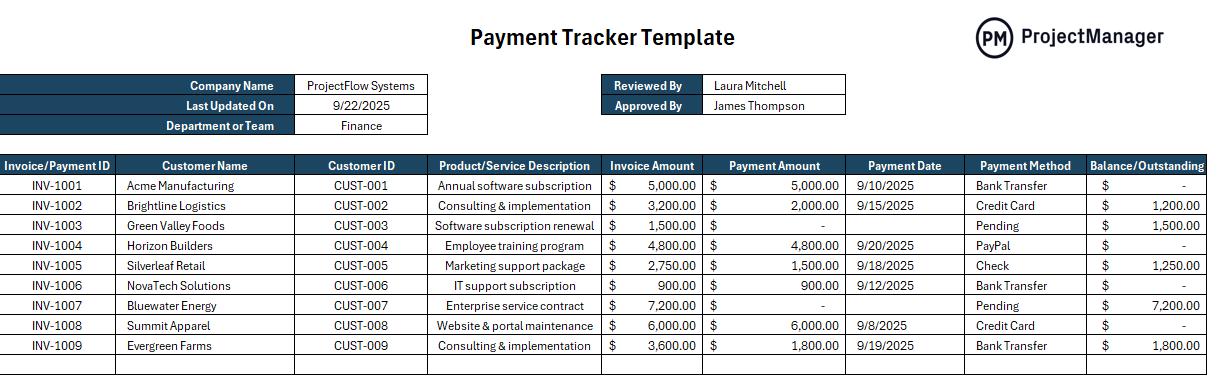
This Excel template logs each invoice with columns for the client or vendor name, invoice number, amount, issue date, due date, payment status and date received or paid. It gives you a running record of all outstanding invoices and payables at a glance so you can see immediately who is overdue, how much is owed and where your cash flow stands at any point during the project.
The right tool for any contractor or construction manager who is running multiple billing cycles across multiple projects and needs a simple system to stay on top of what has and has not been paid without chasing information across email threads and spreadsheets.
Manage Construction Projects and Billing With ProjectManager
Billing templates document the numbers. Getting those numbers right requires tracking labor hours, material costs and progress against the original budget throughout the project, not reconstructing them at invoice time. ProjectManager gives construction teams the real-time cost and schedule data that makes billing accurate and disputes rare.
From the first estimate to the final payment, ProjectManager connects your project data to your billing process so every invoice reflects what was actually delivered.
Track Labor and Material Costs Against Your Budget in Real Time
ProjectManager’s budget tracking tools let you set a project budget, log costs by category and compare actual spending to your plan at any point during the project. Labor costs pull directly from logged timesheets and task hours so the cost data is always current. When a phase is approaching its budget limit, you see it in time to act, not after the work is done and the invoice is already being disputed.
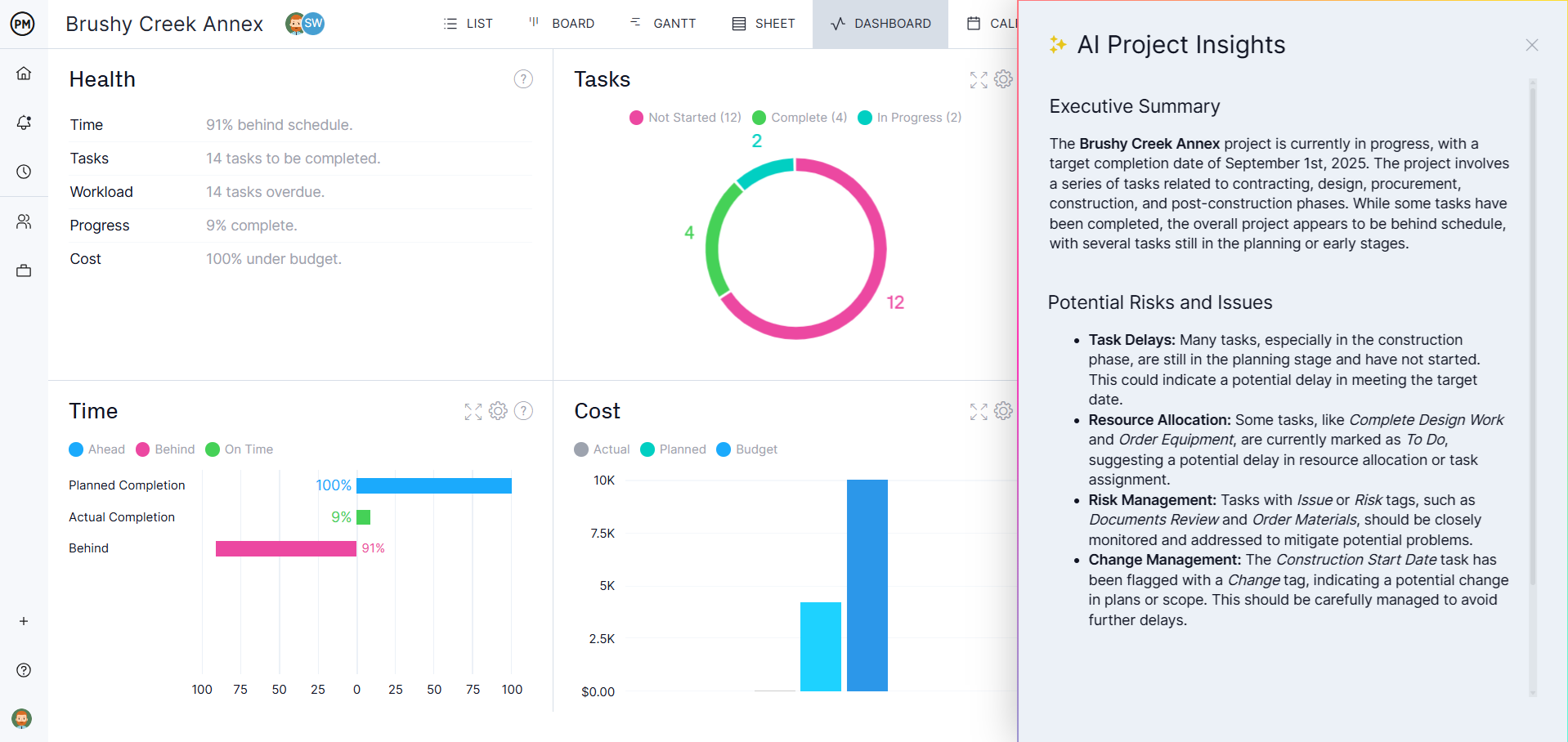
Keep Every Stakeholder Updated Without Weekly Status Calls
Construction clients want to know where their money is going and whether the project is on track. ProjectManager’s real-time dashboards give owners and project managers a live view of schedule progress, budget consumption and milestone completion without requiring a status meeting to pull the information together. Shared reports can be sent automatically on a schedule, which keeps clients informed, reduces inbound questions and gives you documentation of project status at every billing period.
Related Content
- 6 Free Time Tracking Templates for Excel
- 6 Free Invoice Templates for Excel and Word
- 25 Free Project Management Templates for Excel
- 8 Free Work Schedule Templates for Excel
- 10 Free Small Business Plan Templates for Excel and Word
- Construction budget guide
- Construction schedule guide
- Construction reporting guide
