


Crews perform better when safety expectations are clear before work begins. A dependable toolbox talk template helps supervisors lead organized discussions, capture attendance, address changing hazards and maintain consistent records without slowing down the start of each shift.
Why You Need a Toolbox Talk Template
Physical workplaces rarely have the luxury of informal safety communication. Construction sites, factories, warehouses and maintenance teams face moving equipment, hazardous materials, PPE requirements and changing conditions daily.
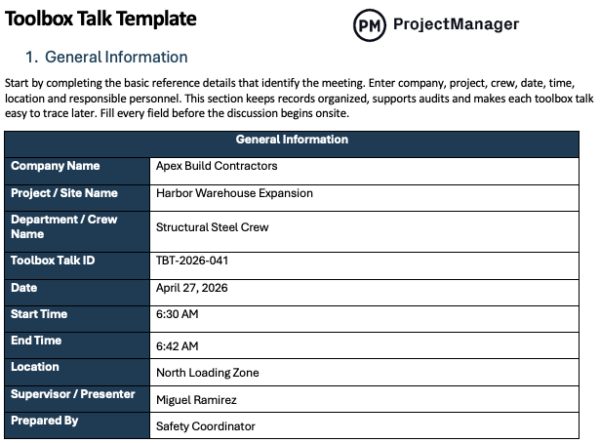
A toolbox talk template streamlines briefings by giving supervisors a standard structure for topics, hazards and preventive actions. That consistency saves time, reduces missed safety points and improves worker awareness. Reliable documentation also supports training records, inspections, audits and internal accountability after incidents or near misses.
When to Use a Toolbox Talk Template
Some days call for routine reminders, while others demand immediate risk controls. A toolbox talk template works across many situations, helping leaders respond quickly, communicate clearly and document what was covered whenever tasks, hazards, conditions or compliance requirements change on the job.
- Daily Safety Briefings: Use before each shift to review hazards, priorities, housekeeping expectations and safe work practices.
- High-Risk Tasks: Hold talks before heights, electrical work, confined spaces, lifting, excavation or welding begins.
- New Job or New Phase of Work: Use when crews enter new areas, tasks or project stages.
- Incident Prevention After a Near Miss: Conduct immediately after close calls to address causes and prevent recurrence.
- Seasonal or Weather Risks: Apply during heat, storms, lightning, ice, wind or poor air conditions.
- New Equipment/Process Changes: Use before introducing tools, machines, chemicals or revised operating procedures.
- Regulatory Compliance: Maintain regular talks to support safety programs, inspections, documentation and policy adherence.
When you’re ready to take control of your projects, try ProjectManager. This award-winning project management software helps teams plan, schedule and track work from start to finish. Create detailed schedules, manage resources, monitor costs and compare planned versus actual performance with a full suite of powerful tools. Get started for free today.
How to Use ProjectManager’s Toolbox Talk Template for Word
Once you download the free template, complete each section before the shift starts and use it to guide a focused safety discussion. The format helps supervisors stay organized, cover critical risks, document attendance and maintain consistent records across projects, crews and changing job conditions.
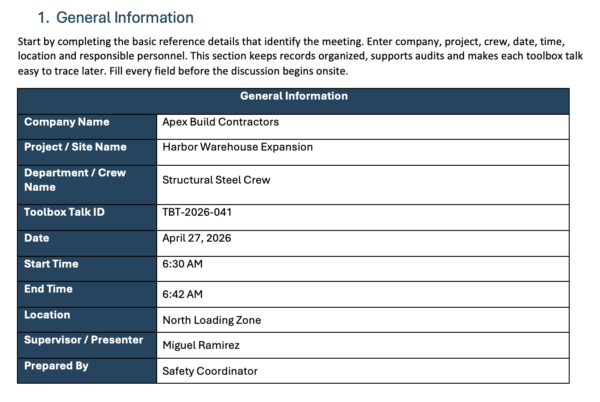
1. General Information
Start by completing the basic reference details that identify the meeting. Enter company, project, crew, date, time, location and responsible personnel. This section keeps records organized, supports audits and makes each toolbox talk easy to trace later. Fill every field before the discussion begins onsite.
2. Topic Information
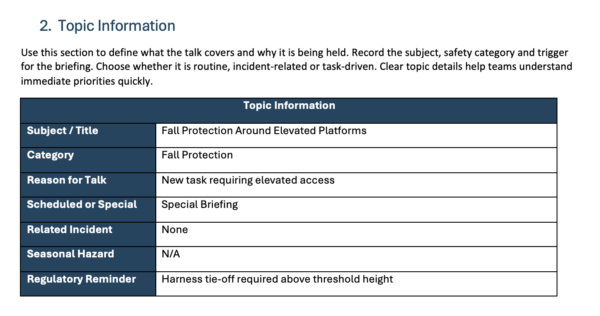
Use this section to define what the talk covers and why it is being held. Record the subject, safety category and trigger for the briefing. Choose whether it is routine, incident-related or task-driven. Clear topic details help teams understand immediate priorities quickly.
3. Scope of Today’s Work
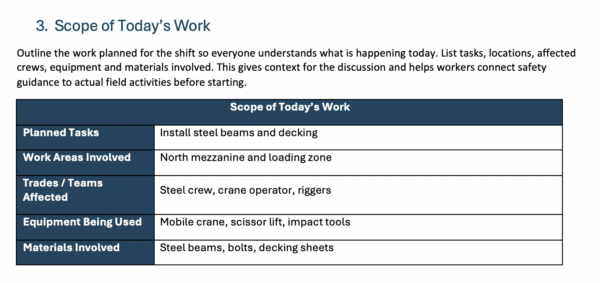
Outline the work planned for the shift so everyone understands what is happening today. List tasks, locations, affected crews, equipment and materials involved. This gives context for the discussion and helps workers connect safety guidance to actual field activities before starting.
4. Hazard Identification
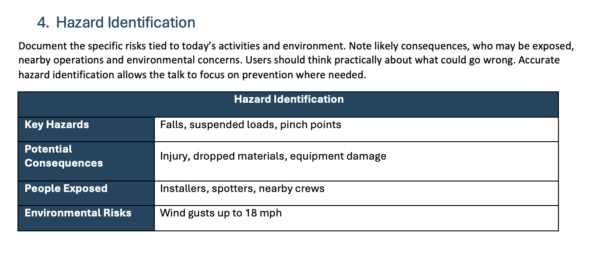
Document the specific risks tied to today’s activities and environment. Note likely consequences, who may be exposed, nearby operations and environmental concerns. Users should think practically about what could go wrong. Accurate hazard identification allows the talk to focus on prevention where needed.
5. Safety Controls & Preventive Measures
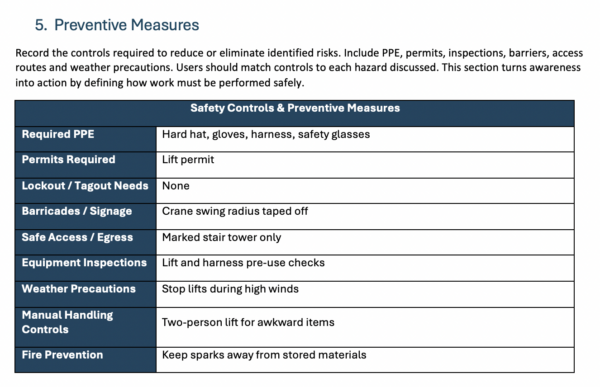
Record the controls required to reduce or eliminate identified risks. Include PPE, permits, inspections, barriers, access routes and weather precautions. Users should match controls to each hazard discussed. This section turns awareness into action by defining how work must be performed safely.
6. Work Method
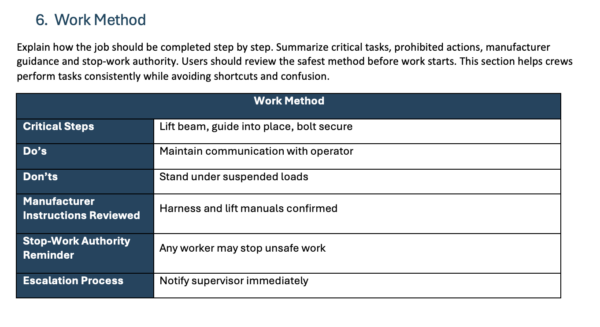
Explain how the job should be completed step by step. Summarize critical tasks, prohibited actions, manufacturer guidance and stop-work authority. Users should review the safest method before work starts. This section helps crews perform tasks consistently while avoiding shortcuts and confusion.
7. Emergency Readiness
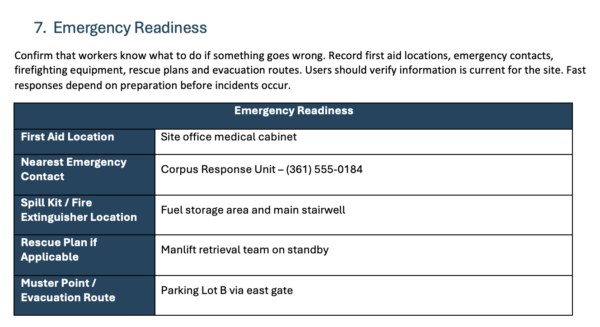
Confirm that workers know what to do if something goes wrong. Record first aid locations, emergency contacts, firefighting equipment, rescue plans and evacuation routes. Users should verify information is current for the site. Fast responses depend on preparation before incidents occur.
8. Employee Engagement
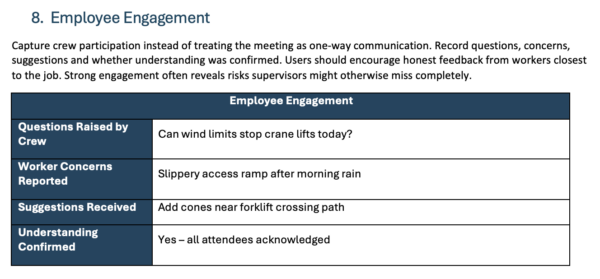
Capture crew participation instead of treating the meeting as one-way communication. Record questions, concerns, suggestions and whether understanding was confirmed. Users should encourage honest feedback from workers closest to the job. Strong engagement often reveals risks supervisors might otherwise miss completely.
9. Corrective Actions/Follow-Up
Use this area to track issues that need action after the talk. List the problem found, required fix, responsible owner, due date and status. Users should assign accountability immediately. Documented follow-up prevents repeated hazards and shows that concerns were taken seriously on-site.

10. Attendance Record
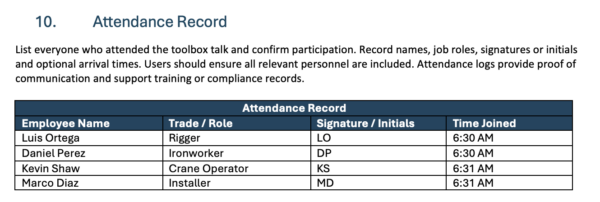
List everyone who attended the toolbox talk and confirm participation. Record names, job roles, signatures or initials and optional arrival times. Users should ensure all relevant personnel are included. Attendance logs provide proof of communication and support training or compliance records.
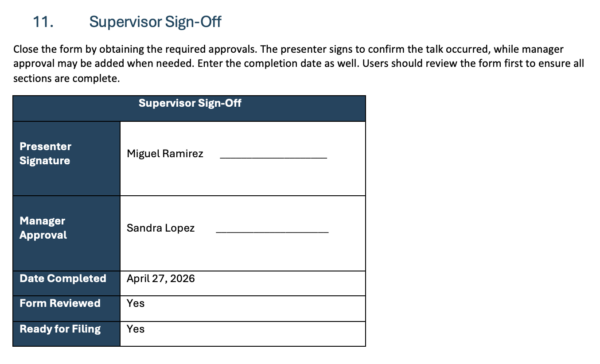
11. Supervisor Sign-Off
Close the form by obtaining the required approvals. The presenter signs to confirm the talk occurred, while manager approval may be added when needed. Enter the completion date as well. Users should review the form first to ensure all sections are complete.
How to Manage Processes with ProjectManager
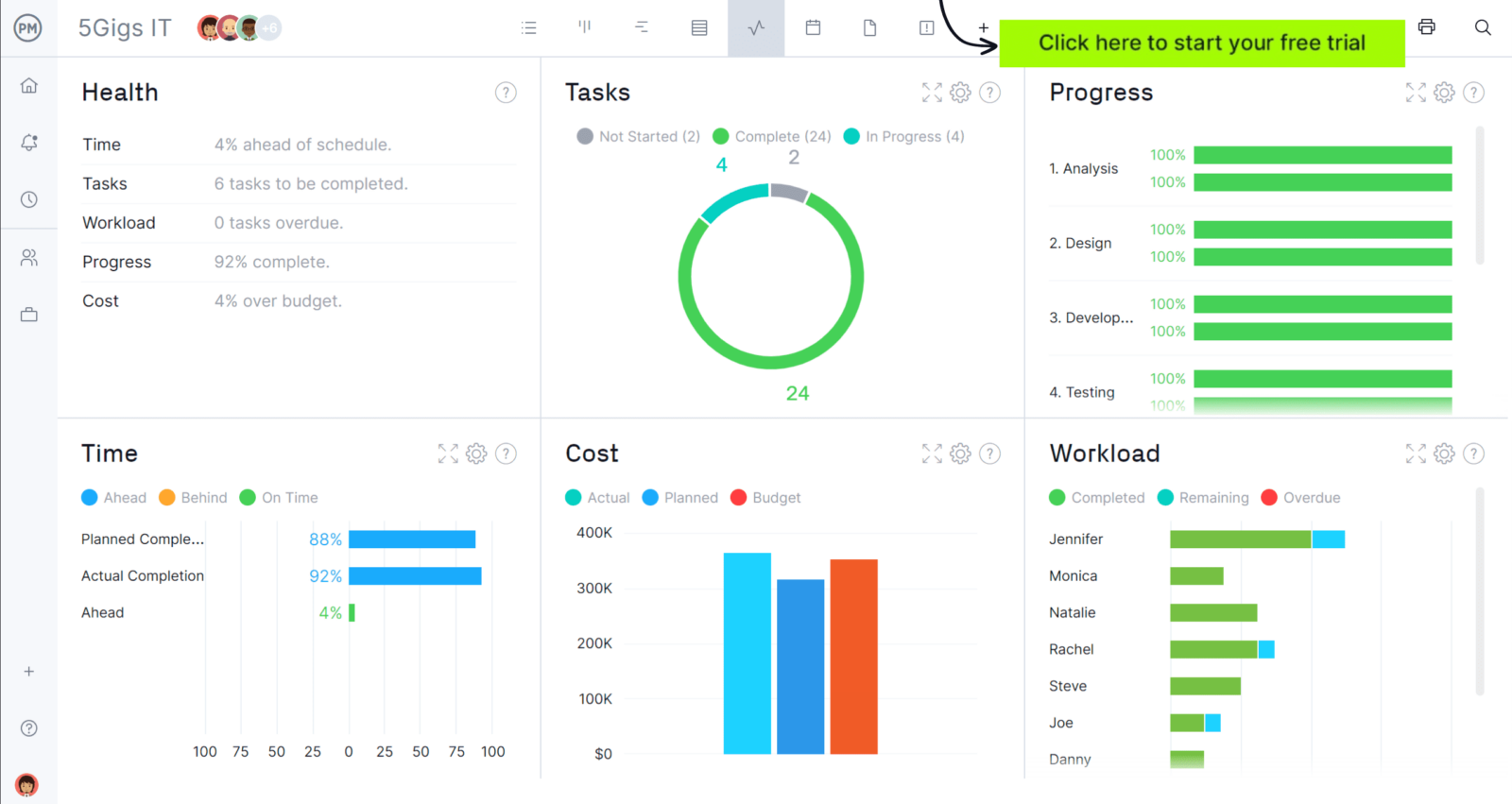
ProjectManager is an online project management solution that provides a complete set of work planning, scheduling and tracking tools, including Gantt charts, kanban boards, task lists and real-time dashboards and reports. With these features, teams across industries can build detailed schedules, assign resources and monitor progress, costs and timelines.
ProjectManager also delivers AI-powered project insights to support better decision-making and connects with over 100 tools like Microsoft Project, Acumatica and Power BI. With its open API and wide range of integrations, organizations can seamlessly link ProjectManager to their existing systems. Watch the video below to learn more about how our software supports construction teams!
Free Related Templates
We’ve created dozens of free process management templates for Excel, Word, Google Sheets and more. Here are some that organizations can use with a toolbox talk template.
Process Map Template
Outline workflows step by step to show responsibilities, decision paths and task handoffs. Use it to spot bottlenecks, remove confusion and improve operational efficiency.
Standard Operating Procedure (SOP) Template
Create clear instructions for repeatable tasks so teams follow the same method, maintain quality standards and minimize mistakes during routine daily work.
Policies and Procedures Template
Define company rules alongside the actions required to follow them. Use this template to support compliance, standardize behavior and set expectations organization-wide.
Related Content
- Safety Checklist: Quick Guide With Example & Template
- How to Write a Method Statement
- Construction Safety Plan Template
- 5S Audit: Checklist, Example & Free Template
- What Is a Standard Operating Procedure?
If you need a tool to help you manage projects, then sign up for our software now at ProjectManager. Our online software helps teams across industries plan, track and oversee projects as they unfold. Sign up for a free 30-day trial today!