



When the leadership team defines an organization’s vision, they look toward the future and identify the goals and objectives they want to achieve. This is the start of strategic planning. The next step is establishing the sequence in which to realize those goals and objectives.
Once the vision is defined, then the practical work begins, and strategic planning templates can facilitate that work. ProjectManager is not only powerful project and portfolio management software but also has over 100 free project and portfolio management templates for Excel and Word, including these strategic planning templates covering strategic analysis frameworks, competitive intelligence and scenario planning tools.
Why Should You Use Strategic Planning Templates?
Strategic planning templates are useful tools for project management offices (PMOs) and portfolio and program managers who oversee multiple projects and ensure they’re aligned with the organization’s strategic goals. They cover everything involved in the strategic planning process, from defining the vision statement to creating a roadmap and more.
Using premade strategic planning templates is also helpful because there’s no busy work involved. All you have to do is add relevant details. Strategic planning templates are consistent, which helps when archiving strategic planning documentation. This makes it easier to reference those documents when needed and review them when creating a new long-term plan.
While strategic planning templates help get you started, once you execute the strategic plan, you’ll see their limitations. These are, after all, static documents that must be manually updated which can impact collaboration. Strategic plans are implemented across the organization and departments must work together, share resources and prioritize the common goal. In reality, strategic planning templates aren’t designed to be that dynamic.
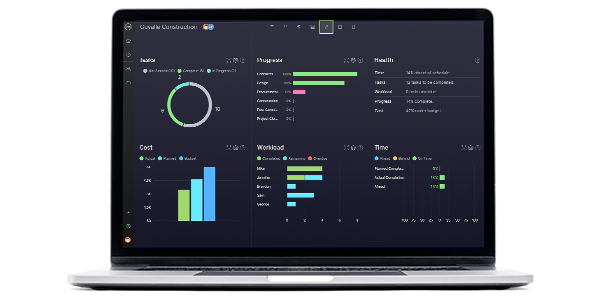
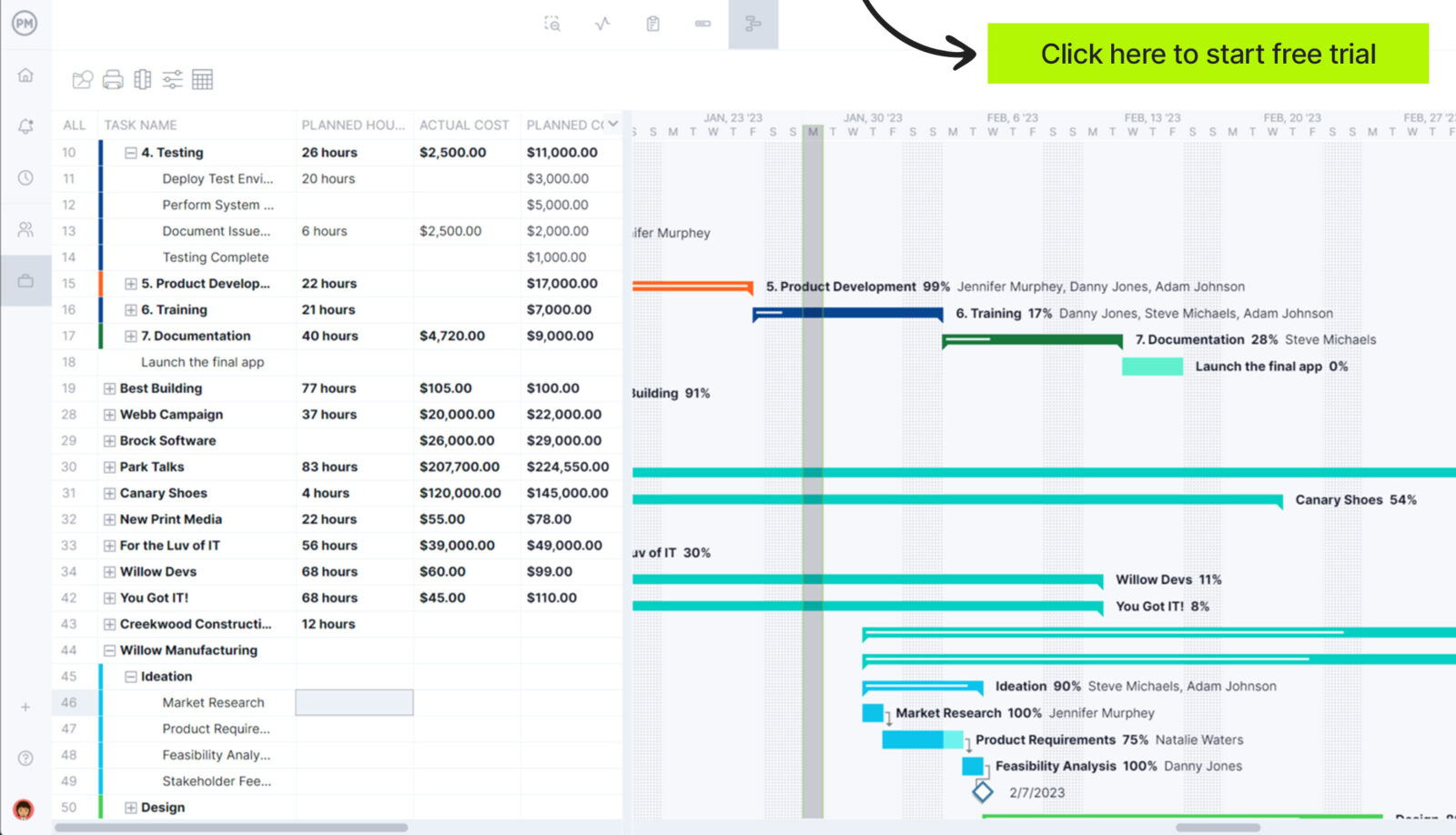
Portfolio management software goes where strategic planning templates cannot. ProjectManager is award-winning project and portfolio management software with powerful strategic roadmaps that collect all your projects and displays them on one Gantt chart. You can manage resources, track time and manage tasks for all your projects in one place. Our roadmap can be filtered by assignee, project manager or customer to help you make forecasts. You can view which projects are opened and who’s assigned to what tasks and highlight key metrics to keep stakeholders informed. Get started with ProjectManager today for free.
Free Strategic Planning Templates for Excel and Word
If you’re not ready to upgrade yet, ProjectManager also has over 100 free project management templates for Excel and Word that can help you with every phase of your project and across multiple industries. Below, we’ve listed 12 free strategic planning templates that can help you get started in reaching your strategic goals. Download them now.
1. Strategic Plan Template
Everything you need to outline your strategic plan is in this free strategic plan template for Word. When completed, you’ll have defined a strategic target and how to get the entire organization there. It will also show how the organization will track progress to ensure its goals are met over a specific period.
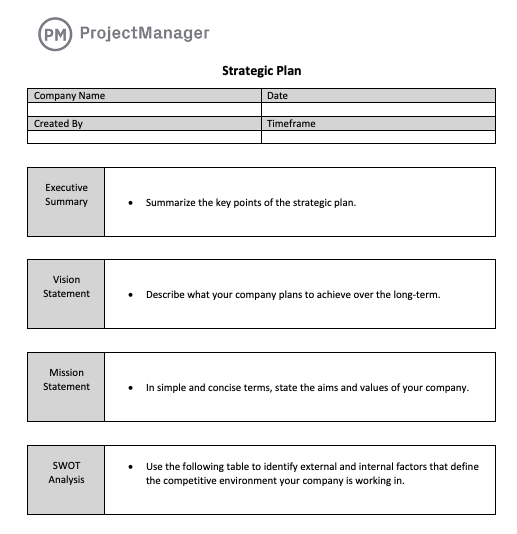
Our free strategic plan template has a place to define your vision and mission statements, and even make a SWOT analysis to identify the organization’s strengths, weaknesses, opportunities and threats. You can list your business goals, marketing and operational plans, financial projections and the team that will be tasked with meeting your strategic goals.
2. Vision Statement Template
Strategic planning templates are nothing if they’re not driven by a clear vision. An organization’s vision is defined and distributed on a document called the vision statement. It succinctly explains the meaning and purpose of the organization, helping everyone understand its long-term goals.
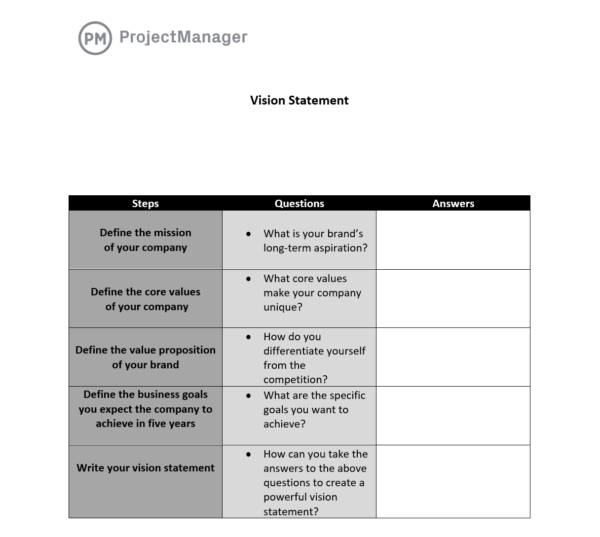
Download our free vision statement template to kickstart the brainstorming that will generate a powerful vision statement for your organization. The vision statement template is made up of five steps, with each associated with a question, to walk you through the process of coming up with the right vision statement for your organization.
3. Strategic Roadmap Template
Once you have a vision, you know where you want to be over the next five or so years. Getting there requires a strategic roadmap, which is a tool that visualizes the major phases in your long-term plan to achieve your vision. This is one of the more important strategic planning templates in that it helps you make important decisions in terms of strategy, resource allocation and more.
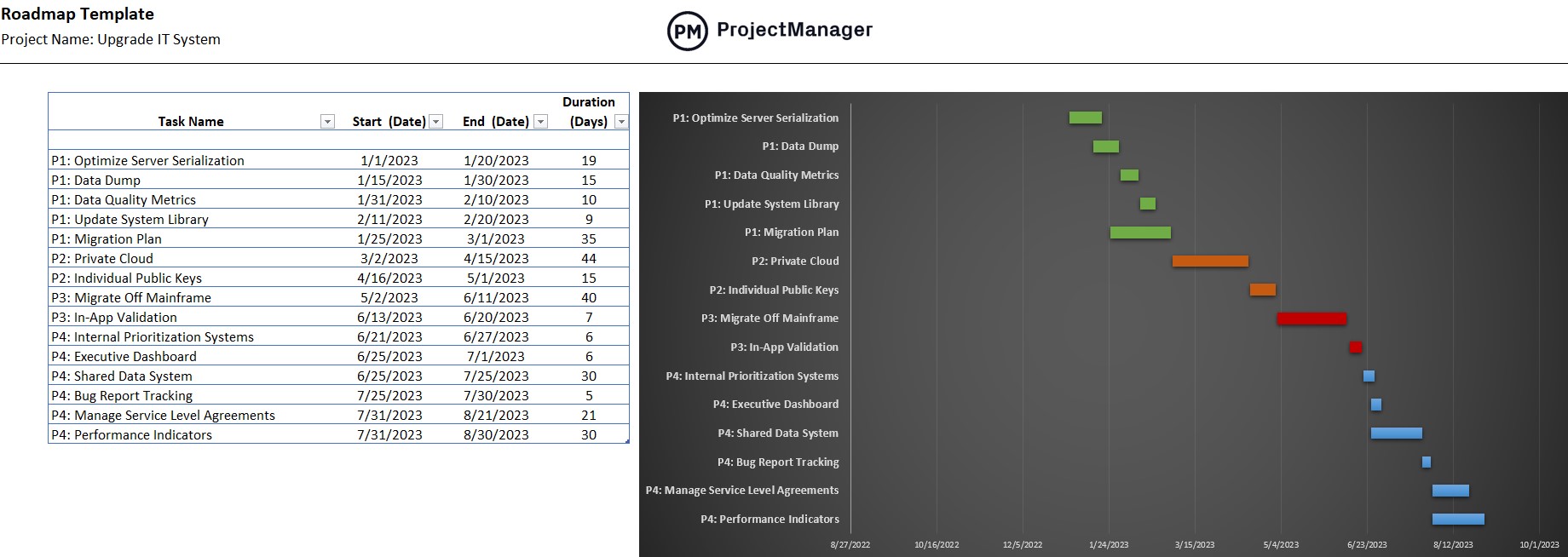
Using our free strategic roadmap template for Excel gives you a high-level overview of the project or multiple projects you’ll be managing. On the left-hand side, a spreadsheet lists your tasks, start and end dates, including duration. Once those are imputed, they automatically populate the horizontal bar chart to the right. You can color-code the timeline to make it easier to distinguish different projects or phases.
4. Strategy Map Template
A strategy map is another strategic planning template that’s also a visual tool. It’s used to show the cause-and-effect of an organization’s strategic objectives by breaking them into four perspectives: strategic, financial, customer and business process. The strategy map template then communicates these objectives to the departments in an organization.
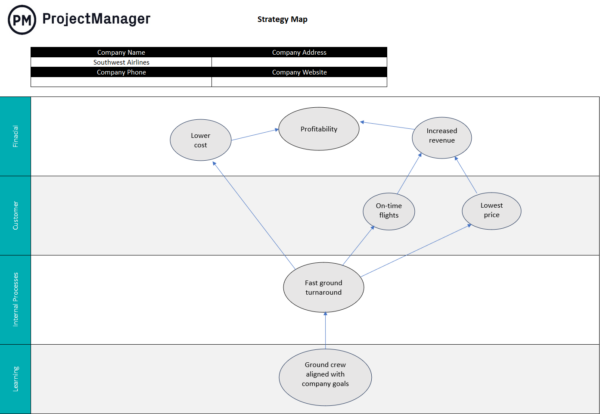
Our free strategy map template for Excel is customizable so you can identify your key objectives and place them appropriately across the four perspectives, with arrows showing the cause-and-effect relationships between them. This makes it clear how one objective from one perspective will influence the other objects from different perspectives.
5. SWOT Analysis Template
SWOT stands for strengths, weaknesses, opportunities and threats. It’s an analytic tool that organizations use to assess their competitive position and develop long-term planning strategies. This makes it an ideal addition to your strategic planning templates.
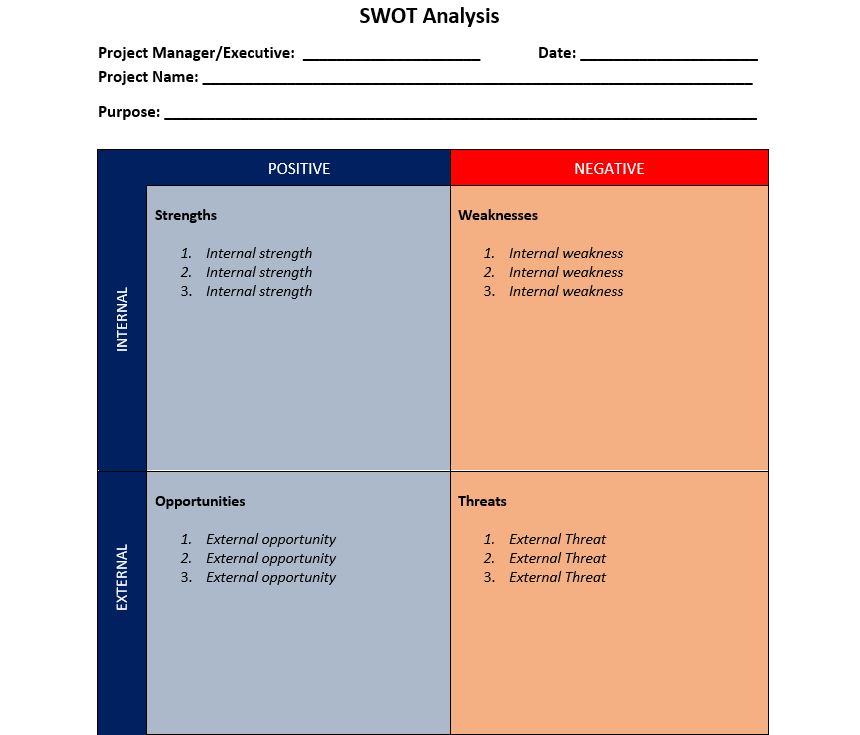
Our free SWOT analysis template for Word is a useful strategic planning template as it’s divided into four quadrants and four descriptors. Strengths are positive and internal to an organization, while weaknesses are negative and internal. Opportunities are positive, but external, while threats are negative and external. Using the template helps you sort through this data to inform your strategic plan.
6. Smart Goals Template
When using strategic planning templates, the first thing you need to define are goals. But those goals should be SMART, as in specific, measurable, attainable, relevant and time-bound. Using our free smart goals template for Word will help ensure you can achieve your long-term goals.
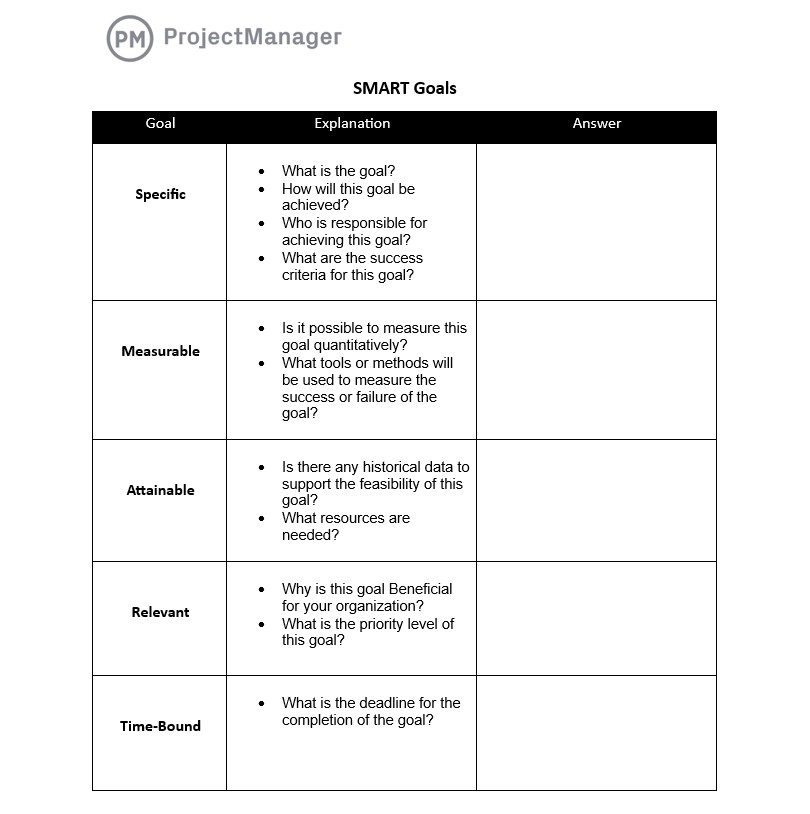
Our SMART goals template is a simple, but powerful tool for defining goals. It’s broken up into the five categories of SMART goals. For each, there are a series of questions to answer. This will lead you to the right goals for your organization and its business environment.
7. Organizational Chart Template
Once you have all your strategic planning templates filled out and you’re ready to implement the plan, there’s one last thing you need to do; define the internal structure of your organization. Creating a visual flowchart clarifies who has power over what and who to report or request guidance from.
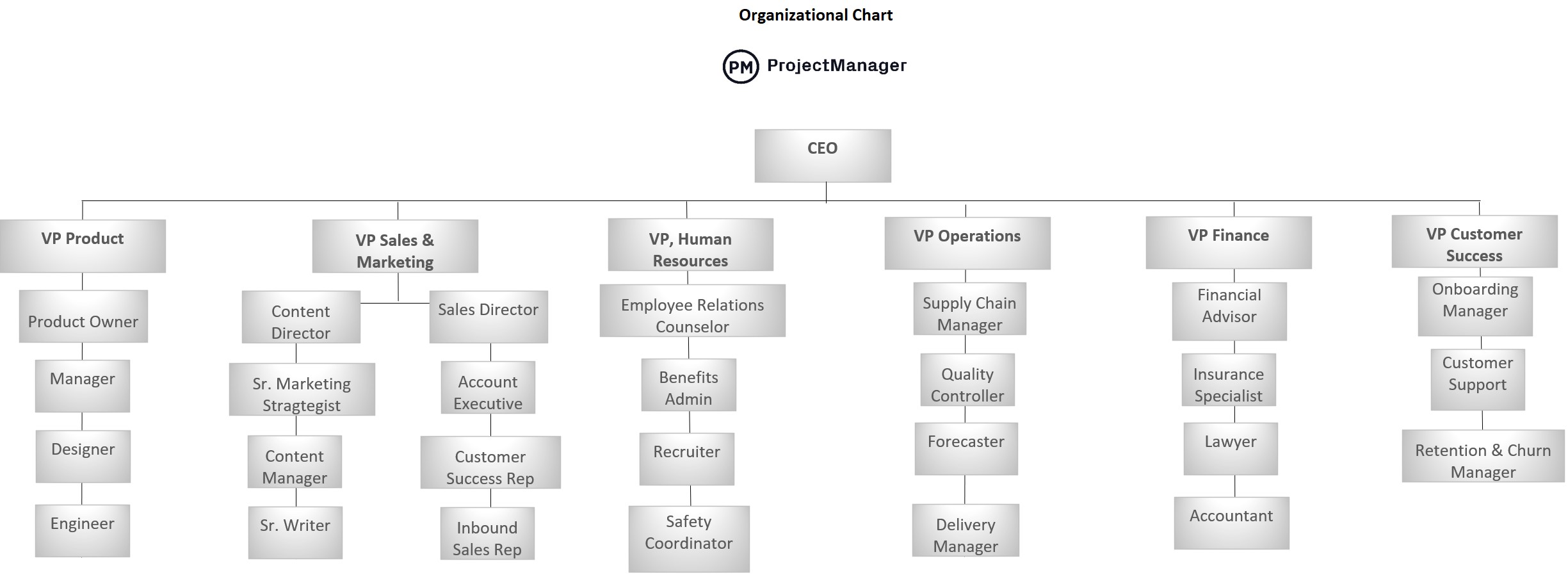
Our free organizational chart template for Excel will help your organization run better, which is essential if you want to reach your long-term goals. The tree diagram design makes it easy to see department heads and those who report under them.
8. Action Plan Template
A strategic goal is just an idea until it’s executed. The ability to turn those goals into actionable tasks requires an action plan, which is a strategic planning template that lists tasks, duration and costs all in one document.
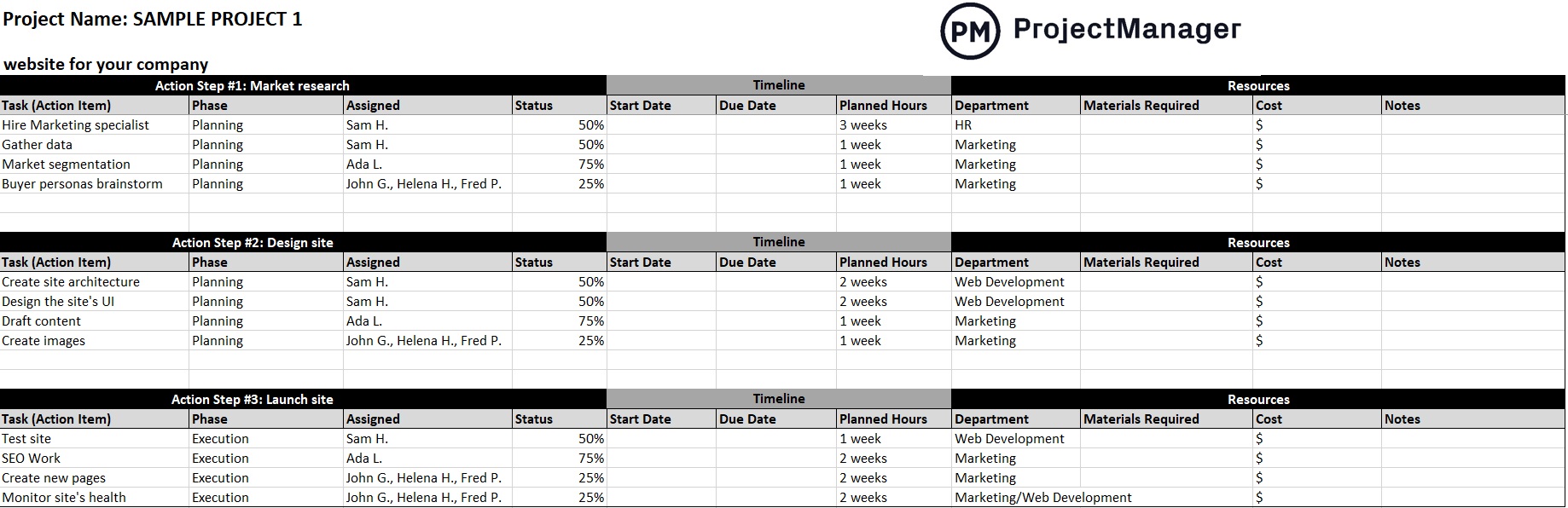
Our free action plan template for Excel helps you organize tasks and subtasks by phase and who’s assigned to them. In the timeline section, add start and end dates. Be sure to include the materials required to execute those tasks and their associated costs.
9. Resource Plan Template
Getting everyone up to speed on strategic plans is one thing, scheduling their work is another. That’s why having a resource plan is critical when assembling your strategic planning templates. Using our free resource plan template for Excel helps you schedule your resources.
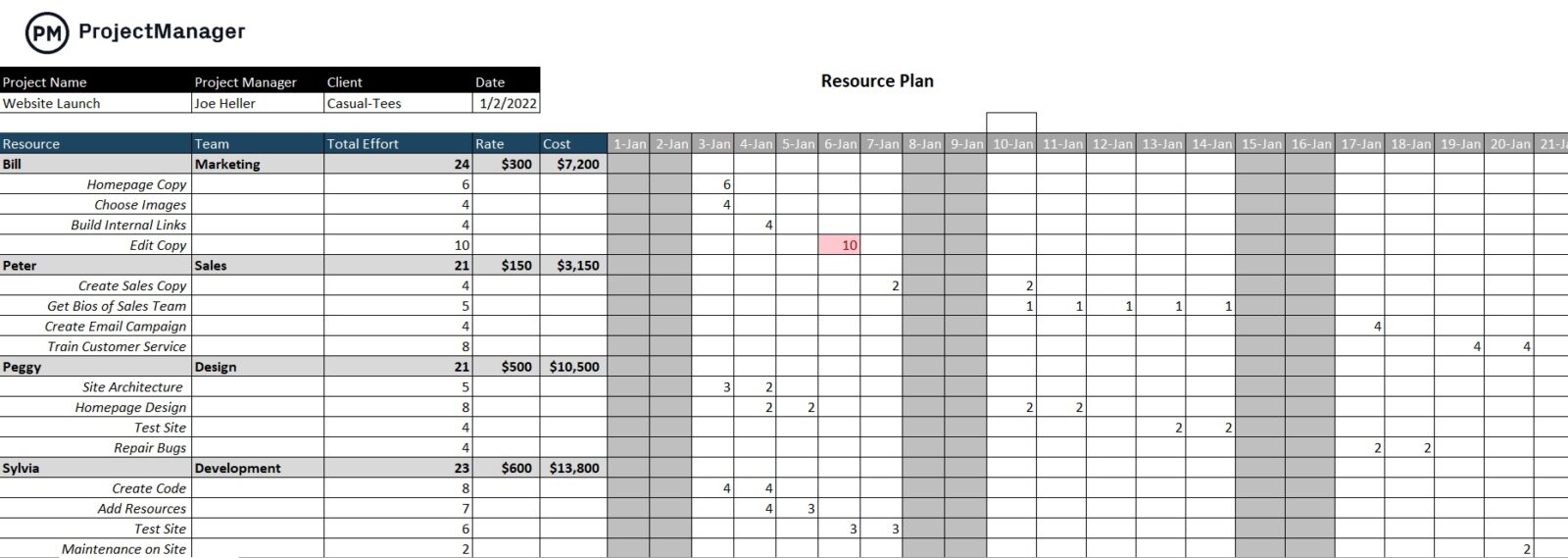
The template has a column to list your resources and another to identify their department and the total number of hours assigned to each resource, including their rate and total cost. The other part of the template is a weekly calendar that allows you to map when you need your resources.
10. Balanced Scorecard Template
Another strategic planning template is the balanced scorecard template. This document gets its name by evaluating strategic and more traditional financial measures to provide balance in the scorecard. It helps align business activities with the vision and strategy of the organization.
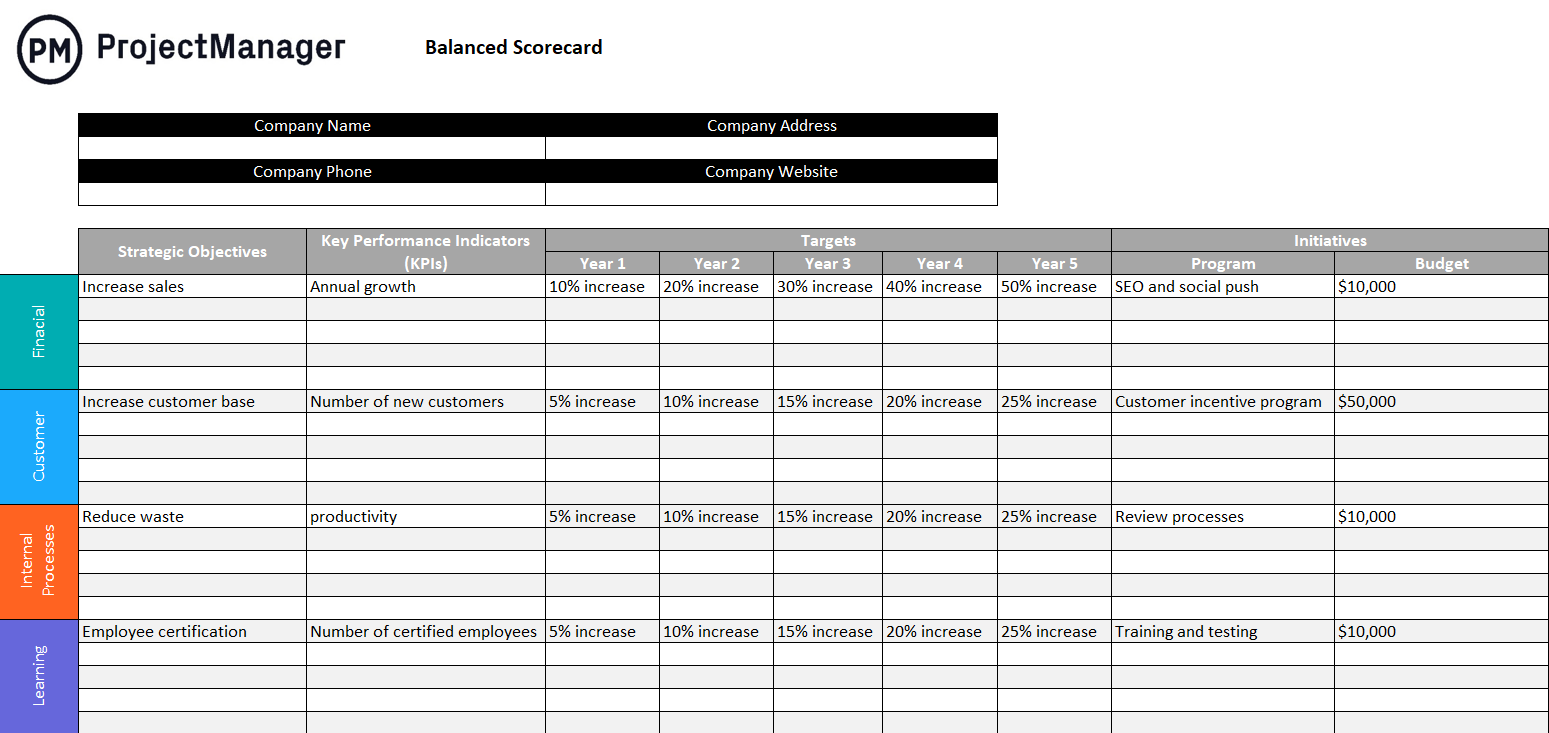
The template itself includes categories such as financial, customer, internal processes and learning, although you can add or remove categories as needed. From there, add strategic objectives and key performance indicators to define and set goals, determining how to meet them along the way. As a result of this template, internal and external communication improves while teams can monitor organizational performance against strategic goals.
11. KPI Dashboard Template
Key performance indicators (KPIs) are another good measure of strategic performance as they are quantifiable. If you’re not sure what the goals are for the project or even for the organization as a whole, how can you achieve them? Use this KPI dashboard template to monitor and analyze KPIs to track performance.

It’s useful for tracking individual, team and department performance in terms of timelines, tasks, workload analysis, resource planning and more. As more data is added to this strategic planning template, it’s easier to identify and address trends that can negatively impact the project.
12. Operational Plan Template
An operational plan highlights the specific actions and resources needed to achieve the organization’s strategic goals. Usually, the operational plan includes additional details on activities, timelines, objectives, responsibilities and needed resources. The goal is to help deliver on the business’s strategic initiatives.
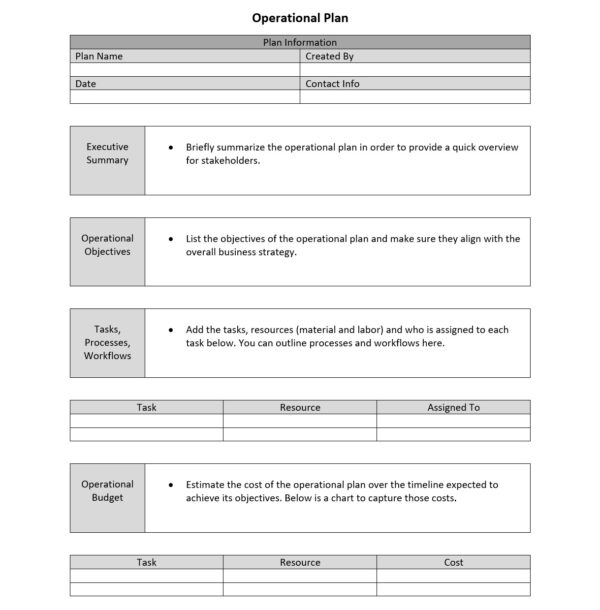
The template itself can cover daily, weekly or monthly timeframes. It’s more than a strategic plan, it also outlines the timelines, scope of work, processes and more. Use this free strategic planning template to outline the metrics that measure the progress of the work to keep it on track.
13. Gap Analysis Template
A gap analysis template helps organizations identify where they currently stand and what needs to change to reach their strategic goals. By mapping the difference between the current state and the desired future state, it gives leadership teams a clear picture of which capabilities, resources or processes are missing. This structured comparison is one of the most direct ways to translate a vision into an actionable improvement agenda.
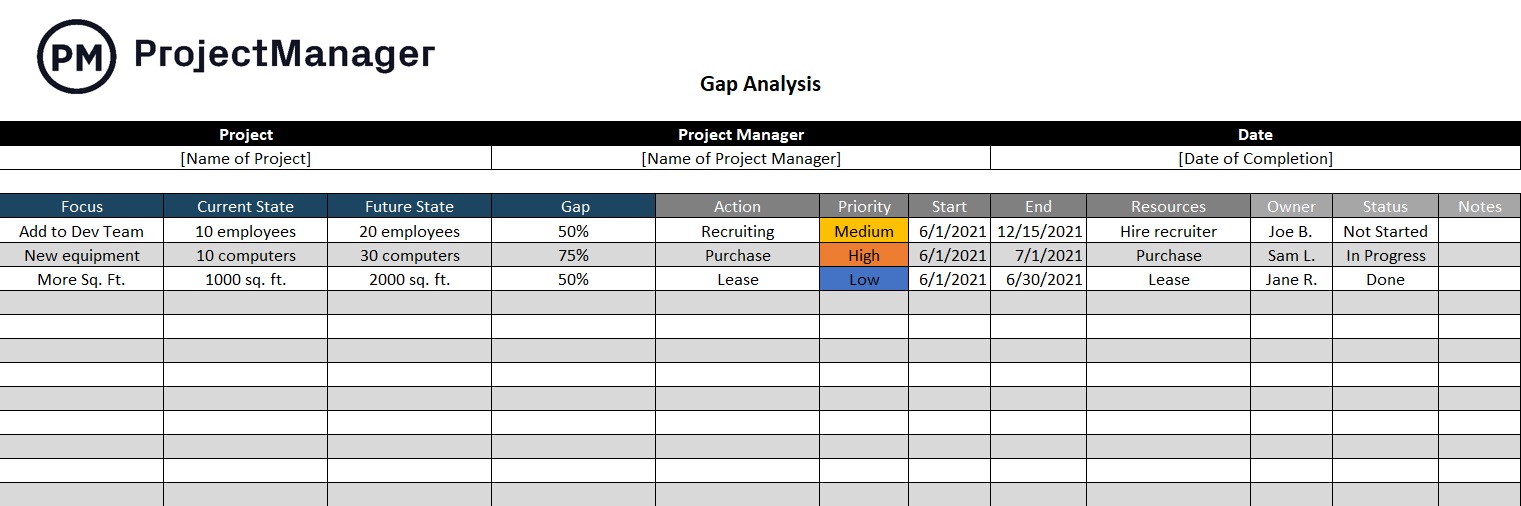
The gap analysis template includes sections for the current state, the target state and the specific gaps between them, along with columns for root causes, required actions and responsible owners. This structure makes it easy to prioritize which gaps matter most and assign accountability for closing them. The result is a bridge between high-level strategy and the practical steps needed to execute it.
This template is useful at the start of any strategic planning cycle, during a reorganization or whenever performance is falling short of expectations. Use it alongside the strategic plan template to ensure your goals are grounded in an honest assessment of where your organization stands today.
14. Competitive Analysis Template
Understanding your competitive landscape is a prerequisite for any credible strategic plan. A competitive analysis template gives you a structured framework for evaluating key competitors across the dimensions that matter most to your business, from pricing and product features to market positioning and target customers. Without this clarity, strategic decisions are made in a vacuum rather than in context.
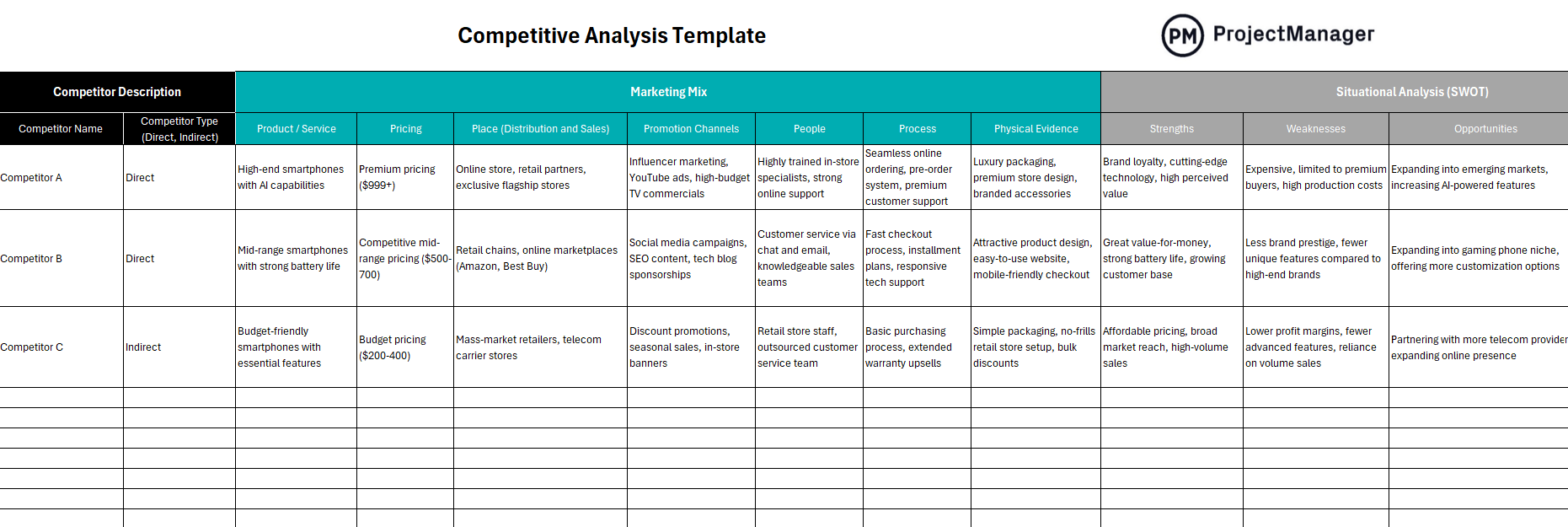
The competitive analysis template includes rows for each competitor and columns for criteria such as strengths, weaknesses, market share, pricing and key differentiators. Filling it out side by side reveals patterns that are easy to miss when examining competitors one at a time. Leadership teams use this output to sharpen their own positioning and identify opportunities the competition has overlooked.
This template is most valuable during the strategy development phase, before finalizing your strategic plan. Pair it with a SWOT analysis to connect external competitive intelligence with an honest assessment of your own capabilities and weaknesses.
15. Scenario Planning Template
No strategic plan survives contact with reality unchanged. A scenario planning template helps leadership teams prepare for multiple possible futures rather than betting everything on a single forecast. By developing best-case, base-case and worst-case scenarios in advance, organizations can make more resilient decisions and respond faster when conditions shift.
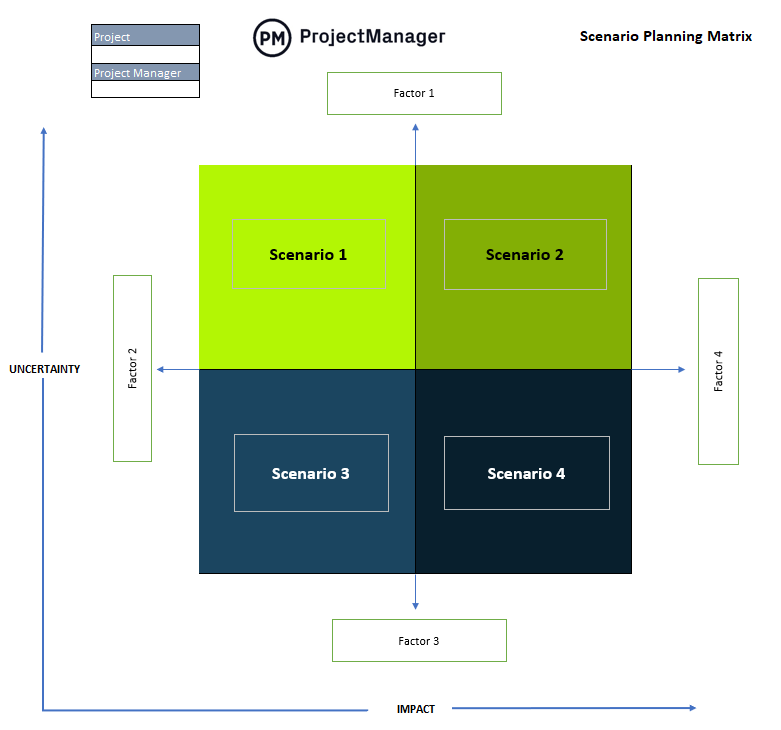
The scenario planning template includes a matrix for mapping key uncertainties against their potential impact, along with space to define strategic responses for each scenario. This structure forces teams to make their assumptions explicit rather than leaving them buried in a single-point forecast. The result is a strategy built to adapt rather than one that is brittle under pressure.
Scenario planning is especially valuable in industries with high volatility, regulatory uncertainty or rapid technological change. Use this template during annual planning reviews to stress-test your goals and ensure your team has a clear playbook for the futures most likely to unfold.
16. Stakeholder Analysis Template
Every strategic initiative affects people inside and outside the organization, and understanding who those people are before you start is essential to gaining their support. A stakeholder analysis template helps you identify key stakeholders, assess their level of interest and influence and plan how to engage them throughout execution. Skipping this step is one of the most common reasons strategic plans fail once they move from planning to implementation.
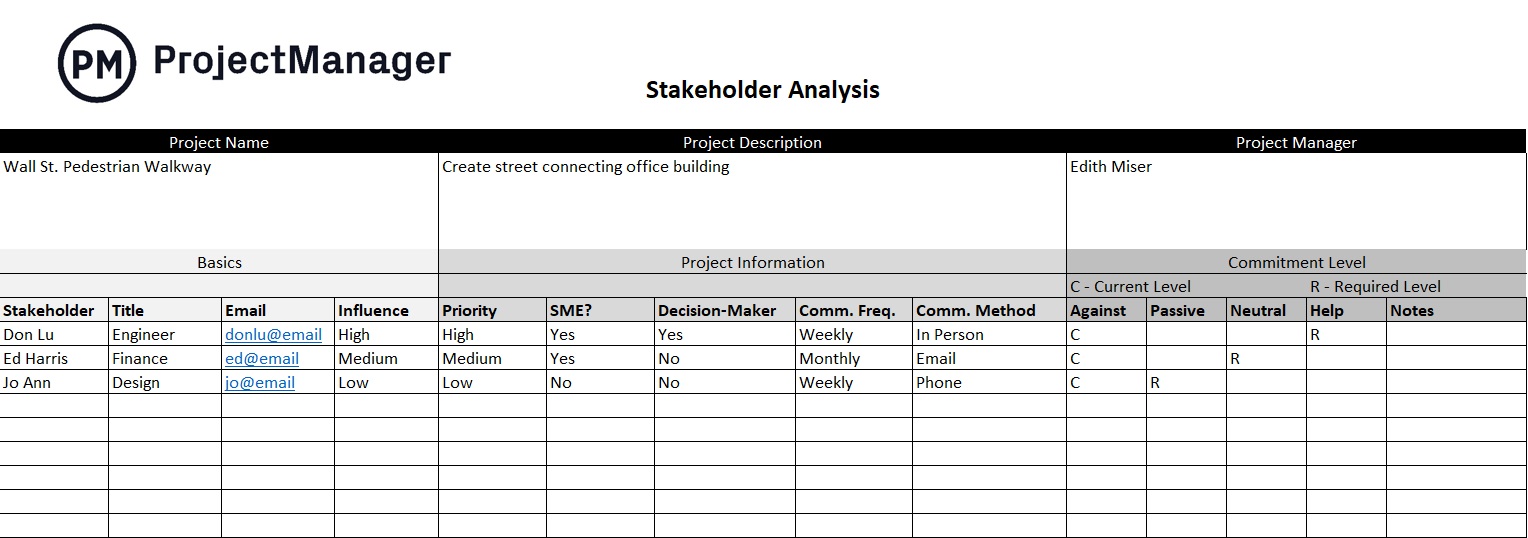
The stakeholder analysis template includes a grid for mapping stakeholders by influence and interest level, along with columns for communication approach and engagement actions. High-influence stakeholders who are not aligned with the plan can block progress, while those who are supportive can become active champions. This template makes both dynamics visible before they become obstacles.
Use this template early in the strategic planning process, before major decisions are finalized. It integrates naturally with a communication plan to ensure each stakeholder group receives the right message at the right stage.
17. PESTLE Analysis Template
Before setting strategy, organizations need to understand the external environment they are operating in. A PESTLE analysis template provides a structured framework for evaluating Political, Economic, Social, Technological, Legal and Environmental factors that could affect your business. This broad scan of external forces helps leadership teams surface risks and opportunities that internal data alone would never reveal.
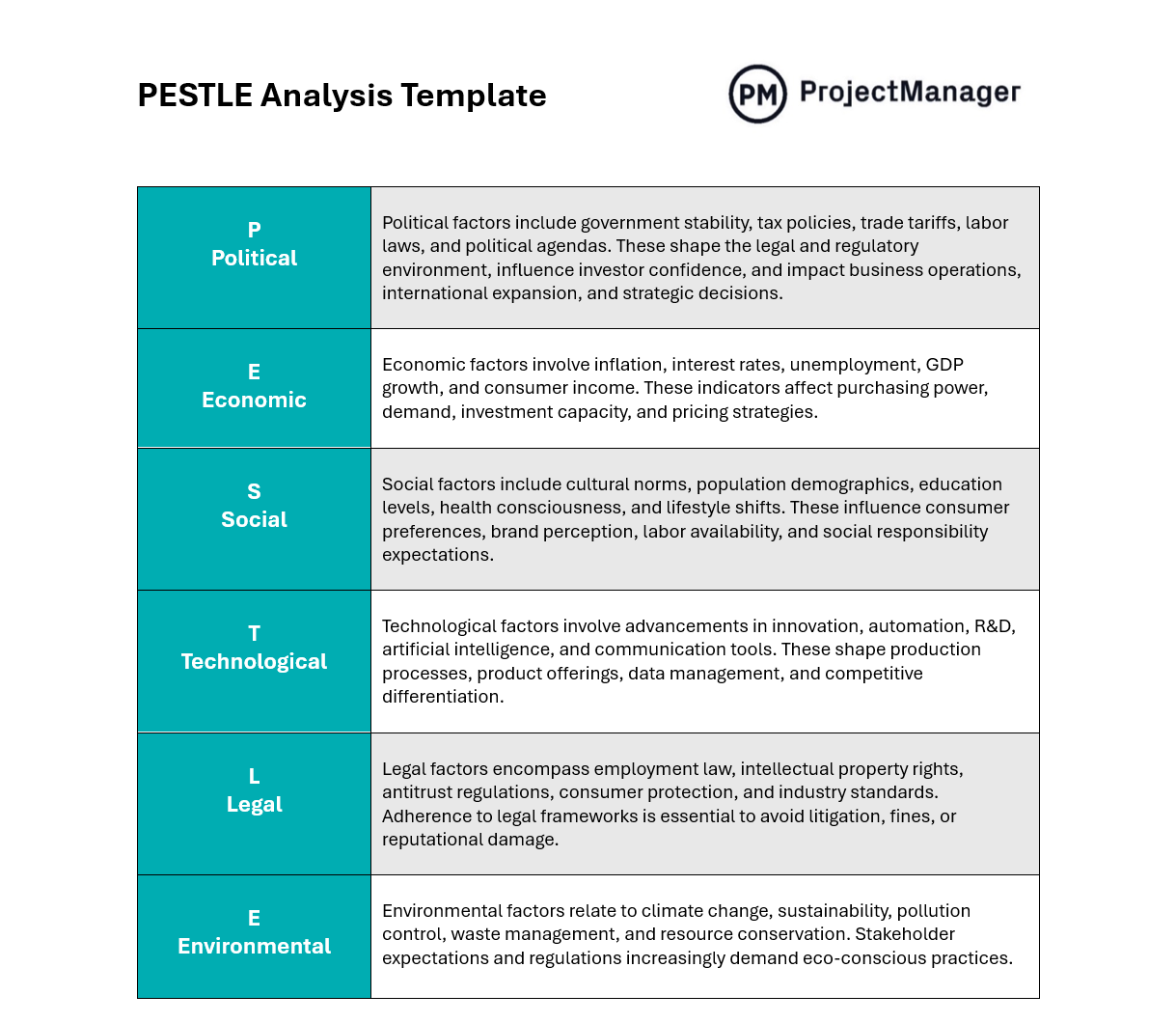
The PESTLE analysis template includes a dedicated section for each of the six factors, with space to describe the specific forces at play, their potential impact and the strategic implications for your organization. Working through each dimension systematically ensures no major external force goes unexamined. Teams often feed the completed PESTLE directly into their SWOT analysis, translating external findings into concrete strategic threats and opportunities.
This template pairs naturally with the competitive analysis and scenario planning templates in this collection. Together they give strategic planning teams a thorough picture of the external landscape before committing to a direction.
How ProjectManager Helps With Strategic Planning
Strategic planning templates are helpful. They can organize your thoughts and focus ideas, but they fall short when it comes to planning, managing and tracking your projects. They can’t track details in real time and pull you away from more important work as you manually update each strategic planning template. Plus, they’re not collaborative. ProjectManager is award-winning project and portfolio management software that helps you with strategic planning and monitoring its execution in real time to keep you on track to meet your long-term goals.
Manage Resources and Labor Costs
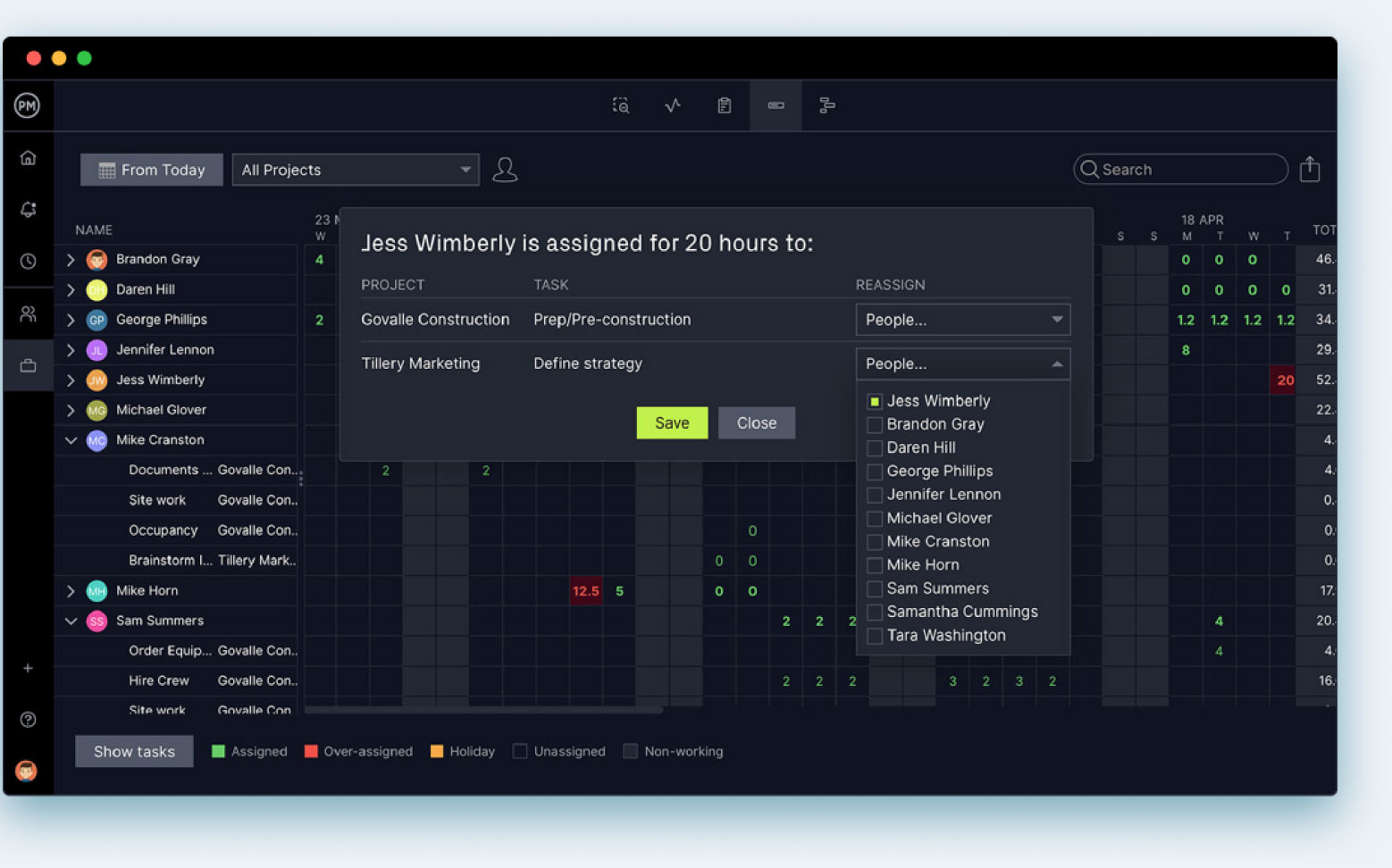
When you onboard your team to our software, you can set their availability, including PTO, vacation and even global holidays for remote workers. This makes it easy to assign them work. Then toggle over to the workload chart, which is color-coded to make it easy to see your team’s workload. If some are overallocated, just balance their workload right from the chart. Our secure timesheets streamline payroll but also allow you to track labor costs and keep to your budget. You can also see how far each team member is in completing their work.

Track the Progress and Costs of Strategic Initiatives
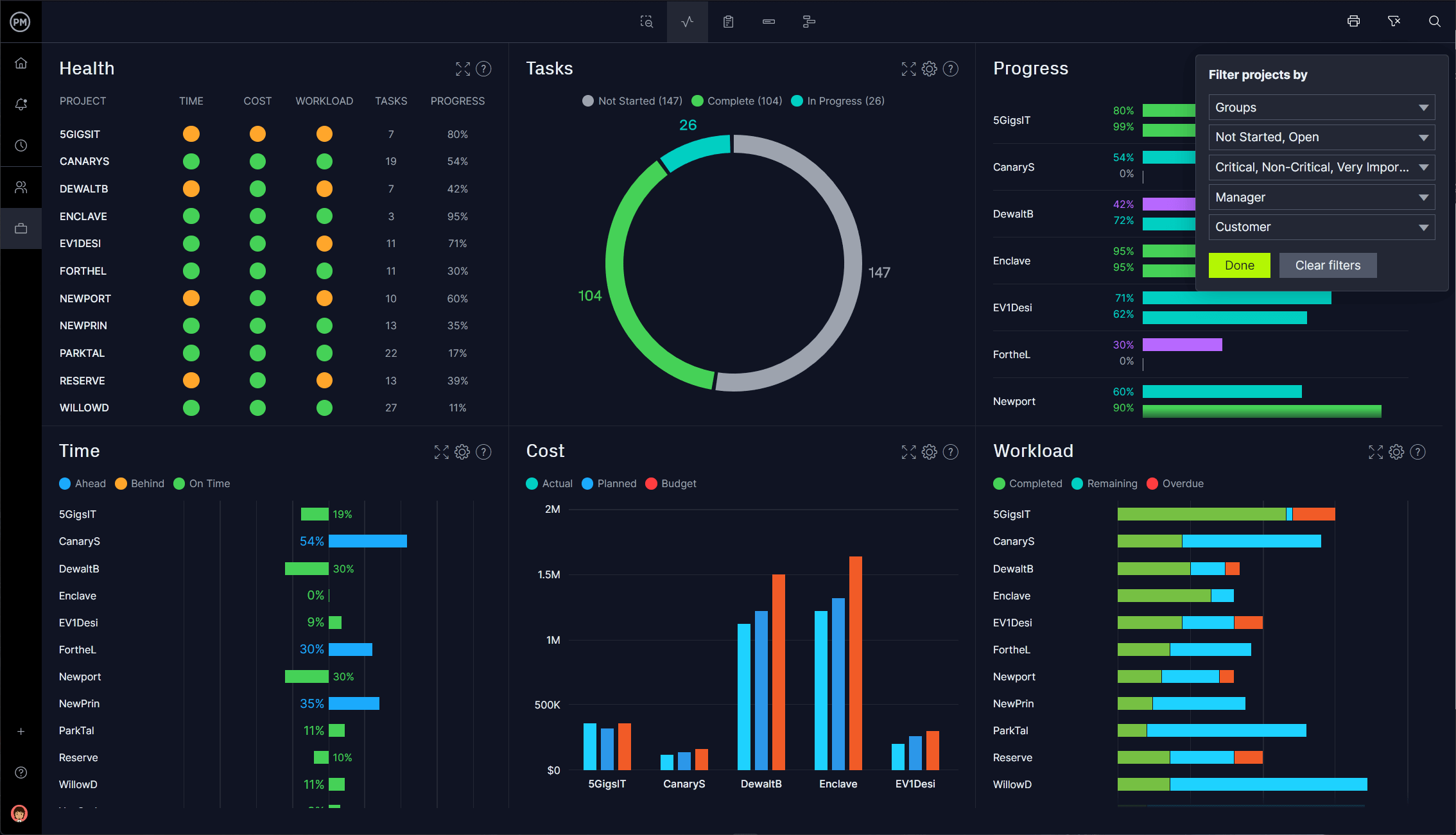
You can track your resources, costs, time and more with our real-time portfolio dashboards. They give you an overview of your projects, like having a status report whenever you want one. Our project and portfolio dashboards automatically collect live data and display it on easy-to-read graphs and charts. There’s no time-consuming and complicated setup as with lightweight alternatives. If you want more details, use our customizable reports, which filter data to show only what you want to see. They can also be shared to keep stakeholders informed.
Creating action plans to reach your strategic goals can be done on our robust Gantt charts or roadmaps, but teams across different departments are going to need different tools to execute their tasks. Our software has multiple project views, from the visual workflow of kanban boards to task lists, sheet and calendar views. Teams can work how they want. All project views update together so everyone is always working on the same page.
ProjectManager is online project and portfolio management software that connects teams whether they’re in the office, in the field or anywhere in the world. They can share files, comment at the task level and stay updated with email and in-app notifications. Join teams at Avis, Nestle and Siemens who use our software to deliver successful projects. Get started with ProjectManager today for free.
