



ProjectManager and Asta Powerproject both build critical path schedules, but they’re designed for different people. Powerproject is a specialist planning application, usually run by a trained planner on a Windows PC. ProjectManager is cloud-based project management software that the project manager, the team and stakeholders all work in together. Pick Powerproject when detailed program analysis, 4D BIM or native Powerproject files are required. Pick ProjectManager when you need a shared, live plan across several projects without specialist training.
This comparison covers scheduling, resources, collaboration, reporting, file compatibility, ease of use and price, with a verdict for each. Sign up for a free 30-day trial of ProjectManager to see what it can do.
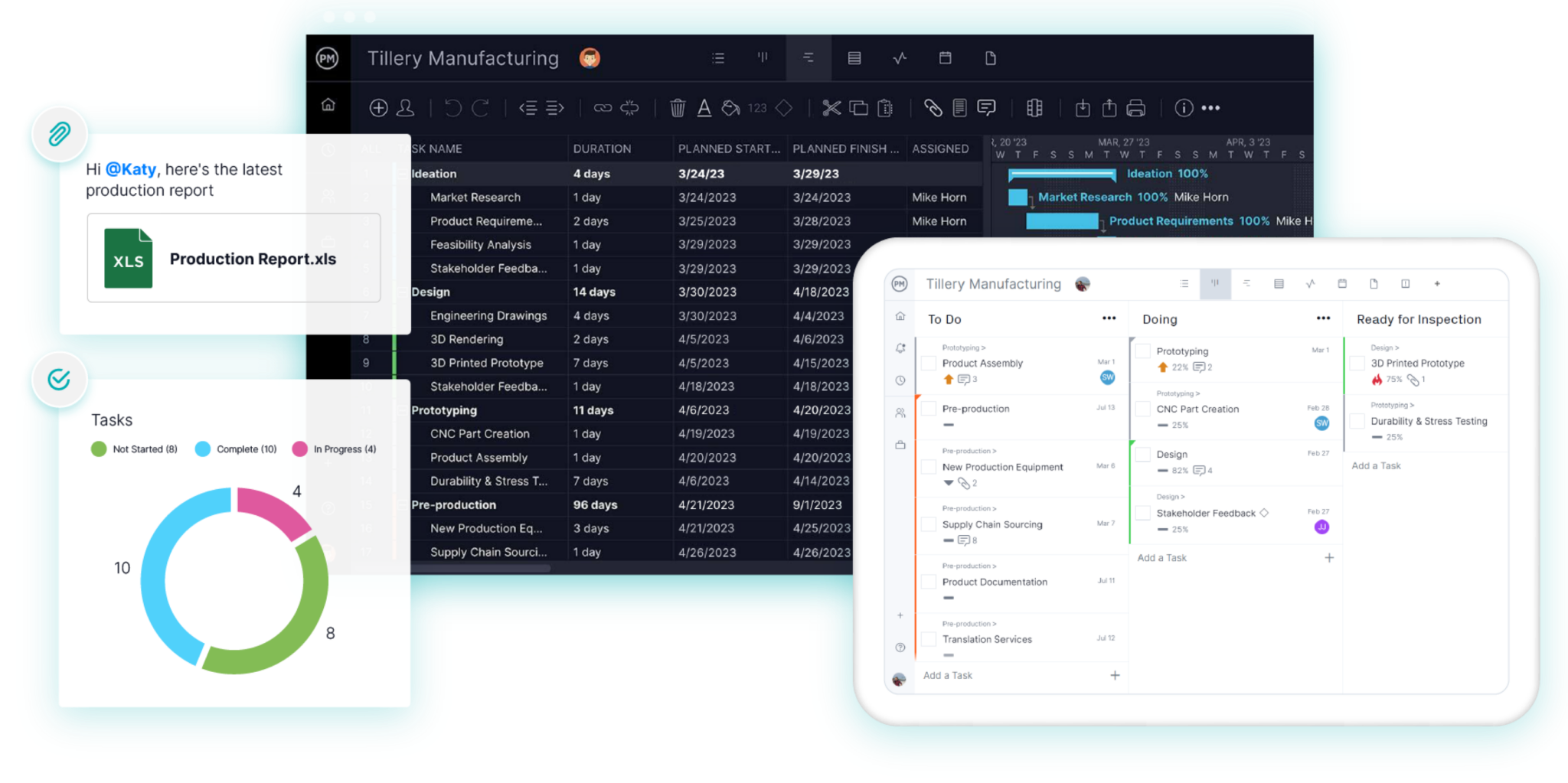
ProjectManager vs. Asta Powerproject at a Glance
| ProjectManager | Asta Powerproject | |
|---|---|---|
| Best for | Teams running several projects at once, in any industry | Professional planners building detailed, complex programs |
| Platform | Any browser on Windows or Mac, plus iOS and Android apps | Windows desktop; SaaS subscription for Mac |
| Critical path | Yes, critical path filter on the Gantt chart | Yes, with float analysis and what-if scenarios |
| Dependency types | All four, with lag | All four, with lag |
| Baselines | Yes, with variance reports | Yes, multiple baselines and progress comparison |
| Resource management | Workload page showing hours across every project | Resource loading with skills, shift patterns and work rates |
| Earned value | Not a core feature | Yes, with cost loading |
| Team access | Whole team edits and comments in the browser or on mobile | Mostly planners; others use a free viewer or the Asta Siteprogress app |
| Views | Gantt, task list, kanban board, calendar, sheet and dashboards | Bar chart (Gantt), spreadsheet, histograms and 4D BIM |
| File import | MPP, Microsoft Project XML, Excel, CSV | Native .pp, Primavera XER and XML, Microsoft Project XML and MPP |
| Learning curve | Days for most users | Weeks, usually with formal training |
| Starting price | $15/user/month (Team), $28/user/month (Business) | About $1,320 to $1,675 per user per year |
| Free trial | 30 days | 14 days |
Prices are list prices as of November 2026. Powerproject pricing varies by region and reseller.
What Is ProjectManager?
ProjectManager is online project management software used by teams in IT, marketing, professional services, manufacturing, construction and more. Projects are planned on a Gantt chart with all four dependency types, lag, a critical path filter and baselines. The same plan can be switched to a task list, kanban board, calendar or sheet, so each person works the way they prefer. Workload, timesheets, dashboards and reports are built in, and everything runs in a browser or on the mobile apps.
What Is Asta Powerproject?
Asta Powerproject is project planning software from Eleco, a UK software company. It’s best known in construction and infrastructure, but it’s also used for engineering and other complex planning work. Powerproject focuses on detailed critical path programs, with what-if scenarios, cost loading, earned value, resource planning and optional 4D BIM. The main product is a Windows desktop application, with add-ons such as Asta Enterprise for shared plans, Asta Siteprogress for progress updates and Asta Vision for web dashboards.
ProjectManager vs. Asta Powerproject: Feature Comparison
Here’s how the two tools compare in seven areas, with a verdict for each.
Scheduling and Critical Path
Both tools calculate the critical path from task durations and dependencies, and both support finish-to-start, start-to-start, finish-to-finish and start-to-finish links with lag. Powerproject goes further for planners who need it: multiple calendars, constraints, what-if scenario comparison and schedule quality checks based on DCMA metrics. ProjectManager keeps scheduling quick. Link tasks on the Gantt chart, turn on the critical path filter and see which tasks will move your end date.
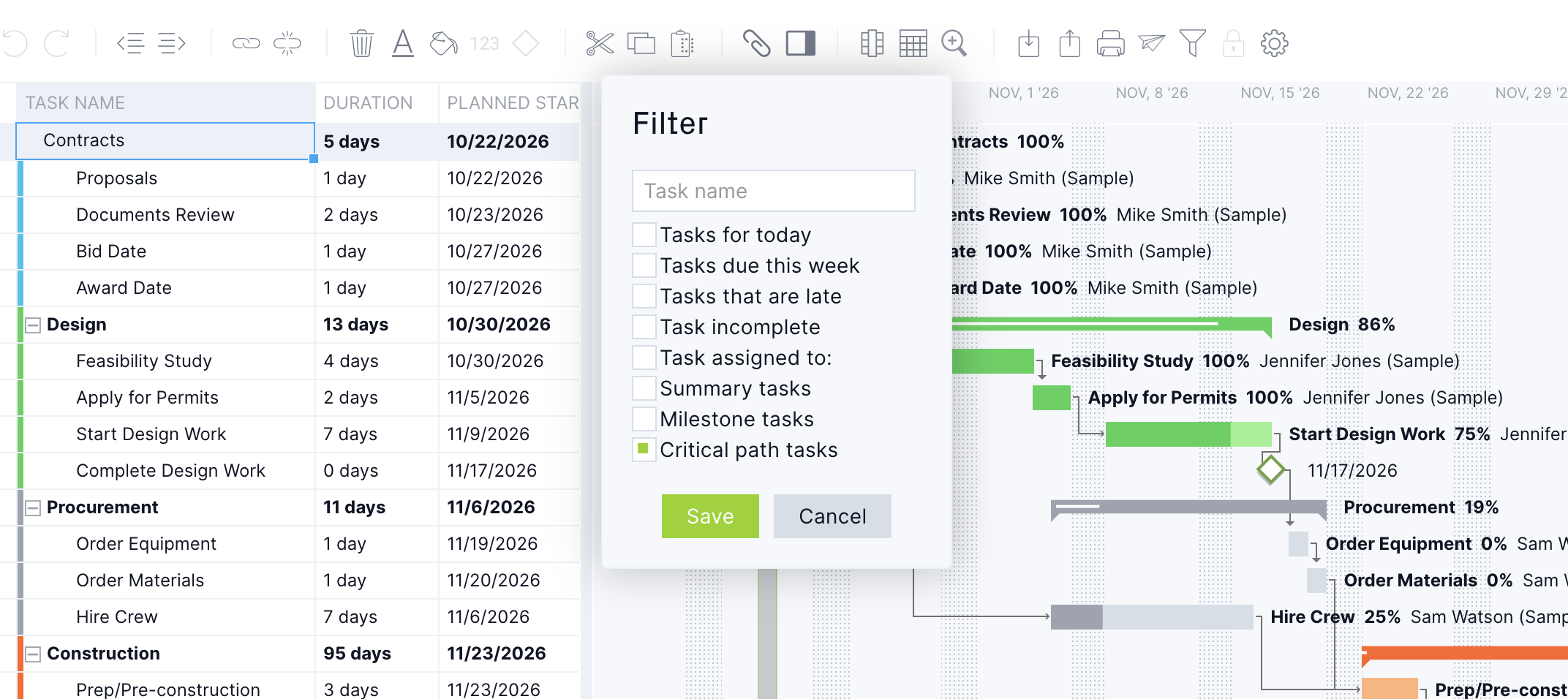
Verdict: Powerproject for deep program analysis. ProjectManager for fast, accurate scheduling most project managers can do themselves.
Resource Management
Powerproject plans resources inside each program, with skills, shift patterns, overtime and work rates, plus histograms that show demand over time. Sharing a resource pool across many programs usually means adding Asta Enterprise. ProjectManager’s workload page shows every team member’s assigned hours across all your projects on one chart. Overbooked days show in red, and you can reassign or reschedule tasks right from that view.
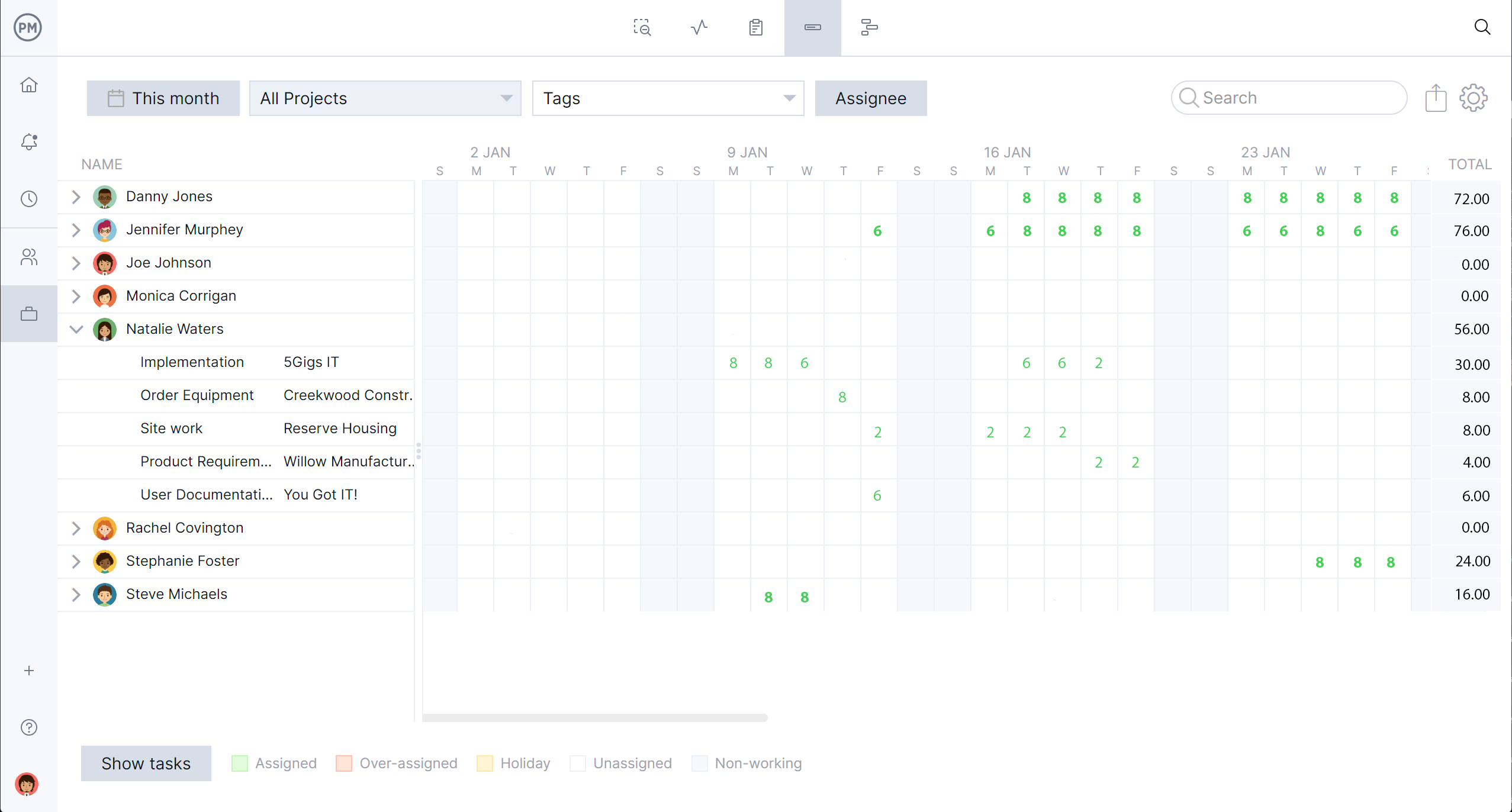
Verdict: Powerproject for detailed resource loading in a single program. ProjectManager for seeing and balancing people across many projects.
Collaboration and Team Access
In most organizations, only planners edit Powerproject files. Other people view programs in the free Powerproject viewer, receive PDFs or report progress through Asta Siteprogress, a separately licensed app. In ProjectManager, everyone with access works in the same live plan. Team members update their tasks, attach files and comment from a browser or phone, and the project manager sees the change immediately.
Verdict: ProjectManager.
Reporting and Earned Value
Powerproject includes cost loading and earned value, so you can track budgeted, planned and actual cost against time for formal project controls. ProjectManager focuses on real-time visibility. Dashboards update as the team works, and status, portfolio, timesheet and variance reports can be filtered and shared in a few clicks.
Verdict: Powerproject for earned value and formal controls. ProjectManager for quick status reporting to stakeholders.
File Compatibility
Powerproject saves native .pp files and can import and export Primavera XER and XML and Microsoft Project XML and MPP. That makes it easy to exchange programs with clients and partners who use P6. ProjectManager imports Microsoft Project (MPP and XML), Excel and CSV files, but it doesn’t open .pp or XER files directly.
Verdict: Powerproject, especially when you trade files with P6 users.
Ease of Use
Powerproject is built for trained planners. Reviewers praise its depth but mention a steep learning curve, and Eleco sells multi-day training courses. ProjectManager is designed so project managers and team members can start planning on day one, with templates, drag-and-drop scheduling and familiar views like kanban and lists.

Verdict: ProjectManager.
Pricing
Powerproject subscriptions cost about $1,320 to $1,675 per user per year, depending on the reseller, and concurrent licenses cost more. Add-ons like Siteprogress and Enterprise, plus training, are extra. ProjectManager costs $15 per user per month on Team and $28 on Business, with mobile apps and timesheets included. For a 10-person team, that’s about $16,750 a year for Powerproject at the higher list price versus about $3,360 a year for ProjectManager Business.
Verdict: ProjectManager, especially as the number of users grows.
When to Choose Asta Powerproject
Powerproject is the stronger option if:
- A client or contract requires native Powerproject programs
- You regularly exchange XER files with Primavera P6 users
- You have trained planners who need what-if scenarios, schedule quality checks and earned value
- You plan with 4D BIM models
- Most of the people touching the schedule are planners, not the wider team
When to Choose ProjectManager
ProjectManager is the better fit if:
- You manage several projects at once and share people between them
- Team members and stakeholders need to see and update the plan themselves
- You don’t have, or don’t want to depend on, a dedicated planner
- You work on a Mac or mostly from a browser and phone
- You want Gantt charts, kanban boards, timesheets and dashboards in one tool
- More than a handful of people need access, so per-seat cost matters
Some organizations use both. A planner keeps the formal program in Powerproject, and the project team runs day-to-day tasks in ProjectManager. If you do this, decide which tool holds the official dates, and update the other on a regular schedule.
How to Switch From Asta Powerproject to ProjectManager
ProjectManager can’t open .pp files, so the move goes through Microsoft Project format.
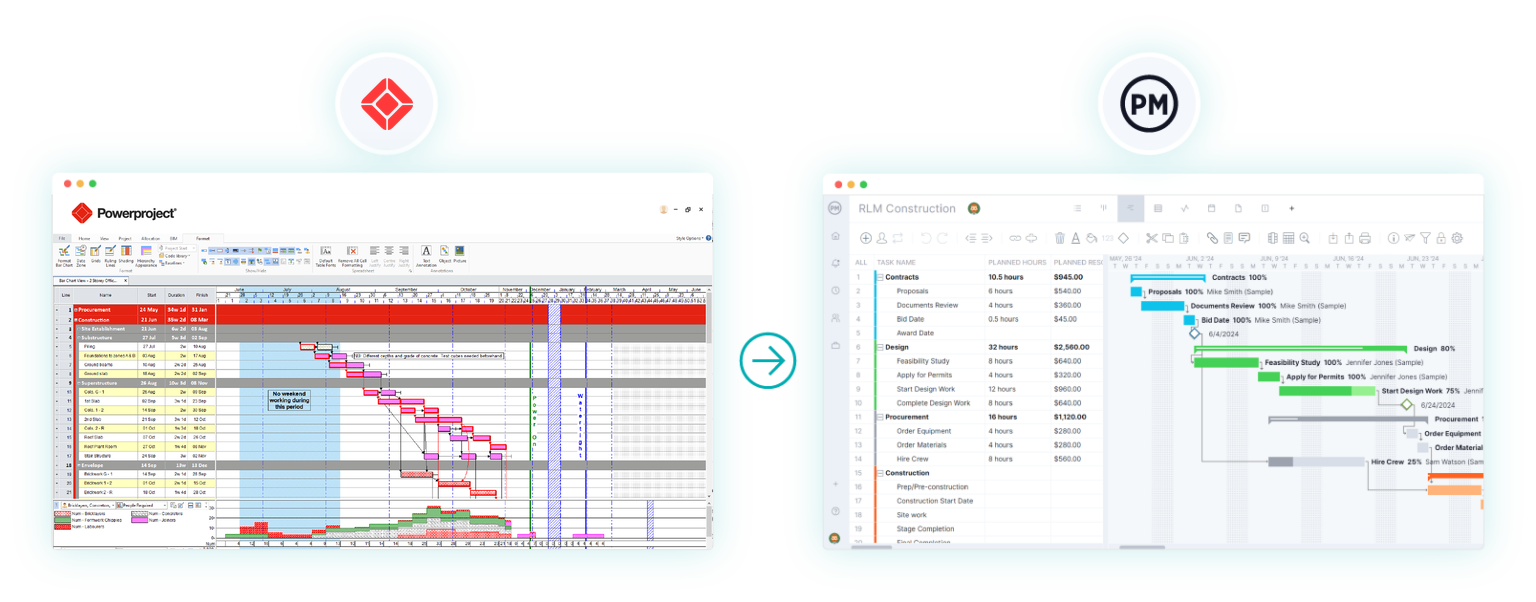
- Export from Powerproject. Save the program as Microsoft Project XML. MPP works too, but Powerproject needs Microsoft Project installed on the same computer to create it. Hammock tasks don’t carry over, and nonstandard calendars revert to the default.
- Set up the project calendar. Create a new project in ProjectManager and set working days and holidays to match your Powerproject calendar before importing.
- Import the file. Choose Import File when creating the project, or use the import icon on the Gantt toolbar. Upload the XML or MPP file and choose whether to bring in the task list only or all data.
- Review the logic. Compare durations and dependencies with the original. Re-link any tasks that lost predecessors and add back lag where needed.
- Check the critical path and set a baseline. Turn on the critical path filter, make sure it matches Powerproject, then save a baseline.
Keep the original .pp file in case anyone needs the native program later.
Want to try it with your own plan? Start a free 30-day trial of ProjectManager.
ProjectManager vs. Asta Powerproject FAQ
Is ProjectManager a replacement for Asta Powerproject?
For most project teams, yes. ProjectManager covers critical path scheduling, baselines, resource workload and reporting. Keep Powerproject if you need native .pp files, XER exchange, earned value or 4D BIM.
Is Asta Powerproject only for construction?
No. It’s most popular in construction and infrastructure, but it’s also used for engineering and other projects that need detailed critical path planning.
Can ProjectManager import Asta Powerproject files?
Not directly. Export the program from Powerproject as Microsoft Project XML or MPP, then import that file into ProjectManager.
Which is easier to learn?
ProjectManager. Most users can build and update a schedule in their first session. Powerproject usually takes formal training to use well.
Does Asta Powerproject work on a Mac?
Only through its SaaS subscription. The desktop version requires 64-bit Windows 10 or 11 Pro or Enterprise. ProjectManager runs in any browser on Mac or Windows.
How much does Asta Powerproject cost compared with ProjectManager?
Powerproject runs about $1,320 to $1,675 per user per year, before add-ons and training. ProjectManager costs $180 to $336 per user per year on the Team and Business plans.
