



Keeping production on track requires more than a good plan—it requires the right tools to schedule work, coordinate resources and catch problems before they slow output. That’s where production scheduling templates come in. Whether you’re running a small manufacturing operation or managing a complex multi-shift facility, a clear schedule keeps your team aligned and your throughput consistent.
In this guide, you’ll find free production scheduling templates for Excel that you can download and customize for any production environment. From capacity planning to daily output tracking, these templates cover every stage of the production cycle.
Production Schedule Template
A production schedule template gives manufacturers a structured way to plan, sequence and track work across the entire production cycle. It defines what needs to be produced, in what order and by when—so every team member knows exactly where to focus their effort.
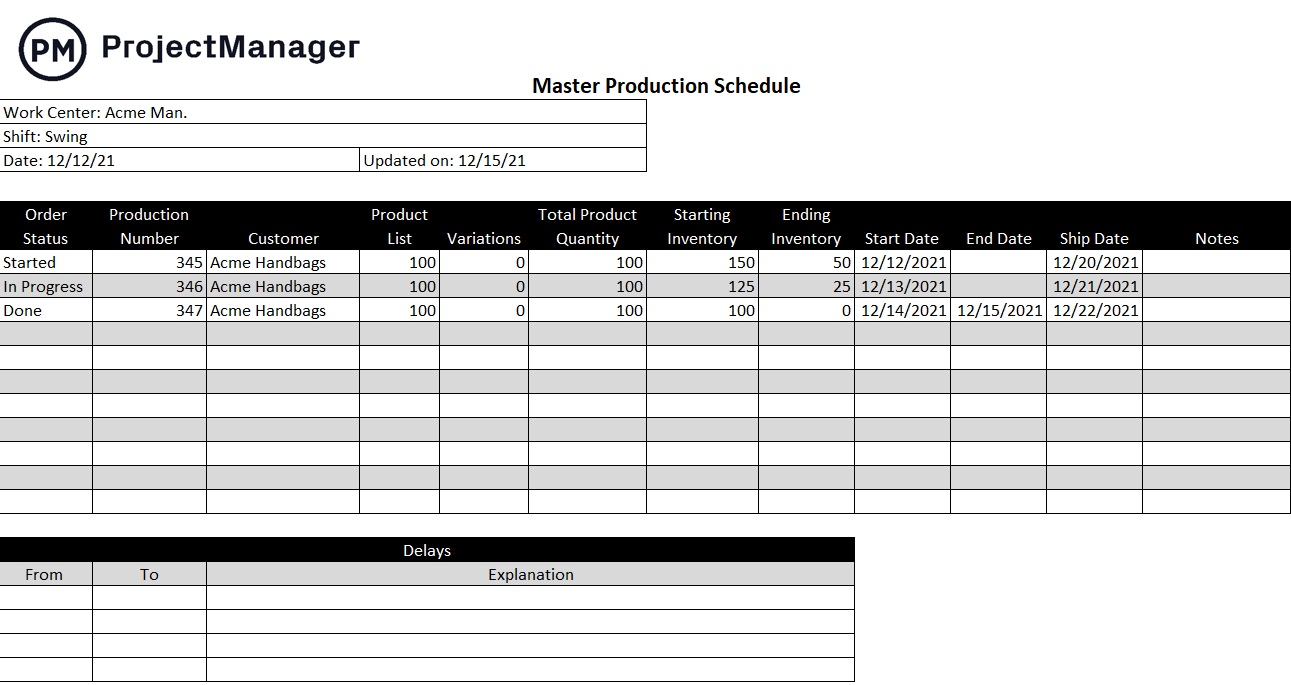
It provides a clear view of task dependencies, shift assignments and output targets, making it easier to coordinate across departments and avoid bottlenecks before they disrupt the line.
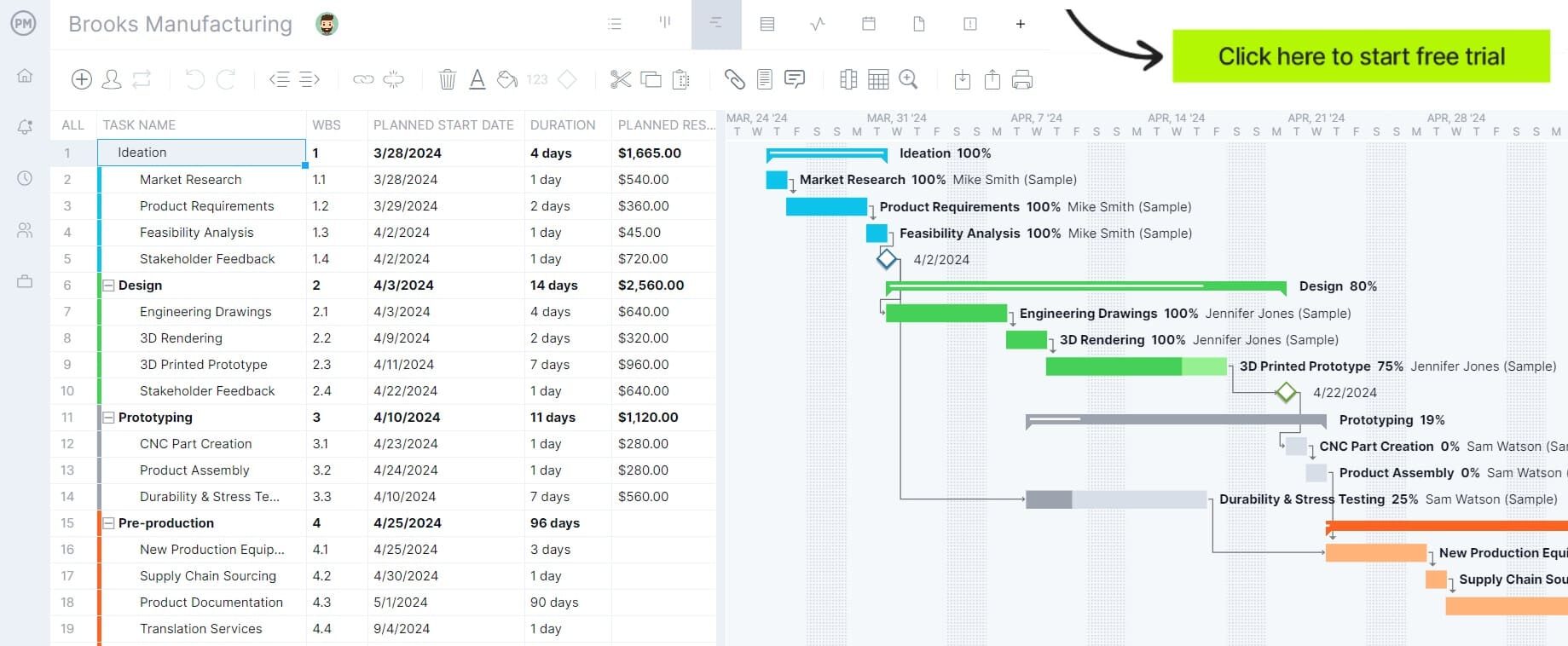
Our interactive production schedule template opens in ProjectManager and gives users a dynamic Gantt chart built for manufacturing environments. You can assign resources, track percentage of completion, log costs and adjust timelines with simple drag-and-drop controls—keeping the entire production run aligned from start to finish.
Capacity Planning Template
Before you can build a production schedule, you need to know what your operation can actually handle. Capacity planning establishes the baseline—how many machine hours are available, how much labor is on hand and what your facility can realistically produce in a given period.
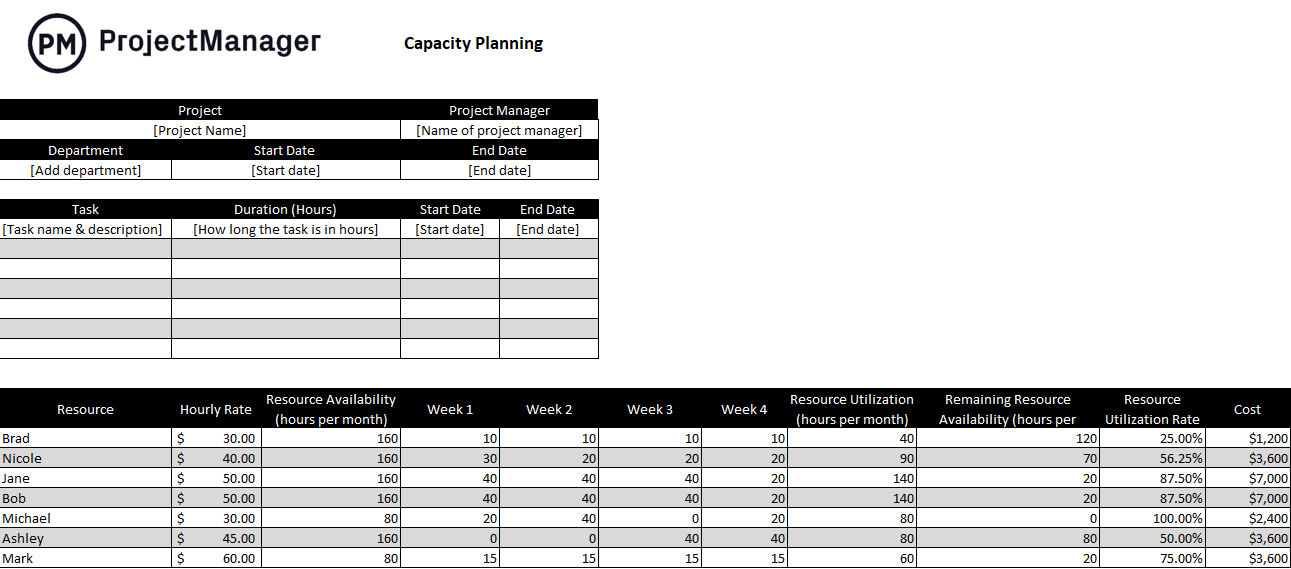
Without this foundation, even the most detailed schedule will fall short because it won’t reflect the real constraints of your operation.
This Excel capacity planning template lets you map available resources against projected demand so you can identify gaps, prevent overloading and make confident scheduling decisions. It gives production managers the visibility they need to balance workload before committing to a schedule.
Gantt Chart Template
Visualizing how production tasks fit together across time is much easier with a Gantt chart. For operations with multiple overlapping jobs, shifts or production lines, it’s the clearest way to see the full schedule at a glance and identify where dependencies could cause delays.

This free Excel Gantt chart template automatically generates a visual timeline from the details you enter. As you adjust tasks or shift dates, the chart updates without any manual reformatting—saving time and keeping the schedule accurate.
It’s a practical tool for communicating production timelines to supervisors, clients or cross-functional teams who need a clear picture of how work is sequenced and where the project stands.
Tired of rebuilding your production schedule every time something changes? Try ProjectManager free for 30 days and manage your entire production schedule with a live Gantt chart that updates in real time.
Bill of Materials Template
You can’t schedule production without knowing exactly what materials are required and when they need to be available. A bill of materials establishes that foundation by listing every component, raw material and subassembly that goes into a finished product.
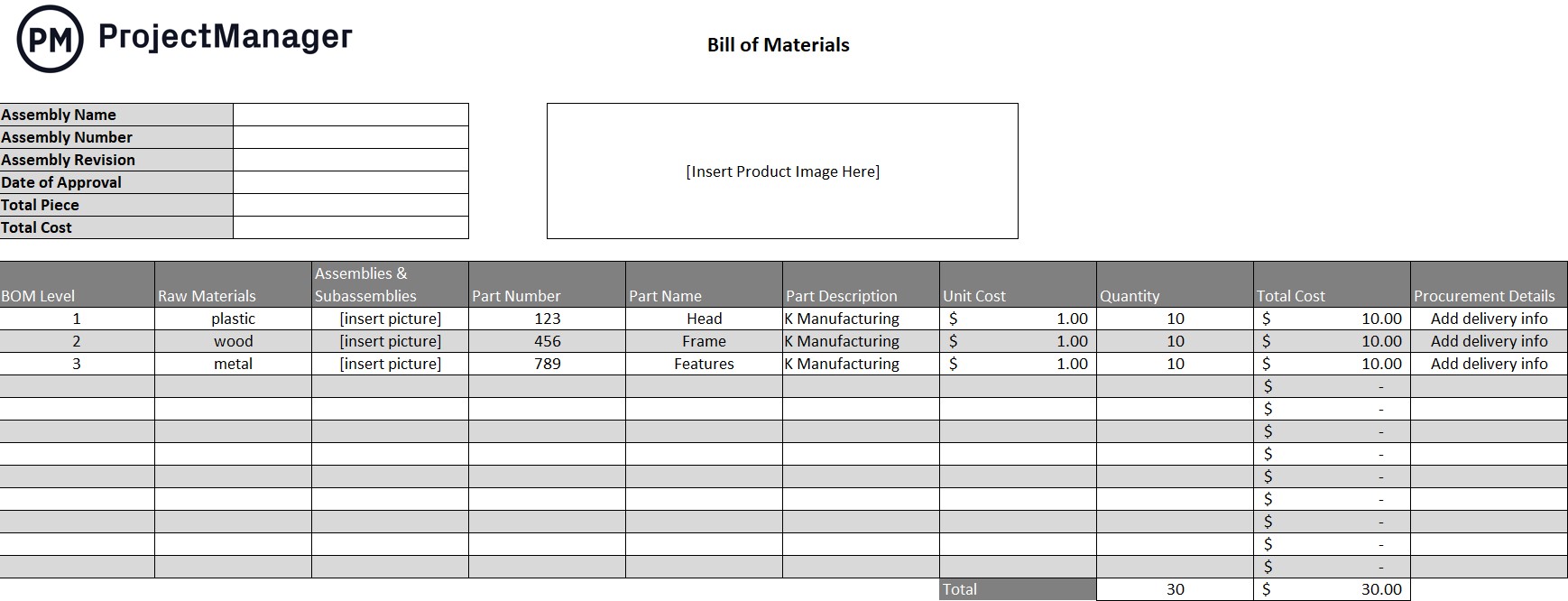
When the BOM is accurate and up to date, it drives the entire upstream schedule—from procurement timelines to inventory replenishment to supplier lead times.
This Excel bill of materials template helps production teams document every material requirement in one organized format. You can list components, quantities, unit costs and sourcing details, giving your scheduling team the information they need to keep materials flowing in step with production demand.
Daily Production Report
A production schedule is only useful if you can measure how closely actual output is tracking against the plan. A daily production report closes that loop by capturing real-time output data—units produced, downtime events, quality issues and shift performance—so managers can respond quickly when the schedule slips.
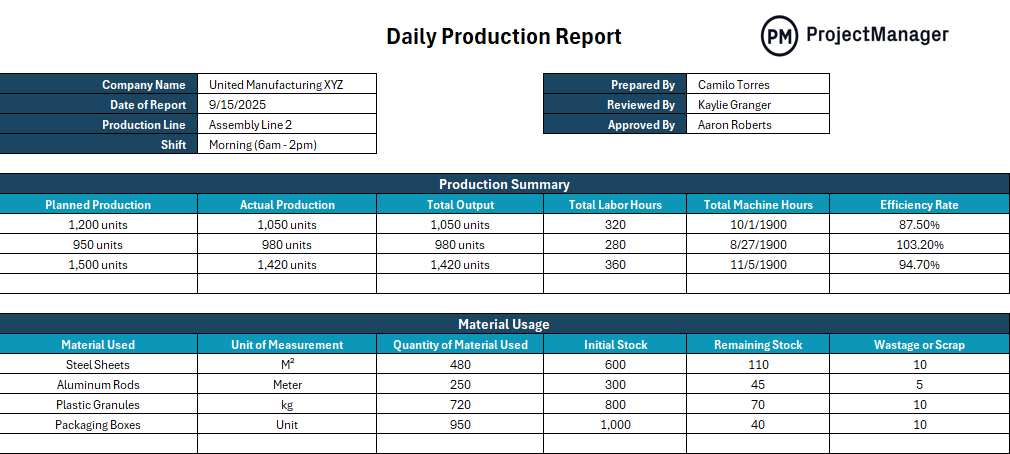
Without this visibility, small variances go unnoticed until they become serious delays.
This template helps production supervisors record daily output against targets, log downtime causes and flag issues that need follow-up. Over time, the data it captures also reveals patterns that can inform smarter scheduling decisions and more realistic output targets.
Work Order Template
A production schedule defines what needs to happen and when. Work orders define how it gets done on the floor. They translate the schedule into specific, actionable instructions for individual jobs—specifying the task, the materials required, the assigned team and the expected completion time.
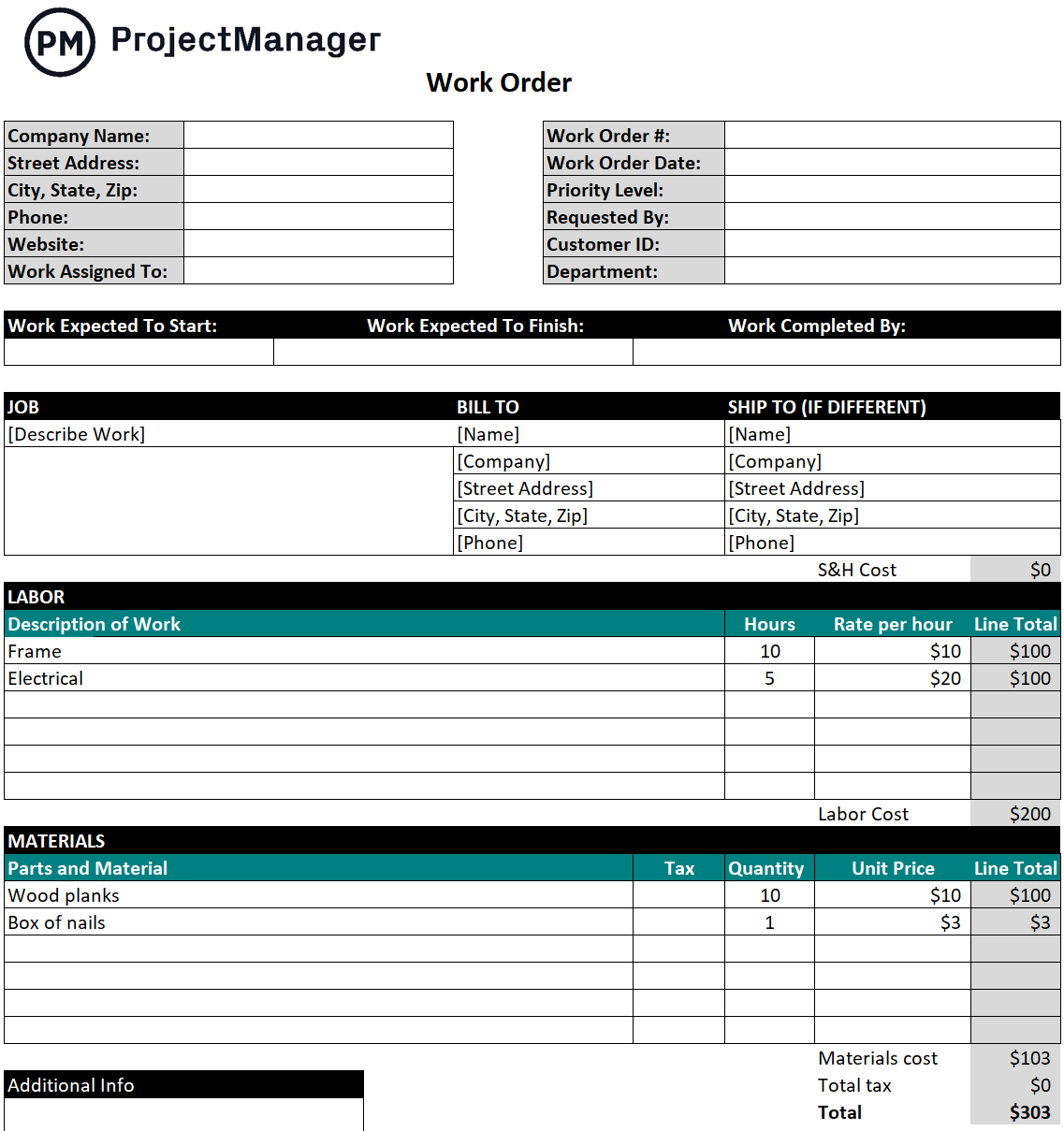
Without clear work orders, even a well-built schedule can break down in execution.
This Excel work order template gives production teams a consistent format for documenting job requirements, tracking progress and maintaining a clear record of completed work. It bridges the gap between high-level scheduling and day-to-day operations, keeping the floor aligned with the plan.
Maintenance Schedule Template
Unplanned equipment downtime is one of the most common reasons production schedules fail. When a machine goes down unexpectedly, output stops, deadlines slip and the ripple effects can take days to resolve. Building planned maintenance windows into the production schedule prevents that scenario by ensuring equipment is serviced before it fails.
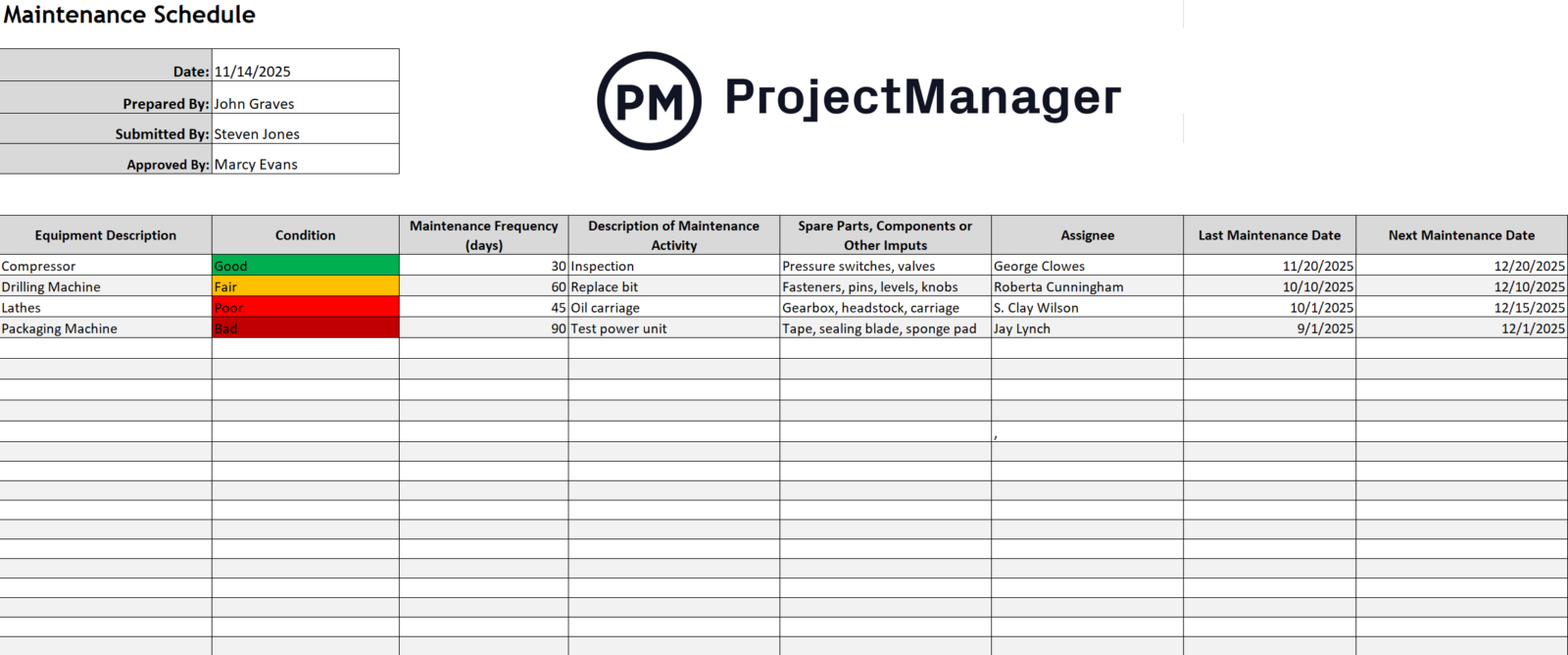
A maintenance schedule template helps operations teams document recurring maintenance tasks, assign responsibility and set intervals for each piece of equipment. With maintenance planned in advance, production schedulers can build those windows into the calendar rather than scrambling to recover from unplanned outages.
Inventory Template
Raw material availability is one of the most direct constraints on any production schedule. If materials aren’t in stock when a job is supposed to start, the schedule stops—regardless of how well everything else is planned. Keeping a current view of inventory levels is essential for scheduling with confidence.
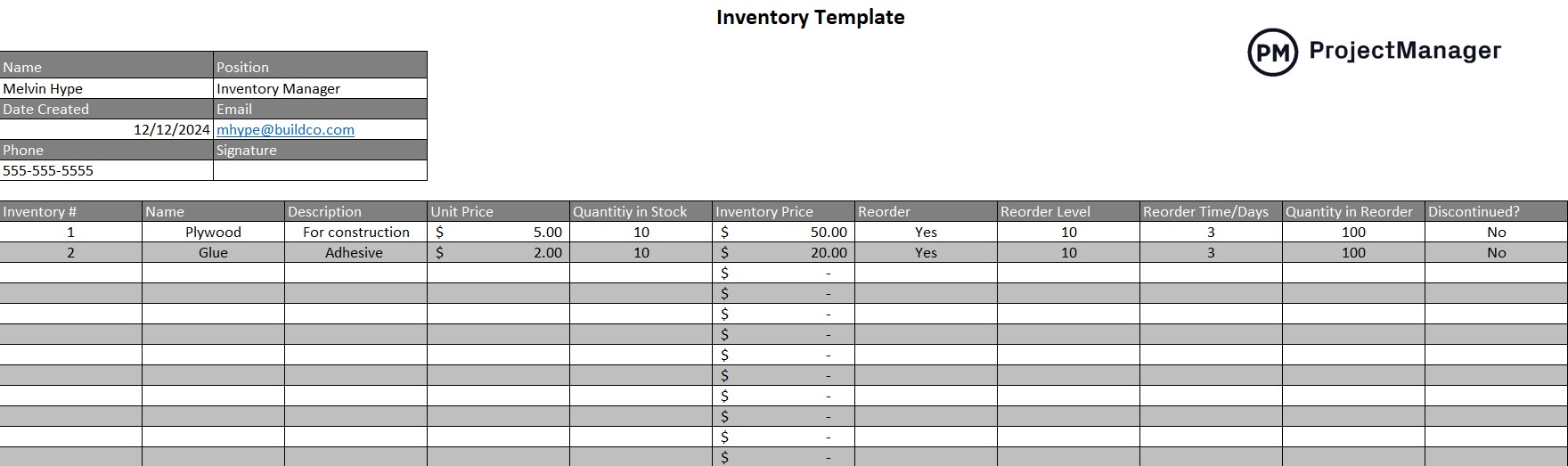
This Excel inventory template helps production teams track stock quantities, record incoming and outgoing materials and flag items running low. Used alongside the production schedule, it ensures that material availability is always factored into planning decisions—preventing shortages from becoming schedule disruptions.
PERT Chart Template
For complex or custom production runs where task durations are uncertain, a PERT chart offers a level of planning precision that a standard schedule can’t match. It maps task dependencies visually and uses optimistic, pessimistic and most likely time estimates to produce a realistic overall timeline—especially useful when introducing a new product or running a first-of-kind build.
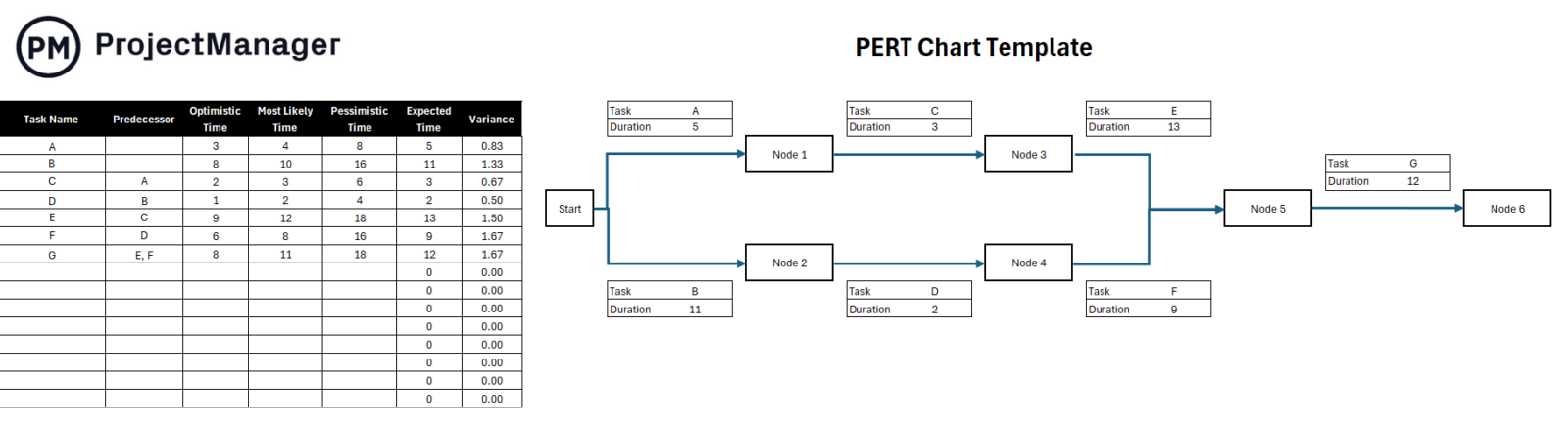
This Excel PERT chart template provides an editable starting point with sample nodes, dependency arrows and duration fields. Customize it to reflect your production workflow, and it will show you which tasks are on the critical path and where schedule risk is highest—so you can plan contingencies before the job begins.
Kanban Board Template
Lean and just-in-time manufacturing operations rely on kanban to schedule and pull production in real time. Rather than pushing work through the line based on a fixed schedule, kanban signals when each stage is ready to receive the next batch—reducing work-in-progress inventory and keeping the line flowing efficiently.
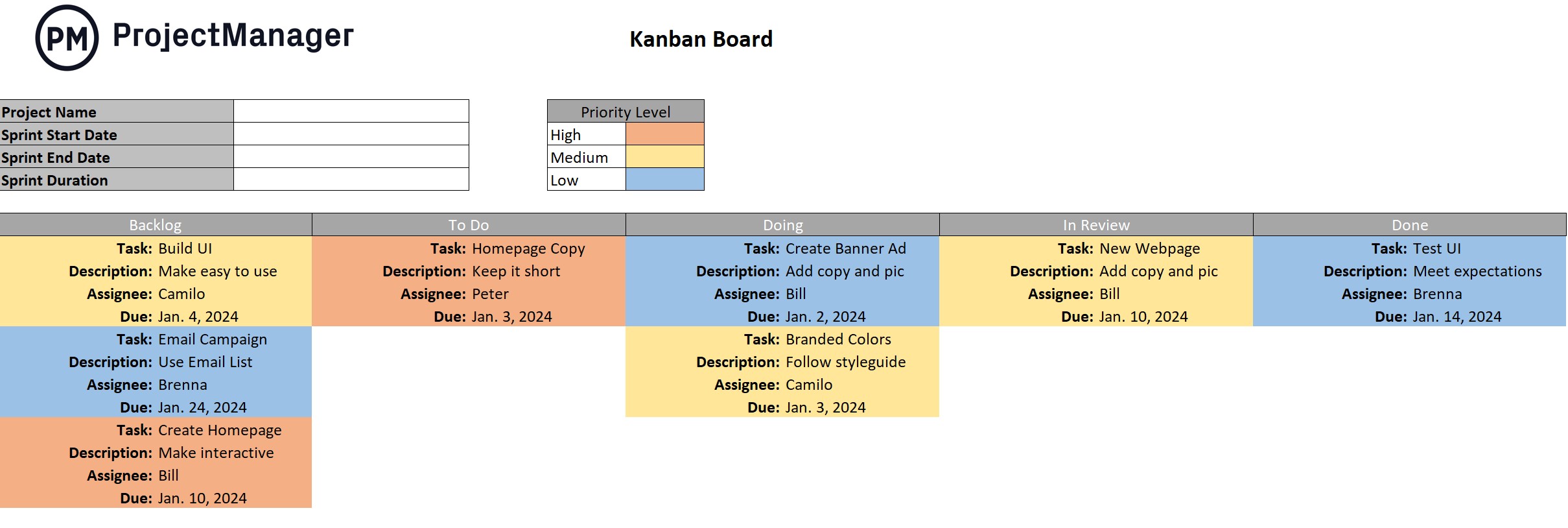
This kanban board template gives production teams a visual way to track work items as they move from queue to in-progress to complete. It’s a practical tool for teams that manage production in shorter cycles and need a flexible, low-overhead scheduling method that responds quickly to changes in demand.
Resource Plan Template
Production scheduling isn’t just about sequencing tasks—it’s about making sure the right people, machines and materials are available at the right time. A resource plan brings all of those elements together by mapping what’s needed across the production timeline and surfacing conflicts before they cause delays.
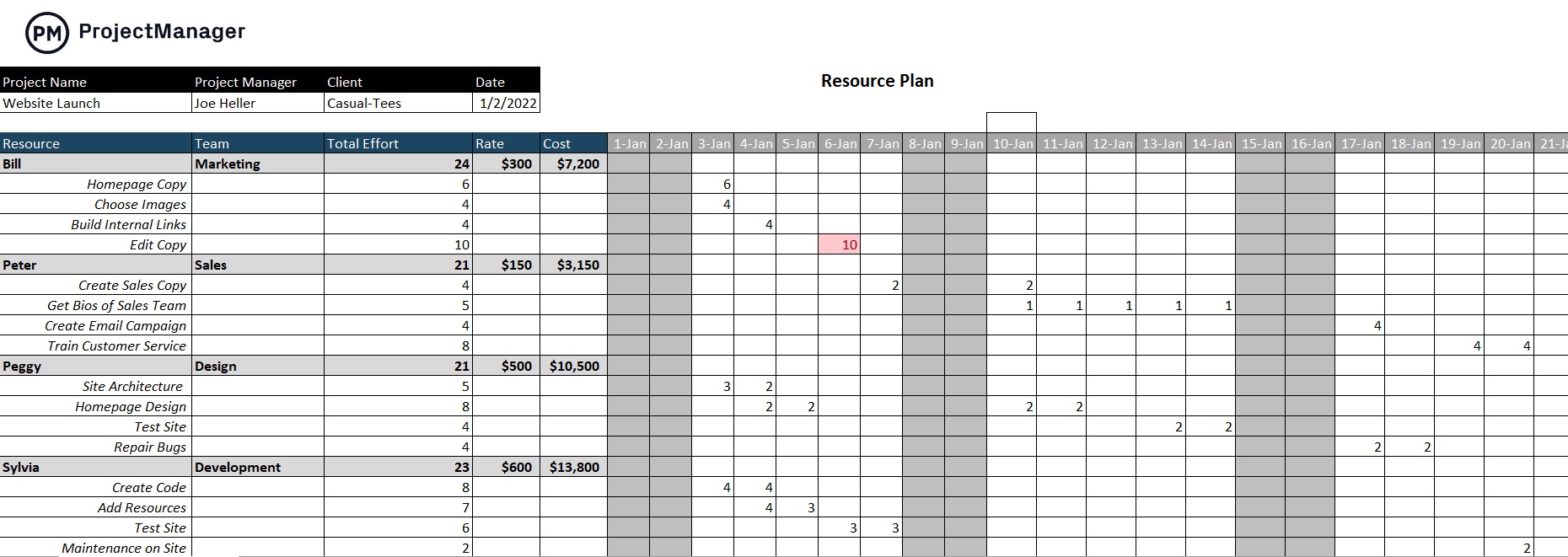
Our Excel resource plan template lets you list both human resources and physical assets such as equipment and materials. You can allocate them across the production schedule, assign costs and track availability as the plan develops—helping you avoid over-allocation, identify shortages early and keep every resource aligned with production demand.
Staffing Plan Template
In labor-intensive production environments, shift scheduling and staffing levels are as important as any other part of the plan. If the right number of workers with the right skills aren’t on the floor when a job runs, output targets won’t be met—no matter how well the rest of the schedule is built.
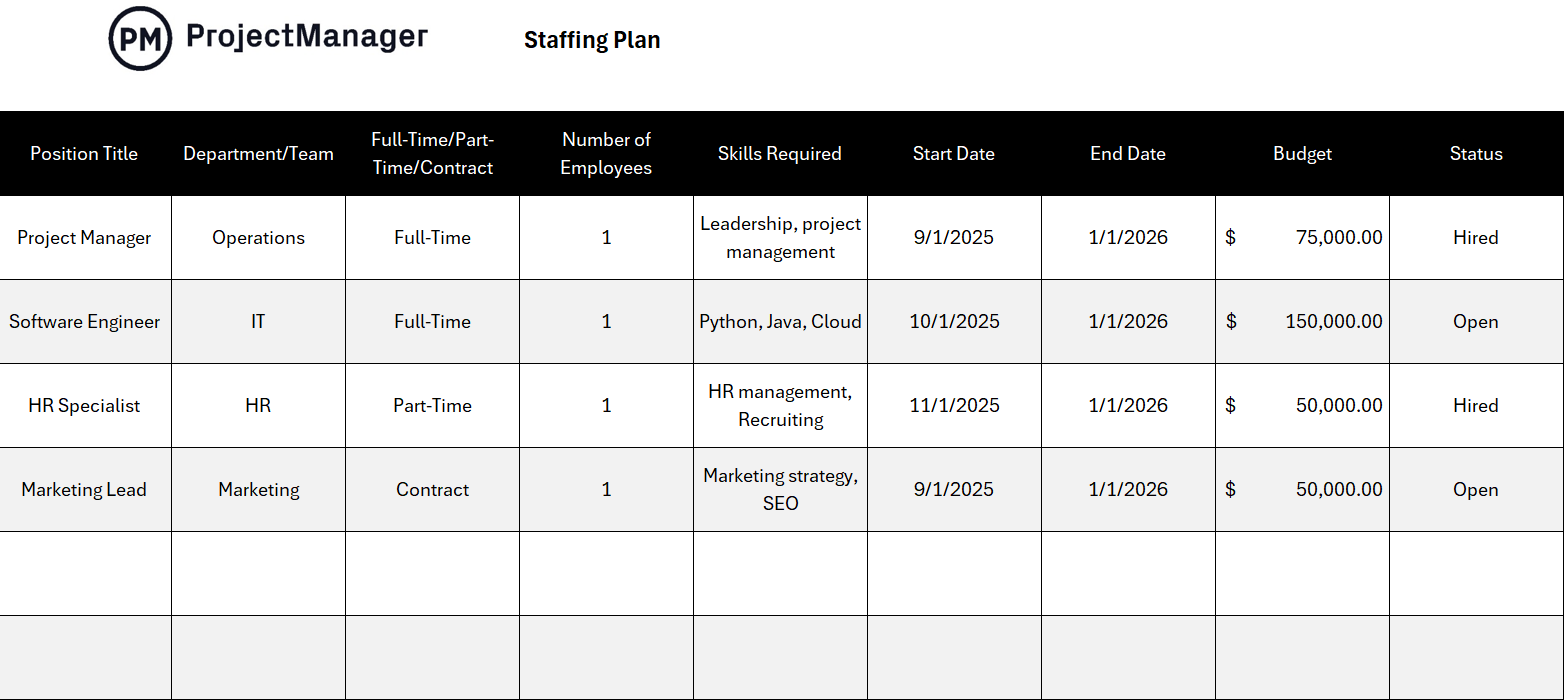
A staffing plan template helps production managers document shift assignments, headcount requirements and skill coverage across the production calendar. It gives you a clear view of labor availability relative to scheduled demand so you can adjust staffing before gaps become a problem—and keep your production schedule realistic from the start.
ProjectManager Is Better Than Production Scheduling Templates
Production scheduling templates are a practical starting point, but static spreadsheets have real limits. They don’t update when conditions change, they don’t alert you when a job is running behind and they can’t reflect what’s actually happening on the floor in real time. When your schedule lives in a spreadsheet, you’re always working with information that’s at least a little out of date.
ProjectManager gives production teams a live scheduling environment where data updates in real time, making it easy to stay in sync across shifts, departments and locations. With multiple project views built for every role, everyone from floor supervisors to operations managers can see what matters to them—without rebuilding the schedule from scratch.
Gantt Charts Built for Production
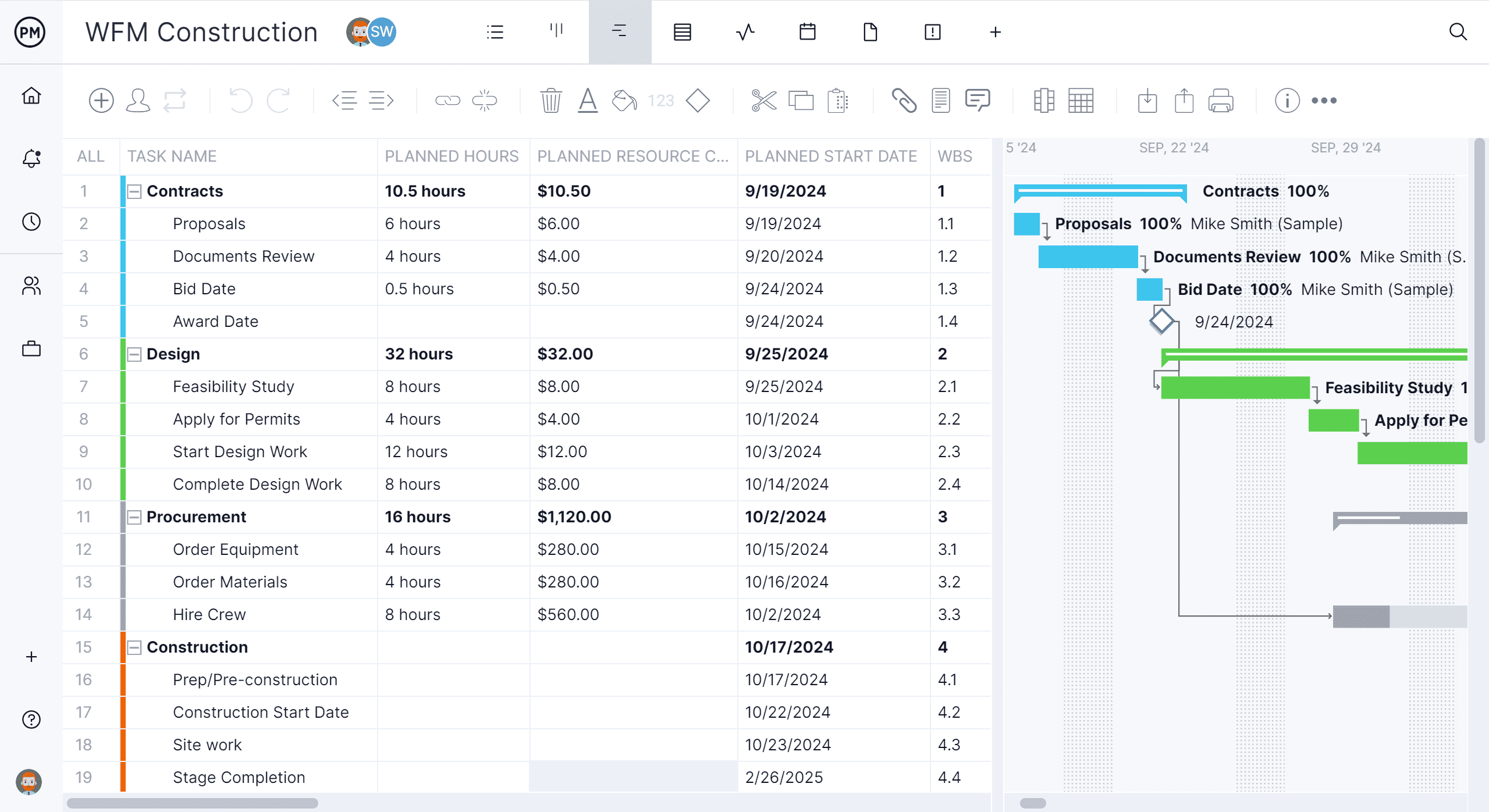
ProjectManager’s Gantt chart is designed for the complexity of production environments. You can map task dependencies, assign resources to specific jobs, track percentage of completion and adjust timelines with drag-and-drop controls when priorities shift. The critical path is always visible, so you know exactly which tasks need to stay on track to protect the overall schedule. And because everything updates live, your entire team is always working from the same plan.
AI Project Insights for Faster Decisions
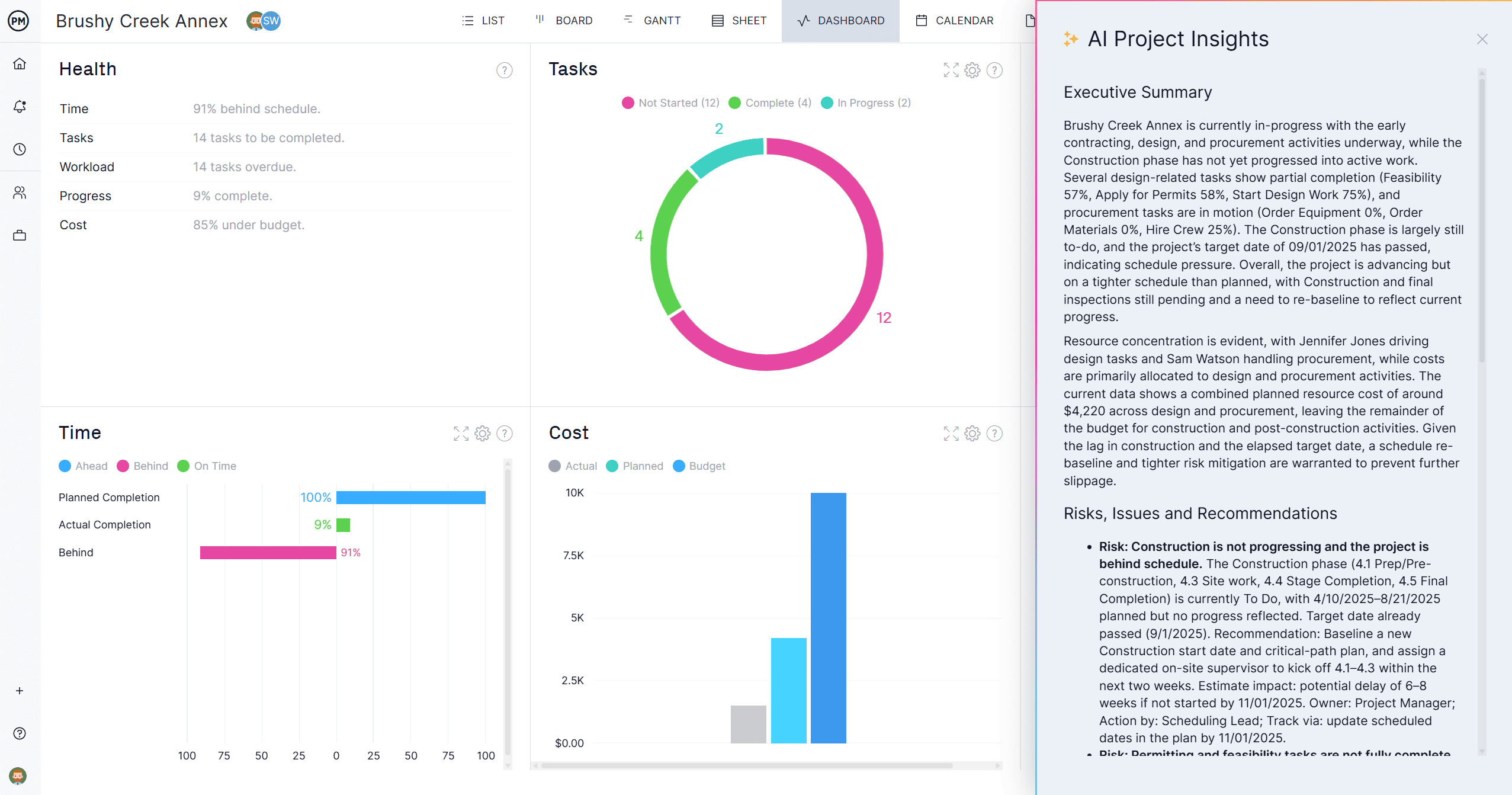
Production managers need fast answers when something changes on the floor. ProjectManager’s AI Project Insights analyzes your schedule, resource data and progress in one click—flagging tasks at risk of falling behind, identifying overloaded team members and surfacing dependencies that could create bottlenecks. It also highlights patterns you might miss in a busy production environment, like repeated delays on specific job types or recurring resource conflicts, so you can make smarter scheduling decisions before problems escalate.
Related Production Scheduling Content
- What Is Production Scheduling? Process, Types & Techniques
- Production Planning: Process, Types & Best Practices
- Manufacturing Project Management: Process, Tips & Tools
- Capacity Planning: How to Plan Production Capacity
- What Is Kanban? Boards, Cards & Methodology Explained
- What Is a Bill of Materials (BOM)? Types, Uses & Examples
