



IT projects come with a complexity that few other disciplines match, with shifting requirements, security constraints, cross-functional dependencies and the constant pressure to deliver without disrupting live systems. Managing all of that without a structured plan isn’t just difficult, it’s a liability. The right templates give IT project managers a proven framework to organize work, track risks and keep stakeholders aligned from kickoff to go-live.
In this guide, you’ll find free IT plan templates for Excel that cover the full range of IT project management, from initial planning and budgeting to software development, risk assessment and disaster recovery. Download any of them and adapt them to your environment.
IT Project Plan Template
Every IT project needs a plan that maps tasks, resources, timelines and dependencies in one place. Without it, work gets siloed, handoffs get missed and project managers spend more time chasing status than driving progress. A structured IT project plan keeps the entire team, from developers and testers to architects and stakeholders, working from the same source of truth.
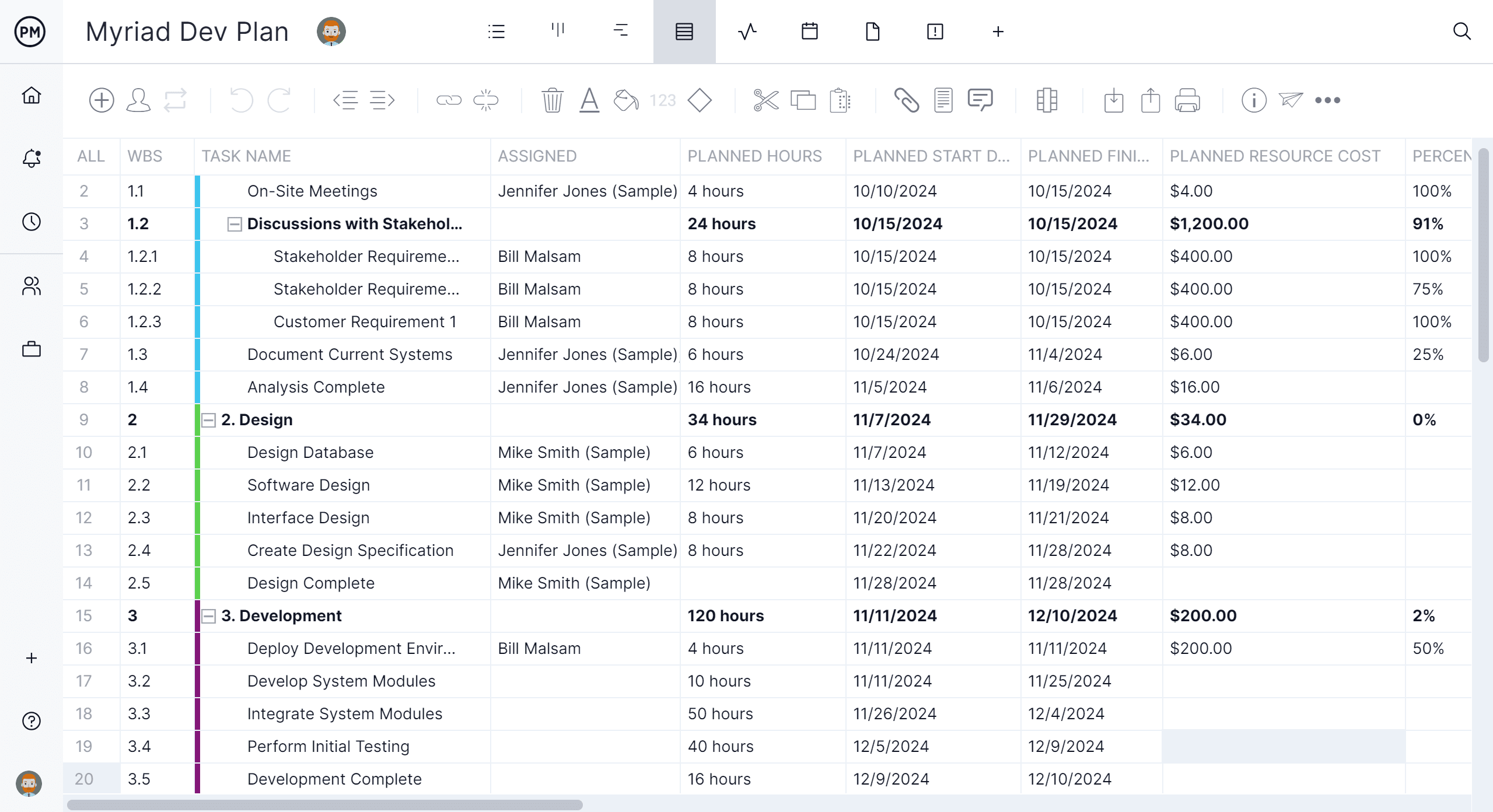
This free IT project plan template gives you a structured starting point for any technology initiative, whether you’re implementing new infrastructure, migrating systems or launching a software product. List tasks, assign owners, set durations and track completion in one organized sheet.
Use it to align your team before the first line of code is written and keep delivery on track through every phase of the project.
Software Development Plan Template
Software development projects fail not because developers can’t code, but because requirements weren’t clear, scope crept unchecked or testing was an afterthought. A software development plan addresses all of that upfront, defining scope, phases, resources and acceptance criteria before the build begins.

This Excel software development plan template helps development teams document the full scope of a build, from requirements and milestones to testing phases and release criteria. It gives project managers and developers a shared view of what needs to happen, in what order and by when.
It’s particularly useful when coordinating across frontend, backend and QA teams who each have their own workstreams but need to stay in sync with a single delivery date.
IT Roadmap Template
Technology leaders need more than a project plan. They need a way to communicate direction. An IT roadmap translates strategic priorities into a visual timeline that executives, department heads and IT teams can all read and align around, without requiring a deep understanding of technical detail.
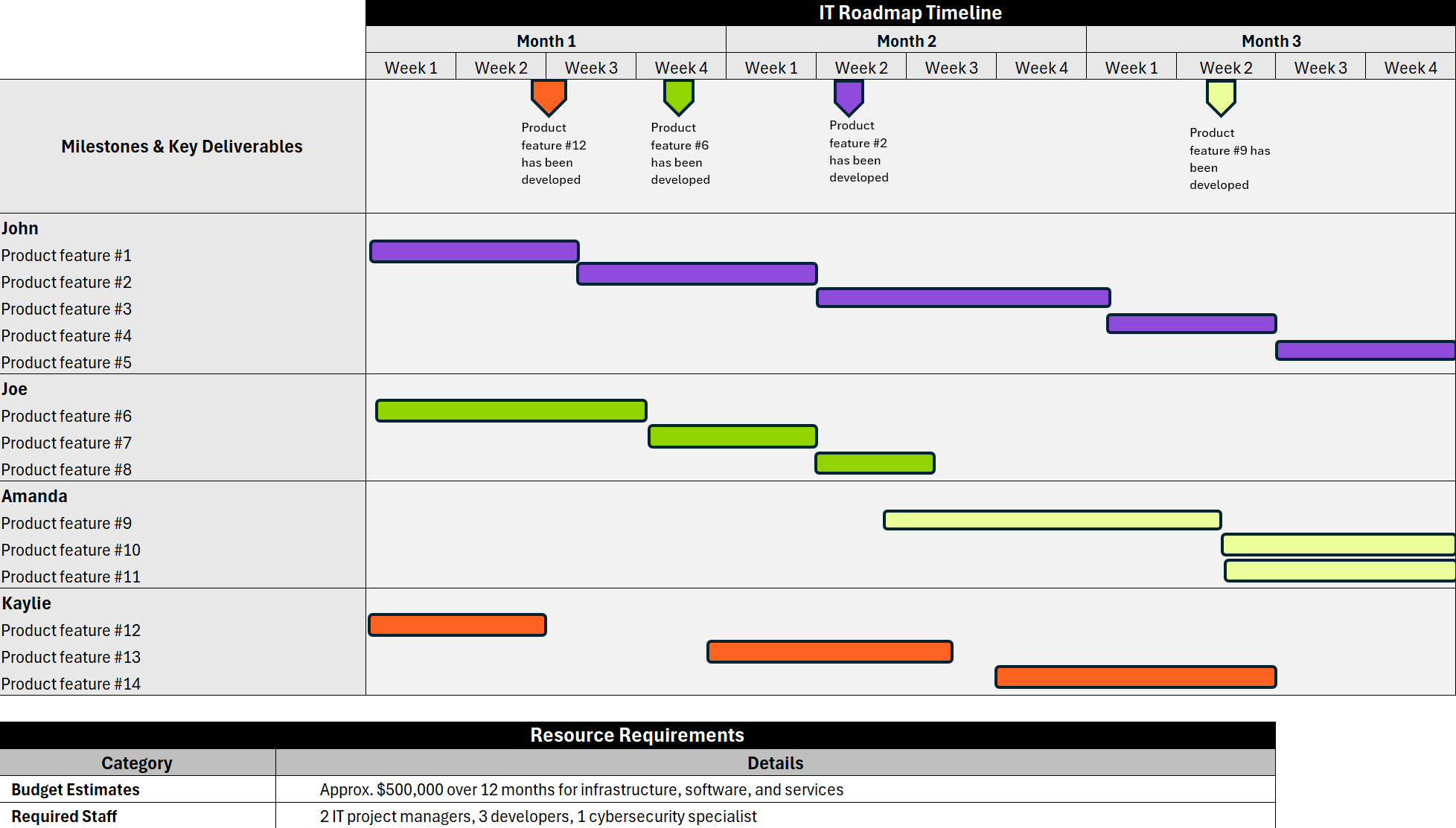
This IT roadmap template gives CIOs and IT directors a structured format for mapping initiatives, infrastructure upgrades and system migrations across a planning horizon. It helps prioritize projects, surface resource conflicts and show stakeholders how technology investments connect to business goals.
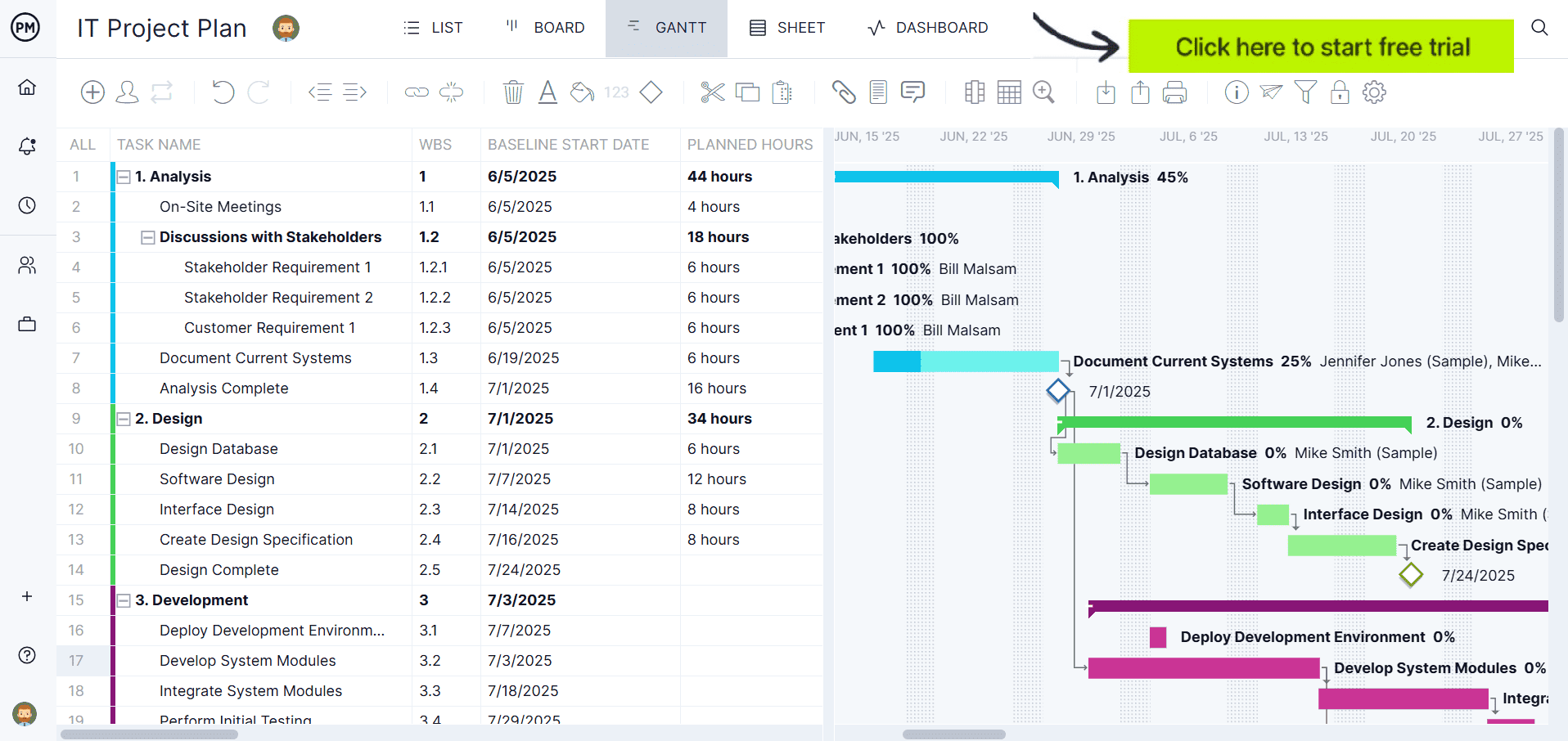
Ready to move beyond static spreadsheets? Try ProjectManager free for 30 days and manage your IT projects with live Gantt charts, real-time dashboards and built-in collaboration tools.
IT Risk Assessment Template
Every IT project carries risk: security vulnerabilities, integration failures, vendor dependencies and data migration errors. Identifying those risks before they materialize is what separates IT teams that deliver from those that spend projects in damage-control mode.
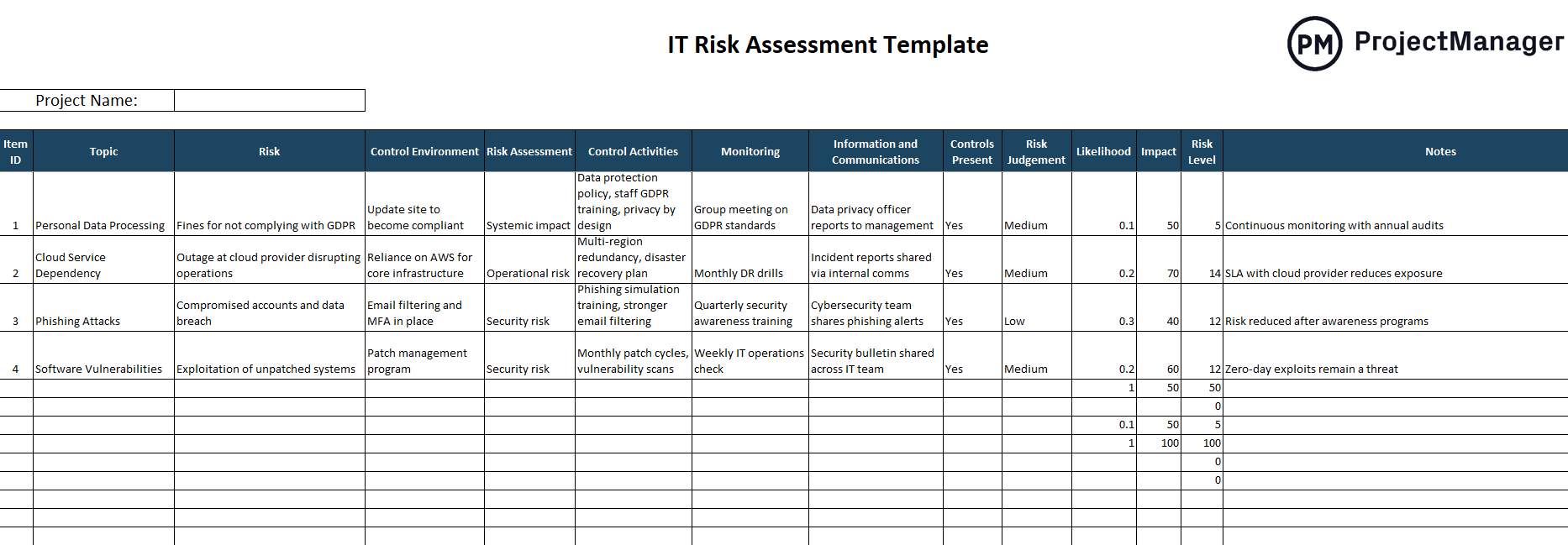
This IT risk assessment template helps you identify, categorize and evaluate risks across your technology projects. Document each risk, assess its likelihood and impact, assign an owner and define the mitigation strategy, all in one structured sheet that can be updated throughout the project lifecycle.
Use it at the start of any IT initiative to surface risks early, and revisit it at each project milestone to catch new ones before they become issues.
IT Disaster Recovery Plan Template
System failures happen. Hardware fails, ransomware strikes, data centers go offline. The question isn’t whether your organization will face a disruption, but how quickly you can recover when it does. A disaster recovery plan answers that question in advance, so your team isn’t making critical decisions under pressure.
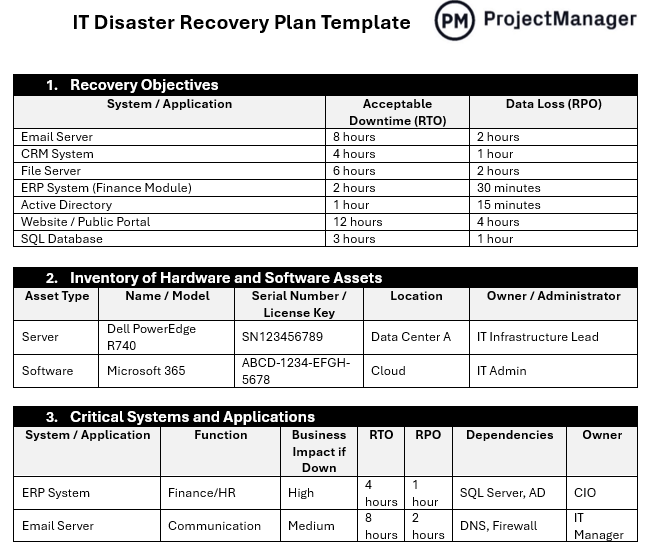
This IT disaster recovery plan template helps IT teams document recovery objectives, inventory critical systems, define escalation paths and establish step-by-step recovery procedures for priority scenarios. It’s structured to cover both technical recovery and communication protocols so nothing gets missed during an incident.
Use it to pass audits, satisfy compliance requirements and give your leadership team confidence that the organization can recover from disruption without extended downtime.
Incident Response Plan Template
A security incident without a response plan is a crisis. A security incident with one is a managed event. The difference between the two is preparation: knowing who does what, in what order, within the first minutes and hours of detection. Without a documented response process, teams improvise, communication breaks down and incidents escalate.
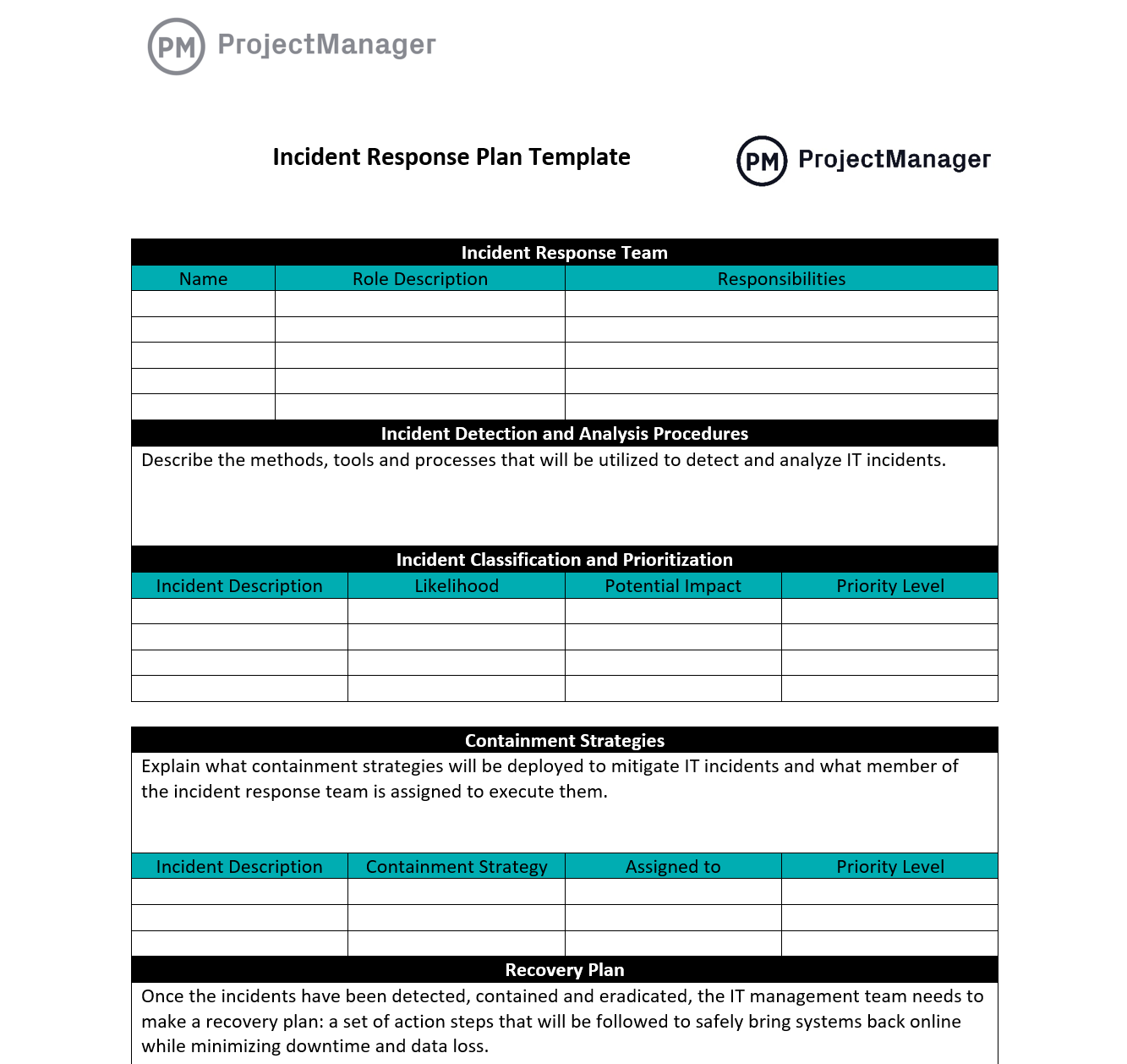
This incident response plan template gives IT security teams a structured framework for detecting, containing and recovering from security incidents. It covers roles and responsibilities, severity classification, escalation paths, communication protocols and post-incident review, covering the full lifecycle of an incident from alert to closure.
It’s also useful for demonstrating incident preparedness to auditors, customers and regulators who require evidence of a documented response process.
Requirements Traceability Matrix Template
In software and systems projects, it’s easy to lose track of how requirements connect to what actually gets built. A requirements traceability matrix creates that link explicitly, mapping each requirement to the test cases that verify it and the deliverables that fulfill it, so nothing gets dropped and scope changes are fully understood before they’re approved.
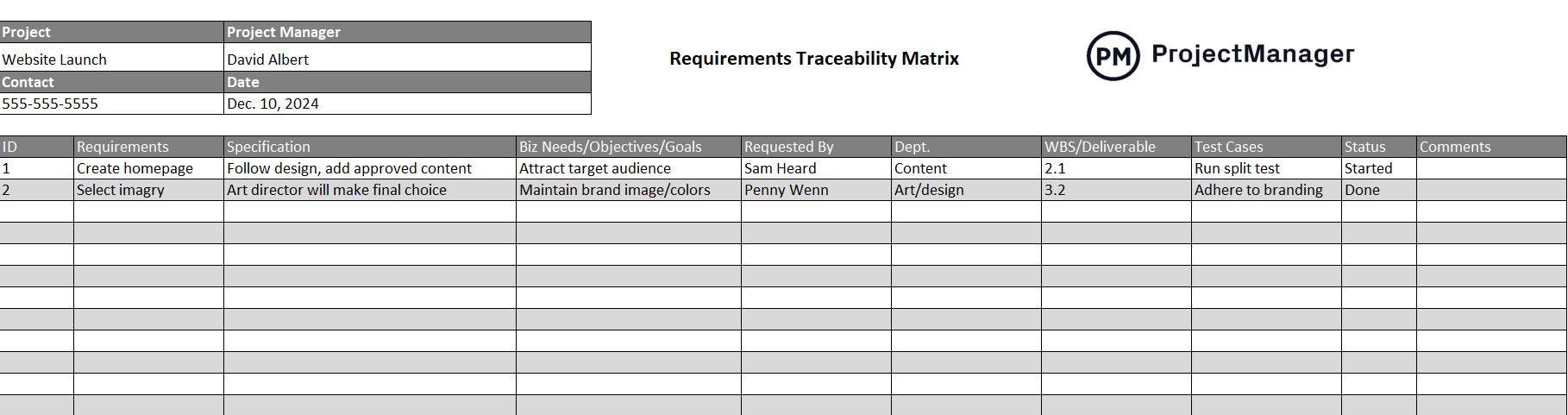
This Excel requirements traceability matrix template helps IT project managers and business analysts document requirements, link them to test cases and track their status through the development lifecycle. It gives QA teams a clear picture of test coverage and gives project managers an audit trail that satisfies compliance and client verification requirements.
Test Case Template
Releasing software without structured test cases is a gamble. When testing is ad hoc, bugs get missed, edge cases go unchecked and QA sign-off means little more than “we tried it a few times.” A test case template brings the same rigor to testing that a project plan brings to delivery: every scenario defined, every step documented, every result recorded.
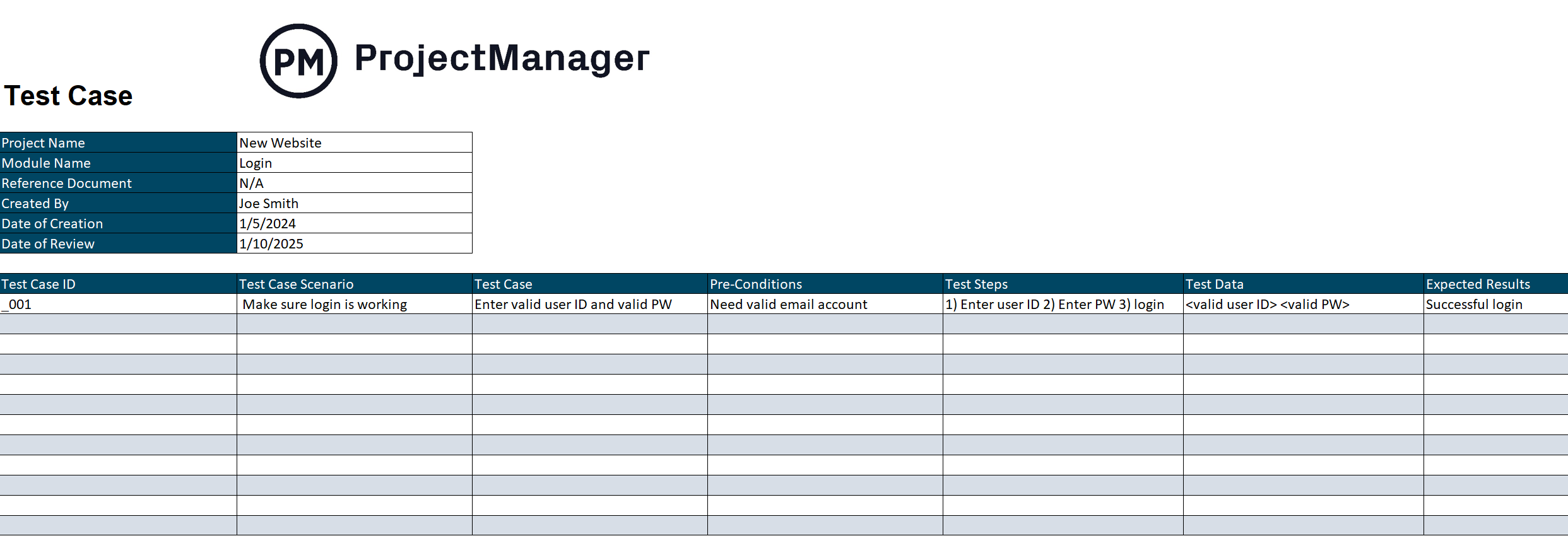
This free test case template for Excel gives developers and QA testers a consistent format for documenting test scenarios, pre-conditions, test steps, expected results and pass/fail status. Each test case gets a unique ID so results are traceable, and the built-in status dropdown makes it easy to see at a glance what’s passing and what needs attention before release.
Change Request Form
Uncontrolled change is one of the most reliable ways to blow a deadline or break a live system. Every scope addition, configuration change or feature modification that enters without formal review adds risk: to timelines, budgets and system stability. A change request form creates the gate that keeps those risks managed.
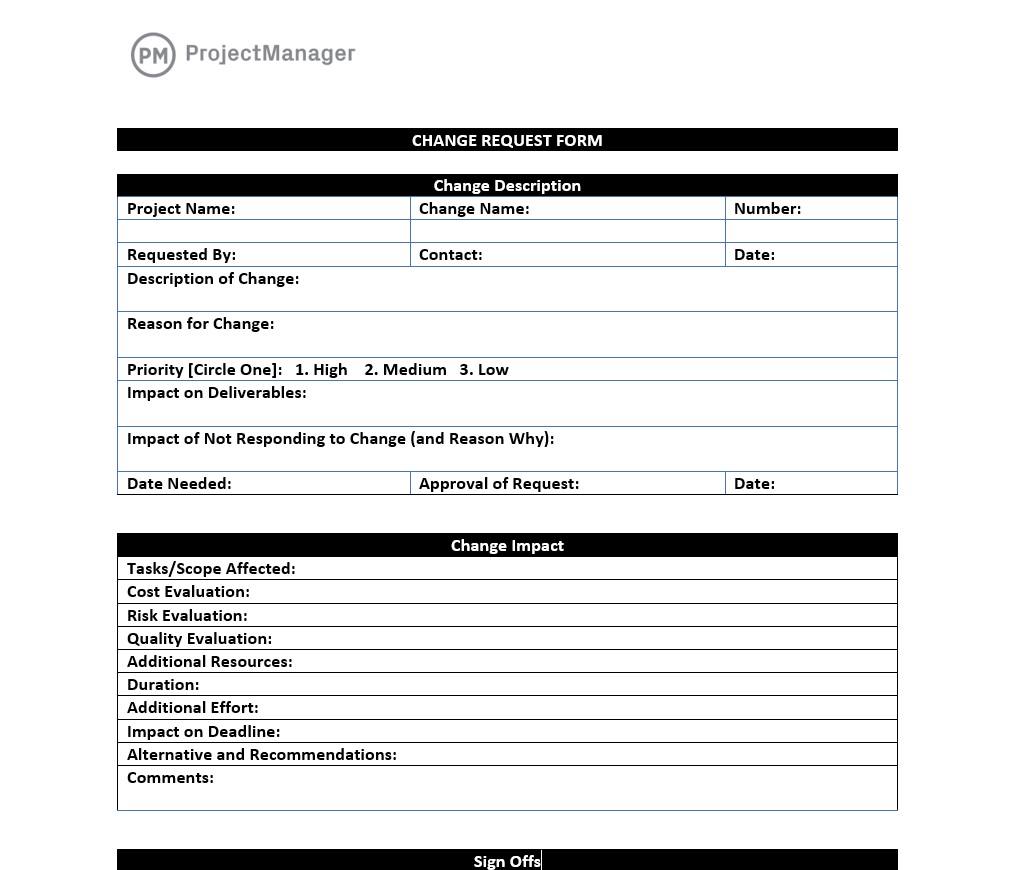
This change request form template gives IT teams a standard format for documenting proposed changes, assessing their impact on scope, cost and schedule and routing them through an approval process before implementation. It creates a paper trail that helps teams stay accountable to their original plan and gives stakeholders visibility into what’s changing and why.
IT Budget Template
IT projects routinely go over budget, not because teams spend recklessly, but because costs weren’t captured completely at the start. Hardware, licensing, contractor hours, training and post-launch support all add up in ways that informal estimates miss. A structured IT budget template surfaces those costs before they become surprises.

This IT budget template helps technology teams plan and track spending across all cost categories: infrastructure, software, personnel, consulting and contingency. It gives IT project managers and finance teams a single document for estimating costs, monitoring actuals and reporting budget status to leadership throughout the project.
ProjectManager Is Better Than IT Plan Templates
Free IT templates are a solid starting point, but they have a fundamental limitation: they’re static. They don’t update when timelines shift, they don’t alert you when a task is overdue and they can’t show you how a scope change ripples across the rest of the project. For IT teams managing complex, fast-moving projects, that lag creates risk.
ProjectManager gives IT project managers a live environment where plans update in real time, risks are tracked alongside tasks and every team member, from developers and testers to architects and stakeholders, works from the same source of truth regardless of their location or role.
Gantt Charts Built for IT Projects
ProjectManager’s Gantt chart is built for the kind of dependency-heavy scheduling that IT projects demand. Map task dependencies, set milestones, assign resources to specific workstreams and filter for the critical path so you always know which tasks are driving your delivery date. When scope changes, drag and drop to adjust, and the entire schedule updates instantly and your team sees the new plan right away.

AI Project Insights for Faster Decisions
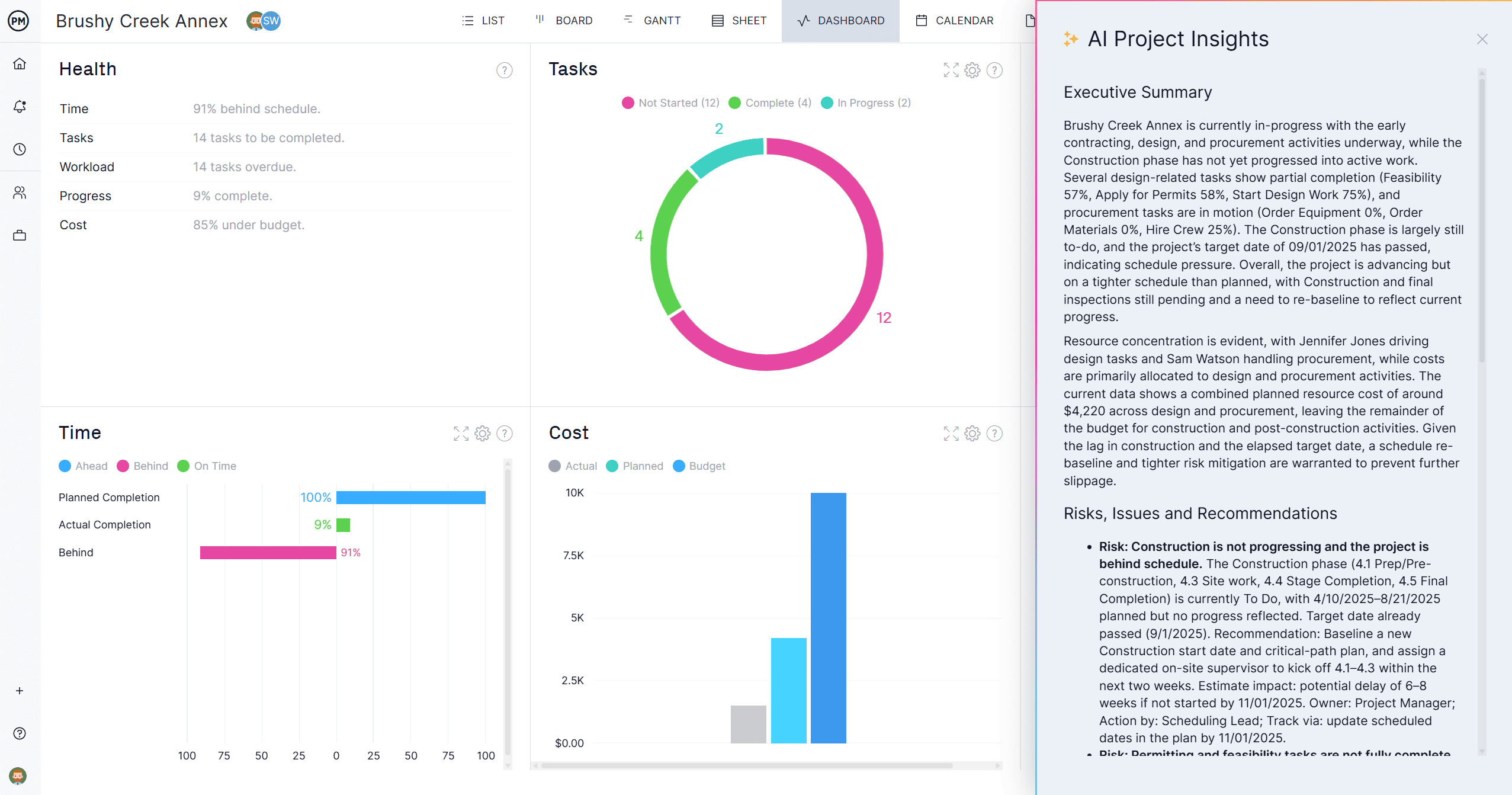
IT project managers need fast answers when something changes: a delayed dependency, an overloaded developer or a risk that’s moved from amber to red. ProjectManager’s AI Project Insights analyzes your schedule, resource data and progress in one click, flagging tasks at risk of falling behind, surfacing bottlenecks before they block delivery and identifying patterns across your project portfolio. It gives you the intelligence to make confident decisions without spending hours digging through spreadsheets.
Related IT Project Management Content
- IT Project Management: Process, Methodologies & Tips
- How to Write a Software Development Plan
- What Is Change Management? Process, Models & Examples
- What Is an Incident Response Plan? Steps & Template
- What Is a Disaster Recovery Plan? Steps & Best Practices
- Agile Project Management: Guide, Process & Methodologies
