



Software teams often stretch their tools beyond their original purpose, especially when delivery pressure meets organizational complexity. This article explores Azure DevOps for project management, examining where it fits, where it struggles and why teams debate using it beyond workflows.
What Is Azure DevOps?
Azure DevOps is a Microsoft platform that provides a set of services for software development teams to plan work, manage source code, automate build and release pipelines and collaborate throughout the application lifecycle. It brings together tools for version control, continuous integration, testing, deployment and work item tracking within a single cloud-based environment used by organizations across many industries.
Is Azure DevOps Project Management Software?
While Azure DevOps supports planning and tracking work within software teams, it does not fully align with what is typically considered project management software. Its tools help coordinate tasks, iterations and delivery workflows, but the platform lacks core capabilities such as native Gantt charts, project portfolio-level roadmaps, comprehensive resource management and financial tracking. As a result, Azure DevOps can assist with managing development work, yet it falls short of providing the broader project oversight found in dedicated project management solutions.
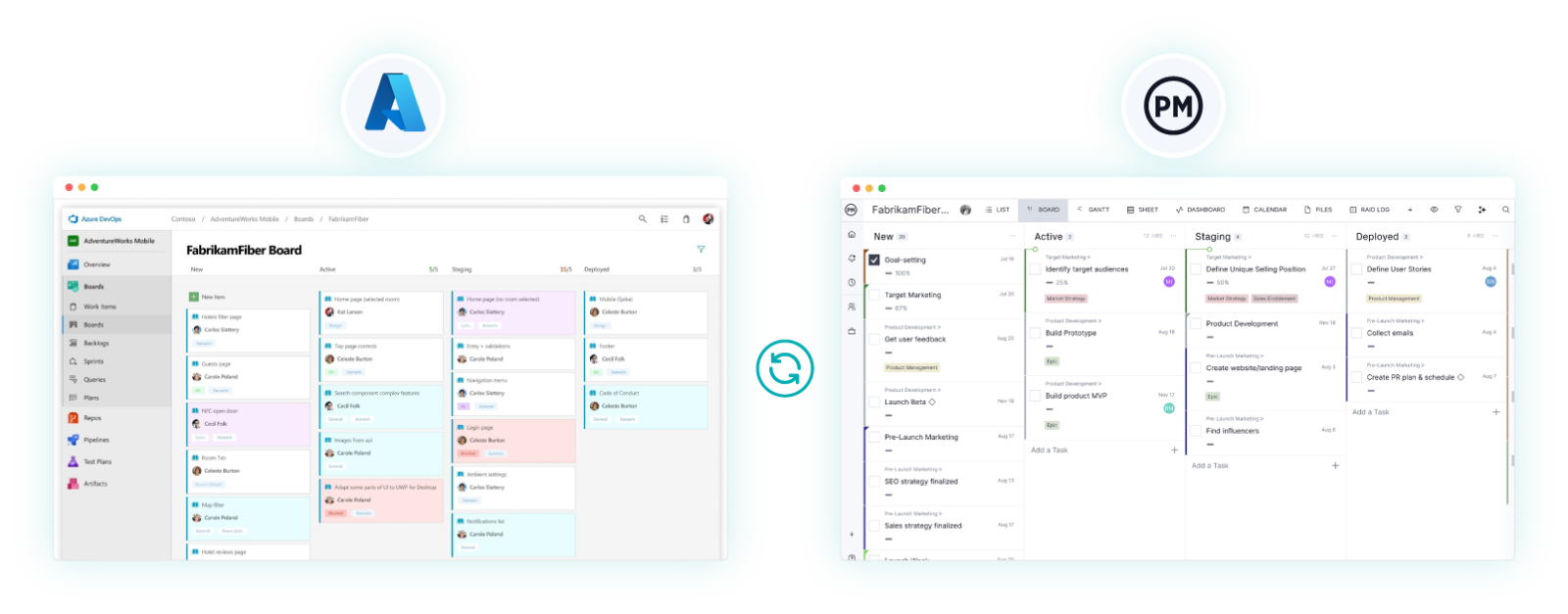
Try ProjectManager if you’re looking for project management software that includes the traditional yet powerful features that project teams want. Our software is built for project management, not just software delivery. Our features include Gantt charts, budget tracking, resource planning, dashboards, reports and so much more. We also offer an Azure DevOps integration that brings Azure Boards directly into your portfolio. If your dev teams love Azure DevOps but other team members prefer ProjectManager, try this integration. Get started with a free 30-day trial.
Can Azure DevOps Still Be Used for Project Management?
Despite its limitations as a standalone project management solution, some teams still rely on Azure DevOps to organize, coordinate and monitor project work within a development-focused environment.
Pros of Azure DevOps for Project Management
The strongest case for using Azure DevOps for project management emerges in software development teams, where engineering workflows, technical dependencies and delivery cadence matter more than traditional and general-use project planning, scheduling and monitoring tools.
- Built-in work item tracking aligns naturally with developer tasks, user stories, bugs and technical backlog management.
- Sprint planning and iteration tools support agile delivery without requiring external project management platforms.
- Native integration with source control and CI/CD pipelines connects planning directly to code and deployment activity.
- Cross-team visibility through backlogs and delivery plans helps coordinate work across multiple development teams.
- Highly customizable workflows allow teams to adapt processes to their engineering practices rather than generic PM models.
Related: 18 Free Software Development Templates for Excel, Word & More
Cons of Azure DevOps for Project Management
Even software development teams eventually require broader project management capabilities to coordinate timelines, resources and priorities across initiatives. Azure DevOps concentrates on delivery execution, leaving critical project planning, scheduling, tracking and portfolio-level controls either absent or dependent on integrations with external tools and extensions.
- No native project portfolio management roadmap, making it difficult to track timelines across multiple projects.
- Absence of built-in Gantt charts for visualizing schedules, dependencies and long-term plans.
- No centralized resource management to allocate people across projects or assess capacity organization-wide.
- Lack of financial management features such as cost estimating, project budgeting or cost tracking.
- Limited dependency visualization across projects, teams and high-level initiatives.
- No standardized project-level reporting for executives outside development-focused metrics.
- Missing milestone-focused planning views common in traditional project management tools.
- Requires marketplace extensions or external software to approximate core project management functionality.
Does Azure DevOps Have Project Management Features?
Several Azure DevOps features were built for development workflows but overlap with project management needs, offering limited planning, tracking and coordination capabilities when teams adapt them beyond their original intent.
Azure DevOps Roadmap
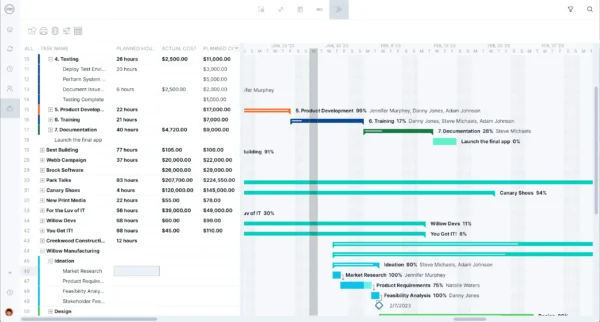
Azure DevOps roadmaps, delivered primarily through Delivery Plans, are designed to visualize work items such as epics and features across iterations and teams, presenting a timeline-based view of planned development. They focus on coordinating delivery schedules rather than defining strategic objectives or long-term portfolio investments at the team level only.
From a project management perspective, these timelines offer partial visibility into delivery commitments. However, because they lack portfolio context, budgeting and cross-project alignment, they provide only a narrow substitute for true project roadmaps used to manage multiple initiatives effectively.
Azure DevOps Kanban Board
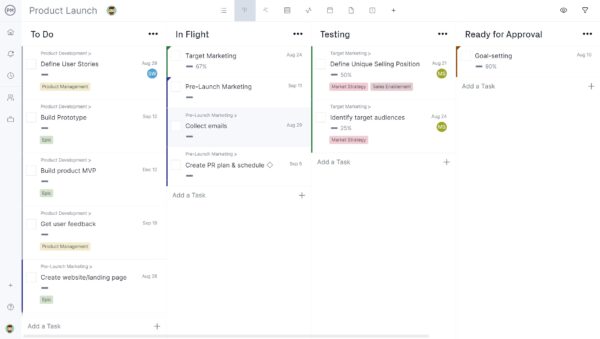
Kanban boards in Azure DevOps are designed to visualize the flow of work items through defined stages, allowing teams to manage backlog, work in progress and completion status. They emphasize continuous delivery, limiting bottlenecks and improving workflow efficiency rather than enforcing fixed schedules or milestones common in traditional project plans.
For project management, kanban boards help teams monitor task status and surface execution issues early. Still, they do not support timeline forecasting, dependency modeling or long-range planning, which restricts their usefulness beyond day-to-day coordination across projects and strategic planning efforts.
Use ProjectManager’s Azure DevOps integration in two ways: for real-time, two-way syncing or for a one-time copy of an Azure Board. Then, in ProjectManager, dashboards, reports and exports will reflect all of the latest data in Azure DevOps.
Azure DevOps Sprint Board
Sprint boards are designed to support time-boxed iterations by organizing committed work for a sprint into task-level views. They help teams track progress against sprint goals, manage workload during active iterations and respond to short-term changes within an agile delivery cycle without addressing broader planning horizons at the project or portfolio.
In project management terms, sprint boards assist with execution tracking and short-term accountability. Yet their focus on single iterations limits visibility into overall schedules, milestones and cross-project coordination needed for managing projects end-to-end across multiple teams and initiatives.
Azure DevOps Backlog
The Azure DevOps backlog is designed to organize and prioritize work items such as epics, features, user stories and bugs. It provides a structured hierarchy that helps teams break down complex development efforts into manageable units aligned with product and delivery objectives.
For project management purposes, backlogs offer visibility into scope and priorities. However, they do not provide timeline forecasting, milestone planning or cross-project coordination, limiting their usefulness for managing projects beyond development execution.
Get your free
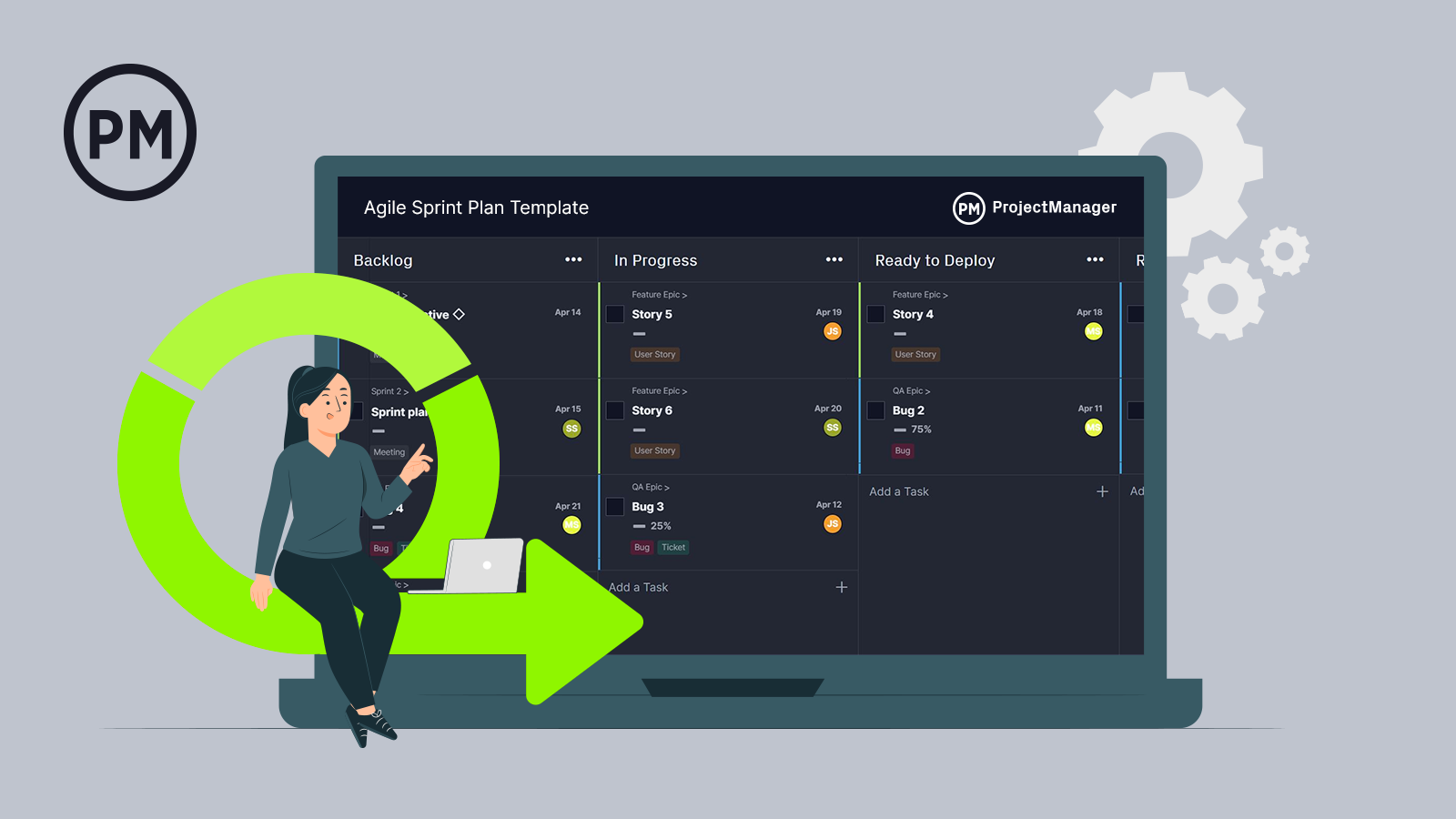
Agile Sprint Plan Template
Use this free Agile Sprint Plan Template to manage your projects better.
Get the Template
Azure DevOps Dashboards
Azure DevOps dashboards are designed to present configurable visual summaries of work item status, sprint progress, build results and delivery metrics. They aggregate data from across teams and projects into widgets intended to support monitoring, transparency and operational awareness.
From a project management angle, dashboards help stakeholders track progress and surface risks quickly. Still, they lack standardized project reporting, financial indicators and portfolio-level insights required for comprehensive project oversight.
Related: 5 Free Excel Dashboard Templates
Azure DevOps Burndown Chart
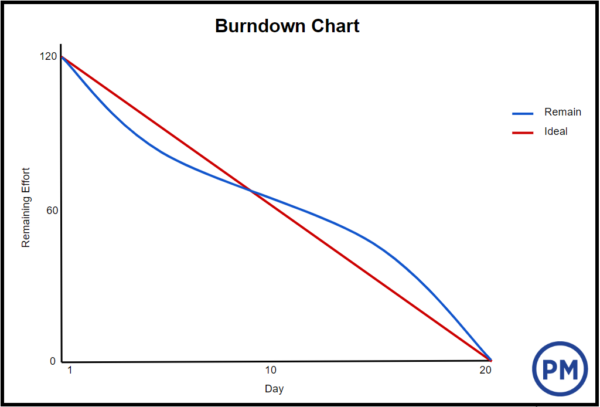
The burndown chart in Azure DevOps is designed to visualize remaining work against time within a sprint or iteration. It helps teams assess whether they are on track to complete committed work by comparing planned effort versus actual progress.
In project management contexts, burndown charts provide short-term progress indicators. However, their sprint-level focus makes them unsuitable for tracking long-term schedules, milestones or multi-project timelines.
ProjectManager Is the Best Azure DevOps Project Management Integration
ProjectManager is a well-rounded project management software designed to support all types of projects and teams. Our software provides built-in financial tracking, schedule visualization, reporting, portfolio management and many more engaging features. There’s no steep learning curve and the onboarding process is fast.
AI-Powered Project Management Insights
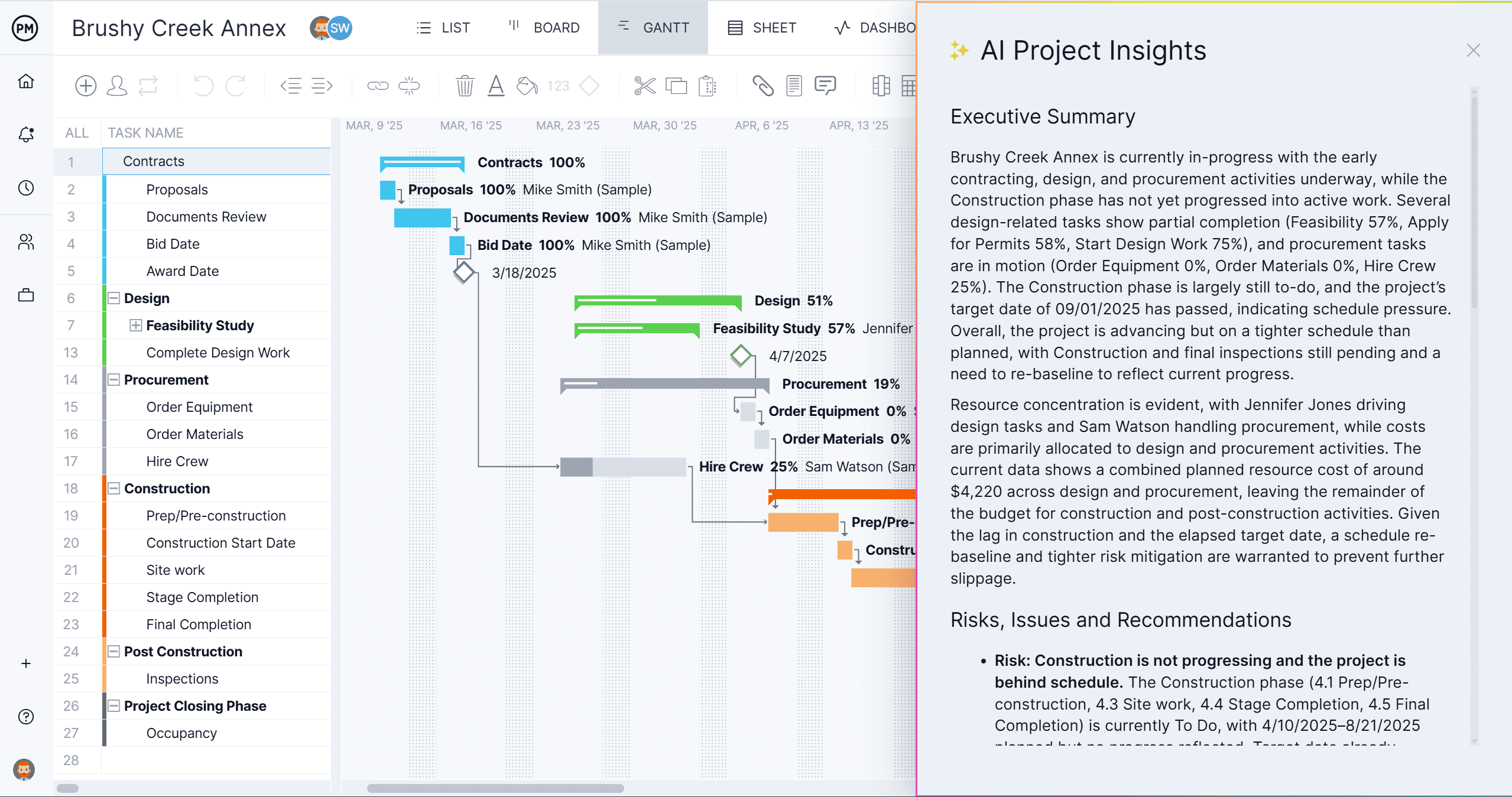
AI Project Insights brings automated analysis, data-driven recommendations and real-time visibility to fast-moving delivery requirements. The latest GPT5 technology analyzes task progress, highlights bottlenecks in delivery pipelines and identifies risky areas in the project. Use it to support smarter sprint planning and backlog refinement.
Resource & Workload Management to Support Sprint Planning
With built-in resource and workload management, ProjectManager allows teams to assign human and non-human resources, visualize workloads and balance staffing. This helps traditional project managers manage resource bottlenecks, allocations and utilization across projects.

Related Software Development Content
- 18 Free Software Development Templates for Excel, Word and More
- Azure DevOps Roadmap: Pros & Cons
- Software Development Estimation: A Quick Guide
- SDLC – The Software Development Life Cycle
- Burndown Chart: What Is It, Examples & How to Use One
ProjectManager is online software that helps teams organize their work no matter where they are or how they work. Get real-time data for better decision-making while connecting teams and fostering collaboration. Deliver products on time, within your budget and with the level of quality that your customers expect. Try ProjectManager for free today!
