



Manufacturing teams rely on various tools to keep production moving smoothly, and the andon board has become one of the most recognizable parts of that environment. Its purpose is to bring clarity to fast-moving operations and support immediate responses when conditions change. Understanding how an andon board fits into modern shop floors offers valuable insight into lean manufacturing practices and real-time communication.
What Is an Andon Board?
At its core, an andon board is a visual control tool used to communicate production conditions instantly. It signals normal operations, identifies abnormalities and prompts immediate action when attention is required. By presenting clear indicators for equipment status, quality issues or workflow disruptions, the board helps teams maintain stability, reduce downtime and strengthen overall manufacturing efficiency.
On the shop floor, andon boards typically appear as brightly lit displays mounted in areas that offer wide visibility to operators and supervisors. They may use color-coded lights, large digital screens or LED panels to communicate real-time conditions. Positioned above assembly lines, near work cells or at central monitoring points, these boards ensure that workers can see alerts instantly and react without delay.
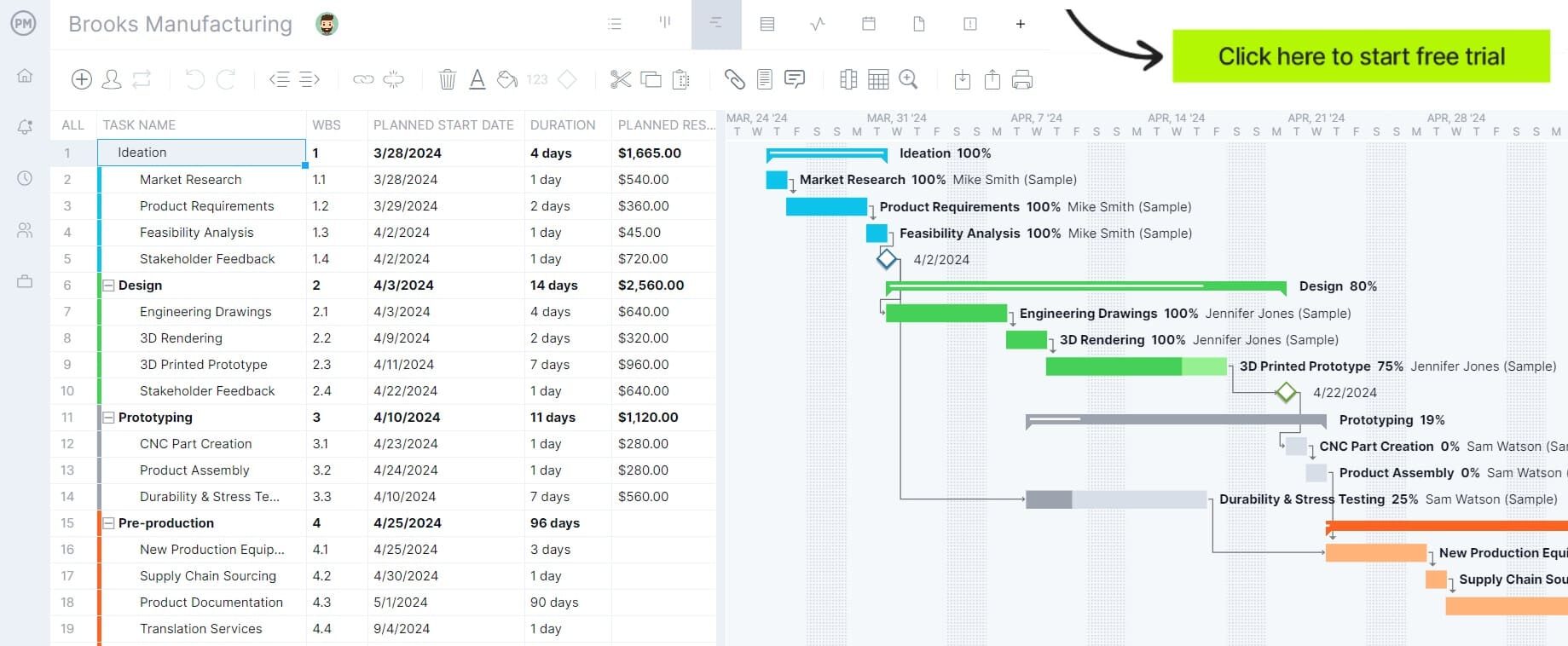
While andon boards can be useful, project management software offers more powerful benefits. ProjectManager helps you plan when tasks should happen, define tasks, subtasks, milestones, deadlines, dependencies and monitor progress over time. Unlike an andon board, resource and workload management features make it seamless to assign tasks and balance workloads. Get started with ProjectManager for free.
What Should Be Displayed in an Andon Board?
To maintain consistency on the shop floor, an andon board should present a clear, standardized set of production details that allow teams to recognize issues instantly and take action without hesitation.
- Workstation or production line identification
- Real-time production status (running, stopped, waiting)
- Reason for stoppage or alert type
- Color-coded indicators for normal, warning or critical states
- Operator call signals for assistance
- Assigned responder or support team
- Time the alert was triggered and the duration of downtime
- Target output versus actual output
- Quality alerts or defect counts
- Safety warnings requiring immediate attention
How Does an Andon Board Work?
On a manufacturing floor, an andon board functions as a real-time communication tool that keeps everyone aware of production conditions. It brings visibility to issues the moment they occur and guides operators, support teams and supervisors through a clear response process that maintains workflow stability.
- Operators trigger an alert when a defect, delay or equipment issue is detected.
- The board displays the problem using color-coded signals or status messages.
- Supervisors or support teams respond based on the alert level.
- Teams address the issue, record actions taken and confirm resolution.
- The system returns to normal status once production resumes smoothly.
Related: 10 Best Production Tracking Software
Andon Board Example
To show how these elements come together in practice, the example below illustrates a simple andon board commonly found on a manufacturing floor.
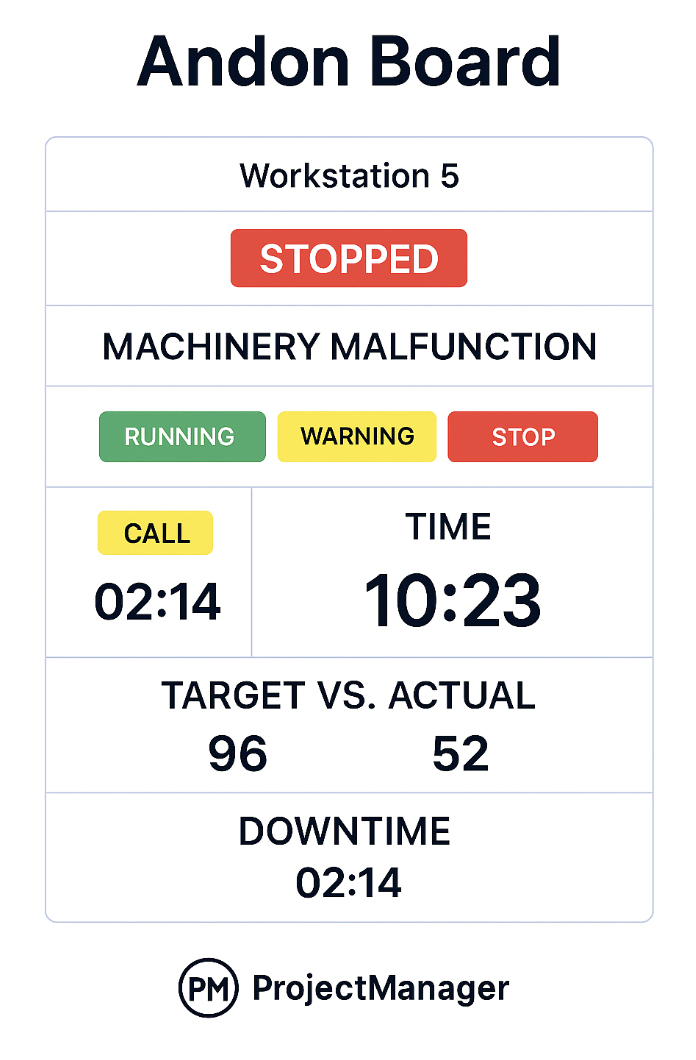
The layout of andon boards varies greatly from one company to another. In this case, this andon board shows the following elements:
- Workstation Status: Displays the current operating condition of the workstation, signaling whether it is running normally, paused or fully stopped due to an issue, and also the reason behind the issue. In this case, the station is stopped due to a machinery malfunction.
- Color-Coded Status: Uses visual cues—typically green for running, yellow for warning and red for stop—to allow workers and supervisors to understand operational conditions instantly from a distance.
- Time: Displays the current time of day or the timestamp when the alert was triggered, helping teams reference when the stoppage began.
- Call Duration: Shows how long it has been since the operator requested assistance, allowing supervisors to monitor response speed.
- Target vs. Actual: Compares planned output to real production numbers, making it easier to spot performance gaps and adjust workflow expectations.
- Downtime: Indicates the total time the workstation has been stopped, a key metric for measuring productivity loss and diagnosing recurring issues.
Benefits of Using an Andon Board in a Manufacturing Shop Floor
When incorporated into daily operations, an andon board enhances visibility, speeds response times and supports continuous improvement across the production line. Its real-time alerts and clear displays help teams stay aligned, reduce delays and maintain consistent operational performance.
- Faster identification of production issues
- Improved communication between operators and supervisors
- Reduced downtime through immediate response
- Enhanced quality control and defect prevention
- Greater transparency across workstations
- Support for lean manufacturing and continuous improvement
- Better coordination during workflow disruptions

More Free Related Manufacturing Templates
We’ve created dozens of free Excel, Word and Google Sheets templates that can help manufacturers plan, schedule and monitor their production processes. Here are some of them.
Production Schedule Template
Manufacturers looking for flexible planning tools can use ProjectManager’s interactive production schedule template to map out workflows with clarity. It supports multiple views—including Gantt charts, kanban boards and task lists—so teams can visualize sequencing, manage work-in-progress and maintain control over each stage of the production cycle.
SIPOC Template
A SIPOC template helps manufacturers document their processes from a high-level perspective by capturing suppliers, inputs, core steps, outputs and customers in a single layout. With these elements organized clearly, teams can identify inefficiencies, refine workflows and ensure the overall process stays aligned with operational goals.
Stock Register Format
A stock register format provides a structured way to record inventory levels, log material movements and track transactions over time. By maintaining accurate entries for incoming and outgoing stock, manufacturers gain clearer visibility into inventory trends, helping them prevent shortages, avoid excess storage costs and maintain reliable material control.
How ProjectManager Helps Manufacturing Companies
Manufacturing companies around the world trust ProjectManager to plan, coordinate and track their manufacturing processes. Our software provides tools that complement and go beyond what andon boards offer, especially when manufacturing operations are part of larger projects, continuous improvement initiatives, maintenance or multi-step workflows.
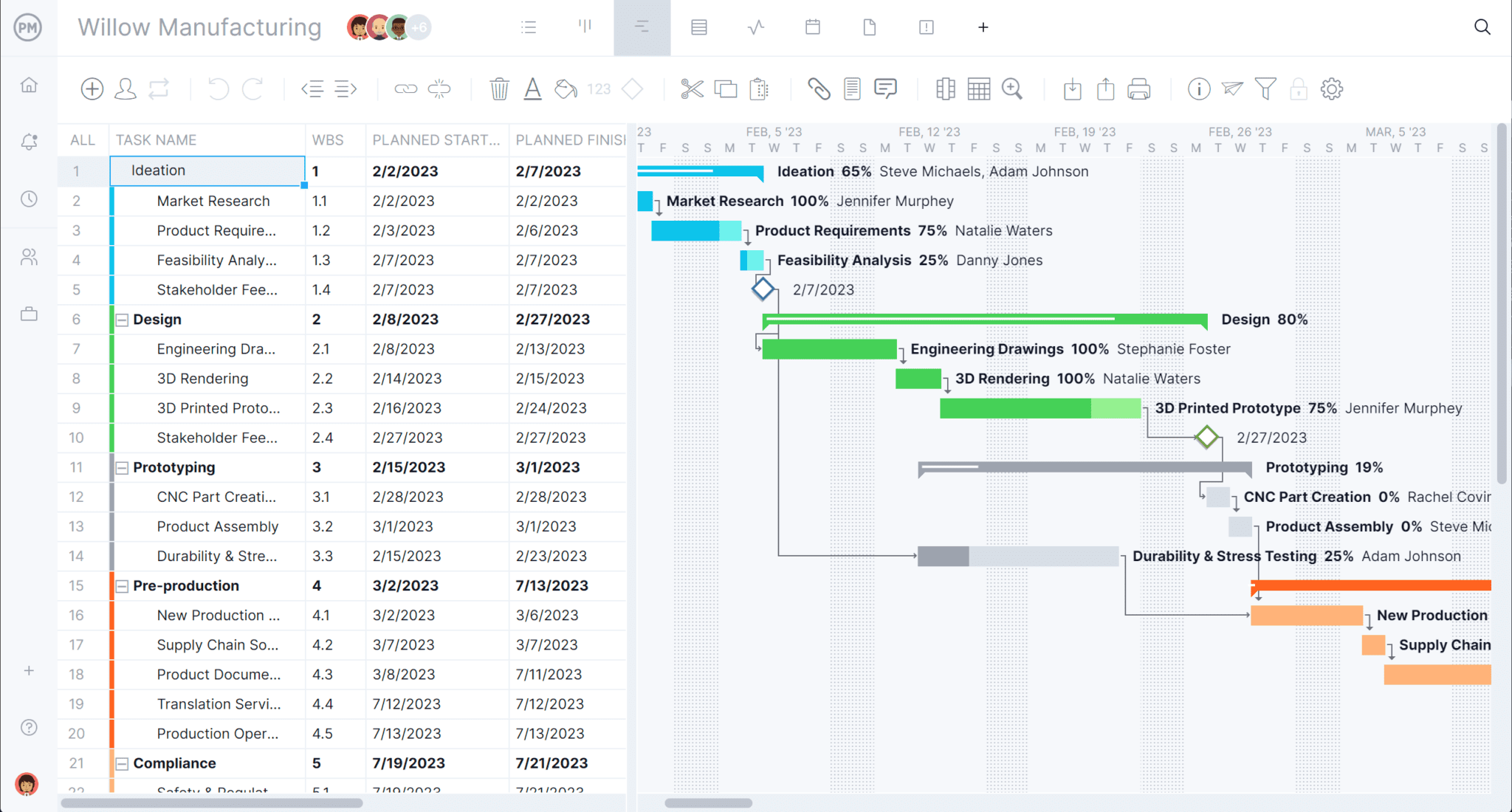
Plan & Visualize Complex Workflows on the Gantt
Structure complex operations beyond simply “production line running.” Use the Gantt chart when you need planning, task breakdowns, scheduling and accountability, not just real-time alerts. The Gantt has start and end dates, task dependencies and milestones that are ideal for planning ahead beyond day-to-day production.
Real-time Dashboards and Reports
Utilize real-time project dashboards and reports to give management and supervisors a high-level view. Determine if the project is on schedule, if tasks are being completed and if any improvement tasks are delayed. Then, in a few clicks, generate custom reports to share with stakeholders as needed.

Related Manufacturing and Production Content
- Manufacturing Operations Management Explained
- Manufacturing Process Planning: Steps, Types & Benefits
- 20 Production and Manufacturing KPIs & Metrics
- What Is Lean Manufacturing? Definitions, Principles & Techniques
ProjectManager is online project management software that connects teams anywhere and at any time. We empower you to plan, manage and track your projects in real time with dynamic features that allow you greater control over your projects to deliver success. Get started with ProjectManager today for free.
