


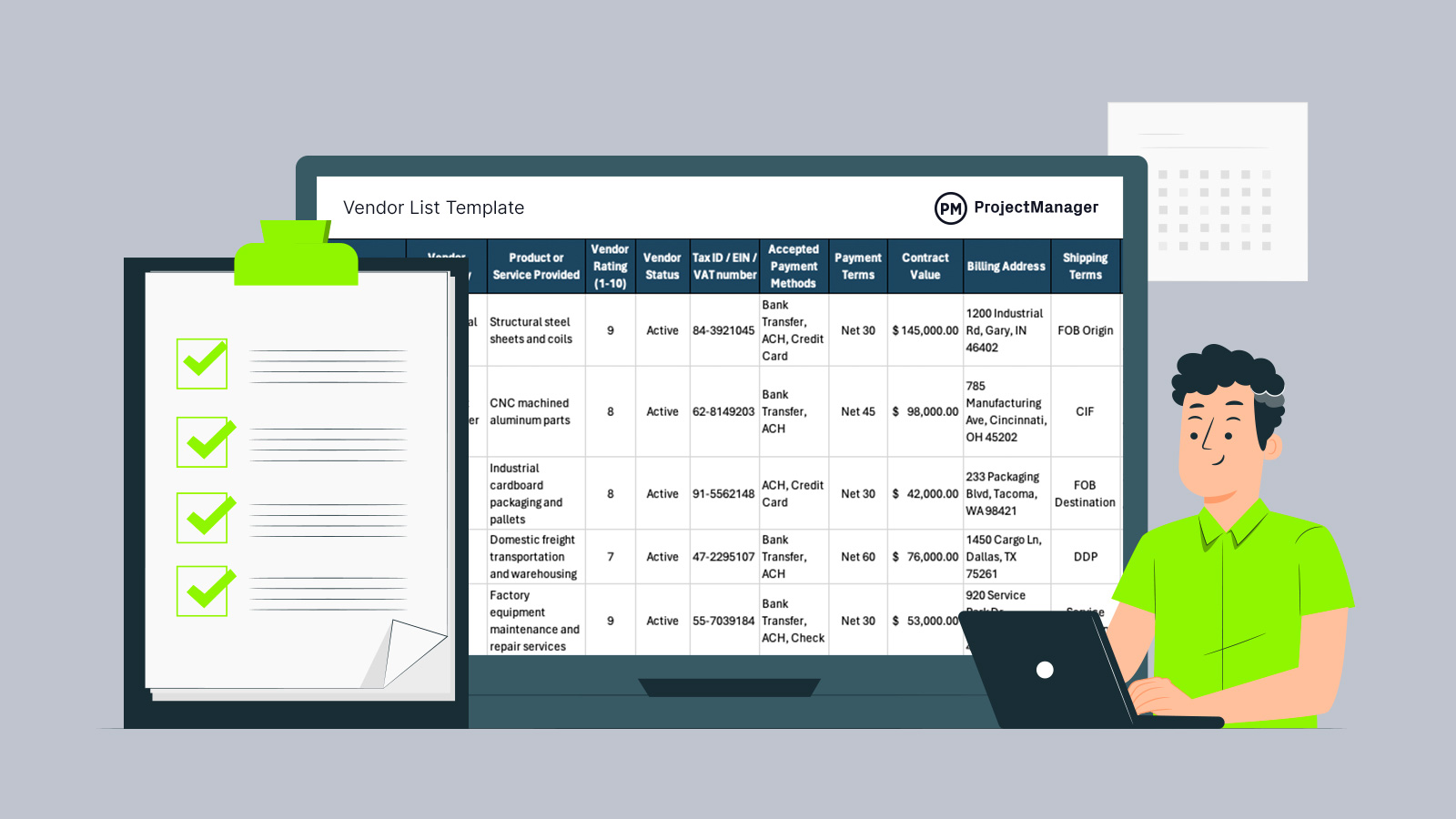
Reliable supplier relationships start with clear records. Instead of tracking vendors across scattered spreadsheets, emails or purchasing systems, many teams rely on a structured vendor list template to centralize supplier information. This Excel-based vendor list template helps procurement, operations and finance teams maintain organized vendor data, making it easier to manage contacts, contracts and purchasing relationships.
What Is a Vendor List?
A vendor list is a structured record of suppliers a business works with or may work with in the future. It typically includes vendor names, contact information, services or products provided, payment terms, contract details and performance ratings. Organizations use a vendor list to maintain an organized supplier database, simplify procurement activities and support consistent vendor management across purchasing, finance and operations teams.
Why You Need a Vendor List Template
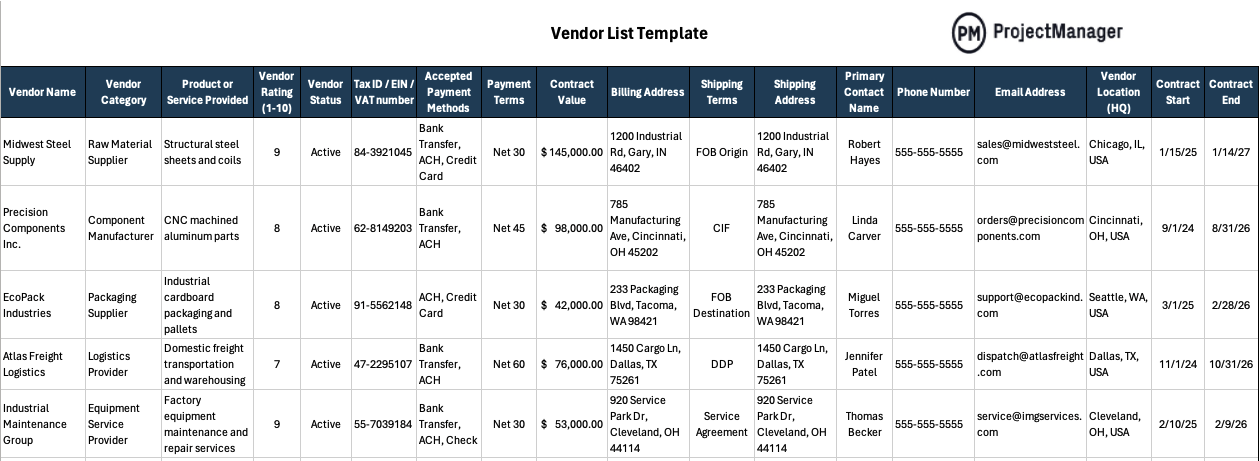
Managing suppliers becomes much easier when vendor information is stored in a consistent format. This vendor list template for Excel includes a comprehensive set of vendor attributes while focusing only on the details most relevant to construction, manufacturing and retail environments. Teams can modify the spreadsheet by adding or removing columns as needed and use the vendor list template as a standardized format across departments to keep vendor management organized and consistent.
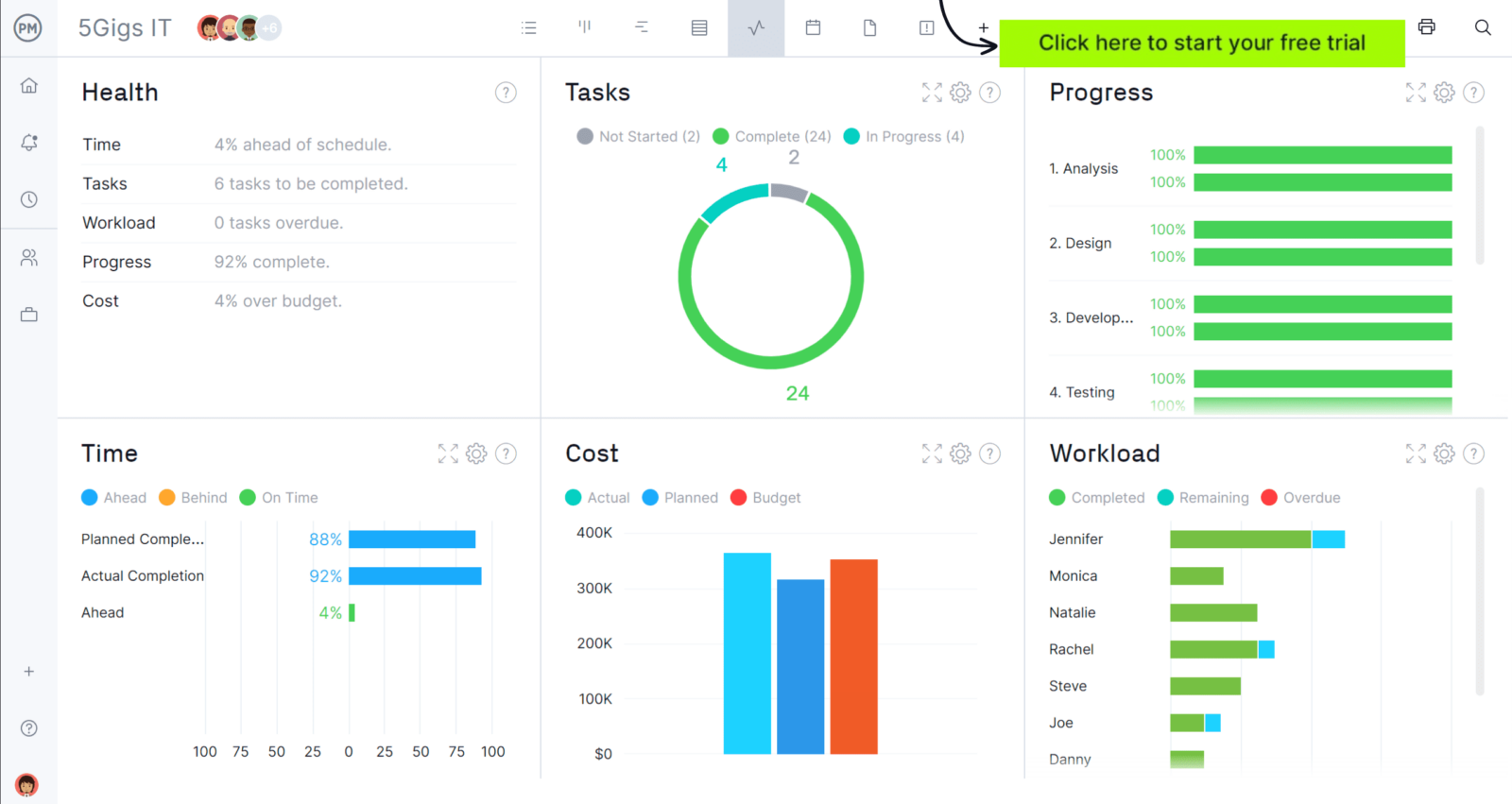
Whenever you’re ready to start managing projects, give ProjectManager a try. ProjectManager is an award-winning project management software designed to plan, schedule and track projects from start to finish. Build detailed project schedules, allocate resources, monitor costs and compare estimates against actual performance using a complete set of powerful project management tools. Get started for free today.
When to Use a Vendor List Template
Organizations interact with vendors in many different operational and procurement situations. Because supplier information often needs to be tracked, updated and shared across departments, this vendor list template is designed to support a wide range of vendor management scenarios.
This free vendor list template for Excel is typically used when organizations need to:
- Maintain a centralized supplier database that stores vendor contact information, services provided and procurement details in one organized location.
- Support procurement teams when evaluating potential suppliers and maintaining a record of approved vendors for purchasing activities.
- Track contract start and end dates for vendors to ensure agreements, service terms and vendor relationships remain active and properly monitored.
- Standardize vendor records across departments so finance, procurement and operations teams reference the same supplier information.
- Organize vendor payment terms, accepted payment methods and billing details to help accounting teams process invoices accurately.
- Monitor vendor performance using ratings or evaluation fields to support supplier comparison and vendor management decisions.
- Create a structured vendor directory for projects, facilities or operational departments that frequently rely on external suppliers.
Who Should Use This Free Vendor List Template for Excel?
Businesses in many industries depend on reliable suppliers to keep operations running smoothly. Because vendor relationships affect purchasing, scheduling and financial planning, maintaining organized supplier records becomes essential.
Construction
Construction companies regularly coordinate with subcontractors, material suppliers and equipment providers across multiple projects. A vendor list template for Excel helps project managers and procurement teams maintain organized supplier records, track vendor contact information, monitor contract timelines and keep payment terms visible. Having this vendor information in one spreadsheet supports faster purchasing decisions and smoother project execution.
Manufacturing
Manufacturing operations depend on a steady flow of raw materials, components and specialized service providers. Using a vendor list template for Excel allows procurement and operations teams to maintain a clear supplier database, document product sources, track vendor performance and organize payment terms. This structured vendor information supports better supply chain coordination and helps prevent production delays.
Retail
Retail businesses rely on multiple product suppliers, distributors and logistics partners to maintain consistent inventory availability. A vendor list template for Excel helps retail teams organize supplier contact information, track purchasing relationships, record payment terms and maintain a clear supplier directory. Centralizing vendor data improves purchasing coordination and supports better inventory and supplier management.
How to Use This Vendor List Template
Maintaining clear vendor records becomes much easier when supplier information is entered in a consistent structure. This vendor list template organizes vendor management data into logical sections so procurement, finance and operations teams can quickly record supplier details, track agreements and manage purchasing relationships across projects or ongoing business operations.
1. Vendor Identification
Start by recording the essential details that identify each supplier and explain what they provide. These fields help procurement and operations teams quickly recognize vendors, categorize suppliers by type and understand the products or services associated with each vendor entry in the vendor list template.
- Vendor Name: Enter the official business name used by the supplier in contracts, invoices and procurement records.
- Vendor Category: Classify the supplier according to its primary role, such as subcontractor, raw material supplier or service provider.
- Product or Service Provided: Describe the goods, materials or services the vendor supplies to the organization.
2. Vendor Status & Performance
Once vendors are identified, organizations need a simple way to evaluate supplier reliability and approval status. This section of the vendor list template helps teams track vendor performance and determine whether a supplier is approved, preferred or under review within the company’s vendor management process.
- Vendor Rating (1–10): Assign a supplier performance score based on reliability, delivery consistency, pricing and service quality.
- Vendor Status: Record the vendor’s current approval status such as approved, preferred, inactive or under evaluation.
3. Tax & Compliance Information
Organizations must maintain accurate tax and compliance records for every supplier they work with. Capturing this information inside the vendor list template helps accounting and procurement teams confirm legal identification details and ensures vendor payments comply with financial and regulatory requirements.
- Tax ID / EIN / VAT Number: Record the vendor’s official tax identification number used for financial reporting and payment documentation.
4. Payment & Billing Information
Finance teams depend on clear payment instructions when processing vendor invoices and managing procurement spending. The fields in this section of the vendor list template store key billing and payment details so accounting teams can process transactions accurately and maintain consistent vendor payment records.
- Accepted Payment Methods: Document the payment methods the vendor accepts such as bank transfer, check or credit card.
- Payment Terms: Record agreed payment timelines such as Net 30, Net 45 or other negotiated billing terms.
- Contract Value: Enter the total financial value associated with the vendor agreement or purchasing relationship.
- Billing Address: Provide the official billing address where invoices and payment documentation should be directed.
5. Shipping & Logistics Information
Companies that depend on physical goods must track delivery arrangements and shipment destinations. Including logistics details in the vendor list template allows procurement and operations teams to coordinate product deliveries, monitor shipping responsibilities and ensure materials arrive at the correct locations.
- Shipping Terms: Record delivery conditions such as FOB, CIF or other negotiated shipping agreements.
- Shipping Address: Specify the location where goods supplied by the vendor should be delivered.
6. Contact & Location Information
Reliable communication with suppliers requires accurate contact and location details. This section of the vendor list template captures the information teams use to coordinate orders, resolve issues and maintain regular communication with vendors across procurement, project management and operational activities.
- Primary Contact Name: Identify the main representative responsible for managing the vendor relationship.
- Phone Number: Provide the direct phone number used to communicate with the vendor’s primary contact.
- Email Address: Record the email address used for vendor communication, purchasing coordination and documentation.
- Vendor Location (HQ): Enter the vendor’s main operating headquarters or primary business location.
7. Contract Information
Vendor agreements often have defined timelines that procurement and finance teams must track carefully. The contract section of the vendor list template records the start and end dates of supplier agreements, helping organizations monitor vendor relationships and prepare for renewals, renegotiations or contract replacements.
- Contract Start: Record the date when the vendor agreement officially begins.
- Contract End: Document the date when the vendor agreement expires or requires renewal.
ProjectManager Is an Award-Winning Project Management Software
ProjectManager offers robust project management features such as Gantt charts, task lists, workload management charts, timesheets and real-time dashboards and reports. In addition to that, it’s also equipped with AI project insights, online team collaboration features and unlimited file storage that further help project managers ensure nothing falls through the cracks. Watch the video to learn more!
Free Related Templates for Manufacturing and Construction
We’ve created dozens of free project management templates for construction and manufacturing. Here are some of them.
Asset Register Template
Equipment, vehicles and tools represent significant capital investments that organizations must monitor carefully. An asset register template centralizes identification details, financial data, maintenance schedules and compliance records so teams can track asset value, service history and operational status across construction sites, manufacturing plants and equipment fleets.
Material List Template
Construction and manufacturing teams rely on detailed material planning to control project costs and ensure resources arrive when needed. A material list template organizes material specifications, quantities, unit costs, suppliers, delivery dates and storage requirements, helping teams coordinate procurement, scheduling and logistics across projects.
Inventory Template
Managing stock levels becomes much easier when inventory data is structured and consistently updated. This inventory template tracks item descriptions, storage locations, unit prices, quantities in stock, reorder levels, supplier details and restock dates, helping teams maintain accurate inventory records and prevent supply shortages.
Related Content
- What Is Supplier Relationship Management (SRM)?
- Supplier Evaluation Form
- Vendor Management: A Quick Guide
- 8 Procurement Documents (With Free Templates)
- An Introduction to Supply Chain Management (SCM)
If you need a tool to help you manage projects, then signup for our software now at ProjectManager. Our online software helps teams across industries plan, track and oversee projects as they unfold. Sign up for a free 30-day trial today!