



Every project runs on resources: the people, tools, materials and budget that make the work happen. Without a clear plan for how those resources are allocated, even well-funded projects slip, teams get stretched too thin and delivery dates become wishful thinking. Resource planning is what closes the gap between what a project needs and what you have available.
Templates make that planning faster. Instead of building a resource tracking system from scratch, you start with a proven structure, fill in your project’s specifics and get to actual work sooner. The right template captures the information that matters: who is responsible for what, when they’re needed and how much it’s going to cost.
Below are 10 free resource planning templates for Excel and Word covering every stage of the resource lifecycle, from estimating what you’ll need to scheduling your team and tracking their skills. Download any of them for free and adapt them to your project.
1. Resource Plan Template for Excel
A project without a resource plan is a plan without a foundation. You might know what work needs to happen, but without mapping every resource required to do it, including labor, materials, equipment and budget, you’re setting yourself up for shortages, conflicts and unplanned costs. A resource plan template gives you a single place to document every resource across the project lifecycle so nothing gets overlooked when planning starts.
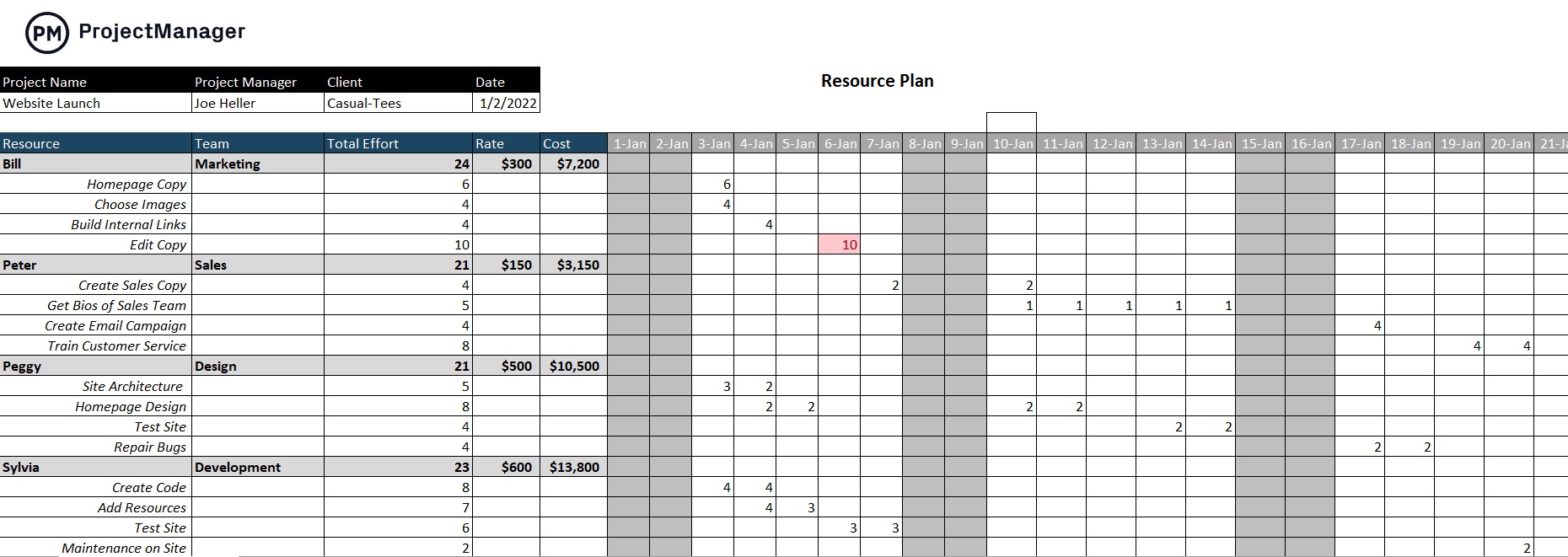
This free resource plan template for Excel covers the full scope of project resources. It includes columns for resource type, description, quantity, cost and availability timeline so you can see at a glance what you need and when. There are sections for both human and non-human resources, making it suitable for construction, IT, marketing and professional services projects alike.
Use it at the start of a new project to build your resource inventory or during project planning to cross-reference resource availability against your schedule. It works equally well as a standalone planning document or as a companion to your project plan.
2. Staffing Plan Template for Excel
Getting the right people into the right roles at the right time is harder than it sounds. Projects often kick off before the team is fully assembled, and without a clear picture of who fills which role, projects stall waiting on the wrong person or get started with an incomplete crew. A staffing plan template makes the hiring and assignment process systematic so team composition is decided before the project begins, not during it.
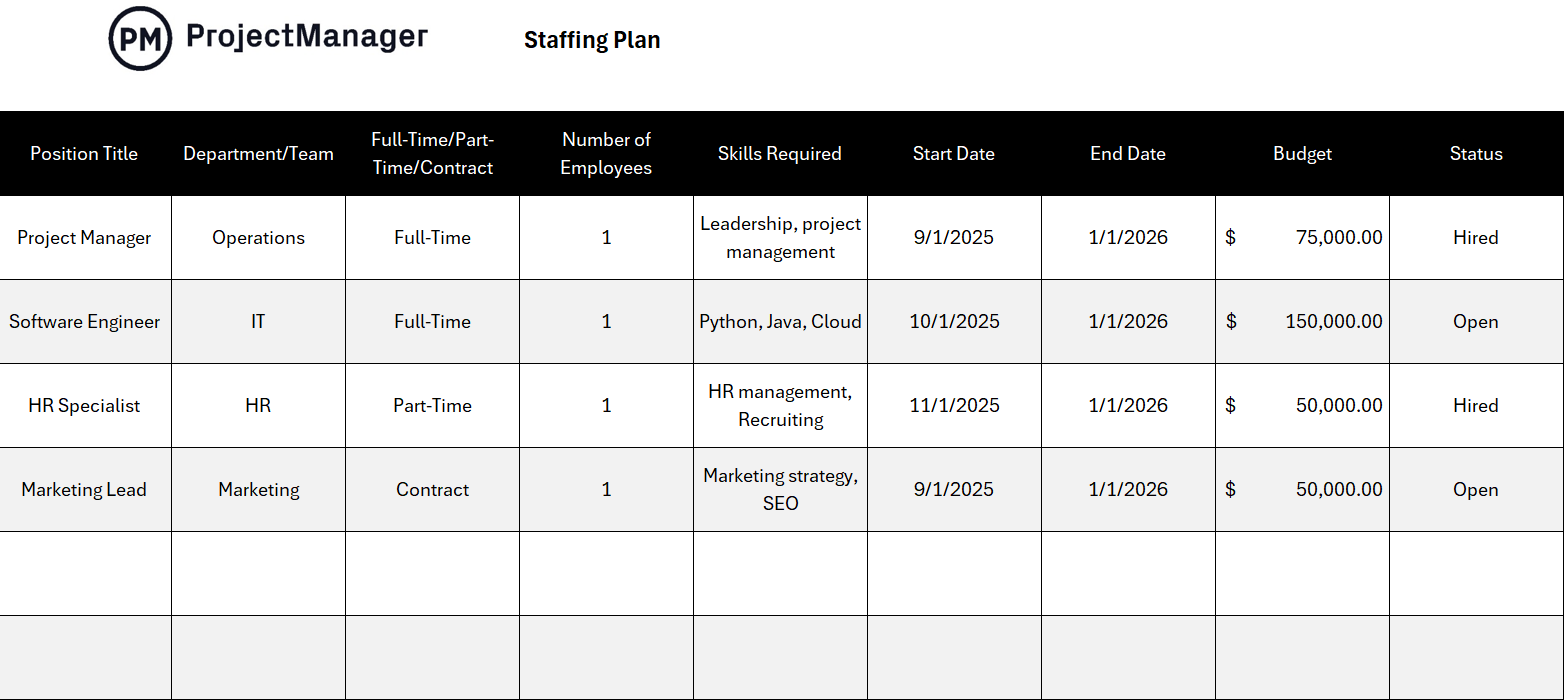
This free staffing plan template for Excel outlines each role needed for the project, the required skills and qualifications, planned start and end dates and whether the position is filled or open. It provides the structure to cross-reference headcount against the project schedule so you can identify resource gaps before they become delays.
Manage Resource Planning in Real Time
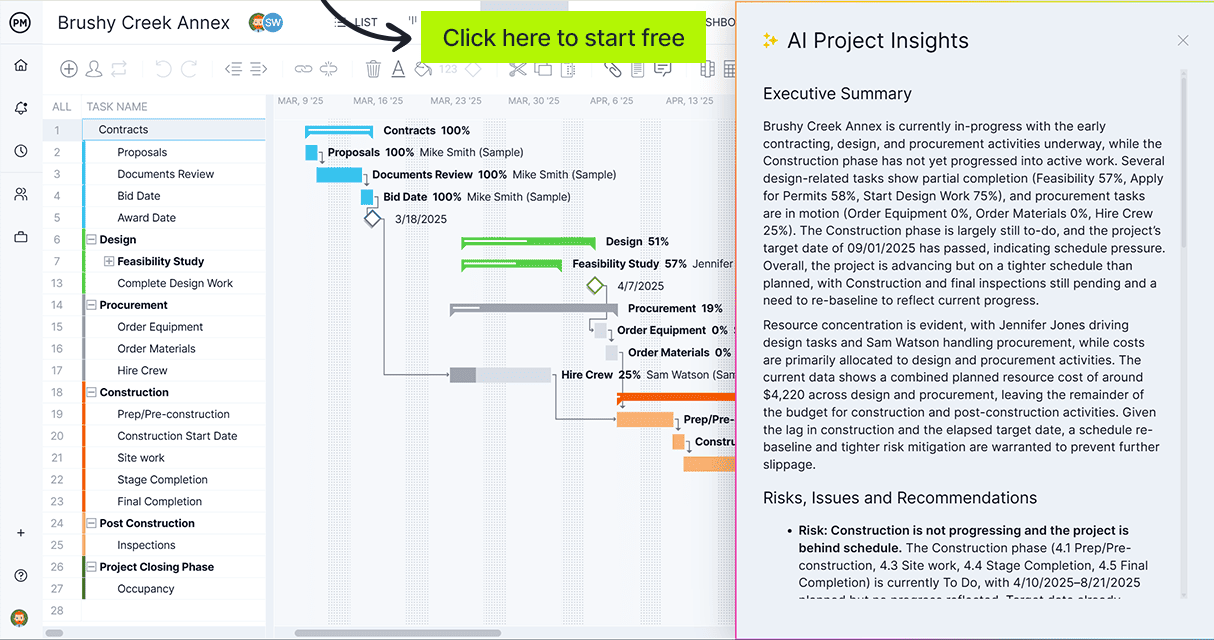
ProjectManager is online project management software with interactive Gantt charts, live workload views and real-time dashboards that keep your resource plan and your project schedule in sync from day one. Try it free for 30 days.
3. Skills Matrix Template for Excel
Most managers know their teams. Fewer have a clear record of exactly who can do what, at what level of competency and where the gaps are. When a new project lands and you need someone with a specific certification or technical skill, guessing wastes time. A skills matrix template maps your team’s capabilities against project requirements so resource decisions are based on data rather than memory.

This free skills matrix template for Excel lists team members down the left side and skills across the top, with a rating scale in each cell to show current proficiency levels. It’s easy to filter by skill, spot who’s overqualified for routine work and identify where training investment would do the most good.
Skills matrices are especially useful in project planning when allocating people to tasks and in HR reviews when identifying where the organization needs to develop or hire. Fill it out once and update it quarterly as team skills evolve.
4. Employee Schedule Template for Excel
Idle time costs money. So does double-booking someone across two projects simultaneously. Without a visual schedule showing who is working, where and when, resource conflicts tend to surface only after they’ve already caused a problem. An employee schedule template gives you a weekly view of your workforce, making overlaps and gaps visible before they disrupt production.

This free employee schedule template for Excel organizes staff by name or role with a seven-day grid for assigning shifts, tasks or project work. Managers can see coverage at a glance, note absences and plan around known constraints like PTO, training days or part-time availability.
It works well in any environment with shift-based staffing, including manufacturing, healthcare, retail and construction. It can also be adapted for knowledge-work environments where you need to plan who is on which project each day of the week.
5. Training Matrix Template for Excel
Keeping track of who has completed which training, which certifications are current and which ones are coming up for renewal is an administrative burden that most organizations underestimate. When a certification lapses unnoticed, it creates compliance risk. When someone is assigned to a task requiring credentials they no longer hold, it creates a safety issue. A training matrix template keeps all of this visible in one document.

This free training matrix template for Excel organizes employees by name with columns for each required training or certification, completion dates, renewal dates and current status. Color-coding makes it easy to see who is current, who is overdue and who is approaching an expiry that needs attention.
It’s particularly valuable in regulated industries including healthcare, construction, manufacturing and finance where certifications are mandatory and audits happen. Use it alongside a skills matrix to give a fuller picture of both hard skills and compliance standing.
6. Annual Work Plan Template for Word
Resource planning doesn’t just happen at the project level. Departments and organizations need to plan how their people, budget and capacity will be allocated across the full year and across multiple initiatives. Without a high-level annual plan, resource conflicts between teams are only discovered mid-quarter, when it’s too late to fix them cleanly. An annual work plan template builds that visibility at the organizational level.
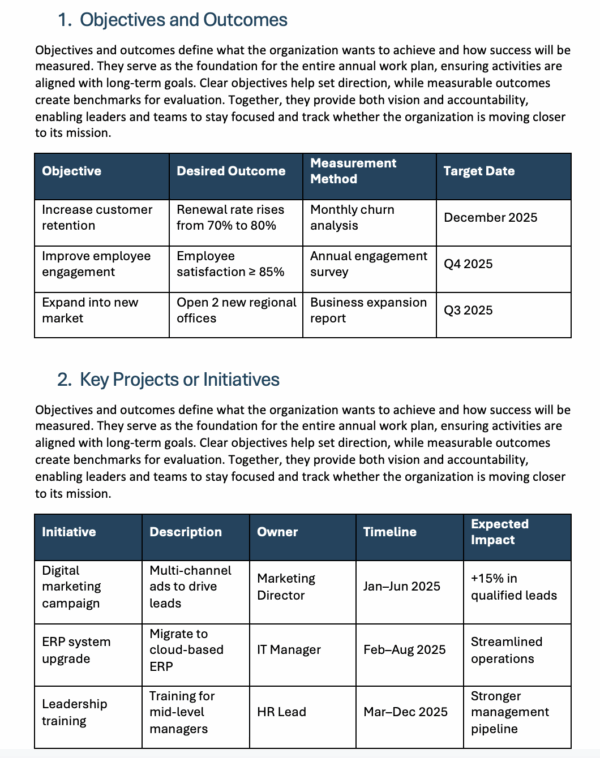
This free annual work plan template for Word outlines goals, key initiatives, assigned owners, required resources and milestones across a 12-month horizon. It provides a structure for leadership teams to document what work is planned, who is accountable and what resources are earmarked for each initiative before the year begins.
It’s best suited to department heads, operations managers and program directors who need to present a full-year resource picture to leadership or align multiple project teams around shared goals.
7. Organizational Chart Template for Excel
Knowing who reports to whom matters for resource planning. When you’re trying to identify who has authority to approve resource requests, who can be pulled into a project without a manager’s sign-off or which team has capacity to absorb extra work, an unclear org structure creates friction. An organizational chart template makes the hierarchy visible so those decisions happen faster.
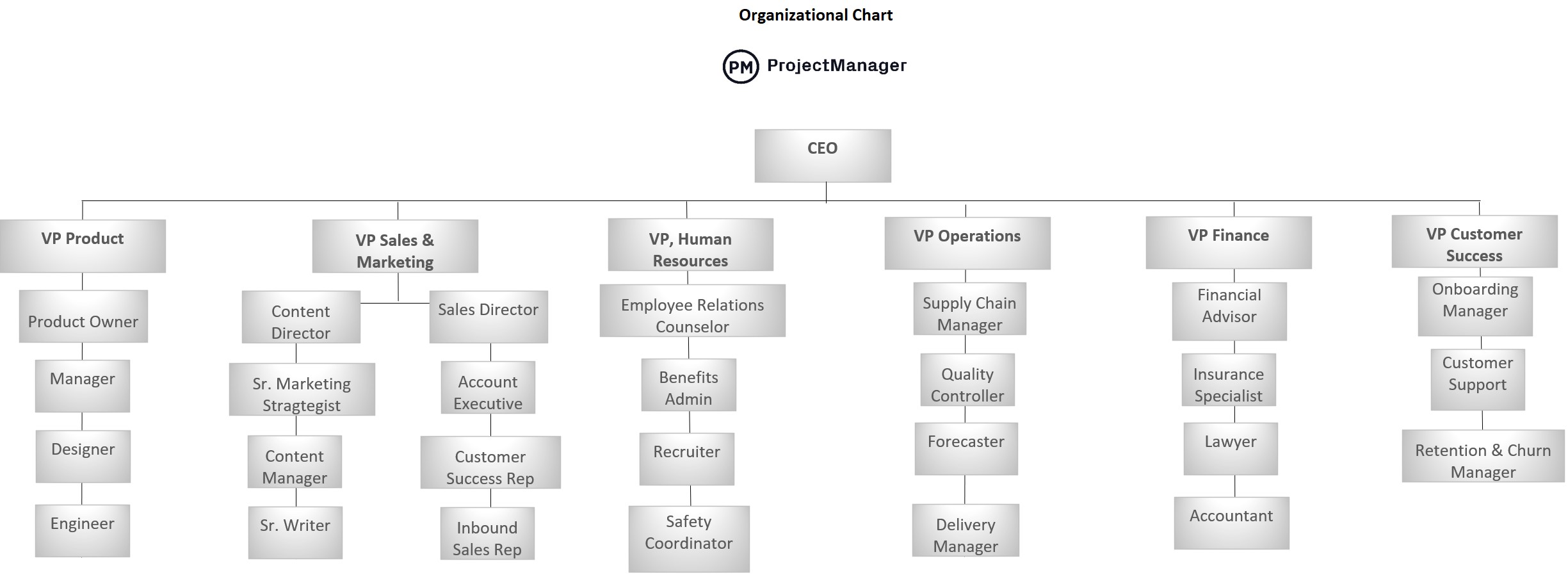
This free organizational chart template for Excel maps out the full team structure from executive leadership down to individual contributors, with lines showing reporting relationships. Names, titles and departments are included, and the layout is easy to update as the organization changes.
Use it at the start of project planning to identify the right stakeholders, during resource negotiation to understand who controls what capacity and as a communication tool when onboarding new team members who need to understand how the organization is structured.
8. Estimate Template for Excel
Resource planning starts before the project does, in the estimate. If your labor hours, material quantities and vendor costs are underestimated from the start, every subsequent resource plan is built on a weak foundation. Scope creep becomes inevitable not because requirements changed, but because the original plan never had room for the actual work. A project estimate template gives you the structure to think through resource needs before a single task is assigned.
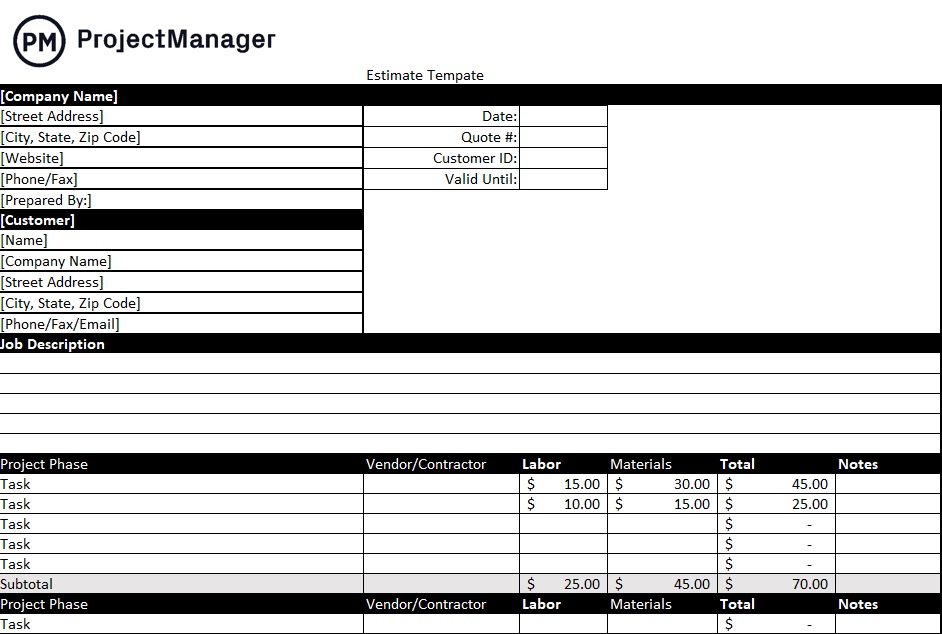
This free estimate template for Excel captures each deliverable or work package with associated labor hours by role, material costs, subcontractor fees and contingency. It produces a bottom-up cost estimate you can use to validate project budgets, support proposal submissions or get sign-off from stakeholders before committing to a timeline.
Best used during presales or project initiation when you need to put a number on what the project requires. Revisit it during project planning to cross-check that your staffing plan and resource budget align with the original estimate.
9. 30-60-90 Day Plan Template for Word
Bringing a new team member into a project without a structured ramp-up plan is one of the most common resource planning oversights. The cost isn’t just in onboarding time; it’s in the weeks before the new hire contributes at full capacity, while still consuming resources and attention from the rest of the team. A 30-60-90 day plan template structures that ramp-up period so new team members become productive contributors faster.
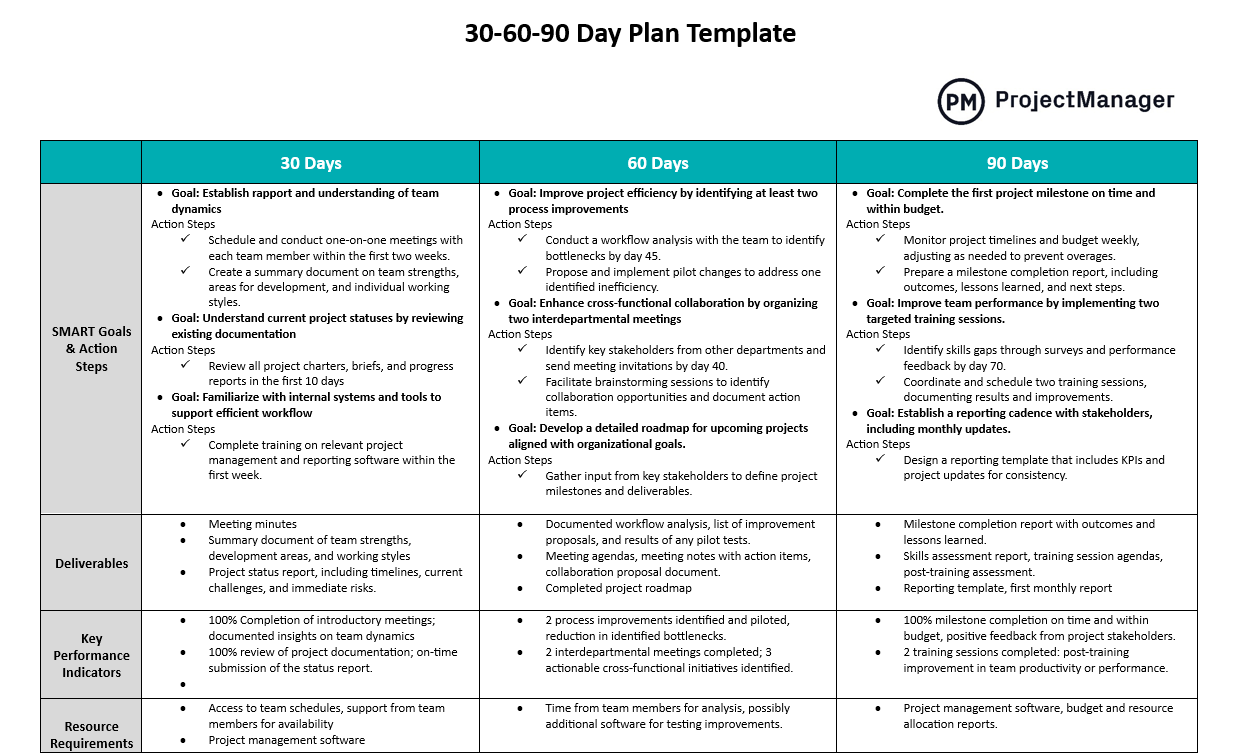
This free 30-60-90 day plan template for Word breaks the first three months on the job into three distinct phases, each with its own goals, activities, success metrics and checkpoints. Managers and new hires can align on expectations from day one, reducing ambiguity and giving both parties a clear picture of what success looks like in each phase.
It’s useful for project managers onboarding new team members, HR departments standardizing their new hire experience and leaders stepping into a new role who want to deliver early wins within the first quarter.
10. Training Record Template for Excel
Without a central record of training history, organizations end up with fragmented documentation across email inboxes, shared drives and paper certificates. When an auditor asks for proof of compliance or a project manager wants to confirm that a team member has completed a required safety course, nobody knows where to look. A training record template puts all of that information in one place.

This free training record template for Excel captures each employee’s training history in a structured log, including course name, provider, completion date, outcome and any associated certification number. It’s designed to work for both mandatory compliance training and optional professional development so the same template can serve HR, operations and individual managers.
Use it to maintain a running log of team-wide training history, to prepare for audits and to provide employees with a portable record of their own development. It works well alongside the training matrix above to separate who needs to be trained from who has already been trained.
Manage Resource Planning With ProjectManager
Templates are a strong starting point, but resource planning in real projects moves fast. When priorities shift, someone calls in sick or a new project lands mid-sprint, a spreadsheet struggles to keep up. ProjectManager is online project management software that handles resource planning dynamically, so teams always have an accurate picture of where their resources stand.
Plan and Allocate Resources on Interactive Gantt Charts
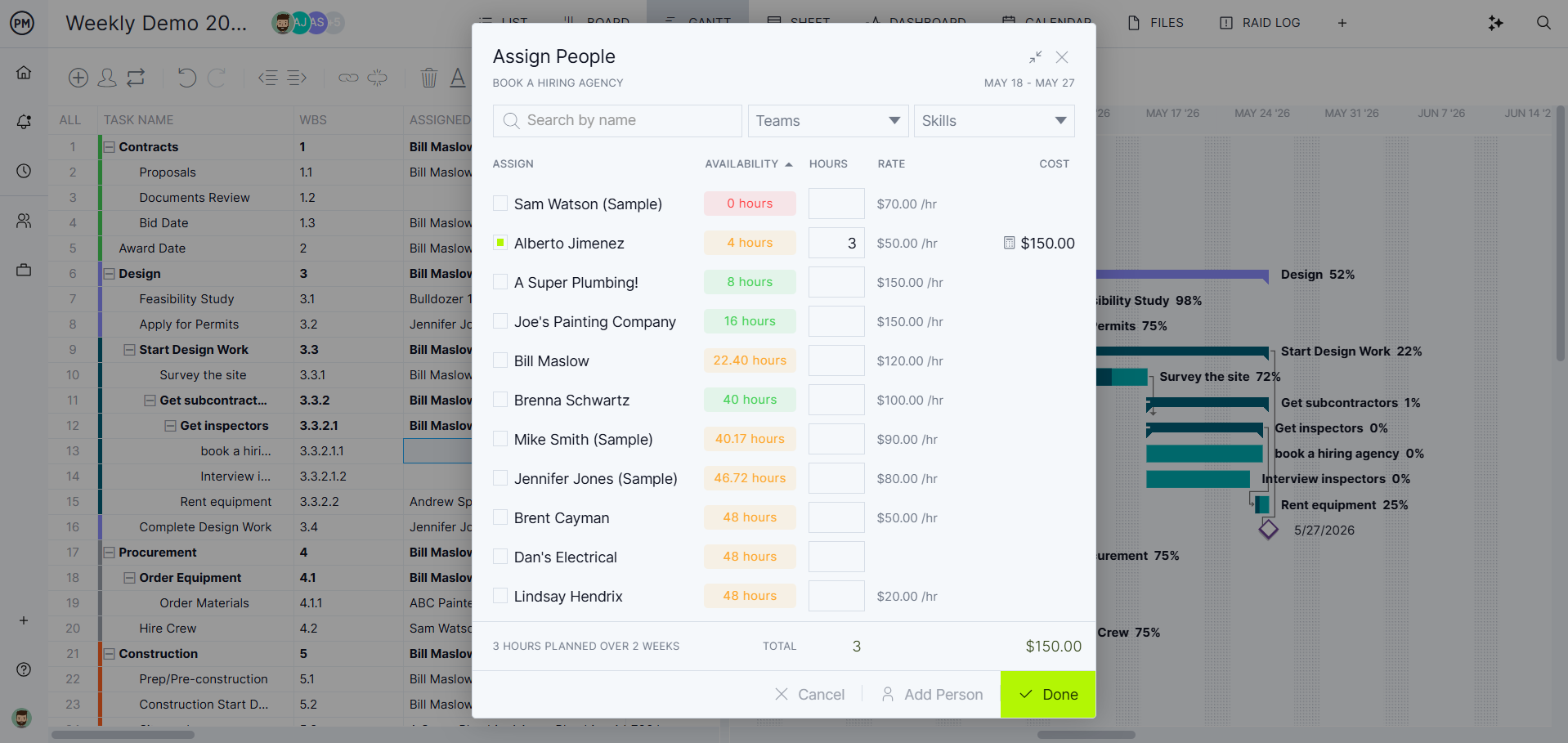
ProjectManager’s Gantt charts do more than schedule tasks. Each task carries resource assignments, labor costs and estimated hours so your project schedule and resource plan stay in sync from the start. You can link dependencies, set baselines and track actual resource usage against the plan as the project runs. When something shifts, drag and drop to update the schedule and resource assignments adjust automatically.
Balance Workloads Across Your Team
Knowing who is assigned to which task is only half the picture. ProjectManager’s workload view shows how many hours each team member has committed across all of their projects, not just the one you’re looking at. If someone is over-allocated, you can see it immediately and rebalance the work before it becomes a bottleneck. Filter by team, date range or project to get exactly the view you need.

