



Planning projects from scratch takes time, especially when using a complex and non-user-friendly software like Microsoft Project. That’s where Microsoft Project templates become useful, giving you a structured starting point without sacrificing flexibility.
We’ve created free Microsoft Project templates that can be viewed and edited in Microsoft Project’s Gantt chart, task list and kanban board. The free templates below were originally created in ProjectManager, a project management software that lets you import, edit and export Microsoft Project MPP files seamlessly.
Related: 20 Best Microsoft Project Alternatives for 2026 (Free & Paid)
They’re completely free to download and can be opened, customized and further developed directly in Microsoft Project, making them practical for real-world scheduling, resource planning and timeline management across different industries for teams of all sizes.
Why Use Microsoft Project Templates
Using Microsoft Project can be challenging, as its interface and features often require formal training before teams can use it effectively. Microsoft Project templates simplify that learning curve by providing pre-built schedules with tasks, timelines and dependencies already in place, allowing users to focus on execution instead of building project plans from scratch.
ProjectManager is an award-winning project management software that delivers the same powerful scheduling, resource planning and tracking capabilities as Microsoft Project, but at a significantly lower cost and in a more dynamic platform. Its intuitive, user-friendly interface makes it easier for teams across industries to adopt and manage projects efficiently, with real-time data, collaboration tools and flexible workflows designed for modern project execution. Get started for free today
How to Download and Open These Microsoft Project Templates
All templates are provided as compressed ZIP files that contain Microsoft Project MPP files. After downloading, simply extract the ZIP file to access the MPP file inside. Once extracted, you can open and edit the file directly in Microsoft Project as you would with any MS Project file.
How to Unzip on Windows
After downloading the ZIP file, right-click it and select “Extract All.” Choose a destination folder and click “Extract.” Open the extracted folder and double-click the MPP file to launch it in Microsoft Project. You can also try opening the MPP file in ProjectManager or your preferred Microsoft Project viewer.
How to Unzip on Mac
Once the ZIP file is downloaded, double-click it to automatically extract its contents. Open the resulting folder and double-click the MPP file to open it in Microsoft Project. You can also try opening the MPP file in ProjectManager or your preferred Microsoft Project viewer for Mac.
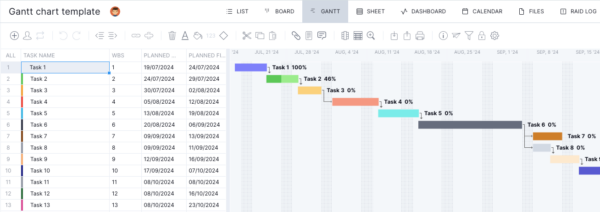
1. Gantt Chart Microsoft Project Template
This Gantt chart MS Project template includes a list of tasks with start and finish dates, durations and logical dependencies that generate a visual timeline. To begin using it, replace the placeholder task names with your own activities and adjust durations, links and sequencing to reflect your actual project plan.
2. Construction Schedule Microsoft Project Template
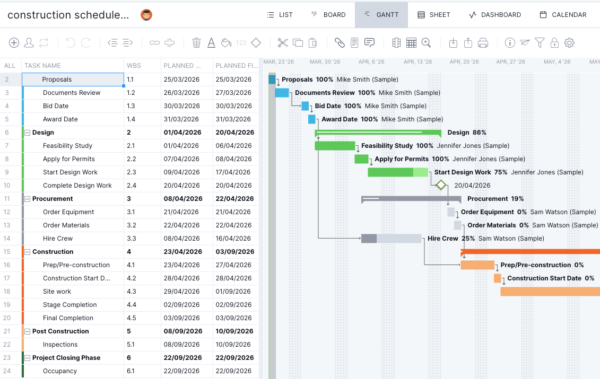
Built for construction planning, this construction schedule MS Project template outlines phases such as contracts, design, procurement and construction, broken into detailed tasks with dates, durations and dependencies. It gives a timeline from planning through project closeout, helping teams coordinate activities, track progress and understand how phase connects across the schedule overall.
3. Product Development Microsoft Project Template
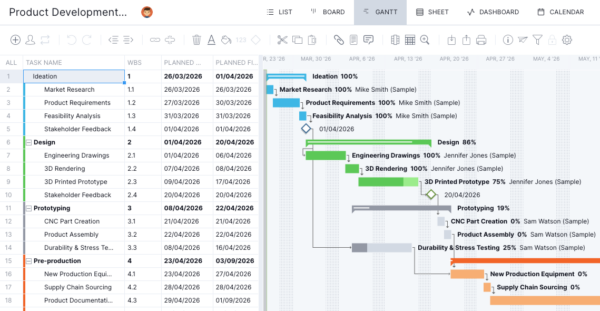
Designed for structured product workflows, this MS Project template organizes phases such as ideation, design, prototyping, pre-production and launch into connected tasks with timelines and dependencies. Teams can manage work visually using Microsoft Project’s Gantt chart or switch to a kanban board or task list to track progress across development stages.
4. Event Planning Microsoft Project Template
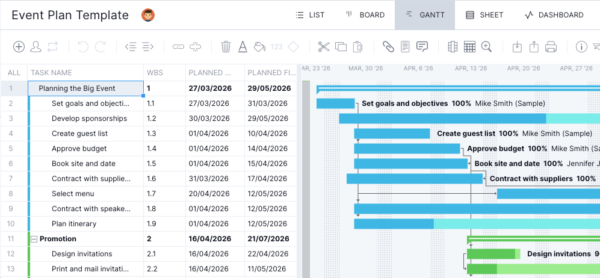
Organizing an event requires coordinating multiple timelines, and this MS Project template lays everything out clearly across planning, promotion, event prep and closeout phases. Tasks include budgeting, vendor coordination, marketing and logistics, all connected in a Gantt chart so teams can track deadlines, dependencies and execution progress.
5. IT Project Microsoft Project Template
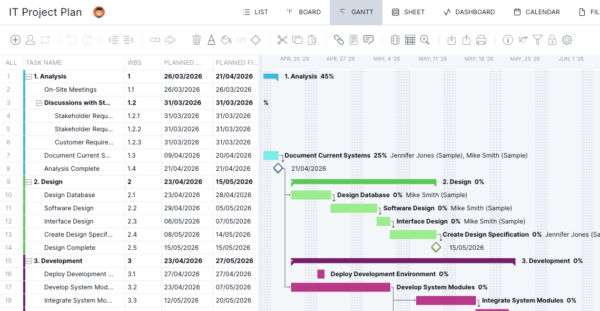
Managing an IT project requires structured phases, and this MS Project template maps out analysis, design, development, testing and implementation with linked tasks and timelines. It includes requirements gathering, system design, development work and issue tracking, all visualized in a Gantt chart to help teams coordinate technical workflows and delivery.
6. Implementation Plan Microsoft Project Template
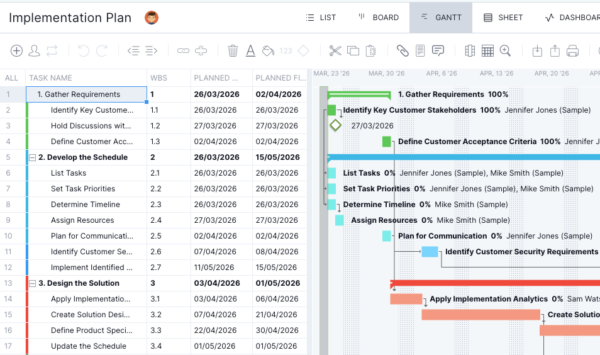
Executing a rollout requires clear sequencing, and this MS Project template breaks work into stages like requirements gathering, scheduling, solution design, build, integration and monitoring. Tasks are linked with timelines and dependencies, giving teams a structured view of how implementation activities progress from planning through delivery.
7. Punch List Microsoft Project Template
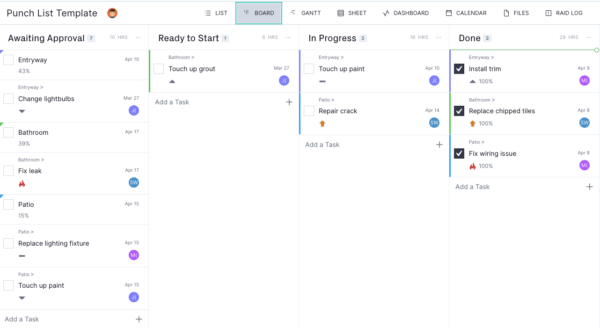
Closing out work often involves tracking small fixes, and this MS Project template uses a kanban board layout to organize punch list items across stages like awaiting approval, ready to start, in progress and done. It helps teams prioritize issues, assign responsibility and move tasks through completion efficiently.
ProjectManager Is the Best Microsoft Project Alternative
ProjectManager is ideal for teams that want a robust project management solution without the drawbacks and expensive price tag of Microsoft Project. It provides a complete set of planning, scheduling and tracking tools, including Gantt charts, kanban boards, task lists and project and portfolio roadmaps. Teams can build detailed schedules, assign resources and monitor progress, costs, workload and timelines through real-time dashboards, timesheets, workload charts and performance reports.
Built as a cloud-based platform, ProjectManager allows teams to update schedules, manage tasks and generate reports in real time from any location. It also delivers AI-powered project insights to support better decision-making and connects with over 100 tools like Jira, Power BI and Azure DevOps. With its open API and wide range of integrations, organizations can seamlessly link ProjectManager to their existing systems. Watch the video below to learn more!
Related Microsoft Project Content
- 20 Best Microsoft Project Alternatives for 2026 (Free & Paid)
- Microsoft Project for Mac: How to Run MS Project Files on Mac
- How to Use Microsoft Project: A Quick Guide
- 10 Top Microsoft Project Management Software, Apps & Tools
- What Is Microsoft Project Professional? Uses, Features and Pricing
- Microsoft Project Viewer Software: 10 Best MPP Viewers
ProjectManager is online project and portfolio management software that connects teams whether they’re in the office or out in the field. They can share files, comment at the task level and stay updated with email and in-app notifications. Join teams at Avis, Nestle and Siemens who use our software to deliver successful projects. Get started with ProjectManager today for free.
