Every construction project begins with an estimate, and every estimate that’s wrong ends the same way: with cost overruns, disputes and a client who won’t call again. The challenge isn’t that estimating is complicated; it’s that it involves dozens of line items across labor, materials, equipment and subcontractor work, all of which need to be priced, documented and tracked as the project evolves. A single missed category or a scope change with no paper trail can turn a profitable job into a loss.
Templates are how experienced estimators manage that complexity. Rather than rebuilding a costing spreadsheet from scratch on every bid, you start with a structure that already accounts for the major cost categories, then fill in the numbers specific to the job. The same logic applies throughout the project: a bill of quantities for material takeoffs, an RFQ to collect subcontractor prices, a change order form when scope shifts.
Below are 9 free construction estimate templates for Excel and Word covering every phase of the estimating process, from initial bid to final scope change. Download any of them free.
1. Construction Estimate Template for Excel
Before a single shovel breaks ground, someone has to put a number on the project. A complete construction estimate accounts for pre-construction costs, construction-phase labor and materials, subcontractor work and post-construction expenses, structured in a way that’s auditable when the client asks questions. A construction estimate template gives you that structure before the clock starts.
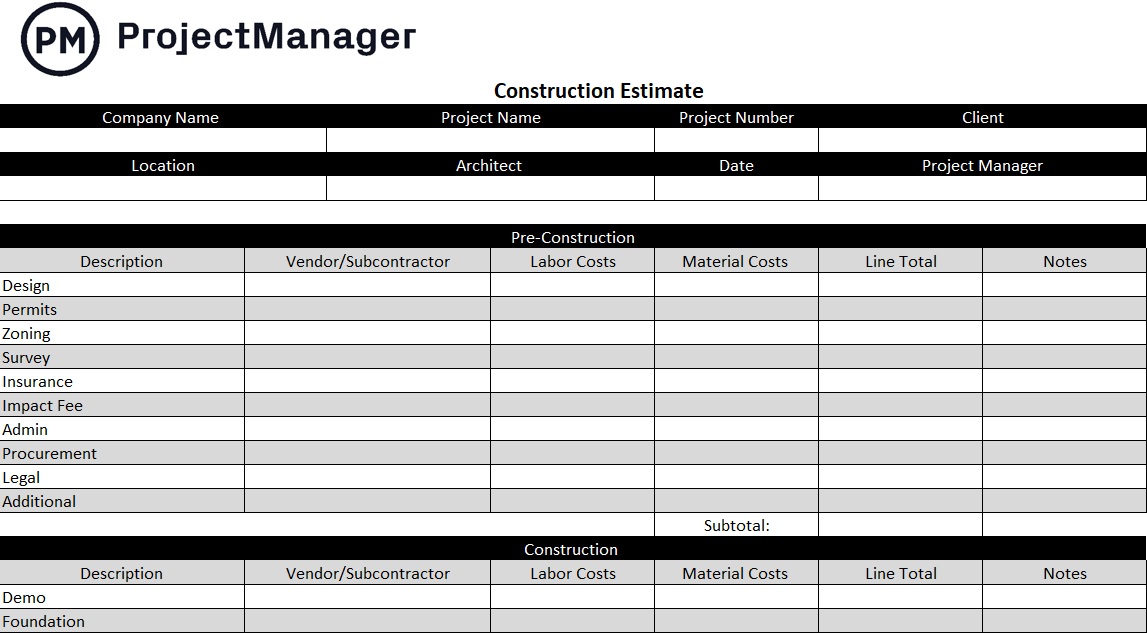
This free construction estimate template for Excel breaks the estimate into its natural phases: general information, pre-construction costs, construction costs and post-construction costs. Each section has rows for specific cost types with quantity, unit cost and total columns, so the math is automatic and the format is consistent from bid to bid.
Use it as your primary bidding document for new jobs, and keep it as a living record of cost assumptions throughout the project so you have a clear baseline to compare against actual spend.
2. Bill of Quantities Template for Excel
A construction estimate tells you what a project will cost. A bill of quantities tells you exactly what it will take to build it: every material, component and unit of work, measured and priced individually. Without a thorough quantity takeoff, estimates are built on assumptions rather than counts, and the difference between an assumed quantity and the actual quantity is where budget overruns begin. A bill of quantities template forces the discipline of measuring before pricing.
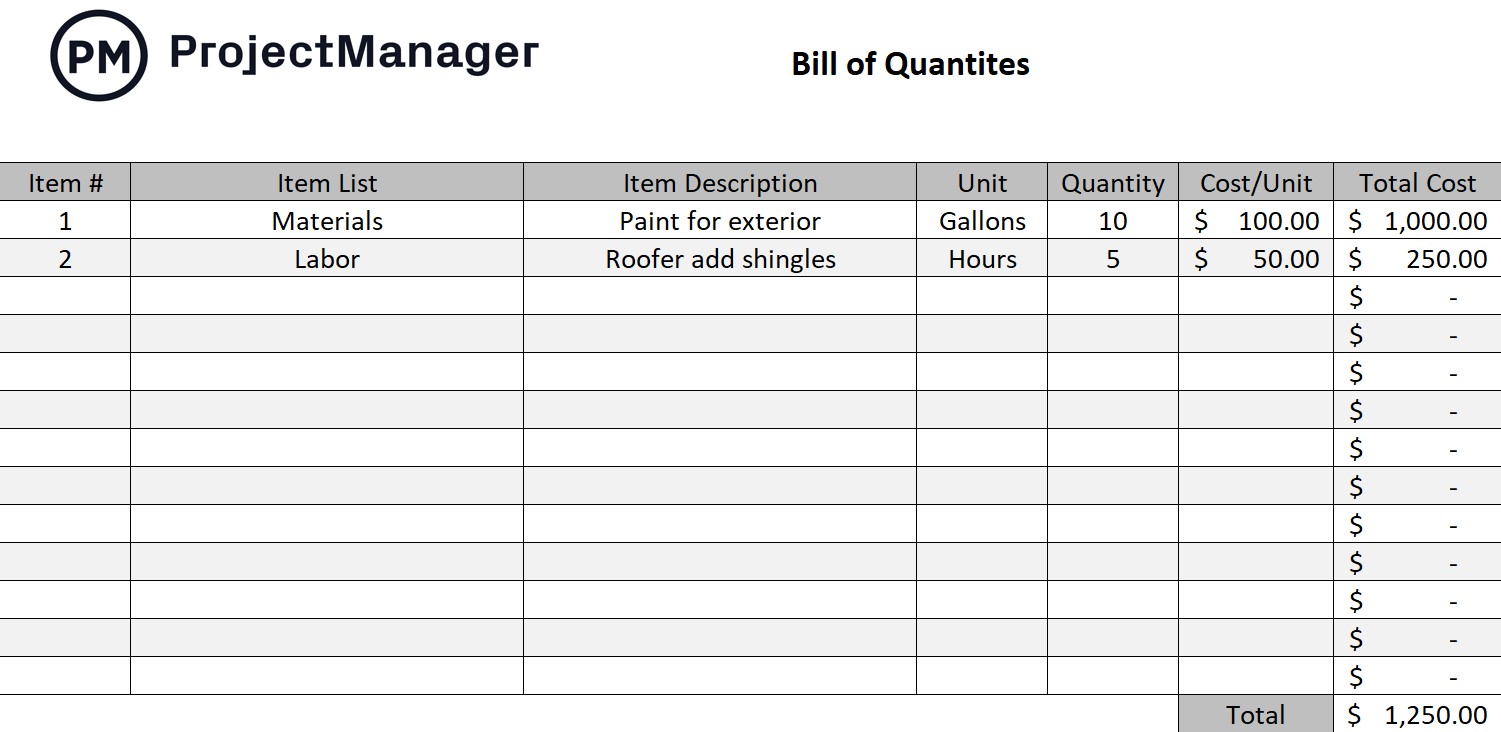
This free bill of quantities template for Excel organizes materials and work items by trade or section, with columns for item description, unit of measure, quantity, unit rate and total cost. The structure follows standard quantity surveying practice, making it suitable for both preliminary estimates and formal tender documents.
Manage Construction Projects on Budget With ProjectManager
ProjectManager is online project management software with interactive Gantt charts, real-time cost tracking and live dashboards built for construction teams. Turn your estimate into a tracked project plan from day one. Try it free for 30 days.
3. Construction Quote Template for Excel
An estimate helps you understand what a job will cost. A quote is what you present to the client: a formal, organized document that turns your internal cost calculation into a clear proposal they can approve and sign. Without a professional quote format, clients may question your numbers or compare your proposal unfavorably to a competitor’s more polished submission. A construction quote template bridges the gap between your internal estimate and the client-facing document.
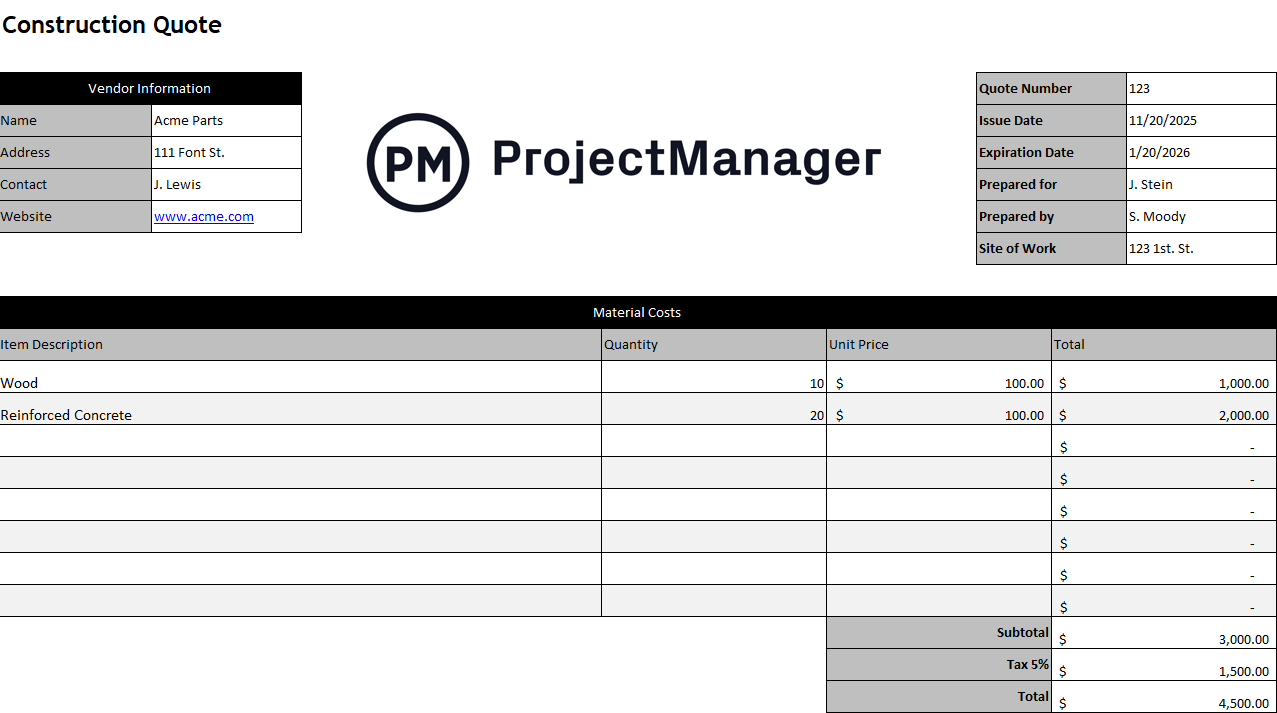
This free construction quote template for Excel presents your project costs in a clean, professional format that includes labor, materials, equipment and subcontractor costs alongside project timeline and payment terms. It’s designed to communicate your pricing clearly while protecting you with explicit scope boundaries, so there’s no ambiguity about what’s included and what isn’t.
Use it as your standard client-facing document for every bid, and reference it alongside your internal estimate to make sure the two are aligned before sending.
4. Material List Template for Excel
Materials are typically the largest single cost category in a construction estimate, and they’re also the most variable. Quantities change as designs evolve, supplier prices shift and lead times affect what’s available when you need it. Without a detailed material list that tracks quantity, supplier and cost per item, materials budgets are guesses rather than estimates. A material list template brings that tracking into a single organized document.

This free material list template for Excel captures each material item with its description, unit of measure, quantity required, unit cost, total cost and supplier. It gives estimators and project managers a complete view of material requirements across the project, so procurement can be planned in advance and costs can be tracked against the estimate as orders are placed.
It works well as a companion to the bill of quantities: use the BoQ for formal tender purposes and the material list as your internal procurement and cost-tracking document throughout construction.
5. Scope of Work Template for Word
Before you can estimate a construction project, you need a clear, written definition of what’s included. A verbal briefing leaves too much open to interpretation: one contractor prices in site clearance and another doesn’t, one includes commissioning and another assumes handover stops at practical completion. A scope of work template closes those gaps by putting the project definition in writing before the first number gets entered.
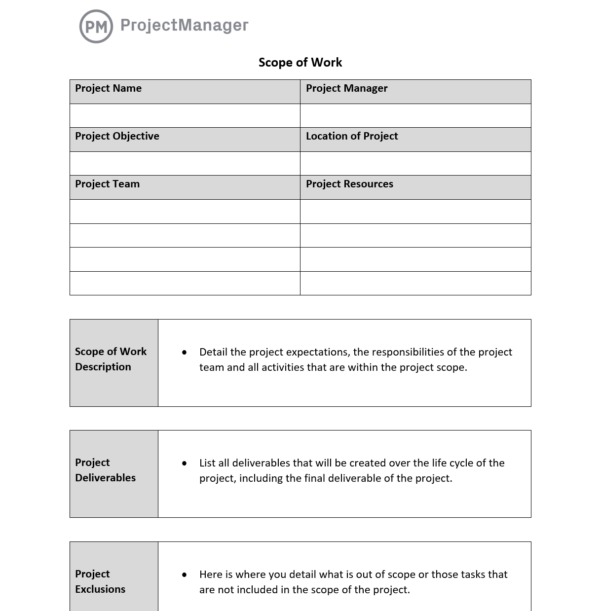
This free scope of work template for Word documents project deliverables, milestones, timeline, resource requirements and exclusions in a structured format that both client and contractor can agree to before work begins. The exclusions section is particularly important in construction: it explicitly defines what is outside the contract, reducing the likelihood of disputed change orders later.
Complete the scope of work before finalizing your estimate, and treat it as the governing document for any change order discussion that arises during the project.
6. RFQ Template for Word
Few construction projects are priced entirely in-house. Subcontractors handle specialist trades, suppliers quote on bulk materials and equipment vendors provide pricing for plant and machinery. Without a standard format for collecting those quotes, you end up comparing apples and oranges: one sub includes mobilization, another doesn’t; one quotes in unit rates, another in lump sums. An RFQ template standardizes what you ask for so the responses you get back are actually comparable.
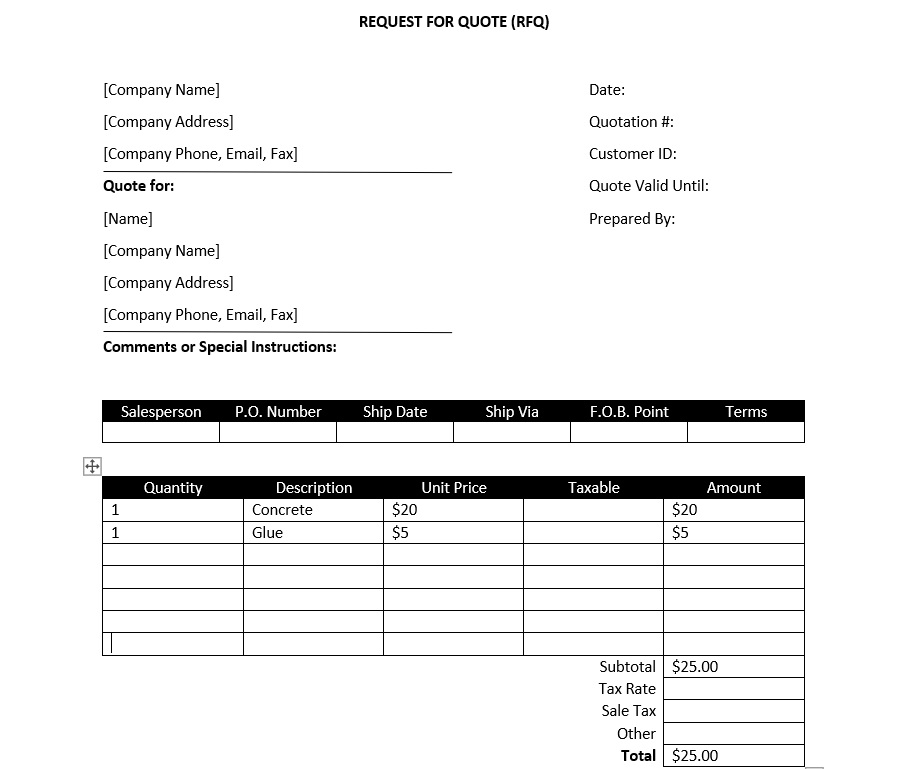
This free RFQ template for Word specifies the scope of supply, required format for pricing, submission deadline, evaluation criteria and terms and conditions in a single document that can be distributed to multiple vendors simultaneously. By controlling the format of the response, you make it straightforward to build the most competitive combined quote from across multiple suppliers.
Send it to a minimum of three vendors per trade package to ensure meaningful price competition, and use the returned quotes to validate or challenge the allowances in your original estimate.
7. Purchase Order Template for Excel and Word
Once your estimate is approved and the project is underway, materials need to be ordered. A verbal or email-based order creates ambiguity: quantities, specifications, delivery dates and payment terms are all open to misinterpretation, and a supplier who delivers the wrong item or quantity will point to the absence of a formal order as the reason. A purchase order template creates a binding procurement document that protects both parties.
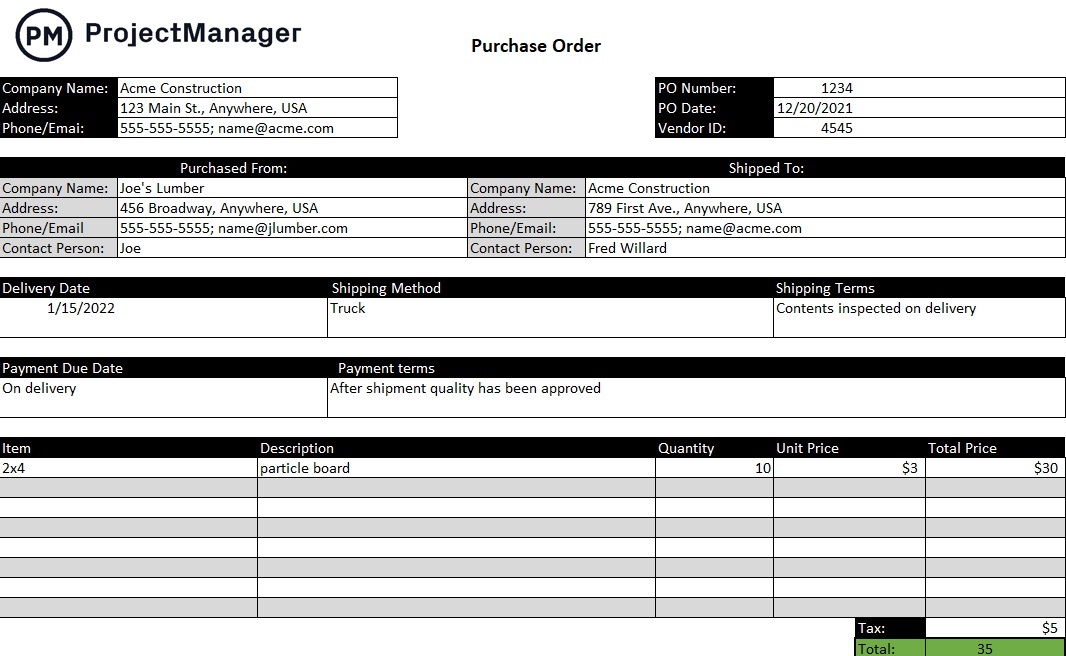
This free purchase order template for Excel and Word captures supplier details, item descriptions, quantities, unit prices, delivery requirements and payment terms in a format that serves as the legal record of the transaction. Each PO ties back directly to the estimate line items it fulfills, so your actual procurement costs can be tracked against the estimated allowance in real time.
Issue a PO for every material and subcontractor engagement, and reconcile PO totals against your estimate at each project milestone to catch cost drift before it becomes unmanageable.
8. Construction Change Order Form for Excel
No construction estimate survives contact with the project unchanged. Clients add scope, subsurface conditions reveal surprises, design details shift and material lead times force substitutions. Every one of those changes has a cost, and without a formal change order process, the contractor absorbs costs that should have been billed and the client disputes charges they were never formally informed of. A change order form template ensures that every scope deviation gets priced, documented and approved before work proceeds.
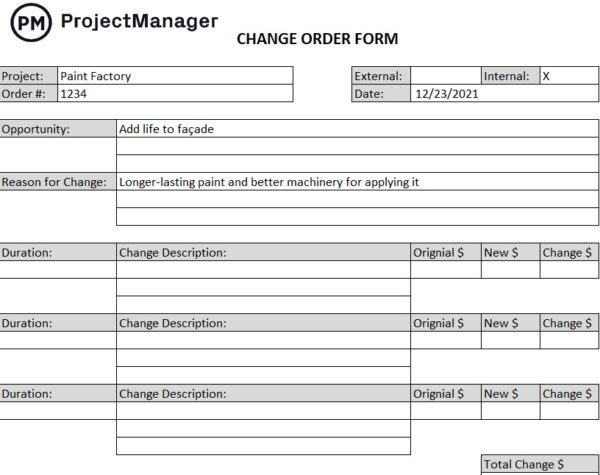
This free construction change order form for Excel documents the change description, reason, cost impact and schedule impact alongside client approval fields. It creates a clear audit trail of every agreed modification to the original contract, which protects both parties if the project ends up in dispute and provides an accurate record of the final project cost versus the original estimate.
Establish the change order process at project kickoff so all parties know that no work will proceed outside the original scope without a signed change order. It’s harder to enforce that discipline mid-project than to set the expectation at the start.
9. RFI Template for Word
Construction estimates are built from drawings and specifications that are rarely complete. Dimensions are unclear, material specifications conflict and conditions on site differ from what the design assumed. Each of those ambiguities is a potential pricing risk: if you estimate based on the wrong interpretation, the correction costs money that wasn’t in the budget. A request for information template is the formal mechanism for resolving those ambiguities before they become expensive surprises.
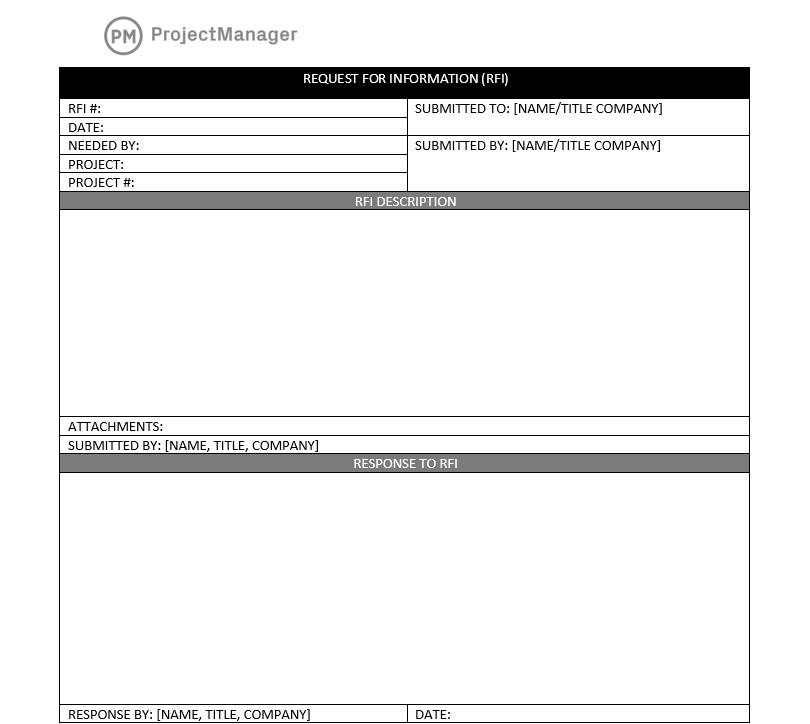
This free RFI template for Word documents the information request, the section of the drawings or specification being queried, the date submitted and the response from the architect or engineer. It creates a formal record of every clarification sought and received, which protects the contractor if the response later turns out to be incorrect and ensures that changes to the design basis are formally acknowledged before they affect the estimate or the schedule.
Log every RFI in a register, track outstanding responses and flag any that could affect the estimate until they’re resolved. Unresolved design ambiguities in the estimate are a major source of project cost overruns.
Manage Construction Estimates and Projects With ProjectManager
Templates get you to a solid estimate. Delivering the project on that estimate requires tools that keep cost, schedule and scope aligned from kickoff to handover. ProjectManager is online project management software built for construction teams, with Gantt charts, real-time dashboards and cost tracking that connects your estimate to your project plan.
Plan and Schedule Construction Projects on a Gantt Chart
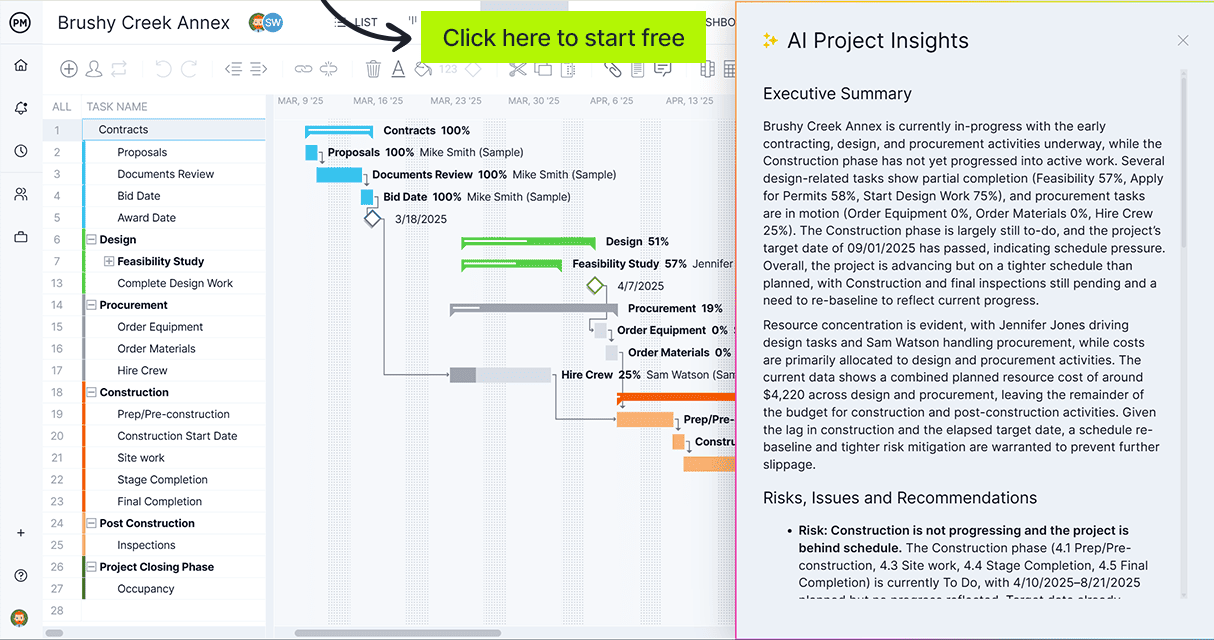
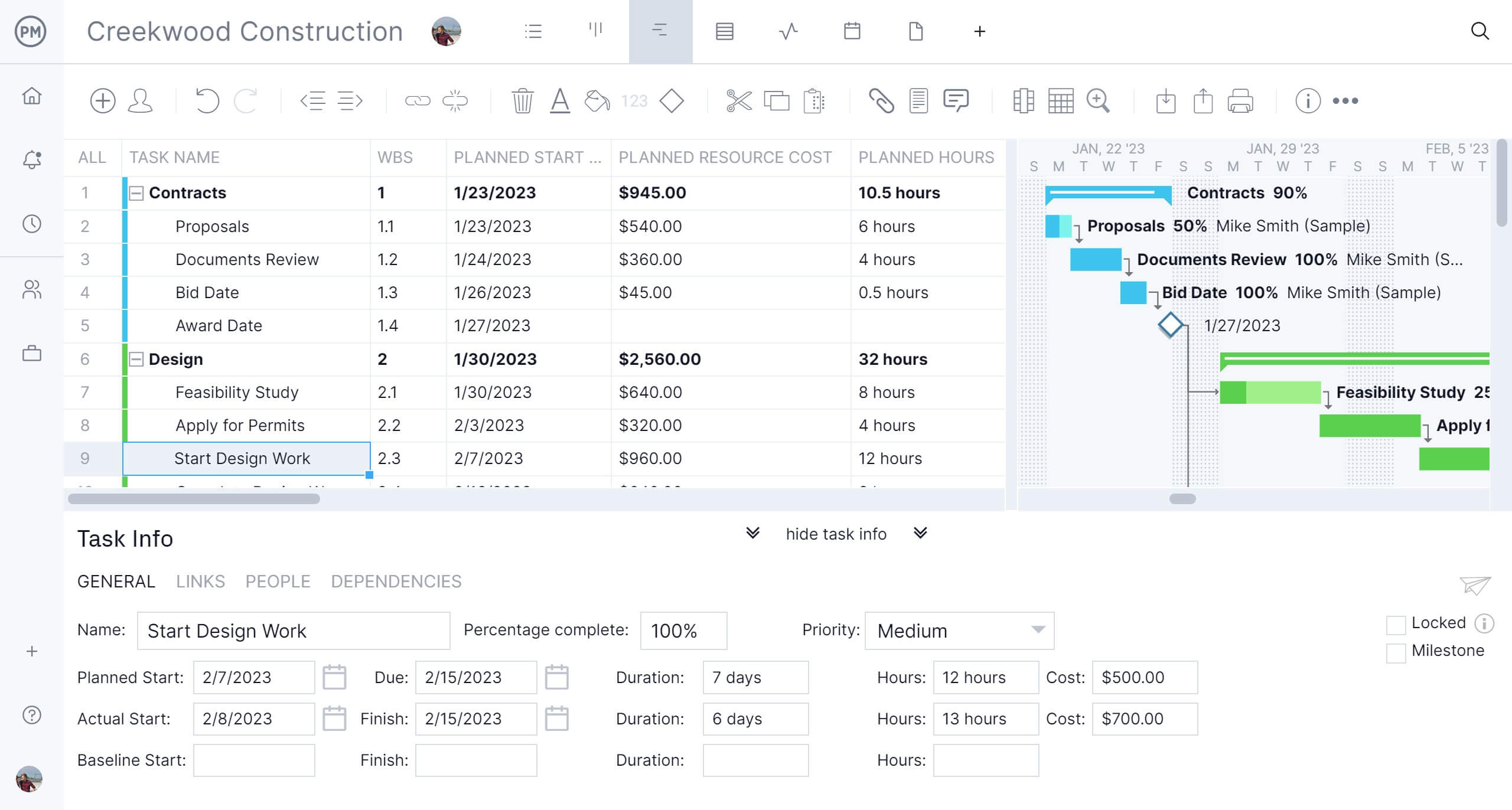
ProjectManager’s Gantt charts let you build your construction schedule directly from your estimate’s work breakdown, assigning resources, labor costs and material budgets to each task. Dependencies link phases so the schedule reflects the real sequence of work, and the baseline locks in your original plan so any deviation shows up immediately against the estimate.
Track Actual Costs Against Your Estimate in Real Time
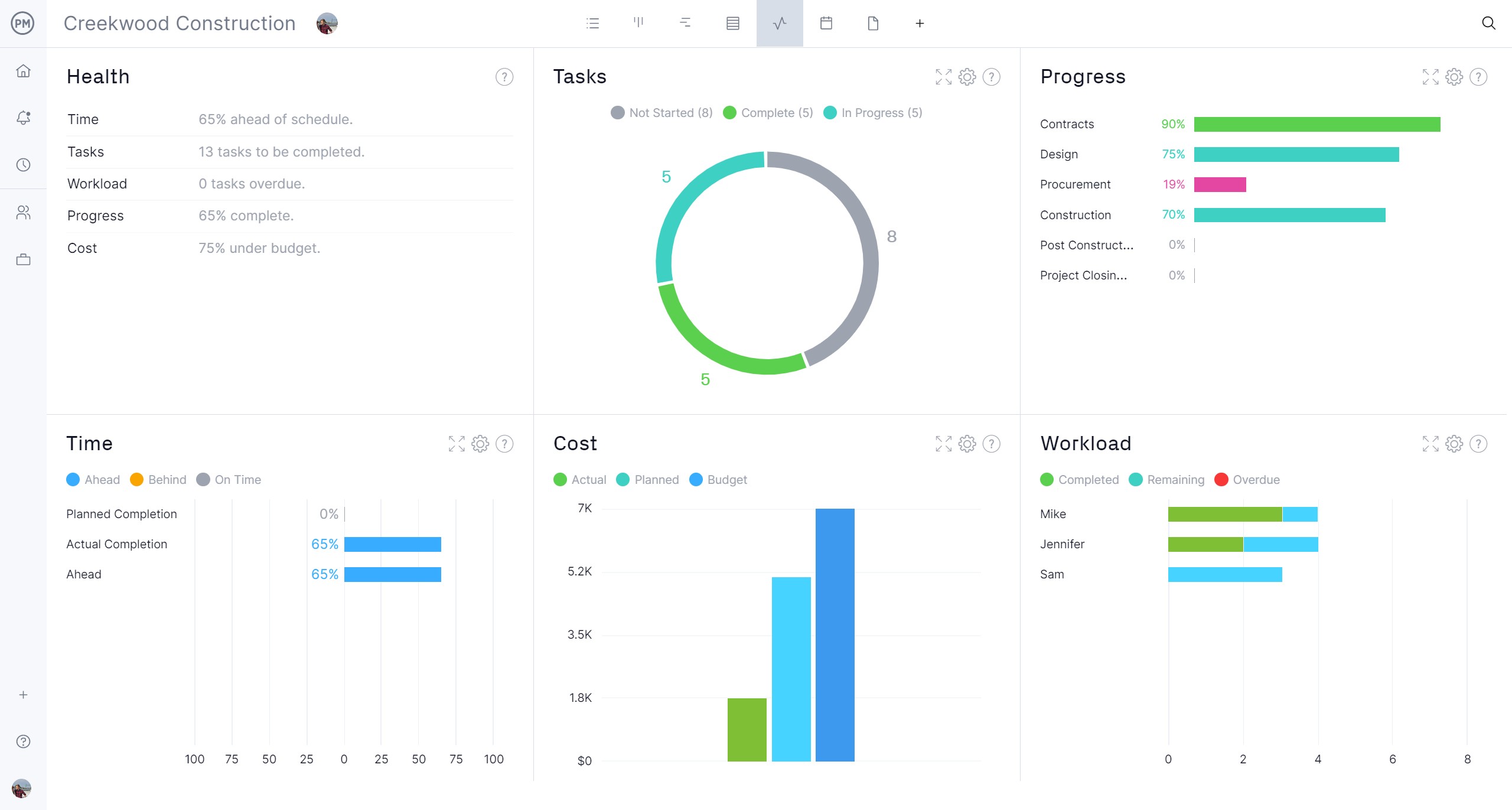
Staying on budget means knowing where you stand at every point in the project, not just when invoices arrive. ProjectManager’s real-time dashboards pull live data from your project plan and display budget consumed, cost variance and remaining budget at a glance. When actual costs start diverging from the estimate, you can see it in the dashboard before it becomes a problem.