



Last updated: November 19, 2026
The top Merlin Project alternatives are ProjectManager, OmniPlan, Smartsheet, GanttPRO, Microsoft Planner, TeamGantt and ProjectLibre. ProjectManager fits Merlin Project users whose clients, subcontractors or teammates on Windows PCs need to update one shared schedule and get it back as an MPP file, OmniPlan is the native Mac app to choose if you want to stay with a desktop scheduler on Apple devices, and Smartsheet fits teams that like spreadsheets. GanttPRO and TeamGantt fit small teams that want a simple online Gantt chart, Microsoft Planner fits teams already in Microsoft 365 who want a browser-based planner on their Macs, and ProjectLibre is the free option that runs on macOS.
ProjectManager is online project management software that opens the plans you built in Merlin Project. Import the Microsoft Project XML file you export from Merlin Project, filter for the critical path, set a baseline and share the schedule with Mac and Windows users. Get started with ProjectManager today for free.
What Merlin Project Does Well
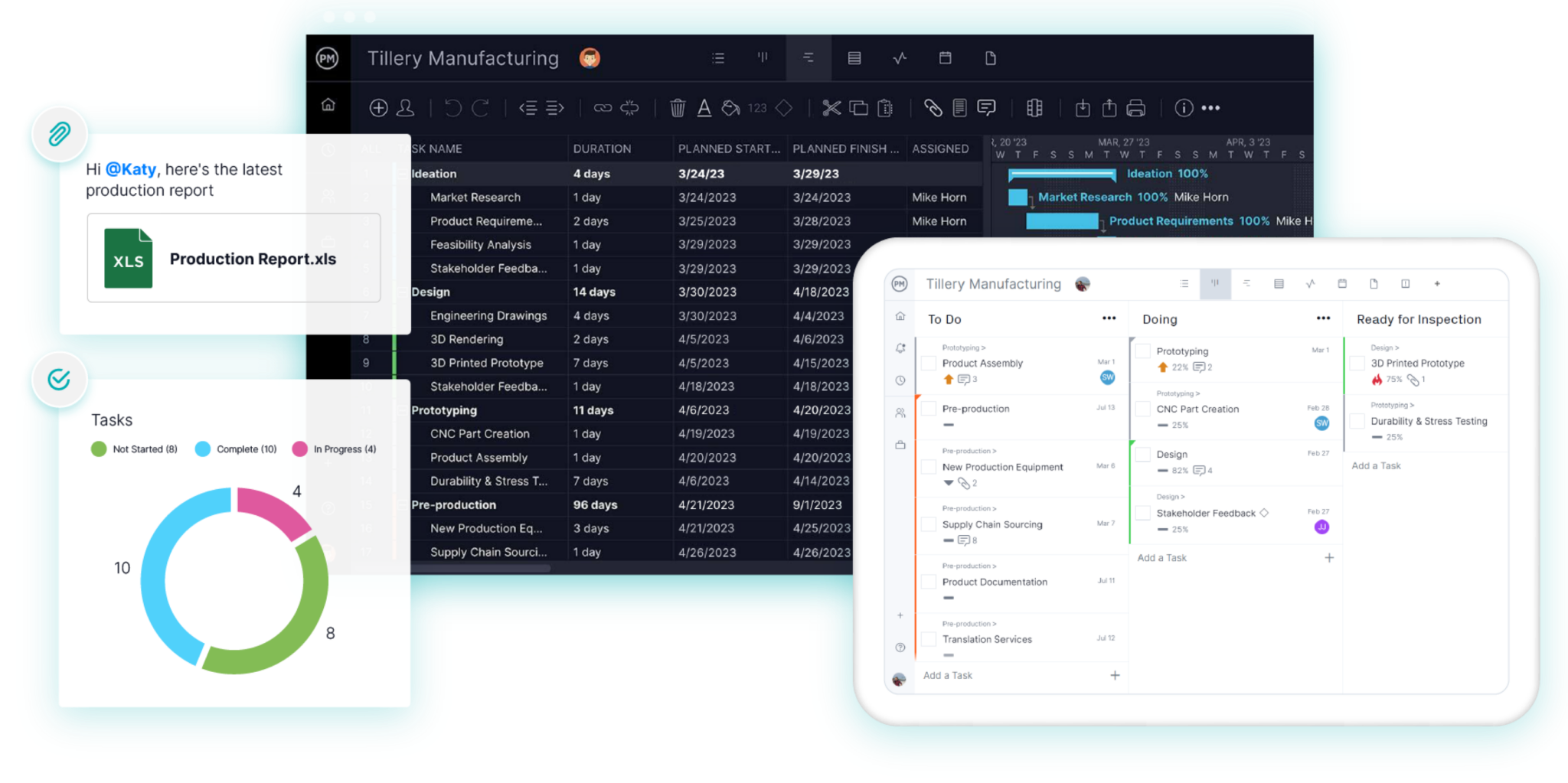
Merlin Project is a native project planning app from ProjectWizards for Mac, iPad and iPhone. It schedules tasks with all four dependency types, lead and lag, calculates the critical path, levels resources and shares resource pools across projects, and its workload view shows who’s at capacity or double-booked across all projects. Merlin Project 9 uses a dynamic baseline, so you can compare the plan with any past date.
The same plan opens as a Gantt chart, a kanban board or a mind map, and moving a card on the board updates dates and the critical path in the Gantt. Merlin Project works offline, and projects sync through iCloud Drive or Dropbox with simultaneous edits merged. For teams that work entirely on Apple devices, it remains a good choice, and if nothing below is a problem for you, there’s no reason to switch. For a side-by-side look, see ProjectManager vs. Merlin Project.
Why People Look for Merlin Project Alternatives
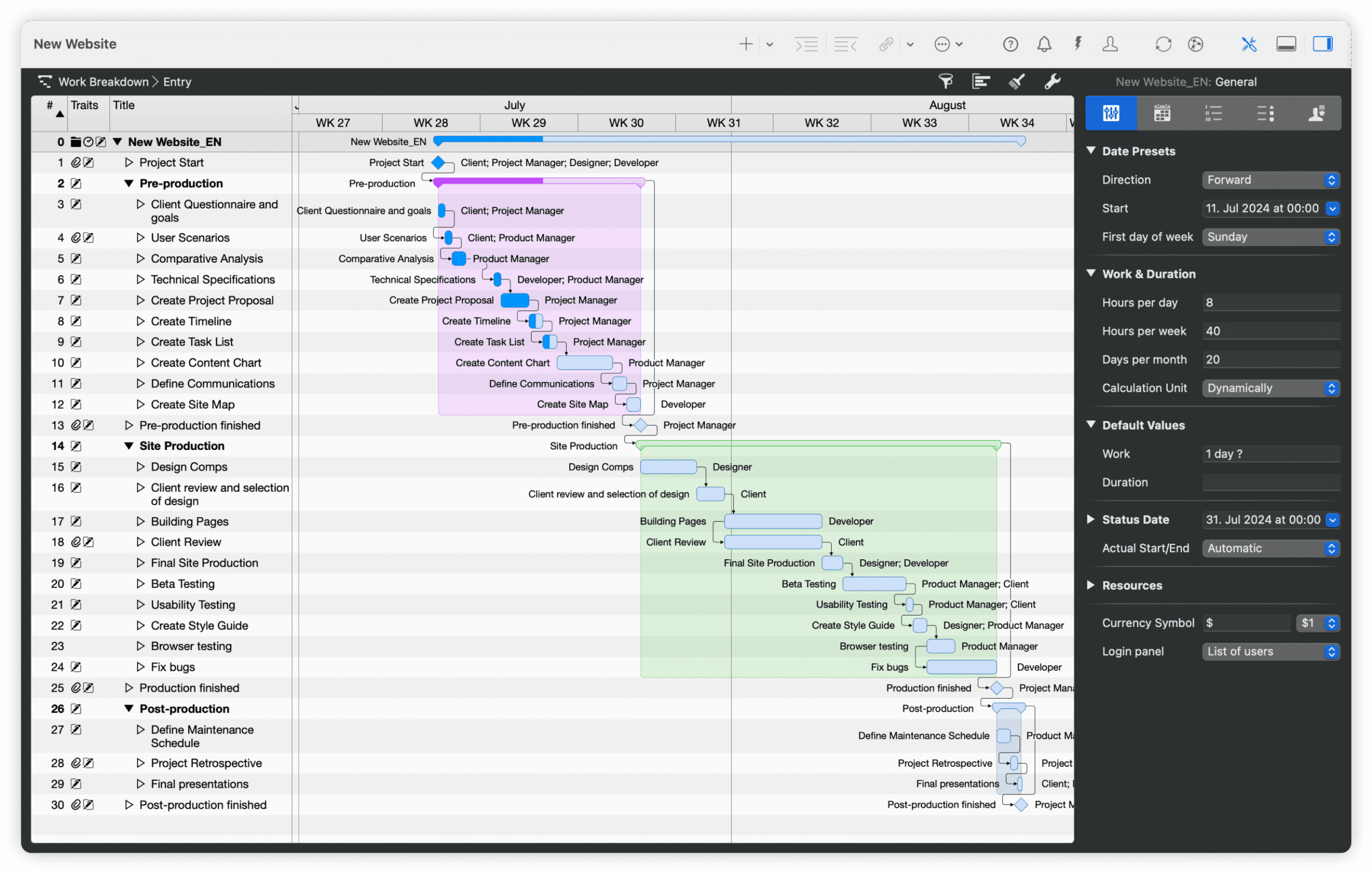
People look for Merlin Project alternatives when the schedule has to reach people or files outside Apple’s ecosystem. These are the main reasons:
- Apple devices only. Merlin Project has no Windows, Android or browser version, and ProjectWizards has discontinued Merlin Server. A team planning in Merlin Project on Macs can’t hand the schedule to a client or subcontractor on a Windows PC to update.
- Sharing depends on file sync. Collaboration runs through iCloud Drive or Dropbox, and everyone who edits the plan needs Merlin Project on a Mac, iPad or iPhone. People without a subscription can open projects read-only, but only on Apple devices.
- No MPP export. Merlin Project opens MPP files but exports Microsoft Project XML rather than MPP. When a client asks for the schedule back as an MPP file, you can’t send one from Merlin Project.
- Subscription cost. Merlin Project is subscription only: $229.99 a year on a Mac, plus a separate $99.99 a year for iPad and iPhone, with no one-time purchase option.
What to Look for in a Merlin Project Alternative
A good Merlin Project alternative keeps the scheduling you rely on and works for everyone who needs the schedule. Check for these features:
- Platforms and mobile apps. Check whether the tool runs on Mac and Windows, in a browser or as a native app, and whether it has iPhone and Android apps for people in the field.
- Collaboration and sharing. Team members should be able to update their own tasks, comment and attach files, and clients should be able to view the plan without buying a license or an Apple device.
- Dependency types and lag. Look for finish-to-start, start-to-start, finish-to-finish and start-to-finish links, plus lag for waiting time. See Gantt chart dependencies for more.
- Critical path and baselines. The tool should calculate the critical path and let you save a baseline to compare the plan with actual progress. Check which plan includes them.
- Resource management and leveling. Look for a workload view that shows each person’s hours across all projects, and check whether the tool levels resources for you.
- MPP import and export. Check whether the tool opens MPP files and can export back to MPP, which Merlin Project can’t do.
- Price. Compare per-user pricing, flat pricing and one-time licenses with Merlin Project’s subscriptions, count everyone who needs access, and check whether a free tool already covers what you need.
Merlin Project Alternatives Compared
| Tool | Best for | Platforms | MPP import | MPP export | Collaboration | Critical path | Baselines | Starting price |
|---|---|---|---|---|---|---|---|---|
| ProjectManager | Merlin Project users whose clients or teammates on Windows PCs need to update one shared schedule | Browser (macOS, Windows, Linux); iPhone and Android apps | Yes, MPP and XML | Yes, lossless for schedule data | Real-time updates, comments and files; free read-only guests | Yes, critical path filter | Yes, with variance reports | $15/user/month (Team), billed annually; 30-day free trial |
| OmniPlan | Apple-only teams who want a native Mac app with a one-time price and MPP export | Native Mac, iPad, iPhone and Apple Vision Pro apps | Yes, MPP and XML (Pro) | Yes, MPP and XML (Pro), with some documented losses | Publish and sync through Omni’s servers or WebDAV (Pro) | Yes | Yes, multiple baselines | $199.99 one-time (Standard) or $199.99/year |
| Smartsheet | Teams that like working in spreadsheets | Browser; iPhone, iPad and Android apps | Yes | No; Microsoft Project XML | Shared sheets; free Contributors and, on Business, free external Guests | Yes, Pro and above | One per sheet, Business and above | $9/member/month (Pro), billed annually |
| GanttPRO | Small teams that want critical path and baselines online at a low price | Browser; iOS and Android apps | Yes, from Microsoft Project | Not listed; exports XML | Shared team projects; private share links | Yes, all plans | Yes, all plans | $8/user/month (Core), billed annually, for 1–15 members |
| Microsoft Planner | Teams already in Microsoft 365 who want a browser-based planner on their Macs | Browser on Mac and Windows; iOS and Android apps; Project desktop (Plan 3) on Windows only | No; Project desktop (Plan 3, Windows only) opens MPP | No; Planner exports to Excel | Shared plans in Microsoft 365 and Teams; guest access | Planner and Project Plan 3 only | Planner and Project Plan 3 only, one at a time | $10/user/month (Plan 1), paid yearly |
| TeamGantt | Small teams that want a simple shared Gantt chart at a flat price | Browser; iOS and Android apps (list view) | Yes, without resources | Exports to Microsoft Project format | Shared online projects; collaborators update progress | Yes, all paid plans | Business and above | Free Personal plan; Base $59/month per account |
| ProjectLibre | Individuals who want a free desktop scheduler on a Mac | Desktop app for macOS, Windows and Linux (needs Java) | Yes, opens MPP | No; Microsoft Project XML | None in the desktop app; send the file around | Yes | Yes | Free (desktop) |
Prices are list prices as of November 2026 and change often. For comparison, Merlin Project costs $22.99/month or $229.99/year on a Mac, plus $9.99/month or $99.99/year for iPad and iPhone.
7 Best Merlin Project Alternatives
1. ProjectManager
ProjectManager fits Merlin Project users who need to share the schedule with people who aren’t on Apple devices. What puts it first for them is the combination: one live schedule for Mac and Windows users, MPP import and export that’s lossless for schedule data, so clients get MPP files back, and the scheduling and resource tools Merlin Project users rely on. It runs in any modern browser on macOS, Windows and Linux, so a Mac user and a Windows user work in the same schedule, and its Gantt chart has all four dependency types with lag, a critical path filter that shows which tasks drive the finish date, and baselines with variance reports.
Take an architecture firm that plans in Merlin Project on Macs and now needs a general contractor’s scheduler on a Windows PC to update the dates. The firm exports the plan as Microsoft Project XML, imports it into ProjectManager, and the contractor updates tasks in a browser while site staff use the iPhone and Android apps, with comments, files and notifications. The client follows along as a free read-only guest. When the client asks for the schedule as an MPP file, ProjectManager exports one, and its MPP import and export is lossless for schedule data. On the Business plan, the workload page shows each person’s hours across all projects.
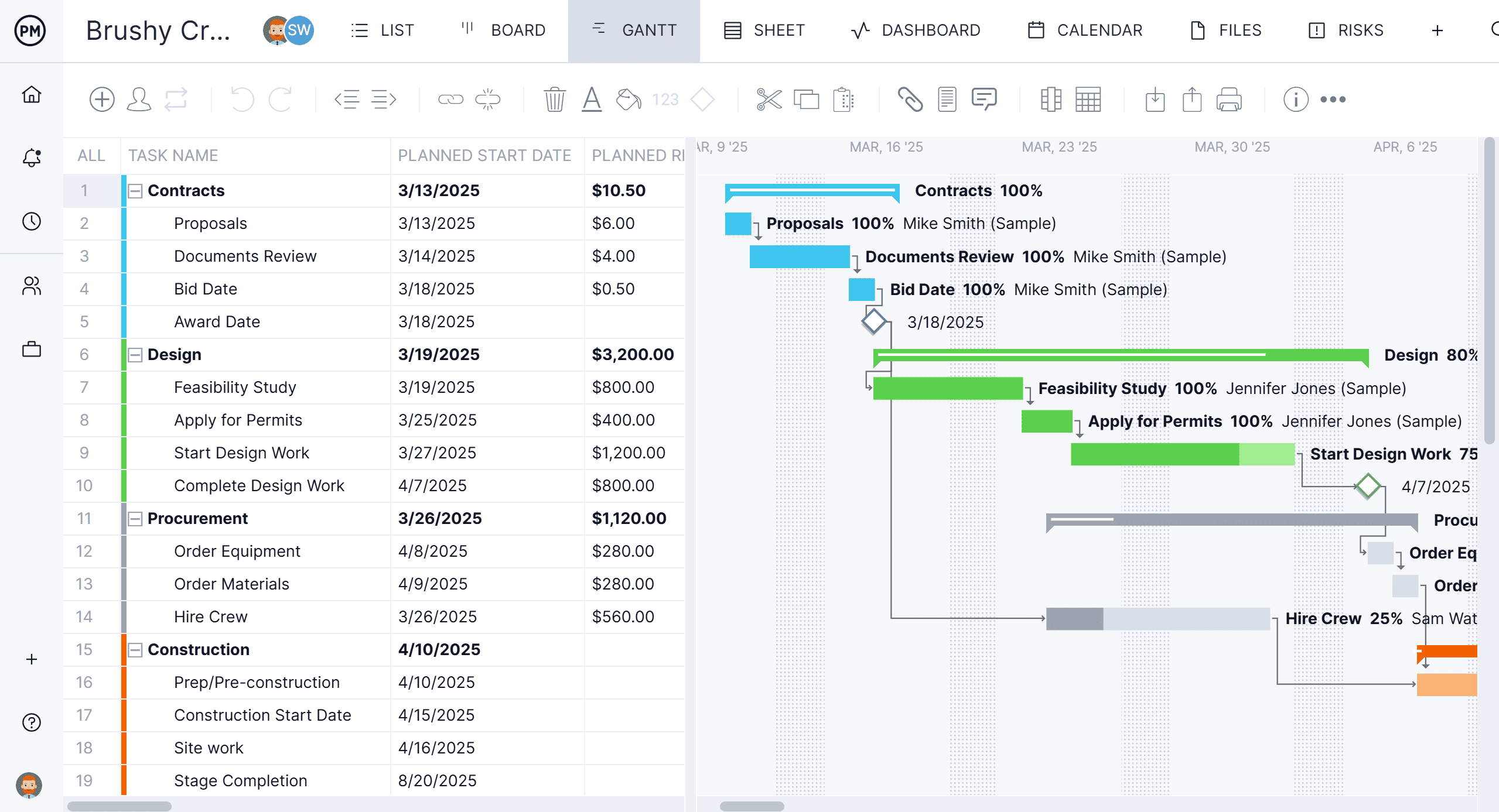
Platforms: Runs in any modern browser on macOS, Windows and Linux, plus iPhone and Android apps. On an iPad, ProjectManager runs in the browser. There’s no native desktop app.
Best for: Merlin Project users whose clients, subcontractors or teammates on Windows PCs or phones need to update one shared schedule, and who need to send MPP files back to Microsoft Project users.
Key features
- Gantt charts with finish-to-start, start-to-start, finish-to-finish and start-to-finish dependencies, plus lag
- Critical path filter, baselines and variance reports
- Import of MPP, Microsoft Project XML, Excel and CSV files, and export to MPP, XML, Excel and CSV
- Workload page showing hours across all projects (Business plan and above)
- Timesheets, dashboards and portfolio views
- ChatGPT plugin and Claude connector, included on all plans at no extra cost
Pros
- Mac and Windows users work in the same live schedule, with iPhone and Android apps for the field
- Exports MPP, lossless for schedule data, which Merlin Project can’t do
- Unlimited free read-only guests for clients and stakeholders on Team and Business
Cons
- It isn’t free, and there’s no one-time purchase option
- No native desktop app and no offline mode
- No mind map view, and the workload page needs the Business plan
Pricing: Team $15/user/month, Business $28/user/month (billed annually), Enterprise by quote. 30-day free trial.
2. OmniPlan
OmniPlan from The Omni Group is the native Mac app to choose if you want to stay with a desktop scheduler on Apple devices. It supports all four dependency types with lead and lag, highlights the critical path, keeps multiple baselines and levels resources automatically, and the Pro edition adds Monte Carlo simulation, earned value analysis and a multi-project dashboard.
OmniPlan answers two of the main complaints about Merlin Project. You can buy it once, and one purchase covers Mac, iPad, iPhone and Apple Vision Pro, while Merlin Project needs separate Mac and iPad subscriptions. OmniPlan Pro also exports MPP files as well as Microsoft Project XML, though The Omni Group documents some losses, such as custom columns and some constraints. Like Merlin Project, it has no Windows or browser version. See the best OmniPlan alternatives and ProjectManager vs. OmniPlan for more.
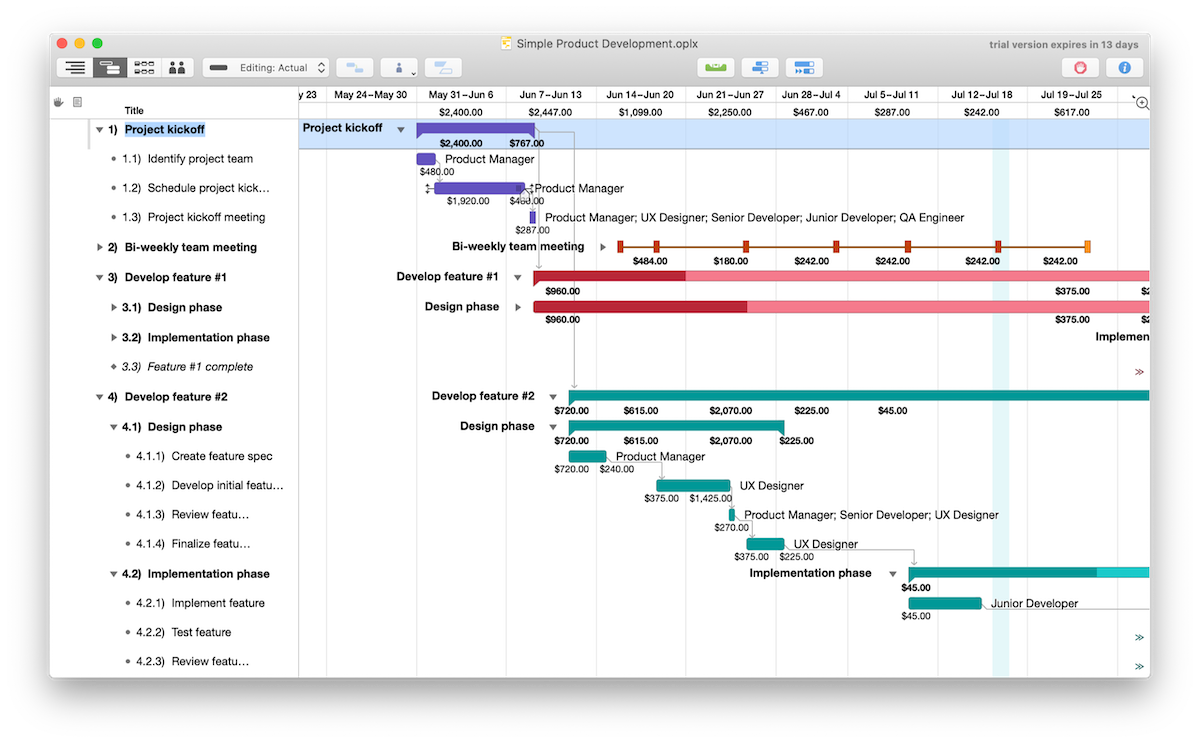
Platforms: Native apps for Mac (macOS 12 or later), iPad, iPhone and Apple Vision Pro. There’s no Windows, Android or browser version.
Best for: Teams that all use Apple devices and want a native Mac scheduler with a one-time price and MPP export.
Key features
- All four dependency types with lead and lag, critical path and multiple baselines
- Automatic resource leveling and conflict warnings, such as double-booked people
- Monte Carlo simulation, earned value analysis and multi-project dashboards (Pro)
- MPP and XML import and export (Pro)
Pros
- One-time purchase option that covers all of your Apple devices
- Exports MPP files (Pro)
- Works offline
Cons
- No Windows, Android or browser version
- Microsoft Project files, collaboration and Monte Carlo need the Pro edition
- Collaboration works by publishing and syncing, not live editing
Pricing: Standard $199.99 and Pro $399.99, one-time, or a $199.99/year subscription with Pro features. 14-day free trial.
3. Smartsheet
Smartsheet is a spreadsheet-style work management platform that runs in a browser on Mac and Windows. Its Gantt charts support all four dependency types with lag, critical path highlighting is on the Pro plan and above, and baselines, one per sheet, need the Business plan. It imports MPP files directly, though Microsoft Project constraints don’t carry over.
Smartsheet suits teams that think in rows and columns and want everyone in one shared sheet, whatever computer they use. Free Contributors can view and comment, and on the Business plan and above free external Guests can edit. Like Merlin Project, it exports Microsoft Project XML rather than MPP, full resource planning is a paid add-on, and its Mac and Windows desktop app is being retired on or after January 6, 2027.

Platforms: Runs in a browser on Mac and Windows, plus iPhone, iPad and Android apps. On mobile, the Gantt view is available in reports only.
Best for: Teams that like working in spreadsheets and want a shared Gantt chart with dependencies and critical path for Mac and Windows users.
Key features
- All four dependency types with lag; critical path on Pro and above
- Baselines, one per sheet (Business and above)
- Direct MPP import; Microsoft Project XML export
- Grid, Gantt, card and calendar views, forms and dashboards
Pros
- Familiar to anyone who works in spreadsheets
- Free Contributors, and free external Guests who can edit on Business and above
- 30-day free trial
Cons
- Exports Microsoft Project XML, not MPP
- Baselines need the Business plan, and resource planning is a paid add-on
- On mobile, the Gantt view is available in reports only
Pricing: Pro $9/member/month billed annually ($12 monthly). Business $19/member/month billed annually ($24 monthly). Enterprise by quote. 30-day free trial.
4. GanttPRO
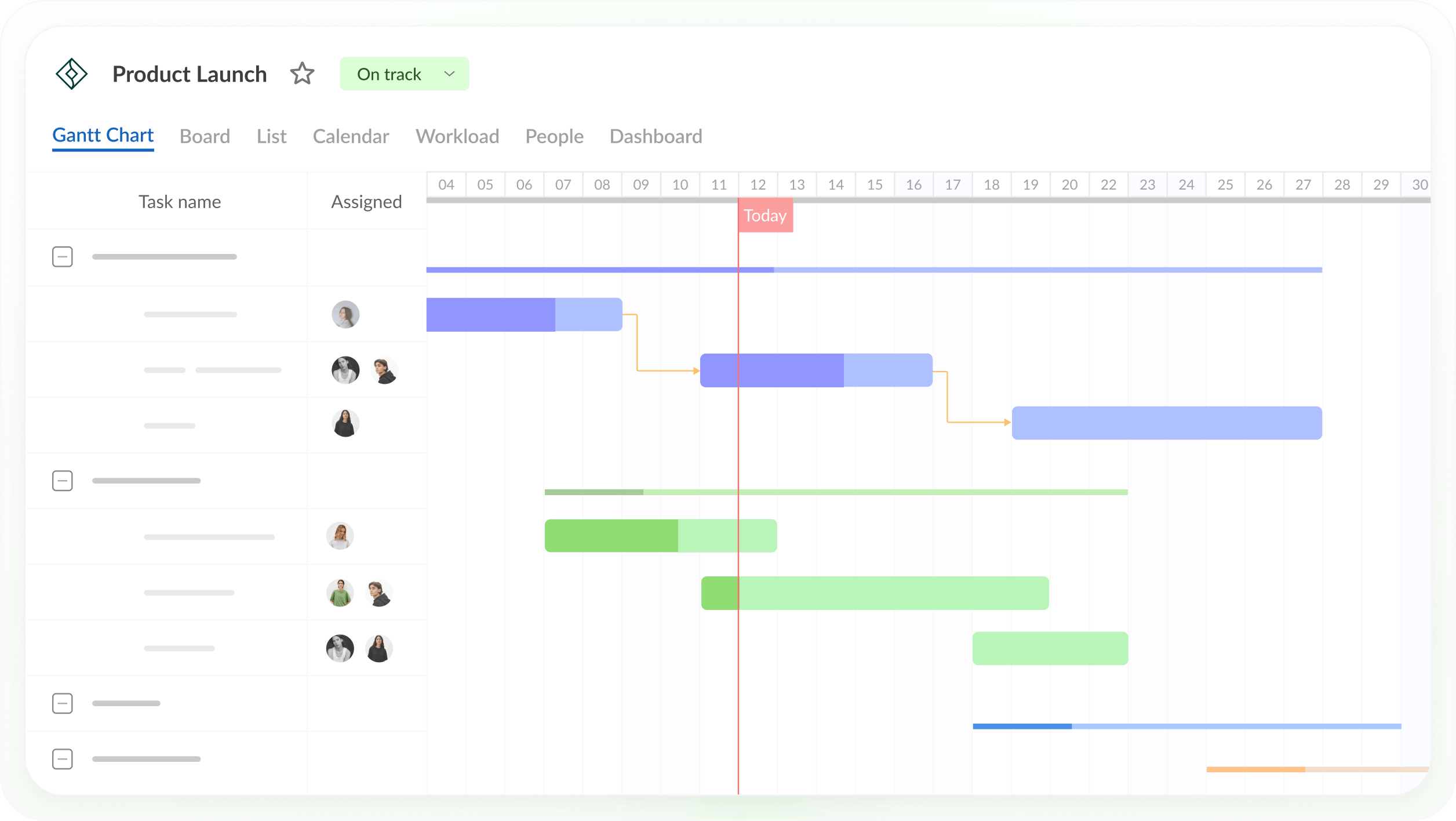
GanttPRO is an online Gantt chart tool that runs in a browser on Mac and Windows. Every plan includes all four dependency types with lead and lag, auto scheduling, the critical path and baselines, plus iOS and Android apps, and private share links let stakeholders view a project.
GanttPRO suits small teams that want Merlin Project-style scheduling in a browser for less than a Merlin Project subscription. It imports Microsoft Project files, but MPP export isn’t listed. The workload view, reports and time tracking need the Business plan, and the price per user depends on team size.
Platforms: Runs in a browser on Mac and Windows, plus iOS and Android apps.
Best for: Small teams that want critical path and baselines in an online Gantt chart on every plan, at a low per-user price.
Key features
- All four dependency types with lead and lag, and auto scheduling
- Critical path and baselines on all plans
- Import from Excel, Microsoft Project and Jira Cloud; export to PNG, PDF, XML and Excel
- Workload across projects and time tracking (Business)
Pros
- Critical path and baselines on the lowest plan
- Works for Mac and Windows users in a browser
- Free 14-day trial with no credit card
Cons
- MPP export isn’t listed
- Workload, reports and time tracking need the Business plan
- Price per user changes with team size, and the 1-member plan is billed annually only
Pricing: For teams of 1–15 members, Core $8, Advanced $12 and Business $19 per user per month, billed annually ($7, $10 and $17 for 20+ members). Monthly billing from 5 members: $9, $15 and $24. Enterprise $25/user/month, billed annually. 14-day free trial.
5. Microsoft Planner
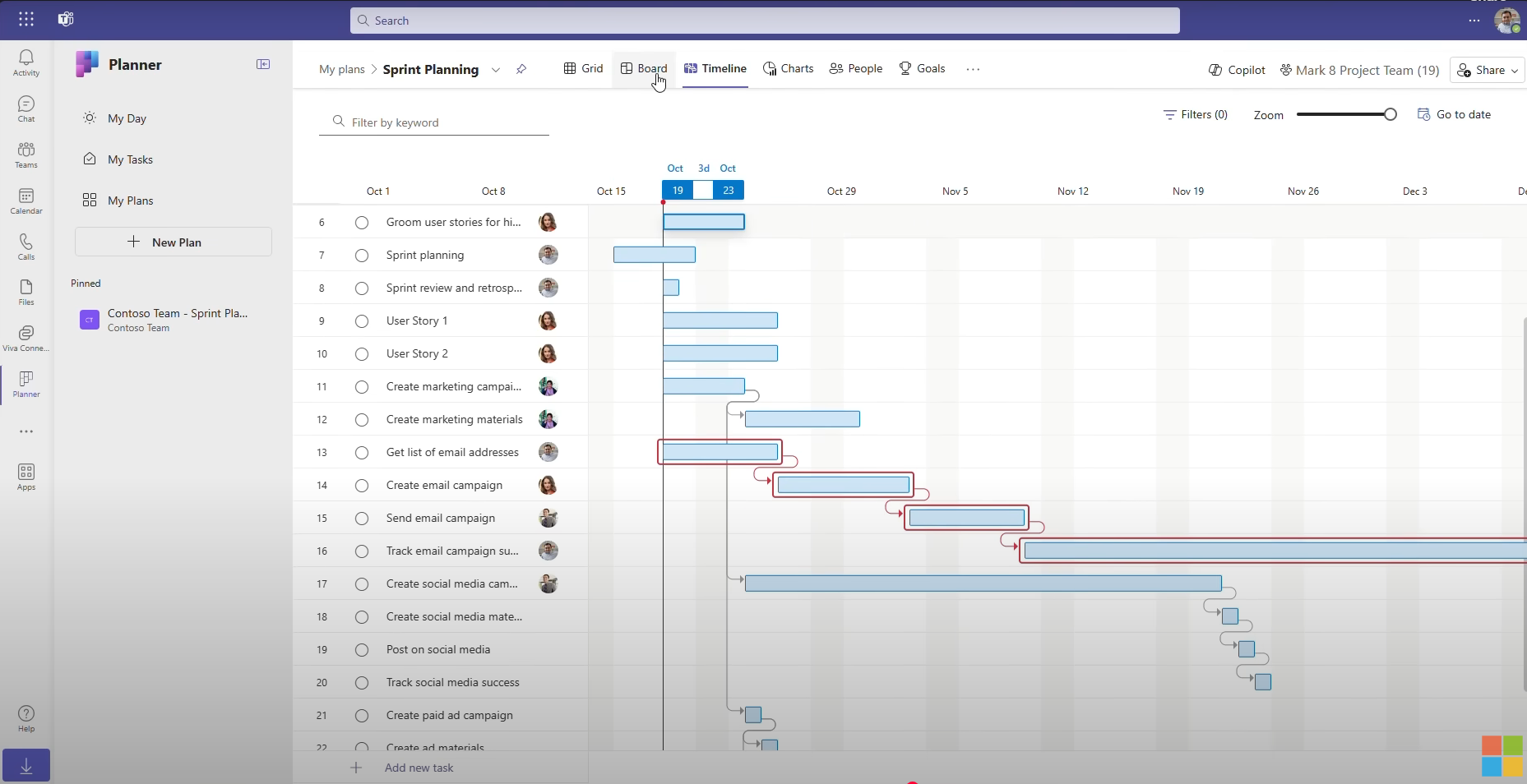
Microsoft Planner is Microsoft’s browser-based option, so it works on a Mac without Windows. Basic Planner, included in many Microsoft 365 plans, has boards, grids and a schedule view but no timeline. Planner Plan 1 adds a timeline (Gantt) view with finish-to-start dependencies only and no lag, plus milestones, goals and a People view. Planner and Project Plan 3 adds critical path, baselines, all four dependency types with lead and lag, and the Project desktop client.
Planner fits Merlin Project users whose company already runs on Microsoft 365, but it doesn’t solve the MPP problem. Planner can’t open MPP files, and it exports plans to Excel, not MPP. The Project desktop app included with Plan 3 opens and saves MPP files, but it runs only on Windows, so a Mac user can’t use it. Copilot is a separate paid add-on, not part of any Planner plan. For more options, see the best Microsoft Project alternatives for Mac.
Platforms: Runs in a browser on Mac and Windows and in Microsoft Teams, with iOS and Android apps. The Project desktop client included with Planner and Project Plan 3 runs on Windows only.
Best for: Teams already in Microsoft 365 who want a browser-based planner on their Macs and don’t need to exchange MPP files.
Key features
- Timeline (Gantt) view with finish-to-start dependencies (Plan 1)
- Critical path, baselines and all four dependency types with lead and lag (Planner and Project Plan 3)
- Board, grid, calendar and People views, goals and milestones
- Works with Teams, Outlook and other Microsoft 365 apps
Pros
- Runs in a browser on a Mac, with one Microsoft sign-in
- Basic Planner is already included in many Microsoft 365 plans
- Plan 1 is a low-cost way to add a timeline view
Cons
- Can’t open or export MPP files
- Critical path, baselines and dependency types other than finish-to-start need Planner and Project Plan 3, and Planner holds one baseline at a time
- The Project desktop app in Plan 3 runs only on Windows
- Copilot is a separate add-on ($21–$30/user/month)
Pricing: Basic Planner included in many Microsoft 365 plans. Planner Plan 1 $10/user/month and Planner and Project Plan 3 $30/user/month, both paid yearly.
6. TeamGantt
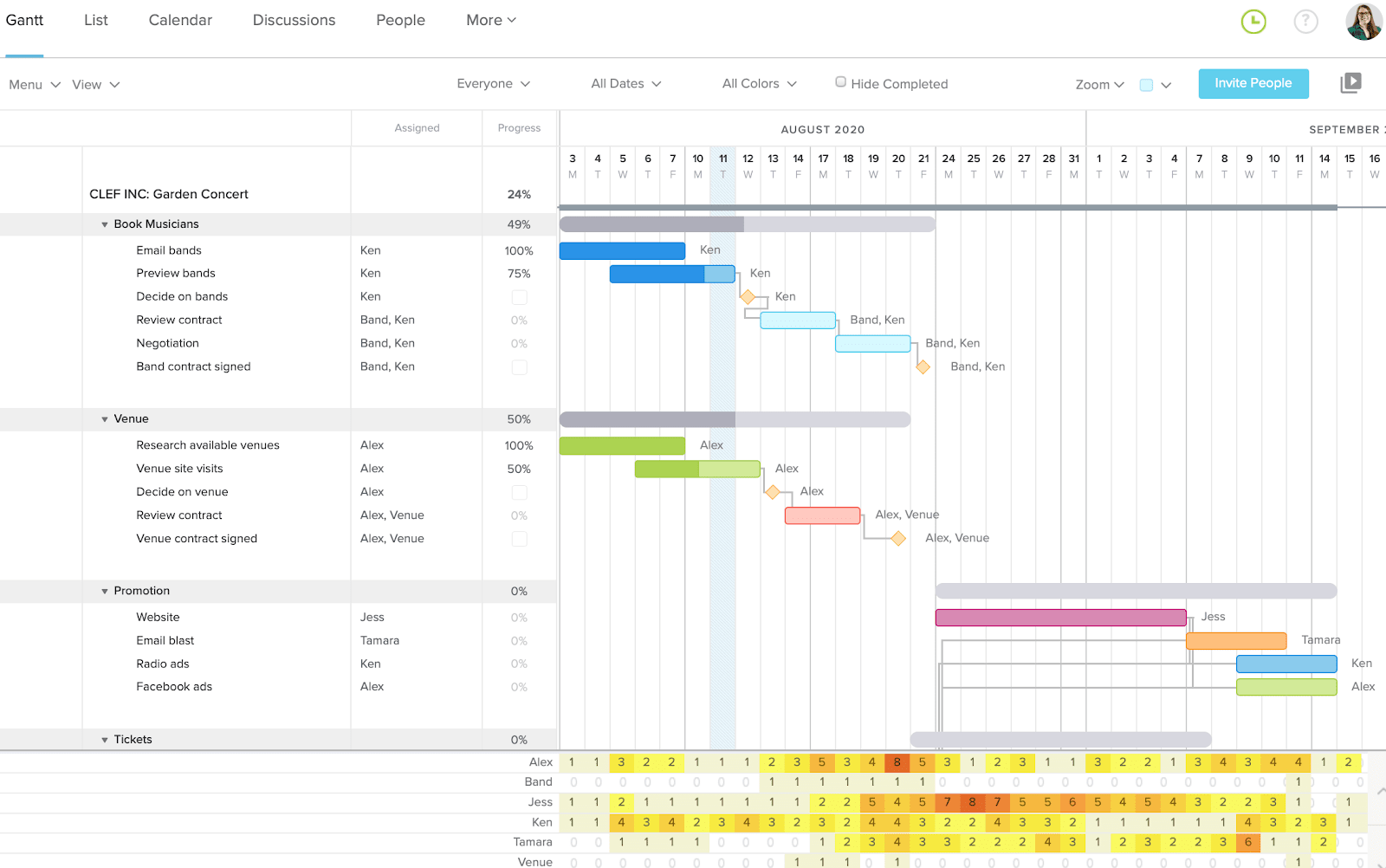
TeamGantt is an online Gantt chart tool that runs in a browser on Mac and Windows. Its Gantt supports all four dependency types with lag and lead, every paid plan shows the critical path, and a free Personal plan covers one user and one project. It imports MPP files, bringing over tasks, dependencies, dates and percent complete but not resources or assignments.
TeamGantt suits small teams with many occasional collaborators, since it’s priced per account rather than per seat. Collaborators can update progress, comment and share files but can’t change dates. Baselines and advanced dependencies need the Business plan, every plan has a project limit, and the iPhone and Android apps show a list view rather than the Gantt chart.
Platforms: Runs in a browser on Mac and Windows, plus iOS and Android apps (list view).
Best for: Small teams that want a simple shared Gantt chart with flat account pricing instead of per-seat licenses.
Key features
- All four dependency types with lag and lead (advanced dependencies on Business and above)
- Critical path on all paid plans; unlimited baselines on Business and above
- MPP and CSV import
- Workload management (Business and above)
Pros
- Easy to learn for people who don’t schedule full time
- Flat pricing with unlimited collaborators on Business
- Free Personal plan for one project
Cons
- MPP imports don’t include resources or assignments
- Baselines need the Business plan, and every plan has a project limit
- No Gantt view in the mobile apps
Pricing: Personal free (1 user, 1 project, 40 tasks). Base $59/month (1 manager, 10 collaborators, 5 projects), Business $120/month (unlimited managers and collaborators, 5 projects included) and Builder Edition $199/month, billed monthly; annual billing saves 20%. Enterprise by quote. 14-day free trial.
7. ProjectLibre
ProjectLibre is the free option that runs on macOS. It’s an open-source desktop scheduler for macOS, Windows and Linux with all four dependency types with lag, the critical path, float, baselines, a work breakdown structure, network diagrams and earned value, and it opens MPP files.
ProjectLibre is the better fit than a paid tool if you plan alone and don’t want to pay for a Merlin Project subscription. Unlike Merlin Project, it also runs on Windows. The desktop app is built for one person and one project, with no collaboration or mobile apps, and it needs Java. It saves Microsoft Project XML rather than MPP, and ProjectLibre Cloud, a separate paid product, adds browser access and collaboration. For more free tools, see the best ProjectLibre alternatives.

Platforms: Desktop app for macOS, Windows and Linux that needs Java. ProjectLibre Cloud runs in a browser.
Best for: Individuals who want a free desktop scheduler with critical path and baselines on a Mac.
Key features
- All four dependency types with lag, critical path, float and baselines
- Work breakdown structure, network diagrams and earned value
- Opens MPP files; saves its own .pod files or Microsoft Project XML
- Runs on macOS, Windows and Linux
Pros
- Free and open source
- Works offline, and files stay on your computer
- Runs on Windows as well as macOS
Cons
- Single user, with no collaboration in the free desktop app
- No mobile apps
- Can’t save or export MPP files, only Microsoft Project XML
Pricing: Desktop free. ProjectLibre Cloud Core $9.99/user/month and Enterprise/PMO Cloud $29.99/user/month, billed annually.
How to Move a Merlin Project Plan Into ProjectManager
To move a Merlin Project plan into ProjectManager, export it from Merlin Project as Microsoft Project XML, set up a new project with matching working days, import the file with all data and check the logic. Try it with one plan first before you move the rest.
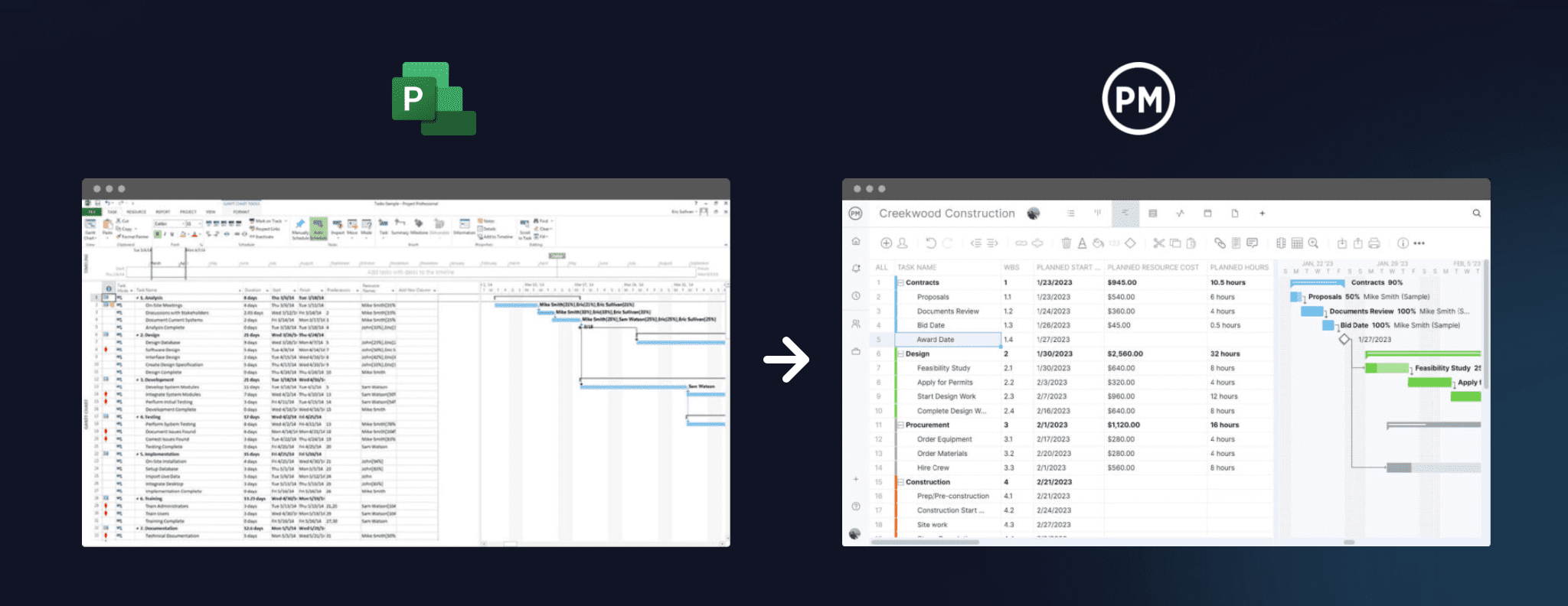
- Export from Merlin Project. Export the plan in Microsoft Project XML format. Merlin Project doesn’t export MPP files.
- Set working days first. In ProjectManager, click the + button and choose Project, then set your working days to match your Merlin Project calendar, such as a five-day or six-day work week. Working days are hard to change once the project exists. Add any global holidays now too, since they can’t be added to existing projects.
- Import the file. Choose Import File when creating the project, or click the import icon on the Gantt ribbon of an existing project. Click select file, upload your XML file and click next.
- Choose all data. Choose all data to bring over tasks, assignees, dependencies and planned start and finish dates and durations.
- Check dependencies. Compare durations and dependencies with the original plan in Merlin Project, paying attention to lead and lag, and re-link anything that didn’t come through.
- Filter for the critical path. Turn on the critical path filter and check that it matches the critical path in Merlin Project. If it doesn’t, look for missing links, lag or constraints.
- Set a baseline. Once the schedule matches, set a baseline in Gantt settings so you can track variance from the start.
Keep the original Merlin Project file. When a client asks for the schedule as an MPP file, ProjectManager can export it.
Want your whole team in the schedule? Start a free 30-day trial, import your Merlin Project export and invite your Mac and Windows teammates. Get started with ProjectManager today for free.
Merlin Project Alternatives FAQ
What is the best alternative to Merlin Project?
It depends on who needs the schedule. OmniPlan is the closest native Mac alternative for teams fully on Apple devices, and ProjectLibre is a free desktop option. For teams with a mix of Macs and Windows PCs, ProjectManager, online project management software with Gantt charts, critical path, baselines and workload management across projects, is a strong fit, because it runs in any browser, has iPhone and Android apps and imports and exports MPP files, lossless for schedule data.
Is there a Merlin Project for Windows?
No. Merlin Project runs only on Mac, iPad and iPhone, with no Windows, Android or browser version, and ProjectWizards has discontinued Merlin Server. Browser-based tools such as ProjectManager, Smartsheet, GanttPRO and Microsoft Planner work on both Windows and Mac. ProjectManager runs in any modern browser on Windows and Mac, so a planner on a Mac and teammates on Windows PCs can work in the same schedule.
What’s a free alternative to Merlin Project?
ProjectLibre is a free, open-source desktop scheduler for macOS, Windows and Linux with critical path and baselines, and it opens MPP files, though it’s single-user and needs Java. GanttProject is another free desktop app for Mac that opens MPP files and supports all four dependency types with lag. TeamGantt has a free Personal plan for one user and one project. ProjectManager isn’t free, but it has a 30-day free trial.
Merlin Project vs. OmniPlan: which is better?
Both are native Apple schedulers with all four dependency types, lead and lag, critical path and resource leveling. OmniPlan is better if you want a one-time purchase that covers every Apple device or need to export MPP files (Pro). Merlin Project is better if you want kanban and mind map views of the same plan and edits that merge through iCloud Drive or Dropbox. Neither runs on Windows.
Can I move my Merlin Project plans to another tool?
Yes. Merlin Project exports plans as Microsoft Project XML, which most scheduling tools that support Microsoft Project files can open. It doesn’t export MPP files. ProjectManager imports Microsoft Project XML with tasks, assignees, dependencies and planned dates when you choose all data, and can then export the schedule as an MPP file, lossless for schedule data. Test one plan first and check its dependencies.
