A marketing action plan is what separates a marketing strategy from marketing results. Most teams have no shortage of goals — more leads, better brand awareness, higher conversion rates — but the gap between setting those goals and achieving them is almost always an execution gap, not a strategy gap. A marketing action plan closes it by turning a marketing goal into a specific list of tasks with owners, deadlines and the resources needed to deliver them. It’s the operational layer that makes a marketing strategy work in practice rather than only on paper.
What Is a Marketing Action Plan?
A marketing action plan is a structured document that converts a marketing objective into the specific tasks required to achieve it. For each task, it defines who is responsible, what needs to be done, when it must be completed and what budget or tools are needed. Unlike a marketing plan, which covers overall strategy — target audience, channels, messaging, budget allocation — a marketing action plan is purely operational. It assumes the strategic decisions are made and focuses on executing them.
Marketing action plans are built for individual campaigns, quarterly initiatives or channel-specific programs. A content team uses one to execute a Q3 editorial calendar. A demand generation team uses one to run a product launch campaign. A social media team uses one to grow an audience in a new channel. The format is the same regardless of the marketing function it serves, making it a core tool of marketing project management.
Marketing Action Plan vs. Marketing Plan
These two documents are often treated as the same thing, but they serve different stages of the marketing process.
A marketing plan is a strategic document covering a full year or campaign cycle. It defines target audiences, brand positioning, channel mix, budget allocation and high-level goals. It answers the question: what is our marketing strategy, and how are we investing our resources to support business goals?
A marketing action plan is the execution layer for a specific marketing objective within that strategy. It answers the question: what does the team actually do this week, this month and this quarter to make that strategy happen — and who is doing it? A campaign brief or project charter typically precedes it, defining the scope before the action plan maps out the tasks.
| Marketing Plan | Marketing Action Plan | |
| Scope | Full marketing program | Single objective or campaign |
| Time horizon | Annual or campaign cycle | Days, weeks or a quarter |
| Audience | Leadership, stakeholders | Marketing team members |
| Primary content | Strategy, channels, budget | Tasks, owners, deadlines, KPIs |
Run Your Marketing Action Plan With ProjectManager
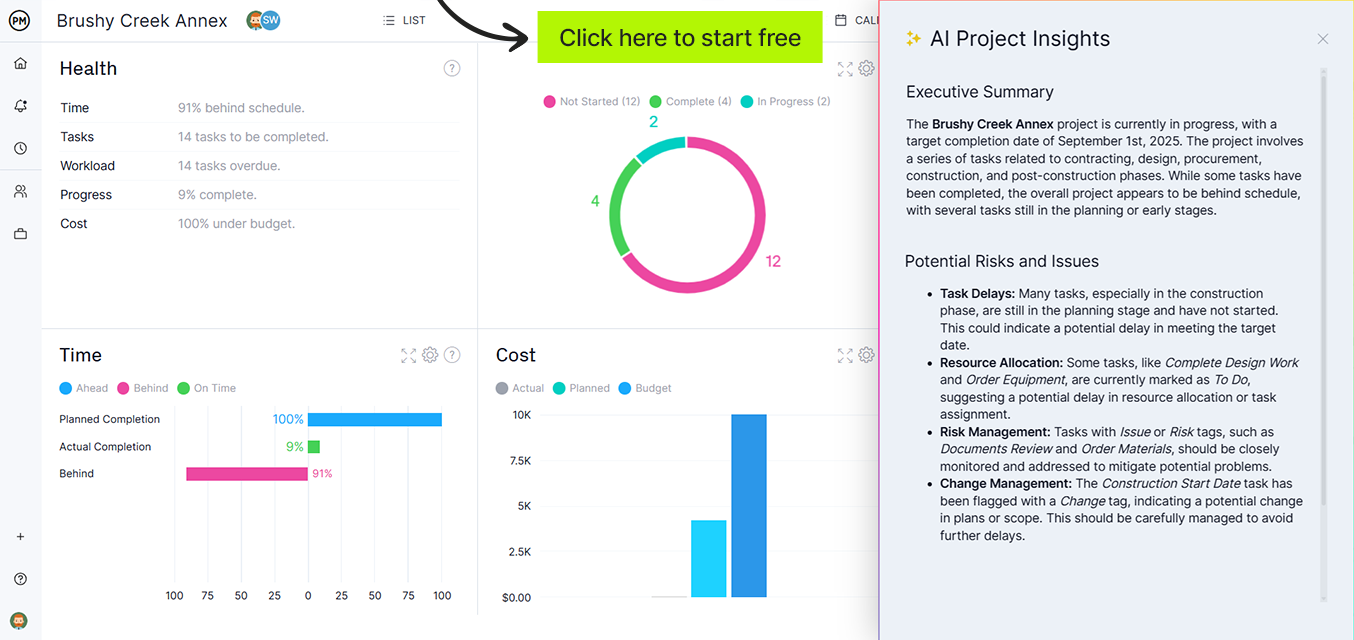
ProjectManager is online project management software with planning tools, real-time dashboards and task management built for marketing teams that need to execute campaigns on time and on budget. Try it free for 30 days.

Marketing Action Plan Components
A marketing action plan that drives results contains the same six core elements regardless of the campaign type or channel.
- Marketing objective — The specific, measurable goal the plan is designed to achieve: a lead target, a traffic number, a conversion rate, a revenue contribution. One objective per action plan keeps focus clear and makes success unambiguous.
- Action steps — Every task required to achieve the objective, broken down small enough that each one can be assigned and completed independently. Broad tasks like “run paid campaign” need to become specific tasks: set up ad account, write ad copy, design creatives, configure targeting, launch, monitor.
- Task owners — The specific person responsible for each action step. Marketing tasks stall when ownership is assigned to a channel or a function rather than a person. A responsibility matrix is useful when campaigns span multiple teams or agencies.
- Timeline and deadlines — Start and end dates for each task, with campaign milestones marking the major checkpoints — creative approval, launch date, mid-campaign review, final reporting. Milestones create accountability before the campaign ends, not only after it.
- Budget and resources — Ad spend, tool costs, agency fees, design hours and any other resources required for each task. A marketing resource plan built alongside the action plan surfaces budget conflicts before they stall a campaign mid-flight.
- Success metrics — The KPIs that confirm the objective has been achieved: cost per lead, conversion rate, organic sessions, email open rate. Define these before the campaign launches so the post-campaign review is a factual assessment rather than a selective reading of whichever metrics looked best.
Get your free
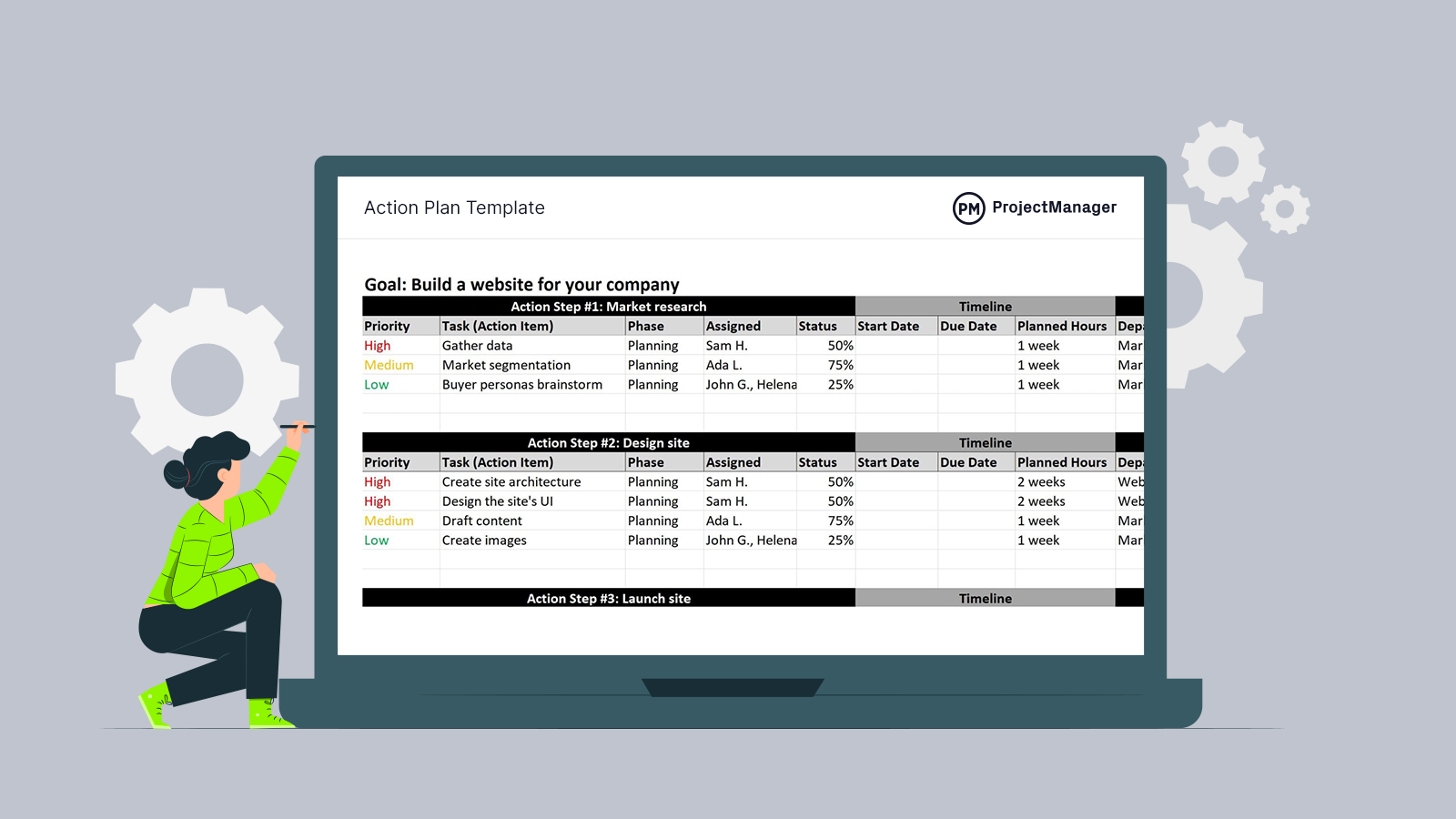
Action Plan Template
Use this free Action Plan Template for Excel to manage your projects better.
Types of Marketing Action Plans
Marketing action plans are built around specific objectives and channels. The most common types follow a consistent structure but are scoped to the work at hand.
Campaign Action Plan
Built to execute a specific marketing campaign: a product launch, a seasonal promotion, a lead generation push or a brand awareness effort. Campaign action plans typically run for a defined period — four to twelve weeks — and include tasks across multiple channels: content, paid, email, social and PR. A communication plan often runs alongside it to keep internal stakeholders informed of campaign status and results.
Content Marketing Action Plan
Focused on executing a content strategy: publishing an editorial calendar, building a library of gated assets, launching a blog or growing organic search traffic. Content action plans tend to run quarterly, with tasks covering topic research, writing, editing, design, publication and distribution. Success metrics are tied to traffic, rankings and content-attributed pipeline.
Social Media Action Plan
Built to grow or activate a social media presence: launching on a new platform, increasing engagement on an existing channel, or running an influencer campaign. Tasks cover content creation, scheduling, community management, paid amplification and performance reporting. Social action plans often align with a content calendar and are reviewed weekly against follower growth and engagement benchmarks.
Product Launch Action Plan
A cross-functional plan that coordinates marketing activities across channels to support a new product or feature release. Covers pre-launch (building awareness, creating assets, training sales), launch (coordinating announcements, activating paid, publishing content) and post-launch (capturing leads, running nurture, reporting results). The product launch action plan is one of the most complex marketing action plans because it spans multiple teams and has a hard launch date that all tasks must work backward from.
How to Write a Marketing Action Plan
Here’s a quick breakdown of how to create a marketing action plan for your department.
1. Define the Marketing Objective
Start with a single, measurable goal. “Generate 300 marketing-qualified leads in Q3” is a goal. “Drive more traffic” is not. The objective should be specific enough that the team agrees without discussion about whether it has been achieved at the end of the period. If it can’t be measured, it can’t be planned against.
2. List Every Task Required
Work backward from the objective. What channel activity, content, ads, emails or events need to happen to hit that number? List every discrete task, then sequence them by dependency. Use a work plan to organize tasks by channel or workstream if the campaign spans multiple functions. Flag upstream dependencies — a task that requires creative assets or legal approval should be treated as a separate task with its own owner and deadline, not an assumption.
3. Assign Individual Owners
Every task needs a named person responsible for it — not “the content team” or “agency.” When a task is owned by a group, it’s owned by no one. For campaigns involving external vendors or agencies, the internal task owner is the person responsible for briefing, reviewing and approving the vendor’s work.
4. Set Deadlines and Campaign Milestones
Assign a deadline to every task, then identify three or four campaign milestones — the dates by which key deliverables must be complete for the plan to stay on track. For a product launch, milestones might be: creative assets approved, landing page live, email sequence loaded, launch day. Milestones function as early warning signals; a missed milestone two weeks before launch is fixable, a missed launch date is not.
5. Allocate Budget by Task
Assign a budget line to every task that has a cost: ad spend, tool subscriptions, freelancer fees, event costs, design hours. Tracking budget at the task level rather than the campaign level makes it easy to identify overspend before it compounds. A marketing budget built in parallel with the action plan keeps finance visibility and campaign execution aligned.
6. Define Success Metrics
Decide before the campaign starts how you’ll measure success. Pick a primary metric tied directly to the objective — leads generated, conversion rate, sessions from organic, email-attributed revenue — and one or two secondary metrics that provide context. Define what “success” looks like numerically so the end-of-campaign review isn’t a negotiation.
7. Review on a Fixed Cadence
Schedule a standing campaign review — weekly for fast-moving campaigns, bi-weekly for longer programs — and update task status at each one. Adjust the plan when tasks slip; don’t absorb slippage silently and hope to catch up. Use a status report to share progress with stakeholders on a regular cadence. Post-campaign, document what worked and what didn’t in a retrospective that informs the next action plan.
Marketing Action Plan Example
The following example shows how a marketing team would structure an action plan for a new product feature launch, with a goal of generating 500 free trial sign-ups in the first 30 days.
Objective: Generate 500 free trial sign-ups in the 30 days following the feature launch
Success metric: 500 new trial accounts created, attributed to launch campaign, by day 30
Timeline: 4 weeks pre-launch + 30-day launch window
| Action Step | Owner | Deadline | Budget/Resources |
| Write and design launch landing page | Content Manager | Week –3 | Designer, $500 copy review |
| Produce 3 feature demo videos (60s, 30s, 15s) | Video Producer | Week –3 | $2,000 production |
| Write 5-email launch nurture sequence | Email Specialist | Week –2 | ESP access, copywriter |
| Set up paid search and social campaigns | Paid Media Manager | Week –1 | $12,000 ad budget (30 days) |
| Brief 8 industry influencers; coordinate launch-day posts | Social Media Manager | Week –2 | $3,000 influencer budget |
| Distribute press release to media list | PR Manager | Launch day | PR agency, media list |
| Publish feature announcement blog post | Content Manager | Launch day | SEO review |
| Launch day 14 and day 30 performance review | Marketing Analyst | Day 14, Day 30 | Analytics access, dashboard |
Milestones:
- Week –1: All creative assets approved; landing page live; ads loaded and reviewed
- Launch day: All channels active simultaneously; PR distributed; influencer posts live
- Day 14: Mid-campaign review — pace toward 500 sign-ups; reallocate budget if needed
- Day 30: Final sign-up count vs. target; retrospective and handoff to sales nurture
This structure ensures every channel is ready before launch day, names a single owner for each workstream and sets a mid-campaign checkpoint to catch pacing issues before the window closes. Track all tasks and dashboards centrally using marketing dashboard templates to keep the full team aligned on progress.
Free Marketing Action Plan Template
Rather than building a marketing action plan from a blank document, start from a structured format. A marketing plan template gives you the framework already configured — enter your objective, tasks, owners, deadlines and budget lines.
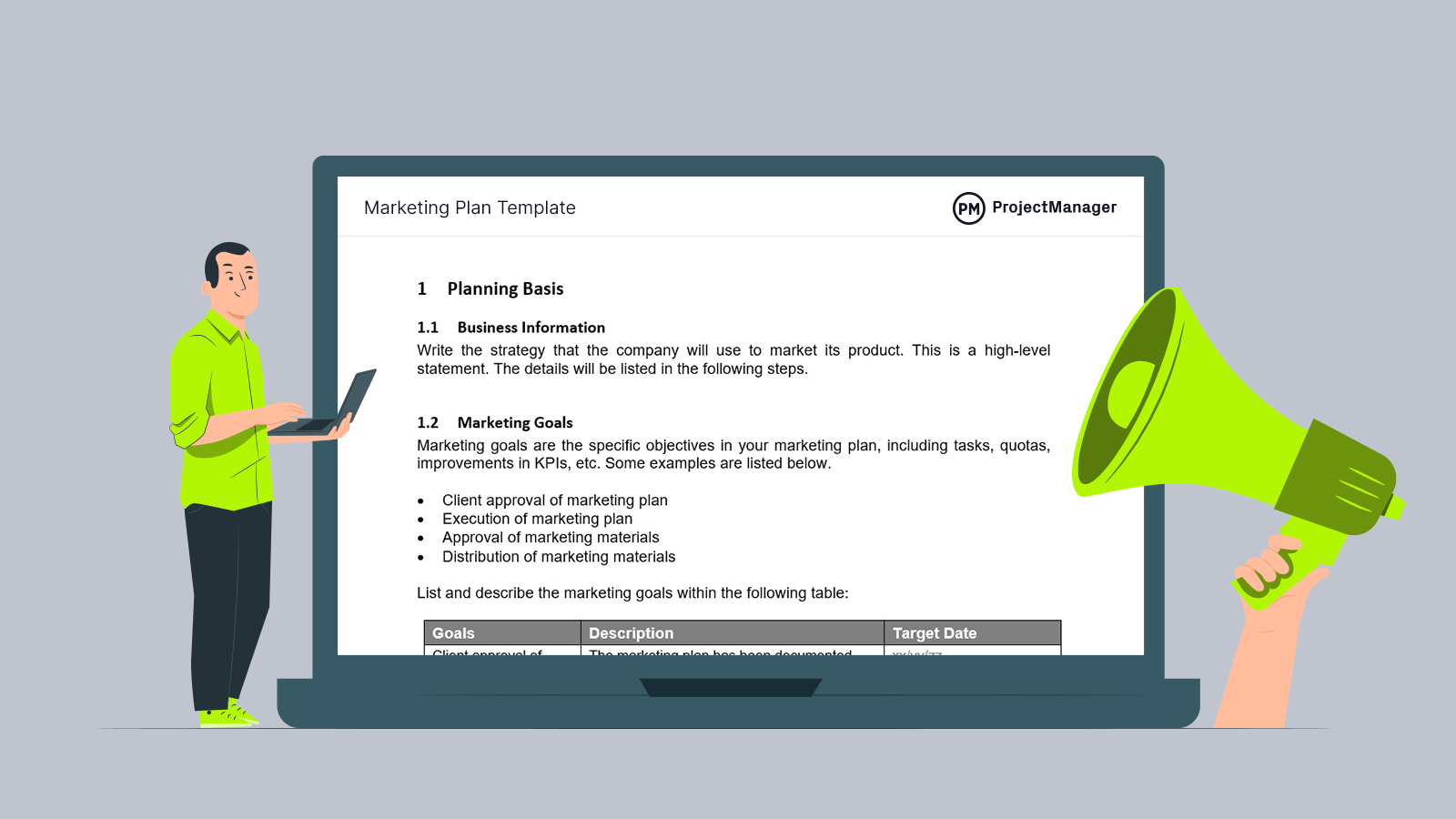
Download it free and adapt it to your campaign or initiative. The structure works for any marketing function — content, paid, social, email or events — because the underlying task and ownership framework is the same regardless of channel.
Manage Your Marketing Action Plan With ProjectManager
A template gives your marketing action plan its structure. Executing it requires tools that connect the plan to the actual work — task tracking, deadline visibility, budget monitoring and real-time campaign progress without a status meeting.
Build and Schedule Marketing Campaigns on a Gantt Chart
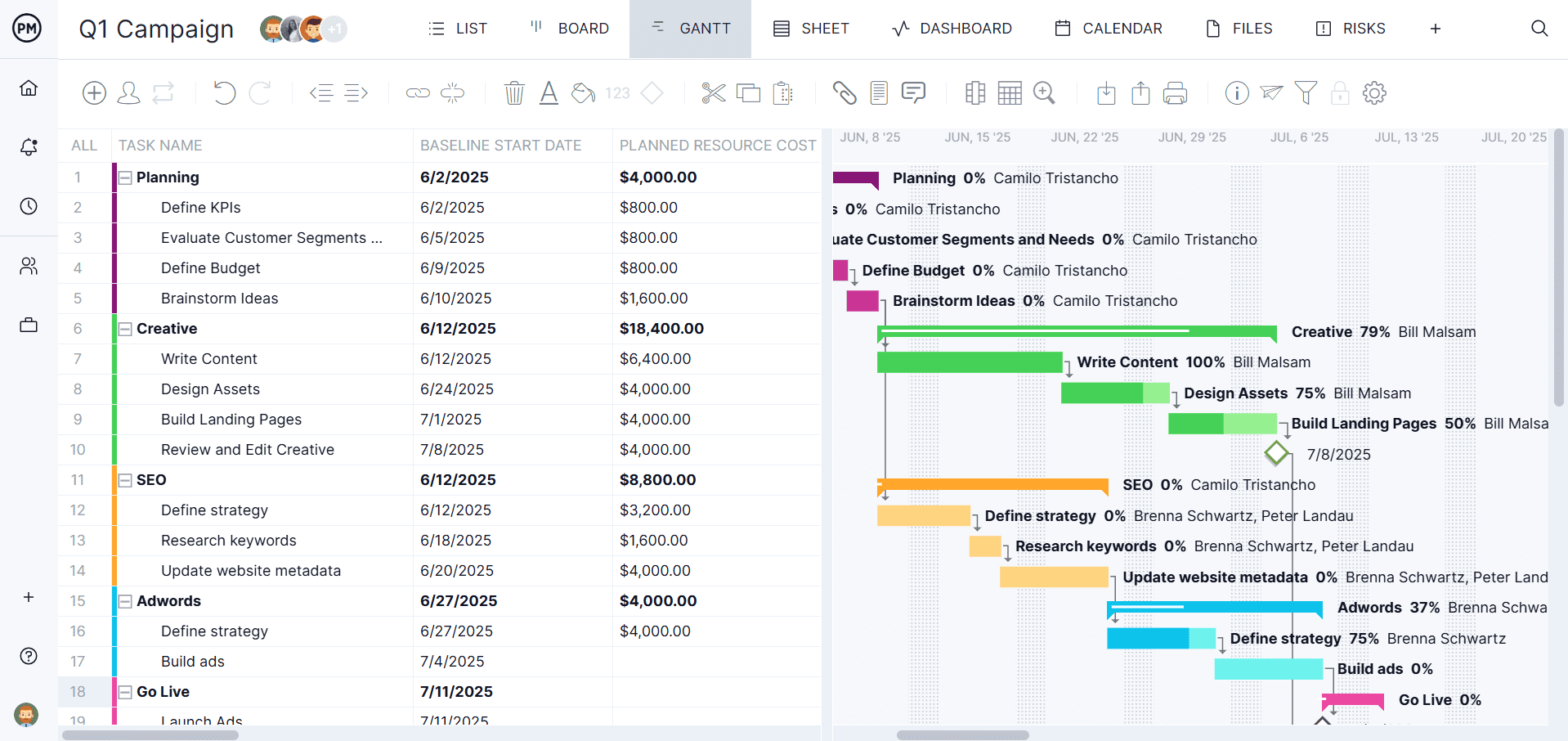
ProjectManager‘s Gantt charts let you build your marketing action plan as a live project schedule. Add each task, assign it to the named owner, set start and end dates and link dependencies so the schedule reflects the real sequence of campaign work. Campaign milestones appear as fixed checkpoints on the timeline — when a task slips, the Gantt shows the downstream impact before it threatens the launch date.
Track Campaign Performance in Real Time
Marketing leadership visibility into a campaign shouldn’t depend on a weekly check-in. ProjectManager’s real-time dashboards pull live data from your project tasks and display completion rates, task health and budget consumed at a glance. Share a dashboard link with stakeholders and the campaign status update runs itself.