


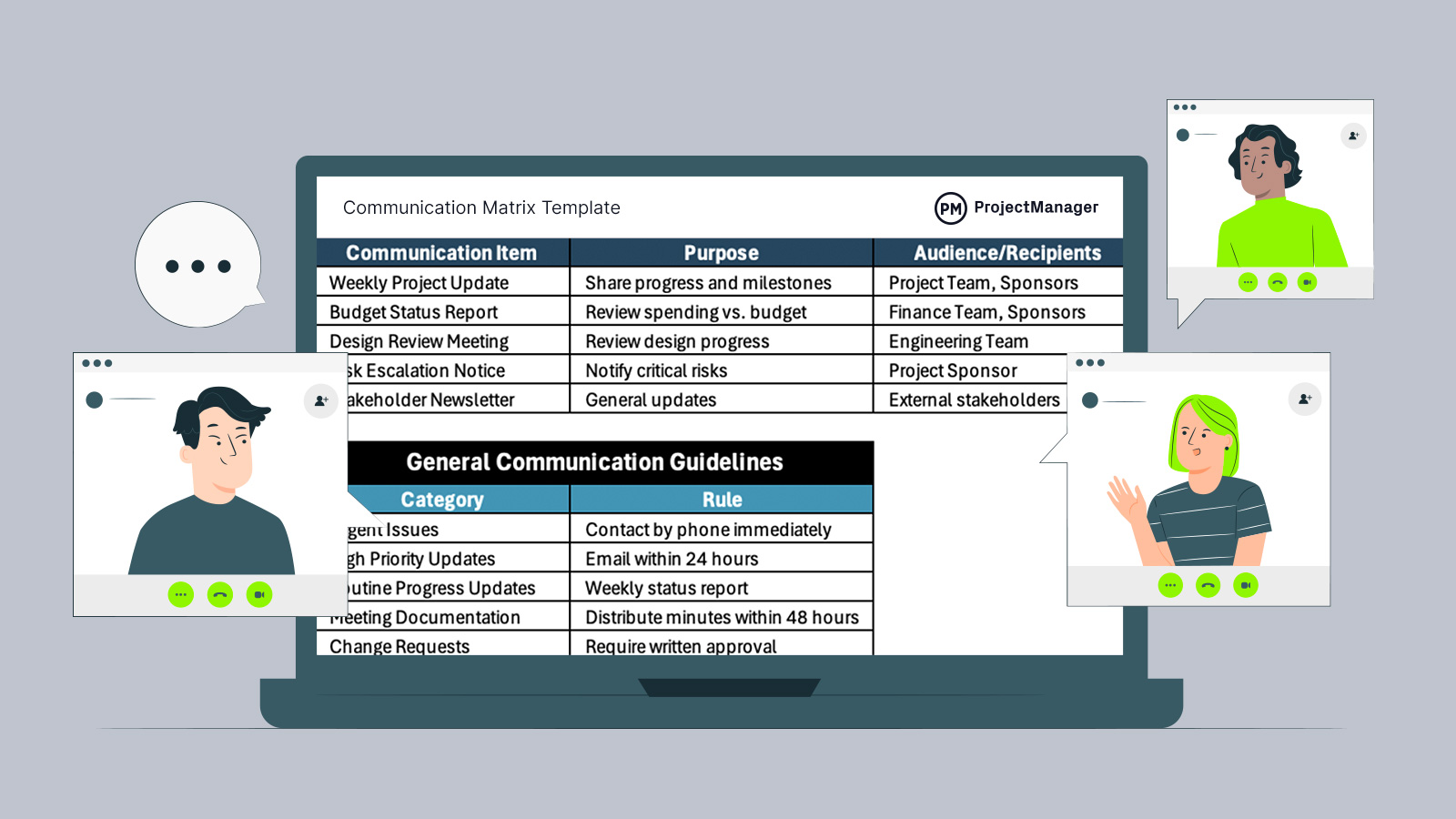
Projects move faster when people know exactly who needs information, what details should be shared and when communication should happen. A communication matrix template helps teams avoid missed updates, duplicate work and unnecessary meetings by creating a clear structure for information flow. Download this free communication matrix template for Excel to establish communication expectations and maintain alignment across projects and day-to-day operations.
Why You Need a Communication Matrix Template
Clear communication becomes difficult when multiple departments, stakeholders and team members rely on different channels and reporting expectations. This communication matrix template for Excel is ideal for establishing guidelines and procedures for communication across teams within an organization or project. It creates a structured framework for defining who receives information, how updates are delivered, when communication occurs and which channels support specific project activities.
When To Use a Communication Matrix Template
Every project and organization has moments where communication starts becoming harder to manage as more people become involved. Several situations can make this free communication matrix template especially useful, particularly when teams need a structured process for sharing updates, coordinating work and keeping stakeholders informed.
- Use this template when launching a project involving multiple departments that require scheduled updates and defined communication responsibilities.
- Apply it during construction projects where contractors, clients and internal teams depend on frequent status reports and approvals.
- Use it when managing remote or distributed teams that rely on different communication tools and reporting schedules.
- Implement it during organizational changes, mergers or process improvements where information must reach different groups consistently.
- Use this template for recurring operational activities where routine updates, decisions and reporting procedures need standardized communication workflows.
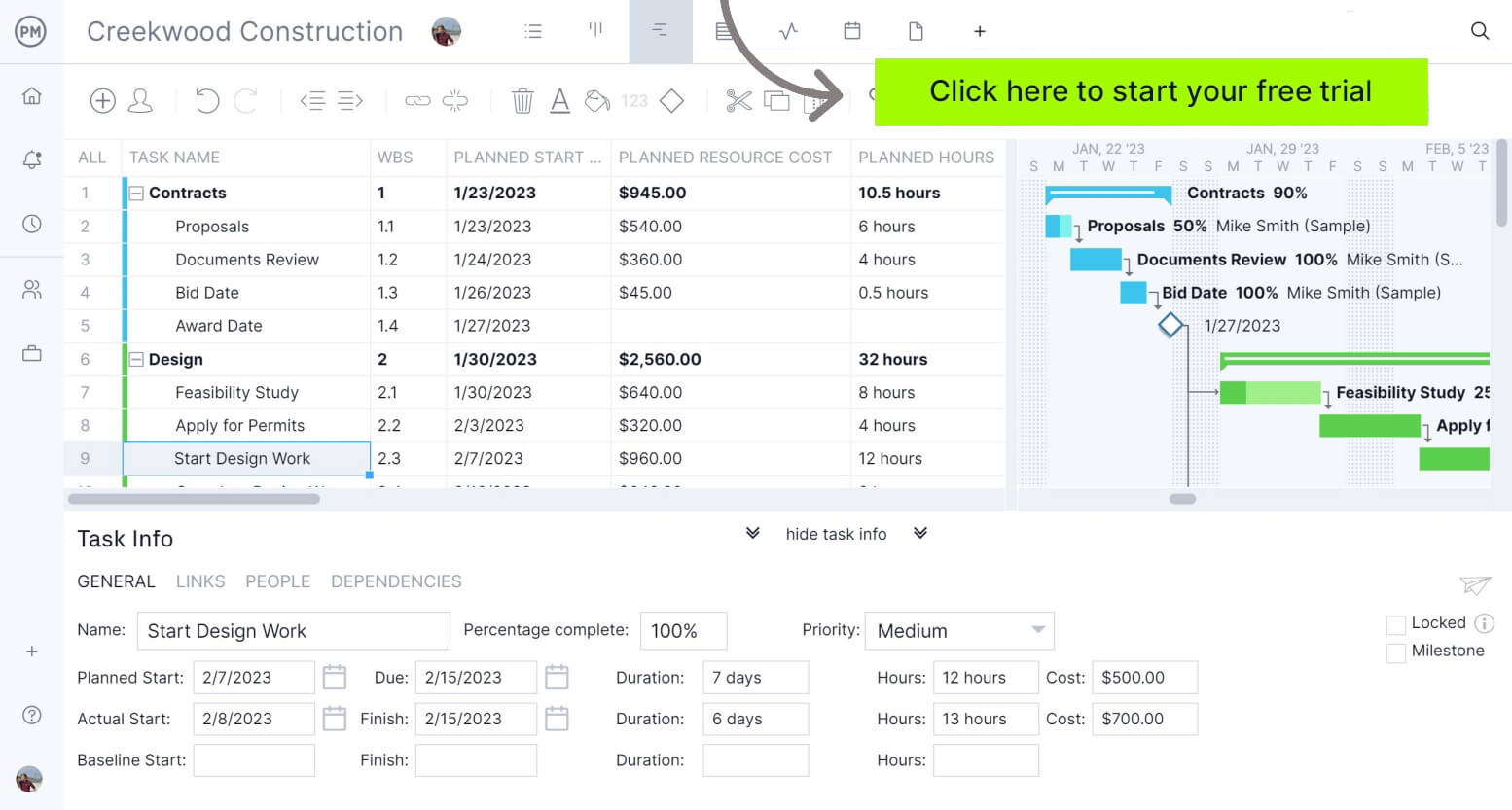
ProjectManager is award-winning project management software that gives teams across industries the tools they need to ensure projects are completed on time, within budget and within scope. It allows project managers to create detailed project schedules, estimate costs, allocate resources, set budgets, track progress and compare estimated versus actual project outcomes using real-time dashboards and reports to identify delays or cost overruns quickly. Get started with ProjectManager for free today.
How to Use ProjectManager’s Communication Matrix Template for Excel
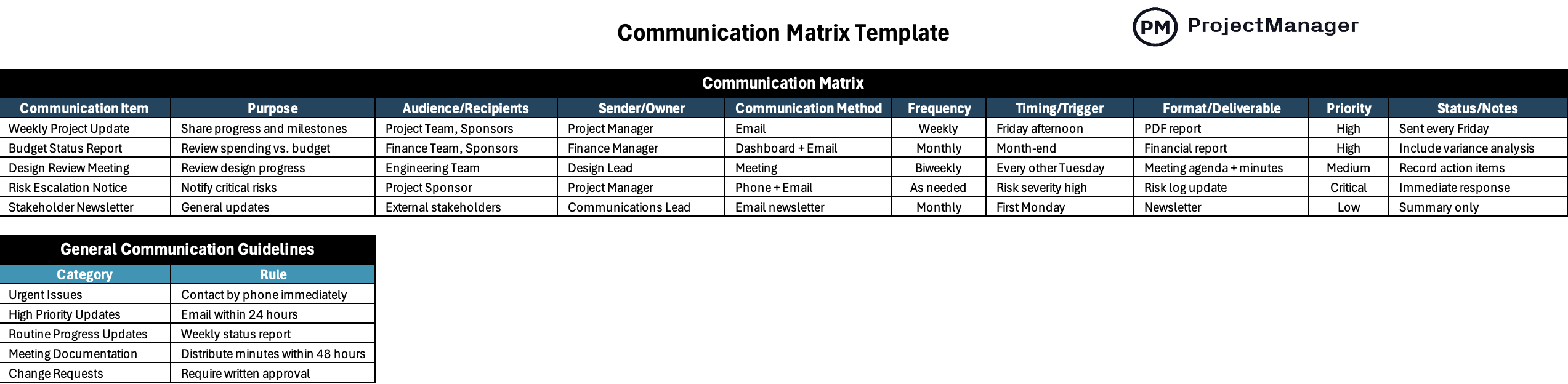
Building a communication process becomes easier when everyone follows a shared structure for sending updates and sharing information. This communication matrix template for Excel includes a communication matrix table and communication guidelines section so teams can establish communication responsibilities, delivery methods and reporting expectations in one place.
1. List Communication Items
Begin by entering the key communication activities that occur throughout the project or organization in the Communication Item column. Examples might include weekly project updates, budget reports, design review meetings, stakeholder newsletters or risk escalation notices.
2. Define the Purpose of Each Communication Activity
Move to the Purpose column and explain why each communication item exists. Keep descriptions specific so recipients understand the intended outcome, such as sharing project milestones, reviewing costs or discussing project risks.
3. Identify Audiences and Assign Owners
Next, specify who should receive the information in the Audience/Recipients column and identify who is responsible for creating or sending it in the Sender/Owner column. Ownership reduces confusion and creates accountability.
4. Select Communication Methods and Frequency
Choose how information will be delivered using the Communication Method column and determine how often updates occur in the Frequency section. Depending on the situation, teams might use emails, meetings, dashboards or phone calls delivered weekly, monthly or as needed.
5. Add Timing Triggers and Deliverables
Continue by entering specific timing requirements in the Timing/Trigger column and document expected outputs in the Format/Deliverable section. This can include month-end reporting, scheduled meetings or deliverables such as reports and meeting minutes.
6. Set Priority Levels and Add Notes
Assign urgency levels using the Priority column to distinguish routine updates from critical communications. The Status/Notes field can then capture extra instructions, reminders or follow-up details that support each communication activity.
7. Establish General Communication Guidelines
Finish by completing the General Communication Guidelines table at the bottom of the template. Define standard rules for situations such as urgent issues, high-priority updates, meeting documentation and change requests so teams follow consistent communication procedures.
What Other Free Templates Can Help Teams Communicate Better?
We’ve created over 100 free project management templates for Excel, Word and Google Sheets. Here are some that can be used in conjunction with this free cash flow forecast template for Excel.
Communication Plan Template
Organize project messaging, stakeholder updates and communication schedules with this communication plan template. Define communication goals, delivery methods, reporting frequency and responsibilities to create a structured process for sharing project information.
RACI Matrix Template
Clarify project ownership and decision-making responsibilities with this RACI matrix template. Assign responsible, accountable, consulted and informed roles so teams understand who performs work and supports project activities.
Roles and Responsibilities Template
Define team structure and clarify job expectations with this roles and responsibilities template. Document responsibilities, key tasks, deliverables and reporting relationships to improve accountability and reduce role confusion.
ProjectManager Is Award-Winning Project Management Software
ProjectManager provides a complete set of planning, scheduling and tracking tools, including Gantt charts, kanban boards, task lists and project and portfolio roadmaps. Teams can build detailed schedules, assign resources and monitor progress, costs, workload and timelines through real-time dashboards, timesheets, workload charts and performance reports.
Built as a cloud-based platform, ProjectManager allows teams to update schedules, manage tasks and generate reports in real time from any location. It also delivers AI-powered project insights to support better decision-making and connects with over 100 tools like Jira, Power BI and Azure DevOps. With its open API and wide range of integrations, organizations can seamlessly link ProjectManager to their existing systems. Watch the video below to learn more!
ProjectManager is online project and portfolio management software that connects teams, whether they’re in the office or out in the field. They can share files, comment at the task level and stay updated with email and in-app notifications. Get started with ProjectManager today for free.