



Residential construction businesses often need more than scheduling tools to keep projects moving. CoConstruct was built to connect estimating, client communication, financial management and project coordination in a single platform, making it a popular option for custom home builders and remodeling contractors.
What Is CoConstruct?
CoConstruct is a construction management software platform used to manage estimating, scheduling, client communication, selections, financials and project execution. It is commonly used by custom home builders and remodeling contractors to coordinate projects, track costs and keep clients informed throughout the construction process. The platform combines project management, budgeting, proposals, change orders, scheduling and customer-facing tools within a single system designed specifically for residential construction businesses.
Buildertrend acquired CoConstruct in 2021, initially operating the products separately while integrating their technologies and services. In 2025 and 2026, the companies began formally unifying the brands, with CoConstruct customers transitioning into a single Buildertrend experience that combines capabilities from both platforms while maintaining support for existing users.
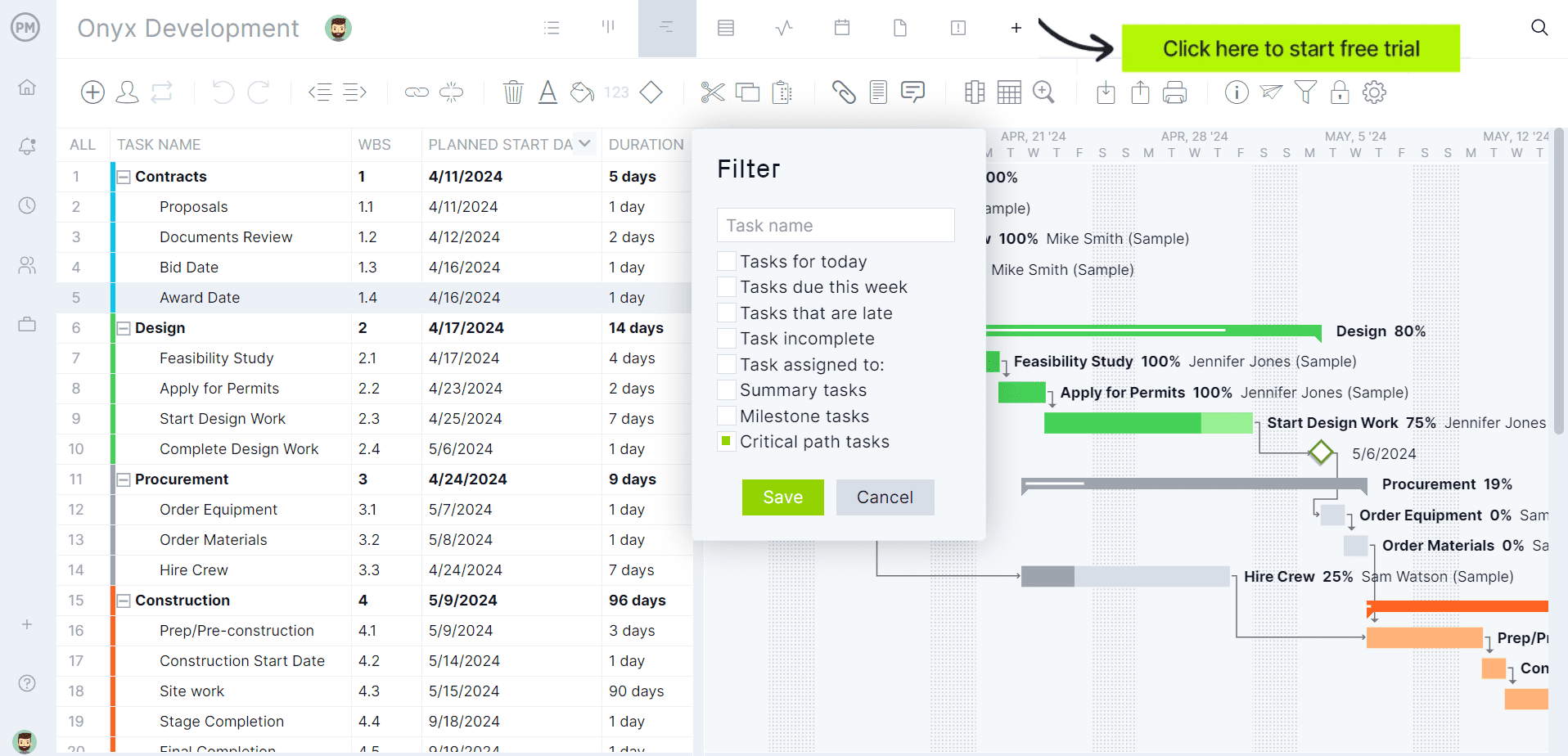
If you’re looking for software to plan, schedule and track construction projects from start to finish, try ProjectManager instead. ProjectManager is award-winning construction project management software that gives construction companies tools to ensure projects are completed on time, within budget and within scope. It allows project managers to create detailed construction schedules, estimate costs, allocate resources, set budgets, track progress and compare estimated versus actual project outcomes using real-time dashboards and reports to quickly identify delays or cost overruns. Get started with ProjectManager for free today.
CoConstruct Plans & Pricing
CoConstruct no longer publicly lists multiple subscription tiers on its website. Following the ongoing Buildertrend integration, prospective customers are generally directed to request pricing or schedule a demo. The company does, however, advertise entry pricing starting at $99 per month on several product pages. Organizations requiring current pricing should contact the vendor directly for a customized quote.
| Pricing Plan | Price | What’s Included |
| Starting Plan | From $99/month | Access to CoConstruct’s construction management platform, including estimating, scheduling, client communication, selections, budgeting and project coordination tools. |
| Custom Pricing | Contact vendor | Pricing and platform configuration tailored to business size, project volume and operational requirements. |
CoConstruct Views
CoConstruct provides several scheduling views that allow builders, remodelers and project managers to monitor project timelines from different perspectives. Each view is designed to highlight specific scheduling information, making it easier to coordinate field work, track progress and identify potential delays.
- Gantt View: Displays project activities on a timeline with task relationships, making it easier to understand sequencing, dependencies and overall schedule progress.
- Calendar View: Shows scheduled tasks in a traditional calendar format, helping teams visualize upcoming work, milestones and important project dates.
- Task View: Presents schedule activities in a task-focused format without graphical timeline elements, allowing users to review details more efficiently.
- Baseline View: Compares the original project schedule against actual performance so teams can identify delays, schedule variance and completion trends.
- Field Update View: Highlights upcoming, active and overdue tasks with visual indicators, helping field personnel focus on priority work items.
- List View: Organizes project tasks in a structured list format that simplifies reviewing, filtering and updating schedule information.
CoConstruct Features
Beyond scheduling, CoConstruct includes tools for estimating, client communication, financial management and project coordination. These features help residential construction companies manage projects from lead generation through project completion and warranty service.
- Construction estimating: Create detailed project estimates with customizable cost catalogs, markup controls and integrated pricing workflows.
- Proposal generation: Automatically produce professional proposals using information pulled directly from estimates, selections and project details.
- Project scheduling: Maintain construction schedules using timeline views, task dependencies, automated updates and mobile access.
- Client portal: Provide homeowners with project visibility, status updates, selections information and centralized communication channels.
- Selections management: Guide clients through product and material decisions while tracking deadlines, pricing and approvals.
- Change order management: Convert project modifications into documented change orders with digital approvals and payment tracking.
- Bid management: Solicit subcontractor bids, compare proposals and streamline subcontractor procurement activities from one location.
- Purchase order management: Create, distribute and monitor purchase orders while tracking approvals, invoices and payment status.
- Budget tracking: Monitor project profitability through real-time budget updates that reflect selections and project changes.
- Accounting integrations: Synchronize financial information with accounting systems to reduce duplicate data entry and improve accuracy.
- Online payments: Accept electronic payments and connect payment activity with invoices and accounting records.
- Subcontractor collaboration: Share schedules, project documents and communications with trade partners through dedicated access tools.
- Lead management: Capture, organize and track sales opportunities from initial inquiry through signed construction contracts.
- Document management: Store project files, specifications and supporting records in a centralized project environment.
- Warranty management: Process warranty requests, schedule corrective work and maintain post-construction service records efficiently.
Pros and Cons of CoConstruct
Pros
CoConstruct stands out by combining project management, estimating, scheduling, financial tracking and client communication within a single residential construction platform. This integrated approach reduces duplicate work, improves visibility across projects and helps builders manage both operational and customer-facing processes.
- Combines estimating, proposals and budgeting tools in one connected workflow.
- Provides a dedicated client portal that improves transparency throughout construction projects.
- Automates schedule updates and notifications when project timelines change.
- Supports digital approvals for selections, change orders and project documentation.
- Integrates financial management activities with accounting systems to reduce duplicate entry.
Cons
Current limitations are mostly related to product positioning rather than functionality. CoConstruct is heavily focused on residential construction workflows, public pricing information is limited and the platform is undergoing a broader brand transition as Buildertrend continues integrating the product experience.
- Designed primarily for custom home builders and remodelers rather than all industries.
- Public pricing details are limited, requiring prospective buyers to contact sales.
- Ongoing Buildertrend brand integration may create uncertainty for long-term product branding.
- Many workflows are optimized specifically for homeowner communication and selections management.
- Organizations outside residential construction may encounter features tailored to builder-client relationships.
ProjectManager Is the Best CoConstruct Alternative for Construction Project Management
Although CoConstruct performs well for construction-specific processes like RFIs, submittals, inspections and drawing management, its construction planning and scheduling functionality is more limited than what dedicated project management software such as ProjectManager.
ProjectManager offers a more comprehensive construction project management solution with advanced Gantt charts, critical path tracking, workload management, resource scheduling, portfolio roadmaps, real-time dashboards, kanban boards, timesheets and automated reports in a single platform.
In addition to traditional construction scheduling capabilities, ProjectManager includes AI-powered project insights, workflow automation and live performance tracking that help teams identify delays, manage risks and improve decision-making. The platform also supports an open API and more than 1,000 integrations with tools like Acumatica, QuickBooks, Microsoft Project, Slack and Google Workspace, allowing construction companies to connect operational and project data across their existing systems.
Watch the video below to learn more!
CoConstruct Videos and Tutorials
If you’d like to see CoConstruct in action before evaluating its features, these videos provide a helpful introduction to the platform. We’ve gathered tutorials and product demonstrations that showcase how builders, remodelers and construction companies use CoConstruct to manage schedules, budgets, client communication, selections, change orders and other day-to-day project workflows.
CoConstruct Product Overview
This overview video introduces CoConstruct’s core functionality and demonstrates how the software helps residential builders and remodelers manage projects from pre-construction through completion. It highlights key tools for scheduling, budgeting, client communication and project coordination, making it a useful starting point for first-time users.
CoConstruct Software Demonstration
This demonstration takes a closer look at CoConstruct’s project management capabilities and shows how construction teams can centralize project information in a single platform. Viewers can see how the software supports estimating, selections management, change orders, financial tracking and collaboration between office staff, field teams and clients.
Learn What People Says About CoConstruct
Understanding how a tool performs in real settings is crucial for builders. This section gathers feedback from user reviews and discussion boards about CoConstruct. It combines software-site commentaries and forum posts to provide a grounded perspective on communication features, workflows, and pain points.
CoConstruct Software Reviews from Real Users
Formal review platforms like G2 and TrustRadius reveal patterns in user satisfaction and frustration. We synthesized comments to identify recurring themes about CoConstruct’s strengths and weaknesses, letting you preview the sentiment before diving into individual testimonials.
CoConstruct Reviews from G2
G2 reviewers applaud CoConstruct for simplifying client communication, coordinating multiple projects and offering helpful budget and schedule tools. Criticisms include steep learning curves, price hikes that feel like lock‑ins, clumsy invoicing and estimating processes, unreliable time tracking, mobile app freezes, poor data portability, overall reliability concerns and overly complex navigation.
CoConstruct Reviews from TrustRadius
TrustRadius reviewers highlight CoConstruct’s strong client communication tools, efficient estimating templates and convenient scheduling with subcontractor messaging. They use it for job cost analysis, budgeting and time recording. Drawbacks include tedious implementation, slow photo uploads, limited scalability for large projects, weak internal collaboration features and often unreliable time clock processing.
CoConstruct Discussion Forums from Real Users
Beyond review sites, community forums share candid stories about switching software. We examined a Reddit thread to understand how professionals compare CoConstruct with alternatives and what they’ve experienced during migration.
CoConstruct Reddit Forum: r/Construction
This Reddit thread discusses builders facing CoConstruct’s acquisition and debating alternatives. Commenters share experiences switching to Buildertrend or Fonn, noting improved functionality for guaranteed maximum price contracts, but acknowledging quirks. Others complain about CoConstruct’s glitchy mobile app, lost time card entries, clunky workflows, and optimistically anticipate more intuitive new platforms.
CoConstruct FAQs
Below are answers to some of the most common questions builders, remodelers and contractors ask when evaluating CoConstruct construction management software.
What Is the Difference Between CoConstruct and Buildertrend?
CoConstruct was originally built for custom home builders and remodeling contractors. Buildertrend is a broader construction management platform used by home builders, remodelers, specialty contractors and commercial contractors. Buildertrend acquired CoConstruct in 2021, and the two products are now being unified under a single Buildertrend brand and experience.
Is CoConstruct Discontinued?
CoConstruct is not discontinued. However, Buildertrend is actively merging the brands and encouraging customers to transition toward a unified platform that combines functionality from both products.
ProjectManager is online construction project management software that empowers teams to plan, manage and track their projects in real time. We connect architects and engineers in the office with your work crew on the job site so they can share files and comments to foster better collaboration. Get started with ProjectManager today for free.
