



Product management is a way to organize the development, positioning and pricing of your product. It helps you manage every step of the process that sees your product go from concept to market.
As you might imagine, having project management software helps plan, manage and track this work, but if you’re not using such tools, there are product management templates that can help you steer the course.
ProjectManager is award-winning project management software, but we understand that not everyone is ready to upgrade right away. For those of you managing product development projects, here are some of the product management templates we offer for free download on our site.
1. Product Requirements Document Template
For your product to achieve its objectives and meet the quality expectations of your end-users, many requirements must be met. A product requirements document (PRD) lists the features you’ll include in your product release. Our free product requirements document template for Word should be part of any product development to communicate to the product team what’s required when building the product.
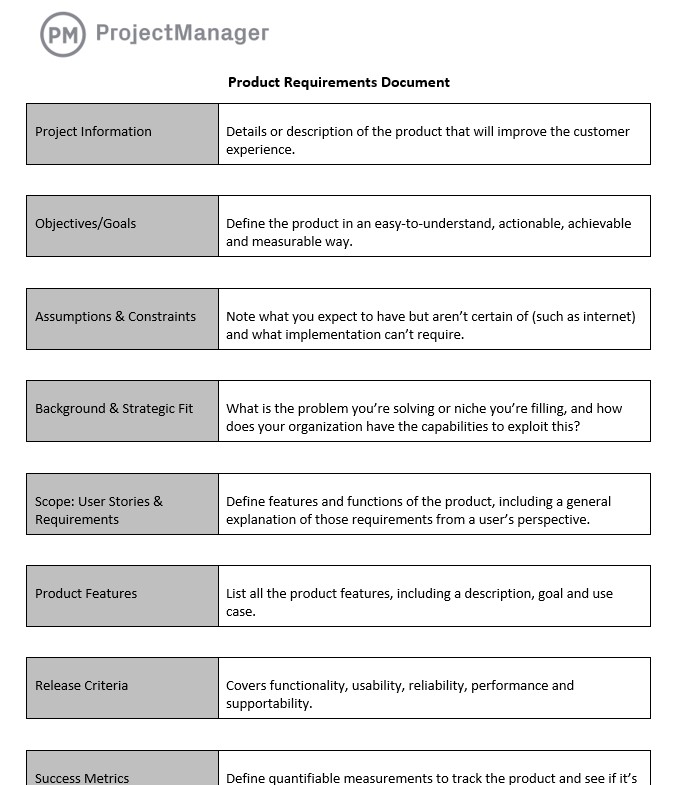
You’ll find everything you need for your product to reach a successful conclusion and it’ll guide the development team throughout the release process. Some of the fields in our customizable template include the objects and goals, which help define what you’re building, assumptions and constraints, the problem or niche you’re targeting and how your organization is a good strategic fit for the project. There’s also room for user stories and, of course, requirements, features, release criteria, success metrics and more.
2. Product Roadmap Template
A product roadmap is an essential tool in product management. It shares the product plan with the team by showing all phases on one page. This includes the vision of the project, its direction, priorities and even the progress over time. All of this can be mapped out on our free product roadmap template for Excel. It helps with strategic decision-making and communicating the product development to the entire team.
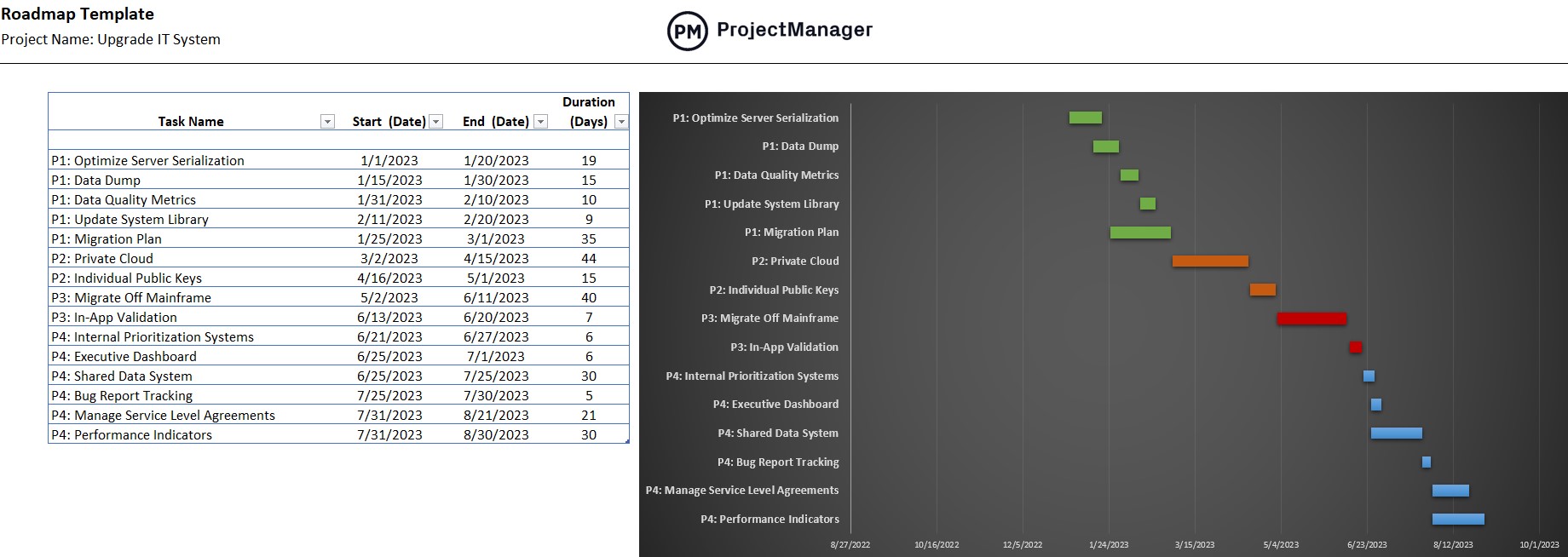
Using the product management template is easy. It’s divided into two parts. On the left side is a simple spreadsheet where you can list all the tasks in your product development. You can add the states when those tasks will start and end as well as their duration. The right side is the visual timeline of your product roadmap. Once you’ve added to the spreadsheet, the roadmap timeline automatically populates so you can see the entire project in one place with color-coded phases to make it easier to read.
3. Agile Sprint Plan Template
The roadmap is an overview, but it’s not a tool that’ll be used by your development team. They need different tools to plan and execute the various sprints that will take the project from start to finish. Agile and cross-functional teams prefer the visual workflow of kanban boards and they can use our free agile sprint plan template to get their work done collaboratively.
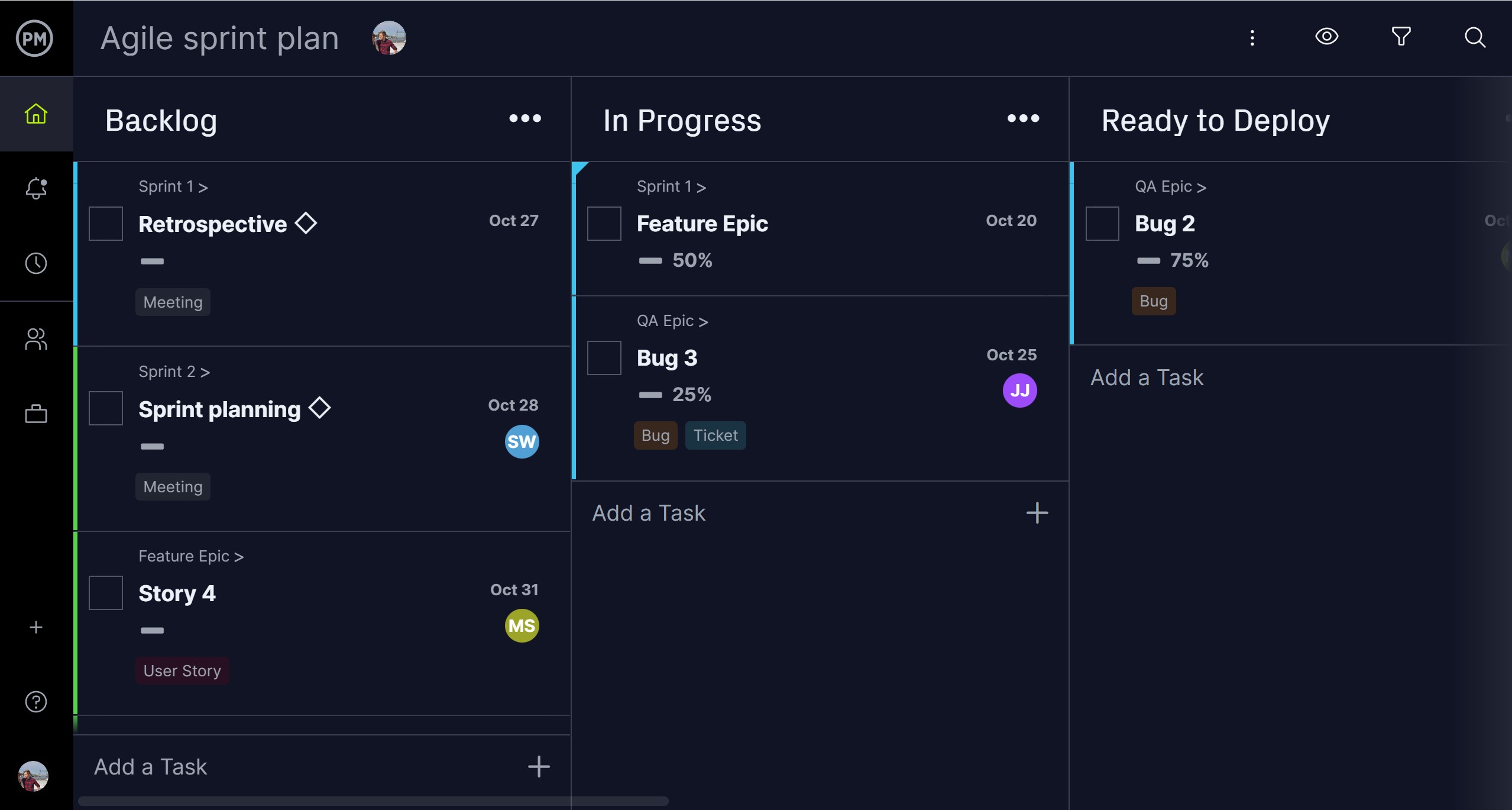
Many of our product management templates can be downloaded as Excel or Word files or opened in our software for a more dynamic experience. The free agile sprint plan template opens in ProjectManager and collects the backlog from the product owner. The development team plans their sprints together with the product owner, who can update items on the product backlog when necessary.
Best of all, you can use the kanban board for agile teams, but others can switch to one of our multiple project views. Developers can use task lists and more traditional departments can track progress on Gantt charts. All views update at the same time with real-time data. Get started with ProjectManager today for free.
4. Product Backlog Template
A product backlog is a prioritized list of everything that needs to be done to build or maintain a product — features, improvements, bug‑fixes, and other work items. This product backlog template for Excel acts as a “to‑do list” for the project team and helps ensure work is aligned with business value and user needs. By keeping all tasks in one backlog ordered by priority, teams stay focused on what matters most, avoid losing track of ideas or requests, and adapt quickly as requirements change.
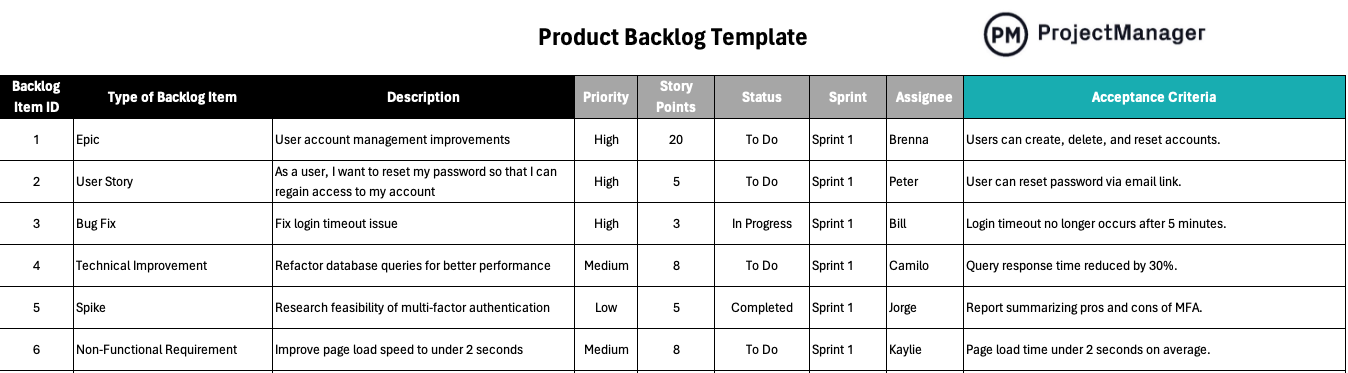
Using the template, you can log each backlog item with details such as description, type (feature, bug, improvement, etc.), priority, status, estimated effort and assignee. It organizes everything in a single, structured sheet, making it easier to review, update and reorder items as priorities shift. This clarity ensures your team always knows what’s next, helps avoid overlooked tasks and supports efficient planning, whether you use agile methods (like sprints) or a more flexible workflow.
5. Marketing Plan Template
Getting your product developed is part of a larger initiative of getting it to the market and in front of your target audience. This involves marketing and promotion. That’s a project for its own sake and one that involves cross-functional teams to succeed. That’s why you need to use our free marketing plan template for Word to properly go through all the phases, activities and scheduling necessary for your campaign.
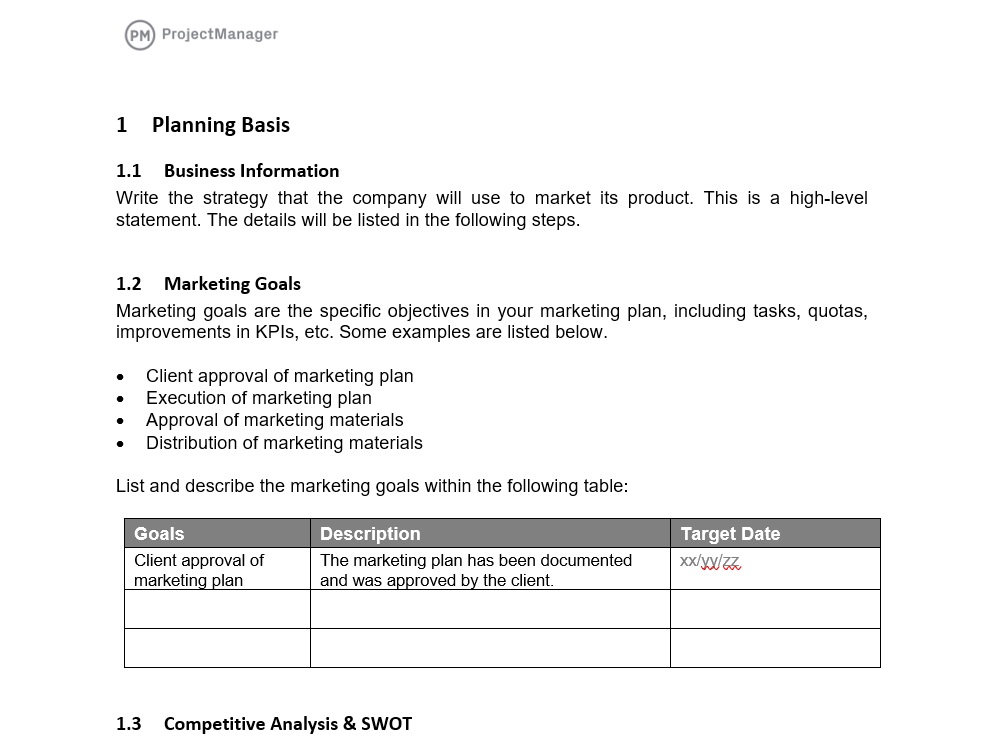
Of the product management templates, this one is designed to help you plan for the marketing and advertising goals you have over a specific period. To do that, there’s a place to schedule tasks on a timeline with start and finish dates. You can also define the key performance indicators (KPIs) that’ll allow you to track the campaign and make sure you’re hitting the marks from your performance baseline. There’s even a place to profile the target market and audience.
6. Marketing Budget Template
It’s no surprise that all of these phases of product development cost money. Product owners have to forecast those costs to build an accurate budget that can cover all expenses required to build, test and bring to market your product and deliver a return on your investment. For a thorough estimate of how much it’ll cost to promote your product use our free marketing budget template for Excel.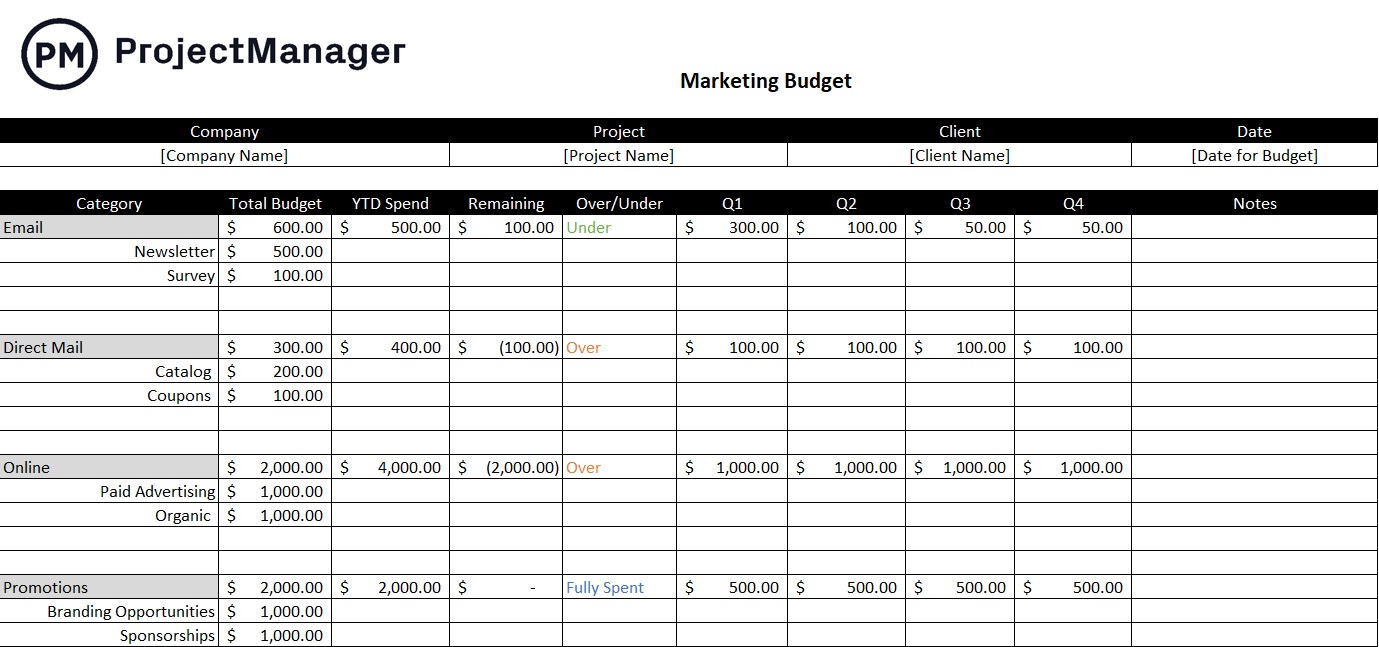
The marketing plan template is broken up into categories and subsets for smaller tasks. There’s a column to capture the budget for the entire marketing budget but also each subtask and category. You can chart the year-to-date spending to track how much you’re spending each quarter. There’s also a column that shows what you have left in your budget. There’s room to map your marketing budget across the four quarters of the year to further ensure you’re keeping to your budget.
7. Customer Journey Map Template
A customer journey map turns user insights into actionable product decisions, helping product managers create products that better satisfy users and meet business goals. Use this customer journey map template for a structured layout to capture personas, stages, touchpoints, actions, feelings and pain points in one place.
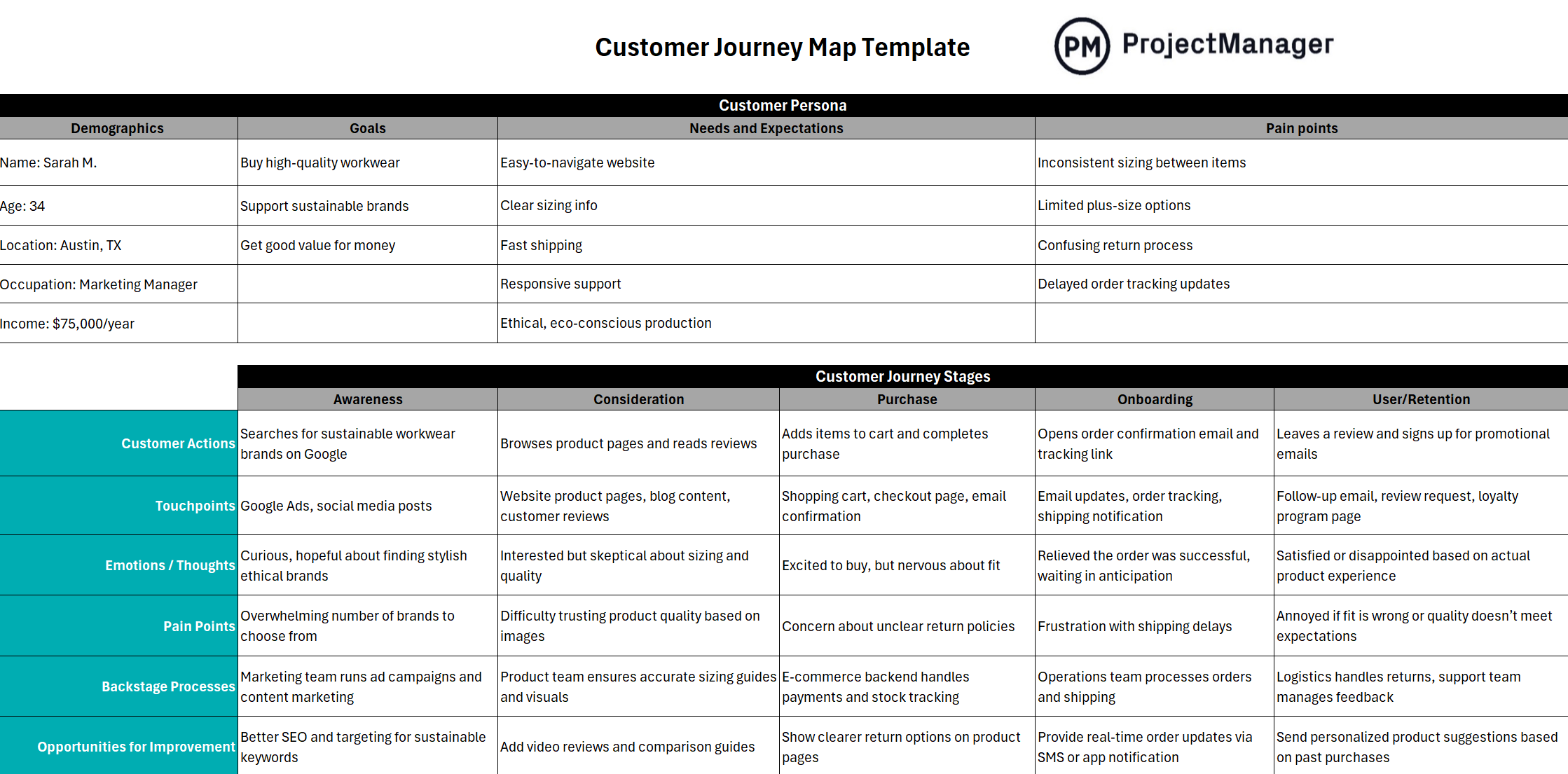
It helps align teams across product, marketing, UX and support by providing a shared format. The template highlights friction points and opportunities, supports data-driven prioritization of improvements and is flexible and shareable, making it easy to update, customize and export for stakeholders.
8. Competitive Analysis Template
Competitive analysis gives you a clearer picture of your market: what similar products exist, how they’re positioned, what features they offer (or lack), their pricing and strengths/weaknesses. Use this competitive analysis template for Excel to help product managers make smarter, data-driven decisions. It provides a clear view of competitors’ features, pricing, strengths and weaknesses, revealing market gaps and opportunities for differentiation.
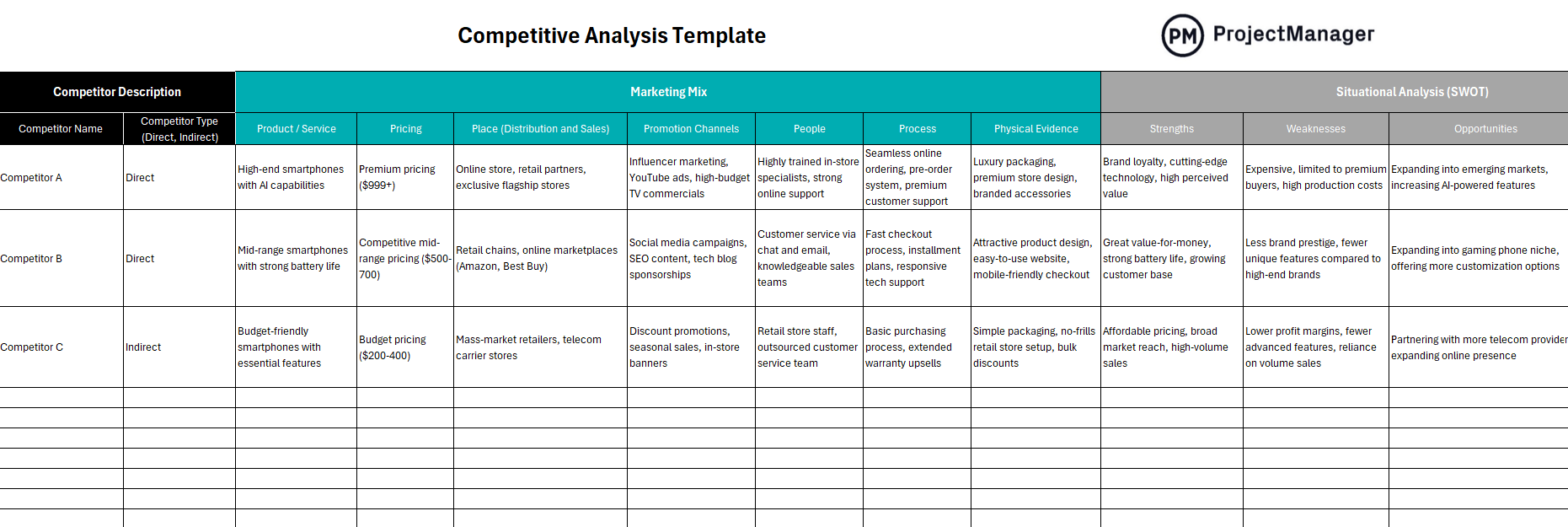
That context helps you make smarter decisions about what you build, how you price it and who you target. It reduces risk by highlighting potential threats, supports feature prioritization and roadmap planning, ensures consistent, organized data and makes insights easier to share with stakeholders, ultimately helping teams build more competitive and user-focused products.
9. Product Launch Template
Developing and making the product only gets you to the starting line. If you can’t deliver the product to your target audience, then it’s dead on arrival. Of course, that’s easier said than done. You need to have a well-thought-out product launch, which involves a lot of organization to deliver on the potential of your product. Our free product launch template is designed to connect your product to the market it’s serving.
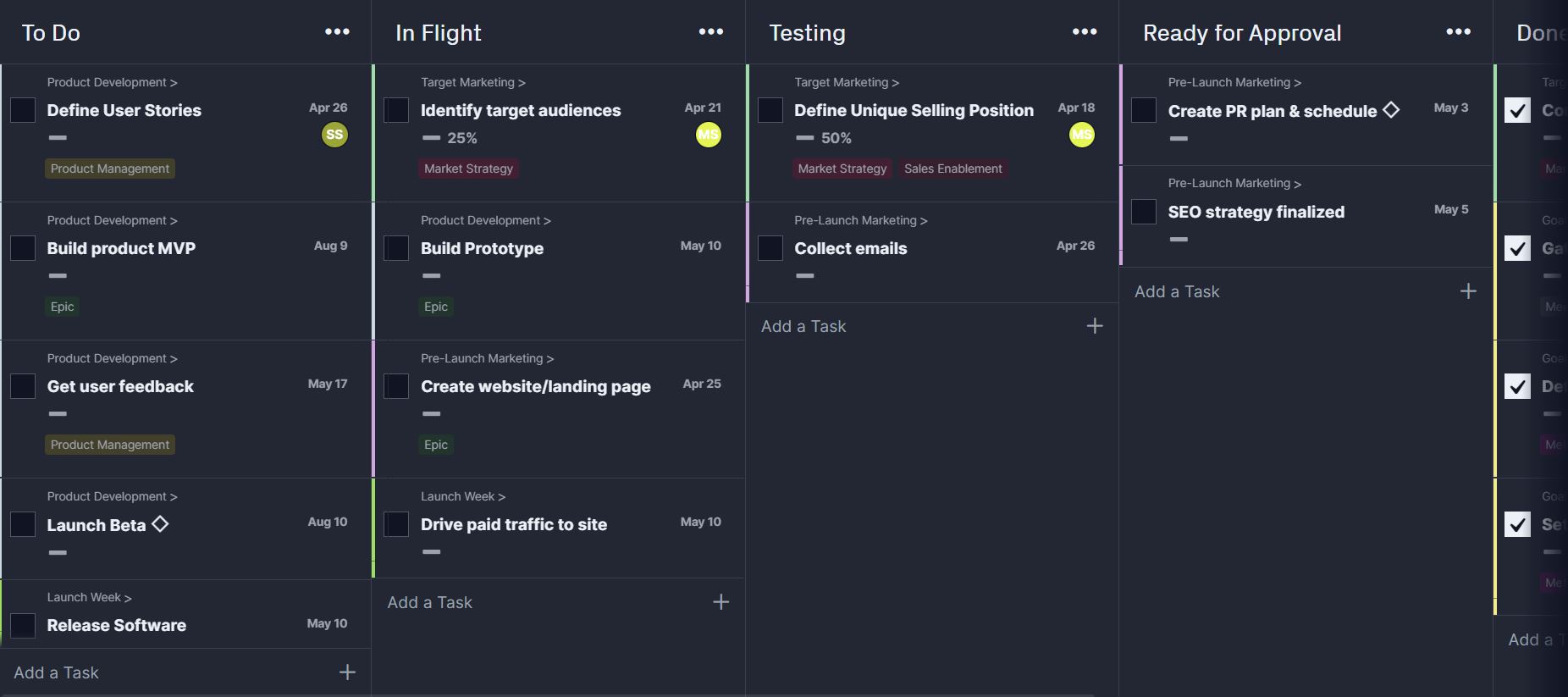
Open the product launch template in ProjectManager and you have everything you need to deliver your product to market. First, track workflows on our aforementioned kanban boards. Customize columns to represent your workflow and use task cards to track whatever you need, from user stories, prototypes, user feedback and more. Then switch to the Gantt chart to view the product launch timeline. Again, whatever project view you use, the data is the same and it’s always up to date.
10. Go-to-Market Strategy Plan Template
A go-to-market (GTM) strategy plan template helps your product reach the right audience with clarity and purpose; it defines who the ideal customers are (“who”), what value you offer, how you’ll communicate that value and through which channels you’ll deliver it. Use this go-to-market plan template to plan every step, from defining customer personas and value propositions to mapping channels, budgets and launch activities.
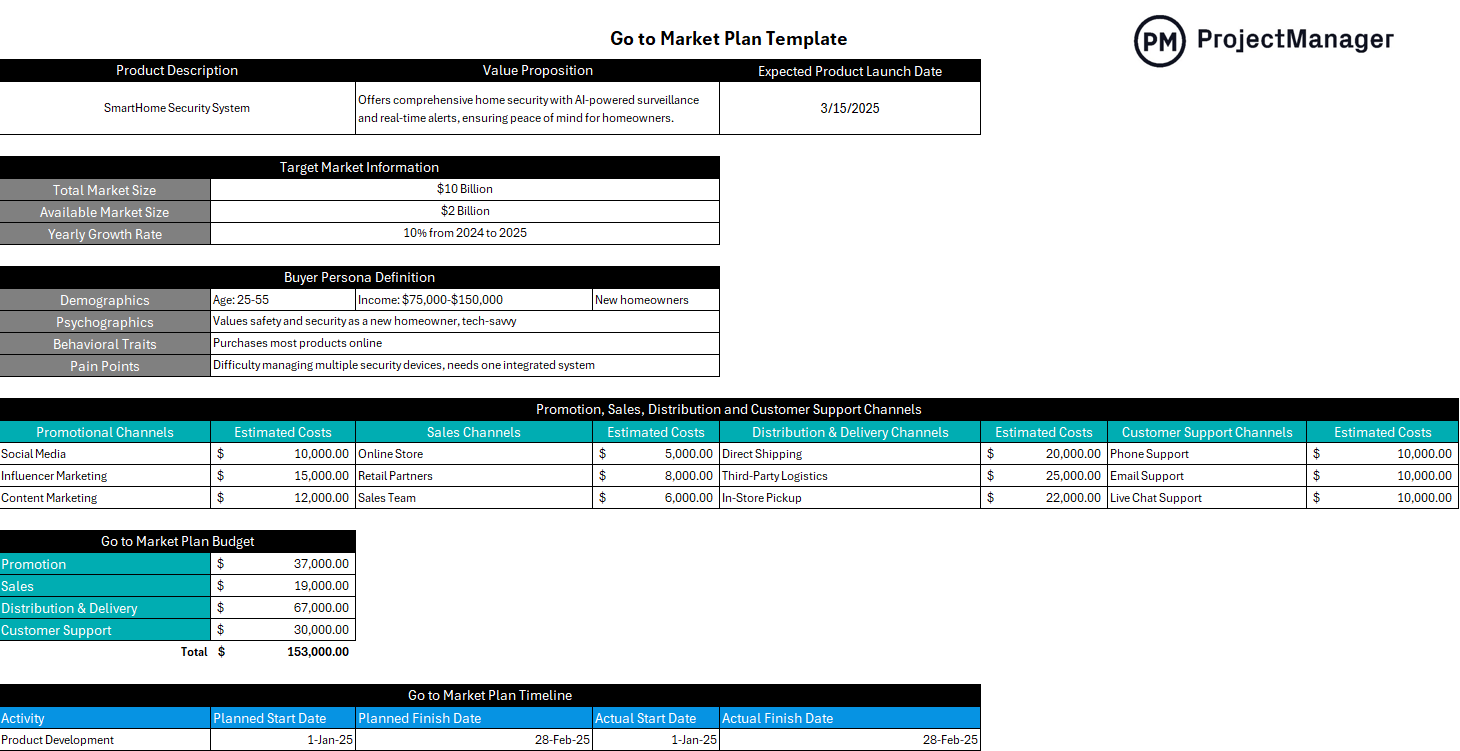
Because everything is laid out in a shared, centralized document, it ensures cross‑team alignment, from marketing and sales to product and customer success, which helps the entire launch run more smoothly.
11. Statement of Work Template
There are product management templates that you need before you even start the project. One of those is a statement of work (SOW). It shows the steps of the process you’ll be using, including activities and deliverables, to capture the essential project data. You don’t want to neglect anything critical and have it come to haunt you when in production. That’s why we have a free statement of work template for Word to help you manage the process.
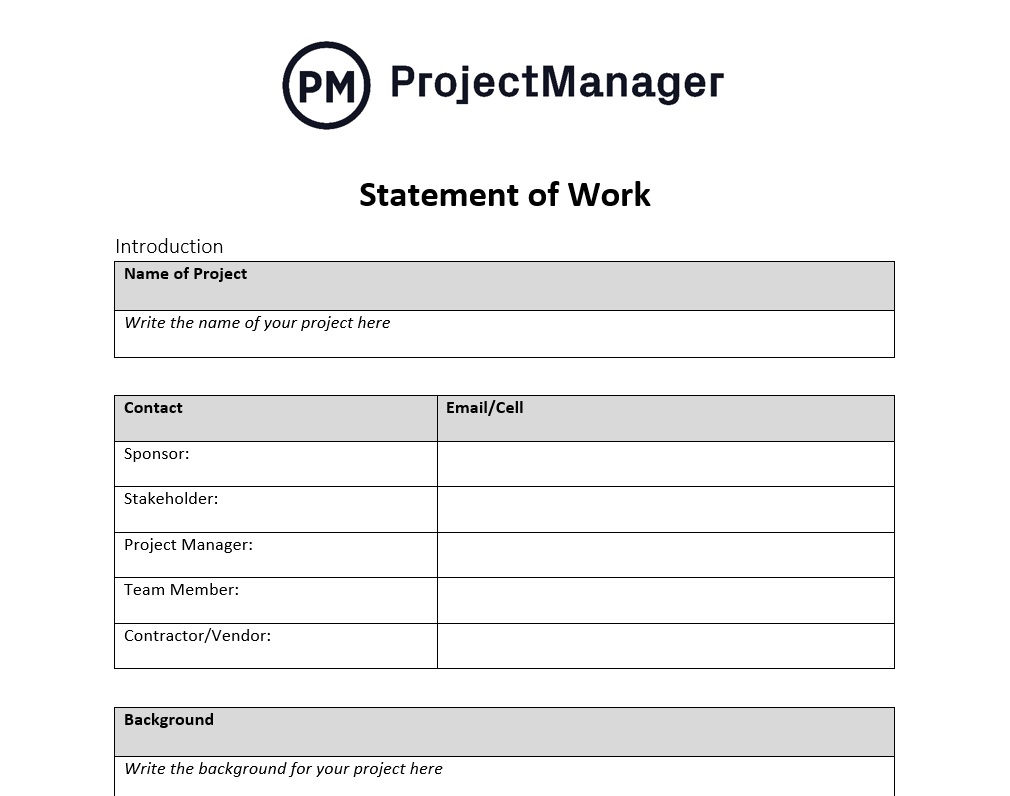
The SOW template doesn’t just detail the project but communicates that information to the product and development team or any other relevant parties. Our free template includes everything you’ll need, from background to the purpose of the project, the scope of work, schedule, deliverables, milestones and more. Plus, it’s customizable. Anything that you don’t need can be deleted and anything not included, you can easily add to ensure it’s as thorough as possible.
12. Media Plan Template
Download this free media plan template for Excel for a structured framework to plan, execute and track marketing campaigns across channels. It helps marketers identify target audiences, select the most effective media outlets, allocate budgets and schedule content or ads efficiently.
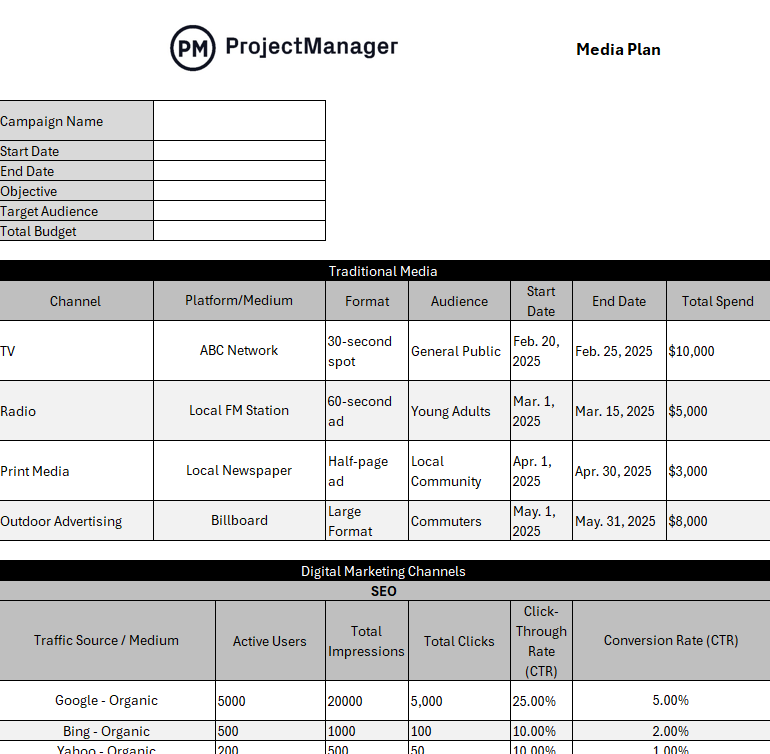
By consolidating all media activities in one place, the template improves coordination, ensures campaigns align with product goals, and allows teams to measure performance against KPIs. This leads to more strategic, cost-effective and impactful marketing efforts.
13. Work Order Template
Not all products are built in-house. There’s often the need to outsource some part of the product to contractors. In order to make sure that work is done to your specifications, you need a contract between all parties involved. Our free work order template for Excel organizes the tasks you require in order to keep you on schedule and deliver the product as you want and when you want it.
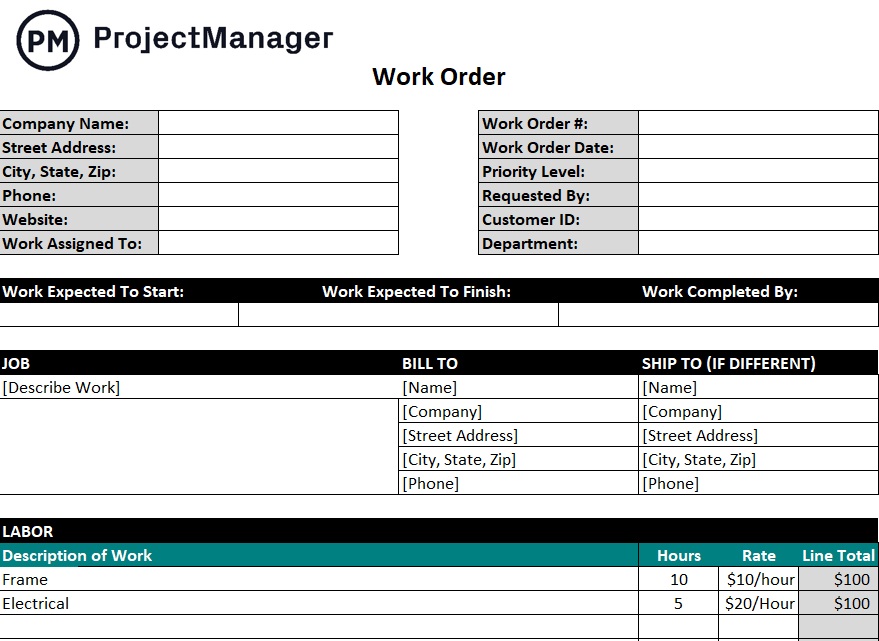
When you download our free work order template, you’ll see that it has fields for your company information and dates to define the work that’s being contracted. There’s also a place to describe that work so it’s clear and there are no misunderstandings as to what’s expected of the contractor. Finally, after everyone reviews the work order, there’s a place to date and sign it to create a legally binding document.
14. Purchase Order Template
If you need to source products or services from outside vendors, you’ll want to use our free purchase order template for Excel. This acts as a contract between a buyer and a seller and is an essential document to keep the product development moving forward without incident. You need to have an agreement and the purchase order is that legal document that covers both the product owner and whichever vendor they’re working with.
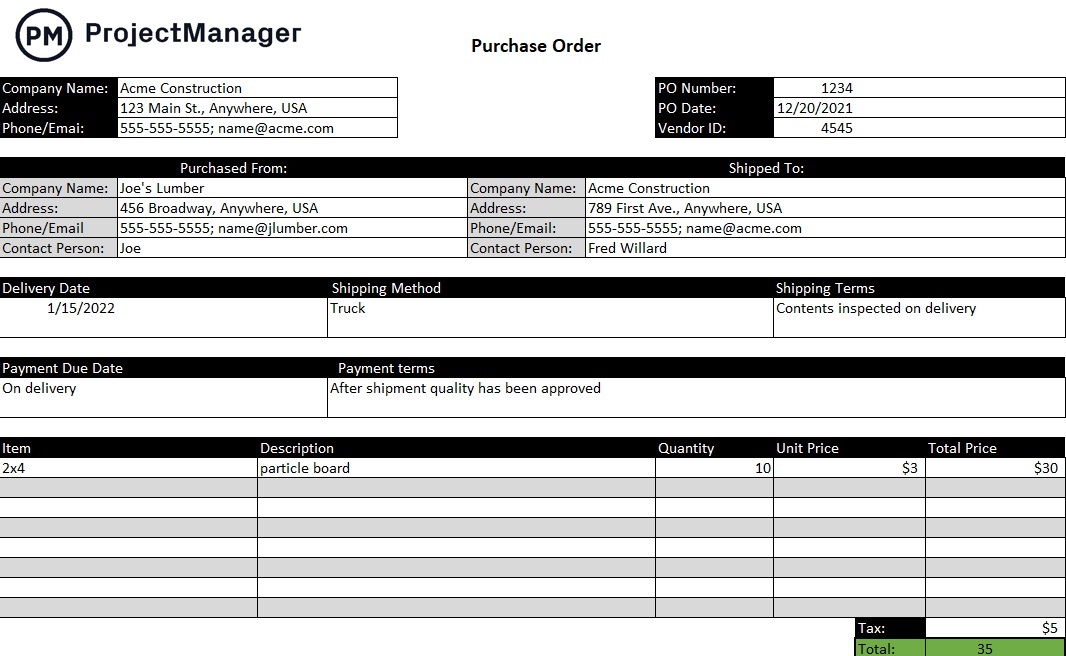
You’ll find everything you need to make the transaction smooth between you and the seller. There’s vendor management information, including contact information, shipping details and inventory that includes what items are being purchased and a place to sign and date the document to make it legally binding. You don’t want to leave loose ends that might make the item unavailable when you need it.
15. Cost-Benefit Analysis Template
We’ve saved one of the most important product management templates for last. Use our free cost-benefit analysis template for Excel to see if the product is worth the time and effort you’ll have to put into it. This template will help you determine if the money you invest in the project is going to have a return on that investment, whether in terms of making money or providing some valuable benefit that makes it something you’ll want to pursue.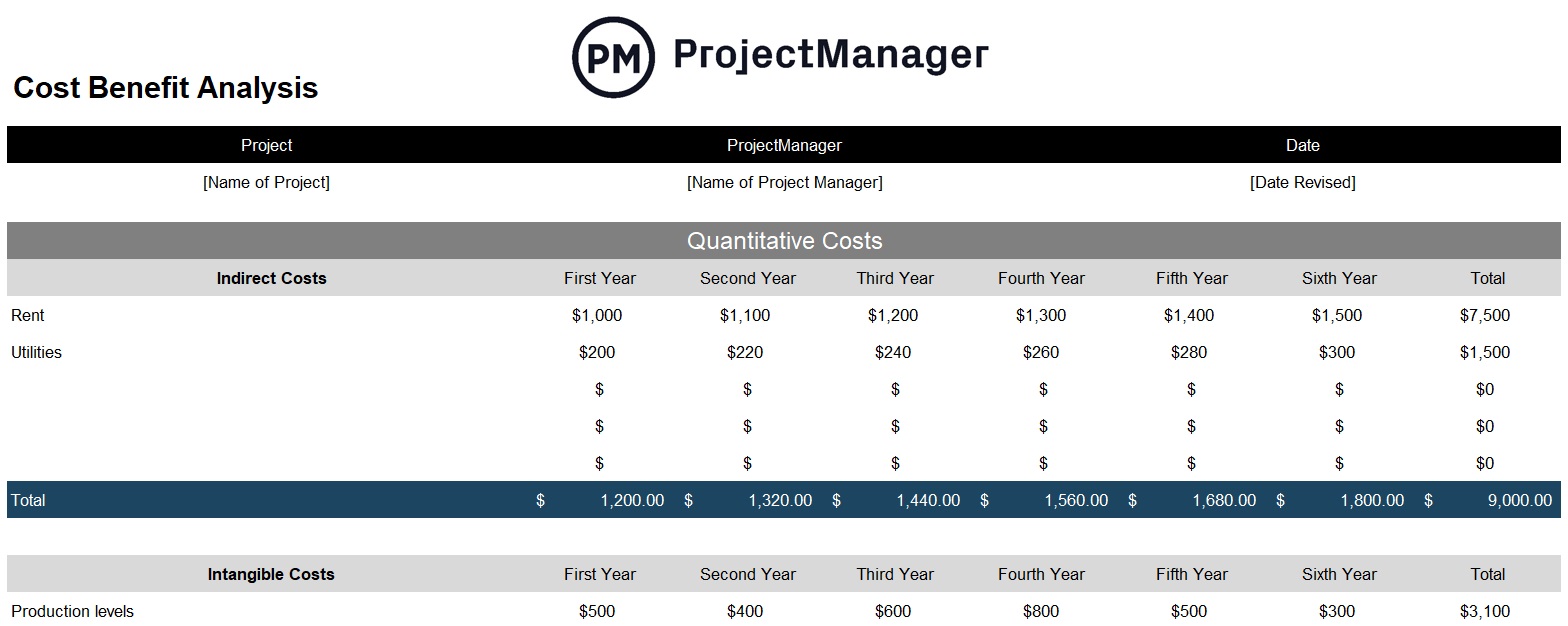
How does a cost-benefit analysis work? It’s not that hard, though collecting all the information takes time. Basically, you’re adding up the quantitative costs, whether direct, intangible and opportunity and the quantitative benefits, such as direct, indirect, intangible and competitive. Then you compare the two and see if the costs are worth the benefits.
16. Product Development Template
Use this free product development template to help turn an idea into a viable product in the marketplace. Organize tasks and build a roadmap to turn a concept into a reality. This project management template opens in ProjectManager, which gives users real-time data, a collaborative platform and access to resource, risk and task management tools as well as dashboards and reports.
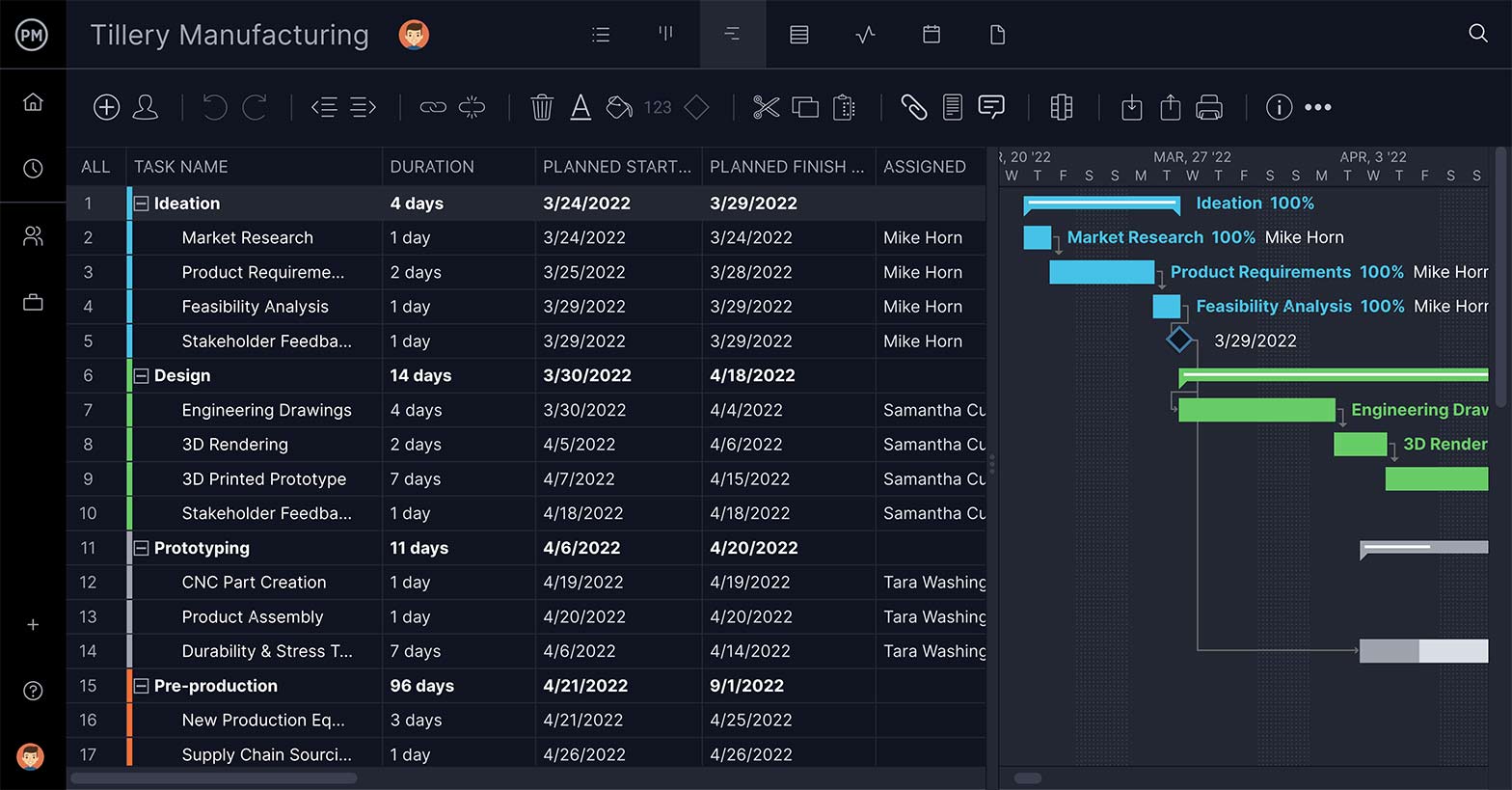
Some of the benefits of using the free product management template are that users get customized views, built-in columns, subtasks, real-time data and the ability to attach documents, images, schematics and more. There are also multiple views to execute the product management template on kanban boards, Gantt charts and more. See the whole product development on a roadmap and keep the team’s workload balanced so they stay productive.
17. Kanban Board Template
This kanban board template for Excel helps visualize the workflow. The kanban board is a popular tool with DevOps, software developers and more. The process stages are represented by columns and tasks are set on cards that move through production, column by column.
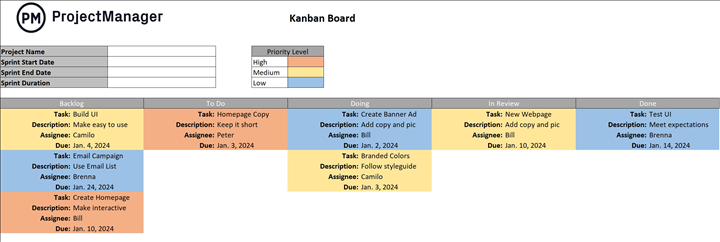
This product management template is customizable and can easily be made to reflect any production schedule. The cards are also customizable. They are outlined with space to define the task title, describe what the task is, who it’s assigned to and the due date.
18. Inventory Template
This free inventory template for Excel is used to document the level of inventory one has in stock and monitor the inventory turnover to ensure that there is always enough inventory to keep production moving uninterrupted. This free product management template lists all the inventory businesses use in their operations.
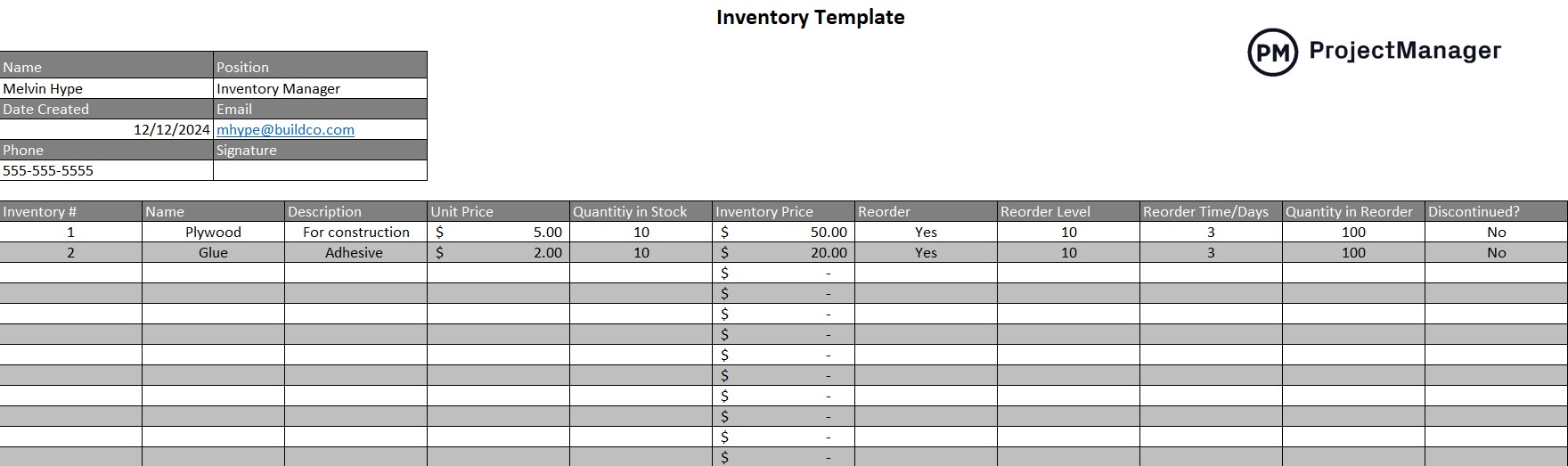
Manufacturers use this free product management template to make sure they have adequate stock to keep work moving smoothly by tracking turnover and knowing how much to reorder and when to do so to avoid any gaps in production.
19. SWOT Analysis Template
SWOT analysis is a method of evaluating strengths, weaknesses, opportunities and threats in an organization, both internal and external. This knowledge will inform the work one is planning to do and help to invest in the right projects that will deliver a return on investment or some such benefit to the company.
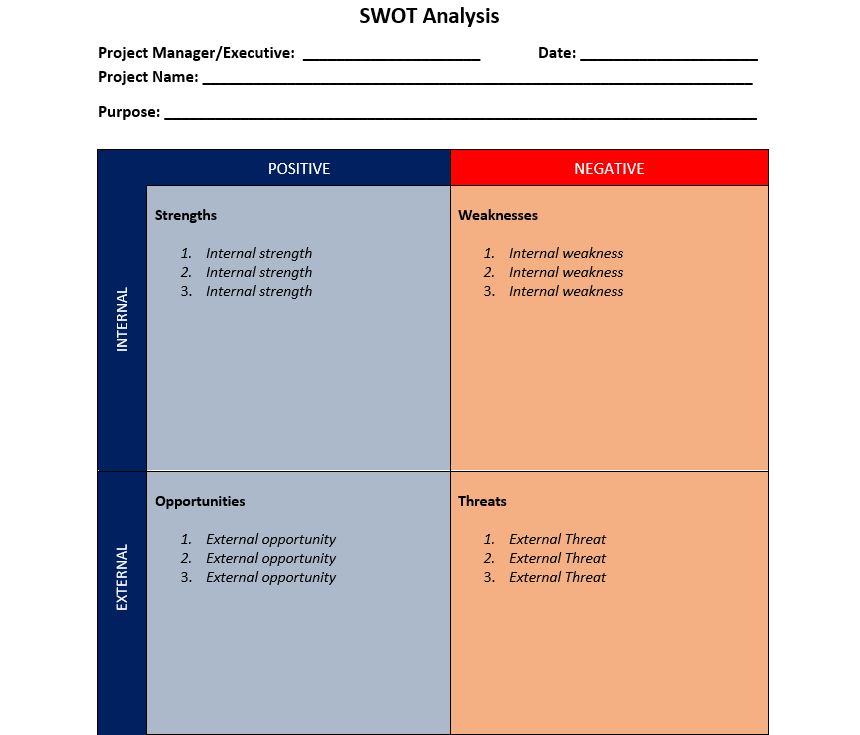
The SWOT analysis product management template is divided into four parts, one for strength, one for weakness, one for opportunity and one for threats. These are then defined as either internal or external, positive or negative. Once the four quadrants are filled, product managers have the information they need to make a strategic plan.
20. Capacity Planning Template
Capacity planning allows product managers to know how much production capacity is needed to meet the demand for their products. This is especially crucial as demand is constantly changing and this free capacity planning template for Excel allows product managers to better manage resources, time, teams and work.
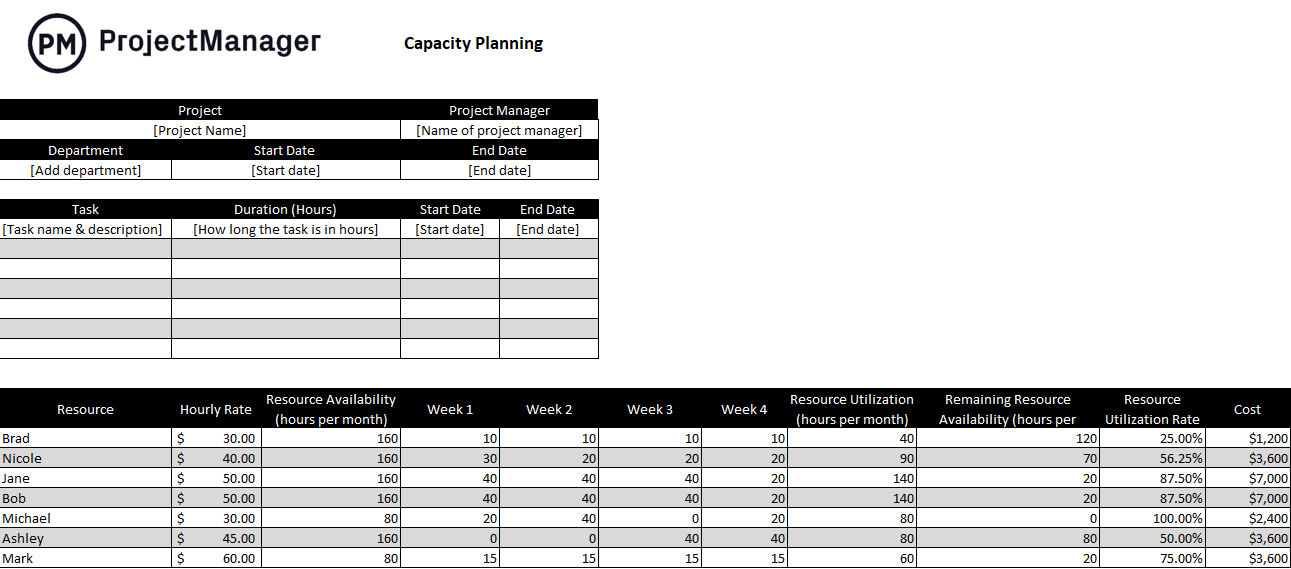
This free product management template lists tasks and their duration, including start and end dates. It also lists the associated resources for those tasks and the hourly rate for the resources and maps this on a project timeline. Using this product management template helps with resource availability and the resource utilization rate.
How ProjectManager Helps With Product Management
These free product management templates are useful, but as we noted earlier, they all fall shy of what project management software can do. ProjectManager isn’t a static spreadsheet or Word document. It’s online software that updates in real time. You don’t have to constantly be manually adding data. Plus, it’s collaborative even for cross-functional product and development teams. Everyone is always working with real-time data, whether they’re in the next office or another time zone.
Create Robust Roadmaps on Gantt Charts
You need to see the whole product development in one place to better understand how to best allocate your resources. Our roadmap shows you every stage of the product management process on a visual timeline. See all the product tasks and milestones and even link all four types of task dependencies to avoid costly delays. You can toggle to the kanban view so teams can manage their sprints or the calendar view to plan your product launch.

Track Your Progress With Real-Time Dashboards
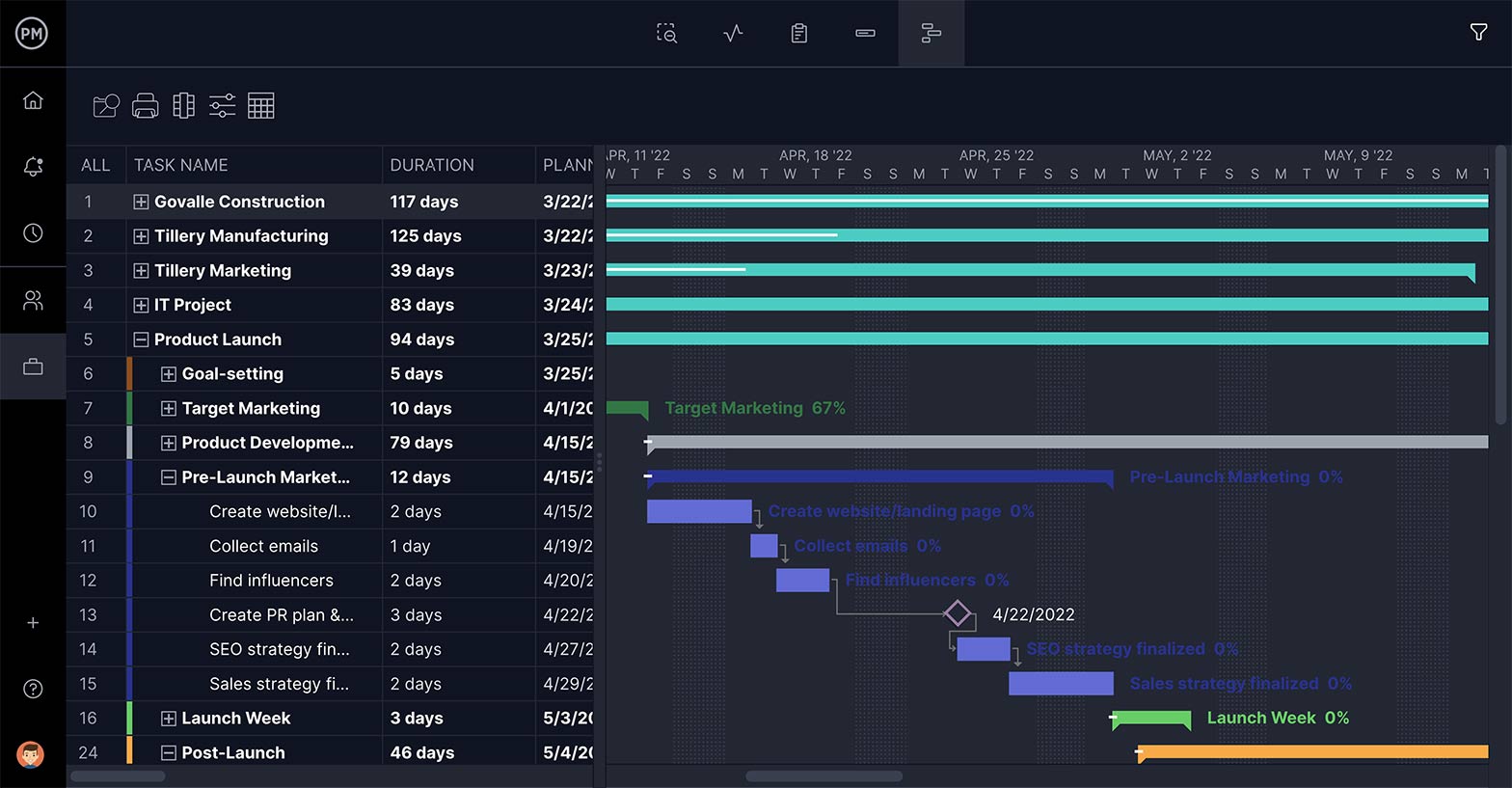
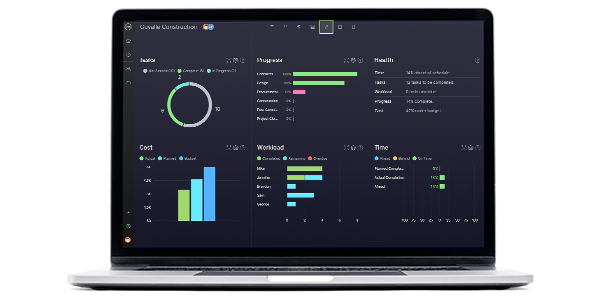
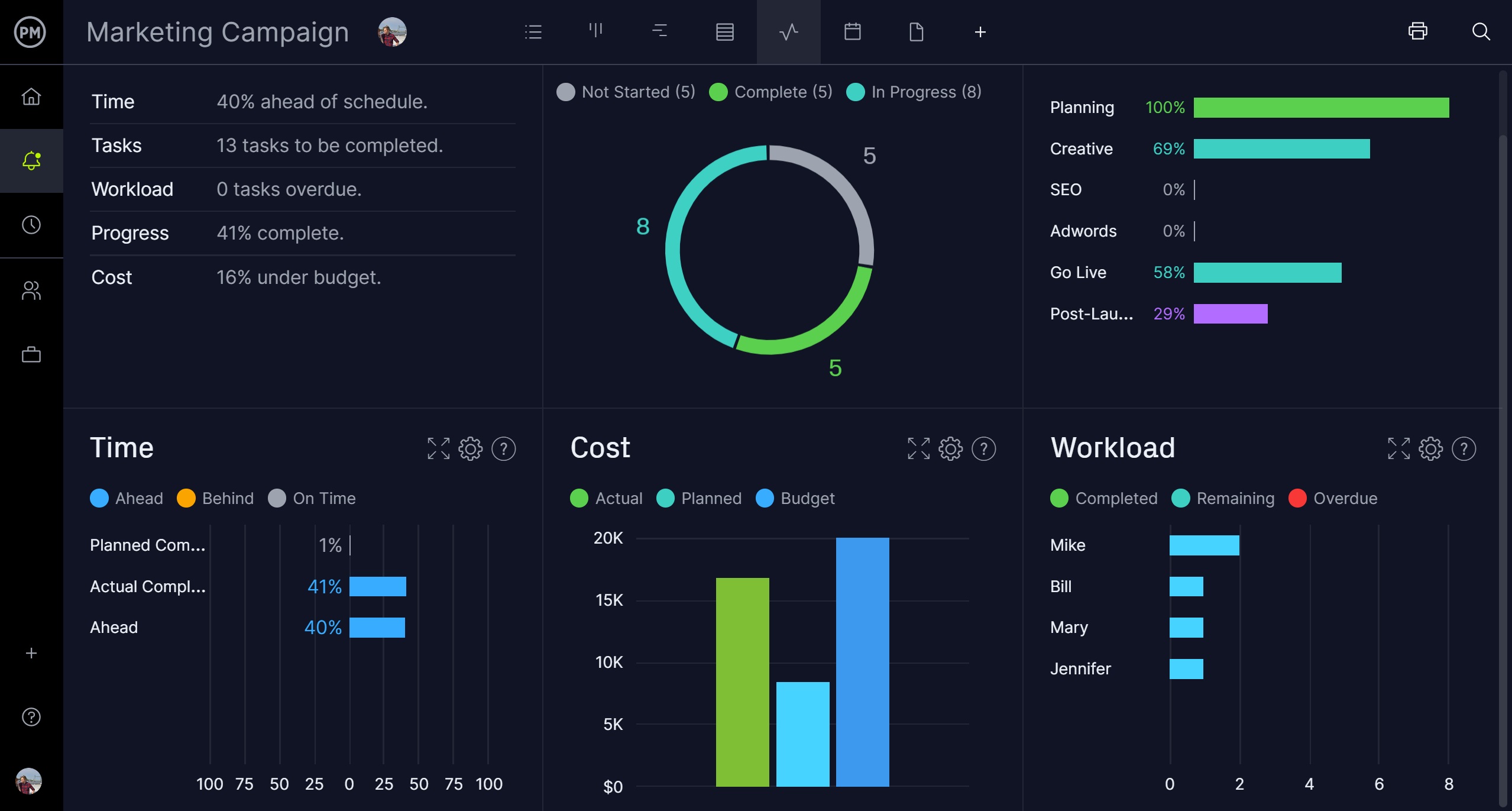
When you set a baseline on the Gantt chart, you capture the product plan and are then able to compare it to your actual progress to make sure you’re staying on schedule. Get a high-level view of your time, tasks, workload and more with our live dashboards. There’s no time-consuming configuration as with lightweight alternatives. Our dashboard is ready when you are.
When you want to get more detail than a dashboard provides, use our project reports which can generate status reports, reports on variance, timesheets and much more, all with a keystroke. Each report can be filtered to show only the data you want to see and then easily shared with stakeholders to keep them updated.
Related Product Management Content
We’ve only scratched the surface on the subject of product management. There’s so much more that can be explored on our site. We published weekly blogs, videos, guides and free templates on everything product and project management-related. Here is some free content on product management if you want to go deeper.
- How to Create a Product Roadmap: Example & Template Included
- Product Management Software
- How to Plan a Successful Product Launch
- Product Backlog and Sprint Backlogs
- How to Make a Product Vision
- Product Manager Job Description
- 8 Plantillas para desarrollo de producto (gratis)
ProjectManager is award-winning software that empowers teams to better plan, manage and track their product development in real time. Use our task management, risk management and resource management features to help stay on track and keep to your budget. Get started with ProjectManager today for free.
