



Last updated: November 11, 2026
The top monday.com alternatives for construction are ProjectManager, Procore, Smartsheet, Microsoft Project, TeamGantt, Contractor Foreman and Fieldwire. ProjectManager is the strongest fit for general contractors and subcontractors who use monday to track projects and need a schedule built for construction, with all four dependency types, the critical path, baselines and crew workload across jobs without an enterprise plan; Procore suits teams whose main need is RFIs, submittals and drawings, Smartsheet suits teams that want a spreadsheet-style timeline, Microsoft Project suits teams that want detailed CPM schedules in a desktop app, TeamGantt suits builders who want lookaheads at a flat price, Contractor Foreman suits budget-conscious contractors who want an all-in-one tool and Fieldwire suits field teams who work from drawings.
monday.com is a popular choice for teams that want flexible boards, easy automations and a clean interface. Construction teams often start there to track projects, then find that the timeline they need, with linked trades, inspection holds and crews moving between jobs, depends on which monday plan they’re on and doesn’t come with them to the job site.
This guide covers how construction teams use monday, why they look for alternatives and how seven tools compare on the Gantt chart, critical path, baselines, crew workload, field access and price. For alternatives outside construction, see the best monday.com alternatives.
ProjectManager is online project management software for construction scheduling. Import your monday board from Excel, link tasks with all four dependency types and lag, filter for the critical path and see every crew’s hours across all your jobs. Get started with ProjectManager today for free.

How Construction Teams Use monday.com
Construction teams use monday.com to track projects on boards, assign tasks, automate status updates and share progress with clients. Its boards are flexible and easy to learn, automations cut down on repetitive updates, and its 200+ templates help teams get started. Unlimited free viewers can see account data on paid plans, and from the Standard plan, external guests such as owners or subcontractors can be invited to specific boards.
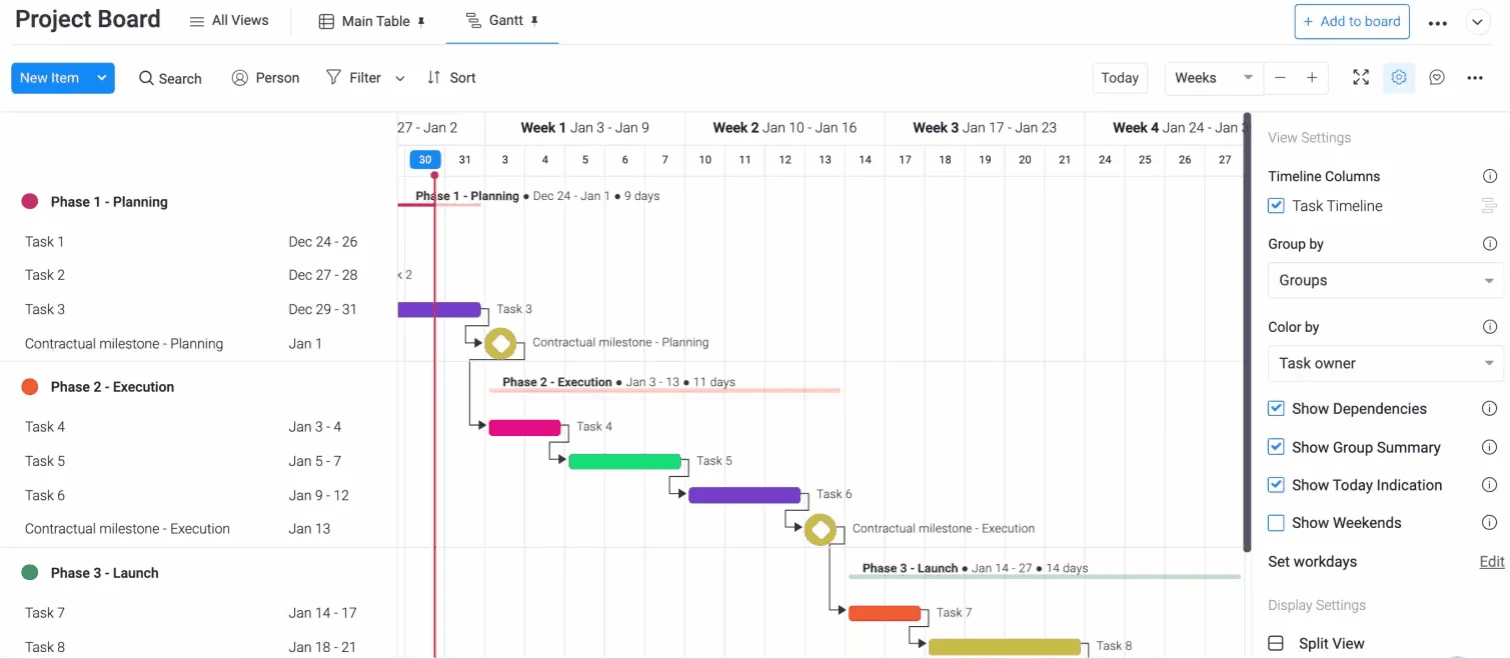
monday also has real scheduling features, though most depend on the plan. The Gantt and timeline views start on Standard. The dependency column, with all four dependency types and lead and lag, the critical path, baselines, milestones, the Workload view and time tracking start on Pro. Resource management across projects and dependencies between projects need Enterprise.
Why Construction Teams Look for monday.com Alternatives
Construction teams look for monday.com alternatives when the schedule becomes the center of the job, when crews move between sites or when the field needs the timeline on a phone. These are the main reasons:
- Scheduling depth depends on the plan. Dependencies, the critical path and baselines need the Pro plan, and monday labels its critical path a trial feature. monday also notes that dependency types and lead and lag are still being rolled out to accounts. When framing slips three days, drywall, electrical rough-in and the inspection only move with it if those links are in place.
- Crews across jobs need Enterprise. The Workload view starts on Pro, but resource management across projects and dependencies between projects need the Enterprise plan. That cross-job view is what catches a framing crew booked on two jobs on the same day.
- The Gantt chart stays on the desktop. monday’s mobile app has timeline, table, calendar and kanban views, but the Gantt chart and Workload views are only available in a browser. A superintendent can’t check the Gantt chart from a phone on site.
- No Microsoft Project import. monday imports Excel, Google Sheets and Asana, but it doesn’t import MPP files, so schedules from owners or other contractors have to be rebuilt.
- Seat minimums. Paid plans require at least 3 seats, so a small sub or a single scheduler pays for seats they may not need.
If your team mainly needs flexible boards and automations, monday may still be enough. If you need construction scheduling, crew planning or field access that works out of the box, the alternatives below are worth comparing.
What to Look for in a monday.com Alternative for Construction
A good monday.com alternative for construction gives you a Gantt chart and timeline that handle real construction logic, shows crews across every job and gets the schedule to the field. Check for these features:
- A Gantt chart that handles construction dependencies and lag. Finish-to-start, start-to-start, finish-to-finish and start-to-finish links, plus lag for an inspection hold, concrete cure time or a material lead time. See Gantt chart software for more.
- Critical path. The tool should calculate the critical path from durations and dependencies, so you can see which delays push the finish date. Learn more about the critical path method in construction.
- Baselines. Save the original timeline and compare it with actual progress, both to run the job and to document delays.
- Crew and subcontractor workload across jobs. See each crew’s and sub’s hours across every project, not one board at a time.
- Mobile field updates. Superintendents and foremen should be able to view the schedule and update progress from a phone or tablet.
- Sharing with subs. Check how subcontractors and owners can see their dates, and whether they need a paid seat.
- MPP and Excel import. monday exports boards to Excel, so check how the new tool imports Excel, and whether it also opens Microsoft Project files from owners and other contractors.
- Pricing without seat minimums. Compare per-user, flat and volume-based pricing, and count everyone who needs access.
monday.com Alternatives for Construction Compared
| Tool | Best for | Gantt and dependencies | Critical path | Baselines | Cross-job workload | Mobile field updates | Starting price |
|---|---|---|---|---|---|---|---|
| ProjectManager | GCs and subs leaving monday who need construction scheduling and crew workload across jobs | Gantt with all four dependency types and lag | Yes, critical path filter | Yes, with variance reports | Workload page across all projects (Business) | iOS and Android apps | $15/user/month (Team), $28/user/month (Business), billed annually |
| Procore | GCs whose main need is RFIs, submittals and drawings | Procore Scheduling with all four dependency types and lag | Yes | Automatic version snapshots | Per project | iOS and Android apps; user guide lists Scheduling actions as web-only | Quote only, based on annual construction volume |
| Smartsheet | Teams that want a spreadsheet-style timeline | Gantt with all four dependency types and lag | Yes, Pro and above | One per sheet, Business and above | Paid Resource Management add-on | iOS and Android apps; Gantt view only in reports | Pro $9/member/month, billed annually |
| Microsoft Project | Teams that want detailed CPM schedules in a desktop app | Gantt with all four dependency types, lead and lag | Yes, in Project desktop | Up to 11 in Project desktop | No; workload within one plan | Limited; Project desktop runs on Windows | Project Standard or Professional 2024, one-time purchase; Planner and Project Plan 3 $30/user/month, paid yearly |
| TeamGantt | Builders who want lookaheads and sub confirmations at a flat price | Gantt with all four dependency types, lag and lead (advanced dependencies on Business and above) | Yes, all paid plans | Business and Builder Edition | Workload management (Business and above) | iOS and Android apps; list view on iOS | $59/month flat (Base); Builder Edition from $199/month |
| Contractor Foreman | Budget-conscious contractors who want an all-in-one tool | Gantt with all four dependency types, lead and lag (Plus and above) | Yes | Yes, per task | Crew schedule (Plus and above) | iPhone, iPad and Android apps | $49/month for the company (Basic, billed annually); Gantt scheduling from $166/month (Plus) |
| Fieldwire | Field teams who work from drawings, tasks and punch lists | Gantt view of tasks; related tasks don’t move each other’s dates | Not documented | Not documented | Manpower per project | iPhone, iPad and Android apps | Free plan; Pro $39/user/month, billed annually |
Prices are list prices as of November 2026 and change often. For comparison, monday.com costs $9, $12 and $19 per seat per month billed yearly for Basic, Standard and Pro, with a 3-seat minimum on paid plans.
7 Best monday.com Alternatives for Construction
1. ProjectManager
ProjectManager is the strongest monday.com alternative for most construction teams that use monday to track projects and need a real construction schedule. Its Gantt chart links tasks with all four dependency types and lag, so when framing slips three days, drywall, electrical rough-in and the inspection move with it, and the inspection hold keeps its lag. A critical path filter shows which tasks set the finish date, and baselines with variance reports show how far the timeline has drifted.
Where monday puts cross-project resource management on Enterprise, ProjectManager’s workload page shows each person’s hours across all projects on the Business plan, so a crew booked on two jobs shows up before it costs a day. Equipment and subcontractors can be added as resources with no license cost, free read-only guests can view the projects you share, and superintendents update progress from the iOS and Android apps. ProjectManager imports Excel, CSV, MPP and Microsoft Project XML files. For a feature-by-feature comparison, see monday.com vs. ProjectManager.
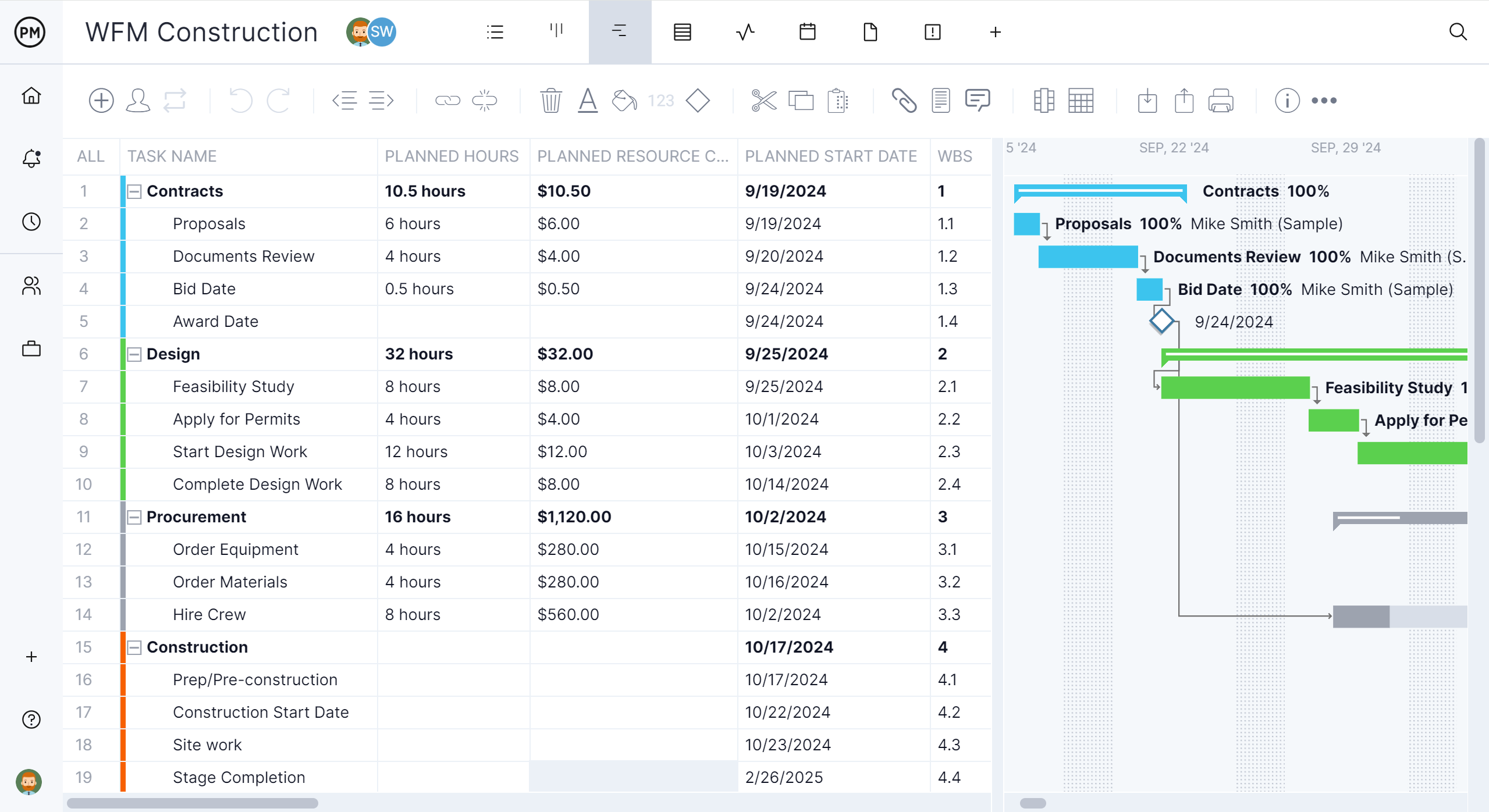
Best for: General contractors and subcontractors leaving monday who need construction scheduling with critical path and baselines, plus crew workload across jobs.
Key features
- Gantt chart with finish-to-start, start-to-start, finish-to-finish and start-to-finish dependencies, plus lag
- Critical path filter, baselines and variance reports
- Workload page showing hours across all projects (Business plan and above)
- Equipment and subcontractors as resources with no license cost, and free read-only guests
- Sheet, board, list and calendar views, plus timesheets and dashboards
- Import of Excel, CSV, MPP and Microsoft Project XML files, and export to Excel, CSV, MPP and XML
Pros
- Critical path, baselines and crew workload without moving to an enterprise plan
- Per-user pricing with no seat minimum
- 30-day free trial
Cons
- No RFI, submittal or drawing management, so teams that need those keep a document tool alongside it
- No desktop app or offline mode
- The workload page needs the Business plan, and the Team plan is limited to 10 users and 20 projects
Pricing: Team $15/user/month, Business $28/user/month (billed annually), Enterprise by quote. 30-day free trial.
2. Procore
Procore is the better fit for construction teams whose main need is documents and field coordination rather than scheduling. It includes dedicated tools for RFIs, submittals and drawings, along with budgets, quality and safety, and Procore Scheduling, generally available since February 2026, adds schedules with all four dependency types and lag, the critical path and lookaheads.
For teams leaving monday mainly over scheduling, there are trade-offs. Schedules imported from Microsoft Project or Primavera P6 stay read-only, Procore’s user guide lists Scheduling actions as web-only, and pricing is based on annual construction volume. For more options, see the best Procore alternatives.
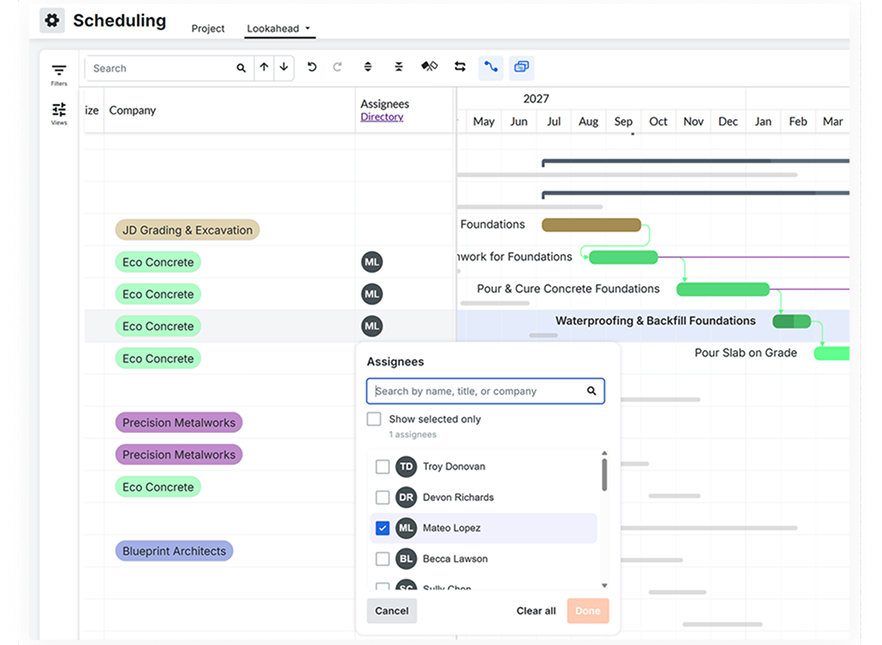
Best for: General contractors whose main need is managing RFIs, submittals and drawings in one platform with the schedule.
Key features
- RFIs, submittals and drawing management
- Procore Scheduling with all four dependency types, lag, critical path and lookaheads
- Budgets, quality and safety tools
- Import of XER and MPP files as read-only schedules
Pros
- Dedicated construction document tools
- No charge for adding users
- Widely used by general contractors and owners
Cons
- Imported schedules stay read-only
- Procore’s user guide lists Scheduling actions as web-only
- Pricing is based on annual construction volume and can be high for smaller contractors
Pricing: By quote, as an annual fee based on the products you choose and your annual construction volume. No charge for additional users.
3. Smartsheet
Smartsheet is the closest match to monday’s flexibility with deeper scheduling. Its Gantt view supports all four dependency types with lag, highlights the critical path on the Pro plan and above and offers one baseline per sheet on the Business plan and above. It imports MPP files directly, and free Contributors can view and comment on shared sheets, while free external Guests on Business and above can also edit.
The gaps for construction are crews and the field. Full resource planning is a paid add-on, and on the mobile app the Gantt view is available only in reports. For more, see the best Smartsheet alternatives for construction.
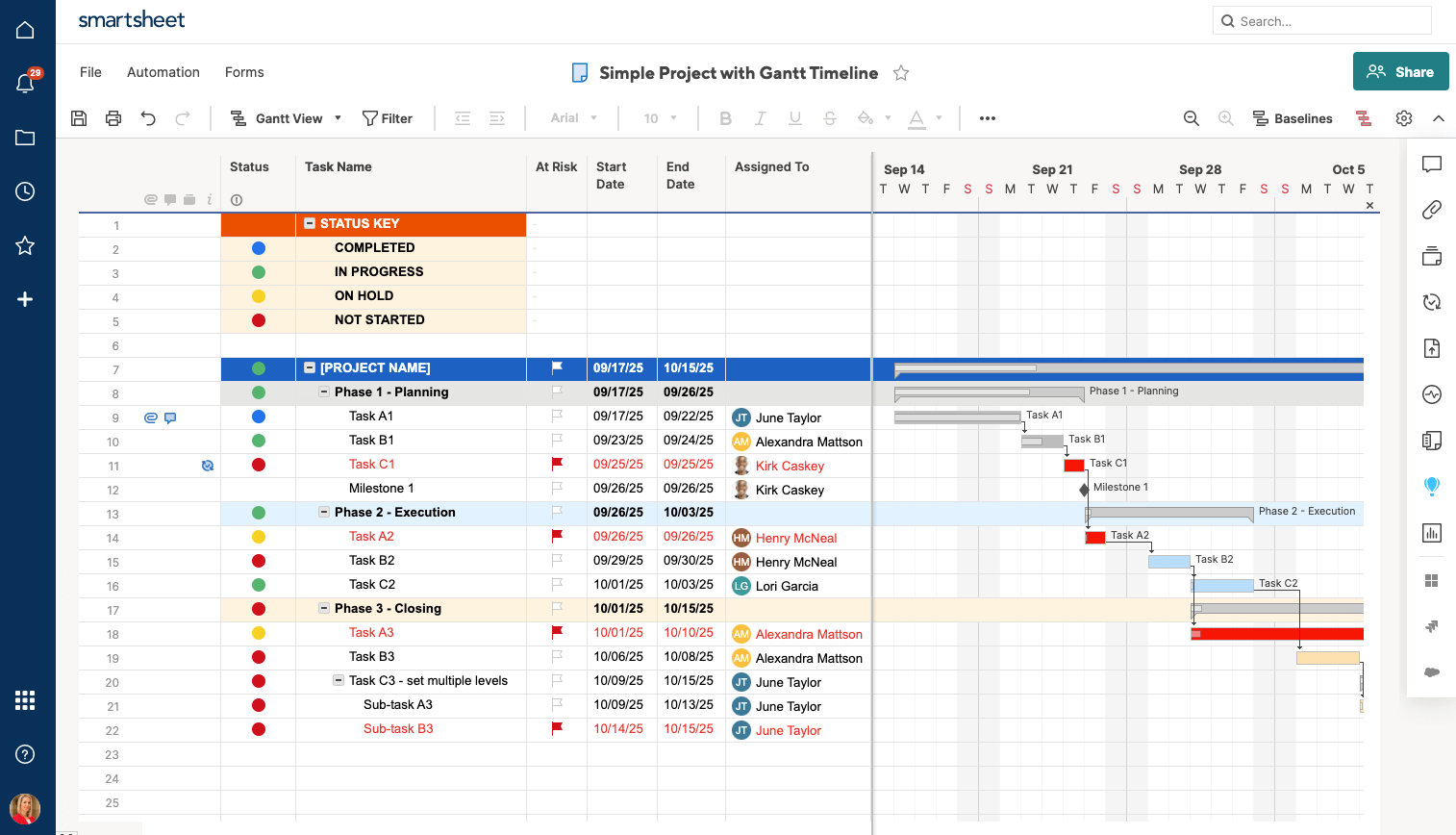
Best for: Construction teams that want a spreadsheet-style timeline with dependencies and critical path, and don’t need crew workload across jobs.
Key features
- Gantt view with all four dependency types and lag
- Critical path (Pro and above) and one baseline per sheet (Business and above)
- Direct import of MPP, Excel and CSV files
- Free Contributors and, on Business and above, free external Guests
Pros
- Critical path from the $9 Pro plan
- Opens MPP files without Microsoft Project
- 30-day free trial
Cons
- Full resource planning is a paid add-on
- Gantt view on mobile only in reports
- One baseline per sheet
Pricing: Pro $9/member/month billed annually ($12 monthly), Business $19/member/month billed annually ($24 monthly), Enterprise by quote. 30-day free trial.
4. Microsoft Project
Microsoft Project is Microsoft’s CPM scheduling software, and there are two ways to get it: Project Standard 2024 or Project Professional 2024 as a one-time purchase, or Planner and Project Plan 3, a subscription that includes the Project desktop client. Project desktop links tasks with all four dependency types, lead and lag, calculates the critical path, saves up to 11 baselines and opens the MPP files owners often send.
For teams coming from monday’s browser-based boards, the main change is the desktop. Project desktop runs only on Windows, and Planner’s People view shows workload within one plan rather than across every job. For more, see the best Microsoft Project alternatives for construction.

Best for: Construction teams that want detailed CPM schedules in Project desktop, bought outright or through a Microsoft 365 subscription.
Key features
- Gantt Chart view in Project desktop with critical path
- All four dependency types with lead and lag
- Up to 11 baselines in Project desktop
- Opens and saves MPP files
Pros
- Detailed CPM scheduling
- The standard file format for many owners and schedulers
- Buy once or subscribe
Cons
- Project desktop runs only on Windows
- No workload view across jobs
- Planner can’t open MPP files directly and holds only one baseline
Pricing: Project Standard 2024 and Project Professional 2024 are one-time purchases. Planner and Project Plan 3 costs $30/user/month, paid yearly, and includes the Project desktop client. Planner and Project Plan 5 is no longer sold to new customers.
5. TeamGantt
TeamGantt is Gantt chart software with a construction plan, Builder Edition. Its drag-and-drop Gantt chart includes the critical path on every paid plan, and the Business plan adds advanced dependencies, baselines and workload management. Builder Edition adds lookahead schedules and lets subcontractors confirm schedule changes.
TeamGantt charges a flat monthly fee per account rather than per seat, with a cap on projects: Base allows 5, Business includes 5 and allows up to 20, and Builder Edition starts with 10. Its iOS app shows projects as a list, not a Gantt chart.
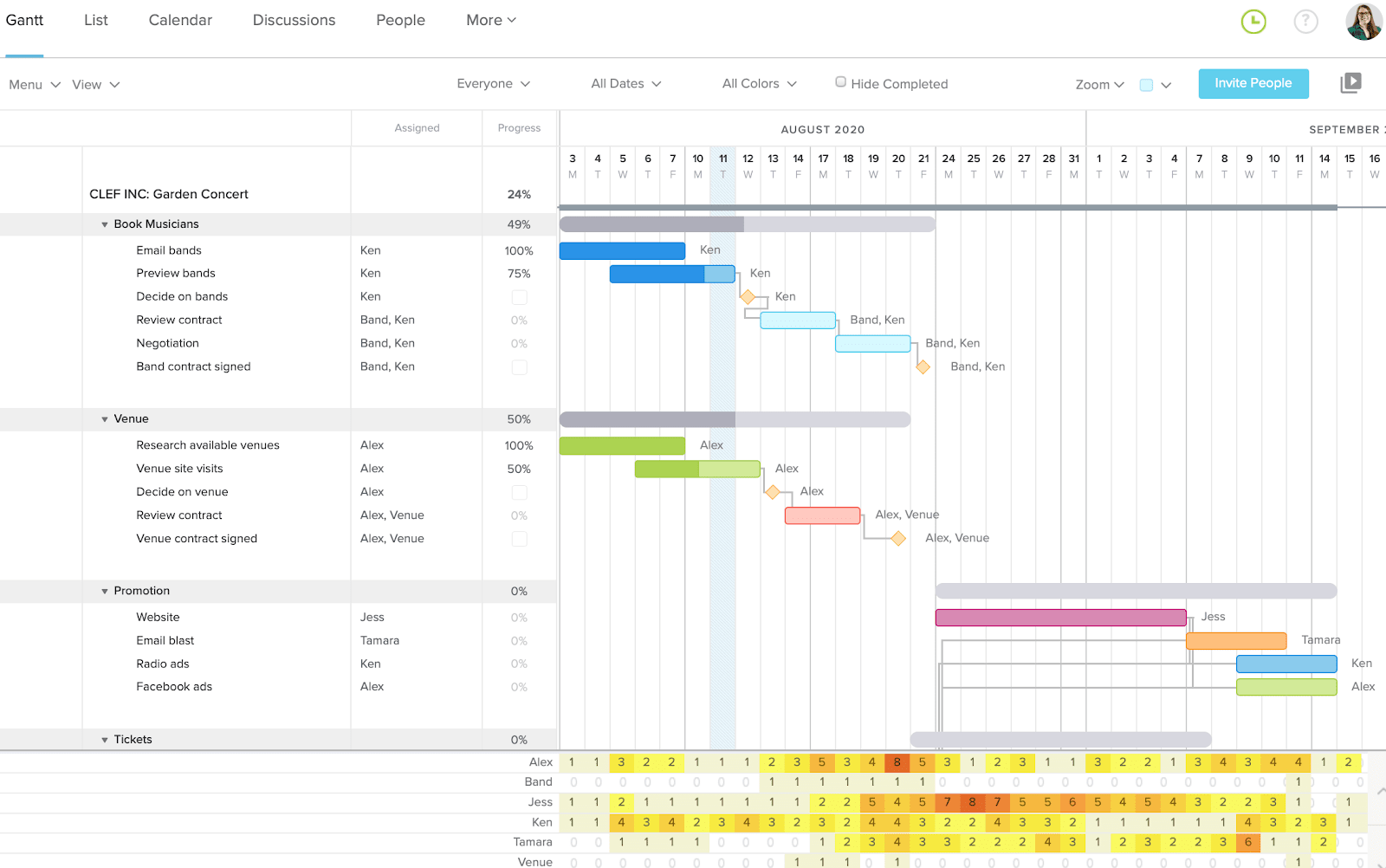
Best for: Builders and small contractors who want a simple Gantt chart with lookaheads and subcontractor confirmations at a flat price.
Key features
- All four dependency types with lag and lead (advanced dependencies on Business and above)
- Critical path on all paid plans; baselines on Business and Builder Edition
- Lookahead schedules and subcontractor schedule confirmation (Builder Edition)
- Import of MPP and CSV files
Pros
- Flat pricing with unlimited users on Business and Builder Edition
- Lookaheads and sub confirmations built for construction
- Free Personal plan for one user and one project
Cons
- Every plan caps projects
- Baselines, workload and advanced dependencies need the Business plan
- The iOS app shows a list view only, and the free trial requires a credit card
Pricing: Base $59/month; Business from $120/month; Builder Edition from $199/month. Save 20% with yearly billing. 14-day free trial.
6. Contractor Foreman
Contractor Foreman is an all-in-one construction management tool priced per company rather than per seat. Its Gantt chart supports all four dependency types with lead and lag, tracks the critical path, shows baselines and can link tasks across projects so a delay on one job updates related tasks on another, and it adds a crew schedule, estimates, change orders and a client portal depending on the plan.
The Gantt chart and crew schedule start on the Plus plan, linked tasks only move when Auto Scheduling is turned on, and its help center doesn’t describe warnings when a crew is double-booked.
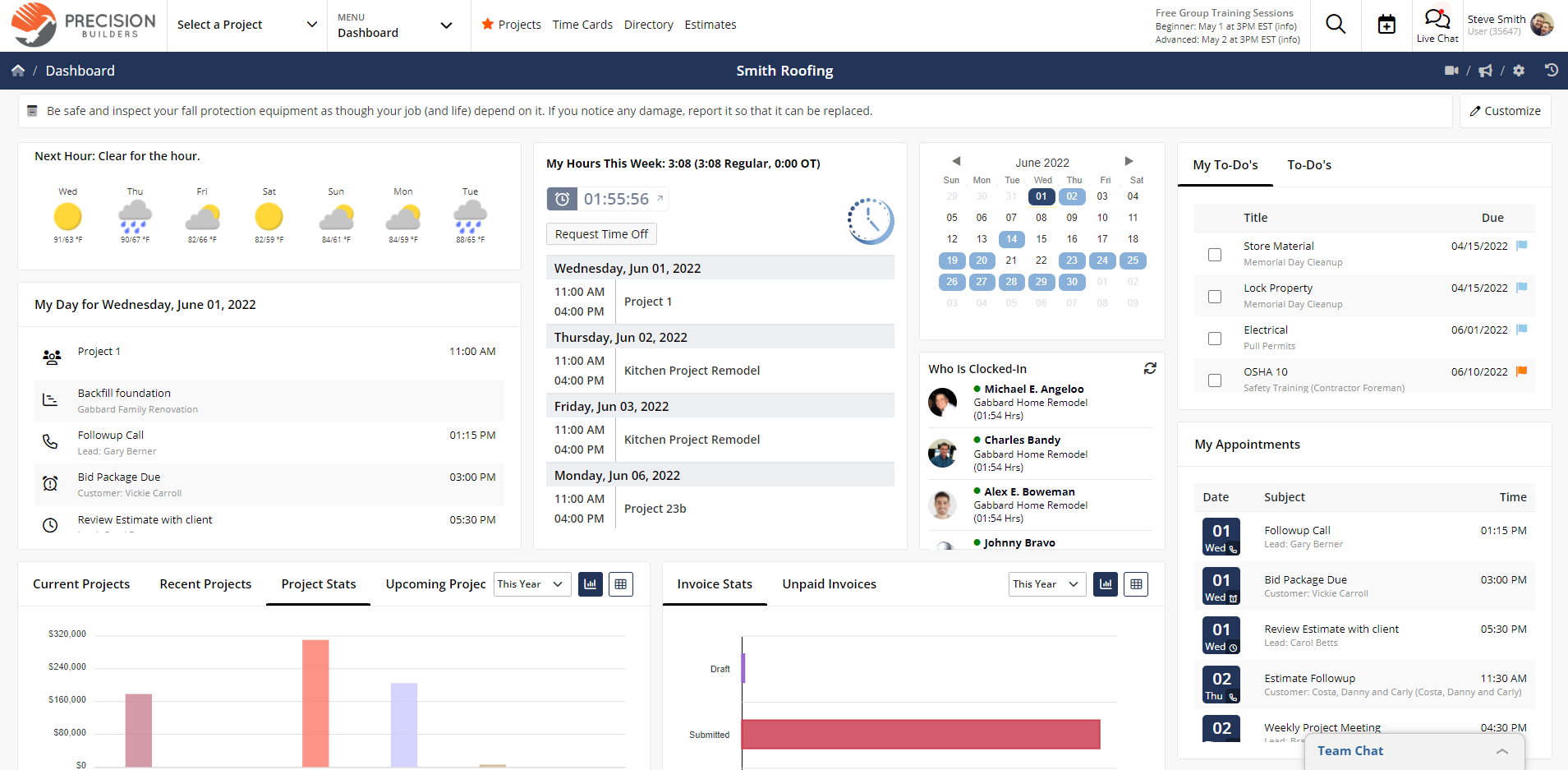
Best for: Budget-conscious contractors who want Gantt scheduling and basic construction workflows in one tool at a published company price.
Key features
- All four dependency types with lead and lag, and task links across projects (Plus and above)
- Critical path and per-task baselines
- Crew schedule with text and email reminders (Plus and above)
- Client portal (Pro and Unlimited)
- iPhone, iPad and Android apps
Pros
- Flat company pricing within each plan’s user limit
- Scheduling depth close to dedicated scheduling tools
- 30-day free trial
Cons
- The Basic and Standard plans have no Gantt scheduling
- Dependencies don’t move dates unless Auto Scheduling is on
- No documented double-booking warnings
Pricing: Basic $49/month (1 user), Standard $105/month (up to 3 users), Plus $166/month (up to 8 users), Pro $221/month (up to 15 users) and Unlimited $332/month, all billed annually. 30-day free trial.
7. Fieldwire
Fieldwire is the better fit for field teams whose main need is working from drawings rather than scheduling. Crews view plans, manage tasks and run punch lists from a phone or tablet, and the free Basic plan covers up to 5 users and 3 projects.
Fieldwire has a Gantt view of tasks with a manpower graph, but its “related tasks” aren’t dependency types: Fieldwire’s own scheduling guide says changing a task’s dates doesn’t automatically move related tasks, and it doesn’t document baselines or a calculated critical path. Teams often pair it with a scheduling tool for the master schedule.
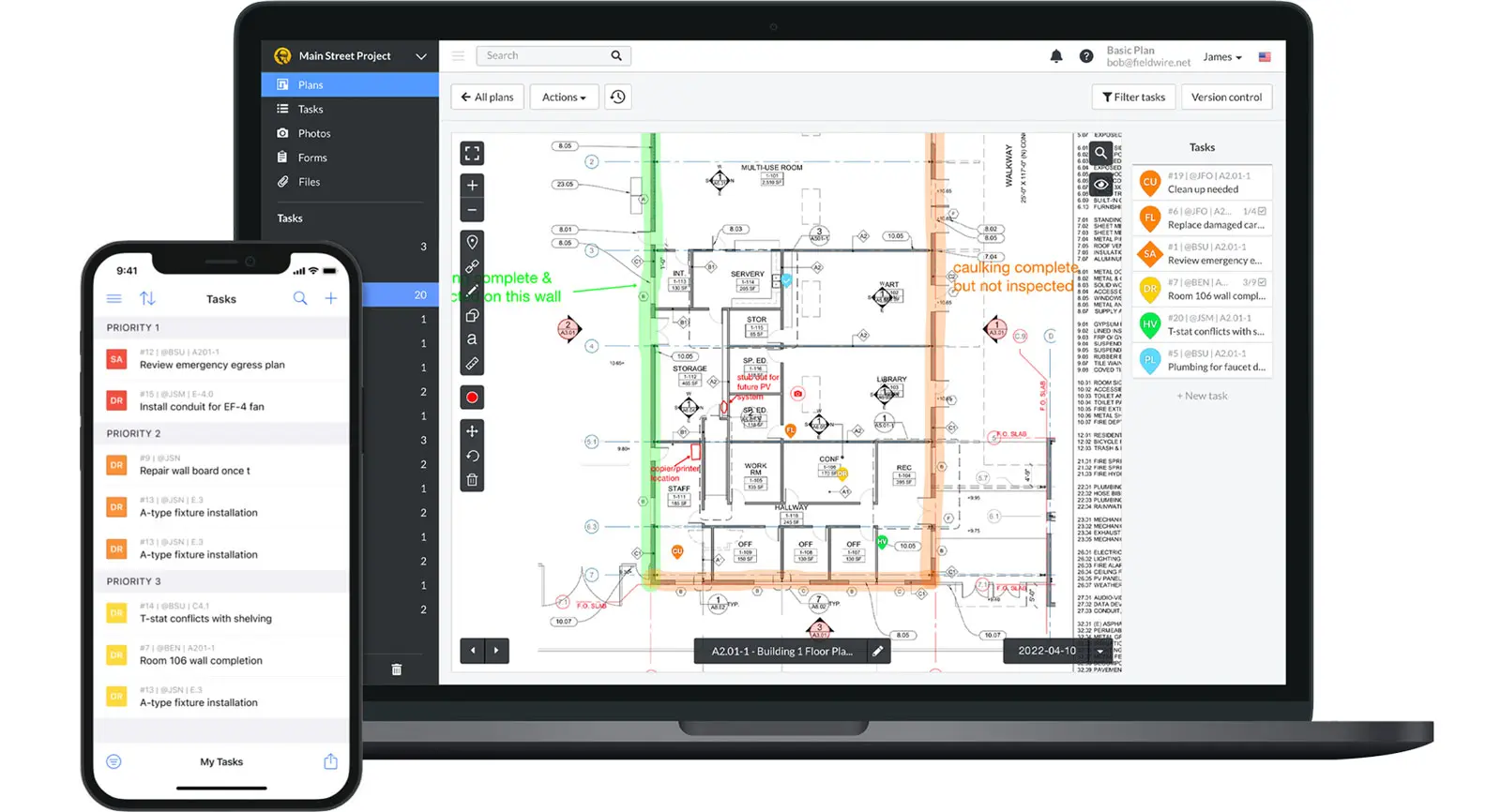
Best for: Superintendents and field teams who work from drawings and need tasks and punch lists on phones and tablets.
Key features
- Tasks and punch lists tied to drawings
- Gantt view of tasks with a manpower graph
- Task import from spreadsheets
- iPhone, iPad and Android apps
Pros
- Built for field work from drawings
- Free plan for small teams
- Same project in the browser and on mobile
Cons
- Related tasks don’t move each other’s dates
- No documented baselines or calculated critical path
- No native MPP import
Pricing: Basic free (up to 5 users, 3 projects); Pro $39, Business $64 and Business Plus $89 per user per month, billed annually.
How to Move a monday.com Construction Project Into ProjectManager
To move a monday.com construction project into ProjectManager, export the board to Excel, set up a project with matching working days, import and map the file, then re-link dependencies and set a baseline. monday exports a board’s table views to Excel, but not its Gantt view, so plan to rebuild the schedule logic after importing.
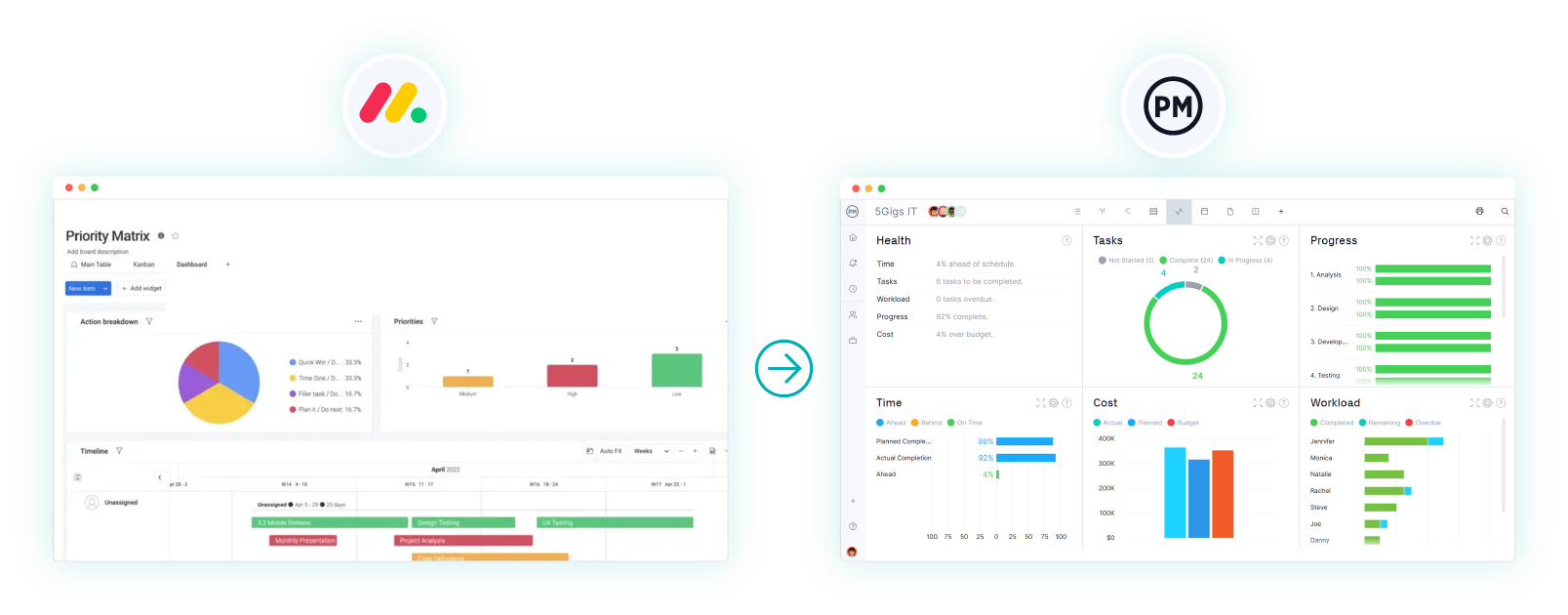
- Export from monday. Open the board, click the three-dot menu at the top right and choose Export board to Excel. Only table views export, so include the columns you need, such as item name, owner and timeline dates.
- Set working days first. In ProjectManager, click the + button and choose Project, then set your working days to match the job, such as a five-day or six-day work week. Working days are hard to change once the project exists, and global holidays can’t be added to existing projects.
- Import the file. Choose Import File when creating the project, or click the import icon on the Gantt ribbon of an existing project. Click select file, upload your Excel file and click next. If you’re importing into an existing project, choose Keep and append with the imported data or Replace with the imported data. Replace removes everything already in the project.
- Map the columns. Map each column, such as task name, assignee, start, finish and duration, to the matching Gantt column, then click import.
- Re-link dependencies and add lag. Link tasks with the right dependency types, then add lag for inspection holds, concrete cure times and material lead times.
- Filter for the critical path. Turn on the critical path filter and check that it shows the tasks that drive the finish date.
- Set a baseline. Once the schedule is right, set a baseline in Gantt settings so you can track variance from the start of the job.
File attachments and tags don’t come over in an Excel import, so download any files you need from monday separately.
Want to see your schedule in ProjectManager? Start a free 30-day trial, import your monday board and turn on the critical path filter. Get started with ProjectManager today for free.
monday.com Alternatives for Construction FAQ
Is monday.com good for construction?
monday.com works well for tracking construction projects on flexible boards, with automations, templates and guest access for owners and subs. It’s less suited to teams that need construction scheduling on every plan: dependencies, the critical path and baselines start on Pro, crew resource management across projects needs Enterprise, and the Gantt chart isn’t available in the mobile app.
Does monday.com have critical path?
Yes, on the Pro and Enterprise plans. monday’s Gantt view can highlight the critical path, which its help center labels a trial feature. ProjectManager includes a critical path filter on its Gantt chart, along with baselines and variance reports.
Does monday.com have Gantt charts?
Yes. monday’s Gantt and timeline views start on the Standard plan, and the dependency column, milestones and baselines start on Pro. The Gantt view is available in a browser but not in monday’s mobile app, which offers a timeline view instead.
What do general contractors use instead of monday.com?
General contractors who mainly need scheduling and crew visibility often move to ProjectManager, while those whose main need is RFIs, submittals and drawings tend to choose Procore. Teams that like monday’s flexibility often look at Smartsheet, and field teams working from drawings use Fieldwire. For alternatives outside construction, see the best monday.com alternatives.
Can I export a monday.com board to another tool?
Yes. monday exports a board’s table views to Excel, up to 100,000 items at a time, though grouping, sorting and conditional coloring don’t carry over and the Gantt view doesn’t export. Most scheduling tools, including ProjectManager, import Excel files, and you’ll re-link dependencies after importing.
Related Content
- Best Monday.com Alternatives: Free & Paid Options Ranked (2026)
- Best Smartsheet Alternatives for Construction (2026)
- Best Microsoft Project Alternatives for Construction (2026)
- Best Construction Gantt Chart Software (2026)
- 15 Best Construction Scheduling Software for 2026 (Free & Paid)
- 11 Best Procore Alternatives of 2026 (Free + Paid)
