



Acumatica and NetSuite are two of the most popular cloud enterprise resource planning (ERP) systems for small and midsize businesses. Both bring accounting, inventory, sales and operations together in a single platform so teams can stop juggling spreadsheets and disconnected apps. But they take very different approaches to pricing, deployment and customization.
Choosing between Acumatica vs. NetSuite often comes down to how your business is structured and how it plans to grow. Acumatica is known for its unlimited-user pricing and industry-specific editions, while NetSuite, owned by Oracle, is one of the most widely used cloud ERP systems in the world, with a deep bench of modules. Either one is a major investment, so it pays to understand the trade-offs before you sign a multi-year contract.
Below, we’ll break down what each ERP system is, compare their features and pricing, weigh the pros and cons and help you decide which is right for you. We’ll also look at why many teams pair their ERP with dedicated project management software.
If you’re leaning toward Acumatica, you don’t have to choose between a powerful ERP and powerful project management. ProjectManager’s Acumatica integration connects our award-winning project management software directly to your ERP, so project managers can plan on Gantt charts, balance workloads and track progress while finance works in Acumatica. Approved time goes to Acumatica ready to bill, committed and actual costs flow back onto the tasks that generated them with your cost codes attached, and task progress writes straight to the Acumatica fields your team already uses. The integration is bundled with Acumatica’s Professional Services Edition and available as an add-on for the Construction and Manufacturing Editions. Get started with ProjectManager today for free.
What Is Acumatica?
Acumatica is a cloud ERP system built for small and midsize businesses. It combines financial management, distribution, inventory, CRM, project accounting and more in one platform that can be accessed from any browser or mobile device.
What sets Acumatica apart is its licensing model. Instead of charging per user, Acumatica prices its software based on the resources and transaction volume a business uses, so most editions include unlimited users. It also offers industry-specific editions for manufacturing, distribution, construction, retail and professional services, along with a general business edition.
Acumatica is flexible in how it’s deployed. Businesses can run it as a SaaS subscription, in a private cloud or on their own servers. It’s sold and implemented through a network of value-added resellers (VARs), which means pricing and support vary by partner.

What Is NetSuite?
NetSuite is a cloud ERP system owned by Oracle. Originally launched in 1998 as one of the first cloud business applications, it’s now used by tens of thousands of businesses, from fast-growing startups to large enterprises with global operations.
NetSuite offers a unified suite that covers financials, accounting, inventory and order management, CRM, ecommerce, human resources and professional services automation. Its OneWorld module is popular with companies that manage multiple subsidiaries, currencies and tax jurisdictions.
Unlike Acumatica, NetSuite is available only as a cloud subscription hosted by Oracle. It’s priced with a base license plus a monthly fee for each user and add-on module, and it’s sold directly by Oracle as well as through solution partners.

Acumatica Features
Acumatica covers the core functions most growing businesses need, with extra depth for specific industries. Key features include:
- Financial management: General ledger, accounts payable and receivable, cash management, fixed assets and multi-entity accounting
- Industry editions: Purpose-built editions for manufacturing, distribution, construction, retail and professional services
- Inventory and distribution: Inventory tracking, purchasing, sales orders, warehouse management and fulfillment
- Project accounting: Track project budgets, costs, billing and revenue recognition
- Built-in CRM: Manage leads, opportunities, customers and marketing campaigns in the same system
- Unlimited users: Add employees, contractors and even customers without buying more licenses
- Flexible deployment: Choose SaaS, private cloud or on-premise hosting
- Open APIs and integrations: Connect Acumatica to other business tools through REST APIs and a marketplace of partner apps
- AI and automation: Built-in AI features and workflow automation to reduce manual data entry
NetSuite Features
NetSuite’s strength is the breadth of its suite. Businesses can start with core financials and add modules as they grow. Key features include:
- Financial management: General ledger, accounts payable and receivable, billing, revenue recognition and financial close tools
- NetSuite OneWorld: Manage multiple subsidiaries, currencies, languages and tax rules from one account
- Inventory and order management: Track inventory across locations, manage orders and automate fulfillment
- CRM: Sales force automation, customer service and marketing tools included with the platform
- Ecommerce: Run online storefronts with SuiteCommerce, connected directly to inventory and financials
- Professional services automation (PSA): Manage project resources, timesheets and billing for services businesses
- SuiteAnalytics: Real-time dashboards, saved searches and reports across the business
- SuiteCloud platform: Customize workflows, fields and scripts with SuiteFlow and SuiteScript
- NetSuite AI: AI-powered features built into the suite to automate tasks and surface insights
Related: Acumatica for Project Management: Key Features and Integrations
Acumatica Pricing
Acumatica doesn’t publish list prices. Instead, pricing is quoted by its partners based on the edition, modules, transaction volume and deployment option you choose.
- Pricing model: Based on resources and transaction volume rather than number of users
- Users: Unlimited users on most editions
- Licensing: SaaS subscription, private cloud or perpetual license
- Typical cost: Annual subscriptions start around $6,000 and often run $15,000 to $35,000 or more for midsize businesses
- Implementation: Typically quoted separately and can cost as much as or more than the first year’s subscription
NetSuite Pricing
NetSuite also doesn’t publish list prices. Businesses receive a custom quote based on their edition, number of users and modules.
- Pricing model: Annual subscription with a base license plus per-user fees
- Base license: Roughly $999 to $5,000+ per month, depending on edition
- Users: Roughly $129 to $199 per full user/month, with lower-cost self-service licenses available
- Modules: Add-ons such as advanced financials, manufacturing, warehouse management, ecommerce and PSA cost extra
- Implementation: A one-time cost that can range from $25,000 to $500,000+ depending on complexity
Acumatica vs. NetSuite: Key Differences
The biggest difference between Acumatica and NetSuite is how you pay. Acumatica’s resource-based pricing with unlimited users makes it attractive for companies with large or growing teams, while NetSuite’s per-user model and broad module library suit businesses that want a single, highly scalable suite.
| Feature | Acumatica | NetSuite |
|---|---|---|
| Best for | Small and midsize businesses in manufacturing, distribution and construction | Fast-growing and multi-entity businesses planning to scale |
| Ownership | Privately held ERP company | Owned by Oracle |
| Pricing model | Based on resources and transaction volume | Base license plus per-user fees |
| Users | Unlimited on most editions | Paid per user |
| Deployment | SaaS, private cloud or on-premise | Cloud only |
| Industry focus | Dedicated industry editions | Industry features through modules and SuiteApps |
| Multi-entity | Multi-entity accounting included | OneWorld add-on |
| CRM | Built in | Built in |
| Customization | Open APIs and customization tools | SuiteCloud, SuiteScript and SuiteFlow |
| Sold by | Value-added resellers | Oracle and solution partners |
| Project management | Project accounting; limited scheduling | PSA add-on; limited scheduling |
Choose Acumatica if you have a lot of users, work in manufacturing, distribution or construction, or want the option to host the software yourself.
Choose NetSuite if you’re growing fast, manage multiple subsidiaries or countries, or want the largest ecosystem of partners and add-ons.
Either way, neither ERP is built for detailed project planning. Many teams pair their ERP with dedicated project management software to schedule work, manage resources and track progress.
Pros and Cons of Acumatica
Pros
- Unlimited users on most editions, so costs don’t climb as your team grows
- Industry-specific editions for manufacturing, distribution, construction and more
- Flexible deployment options, including SaaS, private cloud and on-premise
- Modern, browser-based interface that’s accessible on any device
- Open APIs make it easier to connect with other business tools
Cons
- Pricing isn’t published, and quotes vary from partner to partner
- Smaller ecosystem of third-party apps and consultants than NetSuite
- Reliance on VARs means the quality of implementation and support can vary
- Some users report slower performance with large data volumes or heavy customizations
- Reporting can require extra tools or technical know-how to set up
- Project management tools are focused on accounting rather than planning and scheduling
Pros and Cons of NetSuite
Pros
- Broad, mature suite that can scale from small businesses to global enterprises
- OneWorld makes multi-subsidiary, multi-currency management easier
- Large ecosystem of partners, consultants and SuiteApps
- Real-time dashboards and reporting across the business
- Highly customizable with SuiteCloud tools
Cons
- Per-user pricing gets expensive as headcount grows
- Many key features, such as advanced financials and PSA, are paid add-ons
- Cloud-only deployment with no on-premise option
- Complex implementation that can take months and require outside consultants
- Steep learning curve for new users
- Renewal price increases can be significant without a negotiated cap
ProjectManager Fills the Project Management Gap in Acumatica and NetSuite
Acumatica and NetSuite are powerful for running the back office, but their project tools are built around accounting, not planning. If you need to schedule tasks, balance workloads and see how projects are progressing in real time, you need more than project billing and cost codes. ProjectManager is award-winning project management software that gives you the tools to plan, manage and track projects from start to finish. Try it free today.
Connect Directly to Acumatica
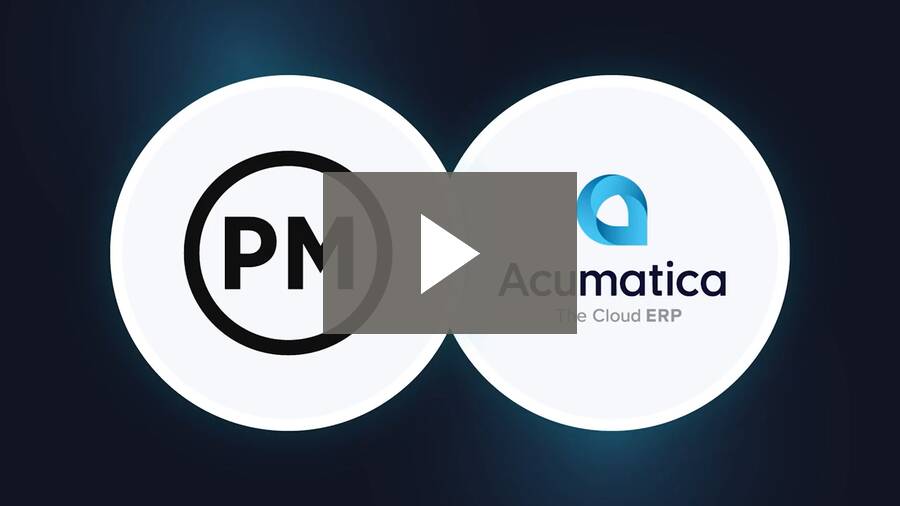
If you choose Acumatica, ProjectManager’s Acumatica integration links your project plans to your ERP. Approved time goes to Acumatica ready to bill, and committed and actual costs flow back onto the tasks that generated them, with your Acumatica cost codes attached. Task progress and status write straight to the Acumatica fields your team already uses, and you choose which projects sync and how often. The integration is bundled with Acumatica’s Professional Services Edition and available as an add-on for the Construction and Manufacturing Editions.
Plan Projects With Powerful Gantt Charts
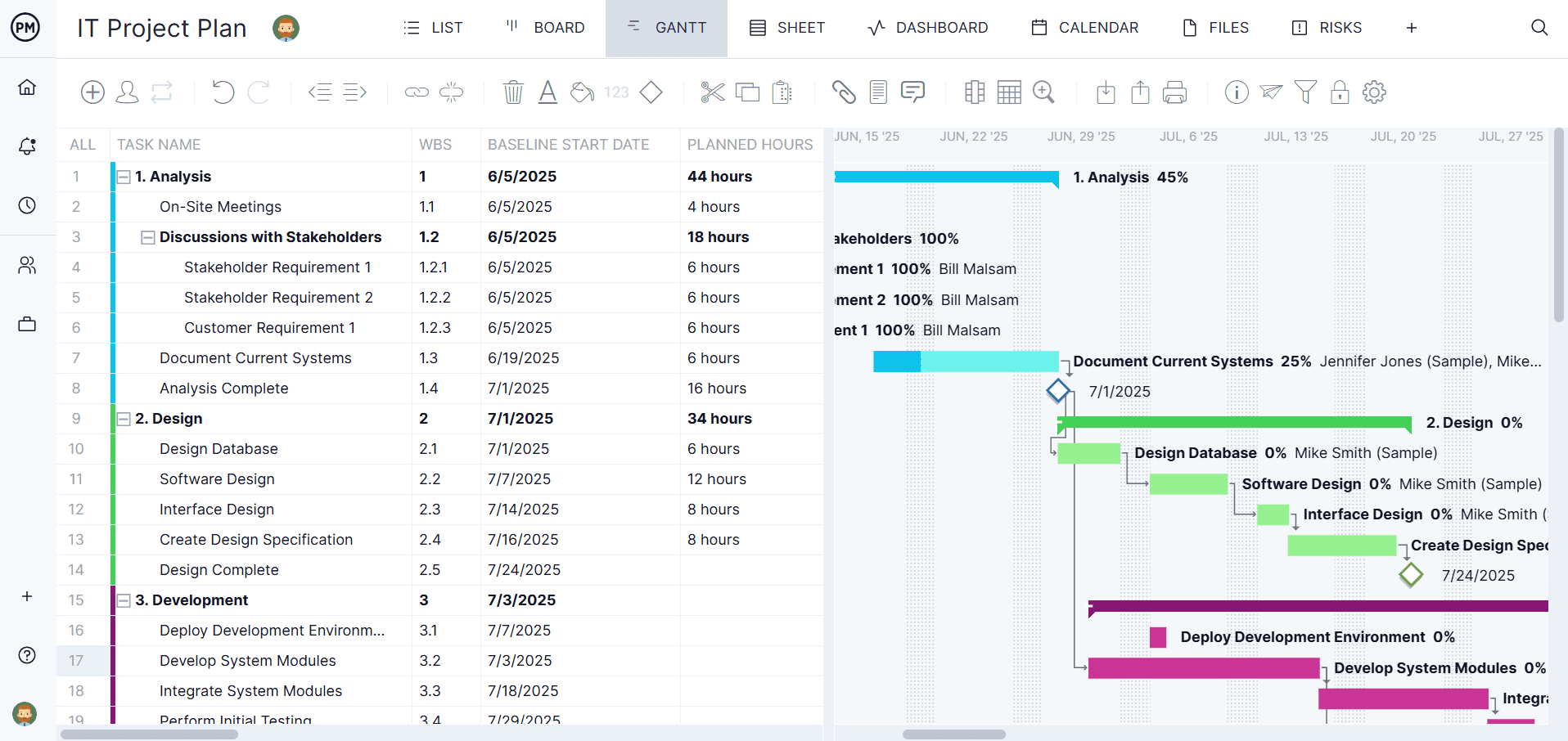
Neither ERP offers a true project scheduling tool out of the box. ProjectManager’s Gantt charts let you map every task on a timeline, link all four types of task dependencies, set milestones and filter for the critical path. Set a baseline to compare your planned schedule against actual progress in real time.
Manage Resources and Workloads
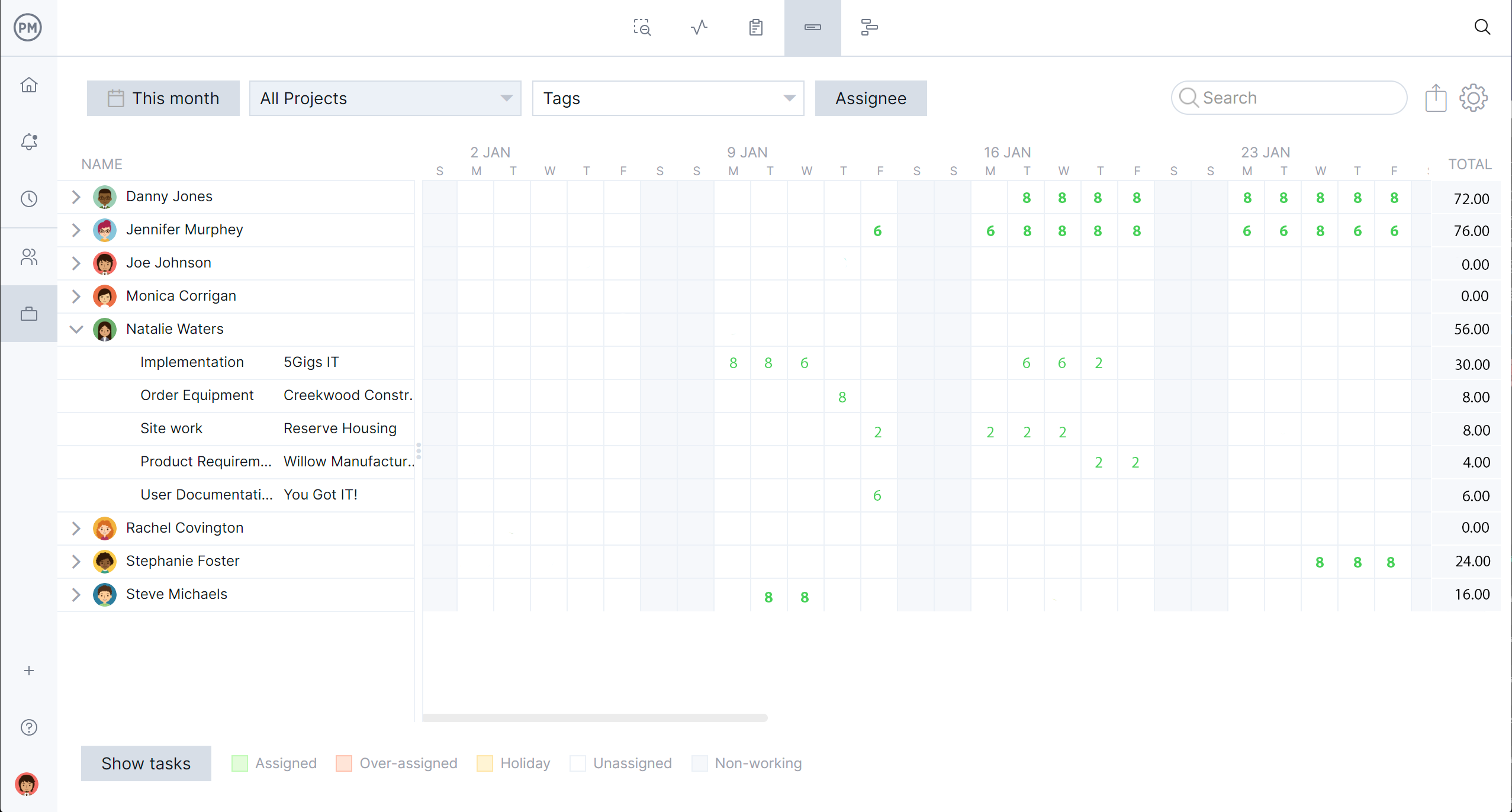
Your ERP tracks costs, but it won’t tell you who’s overbooked next week. ProjectManager’s workload chart shows how many tasks each team member has, so you can reallocate work in a few clicks. Set team availability, holidays and PTO to plan with the people you actually have.
Track Time and Costs With Timesheets
ProjectManager’s timesheets are linked to tasks, so team members can log hours quickly and managers can approve them in one place. Track labor costs against your project budget as they’re incurred, then share the data with your finance team.
Monitor Progress With Real-Time Dashboards and Reports
Get a real-time view of time, costs, workload and progress on our live dashboards. Generate one-click reports on project status, portfolio status, timesheets and more, then filter and share them with stakeholders in seconds.

Give Every Team a View That Works
Switch between Gantt charts, kanban boards, task lists, sheets and calendars. Every view updates in real time, so project managers, team members and executives all work from the same data. Comment on tasks, attach files and set up workflow automation to keep projects moving.
ProjectManager is online project management software that connects teams in the office, in the field and anywhere in between. It works alongside your ERP so you can manage projects without a costly implementation. Get started with ProjectManager today for free, no credit card required.
