


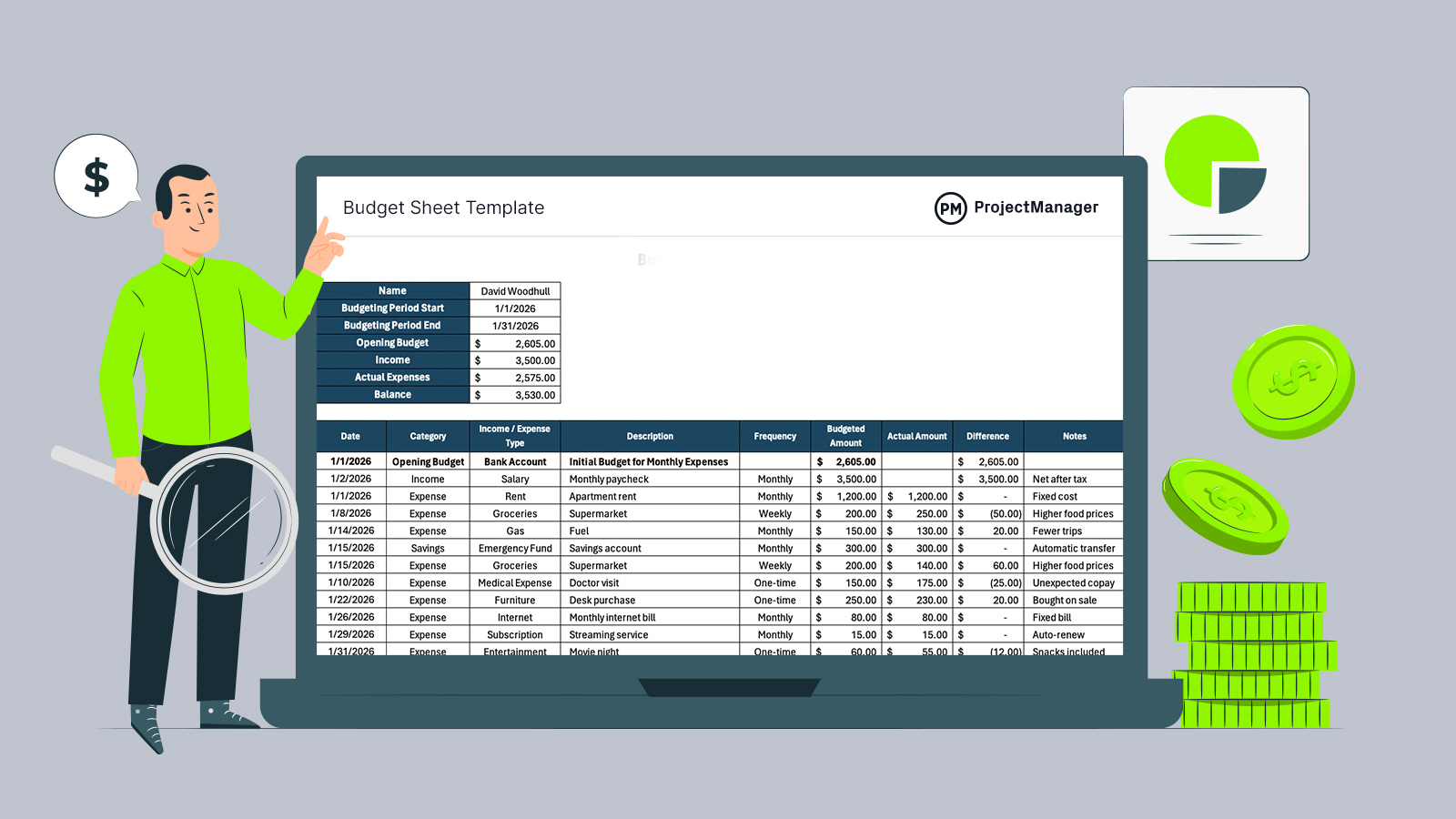
Managing money without structure quickly leads to uncertainty, missed obligations and reactive decisions. A budget sheet template gives readers a practical way to organize finances before problems appear, creating visibility across spending and inflows. Instead of relying on memory or bank apps alone, this approach supports intentional planning, clearer priorities and better control over cash within personal or professional contexts.
A budget sheet template helps teams plan and control costs by organizing all expenses in one clear, standardized format. It improves cost visibility, supports accurate forecasting and makes it easier to track planned versus actual spending. By reducing errors, simplifying updates and highlighting variances early, a budget sheet template saves time, improves accountability and supports better financial decision-making.
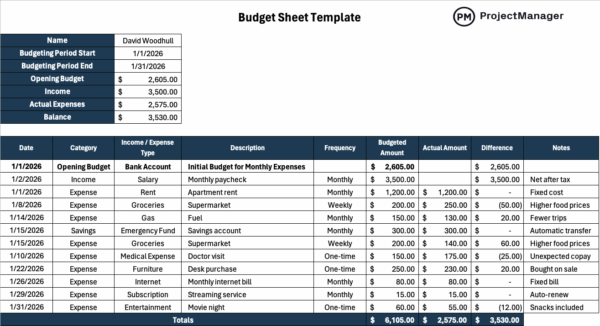
An excerpt of our budget sheet template for Excel
Why You Need a Budget Sheet Template
This budget sheet template helps individuals and businesses monitor income and expenses across a defined time frame, turning scattered transactions into a clear financial picture. Whether the period is weekly, monthly, quarterly or annually, the sheet centralizes planned amounts and activity. By comparing expectations with results, users can identify patterns, adjust behavior and make more confident decisions without complex accounting tools or specialized financial knowledge for everyday financial planning.
- Personal finance management
- Small business expense tracking
- Household budget planning
- Cash flow monitoring
- Budget forecasting and adjustments
- Subscription and recurring expense oversight
- Savings and spending goal tracking
- Short-term financial planning
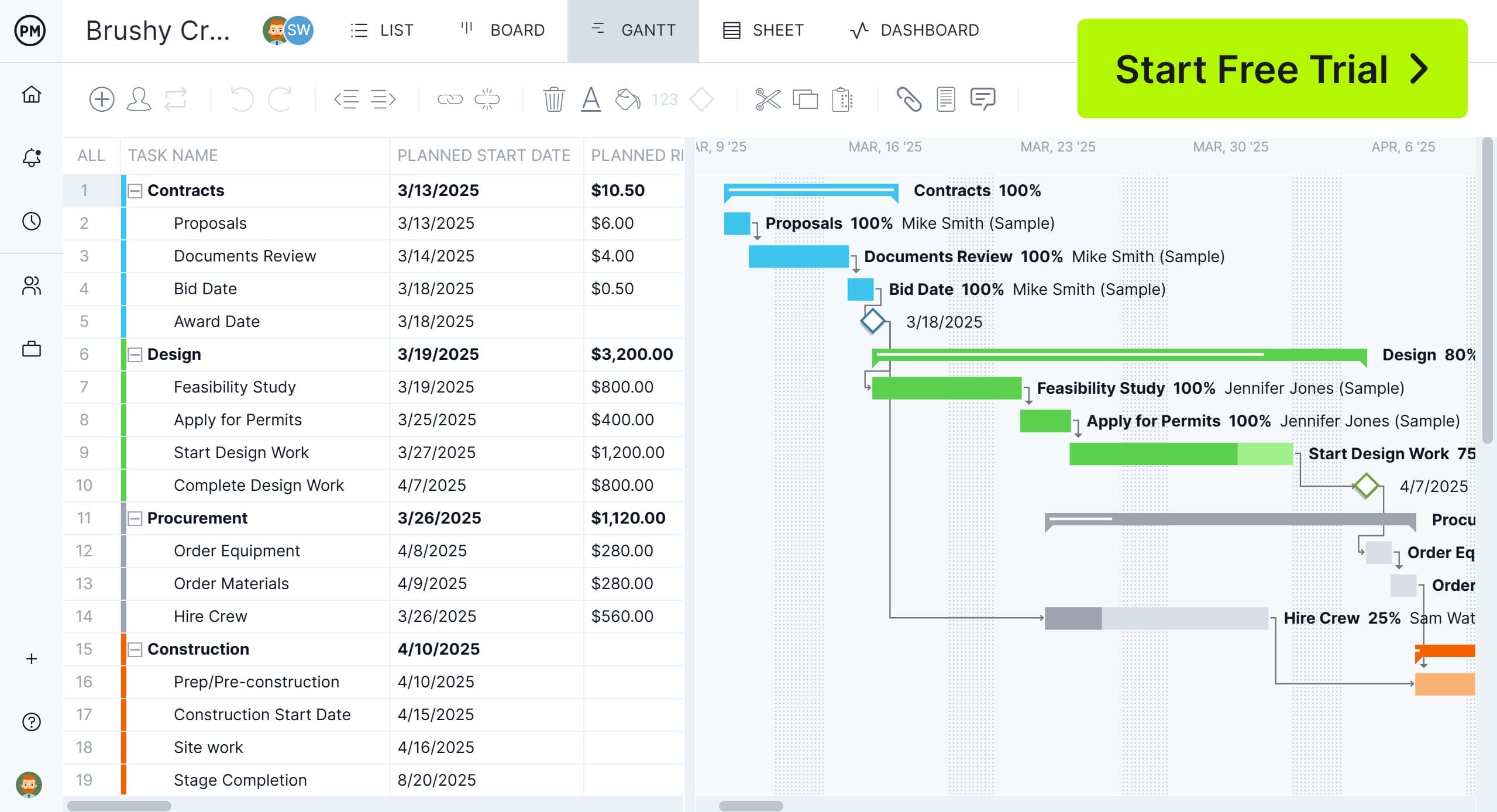
ProjectManager makes it even easier to manage your budgets in real time, helping plan costs accurately, track spending in real time and take corrective action before overruns occur. Use the Gantt chart to create a realistic project budget baseline tied to actual work and build cost estimates during planning. As work progresses, track task-level cost updates and overall project spend to see where money is going as it’s spent, not after the fact. Get started with ProjectManager by taking a free 30-day trial.
When to Use This Budget Sheet Template
Timing matters less than intent when choosing to use this budget sheet template. It can be created at any point to capture income and expenses moving forward, regardless of prior records. Individuals, freelancers and business owners can start midweek, midmonth or midyear. As long as a clear start and end date exist, the sheet provides an organized snapshot that supports tracking, accountability and informed financial decisions for flexible budgeting needs.
How to Use ProjectManager’s Budget Sheet Template for Excel
Getting value from this budget sheet template starts with understanding how its structure and automated formulas work together. By following a clear sequence, users can enter information once and let the spreadsheet calculate totals, differences and balances automatically as data is added or adjusted over time.
1. Establish the Budgeting Period
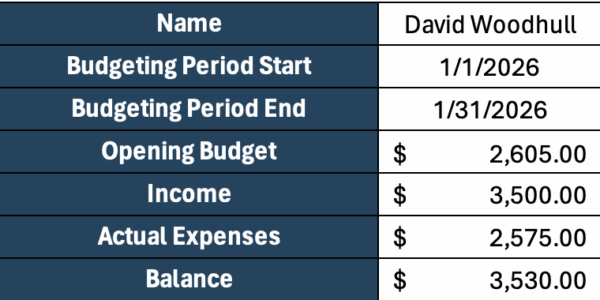
Before entering any numbers, define a clear budgeting period with a start and end date. This timeframe provides context for every entry, making it easier to interpret opening amounts, track activity consistently and understand how the final balance reflects financial performance over that specific window.
2. Define an Opening Budget
Enter the opening budget for the selected period. This amount represents the total money you expect to have available to spend during that timeframe. It serves as the baseline that income will increase and expenses will reduce, allowing the template to calculate an accurate ending balance.
3. Begin Populating the Budget Sheet Template Rows
With the opening budget in place, entries can now be added for both income and expenses as they occur during the budgeting period. Each expense includes a budgeted amount alongside the actual amount spent, allowing clear visibility into whether costs stayed on track or exceeded expectations. Income entries increase the available budget, while expenses reduce it. As values are entered, the template automatically calculates the difference between planned and actual amounts, helping users quickly see how individual decisions impact the overall balance.
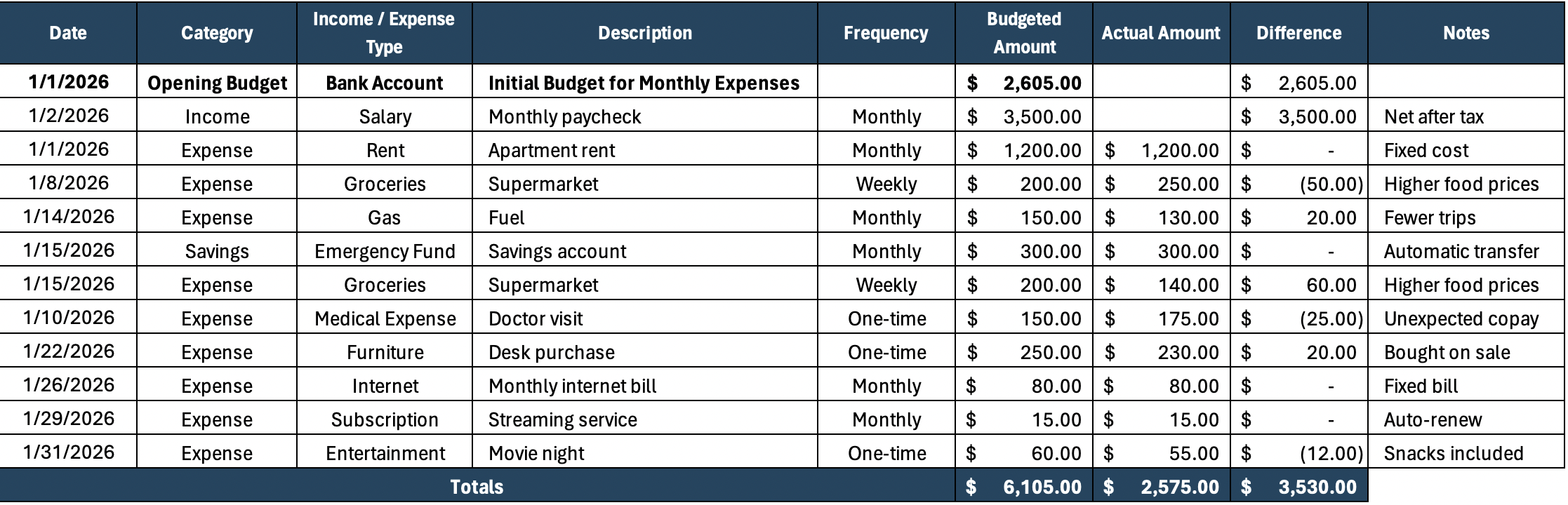
Here’s a quick description of each column in this budget sheet template for Excel:
- Date: Records when an income or expense occurs, anchoring each entry within the budgeting period for accurate tracking and chronological financial review.
- Category: Organizes entries into financial groupings, helping users analyze spending habits, identify priorities and summarize activity across budget areas.
- Expense/Income Type: Identifies whether an entry represents income or an expense, clarifying how it affects available funds and overall budget balance.
- Description: Briefly explains each transaction, making individual income and expense entries easy to recognize and understand during later budget reviews.
- Frequency: Indicates how often an income or expense occurs, such as weekly, monthly or one-time, supporting planning and recurring budget management.
- Budgeted Amount: Shows the expected amount planned for an income or expense, serving as a reference point for financial discipline and planning.
- Actual Amount: Records the real amount earned or spent, reflecting true financial activity during the budgeting period for accurate monitoring.
- Difference: Automatically calculates the variance between budgeted and actual amounts, highlighting overspending, underspending or savings opportunities clearly.
- Notes: Provides space for additional context, explanations or reminders that help clarify transactions and support more informed budget reviews.
How Businesses and Individuals Can Manage Project Budgets with ProjectManager
To manage project budgets effectively, you need the ability to see money as it’s being spent. ProjectManager has real-time budget tracking tools that continuously compare planned, actual and remaining costs. With early visibility into budget variances and potential overruns, you can make more informed decisions that benefit your projects and portfolios.
Manage Resources in Real Time
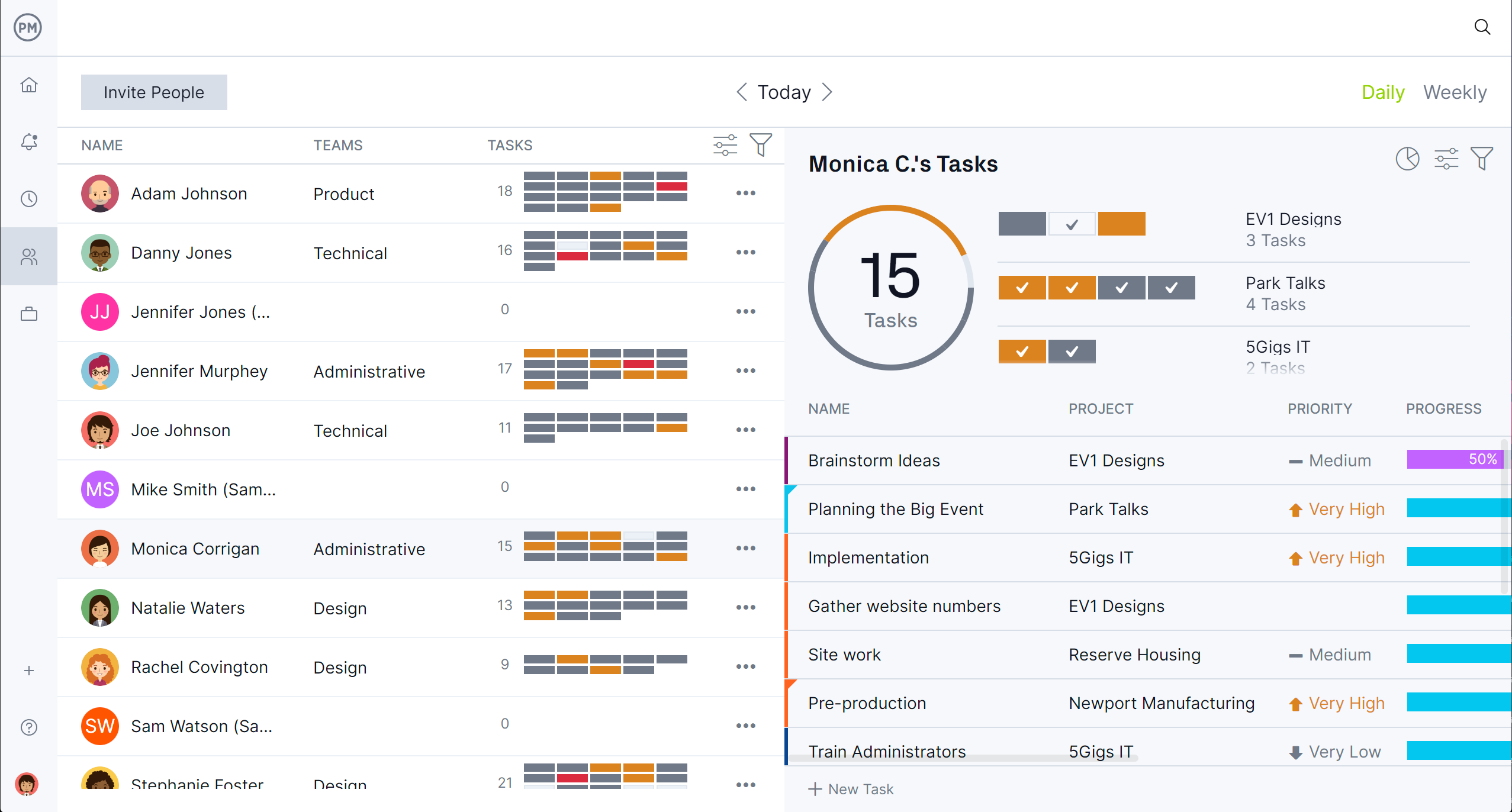
ProjectManager has several resource management tools, such as the team page, timesheets, the workload page and more. Monitor labor costs by role or individual, balance workloads to avoid unnecessary overtime and forecast future spending based on current performance.
Dashboards Improve Financial Oversight
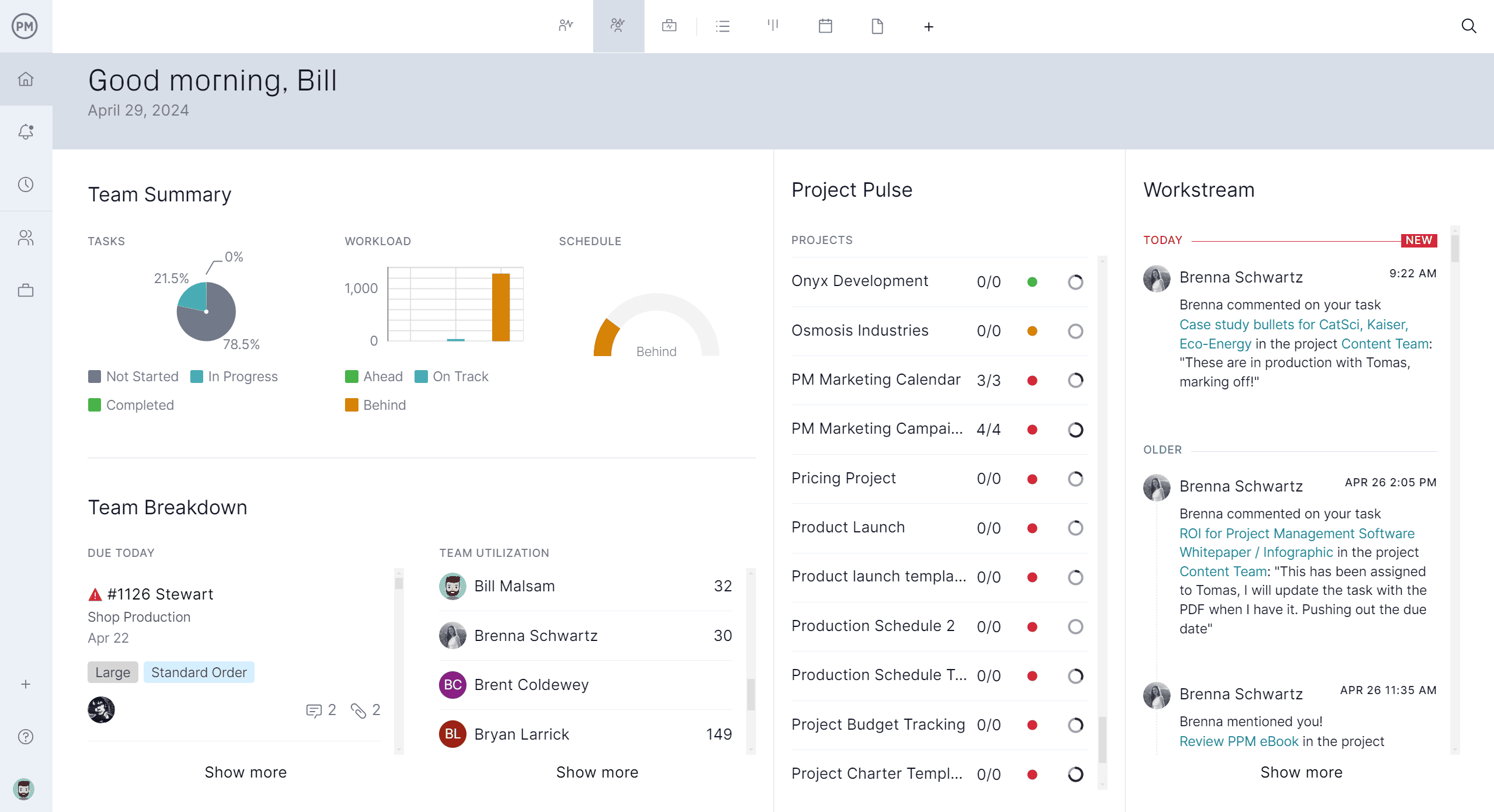
With real-time dashboards that display data on cost performance, budget health and trends over time, it’s easy for managers and executives to see how projects are progressing. Use dashboards to forecast final project costs, identify spending habits and anticipate budget risks early.
What Other Project Management Templates Can Help with Personal and Business Budgeting?
We’ve created over 100 free project management templates for Excel, Word and Google Sheets for businesses and individuals. Here are some that can help with personal and business budgeting.
50/30/20 Budget Template
This 50/30/20 budget template helps individuals allocate income across needs, wants and savings, creating a simple framework to balance spending priorities while encouraging consistent saving habits over time, easily and sustainably.
Operating Budget Template
This operating budget template helps businesses plan revenue, costs, operating expenses and profitability across months, offering a structured view of financial performance and expected cash flow.
Budget Dashboard Template
This budget dashboard template visualizes planned and actual costs in real time, helping teams track spending, identify variances and maintain financial control across projects using clear charts and summaries effectively.
Related Budgeting Content
- 18 Budget Templates for Business & Project Budgeting
- What Is a Business Budget? Business Budgeting Basics
- What Is an Operating Budget? Key Components
- What Is a Budget Report? Purpose, Components & Benefits
ProjectManager is online software that helps teams organize their work no matter where they are or how they work. Get real-time data for better decision-making while connecting teams and fostering collaboration. Deliver products on time, within your budget and with the level of quality that your customers expect. Try ProjectManager for free today!