


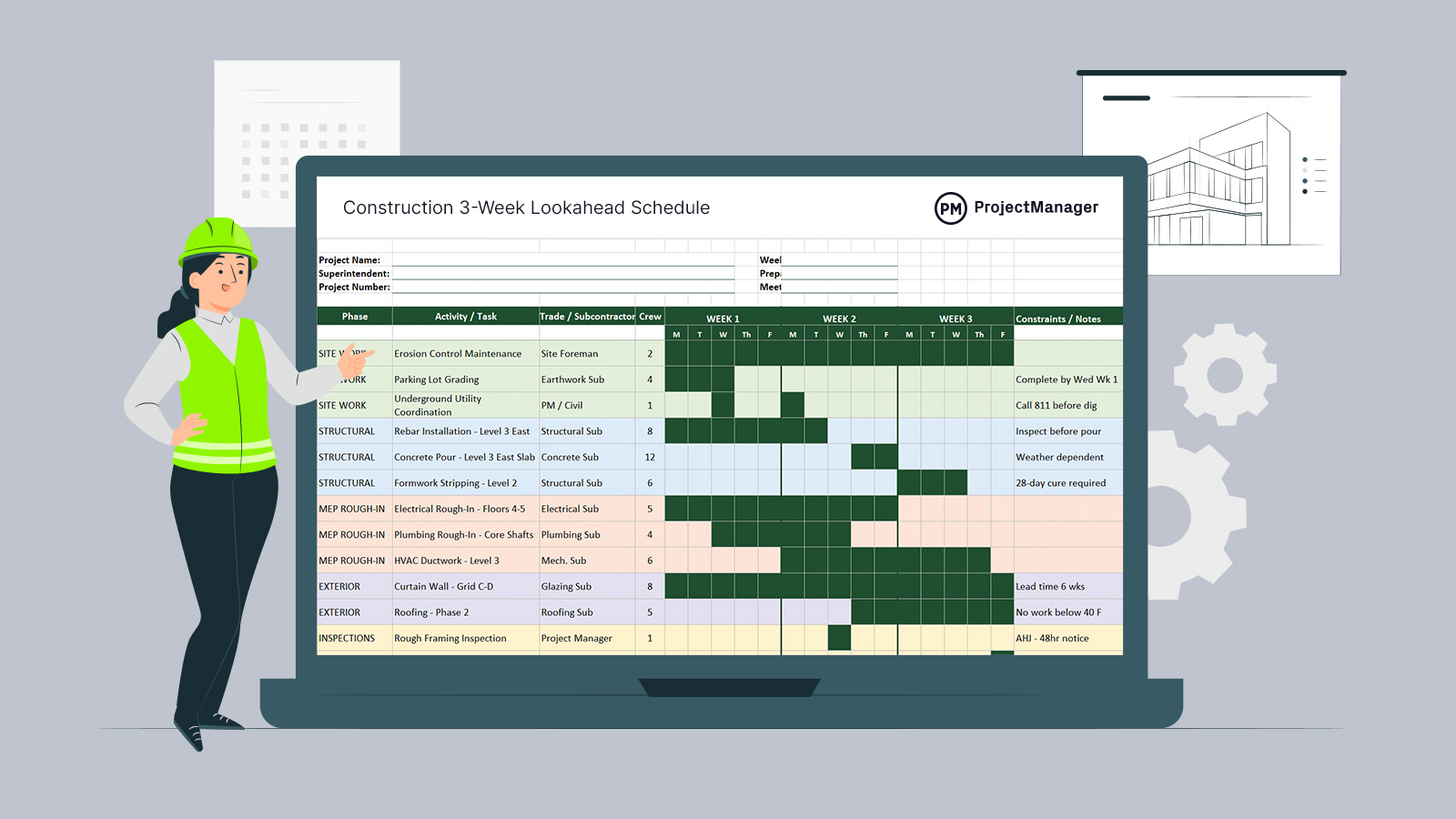
A construction lookahead schedule is one of the most practical tools a superintendent or project manager uses on the job site. Rather than tracking the full project timeline, a lookahead schedule zooms into the next three weeks — showing exactly which crews are working, which tasks are active each day and where potential conflicts need to be resolved before they become delays.
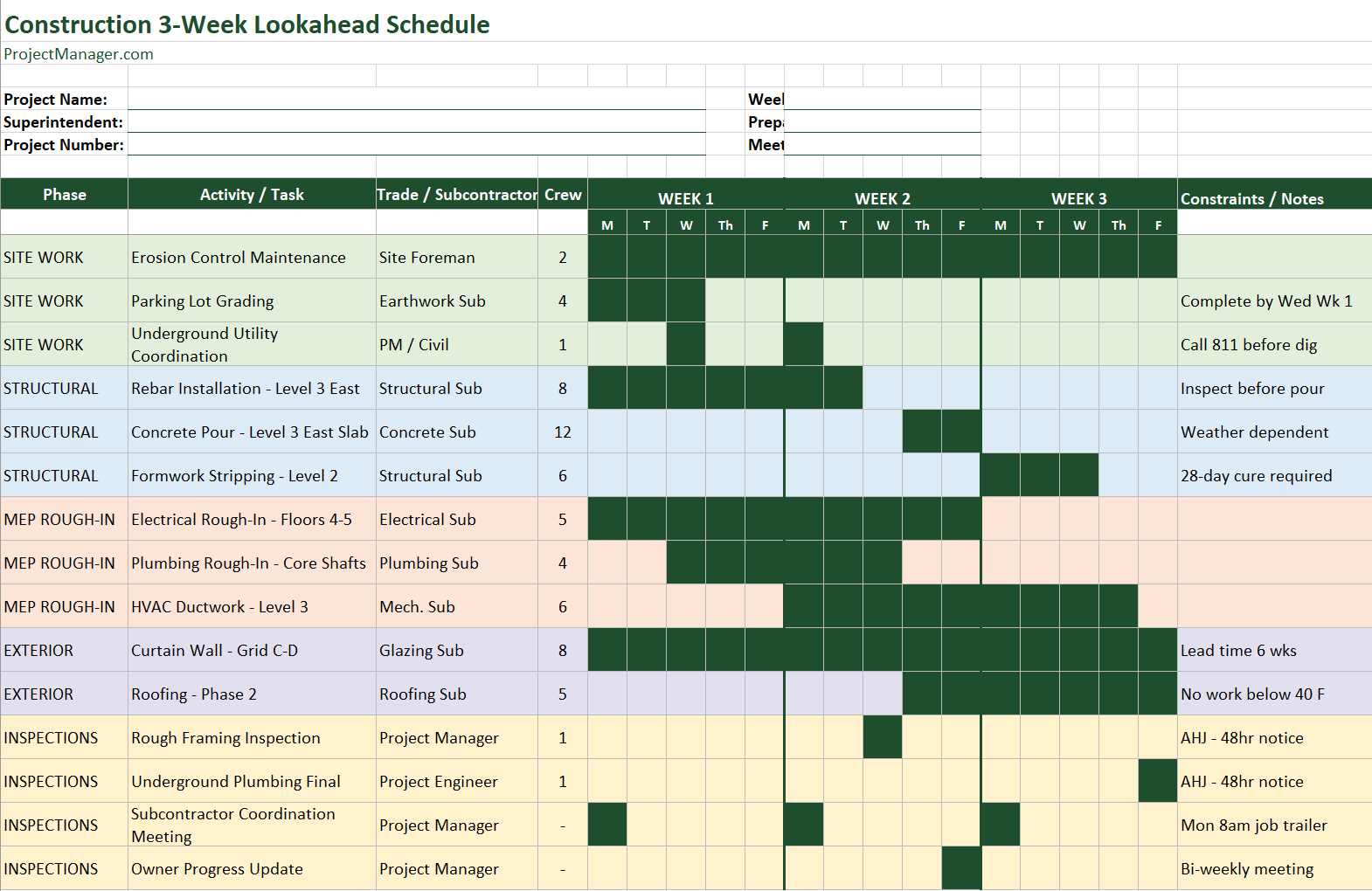
This 3-week lookahead schedule template for Excel organizes 15 common construction activities across five phases: site work, structural, MEP rough-in, exterior and inspections. Each task row shows the trade responsible, crew size and a day-by-day grid for three full work weeks. Active days are filled so the schedule reads at a glance — no formulas, no pivot tables, just a clean visual that any super can update on Monday morning and share with the team.
What Is a Construction Lookahead Schedule?
A lookahead schedule — sometimes called a short-interval schedule or look-ahead plan — is a working document that construction teams update every week to show what’s happening on the job site over the next two to four weeks. It’s different from the master project schedule, which covers the entire build from groundbreaking to closeout. The lookahead is a rolling close-up: it’s where supers, foremen and trade contractors coordinate the daily and weekly details that the master schedule leaves at a high level.
On most commercial construction projects, the superintendent prepares the lookahead at the weekly subcontractor meeting and distributes it to all trades. Each sub uses it to confirm their crews are scheduled for the right days, identify any material or access conflicts in advance and flag inspections that need to be called in with lead time. When something slips — a material delivery delayed, an inspection that doesn’t pass — the lookahead is the first document that gets updated to show the ripple effect.
Related: Construction Schedule: A Guide With Examples
A three-week window is the standard because it’s long enough to anticipate procurement and inspection lead times but short enough to stay accurate. Planning further out than three weeks in construction is often unreliable; planning only one week out doesn’t leave enough time to react to problems before they affect the schedule.
If you run your lookahead schedule in ProjectManager instead, you can update it in real time from the field, share it with subcontractors instantly and link it directly to your master project schedule so nothing falls through the cracks. Try it free — no credit card required.
What’s Included in This Lookahead Schedule Template
The template is organized as a single Excel sheet with a project header section, a 15-task schedule grid and a color-coded legend. Here’s what each part contains.
Project Header
The top of the template includes fields for the project name, project number, superintendent, the start date of Week 1, the name of whoever prepared the schedule and the date of the weekly coordination meeting. Fill these in at the start of each week before distributing the schedule to subcontractors.
Schedule Grid
The main body of the template is a grid with columns for the construction phase, the activity or task name, the responsible trade or subcontractor, the crew size and 15 day columns spanning three full work weeks (Monday through Friday). Active days are shaded dark green so trades can see their windows at a glance without reading individual cells. A constraints and notes column on the right captures anything the team needs to know — lead times, inspection notice requirements, weather dependencies or sequencing rules.
The 15 pre-built tasks cover the most common lookahead activities on a commercial construction project:
- Site Work: Erosion control maintenance, parking lot grading and underground utility coordination
- Structural: Rebar installation, concrete pour and formwork stripping
- MEP Rough-In: Electrical, plumbing and HVAC work organized by floor or system
- Exterior: Curtain wall installation and roofing by phase
- Inspections & Coordination: Required regulatory inspections and recurring team meetings
Each phase is color-coded so trades can quickly find their rows: site work in light green, structural in light blue, MEP in peach, exterior in lavender and inspections in yellow. Replace the example tasks with the actual activities for your project and shade the day cells for the days each task is active.
Schedule Legend
A legend at the bottom of the sheet explains what each color represents. Share the legend with subcontractors who are seeing the schedule for the first time so there’s no confusion about how to read it.
How to Use This Construction Lookahead Schedule Template
The template is designed to be updated every Monday morning and distributed before the weekly subcontractor meeting. Here’s the weekly process.
Roll the Schedule Forward Each Week
At the start of each week, shift the schedule forward by one week. Week 1 becomes the current week, Week 2 becomes next week and Week 3 becomes the week after. Update the Week 1 start date in the project header and add the new Week 3 activities based on the master schedule and any commitments made in last week’s meeting. Delete or carry forward any tasks that didn’t complete as planned — and note in the constraints column why they slipped.
Confirm Crew and Trade Assignments
Go through each active task and confirm the trade or subcontractor is still available for the days shown. Check that crew sizes are accurate — if a sub has a crew of four listed but is pulling people to another job, the schedule needs to reflect the real number. Catch conflicts here, before they show up on the job site.
Flag Inspections and Long Lead Items
Identify any inspections scheduled in the next three weeks and make sure the required notice has been given to the authority having jurisdiction. Most AHJs require 24 to 48 hours of notice, and some require more. Similarly, flag any material deliveries or submittals that need to clear before a task can start and confirm the lead time is accounted for in the schedule.
Distribute Before the Weekly Meeting
Share the updated lookahead with all subcontractors before the weekly coordination meeting — either by email the night before or at the start of the meeting. Walk through it trade by trade, confirm there are no conflicts and capture any changes directly on the schedule during the meeting so everyone leaves with the same version.
How to Manage Construction Schedules With ProjectManager
The Excel lookahead template gives you a solid weekly planning tool, but it has limits: it can’t link to your master schedule, it doesn’t update automatically when something changes and there’s no way for subcontractors to report their own progress back into it. ProjectManager is award-winning construction project management software that connects the lookahead to the master schedule and keeps everyone working from the same live data.
Link the Lookahead to the Master Schedule
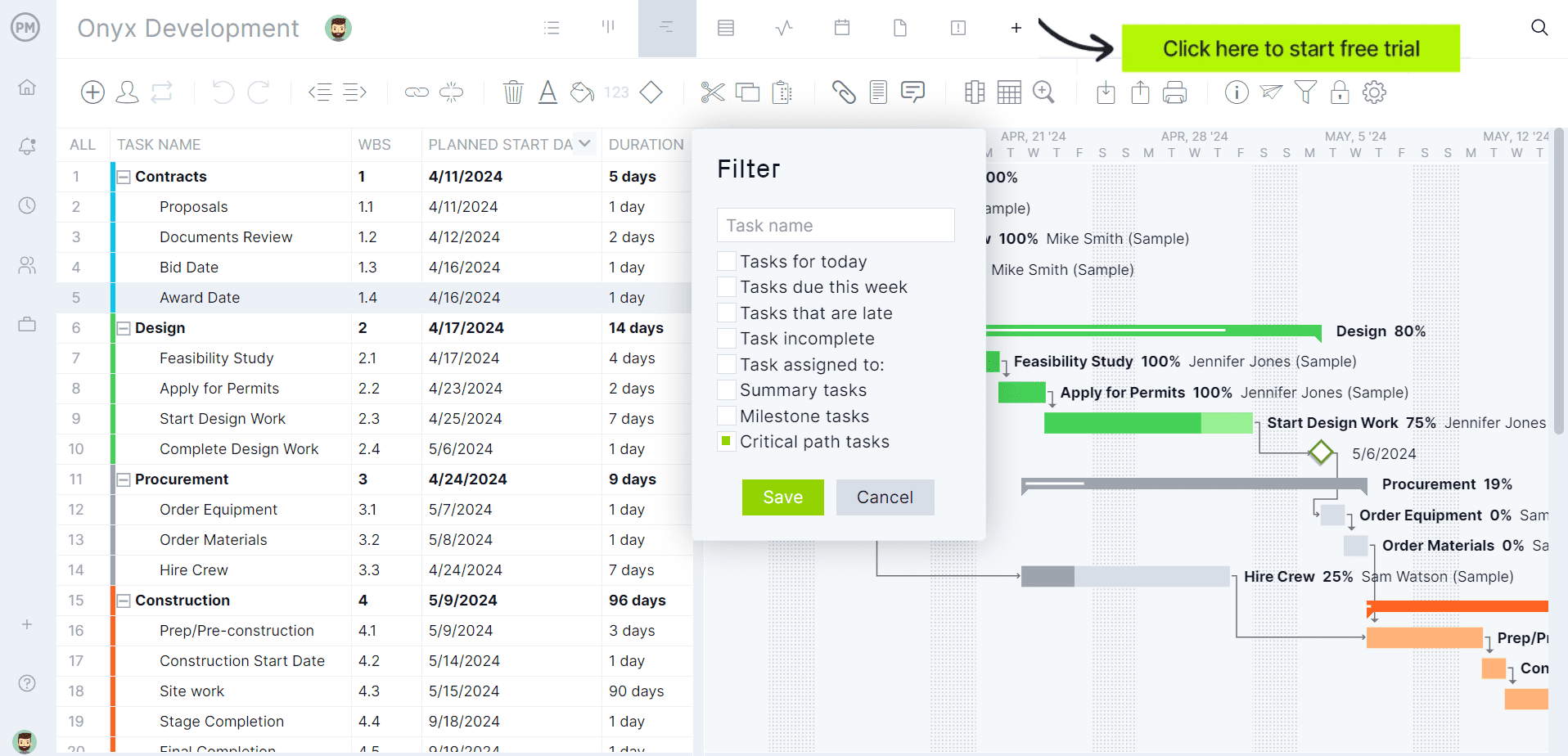
In ProjectManager, your lookahead isn’t a separate document — it’s a filtered view of the master Gantt chart. Set the date range to the next three weeks and the Gantt chart shows only those tasks, with the same day-by-day detail you get from the Excel template, plus live progress updates from the team. When a task slips in the lookahead window, the master schedule updates automatically and pushes all dependent tasks forward. No manual recalculation, no separate spreadsheet to maintain.
Give Subcontractors Their Own View
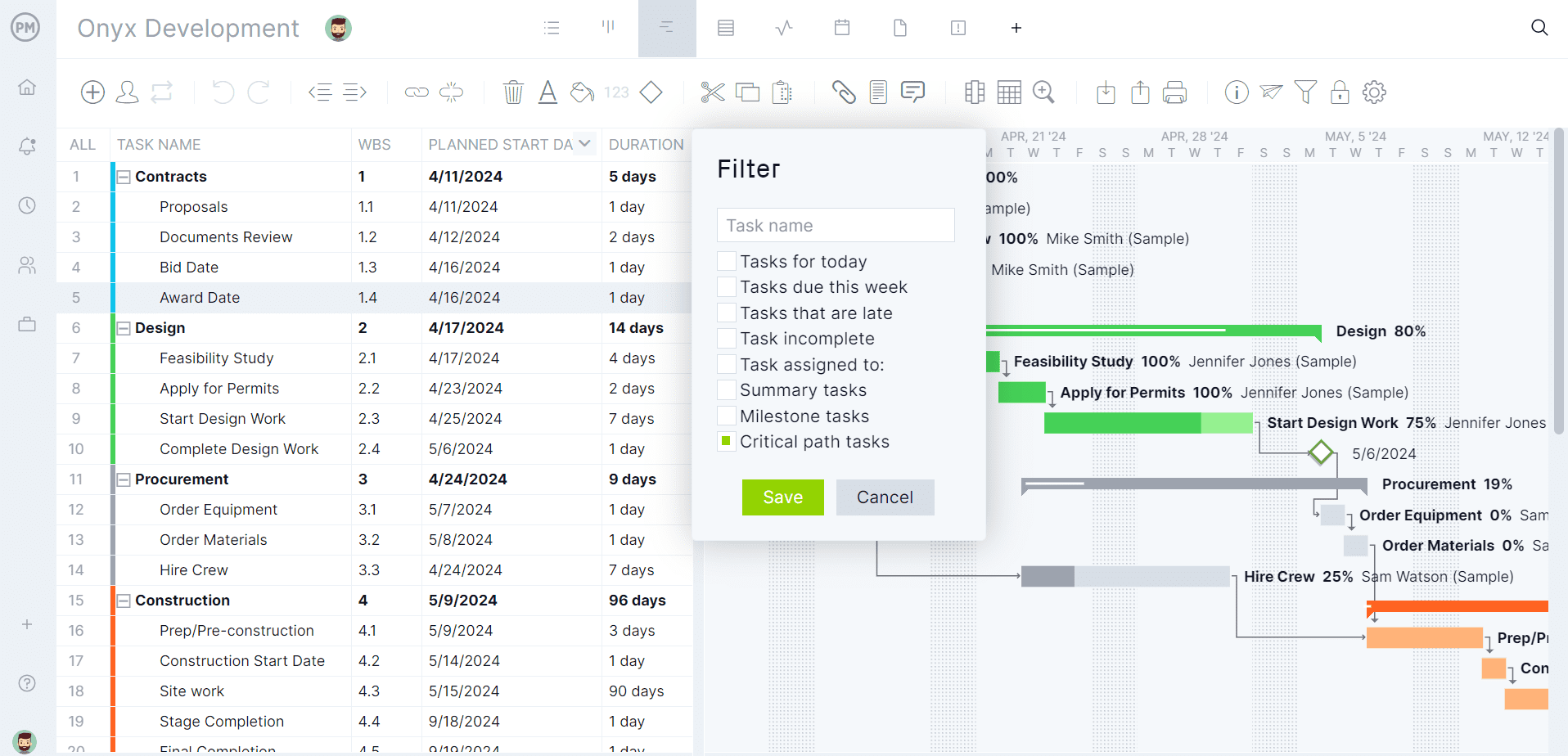
Instead of emailing a PDF every Monday, invite subcontractors into ProjectManager so they can see their own tasks, update their progress and flag constraints directly in the system. Project managers see those updates in real time on the Gantt chart. Customizable reports let you generate a trade-specific lookahead for any sub in seconds, filtered by assignee and date range, without rebuilding it from scratch each week.
Related Content
- Construction Schedule Template
- Construction Gantt Chart Template
- Construction Closeout Checklist Template
- Construction Management Plan Template
- Construction Schedule: A Guide With Examples
- Construction Project Management Guide
ProjectManager is cloud-based project and portfolio management software built for construction teams in the office and in the field. Superintendents can update task progress from any device, project managers get real-time visibility across all active jobs and owners get clean progress reports without asking for them. Join construction teams at Turner, Skanska and Webcor who use our software to keep builds on schedule. Get started with ProjectManager today for free.