


 Trusted by 35,000+ users worldwide
Powerful construction Gantt charts
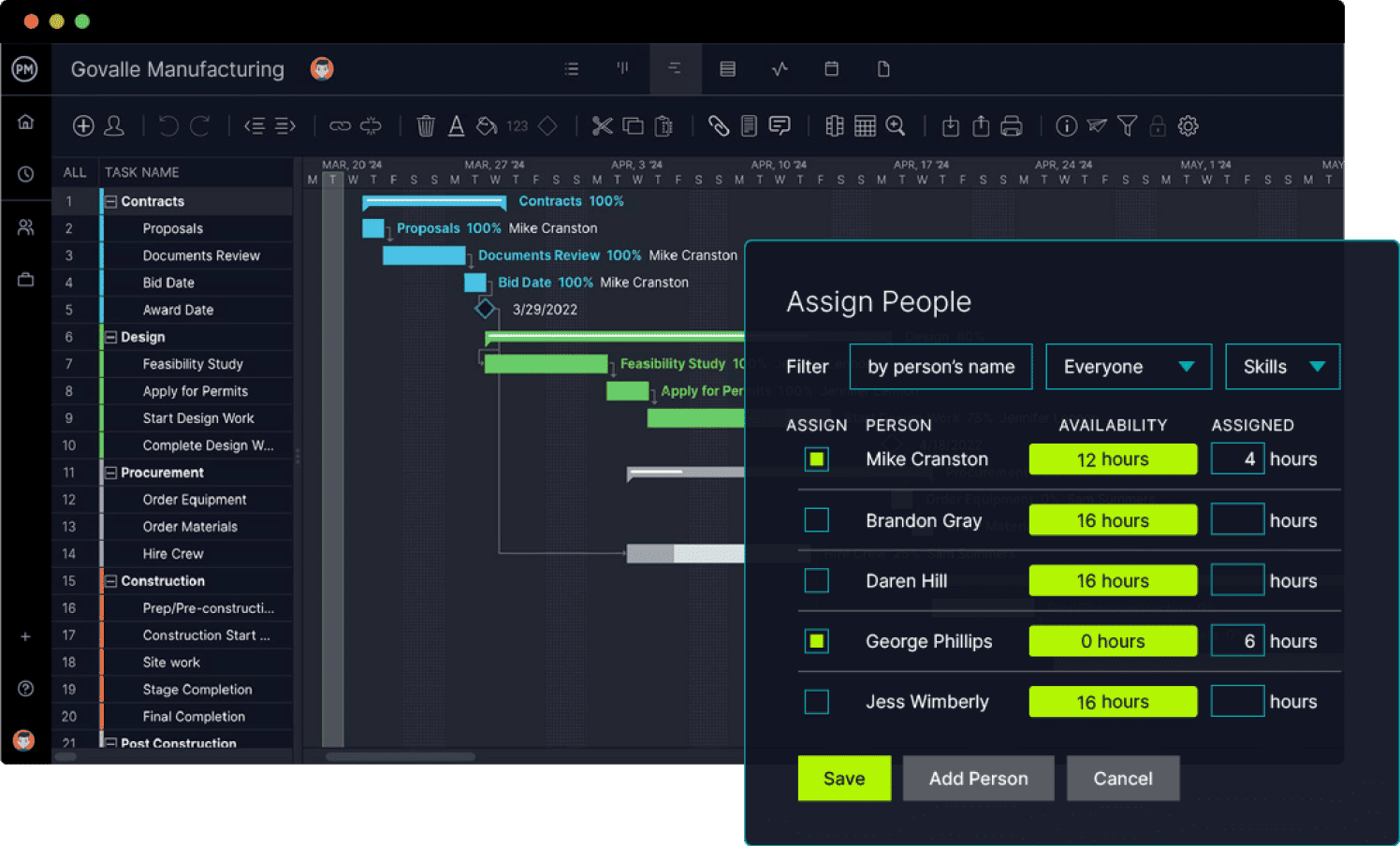
ProjectManager’s Gantt chart offers advanced construction scheduling software features, ideal for planning, scheduling and tracking projects.
- Link four types of task dependencies (FS, SF, SS, FF)
- Identify project milestones and view them in the Gantt timeline
- Track costs, time and progress versus your project baselines
- View the work breakdown structure (WBS) levels of project tasks
- Identify the critical path of your construction schedules

Smarter construction resource scheduling
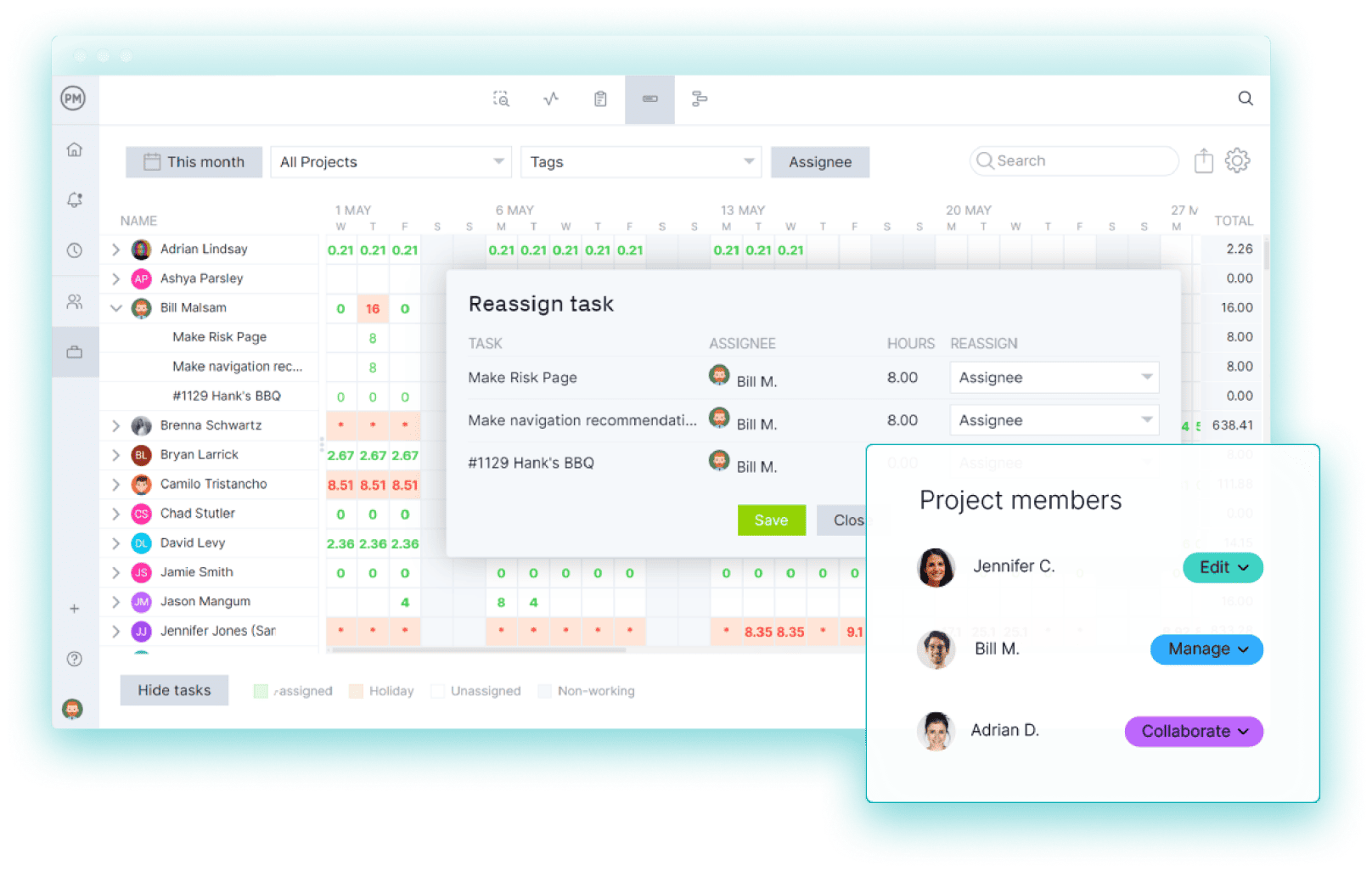
Schedule work, manage team availability, assign resources and keep projects moving forward.
- Set working days, hourly rates and view availability
- See team and resource availability in real time to manage workloads
- Create resource-loaded construction schedules and track costs at the task level
- Use online timesheets to control construction labor costs
Track construction schedules in real time
Monitor your construction projects with ProjectManager’s real-time dashboards and reports.
- Use project, program and portfolio-level dashboards
- See the amount of time your team spends on tasks
- View variance between planned and actual progress
- Use real-time data to identify delays, cost overruns and other issues
- Create construction project status and progress reports in minutes

From Construction Scheduling to ROI:
What Customers Are Saying

“The implementation of ProjectManager, from day one, was the easiest implementation I’ve ever dealt with. That includes Oracle, Microsoft, Adobe, pick a name.”
Mark Klady
Director of Operations at Lightenco

“We can manage all our projects in one place. ProjectManager gives me more control while freeing up my time and my team’s time. We don’t have to use multiple software anymore.”
Yosef Ben Gershom
Operations Manager at Hawaii Space Flight Laboratory

“ProjectManager gave us more visibility. We’re able to track work from start to finish. Bottom line: ProjectManager saves us money.”
Dan McKay
Director at Metalmorphic Laser
Start your free 30-day trial

Frequently Asked Questions
What Are ProjectManager’s Key Construction Scheduling Software Features?
ProjectManager is a cloud-based software with features built for construction scheduling, such as Gantt charts, task lists, workload charts, timesheets and dashboards. Construction firms can create construction schedules, manage workflows, allocate resources, monitor costs and compare planned vs. actual project performance in real-time. Additionally, ProjectManager offers AI-powered project insights, online collaboration features and real-time data.
What Makes ProjectManager the Best Construction Scheduling Software?
ProjectManager is the best construction scheduling software because it’s an online platform that offers advanced construction scheduling tools and features in a modern, intuitive user interface at a much lower cost than Microsoft Project or Primavera P6, which makes it one of the most powerful, user-friendly and cost-effective solutions for construction scheduling.
Is the trial free and do I need a credit card?
We offer a 30‑day free trial. No credit card required.
How long will implementation take?
Most teams are live in a day. Import MPP/Excel plans, use our pre-built construction schedule template, and invite your team. Access our free on-demand academy and live group training sessions. Need something more tailored? Private training is available for purchase.
Can we manage resources across multiple projects?
Yes. Portfolio‑level workload heatmaps, capacity and utilization forecasts, role/skill calendars, and drag‑to‑rebalance assignments.
Do you support MS Project (import, baselines, critical path)?
Yes. Import/export .MPP with dependencies, constraints, baselines and resource assignments intact. Critical path and variance tracking are built in.
Will our Security or IT approve ProjectManager?
We’re SOC 2 compliant and support SSO/SAML, role‑based permissions, and audit logs.
A note from our CEO
You manage multiple projects. Deadlines shift, scope changes, but stakeholders still expect accurate updates.
ProjectManager solves that.
Know what’s happening and what’s at risk. Use baselines, find the critical path, and use workload heatmaps to keep every resource and project on track… while keeping your stakeholders informed.
If that’s the level of project management you need, start a 30-day free trial or book a demo. We’ll show you how to get there.

Kevin Riegelsberger
CEO, ProjectManager


Join 35,000+ teams that plan, schedule and track their projects in real time with ProjectManager.
“ProjectManager has improved our work quality by 50 percent. We could never tackle the amount of projects we have if we didn’t have ProjectManager.”
– Stacy Kerns
Operations Manager at Texas HHS