



Last updated: November 5, 2026
GanttPRO is the better choice for small teams that want a focused, easy-to-learn Gantt chart tool with critical path and baselines on every plan at a low per-user price. ProjectManager is the better choice for teams that exchange schedules with Microsoft Project users, because it imports and exports MPP files, and for teams that want timesheets, workload and dashboards alongside sheet, board, list and calendar views.
The two tools overlap more than most comparisons. Both build schedules on Gantt charts with all four dependency types, the critical path and baselines, and both show resource workload across projects on their higher plans. GanttPRO keeps the focus on the Gantt chart and is quick to learn. ProjectManager puts more around the schedule, including timesheets, workflows with approvals, portfolio views and Microsoft Project round-tripping.
This comparison covers scheduling, resource management, time tracking and reporting, Microsoft Project compatibility, collaboration and pricing, with an honest look at when each tool is the right fit.
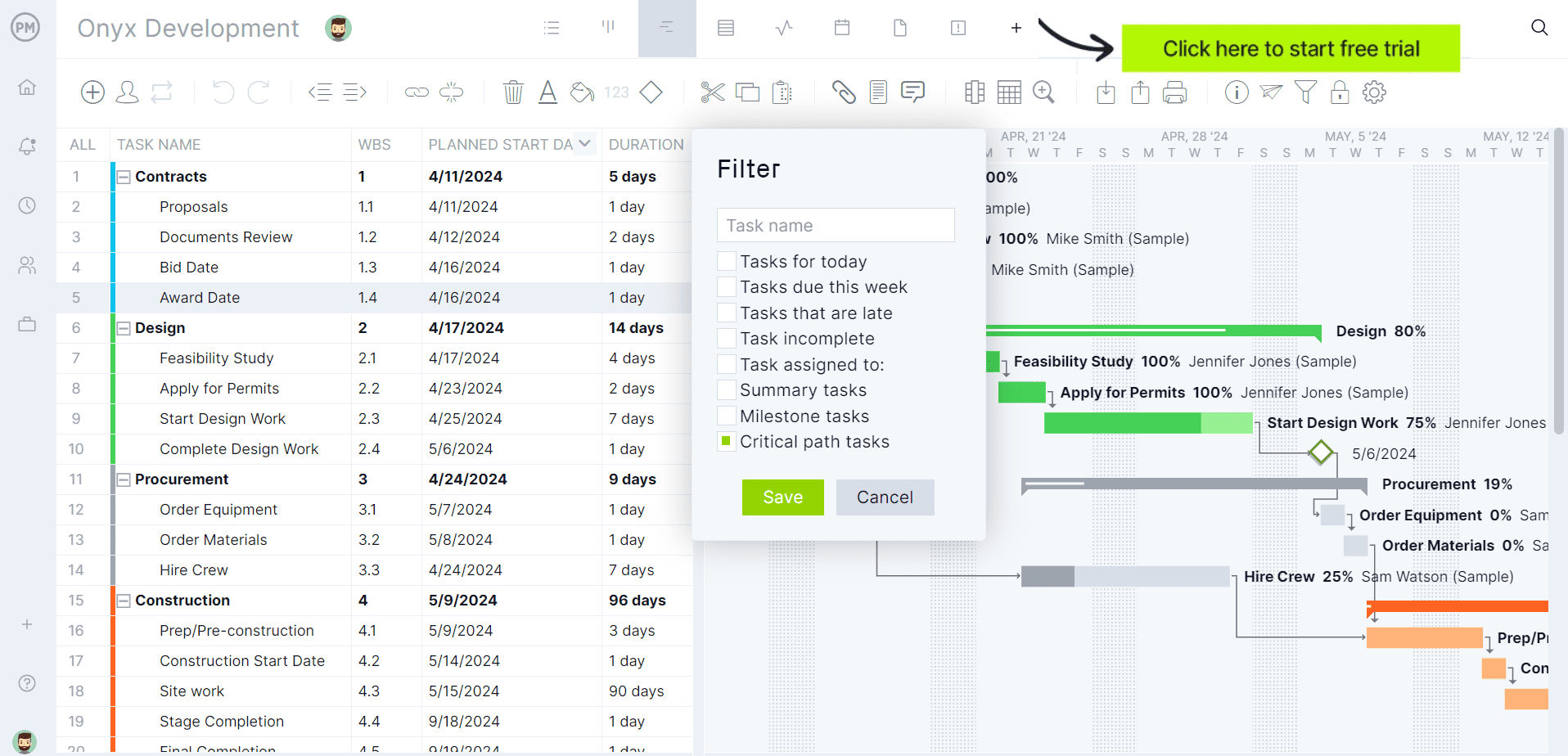
Try ProjectManager on your own schedule: import an MPP or Excel file and turn on the critical path filter. Get started with ProjectManager today for free.
ProjectManager vs. GanttPRO at a Glance
| ProjectManager | GanttPRO | |
|---|---|---|
| Best for | Teams that exchange MPP files or want timesheets, workload and dashboards with the schedule | Small teams that want a focused, easy-to-learn Gantt chart tool at a low price |
| Price | $15/user/month (Team), $28/user/month (Business), billed annually | Core $8, Advanced $12, Business $19 per user per month, billed annually, for teams of up to 15; $7, $10 and $17 for 20 or more members; single-user plans are annual only |
| Platforms | Any modern browser on macOS, Windows and Linux; iOS and Android apps | Web app; iOS and Android apps |
| Gantt features | All four dependency types with lag, automatic rescheduling | All four dependency types with lag and lead, auto scheduling, AI Gantt chart maker |
| Critical path | Yes, critical path filter on the Gantt chart | Yes, all plans |
| Baselines | Yes, with variance reports | Yes, all plans |
| Resource management | Workload page with hours across all projects (Business and above) | Workload across current or all active projects (Business and above); virtual resources on all plans |
| Time tracking | Timesheets | Task time tracker and time log reports (Business and above) |
| MPP import | Yes, plus Microsoft Project XML, Excel and CSV | Yes, plus Excel and Jira Cloud |
| MPP export | Yes, plus Microsoft Project XML, Excel and CSV | Not listed; exports PNG, PDF, XML and Excel |
| Views | Sheet, Gantt, board, list, calendar, dashboards and portfolio views | Gantt, board, list and dashboard on all plans; calendar (Advanced and above); portfolio and workload (Business and above) |
| Free trial | 30 days | 14 days, no credit card required |
Prices are list prices as of November 2026 and change often. GanttPRO’s monthly prices are $9, $15 and $24 per user for Core, Advanced and Business.
What Is ProjectManager?
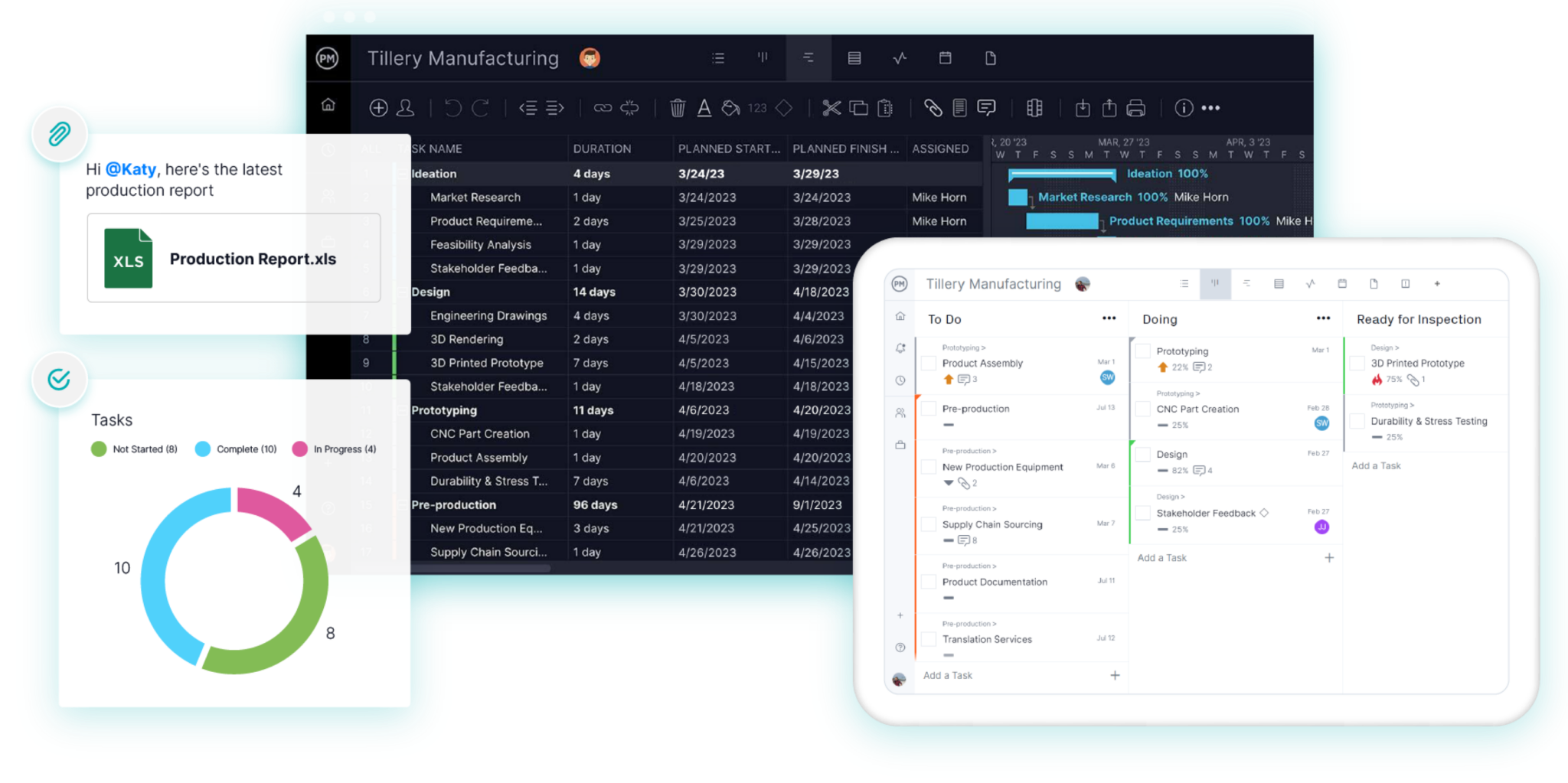
ProjectManager is online project management software for planning, scheduling and tracking projects as a team. Schedules are built on Gantt charts with all four dependency types, lag, a critical path filter and baselines, and the same tasks can be viewed as a sheet, board, list or calendar. The workload page shows each person’s assigned hours across all projects, timesheets record actual hours, and dashboards and portfolio views roll up progress across projects. Integrations include Microsoft Teams, Power BI, QuickBooks Online, Acumatica and ChatGPT.
What Is GanttPRO?
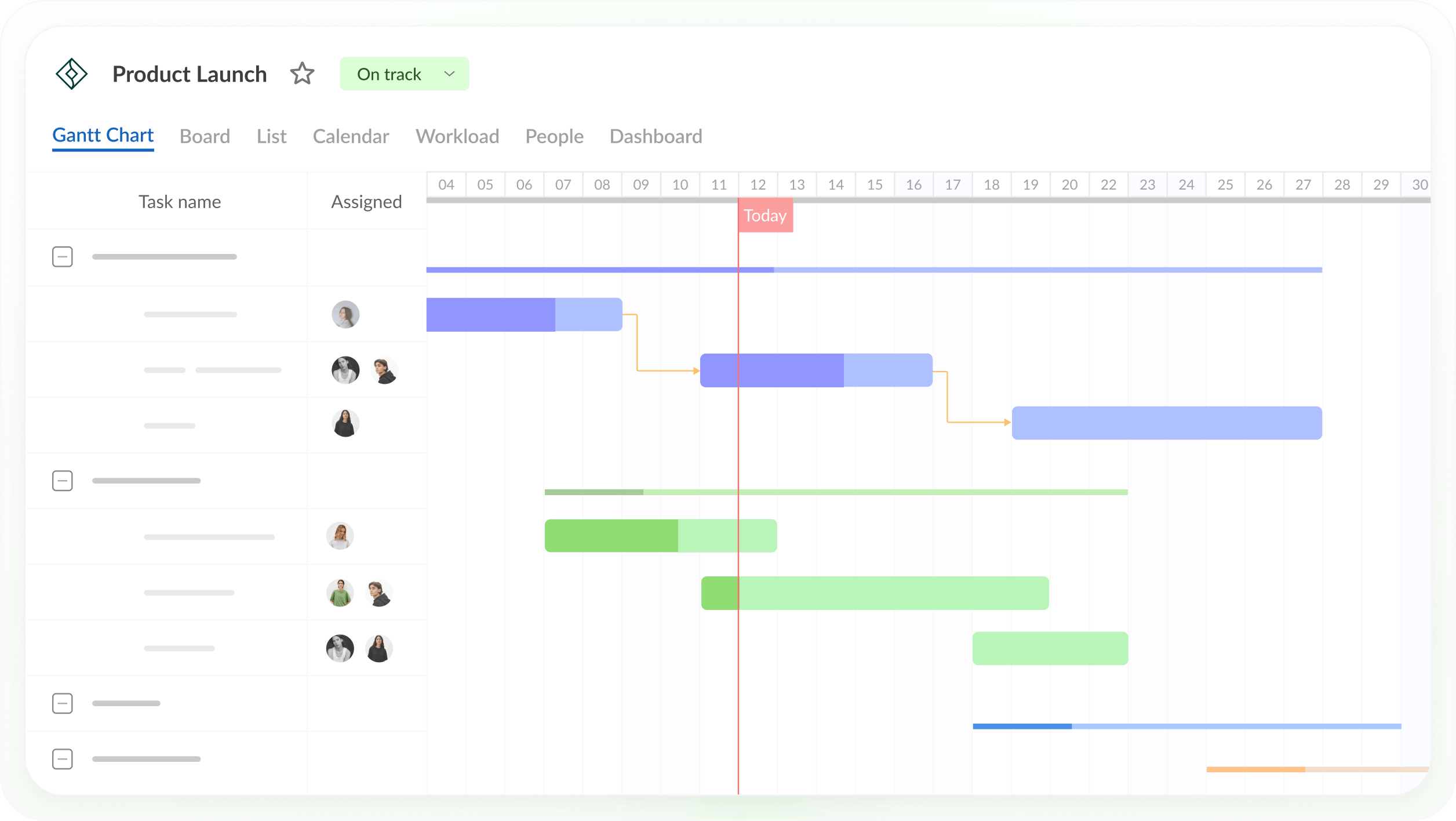
GanttPRO is online Gantt chart software for planning projects, managing tasks and tracking progress. Every plan includes Gantt charts with dependencies, auto scheduling, the critical path, baselines, board, list and dashboard views, and an AI Gantt chart maker that builds a plan from a description. Higher plans add calendar exceptions and custom templates (Advanced), and workload, portfolios, reports, budget planning and time tracking (Business). GanttPRO integrates with Jira Cloud, Slack, Microsoft Teams and Google and Outlook calendars, and has iOS and Android apps.
ProjectManager vs. GanttPRO: Feature Comparison
Scheduling and Gantt Charts
Both tools cover professional Gantt scheduling. GanttPRO connects tasks with finish-to-start, start-to-start, finish-to-finish and start-to-finish dependencies, sets lag or lead, recalculates linked tasks automatically, and includes the critical path and baselines on every plan, including Core. Its interface stays focused on the Gantt chart, which makes it quick to learn, and its AI Gantt chart maker can draft a plan from a short description.
ProjectManager offers the same core logic: all four dependency types with lag, automatic rescheduling, a critical path filter and baselines with variance reports. The difference is around the Gantt chart. The same tasks can be worked on in a sheet view for bulk editing, or on a board, list or calendar, and workflows with automation and task approvals keep tasks moving. Read more about critical path software.
Verdict: A tie for core scheduling. GanttPRO for the quickest start on a focused Gantt chart; ProjectManager if you want more ways to work with the same schedule.
Resource and Workload Management
Both tools show workload across projects on their Business plans. GanttPRO’s workload view shows who has enough tasks, who is overloaded and who has time, from the current project or all active projects, and you can reschedule from it. Resource calendars, resource types and unlimited virtual resources round it out.
ProjectManager’s workload page shows each person’s assigned hours by day across all projects, with over-assigned days in red, and you can reassign work from the same page. Equipment and subcontractors can be added as resources with no license cost.
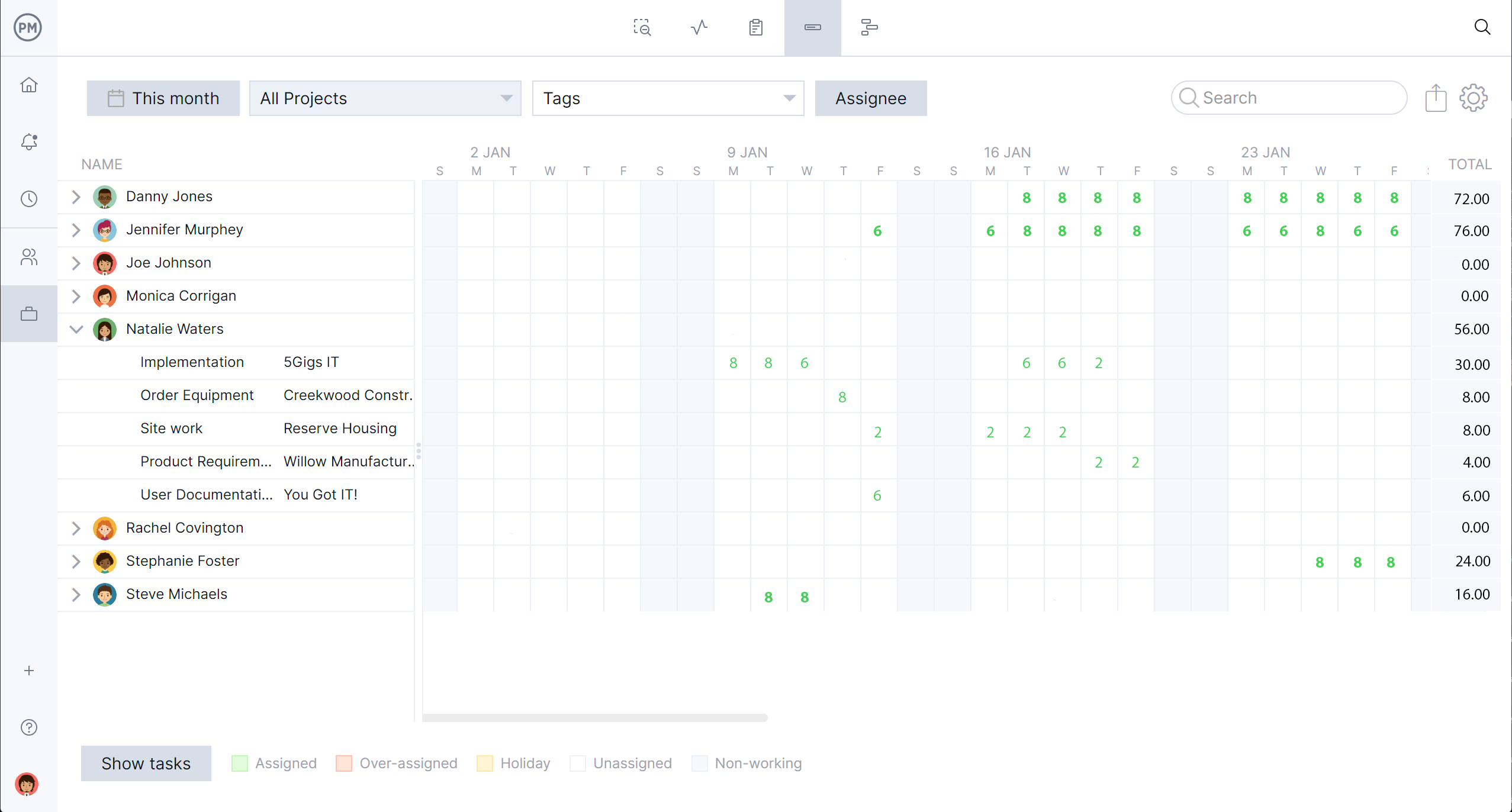
Verdict: Close. Both need their Business plan for workload across projects, and GanttPRO’s Business plan costs less per user.
Time Tracking and Reporting
Both tools track time. GanttPRO’s time tracking is on its Business plan, which adds a task time tracker, time log reports and reports covering projects, tasks, assignees, time, cost and actual cost, plus budget planning.
ProjectManager includes timesheets for recording actual hours, along with dashboards and portfolio views that show health, progress, cost and time across projects. Reports can be exported for stakeholders.
Verdict: ProjectManager for timesheets, dashboards and portfolio reporting together with the schedule. GanttPRO if lighter time logs on the Business plan are enough.
Microsoft Project Compatibility
This is the clearest difference. GanttPRO imports projects from Microsoft Project, Excel and Jira Cloud, and exports Gantt charts and data to PNG, PDF, XML and Excel. MPP isn’t among the export formats GanttPRO lists, so check before relying on it to send files back to Microsoft Project users.
ProjectManager imports MPP, Microsoft Project XML, Excel and CSV files and exports to MPP, Microsoft Project XML, Excel and CSV. Its MPP import and export are lossless for schedule data: tasks, durations, dates, dependencies and WBS structure stay intact when you import with “all data” and export back to MPP. For more options, see the best Microsoft Project viewers and Microsoft Project vs. ProjectManager.
Verdict: ProjectManager, especially when schedules go back and forth with Microsoft Project users.
Collaboration
Both tools are built for teams working online. GanttPRO syncs changes in real time, keeps comments for every project in one place, logs activity and shares plans through private links with stakeholders and clients. It integrates with Jira Cloud, Slack, Microsoft Teams and calendars.
ProjectManager supports real-time collaboration with comments, file attachments and notifications, and integrates with Microsoft Teams, Power BI, QuickBooks Online, Acumatica and ChatGPT.
Verdict: A tie for day-to-day collaboration. Choose by the integrations your team already uses.
Pricing
GanttPRO costs less per user. Billed annually, Core, Advanced and Business cost $8, $12 and $19 per user per month for teams of up to 15 members, and $7, $10 and $17 for 20 or more. Monthly billing costs $9, $15 and $24 and starts at 5 members, so a single user can only buy GanttPRO on an annual plan. Enterprise is $25 per user per month for 5 or more users on an annual plan, listed as a limited offer. GanttPRO has a 14-day free trial with no credit card required.
ProjectManager costs $15 per user per month on the Team plan and $28 per user per month on the Business plan, billed annually, with Enterprise by quote and a 30-day free trial. ProjectManager can also be paid monthly, including by a single user, which suits freelancers and solo project managers who don’t want a 12-month commitment. For workload across projects, compare the Business plans: five users on GanttPRO Business cost about $1,140 a year, and five users on ProjectManager Business cost $1,680 a year.
Verdict: GanttPRO on price for teams on annual plans. ProjectManager for single users who want to pay monthly, or if MPP export, timesheets and dashboards are worth the difference.
Pros and Cons
ProjectManager
Pros
- Imports and exports MPP files, lossless for schedule data
- Timesheets, dashboards, portfolio views and a workload page with hours across all projects
- Sheet, Gantt, board, list and calendar views of the same tasks
- Integrations with Microsoft Teams, Power BI, QuickBooks Online, Acumatica and ChatGPT
- Monthly billing is available even for a single user
Cons
- Costs more per user than GanttPRO
- The workload page needs the Business plan or above
- No desktop app and no offline mode
GanttPRO
Pros
- Focused Gantt chart tool that’s quick to learn
- Critical path, baselines and all four dependency types on every plan
- Lower per-user prices, plus an AI Gantt chart maker
- 14-day free trial with no credit card required
Cons
- Workload, time tracking, portfolios and reports need the Business plan
- The lowest per-user prices apply to teams of 20 or more members, and single-user plans are annual only
- MPP isn’t among its listed export formats
Which One Should You Choose?
Choose GanttPRO if a focused Gantt chart at a low price covers what your team needs, and choose ProjectManager if you exchange files with Microsoft Project users or want timesheets and dashboards with the schedule.
- Small teams that mainly need a Gantt chart: GanttPRO. Critical path and baselines are on its Core plan.
- Teams on a tight budget: GanttPRO, which costs less per user on every plan.
- Freelancers and solo project managers who want to pay monthly: ProjectManager, since GanttPRO sells single-user plans on annual billing only.
- Teams that work with Microsoft Project users: ProjectManager, because it exports updated MPP files.
- Teams that track hours and report across projects: ProjectManager, with timesheets, dashboards and portfolio views.
- Teams that like working in a spreadsheet-style grid: ProjectManager’s sheet view.
For a wider comparison, see the best Gantt chart software and the best Microsoft Project alternatives.
How to Move a GanttPRO Project Into ProjectManager
To move a GanttPRO project into ProjectManager, export the project from GanttPRO to Excel, set up a project in ProjectManager with matching working days, then import the file, map the columns and check the logic. ProjectManager imports XML files only when they were exported from Microsoft Project, so use GanttPRO’s Excel export.
- Export from GanttPRO. Export the project data to Excel. GanttPRO also exports to PNG and PDF if you want a picture of the original Gantt chart to check against.
- Set working days first. In ProjectManager, click the + button, choose Project and set working days to match your GanttPRO project calendar. Working days are hard to change after the project is created, and global holidays can’t be added to existing projects.
- Import the file. Choose Import File when creating the project, or click the import icon on the Gantt ribbon of an existing project. Click select file and upload the Excel file. For an existing project, choose Keep and append with the imported data or Replace with the imported data. Replace removes everything already in the project.
- Map the columns. Map each column, such as task name, assignee, start, finish and duration, to the matching Gantt column, then click import.
- Re-link dependencies. Compare the schedule with your GanttPRO export, re-link any dependencies that didn’t come through and add lag where needed.
- Filter for the critical path and set a baseline. Turn on the critical path filter to check the tasks that drive the finish date, then set a baseline in Gantt settings.
File attachments and tags don’t come over in an Excel import, so download any attachments from GanttPRO separately.
Want to see your schedule in ProjectManager? Start a free 30-day trial and import your exported Excel file. Get started with ProjectManager today for free.
ProjectManager vs. GanttPRO FAQ
Is GanttPRO good for resource management?
Yes, on the Business plan. GanttPRO’s workload view shows who’s overloaded or free across the current or all active projects, and it includes resource calendars and virtual resources. Workload isn’t available on the Core or Advanced plans. ProjectManager’s workload page, on its Business plan, shows each person’s hours across all projects and lets you reassign work from the same page.
Can GanttPRO import Microsoft Project files?
Yes. GanttPRO imports projects from Microsoft Project, Excel and Jira Cloud. For exports, it lists PNG, PDF, XML and Excel. ProjectManager imports and exports MPP files, so updated schedules can go back to Microsoft Project users.
Which is cheaper, GanttPRO or ProjectManager?
GanttPRO. Billed annually, its plans cost $8 to $19 per user per month for teams of up to 15 members, and $7 to $17 for 20 or more. ProjectManager costs $15 per user per month on the Team plan and $28 on the Business plan, billed annually. For a single user, GanttPRO is annual only, while ProjectManager can also be paid monthly.
Does GanttPRO have critical path?
Yes. GanttPRO includes the critical path and baselines on every plan, including Core. ProjectManager also has a critical path filter and baselines with variance reports.
Does GanttPRO have time tracking?
Yes, on the Business plan and above, with a task time tracker and time log reports. ProjectManager includes timesheets for recording actual hours.
Can I move a project from GanttPRO to ProjectManager?
Yes. Export the project from GanttPRO to Excel, import it into ProjectManager with Import File, map the columns, then re-link dependencies and set a baseline.
Related Content
- 11 Best Gantt Chart Software of 2026 (Free and Paid)
- 11 Best Project Timeline Software of 2026 (Free + Paid)
- 8 Best Microsoft Project Alternatives (2026)
- MPP File Extension: What Is It & How to Open It
- ProjectManager vs ProjectLibre: Software Comparison (2026)
- ProjectManager vs. Primavera P6: Software Comparison
