



Every estimate you send out is a bet. Bid too high and the job goes to someone else. Bid too low and you’re the one eating the difference six weeks into the project when material costs don’t match what you penciled in. We’ve seen both mistakes sink otherwise good contractors, and neither one is really about being bad at math — it’s about not having the right in front of you when you’re building the number.
That’s the gap construction estimating software is supposed to close. The market’s crowded with options, so we tested a batch of them the way we’d size up any tool before trusting it with a bid: does it produce a number you can actually stand behind, and does it keep working once the estimate turns into a real job with real cost overruns to track.
What Is Construction Estimating Software?
Construction estimating software is software that helps contractors, estimators and construction companies calculate the expected cost of a construction project before work begins. It combines material, labor, equipment, subcontractor and overhead costs to produce accurate cost estimates, bids and budgets.
Unlike general project management or accounting software, construction estimating software is specifically designed to perform quantity takeoffs, apply unit costs, generate bid proposals, compare estimate versions and track pricing databases. Many construction estimating software tools also integrate with project management, scheduling and accounting software to improve cost planning and budget accuracy throughout the project lifecycle.
What Features Make the Best Construction Estimating Software?
Picking a tool is the easy part. The hard part is figuring out which one won’t leave you stranded once the estimate is done and the actual work starts. A good estimating tool doesn’t just spit out a number and walk away — it should carry that number through the entire build, so you’re comparing what you planned against what you’re actually spending in real time.
That’s the real test here. An estimate is a small piece of managing a construction project. The bigger job is planning, scheduling, and tracking the work closely enough that the number you promised the client is the number you actually hit. Here’s what we looked for:
- Cloud-based access: You want real-time cost data, not a spreadsheet someone has to email around and reconcile by hand. If the numbers aren’t live, you’re always working off yesterday’s information.
- Team collaboration tools: Estimating is rarely a one-person job — GCs, subs, and estimators all need eyes on the same numbers. File sharing, messaging, and notifications should keep everyone working off the same version, not five different ones.
- Gantt charts: A Gantt chart that only shows dates isn’t enough. You want one that ties costs — labor, materials, equipment — directly to the timeline, so you can see where the money and the schedule intersect.
- Task management tools: Estimates change the moment ground breaks. You need to plan, schedule, and adjust tasks from wherever you are — a task list or kanban board that updates from the field, not just from a desk.
- Project reporting tools: Reporting is your early warning system. If you can’t see a budget drifting until the job’s already over, the report showed up too late to matter.
- Resource management: Your estimate assumed certain costs for materials, labor, and equipment rental. Timesheets and dashboards are what tell you whether reality is tracking with that assumption — or blowing past it.
With that in mind, here’s how the top construction estimating tools actually held up.
Construction Estimating Software Comparison Table
The table below summarizes how the construction estimating software in this list compares to each other and explains their key tools, who is their target audience and what our verdict is, so you have a clear picture of the construction project management software alternatives in the market.
| Software Name | Key Tools | Target Audience | Our Verdict |
| ProjectManager | Cost-linked Gantt charts with baselines, real-time dashboards, resource and workload management, integrated timesheets. | Contractors and PMs who want an estimate that stays connected to the schedule and budget, not a one-and-done number. | Good, it ties your estimate straight into project tracking instead of leaving it behind after the bid. No dedicated bid-maker tools, so it’s less suited if bidding itself is your bottleneck. |
| Procore | Bid management, material takeoff, RFI/RFQ tracking, online timesheets. | General contractors on large jobs who need bidding and execution in the same system. | Good for big outfits with big budgets. Takeoff and bidding are solid, but labor cost tracking stays shallow, and there’s no free trial or plan to test it first. |
| CoConstruct | Single-entry estimating, proposals, bid requests, purchase orders, QuickBooks sync. | Custom home builders and remodelers who want estimating and client billing in one place. | Not so good long-term. The interface feels dated and the pricing jumps hard after the intro period, sometimes before you’ve even finished onboarding. |
| e-Builder | Budget planning, cost estimation, document control, portfolio-level audit oversight. | Capital program owners tracking budgets across many projects at once, not single-job contractors. | Strong on oversight and document control, but you’re paying a premium mostly for a very good file organizer, no Gantt charts or dashboards to show for it. |
| Buildxact | Digital material takeoff from drawings, pre-built estimate templates, supplier price list imports. | Residential builders and remodelers who want a fast, simple estimate without a learning curve. | Good for speed, not so good for anything after the estimate. No dashboards and cost logging is manual, so you’ll outgrow it the moment you need real project tracking. |
| Buildertrend | Bid and material takeoff estimating, invoicing, work-in-progress reports, basic Gantt charts and daily logs. | Builders moving off spreadsheets who also want CRM and lead tracking built in. | Good for landing and organizing bids, not so good for tracking cost as the job runs. The Gantt chart doesn’t touch labor or material costs, and there are no budget dashboards. |
| Contractor Foreman | Estimating, bid and change order docs, daily logs, punch lists, time cards. | Small contractors who want an affordable all-in-one without enterprise pricing. | Good value, not so good on the numbers side. No resource utilization tracking, workload management, or cost variance reporting, so budget oversight stays thin. |
| Smartsheet | Spreadsheet-style estimate templates, automation, customizable sharing. | Teams already comfortable in Excel who want that familiarity with more power behind it. | Good if you live in spreadsheets, not so good for real-time budget tracking. Time and resource tools cost extra, and pages don’t update live like a true dashboard would. |
2026 Best Construction Estimating Software Rankings
We’ve only just scratched the surface of construction estimating, but it’s clear that keeping track of so many variables is more than a traditional spreadsheet can support. If you’re still trying to estimate construction costs in Excel, you’ll love the ease, speed and accuracy of construction estimating software. The following are some of the top names in construction project management.
1. ProjectManager

ProjectManager is cloud-based work and project management software that helps create and organize all costs associated with construction projects. It offers multiple construction project views to easily share budgets with cross-functional teams and connects the crew in real time to foster collaboration whether they’re on-site or in the office. It tops our list of construction estimate software due to its ease of use and powerful features for planning, tracking and reporting. It’s a full-service software that helps you stick to your budget with secure timesheets and offers resource and task management features to prevent overspending. Plus, unlike some other construction estimating software on this list, there’s a free 30-day trial so you can try it out.
Create Construction Project Plans on Gantt Charts
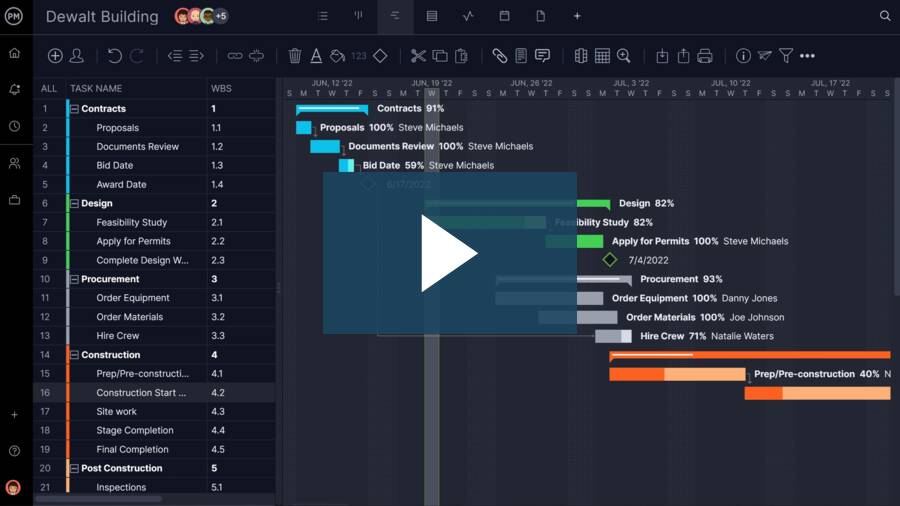
ProjectManager calculates resource costs automatically when you plan your crew’s hours. The planned resource costs and nonhuman resource costs automatically appear on the Gantt chart where users can filter for the critical path and set a baseline to track planned costs against actual costs. This real-time data access helps keep you on budget.
Keep Track of Construction Costs With Dashboards and Reports
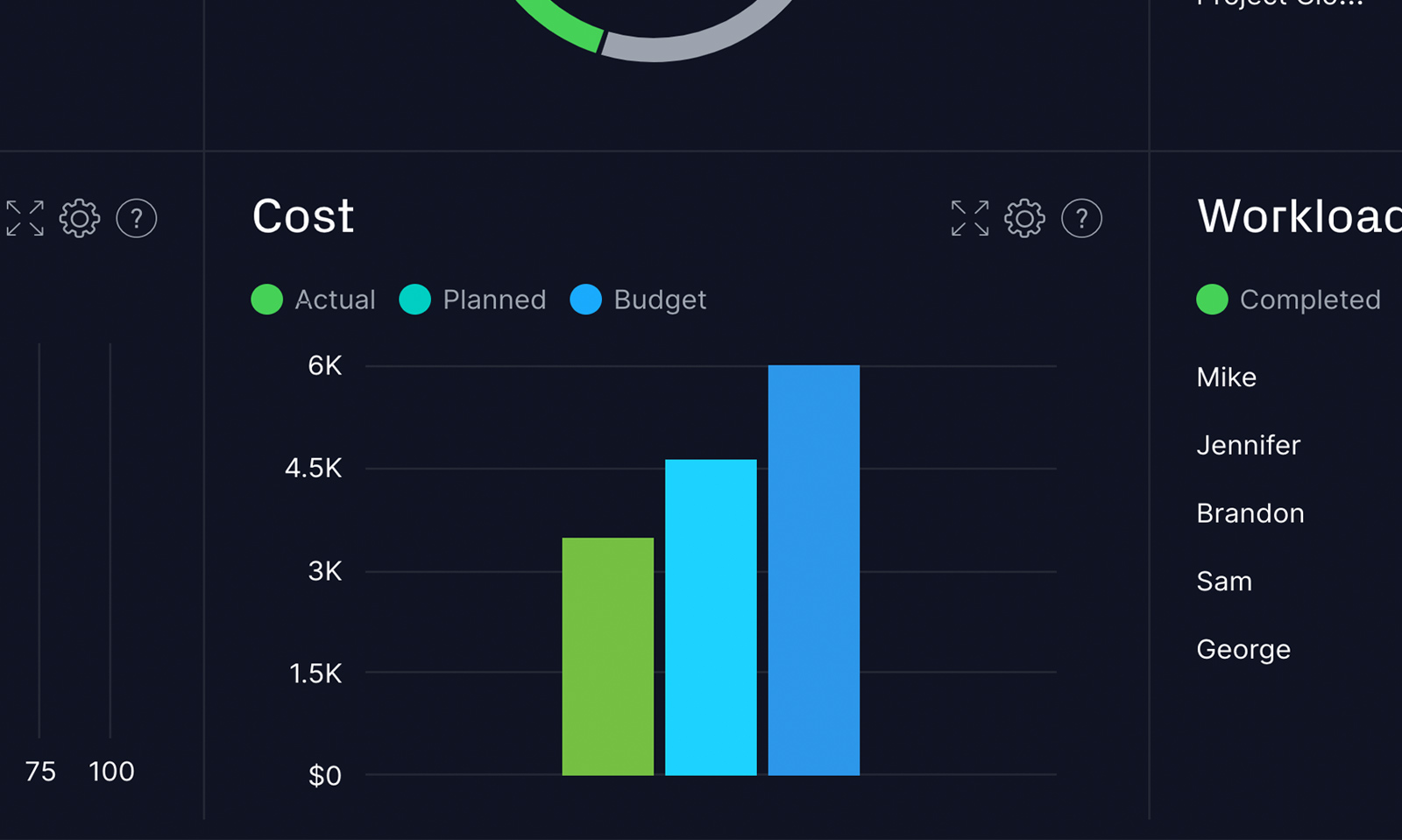
When you set a baseline, you can monitor costs on the Gantt as well as real-time dashboards that provide a high-level view of progress and performance. Unlike other construction estimate software, ProjectManager’s dashboard requires no setup and delivers real-time cost metrics. For a deeper dive into the data, generate and filter reports with a keystroke and easily share them with stakeholders. The powerful reporting features for this construction estimating software are undoubtedly leading the pack.
Manage Your Teams Workload and Track Time Spent on Tasks
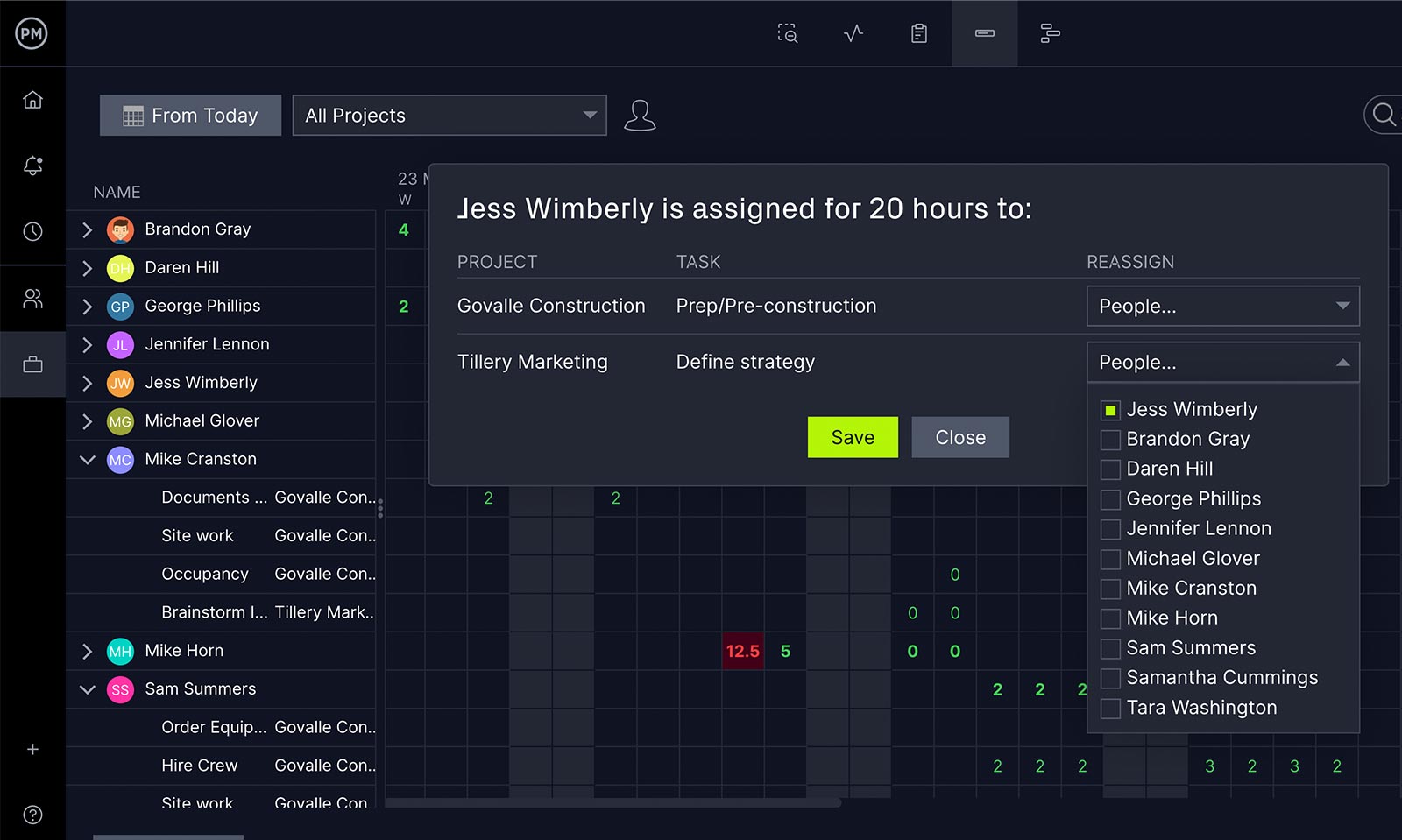
Keeping your crew working at capacity is another way to ensure you’re staying on the estimated budget that you established in the construction project’s planning phase. ProjectManager’s resource management features manage your resource costs and your workload to keep crews balanced and productive. You can keep track of your crew and their material’s availability, skillset, cost and allocation in real time to keep your project from overspending.
ProjectManager is not only the premier construction estimating software but it exceeds in scheduling, payroll and every other aspect of the project you need to manage to stay on schedule and keep to your budget.
Verdict: Best Construction Estimating Software for Managing Projects
Excellent. This ties your estimate directly into the schedule and budget instead of letting it go stale the moment the bid is won. Cost-linked Gantt charts, live dashboards, and resource tracking mean you’re comparing actual spend to your original number in real time, not guessing at month’s end. The gap: no dedicated bid-maker tools, so if bidding itself is your bottleneck, look elsewhere.
ProjectManager Pros & Key Features
- Cost-linked Gantt charts compare planned versus actual spend automatically, no manual reconciliation
- Dashboards need zero setup and update the moment a baseline shifts
- 30-day free trial, longer than most competitors offer before you pay
ProjectManager Cons & Limitations
- No dedicated bid-maker tools, so estimating a bid itself stays manual
- Full functionality really requires the mobile app, not just a browser
- No free plan, only a time-limited trial before payment kicks in
ProjectManager Pricing
For current pricing, visit ProjectManager’s pricing page.
ProjectManager Reviews
- G2 review: 4.4 / 5
- Capterra review: 4.1 / 5
Highlighted User Reviews
- “ProjectManager works very well with both large and small-scale projects. Being able to use this with anything from a project involving only two members of staff, to hundreds, has been invaluable.” Peter W – from Capterra
- “We used to manage our projects, resources, and reporting in different systems. Enter ProjectManager. We have consolidated systems and work more efficiently.” Jeffrey M – from Capterra
- “Having the full scope of activities and who is responsible to do it, plus the time tracking is excellent.” Flavio M – from G2
- “It has an excellent accounting system capable of calculating the time that a person has used to develop a task that was assigned to him, I like being able to collaborate with all my colleagues in the Finance sector through ProjectManager.” Jesus C – from G2
- “The UI of the application is user-friendly, and it helps to identify what we are looking for with minimal effort.” Pavan H – from G2
Get your free
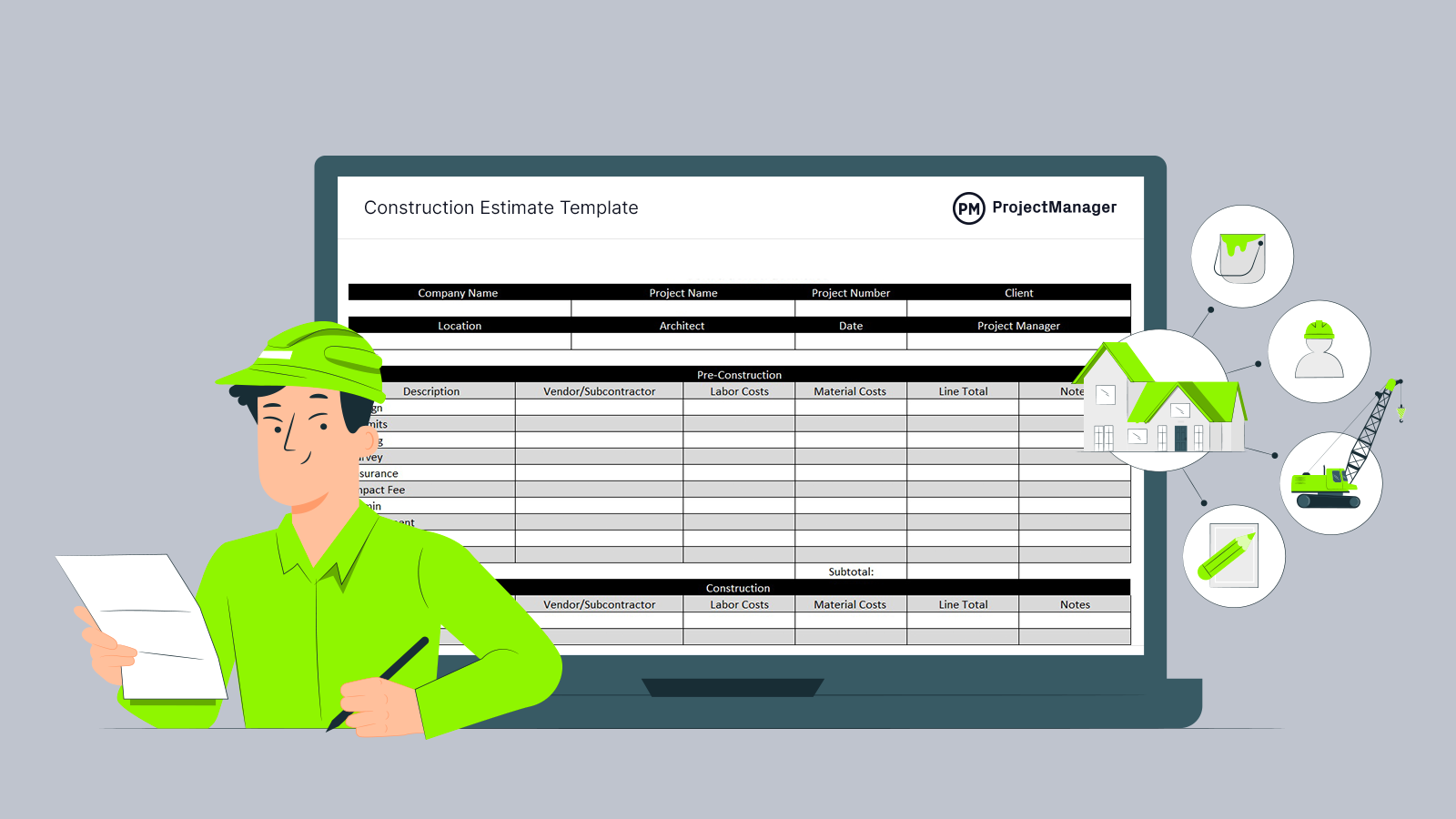
Construction Estimate Schedule
Use this free Construction Estimate Schedule to manage your projects better.
Get the Template
2. Procore

Procore is what most large GCs already reach for, and the bidding side of it is genuinely strong — accurate, efficient, and it plugs straight into project execution the moment a bid is awarded. Drawing organization, RFIs, RFQs, and change events all live in the same system, which matters once a project has more moving pieces than one person can track in their head.
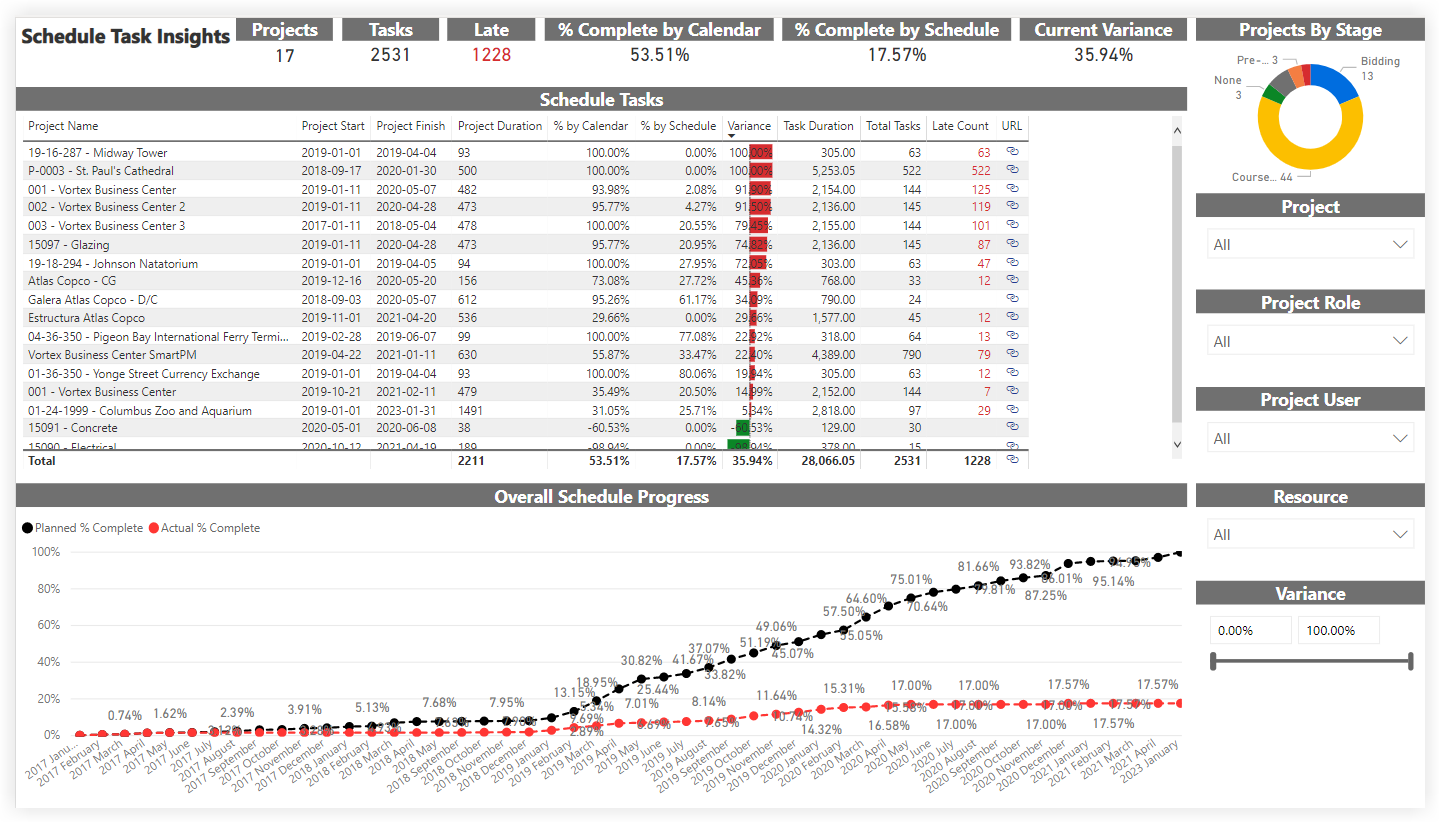
That sophistication comes with real friction, though. It’s not an intuitive tool to hand someone on day one, and it’s built for scale — smaller shops end up paying for a system sized for someone else’s operation. There’s also no on-premise option, which some smaller teams still care about.
We’ve also put together a list of Procore alternatives if the cost or the learning curve gives you pause.
Verdict: Best Construction Estimating Software for Construction Takeoff Process
Good for big outfits, rough for everyone else. Takeoff and bid management are genuinely strong, and RFI/RFQ tracking keeps the paper trail clean once a bid turns into a job. But labor cost tracking stays shallow relative to material costs, pricing requires a custom quote, and there’s no free trial to test the fit first. Fine if you’re already committed to scale.
Procore Pros & Key Features
- Material takeoff tools built specifically for accurate, itemized construction bids
- Bid management ties directly into RFIs, RFQs, and change events
- Online timesheets sync labor hours straight into active job records
Procore Cons & Limitations
- Labor cost tracking stays shallow compared to material takeoff depth
- Costs get harder to track accurately as a project progresses
- No free trial or plan, so testing requires a paid commitment
Procore Pricing
For current pricing, visit Procore’s pricing page.
Procore Reviews
- G2 review: 4.6 / 5
- Capterra review: 4.5 / 5
Highlighted User Reviews
- “Procore is a great tool for Construction professionals. The feature set is very tailored to construction related tasks.” Mark T – from Capterra
- “If you are willing to read and follow along with everything presented it will be incredibly helpful.” Mathew K – from G2
3. CoConstruct

CoConstruct handles the custom home and remodeling side of estimating well. The single-entry system builds sheets, proposals, budgets, bid requests, and purchase orders from one place, and everything updates cleanly when a change order comes through. QuickBooks sync keeps the accounting side connected instead of being a separate reconciliation job.
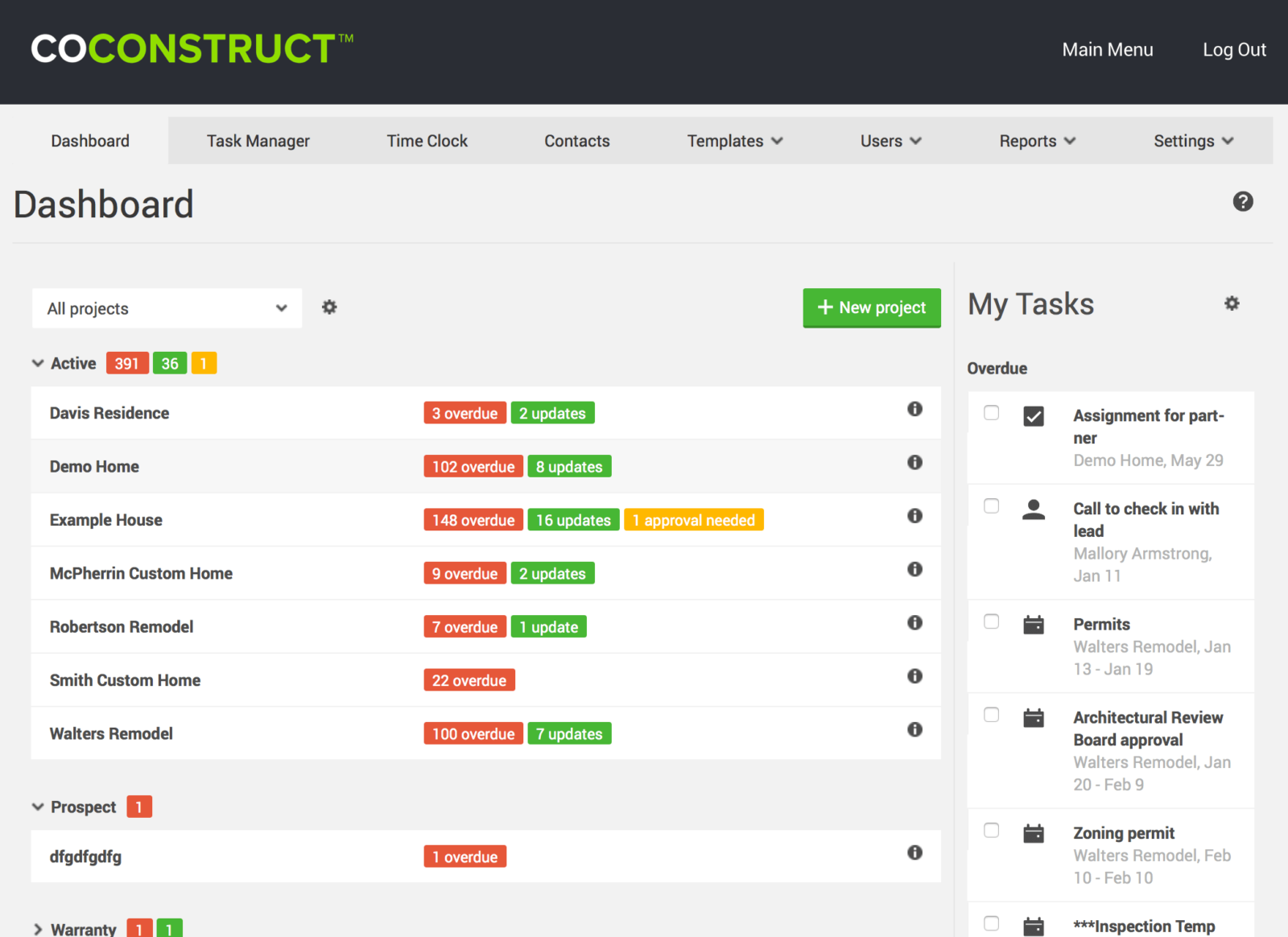
The tradeoff is that all those features come at a cost, literally and in usability. The interface hasn’t kept pace with newer tools, and the pricing model is worth reading carefully — you get a lower rate for the first two months, and it jumps hard right around the time most teams are still finishing onboarding, not yet running at full speed.
Verdict: Best Construction Estimating Software for Invoice Management
Not so good long-term. The single-entry estimating and QuickBooks sync genuinely help custom builders move fast from proposal to purchase order. But the interface feels dated next to newer tools, and the pricing model is a trap — you get a low intro rate for two months, then it jumps hard, often before your team has even finished onboarding. Budget accordingly or look elsewhere.
CoConstruct Pros & Key Features
- Single-entry system updates sheets, proposals, budgets, and purchase orders together
- QuickBooks sync keeps estimating and accounting connected, not reconciled separately
- To-do lists double as job costing tools without extra setup
CoConstruct Cons & Limitations
- No budget dashboards, so tracking cost drift takes manual digging
- Exporting your own data out of the platform is notably difficult
- Pricing jumps sharply after two months, often before onboarding finishes
CoConstruct Pricing
For current pricing, visit CoConstruct’s pricing page.
CoConstruct Reviews
- G2 review: 4 / 5
- Capterra review: 4.7 / 5
Highlighted User Reviews
- “CoConstruct has allowed us to integrate all project related information in one, web based platform that can be accessed from anywhere.” Brett C – from Capterra
- “CoConstruct makes it so easy to keep everyone on track and the process running smoothly.” Kristina H – from G2
4. e-Builder

e-Builder — now sold under Trimble’s Unity Construct branding — covers the full arc of a capital project: planning, acquisition, development, and operations, with budget planning, cost estimation, and document organization as its core strengths. If you’re overseeing spend across a portfolio rather than a single job, the audit and budgetary oversight tools genuinely deliver.
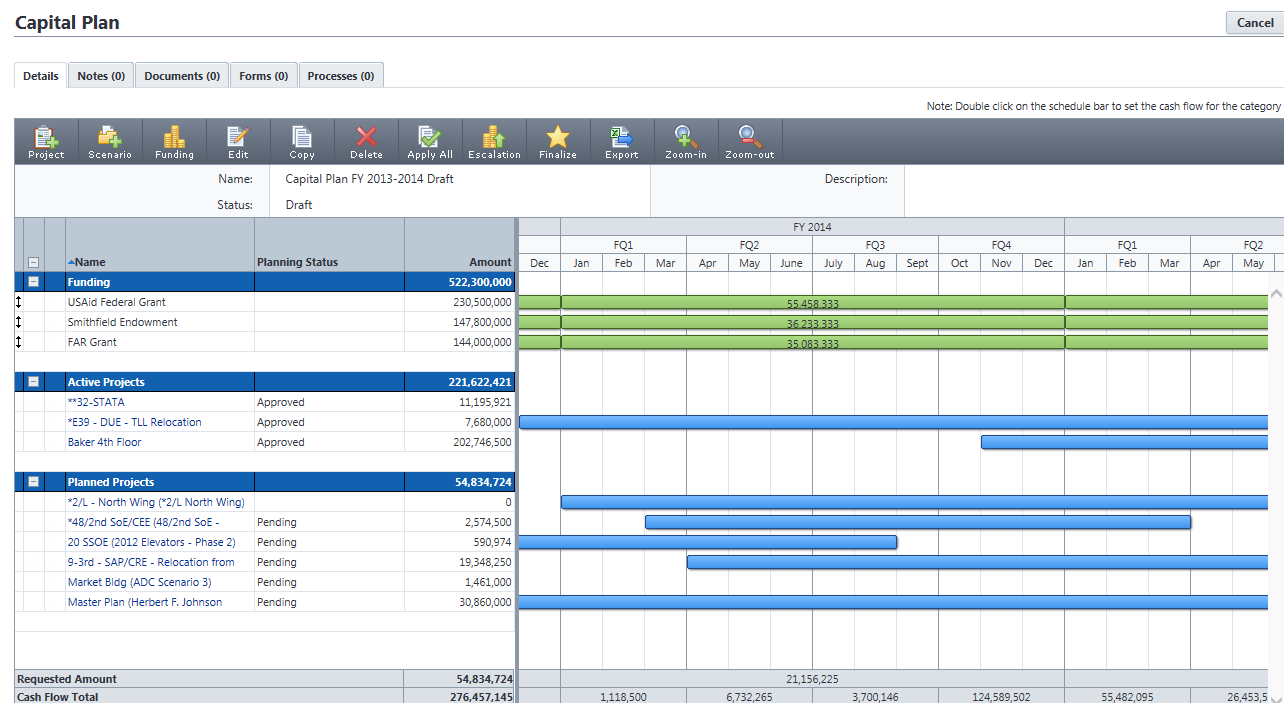
The price tag is the most common complaint we’ve seen, and it’s a fair one — a lot of what you’re paying for amounts to very good file organization. Scheduling isn’t flexible enough to lean on as your primary planning tool, and the learning curve is steep enough that some users never get past the parts of the software that would actually justify the cost.
Verdict: Best Construction Estimating Software for Bid Management
Not ideal. Budget planning, cost estimation, and portfolio-level audit oversight are genuinely strong if you’re managing spend across many projects at once. But you’re paying enterprise pricing largely for very good document organization — there’s no Gantt chart, no dashboards, and the learning curve is steep enough that some users never reach the features that justify the cost. Built for owners, not contractors.
e-Builder Pros & Key Features
- Portfolio-level audit trails track budget accountability across many projects at once
- Document organization is genuinely strong, built for owner-side oversight and compliance
- RFP management keeps procurement paperwork centralized instead of scattered elsewhere
e-Builder Cons & Limitations
- No Gantt chart or dashboard, so scheduling stays rigid and manual
- Steep learning curve; many users never reach features justifying the cost
- No free trial or plan, and pricing requires a custom quote
e-Builder Pricing
e-Builder (Trimble Unity Construct) is quote-based. For current options, visit Trimble’s subscription plans page.
e-Builder Reviews
- G2 review: 3.7 / 5
- Capterra review: 4.3 / 5
Highlighted User Reviews
- “It is a reasonably intuitive system and we are getting things where they need to be.” Mike P – from Capterra
- “I like the tabs on the top of the main page that allow for easy flow between the different types of project management, helps to keep things organized.” Karen C – from G2
5. Buildxact
Buildxact is built for residential builders and remodelers who need a fast, accurate takeoff and nothing more complicated than that. You measure materials directly off your drawings, then drop them into an estimate using predetermined categories — material type, quantity, unit of measurement — in a couple of clicks. The interface stays out of your way, which is exactly what you want when you’re trying to turn a set of plans into a number quickly.
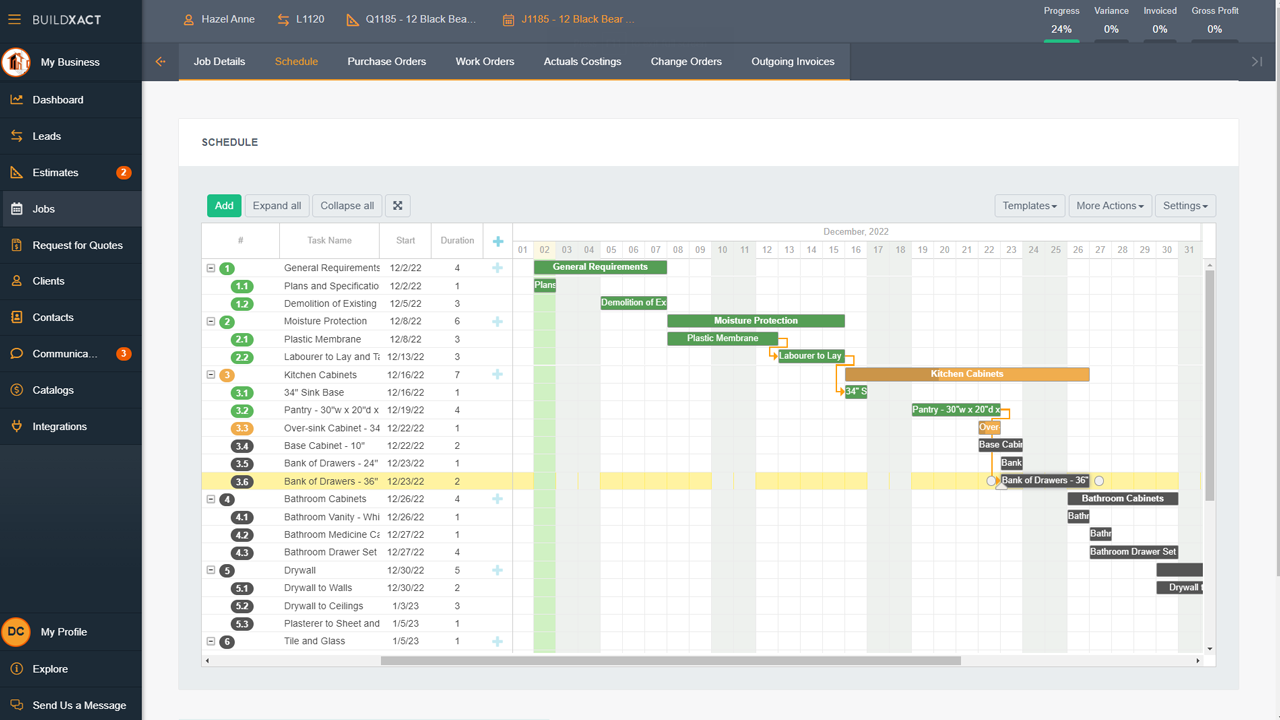
Where it runs out of road is everything after the estimate. There’s no real planning, scheduling, or tracking depth here — cost tracking is thin, there are no dashboards, and you’re logging costs in by hand rather than watching them update automatically. It’ll show you the gap between estimated and actual cost, but it won’t tell you why that gap is opening while the job is still running.
Verdict: Best Construction Estimating Software for Ease of Use
Good for speed, not so good for anything after. Digital takeoff straight from your drawings and pre-built estimate templates make this the fastest way to get a number out the door. But once the job starts, you’re logging costs manually with no dashboards to track drift. Great for the bid. Not built to carry you through the build.
Buildxact Pros & Key Features
- Digital takeoff pulls measurements straight from drawings, cutting manual entry time
- Supplier price list imports keep estimates current without re-pricing every item
- Free trial lets you test real takeoffs before committing to a plan
Buildxact Cons & Limitations
- No dashboards, so tracking actual versus estimated cost stays a manual task
- Lacks real scheduling or task management once the job actually starts
- Cost logging is manual, with no live updates as spending happens
Buildxact Pricing
For current pricing, visit Buildxact’s pricing page.
Buildxact Reviews
- G2 review: 4.4 / 5
- Capterra review: 4.6 / 5
Highlighted User Reviews
- “I really like the product. It works very well for us, great for estimating and easy scheduling.” Scott F – from Capterra
- “Locating all of your quotes and costings in one place. Being able to quote using current pricing is great.” John B – from G2
6. Buildertrend

Buildertrend is a natural next step for anyone still estimating out of spreadsheets. Bids, material takeoffs, invoices, and work-in-progress reports all live in one place, and it doesn’t stop at the estimate — daily logs, to-do lists, basic Gantt charts, and time clocks carry you into the actual build. The CRM and email marketing tools are a nice bonus if you’re also managing your own lead pipeline.
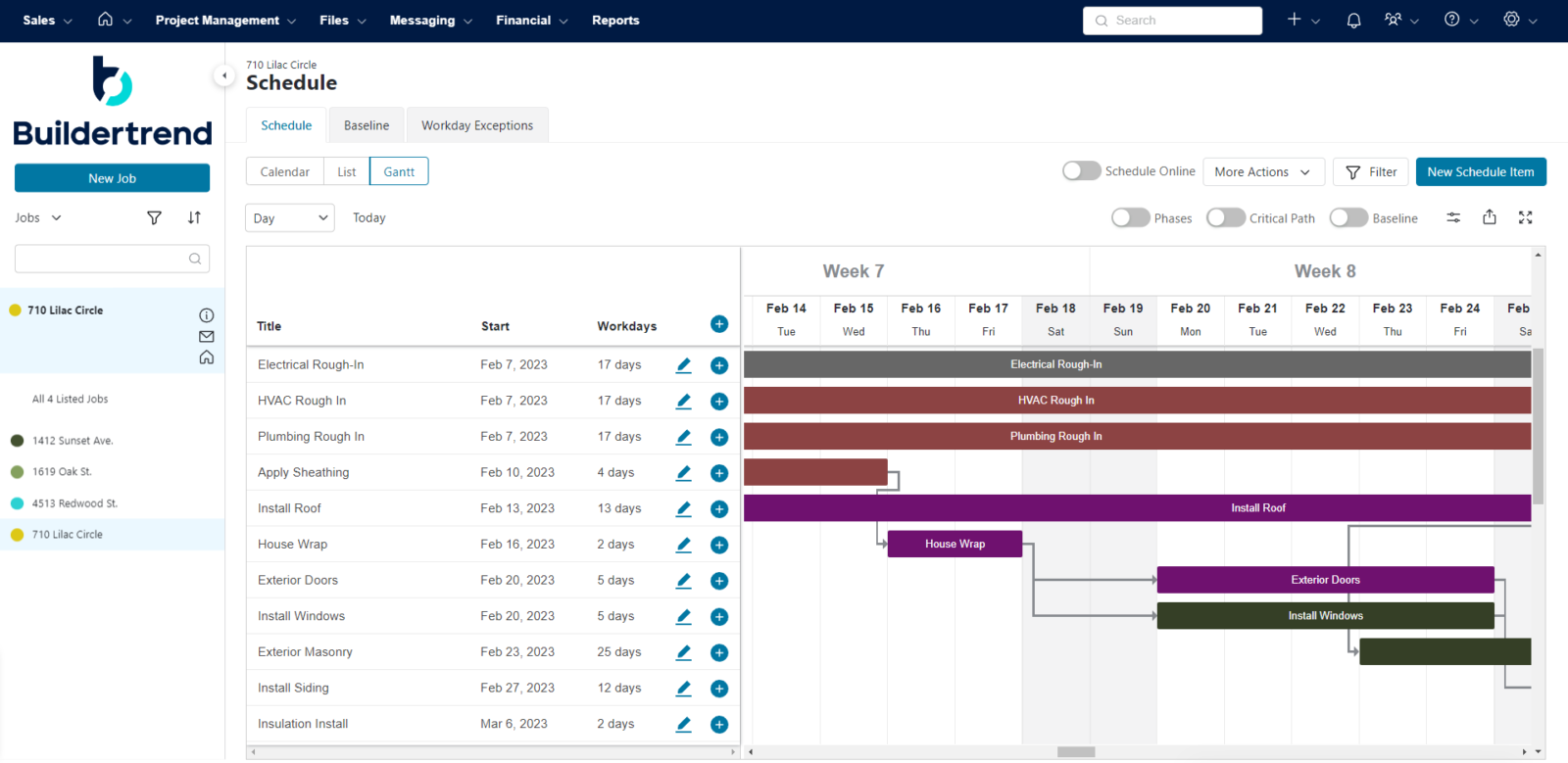
The gap shows up once the job is underway. You can’t track individual task costs as the project progresses, and the Gantt chart handles dates fine but doesn’t touch labor or material costs at all. There’s no dashboard or report to flag a budget drifting off course — you’ll find out about a problem the old-fashioned way, after it’s already happened.
Verdict: Best Construction Estimating Software for Customer Relationship Management
Good for landing bids, not so good for tracking them. Material takeoff, invoicing, and work-in-progress reports make this a solid upgrade from spreadsheets, and the built-in CRM helps if you’re also chasing leads. But the Gantt chart doesn’t touch labor or material costs, and there are no budget dashboards, so once the estimate becomes a live job, you’re tracking cost drift blind.
Buildertrend Pros & Key Features
- Work-in-progress reports track estimate accuracy as a project moves forward
- Built-in CRM manages leads and bids in the same system
- Budgeting templates speed up estimates for teams new to the software
Buildertrend Cons & Limitations
- Gantt charts track dates only, not labor or material costs
- Time clock tool exists, but there’s no true timesheet system
- No free trial or plan, and licensing gets expensive at scale
BuilderTrend Pricing
For current pricing, visit Buildertrend’s pricing page.
BuilderTrend Reviews
- G2 review: 4.2 / 5
- Capterra review: 4.5 / 5
Highlighted User Reviews
- “All the information can be stored in one place. The financial aspect is clear and clean.” Lizzy F – from Capterra
- “Easily plan projects on the calendar with clear checkpoints.” Nathan M – from Capterra
7. Contractor Foreman

Contractor Foreman does exactly what its name promises: it helps contractors build estimates and keep the paperwork that follows them — bids, change orders, work orders, contracts — organized in one place. Daily logs, basic Gantt charts, punch lists, and time cards round it out into a workable day-to-day tool for a small crew.
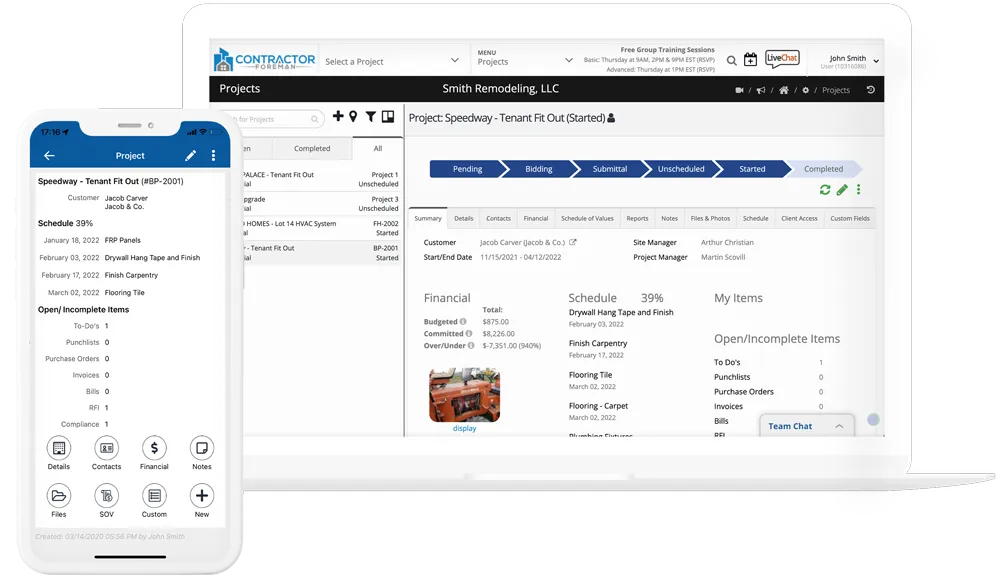
The feature list is solid for the price, but the depth thins out fast once you look at cost tracking and budgeting. Task management stays basic, and there’s no resource utilization tracking, workload management, or cost variance reporting — which means the tools that would actually warn you a budget is slipping simply aren’t there.
Verdict: Best Low-cost Construction Estimating Software
Good value, thin on numbers. Estimating, bid docs, and change orders are all there at a price small contractors can actually afford, with no per-user penalty as you add people. But resource utilization tracking, workload management, and cost variance reporting are all missing, so once the job’s underway you won’t see budget problems coming until they’ve already happened.
Contractor Foreman Pros & Key Features
- Flat monthly fee covers unlimited users, unusual for this price point
- Bid, change order, and work order docs stay organized in one place
- Free trial lets you test daily logs and job costing firsthand
Contractor Foreman Cons & Limitations
- No construction takeoff tools, so estimating still needs a separate program
- Lacks resource utilization tracking, so overstaffing goes unnoticed until it’s costly
- Interface feels outdated, and budget reporting stays thin overall
Contractor Foreman Pricing
For current pricing, visit Contractor Foreman’s pricing page.
Contractor Foreman Reviews
- G2 review: 4.5 / 5
- Capterra review: 4.5 / 5
Highlighted User Reviews
- “It’s nice that we can track an incoming lead through the estimation process and into job costing and through final billing all in one place.” Amanda G – from Capterra
- “The training that has been included in our package has been great.” Mary L – from G2
8. Smartsheet

Smartsheet’s biggest selling point is how little it asks you to relearn. It looks and behaves like the spreadsheets your team already knows, which flattens the onboarding curve considerably, and it’s genuinely powerful once you dig in — highly customizable, with real automation built in. For estimating specifically, it builds out a detailed cost template that’s easy to hand off to a stakeholder for review.
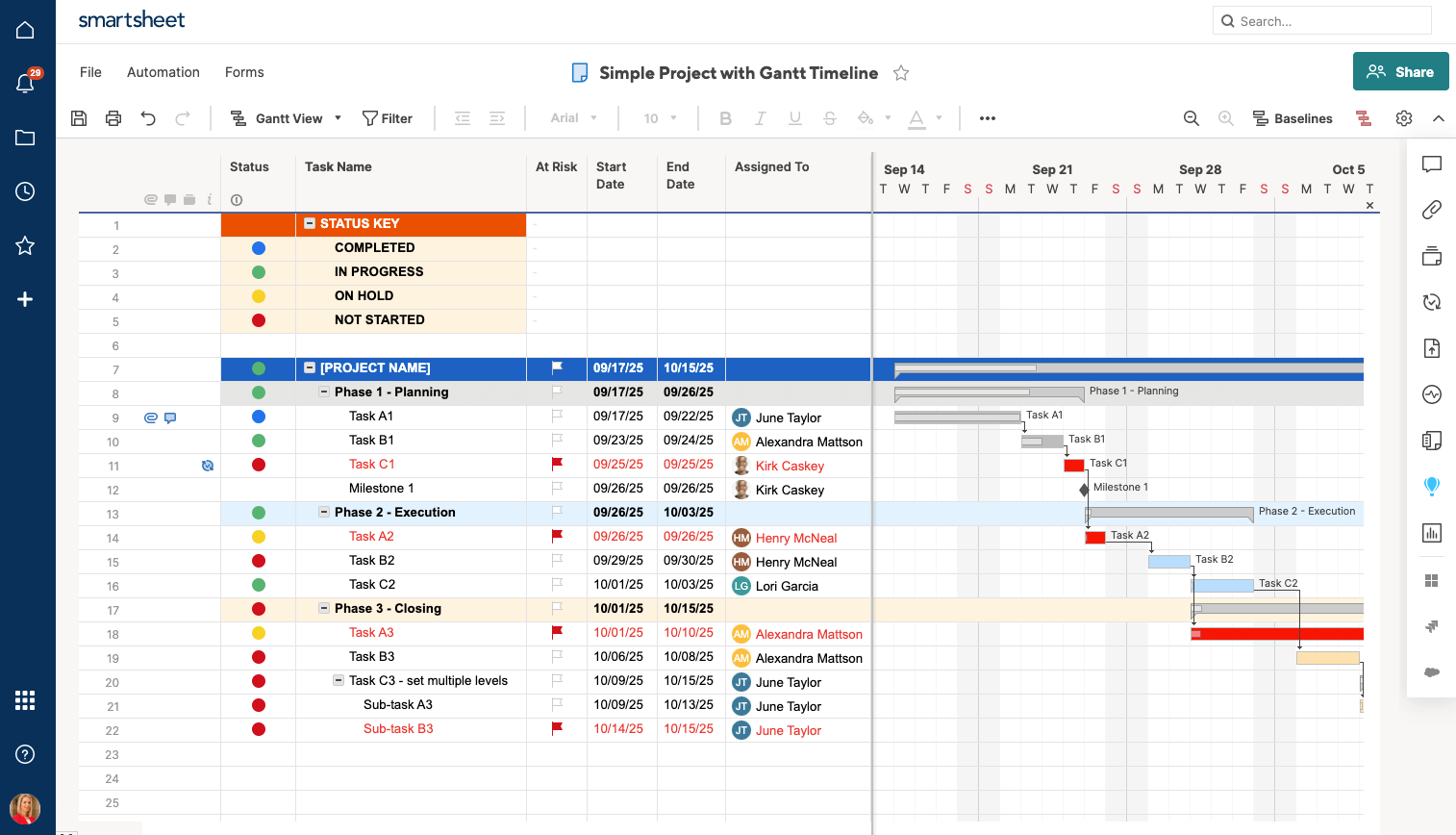
The catch is that the features you’d actually want for budget tracking — time tracking, resource management — sit behind added fees rather than being included. And the pages don’t update live, which for a tool built around watching a budget in real time is a real limitation. Of everything on this list, Smartsheet is the one most likely to have you working off numbers that are already a step behind.
Verdict: Best Construction Estimating Software for Project Spreadsheets
Good if you live in spreadsheets, not so good for real-time tracking. The familiar Excel-like interface makes it an easy sell to teams who already think in rows and columns, and it’s genuinely flexible for building custom estimate templates. But time tracking and resource management cost extra, and pages don’t update live, so you’re always working a step behind the actual budget.
Smartsheet Pros & Key Features
- Spreadsheet-style interface flattens onboarding for teams already comfortable in Excel
- Highly customizable templates and automation adapt to almost any workflow
- Free trial lets you test estimate templates before committing to a paid tier
Smartsheet Cons & Limitations
- Time tracking and resource management require paid add-ons, not included by default
- Pages don’t update live, so budget data lags behind reality
- Cost estimating tools stay basic compared to dedicated estimating software
Smartsheet Pricing
For current pricing, visit Smartsheet’s pricing page.
Smartsheet Reviews
- G2 review: 4.4/5
- Capterra review: 4.5/5
Highlighted User Reviews
- “Smartsheet has allowed me to take my to-do list and run with it in a way that I didn’t think would be possible.” Victoria W – from G2
- “I like that Smartsheet has a lot of different functions. It can be used for project management, inventory or event planning.” Lauren M – from Capterra
Which Construction Estimating Software Is Right for You?
Like we’ve discussed, a lot goes into estimating the costs for a construction project. It requires a good plan and schedule, but in order to track your costs you’re going to need a place where you can get the latest data on the progress of your project. The best construction estimating software for you will fulfill any gaps in your software needs. If you already have a fantastic scheduling tool, then maybe you can go for a ligthweight option. If you’re living off Excel sheets, it’s probably best ot get an estimating software with the project management tools to not only estimate a project, but track it and deliver it in a timely manner.
Related Content
- Best Construction Software for Mac
- Best Construction Scheduling Software
- Best Construction Management Software for a Small Business
- Making a Construction Schedule: Construction Scheduling Basics
- The Ultimate Guide to Construction Project Management
- 24 Construction Documents (Templates Included)
- The 5 Construction Phases (Templates Included)
ProjectManager is cloud-based work and project management software that connects construction and boosts productivity. It’s the ideal software for planning and estimating a construction project, as well as executing it from start to finish. Get started with ProjectManager today for free.
