



Teams evaluating work management tools often want something that organizes projects without creating unnecessary complexity. If you’re researching Monday for project management, understanding where it fits compared to dedicated project management software can prevent painful software decisions later.
What Is Monday?
Monday is a work management platform used to plan, organize and track tasks, projects and business workflows. It is commonly used by project teams, operations departments, marketing groups and software teams to assign work, manage schedules and coordinate collaboration across teams.
The platform combines boards, timelines, dashboards, automations and multiple project views so organizations can build workflows around their own processes instead of following a rigid structure. Monday also supports dependencies, reporting capabilities and resource planning features for teams that need visibility across multiple projects.
If you need a project management tool that offers a better project management experience than Monday, try ProjectManager. ProjectManager is award-winning project management software that gives businesses across industries the tools they need to ensure projects are completed on time, within budget and within scope. It allows project managers to make detailed project schedules, estimate costs, allocate resources, set budgets, track progress and compare planned versus actual project outcomes using real-time dashboards and reports to identify delays or cost overruns quickly. Get started with ProjectManager for free today.
Is Monday Project Management Software?
Yes, Monday is a project management software, but that’s not the whole story. Upon closer inspection, it’s clear that its strongest capabilities lean toward task management, workflow management and team collaboration rather than advanced project planning, scheduling and tracking functionality.
While Monday includes common project management features such as Gantt charts, kanban boards, dashboards and project reports, some planning and scheduling functionality remains lighter than what specialized project management platforms provide.
Official documentation shows support for task dependencies, Gantt-chart-like timelines and resource planning tools, including workload and capacity management features. However, much of the platform focuses on visual work management rather than project scheduling controls, budget tracking, cost management or detailed planned-versus-actual performance tracking found in more advanced project management tools. Depending on project size and complexity, that distinction can become important as teams require more powerful tools.
Monday Project Management Features
Monday allows teams to build boards, switch between multiple project views and automate repetitive work while monitoring schedules and progress. Rather than forcing a fixed methodology, the platform allows departments to configure project structures around their own processes and reporting needs.
- Gantt Charts: Visualize schedules, milestones, critical paths and task relationships across projects.
- Kanban Boards: Organize work visually by moving tasks through workflow stages.
- Project Dashboards: Display project metrics, timelines, workloads and progress in real time.
- Task Dependencies: Connect related work items so activities follow required execution sequences.
- Workload Management: Monitor team capacity and balance assignments across resources.
- Workflow Automations: Eliminate repetitive manual actions using customizable trigger-based workflow rules.
- Time Tracking: Record time spent on tasks to monitor effort and productivity.
- Project Templates: Launch projects faster using prebuilt workflows and configurable structures.
- Collaboration Tools: Share files, leave updates and communicate directly within project items.
- Third-Party Integrations: Connect project data with communication, productivity and business applications.
Pros of Monday for Project Management
Certain teams benefit more from monday for project management than others. Departments that run marketing campaigns, operational workflows, internal projects or cross-functional initiatives often gain the most value because the platform emphasizes visual organization, flexible workflows and collaboration rather than highly structured scheduling methods or complex project control environments.
- Highly customizable boards allow teams to adapt workflows without changing established processes.
- Visual project views make schedules, priorities and assignments easier for teams to understand.
- Workflow automation reduces repetitive administrative work and saves time across recurring activities.
- Built-in collaboration features keep conversations, files and approvals inside project workspaces.
- Large integration libraries connect project data with communication and business applications.
Cons of Monday for Project Management
Problems usually start showing up when projects stop being simple task lists and become real projects with budgets, resource constraints, dependencies and deadlines. Monday works well when teams mainly need visibility and collaboration, but once managers need deeper project planning, scheduling and tracking, some limitations become much harder to ignore.
- Scheduling can feel too basic: Building a real project schedule with multiple dependency relationships and schedule logic becomes limiting once projects grow beyond straightforward task sequences.
- Cost management barely exists: Project managers tracking budgets, labor costs, actual spending and project financial performance will likely need external spreadsheets or additional tools.
- Resource planning isn’t built for complex environments: Seeing who is overloaded is helpful, but balancing people, equipment and project capacity across multiple initiatives becomes harder.
- Customization can become its own project: Teams often spend significant time building workflows, columns, automations and dashboards before work actually starts moving.
- Advanced project controls are limited: Features like project baselines and planned-versus-actual comparisons and critical path analysis are not deeply developed for managing complex projects.
Why ProjectManager Is Better for Project Management than Monday?
After comparing ProjectManager and Monday side by side, the biggest difference isn’t collaboration or visual workflows. The difference starts showing up when projects become larger, more expensive and harder to control. Monday helps teams organize work, but ProjectManager gives project managers deeper tools to plan, schedule, manage resources and control project execution.
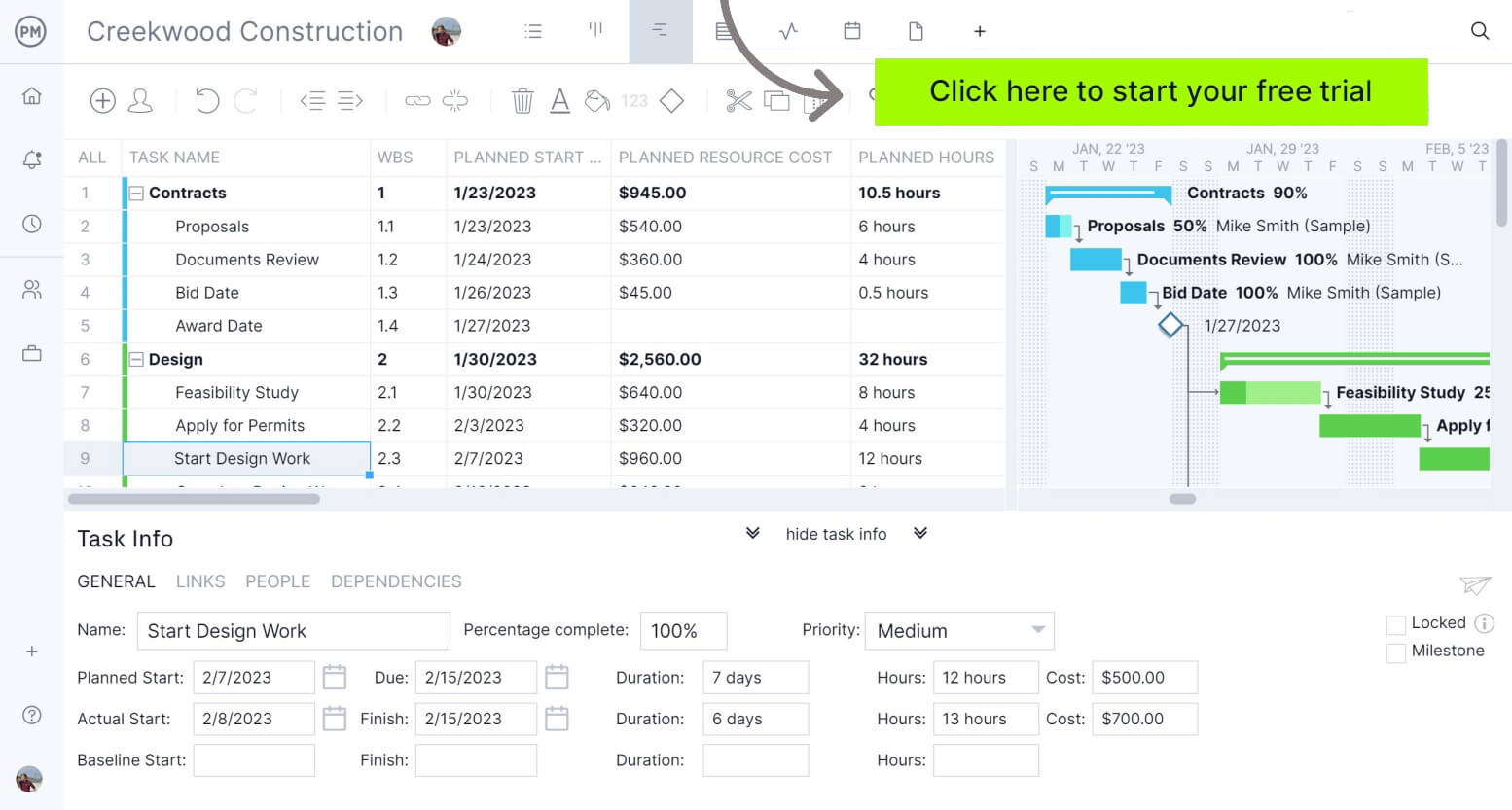
- Gantt charts built for managing project execution, not just visualization: ProjectManager’s Gantt chart connects project schedules with resource allocation, timesheets, workload management, planned-versus-actual performance and cost tracking in one tool. Monday’s Gantt chart handles basic scheduling, dependencies and project baselines well, but it leans more toward timeline visualization.
- Resource allocation connected directly to project plans: ProjectManager lets project managers assign resources, monitor resource utilization and rebalance workloads directly from active project schedules across Gantt charts, kanban boards, task lists and other project views. Monday includes workload functionality, but resource planning relies more heavily on separate workload views and dashboards rather than being embedded throughout project execution workflows.
- Robust project dashboards and reports: ProjectManager dashboards and reports automatically surface project health, workload, cost and progress metrics in real time. Monday dashboards provide simpler project visibility and require manual board configuration.
- ProjectManager is designed for project portfolio management: ProjectManager offers project portfolio management dashboards and roadmaps, where teams can monitor multiple projects, balance resources, track budgets, compare project health and identify bottlenecks. Monday can be used to organize multiple projects, but lacks PPM-specific capabilities.
- Built for managing projects instead of organizing work: Monday excels at workflows, collaboration and work organization. ProjectManager was designed around planning, executing and controlling projects where deadlines, resources and budgets directly affect outcomes.
- Timesheets connected directly to project execution: ProjectManager includes built-in timesheets that feed directly into schedules, resource workloads and project tracking data. Monday offers native time tracking and timesheet templates, but deeper timesheet workflows often rely more heavily on dashboards, customization or additional tools.
ProjectManager Is a Robust Project Management Software
ProjectManager is an online project management software that provides a robust feature set of project planning, scheduling and tracking tools, including Gantt charts, kanban boards, task lists and real-time dashboards and reports. With these tools, teams across industries can build detailed schedules, assign resources and monitor progress, costs and timelines.
ProjectManager also delivers AI-powered project insights to support better decision-making and connects with over 100 tools like Microsoft Project, Acumatica and Jira. With its open API and wide range of integrations, organizations can seamlessly link ProjectManager to their existing systems.
Watch the video below to learn more!
If you need a tool to help you manage projects, then sign up for our software now at ProjectManager. Our online software helps teams across industries plan, track and oversee projects as they unfold. Sign up for a free 30-day trial today!
