


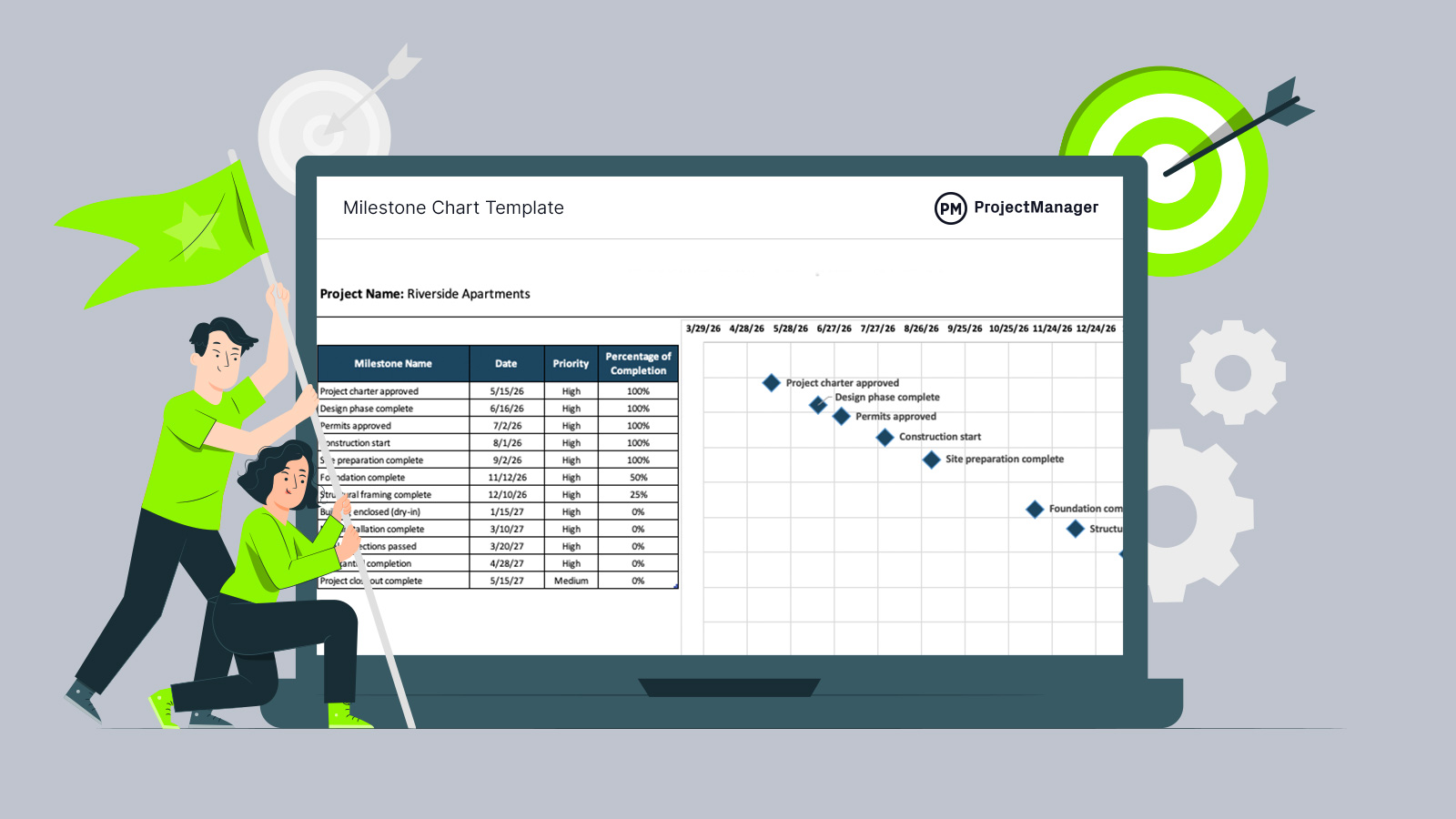
Deadlines hit differently when you can actually see them. A well-built milestone chart template for Excel turns scattered target dates into a clean, visual roadmap that keeps your project timeline focused on what truly matters. Instead of juggling spreadsheets and status emails, you get instant clarity on key project milestones and progress at a glance.
This free milestone chart template for Excel is ideal for automatically generating a milestone chart for any type of project.
Why You Need a Milestone Chart Template for Excel
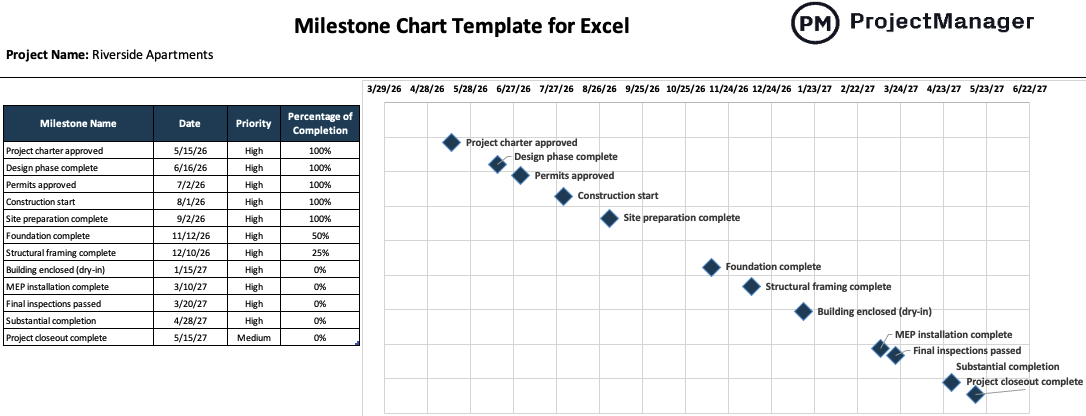
A milestone chart is a visual representation of key project milestones plotted along a project timeline, focusing only on major deliverables and critical dates. Unlike a Gantt chart packed with lots of project scheduling details such as individual tasks, dependencies and work packages, a milestone chart simplifies project tracking by only showing the checkpoints that truly define progress, which is ideal when communicating project progress to stakeholders.
Instead of manually designing visuals every reporting cycle, this free milestone chart template for Excel generates a milestone chart automatically as soon as you enter your project milestones and target dates. The structure is already built, the formatting is handled and the timeline updates dynamically, giving you a clean, presentation-ready milestone overview without wrestling with complex task-level charts.
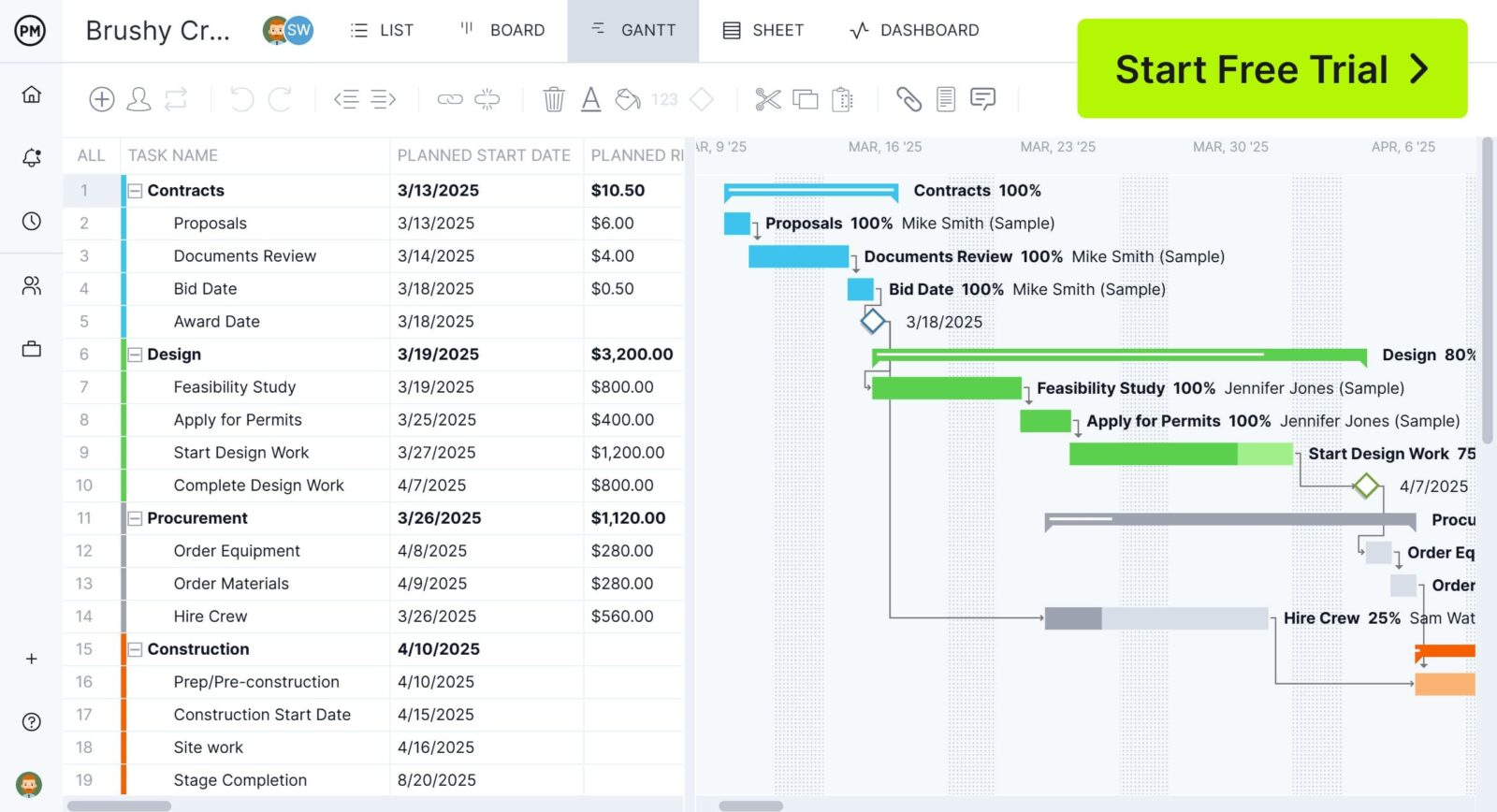
ProjectManager is an award-winning project management software designed for planning, scheduling and tracking projects across industries. Its powerful Gantt chart allows you to create interactive project schedules and milestone charts, link four types of task dependencies, allocate resources, track costs at the task level, compare estimates vs. actual performance and monitor the status of your projects in real-time dashboards and reports. Get started for free today.
When To Use a Milestone Chart Template
Any time your project milestones drive decisions, a milestone chart template becomes essential. Whether you’re planning a construction project, launching a product, rolling out software or coordinating an internal initiative, this milestone chart template helps visualize key deliverables across the entire project timeline. It works for short, simple efforts and long, complex programs alike, giving teams a straightforward way to track milestone progress without overcomplicating the project schedule.
Who Should Use this Free Milestone Chart Template?
In most organizations, the project manager is the one building and maintaining a project milestone chart. They’re responsible for aligning the project schedule with strategic goals, coordinating deliverables across teams and reporting progress to stakeholders. A milestone chart template helps them translate the project schedule into clear checkpoints that everyone understands.
- Program managers overseeing multiple related projects that share critical milestone dependencies.
- Construction managers coordinating site activities, inspections and contractual milestone payments.
- Product managers tracking release milestones across development, testing and launch phases.
- PMO analysts consolidating milestone data for executive dashboards and portfolio reporting.
- Team leads responsible for delivering specific work packages within a larger project schedule.
- Project coordinators updating milestone status and supporting stakeholder communication.
- Anyone planning a personal project can use it to simplify project schedules.
How to Use ProjectManager’s Milestone Chart Template for Excel
Using this free milestone chart template for Excel is very easy. Just follow these steps.
- Start by entering the basic project information at the top of the milestone chart template for Excel, including the project name, project manager and reporting period, so your milestone chart aligns with your overall project plan and stakeholder reporting structure.
- List all major project milestones in the designated column, focusing on critical deliverables, approval gates, inspections, contract deadlines or funding checkpoints that directly impact your project timeline and overall project schedule performance.
- Assign an expected completion date to each milestone, making sure these dates reflect your approved project schedule baseline and any agreed contractual or stakeholder-driven deadlines tied to your project milestones.
- Indicate the priority level for every milestone, distinguishing between high-impact deadlines and lower-risk checkpoints, so your milestone tracking reflects what truly drives risk, resource allocation and executive attention.
- Update the percentage of completion field as work progresses, using realistic progress assessments from your team to ensure the milestone chart accurately reflects current status and supports transparent stakeholder communication.
- Review the automatically generated visual milestone chart to confirm that the timeline displays correctly, then use it in status meetings, project reports or executive dashboards to communicate progress against key project milestones clearly.
- As changes occur in the project schedule, revise dates, priorities or completion percentages directly in the milestone chart template for Excel so the visual timeline updates instantly and remains aligned with the current project plan.
ProjectManager Is Better than a Milestone Chart Template for Excel
While a milestone chart template for Excel is perfect for visualizing project milestones, complex projects demand deeper control, and that’s where ProjectManager’s Gantt chart makes a difference. Instead of only displaying project milestones, it supports four types of task dependencies and automatically identifies the critical path, ensuring your project schedule reflects real sequencing constraints rather than assumptions.
Beyond scheduling logic, the same Gantt chart connects planning with performance by allowing you to compare estimated versus actual costs, update task-level percentage of completion and set schedule baselines to track variance over time. Because projects are structured into phases, tasks, subtasks and full WBS levels, execution stays organized, and every change instantly syncs with real-time dashboards and reports, transforming your project timeline into a fully integrated management environment.
On top of that, ProjectManager offers a robust suite of project management tools and features, including kanban boards, workload management charts, timesheets, real-time dashboards and reports and much more. Watch the video to learn more!
What Other Project Scheduling Templates Can Help Manage Project Milestones?
Besides this milestone chart template, we’ve created over 100 free project management templates for Excel, Word and Google Sheets. Here are some that can help identify project milestones.
Work Breakdown Structure Template
This work breakdown structure template helps you decompose project deliverables into structured tasks and subtasks, assign ownership, track dependencies, monitor costs and control progress, giving you complete visibility into scope execution.
Gantt Chart Template
This Gantt chart template transforms your task list into a visual project timeline, automatically calculating durations, displaying task progress and generating a stacked bar chart to support schedule tracking.
Milestones Template
This milestones template centralizes milestone names, owners, dates and status updates, helping you monitor key project checkpoints and maintain clear visibility into milestone progress across your project timeline.
ProjectManager is a cloud-based project management software that has features to help you control every phase of your project. Whether you’re planning, executing and monitoring progress or reporting back to stakeholders, we’ve got you covered. Get started for free today.