
Project News and Project Management Updates

Project Management News
1 September 2010

September 2010 Release

Hardware Upgrade

This month, we've replaced our computer infrastructure with top-of-the-line server hardware, so that ProjectManager.com will run as fast as possible for you.

As you can imagine, with people from around the globe accessing ProjectManager.com at the same time, there is quite a load on the dedicated servers that we have in place. While our competitors typically run outdated hardware (as it's cheaper) we try and run the newest, fastest (and typically most expensive!) hardware that money can buy - for the simple fact that we know speed and reliability is important to you.

ProjectManager.com uses complex calculations to determine if you're on track and present the results on your personal dashboard. So with these new high end servers in place, we can perform these calculations and send the results to your web browser at a high rate of speed.

If you have any questions, then just let us know. We're here to help.

1 August 2010

August 2010 Release

Security

We've just released the new "Security" page which is accessible from the Menu on the top left. Here you can choose who has access to which features in the system. You can hide pages that you don't want to see regularly and you can show pages that you do. For instance, if you don't use the risks / issues / changes then you can simply hide them. This will reduce the number of visible features in the system and make it simpler and easier for you to use. So go ahead now and use the Security page to customize what you see and do in the system. Or find out more about it, on the Security help page.

Client Access

On the Security page, you are now able to give your clients access to your project Documents folder. If you click on the "Clients" link on the Security page and choose to "Show" the Documents page, then your clients can download (but not upload) files from the Documents page, for free. You can also choose the tabs that you wish clients to see, on the new Security page. See the Security help page for more details.

GetStarted/Welcome

After lots of customer feedback on the "Get Started" page, we've simplified it dramatically and renamed it "Welcome". Most people were using the Get Started page infrequently because it contained too many links. In fact, people found it complex when they first used it. So we've renamed it "Welcome", and included just 3 links to help you get started: "View a Sample", "Create a Project" and "Invite Users". Only the Administrator sees the Welcome page, as they are the one who initially sets up the account.

Change in Tabs

Customers have told us that when they first logged in, there were a lot of tabs that they had to learn to use. In fact, the system looked more complex than it actually was, because several of the tabs were provided in multiple places. For instance, the Timesheet, Expenses, Reports and Documents pages were available under the "All" tab, as well as the "Project" tab. So to make things simpler, we've removed the duplications. Now:

  • the "Reports" and "Documents" tabs are only available on the "All" tab
  • the "Timesheet" and "Expenses" tabs are only available on the "Project" tab.

This has substantially simplified the tab list available and made it easier for your new users to learn how to use the system.

Menu

We've changed the "Menu" graphic on the top left, as many customers who were using the system for the first time didn't notice it. It's much more visible now.

Coming Next:

Alerts: In the next 2 months, we'll release the new "Advanced Alerts" page which will allow you to send email alerts to users, any time data changes in your account.

Tasks Page: We're completely rebuilding the Tasks page to make it simpler and easier to use. This is the most complex part of the system and almost everyone in our team has a vital part to play in doing it. The new version is due out in a couple of months and will be much faster, simpler and reliable.

So stick with us as we work hard to improve the system for you.

1 July 2010

July 2010 Release

Speed Increase

This month, we've released a new version of ProjectManager.com which has improved the speed of the site. Until this release, everything you saw on the screen was treated as a single web page. When you wanted to click on another tab, it had to re-load the entire web page from scratch from the server. This is how most web apps are built. It's easy to support but it's not super quick for the user.

Now, we've separated the top level navigation from the pages underneath it. So when you first login, it will download all of the navigation to your PC. This means that as you click around the tabs and other navigation features, you will get an almost instant response. It will still go off to the server to get the bottom half of the page, but at least you got to your new tab at the top in super quick time.

This also means that now, you don't have to wait until a page has loaded before you go off to fetch another. So if you click on another project and then click on another tab, then the navigation will respond instantly.

This release is only the 1st phase of our internal "speed boost" project. The 2nd phase which we're just about to start involves downloading all of the pages in the system to your PC when you login. That way, you can click to another page then you will see it instantly. It will then only have to fetch the latest data from the server and that will be super quick.

Sounds easy, but it's not because this has to be supported across all common web browsers including IE6 which isn't "a walk in the park". It will take a few months to build this, but our goal is to have a "lightening quick application" within just 3 months. So watch this space...

What else is next? Advanced security and custom email alerts.

24 June 2010

Project Collaboration, Discussions and more

The last quarter has been a busy one for the team here at ProjectManager.com

We've released a stack of new features mainly in the collaboration space helping you to share project info with your colleagues. First, we released a new Discussions page that allows you to create discussions on any topic and share them with your work colleagues.

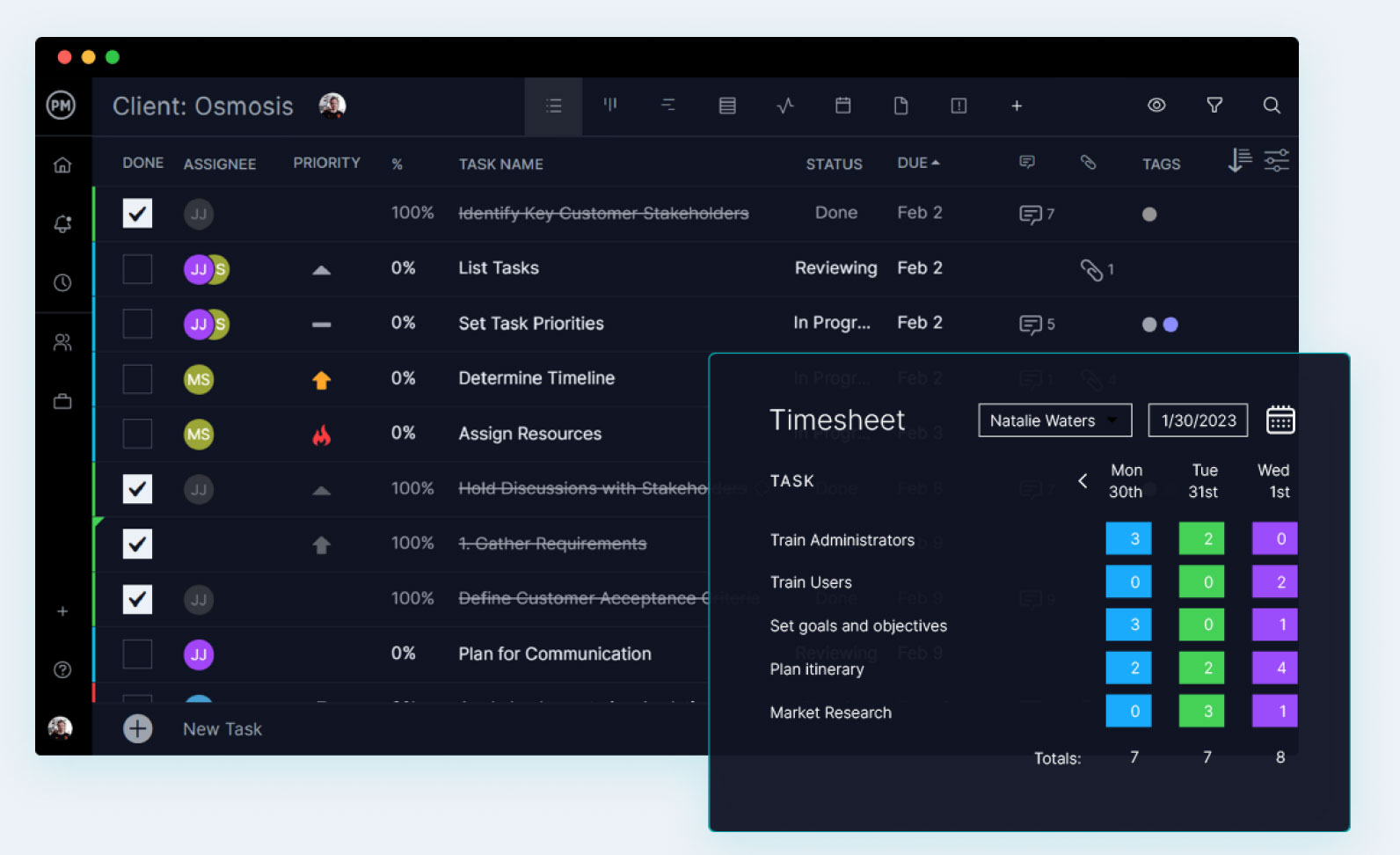
Then we built the My Home page which is the place you go to each day to check the latest news on your projects. It tells you which tasks you have to do that day and which discussions have been recently created. You can also add messages in a Twitter like fashion to Twitter your colleagues about the status of your project. We also built a simple "To DO List" tool that allows you to list the stuff you need to do each day, to get rid of the post it notes from your desk.

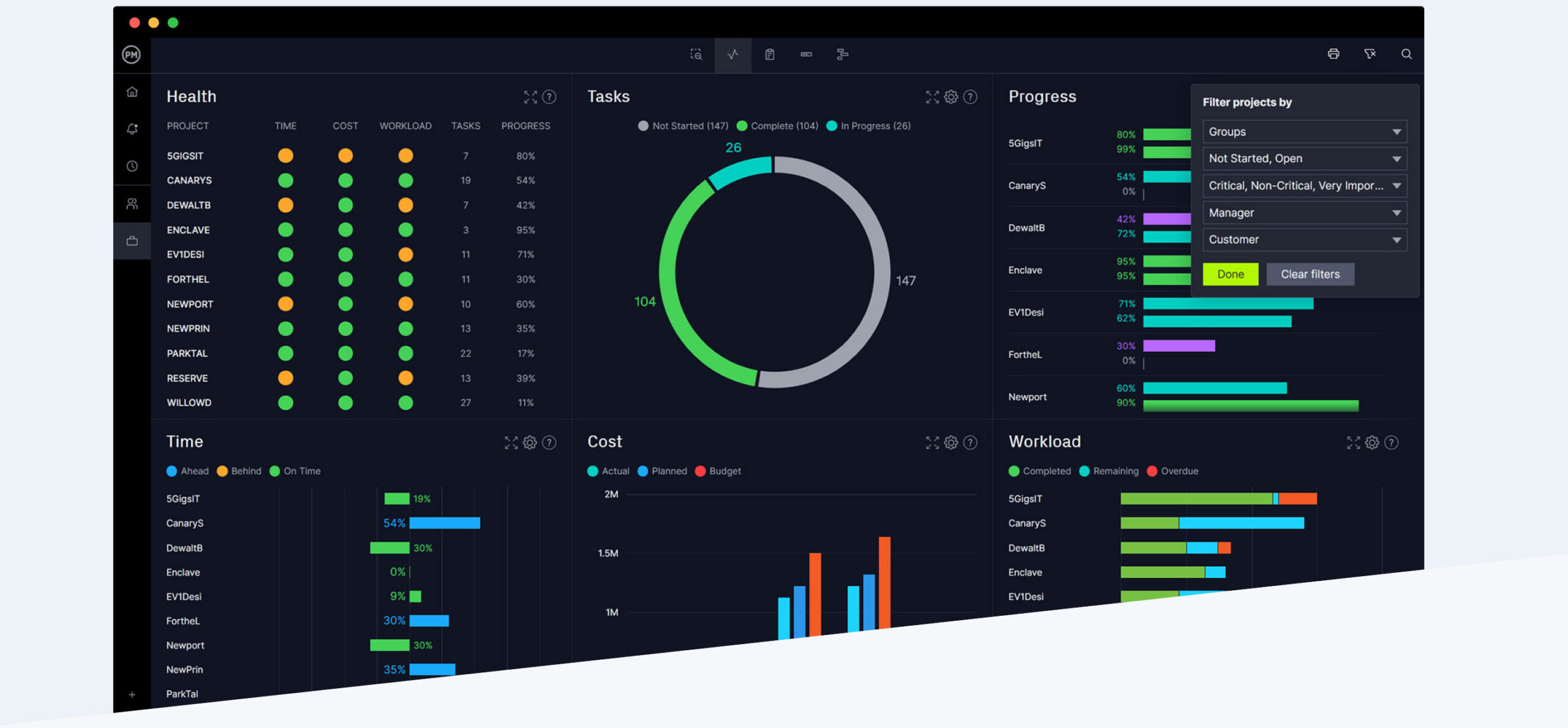
We've also released a brand new dashboard that leaves the old one high and dry. The new project dashboard tells you if you're on time and under budget as well as lots more. Signup for a free trial to check it out.

Over the next quarter, we're mainly focusing on dramatically boosting the speed of the site, making the Gantt Chart "bullet proof" and some advanced features like Custom Security Profiles and Alerts. So watch this space...

By the way - we've also released our new Project Manager Blog. Every day, we post new articles on project management to help you manage projects better than before. We hope it helps!

We're also now on Twitter. See http://twitter.com/projectltd

1 June 2010

June 2010 Release

New Dashboard

You may not notice it at first, but we have just upgraded the dashboards with brand new charts and hovers. They are now much easier to understand.

Before, the charts were often empty if you didn't have the right data entered into the right fields. We used complex calculations to tell you if your project was on track. It was also difficult to know where the data came from and how to change the results. While the dashboard was technically correct, it was harder to interpret the results.

But now, we've greatly simplified the data that populates the charts. If you hover over any chart item, then a message will appear that tells you if your project is on track or not. It doesn't use complex calculations to do it. Instead, it uses very simple data that you've entered previously and the hover message tells you what the data is, where it comes from and how to change it.

This way the dashboard is much more informative and easier to change. For more info on the new dashboard, click on the "Dashboard" link in this Help menu.

Coming soon

We're currently working on a major new speed improvement to ProjectManager.com. In less than a month's time, we'll release a new version which has much faster tab navigation. Then, the ultimate speed improvement version will be released 3 months later, making the pages lightening fast to load.

1 May 2010

May 2010 Release

Workload page

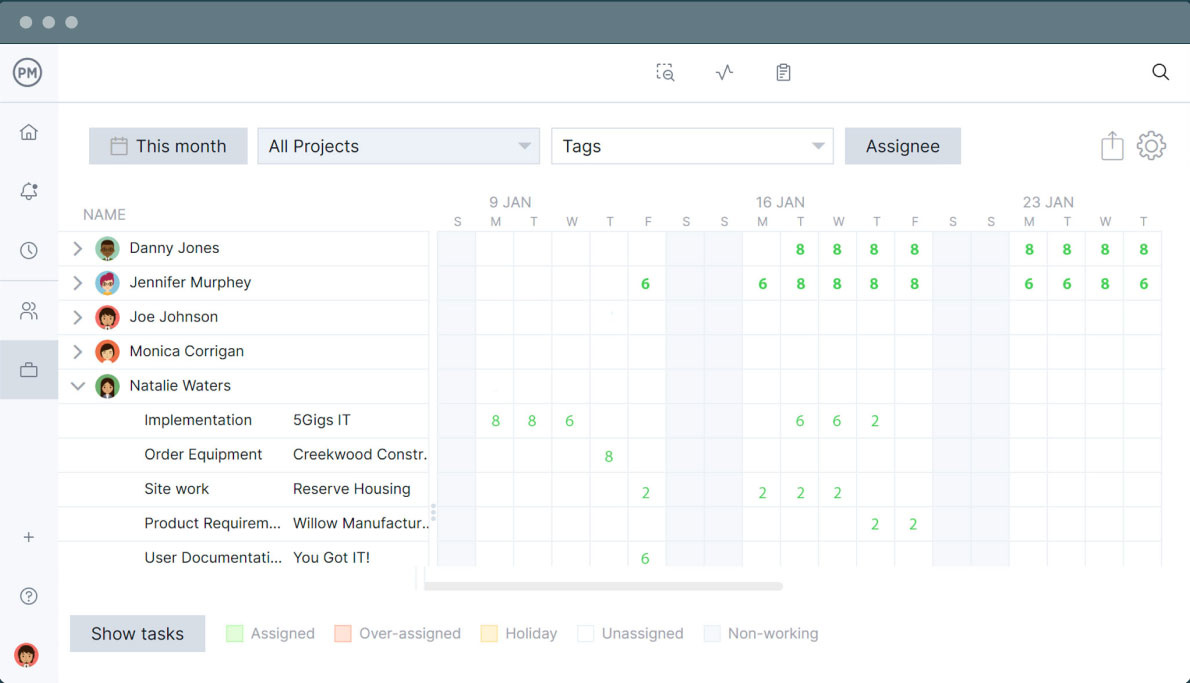
We have just released the new Workload page under the "All" tab. This new page tells you at a glance, whether your resources are under or over allocated across all projects. No longer do you have to run the Resource reports to find this out. Now you can simply click on the "All" tab at the top and then select "Workload" to see who is busy and who is not.

You can select the month you want to view and then look for the red cells to see who is overloaded. Then click on a red call to see which tasks they are assigned to for that day. And if you're the Project Manager, you can go one step further, by clicking in the popup to un-assign them from tasks, to free up their day.

We created this new screen in response to a suite of ideas from customers about resource management. So if you have any ideas on how to improve the system, then just let us know. We take your ideas seriously and we try and implement them wherever possible.

Project Resources Tab

To simplify the way in which you create and manage resources, we have now removed the need to assign each resource to a project. Before, you had to create a resource and then assign it to the project before you could assign it to tasks. You also had to work out the "% allocation" to the project and to be frank; it was a complex process for people. It was originally based on how Microsoft Project works, but we decided to simplify it by removing the whole "project % allocation" concept altogether.

So now, you can create your resources on the "All" Resources tab and then jump into your project "Tasks" tab to start assigning resources to your project.

Coming soon

We're currently working on a new version of the Project Dashboard. It's less than a couple of weeks away. In this new version, we've added new charts and changed the existing charts so that they are much easier to understand.

Parallel to this, we're also working on a major new speed improvement to ProjectManager.com. In a month's time, we'll release a new version which has much faster tab navigation. Then, the ultimate speed improvement version will be released 3 months later, makes the pages load lightening fast. So stick with us and keep giving us feedback - and we'll improve the system for you each month.

1 April 2010

April 2010 Release

My Home Page

We have just released the new My Home page, which is the feature you have all been requesting! It tells you all of the things you need to know on a daily basis, for all of the projects that you have access to. On this page, you can see the tasks that you need to complete and the tasks that are outstanding. You can use the Messages area to tell others about what is happening at your end and where you are up to with your tasks. And in the To Do List area you can manage items that come up each day that you need to complete but don't want to formally add to your project plan. You can also see in the Latest Discussions area, the most recent discussions that are taking place for your projects. See the "My Home" help page for more info.

Discussions

This month, we've released the Discussion page. This is where you go, to collaborate with team members. You can hold discussions with others on any topic you wish, so that everyone can clearly communicate on projects. By discussing issues, risks, tasks or other topics with your project colleagues, you can ensure that your project starts on track. See the "Discussions" help page for more info.

Coming Soon

With these major new features released, we're now working hard on the next feature set. This includes a simplified project dashboard with simpler calculations, so that you know how the figures are based. We're also working on a new resources page so that you can see in a "Calendar" view, which resource is under or over resourced across all projects. You currently have to do this by running a report. But in the next few months, you'll be able to do this by seeing at a glance, whether your team is assigned to too many tasks as well as the ability to reallocate them on the fly without leaving the page. So stick with us and watch this space...

25 March 2010

New Features for Project Management Software

Over the past 3 months, we've released a suite of new features to ProjectManager.com. This includes the display of resource availability for tasks, the filtering of task lists and the personal branding of clients accounts to name a few.

"We are currently releasing major new features every four weeks" says Jason Westland, our CEO. "With customers in 150 countries, we're constantly kept on our toes. Our online project planner is the best in the industry and it offers a compelling reason to shift to ProjectManager.com. It comes with all of the commonly used features found in Microsoft Project, and it's online. However one area that we need to improve on is collaboration. Which is why we're building a suite of new discussion, messaging and personal dashboard features, to allow teams to collaborate online. These will be released within the next 6-8 weeks. With these features released, we'll then be totally unique in the market."

ProjectManager.com was released publicly in July 2008 and has thousands of paying companies using the software every day to deliver projects. "We are growing at an extraordinary rate" says Westland. "We have gone from 2 to 35 staff in the past 3 months, and it's all funded out of cash flow. This is another reason why we're different than the rest. Most of our competitors are external funded, so they stand the risk of losing their funding at any time. Whereas we're funded out of profit, so we're more financially stable. This gives customers confidence that we will be around for the long term."

The team at ProjectManager.com currently have 3 top priorities: 1) Offer new collaboration features; 2) Boost the speed of the site and 3) Offer teams advanced features in the areas of role based security and API integration.

1 March 2010

March 2010 Release

Improvements

This month, we have fixed all known bugs in the Tasks page. Please let us know if you find anything that looks like a bug and we'll immediately investigate and patch a fix.

Also, we have improved the accuracy of the Microsoft Project import and export feature. The new version of ProjectManager.com now supports more of the features in Microsoft Project when importing and exporting. We have a 98% success rate with imports which is the best in the industry, considering the number of versions of Microsoft Project we support. We will support Microsoft Project 2010 within 2 months of its official release to market.

Resource Availability

This month, we have also released a new feature which tells you whether the resource on your project is available to complete the selected tasks. When you click on a task and select the Resource link in the Menu bar, then the Resource Popup will appear. The popup will now tell you whether the resource is available to complete the selected task, based on their availability across all projects. The % availability will be displayed so you can see at a glance, whether they have the time available to complete that particular task for that particular time period. And if you hover over the availability percentage, then it will show you the other tasks that the resource is assigned to across all projects for that same time period.

Note: The information is updated every time you save your plan. So if you think that the information displayed is outdated, then simply save your plan and get the latest availability data.

Coming up

Next month, we're releasing 2 major new features, including the "My Home" page which shows the tasks you've been assigned across all projects, as well as your tasks overdue. It also allows you to collaborate and send messages to your project team members.

And the second new feature is a new collaboration page called "Discuss". On this page, you can create new discussions and comment on other people's discussions. These features will be released within 6 weeks.

1 February 2010

February 2010 Release

Branding

With this new release, every new and existing customer account can be branded as their own. In fact, we've done this automatically for you when the release went live. We took your Company name and where relevant, we replaced our brand at the top with yours.

If you want to change it, then simply click the Menu button in the top left corner and select "Settings". Then change your Company Name. This will immediately change the name at the top. If you want to restore the ProjectManager.com brand, then clear the Company name field and it will appear automatically.

Tasks - Major New Features

1. Linking

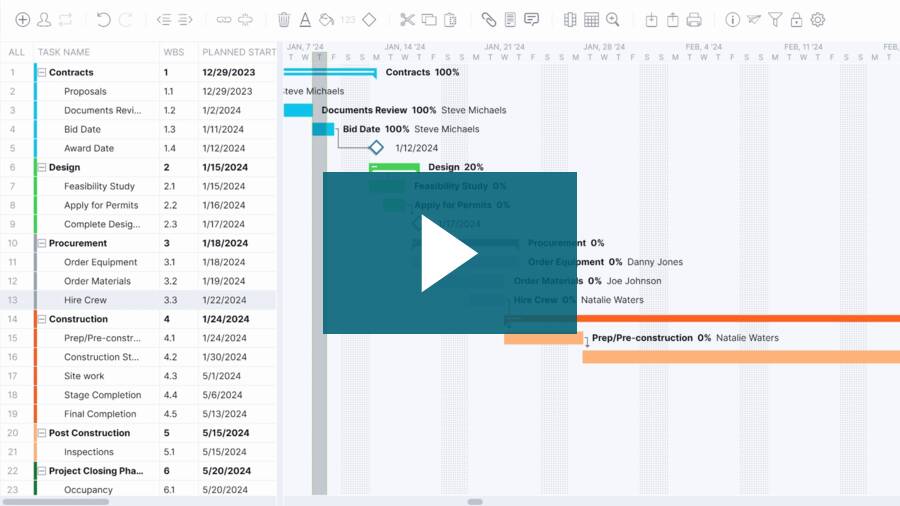
We've radically changed the way you link tasks. It's now much easier. Simply select multiple tasks and click the Link button and when you do, it will automatically link all of your selected tasks together. We've also added auto-scroll to the links that appear in the pop-ups, so that the list automatically scrolls to the right place for you, saving you time.

2. Filters

On the Tasks page in the "Task Information Area" at the bottom, we have added a new tab called "Filters". There, you can filter out the tasks you see in the Gantt above, based on a number of criteria. Filter by tasks, resources and milestones as well as much more. When you have a filter set, the Gantt will go into "read-only mode". So when you next interact with it, a popup may appear that tells you that the filter needs to be turned off so that you can complete your action. Filters are a quick way of seeing what you have to do for the day and seeing who is assigned which tasks.

3. Lags

Before, you couldn't set a lag between two tasks. So if you had two linked tasks, then one would always start immediately after the next, by default. However now you can set a lag between tasks. This means that as you move the tasks around, the gap between the start and end dates of the two tasks will remain fixed. You can even have negative lags, so that if Task A links to Task B, then Task B can start before Task A has finished.

4. Part Days

Now, you can create tasks which have duration of less than a day. In fact you can create tasks with a duration of just 0.125 which is 1/8th of a day, or in other words - 1 hour. So if you have 8 one hour tasks and you need to complete them all on the same day, then you can do it with this latest release. Part days are also supported upon import and export.

5. Custom Colum

We've had lots of people say "can I have a column for this" or "can I have a column for that", so the best way we thought of meeting everyone's need was to create a new custom columns feature so that you can create whatever new fields you want. To do it, click on the "Columns" button and then select "Custom Columns". When you do this, you will be able to create a new column name and a field type and click "Create". And when you click "OK", the new field will appear immediately in the Data grid on the left. You can have as many custom columns as you wish. So if you want to track the "Cost per task" for instance, then just create a new custom column called "Cost" and you're good to go.

Viewing page 1 of 3

Page 1  Page 2  Page 3